Innova 5610 Vs BlueDriver: Best OBD2 Scanner?
Innova 5610 offers deeper hands-on testing, while BlueDriver provides simpler app-based diagnostics for everyday drivers.
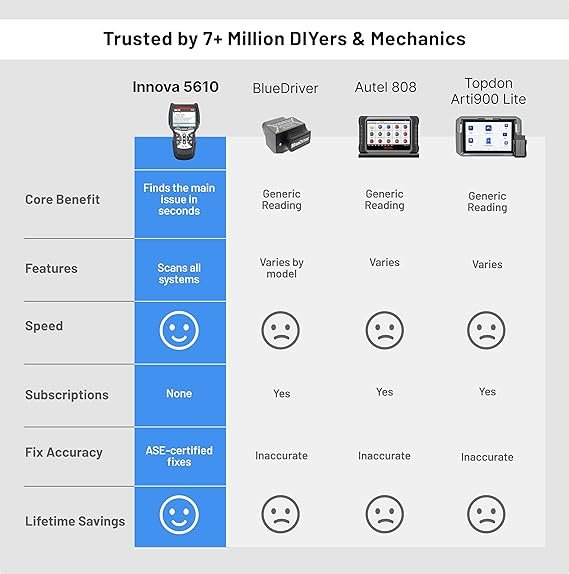
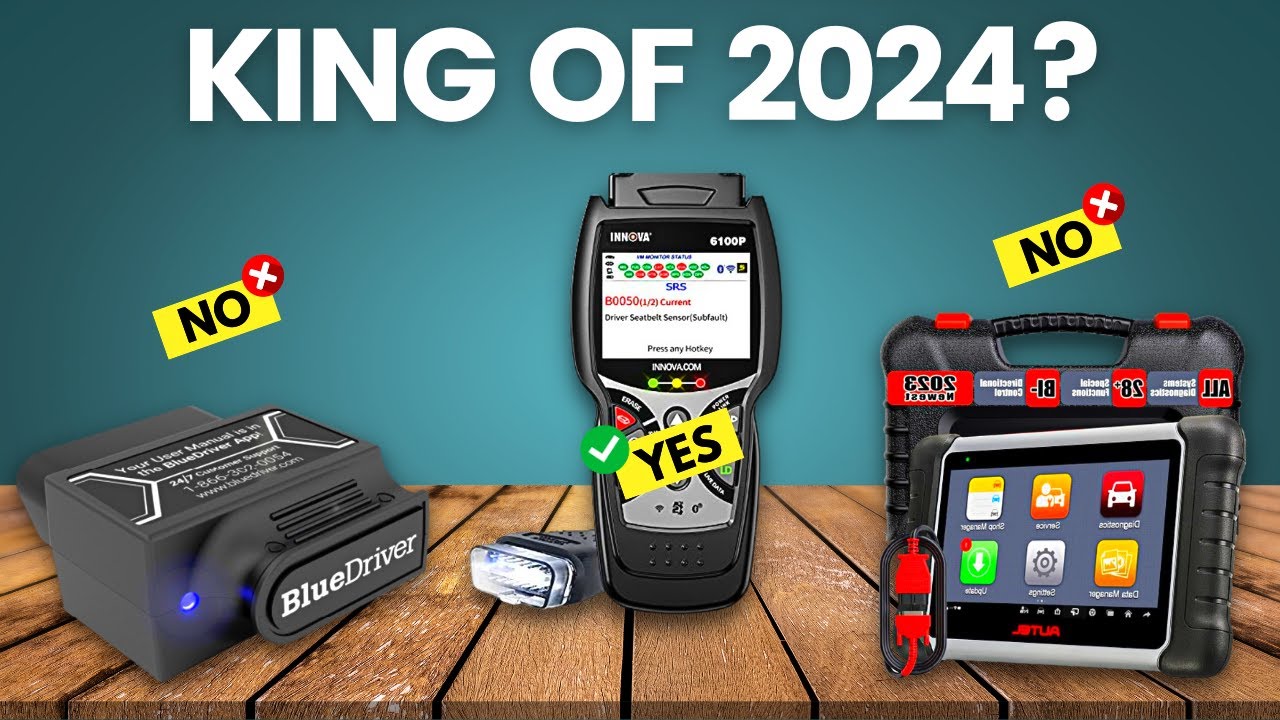
Choosing between Innova 5610 vs BlueDriver depends on how much control you want over vehicle diagnostics. The Innova 5610 is a dedicated scan tool with bidirectional tests and broad system coverage. BlueDriver is a compact Bluetooth scanner that uses a phone app to read codes, show live data, and create repair reports. This guide compares their features, costs, ease of use, vehicle coverage, and real-world limits so you can choose with confidence.
Innova 5610 vs BlueDriver: Quick Comparison
The biggest difference is simple: Innova 5610 is a professional-style handheld tool, while BlueDriver is a mobile diagnostic system.
| Feature | Innova 5610 | BlueDriver |
|---|---|---|
| Design | Dedicated handheld scanner | Bluetooth adapter with phone app |
| Main use | Advanced DIY and shop-level testing | Fast code reading and repair guidance |
| Bidirectional controls | Yes, on supported vehicles | Generally not its main feature |
| Live data | Yes | Yes |
| ABS and SRS codes | Supported on many vehicles | Supported on many vehicles |
| Repair reports | Yes, through its software features | Yes, through the BlueDriver app |
| Phone required | No for basic tool use | Yes |
| Updates | Software updates may be available | App and firmware updates |
| Best strength | Active tests and broad diagnostic control | Simplicity and clear reports |
| Main weakness | Higher price and steeper learning curve | Limited advanced control |
Both tools use the vehicle’s diagnostic port, known as the OBD-II port. However, OBD-II rules mainly require access to emissions data. Extra systems such as airbags, anti-lock brakes, and transmission modules depend on the tool, vehicle, model year, and software coverage.

What Is the Innova 5610?
The Innova 5610 is a handheld automotive scan tool built for drivers, serious DIY mechanics, and technicians. It can read and clear diagnostic trouble codes, display live sensor data, and perform selected active tests on supported vehicles.
An active test lets you command a vehicle part to operate. For example, a scan tool may turn on a cooling fan, cycle a fuel pump, or activate a solenoid. This can save time because you can test a circuit without guessing or replacing parts first.
Key Innova 5610 features may include:
• Full-system scanning on supported vehicles
• Check engine, ABS, and airbag code access
• Bidirectional controls for selected modules
• Live data graphs
• Battery and alternator tests
• Oil service reset functions
• Code definitions and repair information
• On-screen diagnostic guidance
• Built-in display and controls
The word “supported” matters. No aftermarket scan tool can perform every function on every vehicle. A 2018 Ford, 2020 Toyota, and 2015 BMW may expose different systems and commands through their diagnostic networks.
How the Innova 5610 feels in use
A handheld scanner feels more like a workshop tool. You plug it in, turn on the ignition, and work from the screen. You do not need to unlock your phone, open an app, or worry about a weak Bluetooth connection.
The tradeoff is learning. The Innova 5610 gives you more data and more choices, but those choices can seem confusing at first. A new user may see several modules, sensor values, and test menus without knowing which one matters.
What Is BlueDriver?
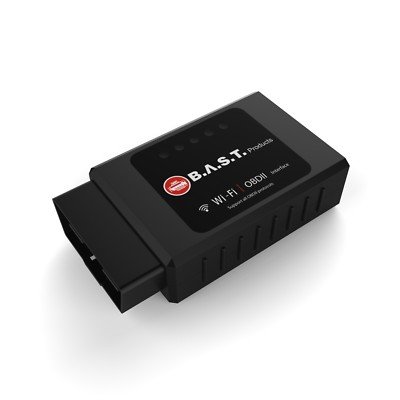
BlueDriver is a small Bluetooth OBD-II adapter paired with a smartphone or tablet app. The adapter reads information from the vehicle, while the app presents codes, live data, test results, and repair suggestions in a clean format.
BlueDriver is popular because it makes vehicle diagnostics less intimidating. You connect the adapter, open the app, select the vehicle, and scan. The app can often show the meaning of a fault code in plain language instead of displaying only a number such as P0301.
Common BlueDriver features include:
• Check engine code reading and clearing
• Enhanced code access on supported vehicles
• ABS and SRS diagnostics on selected makes
• Transmission and body module data on selected vehicles
• Live sensor readings
• Freeze-frame information
• Repair reports
• Smog check readiness information
• Shareable diagnostic reports
BlueDriver does not usually provide the same level of actuator control as the Innova 5610. It is best viewed as a strong diagnostic reader and information tool, not a full replacement for a factory scan system.
How BlueDriver feels in use
BlueDriver is fast and friendly. The phone screen is familiar, and the app often explains a code better than a basic handheld scanner. This makes it a good fit for someone who wants to know why the check engine light is on before visiting a repair shop.
The phone-based design also creates limits. You need a compatible device, the app, Bluetooth access, and enough battery power. A phone notification, poor connection, or app issue can interrupt a scan at the wrong time.

Innova 5610 vs BlueDriver: Diagnostic Features
When comparing Innova 5610 vs BlueDriver, look beyond the number of features. The useful question is whether each feature helps you find the actual fault.
Code reading and clearing
Both tools can read and clear many diagnostic trouble codes. BlueDriver often explains the code in a clear report, while the Innova 5610 may offer more direct access to vehicle modules and test functions.
Clearing a code does not repair the problem. It only erases the stored warning and resets some monitors. If the fault remains, the light will return.
Live data
Live data shows readings while the engine runs. Common values include:
• Engine coolant temperature
• Short-term and long-term fuel trim
• Oxygen sensor activity
• Mass airflow readings
• Engine speed
• Throttle position
• Vehicle speed
BlueDriver makes live data easy to view on a phone. The Innova 5610 may offer stronger graphing and a more dedicated diagnostic workflow. For example, you can watch fuel trim and oxygen sensor data while the engine warms up.
Bidirectional testing
This is one of the clearest wins for the Innova 5610. Bidirectional testing allows the scanner to send commands to a control module.
A useful example is a cooling fan test. If the fan does not run, you can command it on. If it works during the command, the problem may involve a sensor, relay, wiring signal, or software condition. If it does not work, you can inspect the motor, fuse, wiring, and ground.
BlueDriver is generally less capable in this area. It can help identify codes and data, but it is not normally the first choice for commanding vehicle components.
Repair information
BlueDriver’s repair reports are one of its strongest features. They can show likely causes, reported fixes, and related information. This helps users move from “What does this code mean?” to “What should I inspect next?”
The Innova 5610 also aims to support repair decisions through code definitions and diagnostic information. Still, you should treat any likely fix as a starting point, not a guarantee. A code points to a system or condition. It does not always identify the failed part.
Innova 5610 vs BlueDriver: Vehicle Coverage
Vehicle coverage is where many buyers make mistakes. A tool may support a vehicle brand but still lack a specific reset, module, or active test for one model year.
Both products work with many OBD-II vehicles sold in the United States. Most gasoline cars and light trucks from 1996 onward use the standard OBD-II system. However, enhanced features vary by make, model, engine, year, and trim.
Before buying, check:
• Your exact vehicle year
• Make and model
• Engine size and fuel type
• Required system, such as ABS or SRS
• Needed function, such as a throttle relearn or battery reset
• Regional vehicle differences
The Innova 5610 may be the better choice when you own several vehicle brands or need deeper module testing. BlueDriver can be excellent for a small number of personal vehicles, especially when those vehicles have strong enhanced coverage in the app.
A common mistake is assuming that “full system scan” means dealer-level access. It does not. Factory tools often have the deepest software support, coding functions, programming features, and newest vehicle coverage.
Ease of Use and Learning Curve
BlueDriver wins for most first-time users. Its app uses a large phone screen and simple menus. Reports are easy to save or send to a mechanic.
The Innova 5610 takes more time to learn, but that effort can pay off. A dedicated scan tool keeps the diagnostic process focused. You can compare data, run tests, and work without switching between apps.
For a beginner, BlueDriver is like a clear map. The Innova 5610 is like a full toolbox. The map is easier to read, but the toolbox can solve more problems when you know how to use it.
Tips for better results
-
Read the codes before clearing anything.
-
Save freeze-frame data and reports.
-
Check battery voltage before deep testing.
-
Look for technical service bulletins.
-
Use a wiring diagram for electrical faults.
-
Do not replace parts based on one code alone.
-
Confirm the repair, then clear codes and complete a drive cycle.
From years of reviewing automotive diagnostic tools, one lesson stands out: the scan itself is often the easy part. The hard part is deciding what the data means. A good tool supports your thinking, but it cannot replace testing, service information, or careful inspection.
Performance, Portability, and Reliability
The Innova 5610 is ready when you need it. It does not depend on a phone, and its cable connection avoids Bluetooth pairing problems. The screen is smaller than a modern phone, but the tool is made for automotive use.
BlueDriver is smaller and easier to store. You can leave the adapter in a glove box and use the app when needed. It is also convenient for sharing a report with a repair shop or showing a technician what happened.
Each design has a practical weakness:
• Innova 5610: More bulk, more menus, and a higher learning curve
• BlueDriver: Requires a phone, app access, and a stable connection
• Innova 5610: Some advanced features depend on software coverage
• BlueDriver: The adapter should not remain connected while driving unless the manufacturer allows it
Never use either tool while driving unless a qualified person is operating the scanner safely. Live data testing should not distract the driver.

Cost and Long-Term Value
The purchase price can change with promotions, bundles, and software updates. In general, the Innova 5610 costs more because it includes a dedicated display and more advanced diagnostic hardware.
BlueDriver usually has a lower entry cost. Its value comes from the app, repair reports, and easy access to enhanced data. Check the current app terms and update policy before purchase, since software features can change over time.
Choose the Innova 5610 when:
• You perform your own repairs often
• You need bidirectional testing
• You work on several vehicles
• You want a tool that works without a phone
• You need a more workshop-style scan process
Choose BlueDriver when:
• You want simple code explanations
• You mainly diagnose check engine problems
• You prefer using a phone
• You want easy reports for a mechanic
• You do not need regular actuator tests
A cheaper scanner can become expensive if it cannot perform the one test you need. Before comparing prices, write down your top three tasks. For example, “read ABS codes,” “test cooling fans,” and “check live fuel trim” will lead to a better choice than simply searching for the lowest price.
Real-World Examples
Imagine your 2012 Honda Accord has a check engine light. BlueDriver may quickly show the code, freeze-frame data, and common repair paths. For a basic misfire or oxygen sensor issue, that may be all you need.
Now imagine a vehicle has an intermittent cooling fan problem. The Innova 5610 may let you command the fan or related circuit on a supported model. That test can help separate a control problem from a failed motor.
For an airbag light, both tools may help read the SRS code if coverage is available. However, airbag systems are safety-critical. Do not probe airbag wiring or replace parts based only on a scanner suggestion.
For a used-car inspection, BlueDriver is convenient because you can check codes, readiness monitors, and live data from your phone. The Innova 5610 may provide a deeper scan, but you still need a mechanical inspection, road test, and service history.

Limitations and Safety Notes
No comparison of Innova 5610 vs BlueDriver is complete without discussing limits. A scan tool is not a crystal ball. It reads electronic information and runs supported tests, but it cannot see a worn ball joint, low tire tread, vacuum leak, damaged wire, or poor repair quality unless the fault affects a monitored system.
Keep these points in mind:
• A cleared code may return after several miles.
• Readiness monitors may need a complete drive cycle.
• Generic OBD-II data is not the same as factory-level data.
• Some codes require special adapters or procedures.
• Battery voltage can affect scan results.
• Software coverage may change with updates.
• Repair suggestions are not final diagnoses.
Always follow the vehicle service manual for safety procedures. The National Highway Traffic Safety Administration and vehicle manufacturers treat airbag, brake, and steering repairs as high-risk work. When a fault involves these systems, professional help is often the safest choice.

Which One Should You Buy?
The best answer depends on your repair style.
For most casual car owners, BlueDriver is the easier recommendation. It is simple, portable, and good at explaining common codes. It can help you avoid panic when a warning light appears and give you useful information before you call a shop.
For serious DIY work, Innova 5610 is usually the stronger choice. Its dedicated design, live data tools, and bidirectional functions offer more room to diagnose faults instead of only reading them.
The best choice by user type is:
• Beginner: BlueDriver
• Weekend mechanic: Innova 5610
• Professional technician: A higher-level factory or professional scan platform may be better
• Multiple-car household: Innova 5610, if coverage matches your vehicles
• Used-car buyer: BlueDriver for quick checks, plus a full inspection
If you are still unsure, start with the function you need most. If you only want code definitions and reports, choose BlueDriver. If you want to command components and perform deeper tests, choose Innova 5610.
Frequently Asked Questions About Innova 5610 vs BlueDriver
Is Innova 5610 better than BlueDriver?
Innova 5610 is better for advanced DIY diagnosis, active tests, and working without a phone. BlueDriver is better for simple code reading, clear reports, and convenient mobile use.
Can BlueDriver read ABS and airbag codes?
BlueDriver can read ABS and SRS codes on many supported vehicles. Coverage depends on the make, model, year, and specific module, so confirm compatibility before buying.
Does Innova 5610 perform bidirectional tests?
Yes, the Innova 5610 supports bidirectional testing on selected vehicles and systems. The exact commands available depend on the vehicle’s control modules and the scanner’s software coverage.
Do I need a subscription for BlueDriver?
BlueDriver’s main diagnostic features are provided through its adapter and app, but app policies and available services can change. Review the current product terms before purchase to confirm update and subscription details.
Can either scanner program a key or reprogram a vehicle computer?
Usually, no. Key programming, module coding, and computer reprogramming often require specialized tools, security access, and manufacturer software.
Which tool is better for checking a used car?
BlueDriver is convenient for a quick check of codes, live data, and readiness monitors. Innova 5610 may provide deeper testing, but neither tool replaces a professional pre-purchase inspection.
Can these scanners turn off the check engine light permanently?
They can clear a stored code, but they cannot permanently remove a warning caused by an active fault. If the problem remains, the light will return after the vehicle detects it again.
Conclusion
Innova 5610 vs BlueDriver is not simply a contest between two code readers. The Innova 5610 is the better fit for deeper testing, bidirectional controls, and serious DIY repairs. BlueDriver is the better fit for quick scans, clear explanations, mobile convenience, and easy reports.
Choose the tool that matches your real needs, not the longest feature list. Check your exact vehicle coverage, save every scan report, and use diagnostic data as a guide for testing. Explore the manufacturer’s coverage details before buying, and share your experience if one of these tools helped solve a difficult fault.