Autel MaxiSYS MS908S Troubleshooting: Fast Fixes
Most Autel MaxiSYS MS908S problems come from weak power, poor connections, old software, or incorrect vehicle selection.
The Autel MaxiSYS MS908S is a powerful diagnostic tablet, but even a good scan tool can show errors, lose communication, freeze, or fail to complete tests. This guide explains Autel MaxiSYS MS908S troubleshooting in a clear, practical way. It covers common faults, safe fixes, update problems, Bluetooth issues, vehicle communication errors, and steps that help you avoid wasted test time.
Understanding the Autel MaxiSYS MS908S
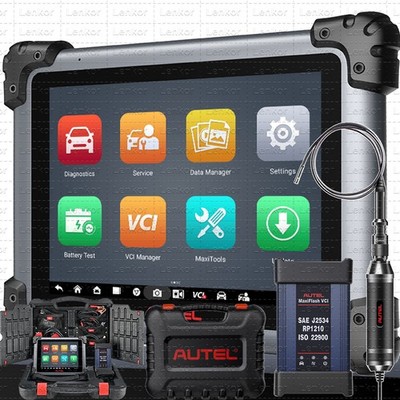
The Autel MaxiSYS MS908S is an advanced automotive diagnostic scanner for reading and clearing trouble codes, viewing live data, running active tests, and performing selected service functions. Depending on the vehicle, it may also support coding, resets, adaptations, and special system tests.
The tool has several parts that must work together:
• The MaxiSYS tablet
• The vehicle communication interface, or VCI
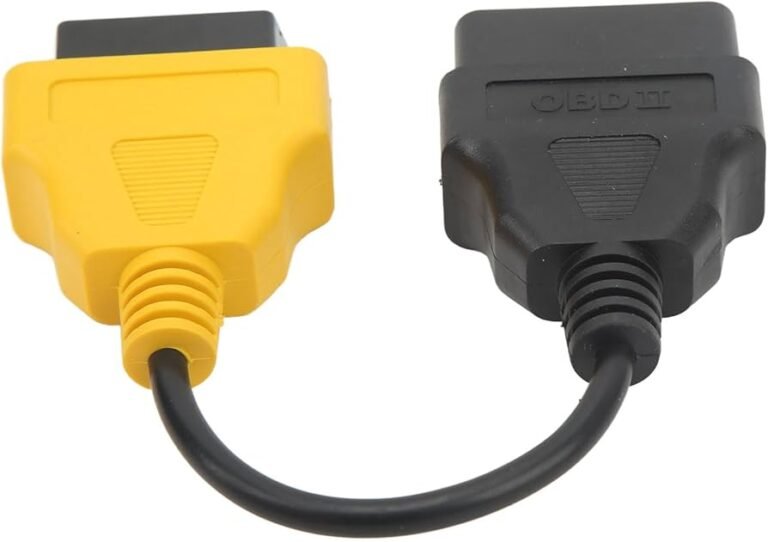
• The OBD or diagnostic cable
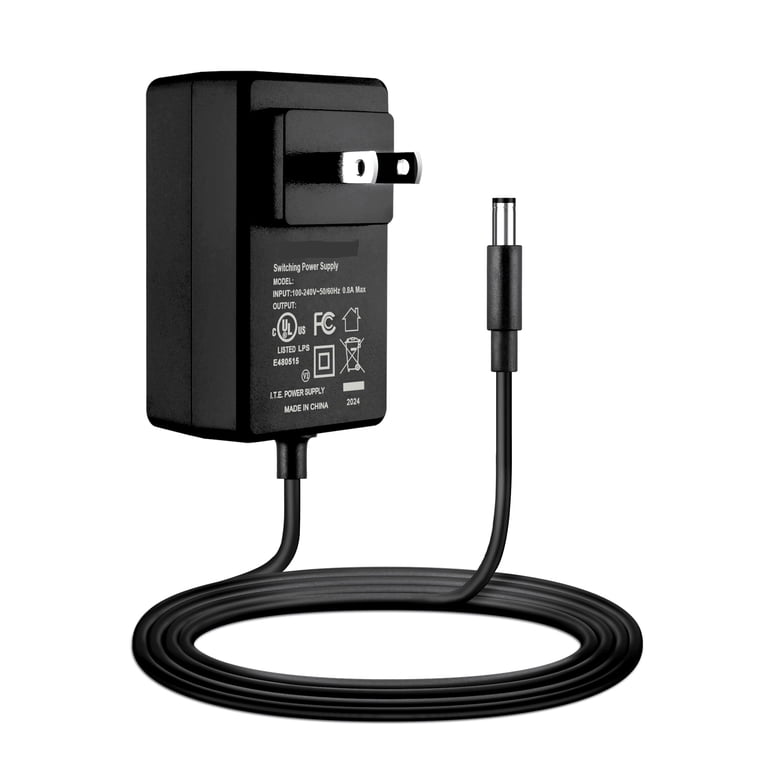
• The tablet battery and charger
• Wi-Fi or another internet connection
• Autel diagnostic software and vehicle data
A fault in any one of these areas can look like a vehicle problem. For example, a damaged OBD cable may cause the same “no communication” message as a failed vehicle control module.
Good Autel MaxiSYS MS908S troubleshooting starts with the simplest cause. Check power, cables, connections, software, and vehicle selection before testing complex modules. This approach saves time and reduces the risk of changing a part that is working correctly.

Autel MaxiSYS MS908S Will Not Turn On
A dead battery is the first issue to check when the tablet does not start. Connect the original charger and allow the unit to charge for at least 30 minutes. A deeply discharged battery may not show a charging symbol right away.
Try these steps:
-
Connect the tablet to a known working wall outlet.
-
Check the charger, cable, and charging port for damage.
-
Hold the power button for about 10 seconds.
-
Release the button, wait a few seconds, and press it again.
-
Remove any memory card or accessory that may interfere with startup.
If the screen remains black, look for signs of life. A charging light, sound, screen glow, or vibration can show that the tablet is receiving power. If the tablet turns on but stops at the Autel logo, the issue may involve the operating system or internal storage.
Do not use a random high voltage charger. The wrong charger can damage the battery or charging circuit. If the tablet becomes very hot, smells unusual, or shows a swollen case, unplug it and stop using it until it is inspected.
In hands-on diagnostic work, I have found that many “dead” tablets simply had a weak cable or a loose wall connection. Always test the charger with another compatible device before assuming the MS908S has failed.
Autel MaxiSYS MS908S Freezes or Restarts
A frozen screen can result from a temporary software fault, low battery voltage, full storage, or an incomplete update. Start with a forced restart. Hold the power button until the tablet shuts down, then wait a short time before starting it again.
If the problem repeats, check the following:
• Battery level
• Available internal storage
• Recent software updates
• Installed applications
• Tablet temperature
• Damage to the screen or buttons
Avoid launching several large diagnostic functions at once. Live data, recording, active tests, and report creation can use a large amount of memory. Close unused applications before beginning a long diagnostic session.
If the MS908S freezes during a vehicle scan, disconnect the VCI from the vehicle only after confirming that no programming operation is running. Never interrupt a module programming process unless the manufacturer’s instructions tell you to do so. A loss of power during programming can damage vehicle software.
A reset may remove personal settings and stored data. Back up reports and important records first. Use a factory reset only after normal restart methods and software repair options have failed.

Autel MaxiSYS MS908S Shows No Communication
“No communication” is one of the most common Autel MaxiSYS MS908S troubleshooting problems. It means the tablet cannot establish a reliable data link with one or more vehicle control modules.
Use this order of checks:
-
Confirm that the vehicle battery is charged.
-
Turn the ignition to the correct position.
-
Check that the OBD connector is fully inserted.
-
Inspect the diagnostic cable for bent, pushed back, or dirty pins.
-
Confirm that the VCI is connected to the tablet.
-
Select the exact vehicle year, model, engine, and system.
-
Try a full vehicle scan and a single system scan.
The ignition usually needs to be on, but the engine should remain off unless the test requires engine operation. Some vehicles use a gateway or security system that controls access to diagnostic modules.
Check the OBD socket for damaged terminals. A loose power terminal can prevent the scan tool from starting communication. Pin 16 normally supplies battery power, while pins 4 and 5 provide ground. Communication lines vary by vehicle, so do not bridge pins or apply external voltage.
Test the scanner on a second known working vehicle. If it works there, focus on the first vehicle, its battery, fuse, OBD socket, or network. If it fails on several vehicles, inspect the VCI, cable, and tablet software.
This is a key lesson in Autel MaxiSYS MS908S troubleshooting: a scan tool cannot repair a vehicle network that has no power or ground. Confirm the basics before blaming the scanner.

Autel MaxiSYS MS908S VCI and Bluetooth Problems
The VCI sends data between the vehicle and the tablet. If the VCI is not paired or has a weak connection, the scan may stop or show no communication.
Try these actions:
• Turn Bluetooth off and on in the tablet settings.
• Restart both the tablet and the VCI.
• Keep the VCI close to the tablet during pairing.
• Remove old or duplicate VCI entries.
• Confirm that the correct VCI serial number is selected.
• Check the VCI status inside the Autel diagnostic application.
Some users connect the VCI to the vehicle but forget to connect it to the tablet. The VCI may show power while still lacking a data connection. A light on the VCI does not always prove that communication is working.
Wireless connections can be affected by distance, metal barriers, other Bluetooth devices, and electrical noise. For difficult tests, keep the tablet inside the vehicle and avoid placing the VCI near high current equipment.
If Bluetooth remains unreliable, use a wired connection when the equipment and vehicle support it. A wired link removes one possible source of delay and can make long active tests more stable.

Autel MaxiSYS MS908S Update and Registration Errors
Software updates provide new vehicle coverage, corrections, and service functions. However, an update may fail if the tablet has low storage, weak Wi-Fi, an incorrect date, or an inactive subscription.
Before updating, prepare the tablet:
-
Charge the battery to a safe level.
-
Connect to a stable private Wi-Fi network.
-
Check the date and time settings.
-
Free space by removing old reports or unused files.
-
Close other applications.
-
Keep the charger connected during the update.
Public Wi-Fi may use a sign-in page that the tablet cannot complete. A phone hotspot can help test the connection, but it may use a large amount of mobile data.
If the update stops, restart the tablet and check the update menu again. Do not repeatedly tap the update button while the system is processing. If the software shows as installed but a function is missing, confirm that the correct vehicle software package is selected.
An expired update plan does not always make the tablet useless. It may still run software already installed, but newer model coverage and improvements may not be available. Check the account status and coverage details before paying for renewal.
For reliable Autel MaxiSYS MS908S troubleshooting, record the error message and software version. A clear screenshot helps technical support identify the cause faster.

Autel MaxiSYS MS908S Battery and Charging Issues
The tablet battery affects more than startup. Low voltage can interrupt a scan, shut down the screen, or cause the VCI connection to drop.
Use these battery practices:
• Charge the tablet before a long diagnostic session.
• Keep the charger connected during active tests.
• Avoid extreme heat and cold.
• Do not store the tablet at zero percent for long periods.
• Inspect the charging port for dirt or loose movement.
• Replace a swollen or damaged battery through a qualified service channel.
Vehicle voltage matters too. A weak vehicle battery may fall below a safe level when the ignition is on. This can create false communication faults and may harm control modules during programming.
Use a stable battery support unit when performing coding, adaptations, or programming. A simple trickle charger may not provide enough current. Follow the vehicle maker’s voltage requirements because the correct support method differs by vehicle.
One common mistake is to blame the tablet after a scan fails halfway through. In many cases, the vehicle battery dropped too low while several modules were awake. Stable power is one of the most important parts of Autel MaxiSYS MS908S troubleshooting.

Autel MaxiSYS MS908S Cannot Read or Clear Trouble Codes
A diagnostic trouble code is a clue, not a final diagnosis. The MS908S may read a code correctly while the underlying fault remains active.
If a code will not clear:
• Turn the ignition off, wait, and restart the vehicle.
• Repair the cause of the code first.
• Check whether the code is current or stored.
• Confirm that the correct control module is selected.
• Drive the vehicle through the required readiness conditions.
• Scan again after the repair.
Some codes are permanent or manufacturer controlled. They may not clear with a scan tool until the vehicle completes its own self-check. Airbag, brake, steering, and high voltage system codes may also require special safety steps.
Do not replace a sensor only because its code name appears on the screen. Test power, ground, wiring, signal values, and connector condition. A circuit code can be caused by a broken wire, corrosion, poor ground, or a failed module.
When using Autel MaxiSYS MS908S troubleshooting, save the original scan report before clearing anything. The report preserves useful evidence, including code status, freeze frame data, and module information.

Live Data, Active Tests, and Special Functions
Live data can help confirm whether a sensor or system behaves normally. Compare readings with service information and with similar sensors. A value that looks unusual is not automatically wrong.
For example, an engine coolant temperature reading near outside air temperature is often normal before startup. A reading far below or above a realistic range may point to a sensor, wiring, or reference voltage issue.
Active tests are different from simple code reading. They command a component to operate, such as a cooling fan, fuel pump, injector, or valve. Use them carefully and follow safety instructions.
Before running an active test:
-
Read the vehicle’s test conditions.
-
Confirm that the component can move safely.
-
Keep hands and tools away from belts, fans, and hot parts.
-
Monitor voltage during the test.
-
Stop if the component makes an unusual sound.
Special functions may require security access, a stable internet connection, or specific vehicle conditions. Not every function works on every model, even when the MS908S menu displays a similar option.
This limitation is important. Diagnostic tool coverage depends on the vehicle, software version, market, and control module. Treat the tool as a skilled assistant, not as a guarantee that every procedure will be available.
When the Autel MaxiSYS MS908S Performs Coding or Programming
Coding changes configuration values. Programming may write new software to a control module. Both tasks carry more risk than reading codes.
Before coding or programming:
• Verify the vehicle identification number.
• Record the original configuration.
• Connect stable power support.
• Disable automatic screen sleep.
• Use a reliable network connection when required.
• Do not move the cable or turn off the ignition.
• Read all on-screen instructions.
A wrong vehicle selection can create incorrect settings. If the tool offers a backup or original coding record, save it before making changes. Some modules require a security gateway connection or manufacturer authorization.
If programming fails, do not immediately disconnect the vehicle. Read the screen carefully and follow the recovery steps. Contact qualified technical support if the module becomes unresponsive.
The MS908S can support many advanced functions, but its exact abilities depend on current software and vehicle coverage. Confirm the function in the official coverage information before buying the tool for a specific repair.
A Practical Autel MaxiSYS MS908S Troubleshooting Workflow
A repeatable process prevents guesswork. Use this workflow whenever the scanner behaves strangely:
-
Write down the exact message on the screen.
-
Check tablet battery level and charger operation.
-
Restart the tablet and VCI.
-
Inspect the OBD cable and connector.
-
Confirm vehicle battery voltage.
-
Check ignition position.
-
Verify vehicle identification.
-
Test another system on the same vehicle.
-
Test the scanner on another vehicle.
-
Check software and subscription status.
-
Save reports, screenshots, and error details.
-
Contact support if the fault remains.
This process separates tool faults from vehicle faults. For example, a failure on one vehicle but not another usually points toward the vehicle. A failure on many vehicles suggests a problem with the tablet, VCI, cable, or software.
Keep a small diagnostic log. Write down the vehicle, battery voltage, software version, connection method, and result. Patterns often appear after two or three cases.
In my practical approach to Autel MaxiSYS MS908S troubleshooting, the biggest time saver is testing one variable at a time. Changing the cable, vehicle, Wi-Fi, and software all at once makes it hard to know what fixed the problem.
Mistakes to Avoid
Poor troubleshooting can create new problems. Avoid these common mistakes:
• Clearing codes before saving the first scan report
• Using an unstable charger during programming
• Choosing a similar vehicle instead of the exact vehicle
• Assuming every code identifies a failed part
• Updating over weak or restricted Wi-Fi
• Disconnecting the VCI during an active test
• Ignoring low vehicle battery voltage
• Using force on the OBD connector
• Performing coding without recording original settings
• Treating an expired subscription as a hardware failure
Use the manufacturer’s service information for repair specifications, wiring tests, and programming requirements. A scan tool provides data, but correct diagnosis still requires electrical testing and mechanical inspection.
Safety also matters. Airbag systems, hybrid vehicles, high voltage circuits, and braking systems can cause serious injury. If you are not trained to work on a system, stop and use a qualified technician.
When to Contact Autel Support or a Professional
Contact technical support when the tablet fails on several known working vehicles, the VCI will not pair after reset, or an update repeatedly fails despite stable internet access. Include the serial number, software version, vehicle details, screenshots, and steps that caused the error.
Professional help is also wise when:
• The tablet has physical damage
• The battery is swollen
• The VCI becomes unusually hot
• A programming session fails
• A vehicle module becomes unresponsive
• The diagnostic socket has melted or burned terminals
• Security access is required
Do not open the tablet or VCI unless you are authorized and trained to repair electronic equipment. Internal damage can worsen the problem and may affect service coverage.
Accurate information makes support faster. Instead of saying “the scanner does not work,” explain that it connects to the tablet, powers on at the vehicle, and fails during a specific module scan. That detail points support toward the correct test.
Frequently Asked Questions About Autel MaxiSYS MS908S Troubleshooting
Why does my Autel MaxiSYS MS908S say no communication?
Check the vehicle battery, ignition position, OBD connector, cable, VCI pairing, and vehicle selection. Test the scanner on another vehicle to determine whether the fault is in the tool or the car.
How do I restart a frozen Autel MaxiSYS MS908S?
Hold the power button for about 10 seconds to force a restart, then wait before turning it on again. If freezing continues, check storage space, software updates, battery health, and recent application changes.
Why will the Autel MaxiSYS MS908S not connect to Wi-Fi?
Confirm the password, move closer to the router, and try another private network or hotspot. Also check the tablet date and time because incorrect settings can interfere with secure update connections.
Can a low car battery cause scan tool communication errors?
Yes. Low vehicle voltage can prevent modules from waking up or can interrupt communication during a scan. Charge the battery or use suitable voltage support before advanced testing.
Why will the MS908S read a code but not clear it?
The fault may still be active, or the code may be permanent, manufacturer controlled, or linked to a safety system. Repair the cause, follow the vehicle’s drive cycle, and scan again.
Does the MS908S work on every vehicle?
No. Coverage depends on the vehicle model, year, market, control module, software version, and function required. Check current vehicle coverage before relying on a specific coding or service function.
Should I update the MS908S before diagnosing a vehicle?
Keeping software current can improve coverage and correct known issues, but an update is not required for every basic scan. Use stable power and Wi-Fi during updates, and avoid updating while a vehicle programming session is active.
Conclusion
Reliable Autel MaxiSYS MS908S troubleshooting begins with simple checks: stable power, sound cables, correct vehicle data, a paired VCI, and current software. From there, separate tablet problems from vehicle problems by testing another system or another vehicle.
Save reports before clearing codes, use battery support for advanced functions, and never treat a trouble code as proof that a part has failed. Follow this methodical process, and your MS908S can become a much faster and more dependable diagnostic partner. Explore the official coverage and service resources for your vehicle, and share your own troubleshooting experience with other technicians.