BlueDriver Vs FIXD: Which OBD2 Scanner Wins?
BlueDriver offers deeper vehicle diagnostics, while FIXD makes basic car care easier for everyday drivers.
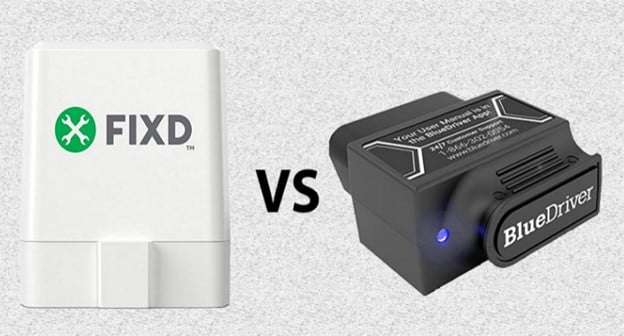
Choosing between BlueDriver vs FIXD depends on what you want from a car scanner. BlueDriver is built for deeper fault-code analysis and repair research. FIXD focuses on simple explanations, maintenance reminders, and easy tracking for one or more cars. This guide compares their features, costs, accuracy, ease of use, and real-world value so you can choose with confidence.

BlueDriver vs FIXD: Quick Comparison
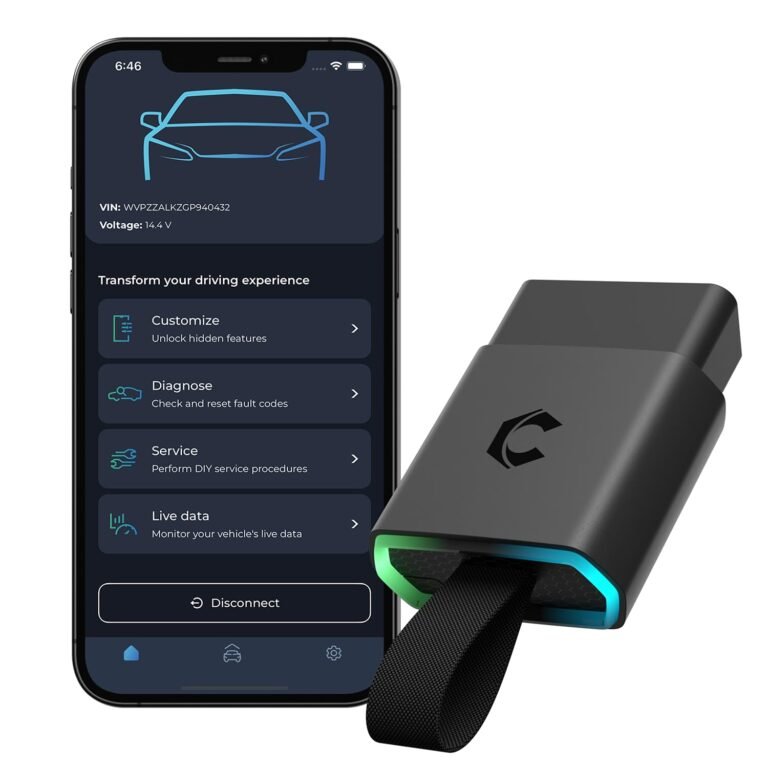
BlueDriver and FIXD are Bluetooth OBD2 scanners. Both connect to a car’s OBD2 port and send data to a phone app. Both can read check engine codes, clear some codes, and show basic vehicle information.
The main difference is their purpose:
• BlueDriver is a stronger diagnostic tool for drivers who want detailed data.
• FIXD is a simpler car care tool for drivers who want plain-language advice.
| Feature | BlueDriver | FIXD |
|---|---|---|
| Main purpose | Advanced vehicle diagnostics | Simple vehicle monitoring |
| Device type | Bluetooth OBD2 adapter | Bluetooth OBD2 sensor |
| Smartphone app | iPhone and Android | iPhone and Android |
| Check engine codes | Yes | Yes |
| Plain-language code help | Yes | Yes |
| Enhanced manufacturer codes | Available on supported vehicles | More limited |
| Live data | Strong support | Basic support |
| Maintenance reminders | Limited compared with FIXD | Strong feature |
| Multiple vehicles | App-based vehicle switching | Designed for multiple sensors and vehicles |
| Subscription | Usually not required | Premium plan available |
| Best for | DIY repair and diagnosis | New drivers and routine car care |
BlueDriver is like a compact toolbox. FIXD is more like a dashboard coach. Both can help, but they solve different problems.

What Is BlueDriver?
BlueDriver is a Bluetooth OBD2 scan tool made for vehicle owners who want more than a simple check engine light reader. You plug the adapter into the car’s OBD2 port, open the BlueDriver app, and scan for trouble codes.
The app can show:
• Diagnostic trouble codes
• Possible causes
• Repair reports
• Freeze-frame data
• Live vehicle data
• Code definitions
• Suggested fixes
On supported vehicles, BlueDriver may read enhanced codes from systems beyond the basic engine computer. These can include transmission, airbag, ABS, and other modules. Support varies by vehicle make, model, year, and system.
That vehicle coverage point matters. A scanner may offer enhanced data for a 2018 Ford but provide only basic engine codes for a 2014 BMW. Always check compatibility before buying.
How BlueDriver works
Using BlueDriver is simple:
-
Find the OBD2 port under the dashboard.
-
Plug in the BlueDriver adapter.
-
Turn the ignition on or start the engine.
-
Open the app and connect to the adapter.
-
Choose your vehicle.
-
Run a scan.
The app then creates a report. You can save the report or share it with a repair shop. This can help you avoid walking into a shop with no information.
BlueDriver strengths
BlueDriver stands out for diagnostic depth. It often provides more useful information than low-cost code readers.
Key benefits include:
• Detailed code descriptions
• Repair suggestions based on the vehicle
• Live sensor readings
• Freeze-frame information
• Enhanced code support on selected vehicles
• No routine subscription for core use
• Clear reports that are easy to save and share
In my comparison framework, BlueDriver is the better choice when the goal is to understand why a warning light appeared. It does not replace a professional scan tool, but it gives a serious DIY owner more clues.

What Is FIXD?
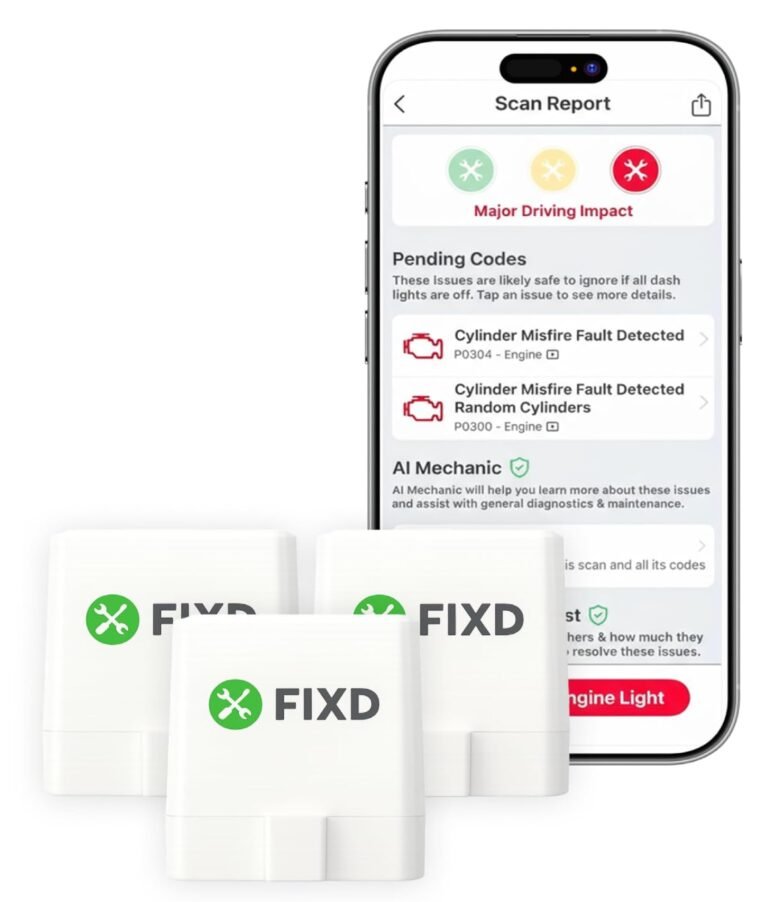
FIXD is an OBD2 sensor and mobile app designed to make vehicle information easier to understand. Its main audience is the everyday driver who may not know what terms such as P0420 or P0301 mean.
FIXD translates many trouble codes into simple explanations. It can also track maintenance items such as:
• Oil changes
• Tire rotations
• Brake service
• Air filter replacement
• Battery checks
• Fluid service
The app can send reminders based on mileage and time. This makes FIXD useful for busy households, new drivers, and people who manage several vehicles.
FIXD also supports vehicle health monitoring. You can leave the sensor connected in many cars and check for warning codes through the app. However, some advanced features may require a paid FIXD Premium plan.
How FIXD works
The setup process is also easy:
-
Locate the car’s OBD2 port.
-
Insert the FIXD sensor.
-
Download the FIXD app.
-
Create an account.
-
Add the vehicle details.
-
Connect the app to the sensor.
After setup, the app displays vehicle information in a friendly format. It may explain that a code relates to an ignition problem, emissions issue, or sensor fault.
FIXD strengths
FIXD focuses on clarity and routine ownership. Its main advantages include:
• Easy setup
• Simple code explanations
• Maintenance tracking
• Service reminders
• Vehicle health monitoring
• Support for families with more than one car
• A beginner-friendly app design
FIXD is not meant to turn every driver into a mechanic. It is meant to make car ownership less confusing. That is a valuable goal because many drivers ignore warning lights simply because they do not understand them.

BlueDriver vs FIXD: Diagnostic Features
For deeper diagnostics, BlueDriver has the advantage. It usually provides more live data and more detailed repair information. This can help you decide whether a problem needs immediate attention.
For example, a basic scan may show a misfire code. BlueDriver may help you review related data, such as engine speed, coolant temperature, fuel trim, and oxygen sensor readings. These details can help narrow the problem.
FIXD can explain the same code in simpler terms. That is helpful, but the app may not offer the same level of testing or data analysis. Its focus is on understanding the alert, not performing a full diagnostic process.
Enhanced trouble codes
Basic OBD2 rules require many vehicles sold in the United States to provide emissions-related data through the OBD2 system. These rules do not mean that every consumer scanner can access every vehicle module.
BlueDriver may access enhanced manufacturer codes on supported vehicles. These codes can help with systems such as:
• ABS
• Airbags
• Transmission
• Body control modules
• Climate control
FIXD is more focused on standard engine and emissions information. This difference is one of the clearest reasons to choose BlueDriver vs FIXD for repair work.
Live data and freeze-frame data
Live data shows what the vehicle is doing while the engine runs. Freeze-frame data captures conditions at the moment a code appears.
Useful readings may include:
• Engine coolant temperature
• Engine speed
• Vehicle speed
• Short-term fuel trim
• Long-term fuel trim
• Throttle position
• Intake air temperature
BlueDriver is generally better for reviewing these values. FIXD is better for presenting the result in a simple way.

BlueDriver vs FIXD: Ease of Use
FIXD is often easier for a first-time user. The app uses plain language and focuses on common ownership tasks. It feels less technical.
BlueDriver is also easy to set up, but its data can feel more complex. A new user may see several sensor values and wonder what they mean. That is not a flaw. It simply reflects the app’s deeper purpose.
Here is a simple example:
• FIXD may tell you, “The engine has detected a possible oxygen sensor issue.”
• BlueDriver may show the exact code, freeze-frame conditions, live sensor data, and repair information.
If you want a quick answer, FIXD may feel better. If you want evidence before buying parts, BlueDriver is usually more useful.
A common mistake is replacing a part based only on a code. A code often identifies a system or condition, not a failed part. Both apps can provide clues, but neither should be treated as final proof.

BlueDriver vs FIXD: Maintenance Tracking
FIXD wins clearly for maintenance reminders. The app is designed to help owners keep track of service intervals and vehicle history.
This can be useful if you:
• Forget oil change dates
• Own an older vehicle
• Share a car with family members
• Manage several vehicles
• Want reminders based on mileage
• Need a simple service record
BlueDriver may help you investigate a problem, but it is not primarily a maintenance planner. It is more useful when a warning light is already on or when you want to inspect vehicle data.
Think of the difference this way:
BlueDriver helps answer, “What may be wrong with my car?”
FIXD helps answer, “What service should my car receive next?”
Both questions matter. The better option depends on which question you ask most often.

BlueDriver vs FIXD: Cost and Subscription Value
The total cost includes more than the purchase price. You should consider subscription fees, extra sensors, and how often you will use the tool.
BlueDriver is generally attractive because its core diagnostic features do not require a recurring subscription. You pay for the adapter and use the app’s main functions without a monthly plan.
FIXD has a different model. The sensor provides basic functions, while some premium features may require FIXD Premium. The plan can add more detailed information, maintenance features, or other app benefits. Pricing and included features can change, so check the current offer before purchase.
Which offers better value?
BlueDriver may offer better long-term value for:
• DIY mechanics
• Used-car buyers
• People who repair their own vehicles
• Drivers who want enhanced code access
• Owners who dislike subscriptions
FIXD may offer better value for:
• New car owners
• Families with several vehicles
• Drivers who want service reminders
• People who prefer simple explanations
• Owners who rarely perform repairs
A cheap tool that you never use is not a good deal. A more advanced tool may be worth the cost if it helps you avoid one unnecessary diagnostic fee.

BlueDriver vs FIXD for Used-Car Buyers
Both tools can help when buying a used car, but you should use them carefully.
Before a test drive, scan the vehicle. Look for active codes and warning signs. Then drive the car long enough for the engine and transmission to reach normal temperature.
After the drive, scan it again. Pay attention to readiness monitors. If many monitors show “not ready,” the vehicle’s codes may have been cleared recently. That does not prove fraud, but it deserves more questions.
BlueDriver may provide more detailed information for this task. FIXD can still help a buyer understand basic engine codes.
Do not depend on any scanner alone. A used-car inspection should also include:
• A cold start
• A road test
• Fluid checks
• Tire inspection
• Brake inspection
• Leak inspection
• Service record review
• A professional inspection
A scan tool is a flashlight, not an X-ray. It can reveal clues, but it cannot see every mechanical problem.
BlueDriver vs FIXD for DIY Repairs
BlueDriver is the stronger choice for DIY repairs. Its code details and live data can help you plan the next step.
For example, if a car reports a lean condition, you should not immediately buy a new oxygen sensor. The real cause could be a vacuum leak, low fuel pressure, dirty mass airflow sensor, or exhaust leak. A deeper scan can support a better testing plan.
FIXD is still useful for basic repair decisions. It can help you understand whether a code appears related to the engine, emissions, or another system. It may also help you decide whether to drive to a shop or stop the vehicle.
My practical advice is simple: use either app to gather information, then confirm the fault with proper tests. Check wiring, connectors, fuses, fluid levels, and service history before replacing expensive parts.
Important Limitations of Both Scanners
Neither BlueDriver nor FIXD can diagnose every car problem. OBD2 data mainly covers electronic systems. It does not replace a physical inspection.
Neither tool can reliably identify problems such as:
• Worn brake pads without an electronic sensor
• Low tire pressure without a tire pressure monitoring issue
• A failing wheel bearing
• A weak suspension component
• A clogged mechanical fuel filter
• Internal engine damage
• A slipping clutch with no stored code
• A loose ground that causes an intermittent fault
Some codes also need professional equipment. A shop may use a bidirectional scan tool, lab scope, smoke machine, pressure gauge, or manufacturer software.
Safety matters too. Never clear a code just to turn off the check engine light. Clearing codes can erase useful data and reset emissions readiness monitors. If the light is flashing, stop driving when safe and have the vehicle checked quickly.
Which One Should You Buy?
Choose BlueDriver if you want:
• Deeper diagnostic information
• Enhanced codes on supported vehicles
• Live data and freeze-frame details
• Help with DIY troubleshooting
• A tool without a required routine subscription
• A better option for used-car inspections
Choose FIXD if you want:
• Simple explanations
• Maintenance reminders
• Easy vehicle tracking
• A beginner-friendly app
• Help managing multiple household cars
• A tool for routine ownership rather than advanced repair
The best choice in the BlueDriver vs FIXD debate is not universal. It depends on your comfort level and your goal.
For most repair-minded drivers, BlueDriver is the better overall scanner. For drivers who mainly want reminders and simple warning-light guidance, FIXD may be the more comfortable choice.
How to Use Either Scanner Safely
Follow these steps to get better results:
-
Confirm that your vehicle is compatible.
-
Read the code before clearing it.
-
Save a screenshot or report.
-
Write down when the warning light appeared.
-
Check whether the light is steady or flashing.
-
Inspect simple causes, such as a loose gas cap.
-
Avoid replacing parts based on one code alone.
-
Get professional help when the repair involves safety systems.
Do not leave any OBD2 device connected if it causes battery drain, connection problems, or interference with other equipment. Most modern vehicles work well with these devices, but electrical behavior can vary by model.
It also helps to keep your phone’s operating system and the scanner app updated. App updates may improve vehicle support, connection stability, and code information.
Frequently Asked Questions About BlueDriver vs FIXD
Is BlueDriver better than FIXD?
BlueDriver is better for advanced diagnostics, live data, and supported manufacturer-specific codes. FIXD is better for simple explanations, maintenance reminders, and easy vehicle monitoring.
Does BlueDriver require a subscription?
BlueDriver’s main scanning features generally work without a recurring subscription. Optional services and product terms can change, so review the current app and purchase details before buying.
Does FIXD clear check engine codes?
FIXD can read and clear certain check engine codes through its app. Clearing a code does not repair the problem, and the light may return if the fault remains.
Can BlueDriver read ABS and airbag codes?
BlueDriver may read enhanced ABS, airbag, transmission, or body codes on supported vehicles. Coverage depends on the vehicle’s make, model, year, and control module.
Is FIXD good for a new driver?
Yes. FIXD is useful for new drivers because it explains many codes in simple language and provides maintenance reminders. It can make routine car care easier to understand.
Can either scanner find all car problems?
No. Both tools mainly report electronic and emissions-related information. Mechanical faults, wiring issues, and safety problems may require physical testing or professional equipment.
Can I leave BlueDriver or FIXD plugged in all the time?
Many owners leave an OBD2 device connected, but this is not ideal for every vehicle. Remove it if you notice battery drain, connection issues, or unusual electrical behavior.
Conclusion
BlueDriver vs FIXD comes down to depth versus simplicity. BlueDriver is the stronger choice for DIY diagnosis, live data, and detailed repair research. FIXD is the friendlier choice for maintenance reminders, basic code explanations, and everyday vehicle tracking.
Before you buy, decide what you need most: better answers when a warning light appears, or better reminders to prevent missed service. Check vehicle compatibility, understand the subscription terms, and treat scan results as clues rather than final diagnoses. Explore the current features for your vehicle, then choose the tool that fits your driving habits and confidence level.