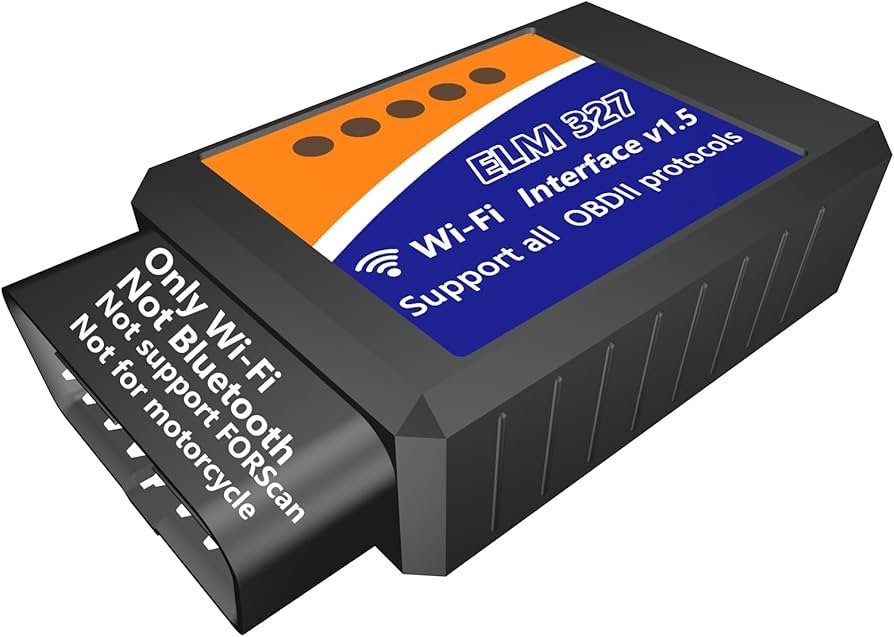
Why Is My OBD2 Scanner Not Reading Codes: Fixes
An OBD2 scanner usually won’t read codes because of a power issue, bad connection, blown fuse, or an unsupported vehicle.
If your OBD2 scanner is not reading codes, the problem is often simpler than it looks. In my experience, most “no communication” issues come down to the scanner not getting power, the car’s diagnostic port not working, or the tool not matching the vehicle’s protocol. This guide walks through the real causes, the checks I’d make first, and the fixes that save time, money, and a lot of frustration.

Why an OBD2 scanner may not read codes
An OBD2 scanner works by talking to your car’s onboard computer through the 16-pin diagnostic port. If that conversation fails, the scanner may turn on but still show no codes, no communication, or a link error. That does not always mean the car has no problem.
The issue can be with the scanner, the port, the fuse, wiring, battery voltage, or even the vehicle itself. Some readers only pull power from the port and cannot fully scan certain makes, models, or systems. I have seen people replace sensors before checking the basics, only to find a loose fuse caused the whole headache.

Common reasons your OBD2 scanner is not reading codes
1. The scanner is not getting power
The OBD2 port should supply power to pin 16, with ground on pins 4 and 5. If that power is missing, the scanner may stay dark or act like it is connected but never read data.
This is often caused by a blown fuse, a wiring problem, or a damaged port. A quick test with a multimeter or a known-good scanner can save you hours.
2. The diagnostic port is damaged
The OBD2 connector can get bent, dirty, loose, or corroded. I have found ports with pushed-back pins that looked fine from the outside but failed once the scanner was plugged in.
If the plug feels loose, wiggles too much, or only works at certain angles, the port itself may be the issue. That is a real-world sign, not just a guess.
3. A fuse related to the OBD2 circuit is blown
Many vehicles route diagnostic power through a fuse shared with the cigarette lighter, radio, or body control module. If that fuse blows, the scanner may not power up or may not communicate.
This is one of the first things I check on a car with a dead scan port. It is a cheap fix, and it is easy to overlook.
4. The car battery is weak or voltage is unstable
Low battery voltage can confuse the ECU and the scanner. You may get strange behavior, partial readings, or no response at all.
A weak battery is especially common after the car has sat for a long time or after repeated short trips. If the dash is acting odd too, voltage should be high on your list.
5. The scanner does not support your vehicle
Not every scanner supports every make, model, year, or system. Some basic code readers only handle generic powertrain codes, while others cannot access ABS, airbag, or manufacturer-specific modules.
This matters a lot with European cars, diesel vehicles, hybrids, and some newer models. If the scanner says “no codes found” but the vehicle clearly has a fault, compatibility may be the real problem.
6. The ignition key is not in the right position
Many vehicles need the key in the ON position, not just accessory mode, for the scanner to communicate. Some push-button start cars require the ignition to be fully on without the engine running.
It sounds small, but this catches people all the time. I have made this mistake myself more than once during quick checks.
7. The ECU or another module is not responding
If the engine computer has failed, lost power, or gone offline, the scanner may not read codes. Communication can also fail if another module on the same network is causing a bus problem.
Modern cars rely on networked modules, so one bad module can act like a traffic jam on the data line. When that happens, the scanner may look fine but still cannot get through.
8. The vehicle is not OBD2 compliant
OBD2 became standard in the U.S. for most gasoline vehicles starting with 1996 models. Older vehicles, some imports, and certain specialty models may use different diagnostic systems.
If the car predates OBD2 or uses a manufacturer-only setup, a generic scanner may not work at all. That is normal, not a defect.
9. The scanner software or firmware is outdated
Some advanced scanners need updates to handle newer vehicles or newer protocols. If the tool is old, it may fail to recognize modules correctly.
I have seen scan tools fixed by a simple firmware update. It is an easy step that many people skip.
What to check first when your OBD2 scanner is not reading codes
Start with the fastest checks before buying anything.
-
Confirm the ignition is in ON
Make sure the dash lights are on and the vehicle is awake. -
Check whether the scanner powers up
If it stays off, the port may not be supplying power. -
Inspect the OBD2 port
Look for bent pins, dirt, damage, or a loose fit. -
Check fuses
Look for fuses tied to the cigar lighter, ECM, DLC, or diagnostic connector. -
Test battery voltage
A healthy battery should usually read around 12.6 volts when off and higher when running. -
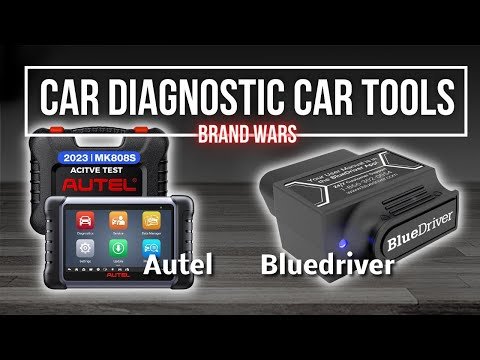
Try a different scanner
This helps separate a tool issue from a vehicle issue. -
Read the vehicle manual or scanner manual
Some cars require a specific scan mode or a better tool for full access.
If you follow this order, you usually find the issue without guessing. It is like troubleshooting a home Wi-Fi problem: check power, then connection, then compatibility.
How to tell whether the problem is the scanner or the car
A simple swap test works well. Plug your scanner into another OBD2 vehicle that you know is working. If it still fails, the scanner is likely the problem.
If another scanner also fails on your car, the issue is probably with the vehicle, not the tool. That is the kind of step that saves people from replacing parts they do not need.
Signs the scanner may be the problem:
- It fails on multiple cars
- It will not power on
- It freezes during startup
- It has old software or broken cables
Signs the car may be the problem:
- Multiple scanners fail on the same vehicle
- The OBD2 port has no power
- Fuses keep blowing
- The car has other electrical issues
Why some scanners power on but still do not read codes
A scanner can light up and still fail to communicate because power is only one part of the job. It also needs the correct protocol, working data lines, and a responsive ECU.
This is common with cheaper readers that only handle basic emissions data. The tool may seem alive, but the handshake with the vehicle never completes.
In practice, I think of it like a phone that has charge but no signal. It turns on, but it cannot connect.
Can a blown fuse stop an OBD2 scanner from reading codes?
Yes, absolutely. A blown fuse is one of the most common reasons an OBD2 scanner is not reading codes.
On many cars, the port gets constant power through a fuse. If that fuse is gone, the scanner may not turn on at all, and even if it does, communication may fail.
Always check the fuse box before assuming the ECU is bad. That small step can save a very large repair bill.
Can a weak car battery cause no code reading?
Yes. Low battery voltage can interrupt communication between the scanner and the vehicle modules.
This is especially true if the battery is nearly dead, the terminals are corroded, or the charging system is weak. Sometimes the scanner will connect briefly, then drop out.
If the battery is old, test it before chasing deeper electrical issues. Battery health matters more than many drivers realize.
What if the scanner says “no codes found” but the check engine light is on?
That can happen for a few reasons. The code may be stored in a module your scanner cannot access, or the scanner may only read generic powertrain data.
It can also mean the light is related to a pending code, a manufacturer-specific fault, or a problem outside the engine system. A better scanner with enhanced diagnostics may be needed.
Practical fixes that usually solve the problem
Try these in order:
- Use a different OBD2 scanner
- Check the ignition position
- Inspect the port for damage
- Test the fuses linked to the diagnostic circuit
- Verify battery voltage
- Clean the port gently with electrical contact cleaner
- Update the scanner firmware if available
- Try another vehicle to confirm scanner function
These steps are simple, but they solve a surprising number of cases. In real life, the fix is often boring, not dramatic.
Mistakes to avoid
I have seen a few repeat mistakes that cost people time and money:
- Replacing sensors before checking the port
- Assuming a scanner is broken without testing another car
- Ignoring fuse panels
- Using a basic reader on a vehicle that needs enhanced diagnostics
- Forgetting that the ignition must be ON
- Plugging the scanner into a damaged or dirty connector
The biggest mistake is guessing. Good diagnostics are about order, not luck.
When you should get professional help
If the scanner still will not read codes after checking power, fuses, battery, and compatibility, the problem may be deeper. A failed ECU, wiring fault, or network issue may need professional tools.
A mechanic with a factory-level scan tool can test modules, live data, and network communication in more detail. That is often the fastest path when the basic checks do not solve it.
Frequently Asked Questions
Why is my OBD2 scanner not reading codes but powers on?
Your scanner may have power but no data connection to the vehicle. This often points to a blown fuse, bad OBD2 port, weak battery, or a scanner that does not support the car’s protocol.
Can a bad alternator stop an OBD2 scanner from reading codes?
Yes, a failing alternator can cause unstable voltage that disrupts communication. If the vehicle electrical system is unstable, the scanner may fail to connect or may drop out during use.
Why does my scanner say no communication?
No communication usually means the scanner cannot talk to the ECU or another module. Common causes include wiring problems, a dead diagnostic port, battery issues, or an unsupported vehicle.
Will any OBD2 scanner work on any car?
No, not all scanners work on all cars. Basic code readers usually handle generic engine codes, but some vehicles need a more advanced scanner for full access.
How do I know if my OBD2 port is bad?
If the scanner does not power on, the plug feels loose, or multiple scanners fail, the port may be bad. Bent pins, corrosion, or missing power at pin 16 are strong clues.
Conclusion
When your OBD2 scanner is not reading codes, the problem usually comes down to power, connection, compatibility, or a vehicle-side fault. The good news is that most of the common causes are easy to check, and many are inexpensive to fix.
Start with the basics: ignition position, fuses, battery voltage, and the OBD2 port itself. If those checks do not solve it, the issue may be with the scanner, the ECU, or the vehicle network, and that is the point where professional diagnosis makes sense. Take the time to test carefully, and you will usually find the answer faster than you expect.
If this guide helped, save it for later, share it with a friend, or leave a comment with the symptom your scanner is showing.