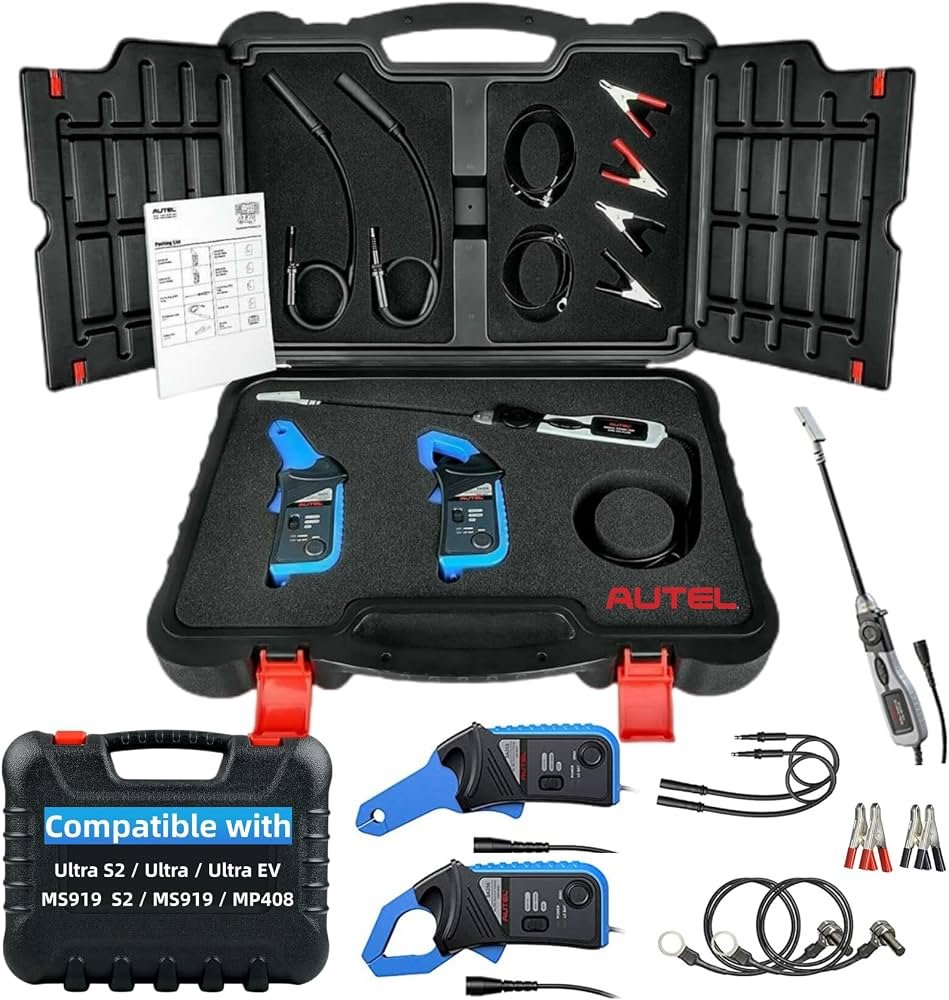
Autel MaxiSYS Ultra EV Troubleshooting: Expert Fixes
Autel MaxiSYS Ultra EV troubleshooting finds faults faster when safety, software, and test data work together.
Modern electric vehicles can hide serious faults behind one warning light. A weak 12-volt battery, a lost network signal, or a battery management system fault may create similar symptoms. Autel MaxiSYS Ultra EV troubleshooting gives technicians a clear path by combining full-system scans, live data, topology views, guided tests, and EV-focused functions. This guide explains how to use the tool safely, avoid common mistakes, and turn scan results into accurate repairs.
What Autel MaxiSYS Ultra EV Troubleshooting Can Do
Autel MaxiSYS Ultra EV troubleshooting is a diagnostic process, not just a way to read and erase trouble codes. The scan tool communicates with control modules, shows system status, displays live values, and helps compare current data with normal vehicle behavior.
Depending on the vehicle and software version, the tablet may support:
• Full-system scans across many electronic control units
• EV and hybrid system diagnostics
• Battery management system data
• High-voltage system fault codes
• Motor control and inverter information
• Charging system checks
• Insulation and isolation fault information
• CAN bus and communication fault analysis
• Active tests and bidirectional controls
• Service functions and special resets
• Topology views that show module communication paths
Coverage differs by vehicle brand, model year, region, and software release. A feature shown on one EV may not appear on another. Always check the vehicle coverage list and follow the manufacturer’s repair instructions.
The tablet is best viewed as a map. It can show where the fault appears, but it cannot replace safe work habits, wiring knowledge, or proper electrical tests.

Safety Comes Before EV Diagnostics
High-voltage EV systems can store energy even when the vehicle is switched off. Battery packs may contain hundreds of volts. Contact with the wrong circuit can cause severe injury or death.
Before using Autel MaxiSYS Ultra EV troubleshooting on a high-voltage system, follow the vehicle maker’s safety process. Do not guess the location of service plugs, interlock circuits, or high-voltage disconnects.
Use these basic rules:
• Wear electrical-rated gloves that are in date and tested.
• Use eye protection and proper protective clothing.
• Remove metal jewelry, watches, and loose tools.
• Keep the work area dry and clean.
• Use insulated tools when the service procedure requires them.
• Disable the high-voltage system only as the manufacturer directs.
• Confirm zero voltage with an approved meter when required.
• Place warning signs around the vehicle.
• Keep untrained people away from the work area.
A scan tool does not make a high-voltage system safe. It may report that a system is disabled, but that message is not the same as a verified zero-voltage condition. Treat the display as information, not as permission to touch the circuit.
Autel also states that technicians should follow the vehicle manufacturer’s service information. This matters because EV designs vary widely. A procedure that works on one brand may damage another brand’s battery, inverter, or charging equipment.

Prepare the Vehicle and Scan Tool
Good preparation prevents many false faults. In my diagnostic work, I have seen technicians spend an hour chasing communication codes that came from a weak 12-volt battery. A stable power supply and correct vehicle identification often solve the first layer of the problem.
Follow this preparation routine:
-
Park the vehicle safely and switch off unnecessary loads.
-
Check the 12-volt battery voltage.
-
Connect a suitable battery maintainer if the service procedure allows it.
-
Inspect the diagnostic connector for damage, dirt, or loose pins.
-
Turn on the MaxiSYS Ultra EV tablet and confirm that its battery is charged.
-
Install the latest approved software and firmware updates.
-
Select the vehicle by automatic VIN scan or manual identification.
-
Confirm the model, year, engine type, and EV system before testing.
-
Record existing codes before clearing anything.
A low 12-volt supply can create multiple unrelated codes. It may also interrupt module programming or cause a control unit to shut down during a scan. Do not erase these codes until you save the report.
It is also wise to record the customer’s complaint in plain language. “Vehicle will not charge after rain” is more useful than “charging fault.” Symptoms, weather, battery state of charge, and recent repairs can all guide the test plan.

A Step-by-Step Autel MaxiSYS Ultra EV Troubleshooting Process
A repeatable process is more useful than a fast scan. Use the tablet to gather evidence in stages.
1. Confirm the symptom
Ask when the fault occurs. Does the vehicle fail to start, fail to charge, reduce power, or show a warning only while driving? Check whether the issue is constant or occasional.
Do not assume the warning message identifies the failed part. “EV system fault” may point to a battery, sensor, contactor, communication line, or low-voltage supply.
2. Perform a complete system scan
Run an Auto Scan or full-system scan when supported. Save the report before clearing codes. Pay attention to:
• Current or active codes
• History or stored codes
• Pending codes
• Freeze-frame data
• Module communication status
• Battery voltage during the scan
A code in one module may be a symptom of a fault in another module. For example, several controllers may report lost communication when the real cause is a blown fuse or a failed gateway.
3. Study the topology view
The topology display can show which modules respond and which do not. Use it as a communication map.
If one module is missing, check its power, ground, fuse, connector, and network lines. If many modules disappear at once, suspect a shared power supply, gateway, CAN bus problem, or low system voltage.
4. Read live data
Open data lists for the system linked to the complaint. Compare related values rather than focusing on one number.
Useful EV data may include:
• Cell voltage range
• Battery temperature sensors
• State of charge
• State of health
• Pack voltage
• Bus voltage
• Contactor commands and feedback
• Insulation resistance status
• Charging current
• Inverter temperature
• Motor speed
• Accelerator pedal position
The exact values depend on the vehicle. Never use a generic internet value as a final pass or fail rule. The manufacturer’s specifications always have priority.
5. Run active tests with care
Bidirectional tests can command cooling fans, contactors, pumps, relays, and other components. Test conditions matter. The vehicle may need to be in park, connected to a charger, or placed in a special service mode.
Read the on-screen warnings. Do not activate high-voltage components without knowing what should happen and how to stop the test.
6. Repair, clear, and retest
After the repair, clear codes only when appropriate. Perform the required key cycle or sleep cycle. Then rescan the vehicle and complete a road test or charging test.
A successful repair should remove the root cause, not just the warning message.

Common EV Faults and How to Investigate Them
Low-voltage battery problems
The 12-volt battery powers many control units and contactors. If its voltage drops too far, the vehicle may show many high-voltage and communication faults.
Check the battery at rest and under load. Inspect terminals, grounds, fuses, and the DC-to-DC converter. Autel MaxiSYS Ultra EV troubleshooting can help confirm whether modules are online, but a physical battery test is still essential.
High-voltage isolation faults
An isolation fault means the high-voltage circuit may be leaking toward the vehicle chassis. Causes can include damaged cables, coolant intrusion, a wet connector, a failed compressor, or an internal battery problem.
Do not keep driving or charging the vehicle until the fault is assessed. Use the approved insulation test procedure and equipment. A scan tool may display isolation data, but it may not replace the manufacturer’s required insulation tester.
Contactor faults
Contactors connect the battery pack to the vehicle’s high-voltage bus. A contactor may fail to close, remain stuck, or produce feedback that does not match the command.
Compare the commanded state with feedback data. Check precharge behavior, pack voltage, bus voltage, and related codes. Never bypass a contactor as a shortcut.
Charging problems
Charging faults can come from the vehicle, the charging station, the cable, or the electrical supply. Ask whether the issue occurs with home charging, public charging, AC charging, or DC fast charging.
Check the charge port, pilot signal, proximity signal, onboard charger data, temperature readings, and 12-volt supply. Try a known-good charger only when the vehicle and site procedure allow it.
Battery temperature faults
A temperature code does not always mean the battery itself is bad. Inspect sensor readings for values that are impossible or far different from nearby sensors.
Look for damaged wiring, poor connector contact, cooling system problems, and blocked airflow. A sudden reading of extreme heat or cold can point to an open or shorted sensor circuit.
Communication faults
Communication codes often appear after a flat battery, collision repair, water entry, or accessory installation. Check whether the code is current or stored.
Use the topology screen, wiring diagrams, and voltage tests together. Network diagnosis is like checking a conversation: first find out who is silent, then determine whether the problem is power, wiring, or the control unit.

How to Read EV Battery Data Correctly
Battery data can look complex, but a few patterns are useful. Cell voltage spread is often more meaningful than the average pack voltage. A single cell group that stays much lower or higher than the others may need further testing.
Still, do not condemn a battery from one scan. Cell voltage changes with state of charge, load, temperature, and balancing activity. Capture data under repeatable conditions and compare it with the maker’s limits.
Review these items together:
• Pack voltage
• Individual cell or cell-group voltage
• Voltage difference between the highest and lowest cells
• Battery temperature spread
• State of charge
• State of health
• Charge and discharge current
• Battery contactor status
• Isolation status
• Battery management system codes
A battery management system may limit power for protection. That does not always mean the battery is permanently damaged. The cause may be temperature, low state of charge, a sensor fault, or a communication issue.
When possible, save a report before and after repair. This creates a useful record for the customer and helps identify patterns over time.

Software Updates, Resets, and Relearn Functions
Some EV faults need a software update or relearn after a component replacement. These functions may include battery registration, charging system initialization, steering angle calibration, thermal management relearn, or control module coding.
Before starting any programming task:
• Connect a stable power supply.
• Confirm the correct vehicle identification.
• Use reliable internet access.
• Read every warning on the tablet.
• Do not disconnect the cable during programming.
• Keep the tablet charged.
• Follow the vehicle maker’s procedure.
A failed programming session can leave a module in an unusable state. If the tool reports an error, record the exact message and voltage level before trying again.
Autel MaxiSYS Ultra EV troubleshooting can guide supported service functions, but function availability depends on the vehicle. Do not force a reset simply because it appears in a menu. A reset can erase learned data without fixing the fault.

Common Mistakes to Avoid
Many diagnostic errors come from rushing. The tool may provide excellent data, but poor test order can still lead to an incorrect repair.
Avoid these mistakes:
• Clearing codes before saving the scan report
• Replacing a battery based on one low cell reading
• Ignoring the 12-volt battery
• Treating every communication code as a failed module
• Using ordinary gloves near high-voltage parts
• Testing resistance on a powered circuit
• Starting a software update with low battery voltage
• Skipping a visual inspection
• Trusting generic specifications over factory data
• Assuming a warning light means the listed part is defective
One lesson I often share with newer technicians is simple: test the basics before the expensive parts. Power, ground, fuses, connectors, and battery voltage are not glamorous, but they solve a surprising number of EV complaints.

When Professional EV Service Is the Safer Choice
A scan tool is valuable, but it does not replace training. Stop and refer the vehicle to a qualified EV technician when the fault involves an unknown high-voltage condition, damaged battery housing, crash damage, smoke, heat, liquid intrusion, or repeated isolation failure.
You should also seek factory support when:
• The vehicle has a battery safety recall
• A control module requires protected programming
• The battery pack must be opened
• The fault remains after basic tests
• The manufacturer requires special equipment
• The vehicle has been flooded or severely damaged
EV repair has both technical and legal risks. Follow local rules, workplace policy, and the manufacturer’s service information. A good technician knows when to continue testing and when to stop.
Benefits and Limitations of Autel MaxiSYS Ultra EV Troubleshooting
Autel MaxiSYS Ultra EV troubleshooting offers several practical benefits:
• It can reduce scan time across many modules.
• It can show faults that a basic code reader cannot access.
• It can display live EV battery and charging data.
• It can support active tests on covered vehicles.
• It can organize information in a clear report.
• It can help find network and module communication problems.
The limitations matter just as much. Coverage is not universal. Some functions need a subscription, online access, a security gateway connection, or factory authorization. Data labels may vary between brands, and a scan result may need confirmation with a meter, oscilloscope, pressure gauge, insulation tester, or physical inspection.
Use the tablet as one part of a complete diagnostic method. The strongest results come from combining scan data, service information, electrical testing, and sound mechanical judgment.
Frequently Asked Questions About Autel MaxiSYS Ultra EV Troubleshooting
Can the Autel MaxiSYS Ultra EV diagnose every electric vehicle?
No. Coverage depends on the vehicle brand, model, year, region, and current software version. Check the official coverage information before buying or starting a repair.
Is the Autel MaxiSYS Ultra EV safe to use on high-voltage systems?
The tablet can support EV diagnosis, but it does not remove high-voltage risk. Only trained technicians using the required protective equipment and manufacturer procedures should work on energized or potentially energized circuits.
Why does an EV show many codes after a weak 12-volt battery?
A low 12-volt supply can cause modules to shut down or lose communication. Test and stabilize the battery first, then rescan the vehicle to see which codes return.
Can the tool test battery cell health?
It can display supported battery data, such as cell voltages, temperatures, state of charge, and related codes. A final battery condition decision may require load testing, capacity testing, insulation testing, or procedures from the vehicle manufacturer.
Should I erase codes after repairing an EV?
Save the original report first. After the repair, clear codes only when suitable, complete the required drive or charging cycle, and perform another scan to confirm that the fault has not returned.
Can Autel MaxiSYS Ultra EV troubleshooting fix a charging problem?
The tool can help identify faults in supported charging and battery systems. It cannot repair a damaged cable, failed charger, poor electrical supply, or defective vehicle component.
Conclusion
Autel MaxiSYS Ultra EV troubleshooting works best when it is part of a careful process. Start with safety, confirm the vehicle, test the 12-volt supply, save the original scan, study the topology, review live data, and confirm every repair with a retest.
Remember that scan codes are clues, not verdicts. Use factory specifications and proper EV test equipment before replacing costly parts. With steady testing and safe habits, the MaxiSYS Ultra EV can make complex electric vehicle faults easier to understand and repair.
Keep your software current, follow trusted service information, and share your diagnostic experience with other technicians.