Autel AL539 Troubleshooting: Easy Fixes And Tips
Most Autel AL539 problems come from weak power, poor cable contact, wrong vehicle setup, or an incomplete scan.
Autel AL539 troubleshooting is often simple when you follow a clear test order. This guide explains common faults, warning messages, connection issues, code errors, and repair limits based on standard OBD-II practice and hands-on diagnostic methods.
What the Autel AL539 Does
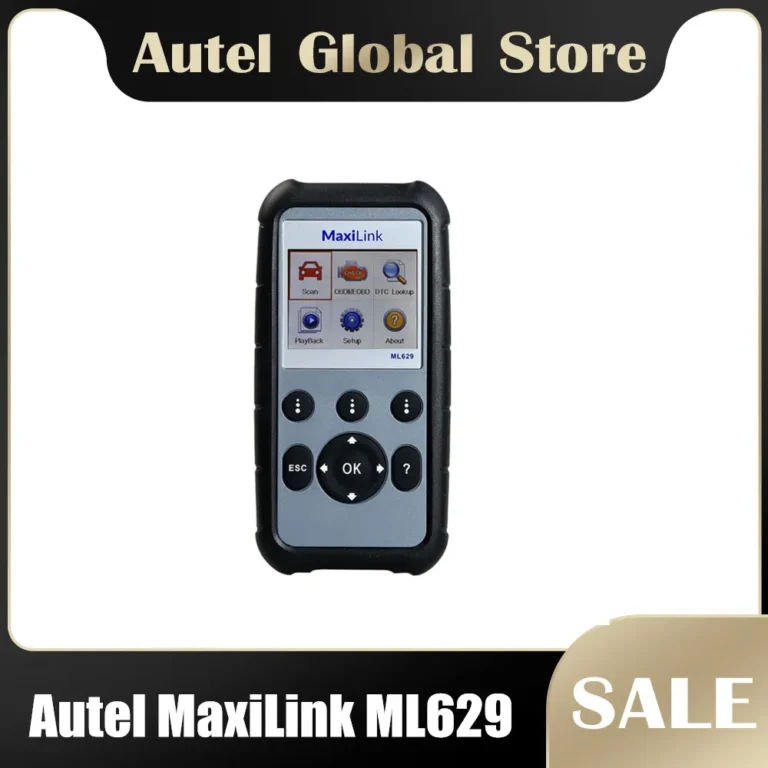
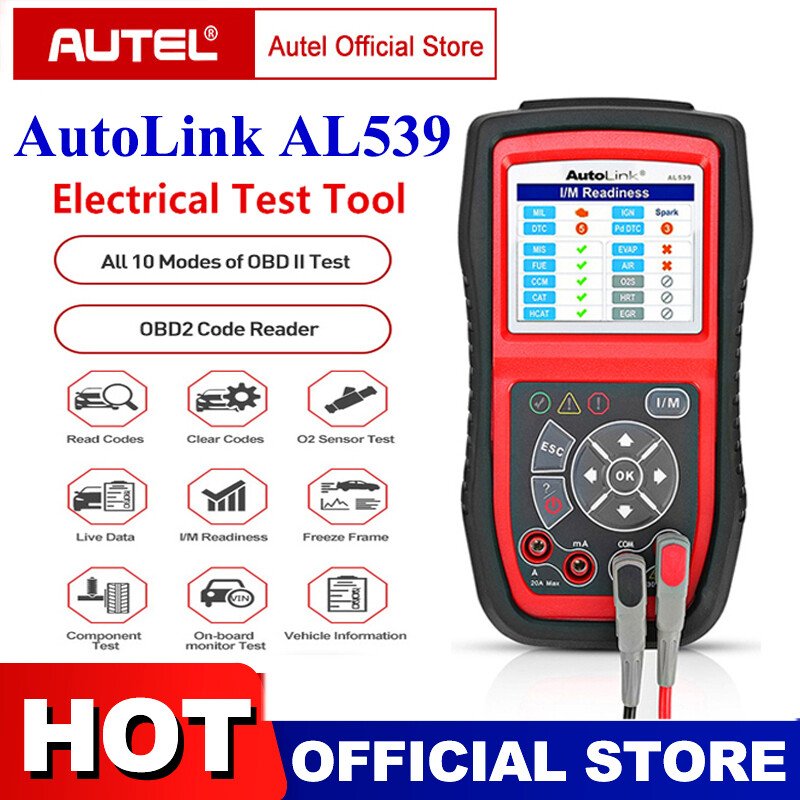
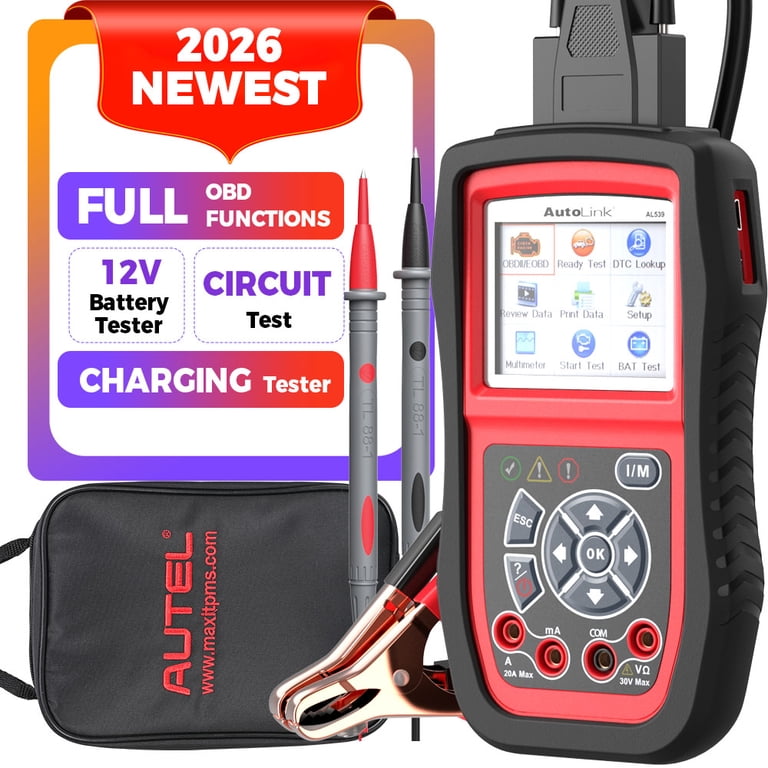
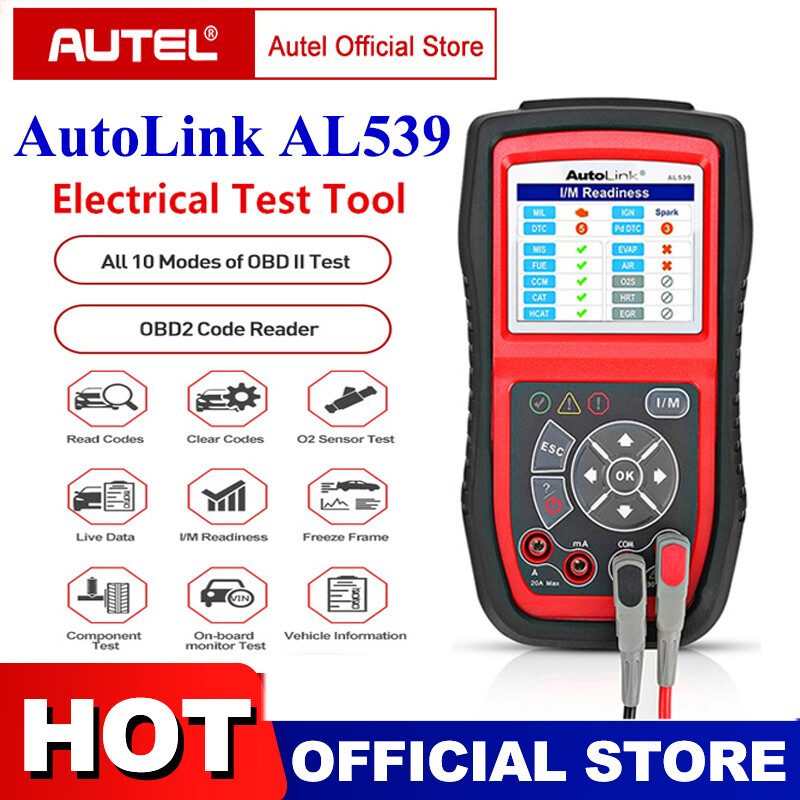
The Autel AL539 is a small OBD-II code reader for many cars and light trucks sold in the United States. It can read and clear diagnostic trouble codes, show live data, check emissions readiness, and run several basic onboard monitor tests.
The tool connects through the vehicle’s 16-pin diagnostic port. It gets power from that port, so it does not normally need a separate battery for basic scanning.
Autel AL539 troubleshooting starts with one key fact: the scanner can only report what the vehicle’s control module sends it. It cannot repair a failed sensor, fix a wiring fault, or force every monitor to complete.
Common functions include:
• Reading stored and pending trouble codes
• Clearing diagnostic trouble codes
• Viewing freeze-frame data
• Displaying selected live data
• Checking I/M readiness
• Testing oxygen sensor monitor data
• Checking some EVAP monitor information
• Showing Mode 6 test results on supported vehicles
• Displaying vehicle battery voltage through the diagnostic connection
The exact functions depend on the vehicle’s year, engine, control module, and emissions system. A 2010 vehicle may show more data than a 1998 vehicle, while a newer vehicle may use systems the AL539 cannot access.

Autel AL539 Troubleshooting: Start With the Basics
Before testing advanced functions, check the simple items. Many scanner problems are not caused by the scanner itself. A blown diagnostic port fuse, a low car battery, or a loose connection can stop communication.
Use this basic inspection:
- Park safely and turn off accessories such as the radio and lights.
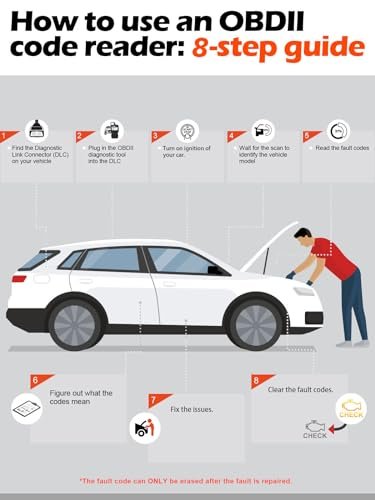
- Find the vehicle’s OBD-II port under the dashboard.
- Check the port for dirt, bent pins, moisture, or damage.
- Plug the AL539 firmly into the port.
- Turn the ignition key to the ON position without starting the engine.
- Wait for the scanner to power up.
- Select the correct vehicle information when requested.
The port may be behind a small cover or near the steering column. Do not force the plug. The connector should slide in with steady pressure.
One useful workshop lesson is to test the port before blaming the scan tool. If another known-good scanner also fails to power up, the vehicle is the more likely problem.
Autel AL539 Will Not Turn On
If the Autel AL539 screen stays dark, begin with the vehicle rather than the tool. The scanner receives power through the OBD-II connector, usually from the vehicle’s battery circuit.
Check these areas:
• Turn the ignition to ON, not just the accessory position.
• Try the scanner with the engine off and the key in the ON position.
• Inspect the OBD-II port for bent or pushed-back terminals.
• Check the vehicle fuse linked to the cigarette lighter, accessory socket, or diagnostic connector.
• Test the vehicle battery if the interior lights are weak or the engine cranks slowly.
• Try the scanner on another compatible vehicle.
A low vehicle battery can create strange symptoms. The scanner may turn on but shut down during a scan, or it may show a communication error.
Never replace a fuse with a larger fuse. The fuse protects the vehicle wiring. If the replacement fuse blows again, stop testing and find the short or failed circuit.
If the AL539 works on another vehicle, the first vehicle needs electrical diagnosis. If it fails on several known-good vehicles, inspect the scanner cable and contact Autel support or the seller.

Autel AL539 Cannot Connect to the Vehicle
A powered scanner is not always a communicating scanner. The tool may light up while the vehicle control module remains offline.
Try this sequence:
- Turn the ignition off.
- Unplug the AL539.
- Wait about 30 seconds.
- Plug it back into the OBD-II port.
- Turn the key to ON.
- Start the scan again.
- Confirm that the vehicle uses standard OBD-II or EOBD communication.
Some vehicles need the engine running for certain live data tests. Others only need the ignition switched on. Follow the prompt on the scanner screen.
Common causes include:
• Low battery voltage
• A damaged OBD-II port
• A blown fuse
• An aftermarket alarm or remote starter affecting the network
• Incorrect vehicle selection
• A control module that is asleep or offline
• A vehicle made before full OBD-II coverage began
• A nonstandard diagnostic system
Do not assume every 16-pin connector is fully compatible. Some older vehicles have a 16-pin shape but do not support all standard OBD-II protocols.
A practical Autel AL539 troubleshooting step is to confirm the vehicle’s model year and engine before scanning. The emissions label under the hood can also help confirm OBD-II compliance.

Autel AL539 Shows a Link Error
A link error means the scanner could not establish or maintain communication with the vehicle. It does not automatically mean that the scanner is defective.
Try these steps:
• Switch the ignition off and back on.
• Disconnect other devices from the diagnostic port.
• Make sure the AL539 plug is fully seated.
• Check for loose terminals in the vehicle connector.
• Charge the vehicle battery before repeating the test.
• Choose the automatic vehicle identification option if available.
• Select the correct communication protocol when the menu allows it.
• Test again with the engine running if the vehicle requires it.
If communication drops while the engine is running, look for charging problems. A weak alternator, poor ground, or unstable battery voltage can interrupt a scan.
The scanner is like a translator between you and the car. If the electrical signal is weak or the vehicle speaks a different protocol, the translator cannot complete the conversation.
Autel AL539 Reads No Codes
A “no codes” result can be good news, but it does not prove that every system is healthy. The vehicle may have no stored emissions codes, or the fault may not have reached the threshold for code setting.
Check the following:
• Read stored codes first.
• Check pending codes separately.
• Review freeze-frame data when available.
• Look at I/M readiness status.
• Confirm that the check engine light is currently on.
• Scan after the engine reaches normal temperature.
Pending codes can show a developing fault. They may not turn on the check engine light until the vehicle detects the problem during more than one drive cycle.
A vehicle can also have mechanical problems without an engine code. Low tire pressure, worn brake parts, weak suspension components, and many transmission concerns may not appear through a basic OBD-II emissions scan.
Autel AL539 troubleshooting should therefore include a visual inspection and a road test. Use the scanner as one source of evidence, not as the entire diagnosis.

Autel AL539 Displays a Trouble Code
A trouble code points to a system or circuit. It does not always identify the exact failed part.
For example, a code related to an oxygen sensor may result from:
• A failed oxygen sensor
• An exhaust leak
• A vacuum leak
• A fuel mixture problem
• Damaged wiring
• A blown heater circuit fuse
• An engine control issue
Write down the code before clearing it. Also save freeze-frame information, if available. This data may show engine speed, temperature, load, and vehicle speed when the code set.
Use a reliable repair manual or manufacturer service information to confirm the test steps. Code definitions can be helpful, but they are not a complete repair plan.
Do not replace parts based only on a code name. That habit can become expensive very quickly. Test the related circuit, power supply, ground, connector, and sensor signal first.
Autel AL539 Will Not Clear Codes
The AL539 may refuse to clear codes for several reasons. The ignition may be off, the vehicle may not be connected, or the fault may still be active.
Follow this process:
- Repair the cause of the fault when possible.
- Turn the ignition to ON.
- Keep the scanner connected.
- Read and record all codes.
- Select the clear or erase function.
- Confirm the warning message.
- Turn the ignition off when prompted.
- Start the engine and scan again.
Some codes return right away because the control module performs a test as soon as the engine starts. Others return after a drive cycle.
Clearing codes also resets emissions monitors on many vehicles. The car may then fail an emissions inspection until the monitors run again. This is why clearing codes should happen after diagnosis, not before.
A common mistake in Autel AL539 troubleshooting is clearing the code before saving freeze-frame data. Once erased, that helpful snapshot may be gone.

Autel AL539 I/M Readiness Problems
The I/M readiness screen shows whether emissions monitors have completed their self-tests. A monitor marked “not ready” does not always mean that a part has failed.
The battery may have been disconnected. The codes may have been cleared. A repair shop may have reset the engine computer. Any of these actions can erase monitor results.
To restore readiness:
• Confirm that no current fault is blocking the monitor.
• Check the vehicle owner’s drive-cycle instructions.
• Keep fuel between the level advised by the manufacturer.
• Drive with a mix of city and highway conditions.
• Allow the engine to cool fully when the drive cycle requires it.
• Avoid clearing codes again.
Different monitors need different conditions. The EVAP monitor may need a specific fuel level and temperature range. The catalyst monitor may need steady highway driving after the engine warms up.
Readiness rules vary by state and inspection program. Check local requirements before testing. Some areas allow a limited number of monitors to remain incomplete, while others do not.

Autel AL539 Live Data Looks Wrong
Live data can be confusing because the AL539 displays information from the vehicle computer. The data may change quickly, and not every value is useful at every engine speed.
Start with a warm engine at idle. Then compare the readings during a short road test. Look for patterns, not one isolated number.
Useful observations include:
• Engine coolant temperature should rise as the engine warms.
• Engine speed should match the actual idle or driving condition.
• Throttle position should change as the accelerator moves.
• Short-term and long-term fuel trim can show mixture correction.
• Oxygen sensor readings should respond to changing engine conditions.
• Vehicle speed should match the dashboard and road speed.
A scan value outside a general range does not prove failure. Some engines use different strategies, and sensor values can vary by design.
For accurate diagnosis, compare live data with a wiring diagram, service specification, and known-good test result. The AL539 is useful for spotting trends, but it may not provide every manufacturer-specific parameter.
Autel AL539 EVAP and Oxygen Sensor Test Issues
The AL539 can display some emissions monitor information, but it cannot command every EVAP component or perform every manufacturer-specific test.
An EVAP-related code may involve:
• A loose or damaged gas cap
• A cracked vapor hose
• A stuck purge valve
• A blocked vent valve
• A leaking charcoal canister
• Faulty wiring or a control problem
Start with a visual check. Inspect the fuel cap seal, vapor lines, and accessible connectors. Do not open fuel system parts near sparks, hot exhaust parts, or open flames.
Oxygen sensor monitor information also needs context. A sensor test result may point toward a response or heater issue, but the cause could still be wiring, exhaust leakage, fuel control, or sensor contamination.
The best Autel AL539 troubleshooting method is to combine the test result with the code, freeze-frame data, fuel trims, and a physical inspection.
Autel AL539 Screen, Buttons, or Cable Problems
Physical issues are less common than vehicle-side problems, but they do occur. A screen that freezes, buttons that do not respond, or a cable that loses contact can interrupt a scan.
Try these steps:
• Disconnect the scanner and reconnect it firmly.
• Inspect the cable for cuts, crushed areas, or exposed wires.
• Clean dirt from the connector without spraying liquid into the tool.
• Avoid pulling the scanner by its cable.
• Keep the tool away from heat, oil, and moisture.
• Test every button from the main menu.
• Record the exact error message before contacting support.
Do not open the scanner unless the manufacturer or an authorized repair center instructs you to do so. Opening the case can create more damage and may affect warranty coverage.
If the screen remains frozen on several vehicles, document the vehicle models, ignition state, error message, and test conditions. Clear details help support staff identify whether the problem is software, hardware, or vehicle compatibility.
Updating the Autel AL539
Software updates may improve vehicle coverage or correct known issues, but update support depends on the exact model and current manufacturer policy. Check the instructions that came with your unit and use the official Autel support path.
Before any update:
• Confirm the model name and serial number.
• Use a stable computer and internet connection if required.
• Do not disconnect the cable during the update.
• Keep the scanner connected to reliable power when instructed.
• Save any important diagnostic notes first.
Do not install files meant for a different Autel model. A wrong update can cause startup or communication problems.
If the AL539 has no available update, that does not necessarily mean it is broken. It may simply have reached its supported software limit. Newer vehicles may require a newer scan tool with expanded system coverage.
A Safe Autel AL539 Troubleshooting Workflow
Use this order when a scan does not go as expected:
- Confirm the vehicle year, model, engine, and OBD-II status.
- Check the vehicle battery voltage and diagnostic port fuse.
- Inspect the connector for damage or contamination.
- Plug in the AL539 with the ignition off.
- Turn the ignition to ON.
- Confirm that the scanner powers up.
- Select the vehicle correctly.
- Read stored and pending codes.
- Save freeze-frame and readiness information.
- Research the code before clearing it.
- Test the suspected circuit or system.
- Repair the fault and verify the result.
- Clear codes only when appropriate.
- Complete a drive cycle and rescan.
This workflow prevents guesswork. It also protects useful evidence, much like taking a photograph before cleaning up a damaged room.
Mistakes to Avoid With the Autel AL539
Good diagnostic habits save more money than any single tool. Avoid these common errors:
• Do not replace a sensor only because its code mentions that sensor.
• Do not clear codes before recording them.
• Do not scan with a nearly dead vehicle battery.
• Do not force the connector into the diagnostic port.
• Do not assume “no code” means “no problem.”
• Do not drive carelessly while watching live data.
• Do not use a test light on sensitive data-network wires without proper guidance.
• Do not ignore a flashing check engine light.
A flashing check engine light can indicate a severe misfire that may damage the catalytic converter. Reduce driving and seek prompt diagnosis.
Also remember that the AL539 is mainly an OBD-II emissions tool. It may not access airbag, anti-lock brake, body, security, or advanced transmission systems. For those systems, you may need a professional scanner with manufacturer-level coverage.
When to Seek Professional Help
Stop basic testing and seek qualified help when:
• The vehicle has no power at the diagnostic port.
• A fuse blows repeatedly.
• The vehicle will not communicate with multiple scanners.
• The battery voltage keeps falling.
• The scan shows network communication codes.
• The check engine light flashes.
• Fuel vapor leaks are suspected.
• Wiring damage is visible.
• The vehicle has a hybrid or high-voltage system.
High-voltage hybrid systems need special safety procedures. The AL539 does not replace the protective equipment, training, or service information required for that work.
Professional diagnosis may also be the better choice when a fault is intermittent. A technician can use a wiring diagram, oscilloscope, smoke machine, current clamp, or manufacturer scan tool to find problems that a basic code reader cannot confirm.
Frequently Asked Questions of Autel AL539 Troubleshooting
Why will my Autel AL539 not power on?
The most common causes are a blown vehicle fuse, low battery voltage, damaged OBD-II terminals, or a poor connection. Test the scanner on another compatible vehicle to separate a vehicle problem from a scanner problem.
Why does the Autel AL539 show a link error?
A link error can result from incorrect vehicle selection, low voltage, a damaged diagnostic port, or unsupported communication. Turn the ignition fully to ON, reconnect the tool, and confirm that the vehicle supports standard OBD-II communication.
Can the Autel AL539 clear every check engine light?
No. It can clear many standard emissions-related codes, but the code may return if the fault remains. It may also lack access to manufacturer-specific, airbag, ABS, body, or security systems.
Why does my car show no codes when the check engine light is on?
The light may relate to a system outside the AL539’s coverage, or the scanner may not have completed communication correctly. Check pending codes, verify the vehicle selection, and have the car tested with a higher-level scan tool if needed.
Will clearing codes make my car pass emissions testing?
Usually not right away. Clearing codes often resets readiness monitors, so the vehicle may need a complete drive cycle before it can pass an inspection.
Can the Autel AL539 diagnose a bad sensor?
It can provide codes and data that support a sensor diagnosis, but it cannot prove that the sensor itself is bad. Test the sensor’s power, ground, wiring, signal, and related mechanical systems before replacing it.
Does the Autel AL539 work on every vehicle?
It works with many standard OBD-II and EOBD vehicles, but coverage varies by model year, engine, protocol, and system. Older vehicles and advanced non-engine systems may need a different tool.
Conclusion
Autel AL539 troubleshooting works best when you start with power, fuses, connector condition, ignition position, and vehicle compatibility. Then save codes and freeze-frame data, study live readings, test the suspected circuit, and clear codes only after the repair.
The AL539 is a useful first-line tool, but it has limits. Use it as part of a wider process that includes visual checks, service information, safe testing, and professional support when needed. Keep this guide nearby during your next scan, and share your diagnostic experience or question in the comments.