Why Does My Treadmill Slow Down While Running
Your treadmill slows down while running, and that mid-stride stutter throws off your pace and your confidence. In most cases, the motor is not the real culprit. Our research shows that a surprising number of home treadmill speed problems trace back to belt tension, deck lubrication, or dirty sensors, not a failing drive system.
The walking belt should lift about 2 to 3 inches from the deck at its center. Too tight, and you strain the motor. Too loose, and the belt slips.
Understanding this spec, alongside your machine's continuous horsepower rating, gets you closer to a lasting fix.
Image source: Bing (Web (fair-use with source credit))
The Short Answer: Why Your Treadmill Slows Down Mid-Run
A treadmill slowing down under load usually points to one of four issues. The most frequent is a slipping walking belt. This happens when the belt lacks tension or lubrication.
The motor then works harder to maintain speed, causing it to drag or stutter.
The second major cause is an overheated or overloaded motor controller. This circuit board regulates power to the motor. If it gets too hot, it reduces power as a safety measure.
This often happens in dusty environments or when the motor's ventilation is blocked.
A worn-out drive motor is the third possibility. Brushes inside the motor wear down over time. When they can't make proper contact, the motor loses power and torque.
You might hear a humming noise or notice uneven speed before it fails completely.
The final common issue is insufficient electrical power. Treadmills, especially those with higher continuous horsepower motors, require stable voltage. A weak outlet, a long extension cord, or a shared circuit can all starve the machine of the power it needs to run at a constant pace.
| Symptom | Most Likely Cause | Quick Check |
|---|---|---|
| Belt slips or stutters under your stride | Loose or dry belt | Pinch test; check for shine on belt underside |
| Motor sounds strained, gets hot | Overloaded controller or motor | Feel for heat near motor housing; check for dust |
| Speed drifts or console glitches | Electrical or sensor issue | Test outlet directly; inspect speed sensor |
| Problem worsens with heavier users | Belt tension or motor capacity | Compare performance at different user weights |
Read the Symptom First: Belt Slip, Motor Strain, or Power Loss?
If the belt slips or stutters under your stride
A slipping belt has a distinct feel. The deck seems to grab your shoe and slow down for a split second, especially during the foot strike. This is a classic sign that the belt is too loose.
It is also what happens when the underside of the belt or the deck surface is dry and glazed.
To confirm, stand on the side rails, turn the treadmill on at a low speed, and press down firmly on the belt with your hand. If it stops moving while the motor runs, it is slipping badly. A properly tensioned belt will slow but keep moving under firm pressure.
If the motor sounds strained or overheats
A struggling motor will often emit a low whine or hum that changes pitch with your footfalls. Touch the motor housing carefully after a few minutes of running. It should be warm, not hot enough that you can't hold your hand on it for five seconds.
Excess heat points to overwork.
This strain frequently comes from a clogged motor compartment. Lint and dust accumulate on the brushes and around the cooling vents. In our research, manufacturer specs for some home models recommend cleaning this area every 50 hours of use.
Skipping this leads directly to thermal shutdown.
If the speed drifts, surges, or the console seems confused
This points to an electrical or sensor problem, not just mechanical wear. The speed might slowly drift downward even though the console says 6.0 mph. Or the machine might surge and slow on its own.
A faulty speed sensor is a primary suspect here.
The speed sensor, often a magnetic pickup near the roller, tells the control board how fast the belt is actually moving. If it is dirty, misaligned, or failing, the board gets bad data. It then tries to correct the motor speed erratically.
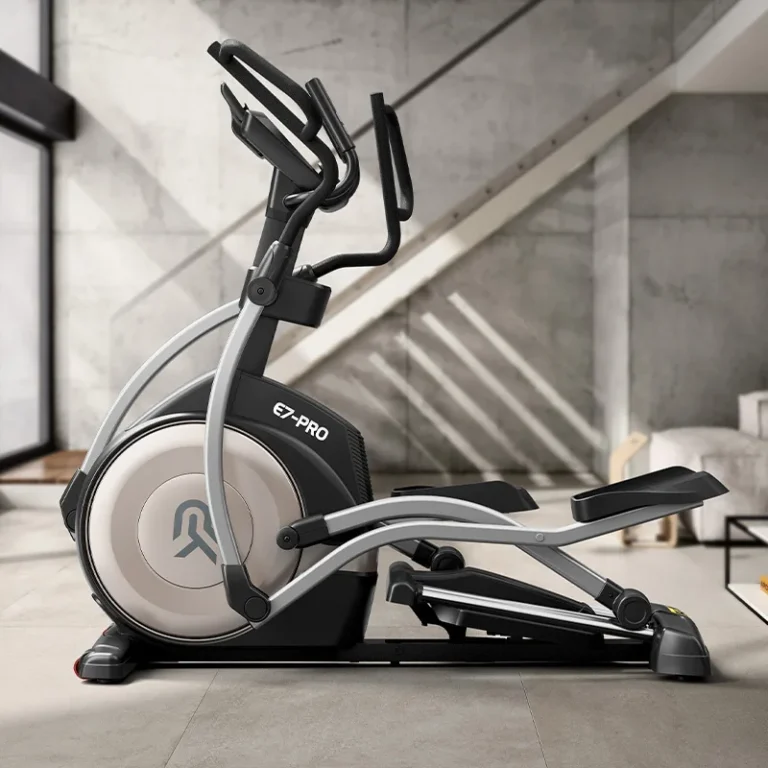
Similar sensor principles apply to other home cardio machines, so understanding how an elliptical machine works can deepen your diagnostic instincts.
The Fast, Free Checks: Belt Tension, Deck Lube, and Speed Sensor Alignment
The belt lift test — how tight is too tight?
This is your first and most important diagnostic tool. Unplug the treadmill. Find the center of the walking belt between the two rollers.
Using a spring scale or firm thumb pressure, lift the belt straight up. The gap between the belt and the deck should be 2 to 3 inches.
If you can lift it more than 3 inches, it's too loose. If you can barely get 1 inch of clearance, it's too tight. Over-tightening is a common mistake that burns out motor bearings and strains the controller.
Adjust the tension bolts at the rear of the treadmill in small, even increments, usually a 1/4 turn at a time.
Image source: Bing (Web (fair-use with source credit))
Lubricating the deck the right way
Most modern treadmills use a silicone-based lubricant. NEVER use WD-40, motor oil, or wax. Check your manual.
If none is available, the general rule is to use 100% silicone lubricant. The procedure is simple but specific. Loosen the belt just enough to slide your hand underneath.
Apply the lubricant in a zig-zag pattern across the width of the deck, focusing on the center where most of the foot traffic occurs. Run the treadmill at a low speed for a few minutes without standing on it. Then re-tension the belt.
This should be done every 3 to 6 months for regular home use.
Cleaning and repositioning the speed sensor
The speed sensor is often a small plastic wheel on a metal arm that touches the roller, or a magnetic pickup near a pulley. A buildup of lint or a small misalignment can throw off the reading. Locate the sensor near the front roller or motor pulley.
Clean any debris from the sensor and the wheel or pulley it reads. Ensure the sensor is close enough to make reliable contact. A gap of more than 1/8 inch, about the thickness of two dimes, can cause signal loss.
This is a frequent fix for erratic speed display. Similar sensor maintenance is key for other cardio equipment, so check out this guide on addressing squeaks on an elliptical.
Digging Deeper: Worn Motor Brushes, Stretched Drive Belt, and the Motor Controller
How to inspect motor brushes without guessing
DC motors use carbon brushes to conduct electricity to the spinning armature. These brushes wear down and need replacement. Access the motor by removing the motor cover.
Always unplug first. The brushes are housed in cylindrical tubes on the sides of the motor.
Most brushes have a wear line marked on them. If the carbon has worn down to that line, or to less than 1/2 inch in length, they need replacement. Also, look for excessive sparking through the motor's ventilation ports while it runs.
Constant, bright blue sparks are a telltale sign of worn brushes.
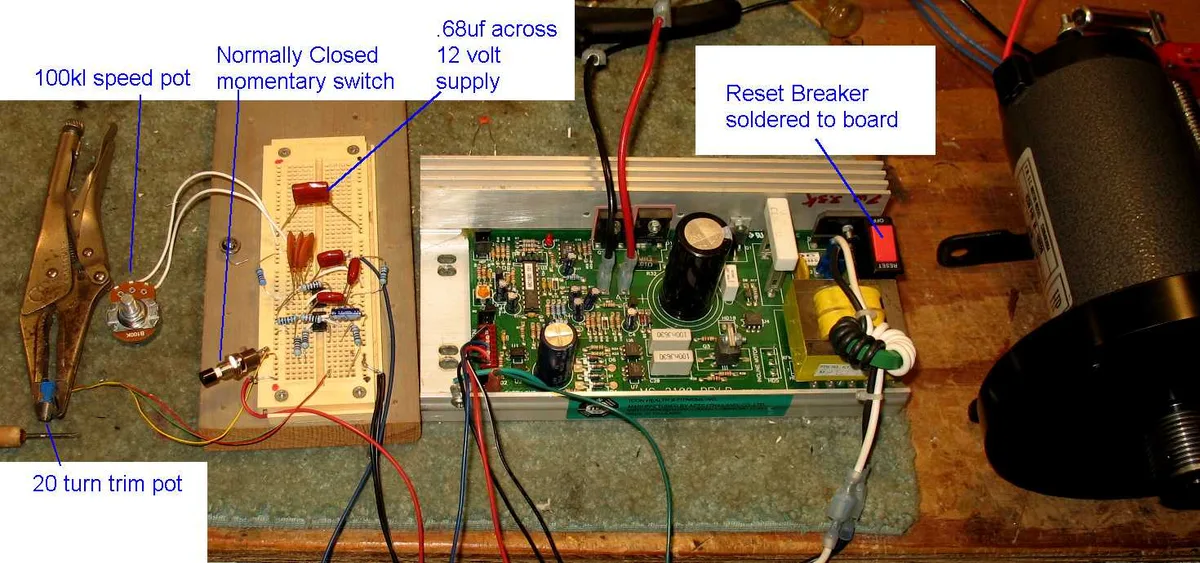
Image source: Bing (Web (fair-use with source credit))
Replacing a loose or glazed drive belt
The drive belt connects the motor to the front roller. If it is loose, glazed, or cracked, it will slip, causing the speed to drop. With the machine unplugged, you can inspect this belt by removing the motor cover.
A proper drive belt should have slight give, about 1/2 inch, when pressed firmly with a thumb.
If it is slick or shiny, it is glazed and needs replacement. If it is loose, you can often tighten it by adjusting the motor mount. This is a more involved repair than adjusting the walking belt.
If you are not comfortable, it is a good time to call a professional. This kind of regular upkeep is covered in our elliptical maintenance routine, and the same principles apply to treadmills.
Resetting the motor controller before you buy parts
The motor controller is the circuit board that governs everything. Sometimes, it just needs a hard reset. Unplug the machine from the wall for a full 5 minutes.
This allows capacitors to discharge and can clear minor electronic glitches.
While you are in there, visually inspect the board for bulging capacitors or scorch marks. A burnt smell or visible damage means the board needs replacement. A reset will not fix physical damage, but it is a zero-cost first step that solves an surprising number of sudden speed problems.
The Electrical Side: Extension Cords, Weak Outlets, and Tripping Breakers
Why extension cords quietly ruin treadmill performance
Treadmills draw high amperage, especially during acceleration. A standard extension cord adds resistance to the circuit. This causes a voltage drop by the time it reaches the treadmill's motor.
The motor then draws even more current to compensate, which creates more heat and strain.
Per UL safety standards, treadmills should be plugged directly into a grounded wall outlet. If you must use an extension cord, it should be a short, heavy-gauge cord rated for appliance use, typically 12-gauge or 10-gauge. Never use a light-duty extension cord.
It is a leading cause of intermittent power loss and slow performance.
Testing your outlet's voltage and load
You can test your outlet with a simple multimeter. Set it to AC voltage, the V~ setting. Plug the probes into the hot and neutral slots, which are the two vertical slots.
A healthy reading in North America is between 115 and 125 volts. Anything consistently below 110V under load is weak.
Now, consider what else is on that circuit. A treadmill sharing a circuit with a space heater, laser printer, or large appliance will cause the circuit breaker to trip or the voltage to sag. The National Electrical Code recommends dedicated circuits for high-draw appliances to ensure consistent, safe power.
Is your treadmill on a dedicated circuit?
A dedicated circuit means only one outlet, or a set of outlets in one room, is wired to that specific circuit breaker. This is ideal. To check, turn off the breaker for the treadmill outlet.
Then, see what else in your home loses power. If only the treadmill is affected, you have a dedicated circuit.
If lights or outlets in other rooms go off, you are sharing the circuit. Heavy household use during your workout will cause performance drops. The solution is either to schedule workouts during low-use times or have an electrician install a dedicated line.
Understanding how often you should use your equipment can also help you manage wear and tear on both you and the machine.
Common Mistakes That Make a Slowing Treadmill Worse
The biggest mistake is over-tightening the belt. Out of frustration, you crank the rear bolts hard. That puts massive strain on the motor, the front roller bearings, and the motor controller.
A belt that lifts less than an inch at the center is too tight. You will hear a whine and feel unusual vibration.
Another common error is using the wrong lubricant. If your deck is waxed, never apply silicone. If it is silicone-based, never use wax.
Mixing them causes a sticky buildup that makes the belt drag. The result is the exact slowing problem you are trying to fix. Always check the owner's manual first.
Skipping the unplug step before any inspection is reckless. The treadmill's stored voltage can deliver a serious shock even with the machine switched off. Remove the safety key and wait five minutes for capacitors to discharge.
Then clean the sensor, adjust bolts, or inspect the motor. A few minutes of patience beats an electric shock.
Finally, many runners ignore the incline motor. A stalling incline motor draws extra current from the main motor, causing speed drops. If your treadmill slows only when climbing, test the incline separately.
Raise it without running. If it stutters, that is your root cause. Building a disciplined cleaning habit helps here, and a good place to start is learning how to clean an elliptical machine.
Treadmill Slowing Down: FAQs
Can a treadmill's speed be recalibrated?
Yes, most treadmills can be recalibrated. Look for a calibration mode in the console settings. This resets the relationship between motor speed and belt speed.
Hold the stop and speed keys for about five seconds. The belt will run through a self-test cycle. If the speed reads correctly afterward, the issue is fixed.
How many miles does a treadmill belt last?
A quality walking belt lasts roughly 800 to 1,200 miles. At 15 miles a week, that is about one to two years. Signs of wear include fraying edges, a glazed underside, or excessive stretching.
When the belt loses grip after proper tensioning and lubrication, replacement is the only fix.
Why does my treadmill slow down when someone else runs on it?
A treadmill rated for 250 pounds will struggle with a 300-pound runner. The motor draws more current than it is designed for. The controller heats up and reduces power.
This is a capacity issue, not a defect. Heavier users need a treadmill with a higher continuous horsepower rating and a stronger frame.
Is it safe to use an extension cord with my treadmill?
Per UL guidelines, you should avoid extension cords for treadmills. If you must use one, it needs to be a heavy-duty 12-gauge cord under 6 feet. Light-duty cords cause voltage drops that make the motor slow and overheat.
Your best option is a dedicated grounded outlet on its own circuit.
Why does my treadmill belt smell like burning rubber?
A burning rubber smell means friction. The belt is slipping on the rollers, or the deck is dry. Turn the treadmill off immediately.
Check the belt tension and lubricate the deck. If the smell persists, the walking belt may be damaged and need replacement. Running through it will wreck the motor.
The Final Decision Guide: DIY Fix, Call a Technician, or Buy a New Treadmill
When a small fix solves it
Take the DIY route if the problem is belt tension, lubrication, sensor alignment, or a tripped breaker. These fixes take under an hour and cost less than $50. You will need basic hex keys and a silicone lubricant.
Success is easy to verify. If the speed stays steady for one full workout, the fix worked.
When you need a pro, and what it should cost
Call a technician if motor brushes, the drive belt, or the motor controller need repairs. These parts cost $50 to $200 each. Labor adds another $100 to $300 per visit.
A technician will diagnose the fault precisely and confirm the replacement part matches your model. That is worth the cost for safety and accuracy.
When the math says it's time to replace it
A general rule is that if a repair costs more than half the price of a new treadmill, replace the machine. A $500 repair on a $1,200 treadmill is a bad investment. A $200 fix on a $2,000 premium treadmill makes sense.
Also factor in age. As of 2026, machines older than 10 years often have failing controllers and brittle wiring.
| Option | Typical Cost | Best For |
|---|---|---|
| DIY Fix | $10–$50 | Belt tension, lube, sensor, reset |
| Technician Repair | $150–$500 | Brushes, drive belt, controller |
| Replace Treadmill | $500–$3,000 | Machines over 10 years old, major motor failure |
Start with the cheapest fix. Work your way up until the problem disappears. In our research, most slowing treadmills are saved with a $15 bottle of silicone and a 10-minute tension adjustment.
The replacements are usually the ones that sat unused for months before failing. Keep everything clean, lubricated, and tensioned, and your treadmill will match your stride every single run.