How to Troubleshoot a Treadmill
Your treadmill just quit. Or it's grinding. Or the belt is drifting sideways while you run.
If you're trying to figure out how to troubleshoot a treadmill, you're in the right place. Most sudden failures have simple, at-home fixes that take less than twenty minutes.
Manufacturer specifications indicate that a typical residential treadmill runs on a dedicated 110 to 120V, 15-amp circuit. In our research, a huge percentage of dead treadmills trace back to a tripped breaker, a loose safety key, or a power cord that's not fully seated. Per CPSC incident data, many common user-reported issues are preventable.
Let's walk through the most likely culprits.
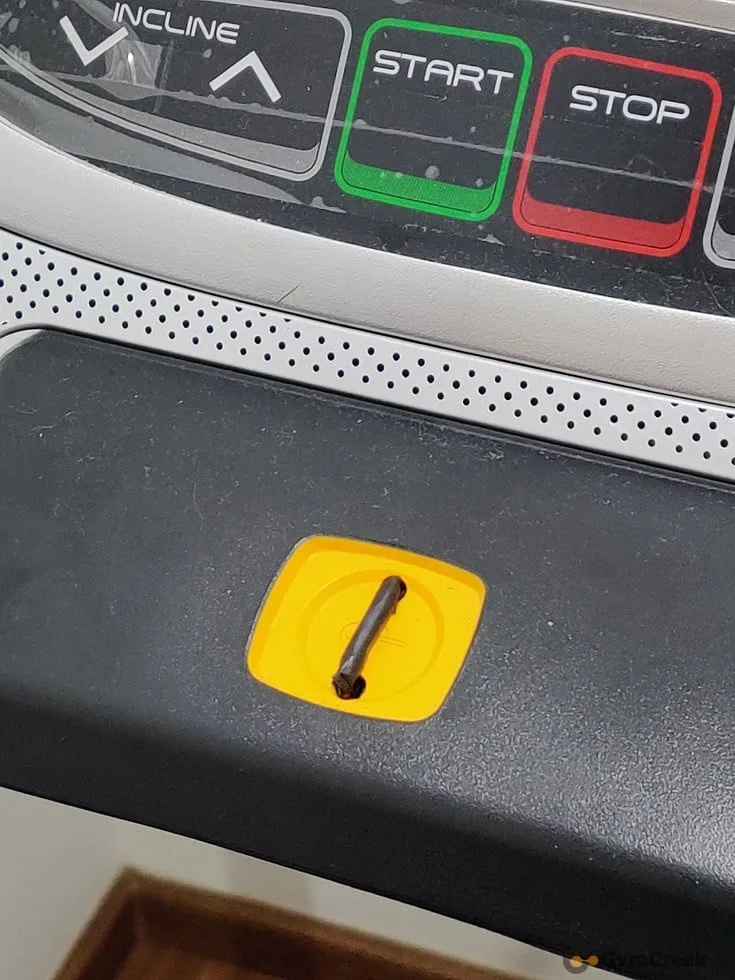
Image source: Bing (Web (fair-use with source credit))
Quick Answer
To troubleshoot a treadmill, start at the wall outlet and work inward. Test the outlet, check for a tripped breaker, confirm the safety key is seated, and inspect the power cord. If the treadmill powers on but the belt slips or drifts, adjust rear roller bolts and lubricate the deck with 100% silicone.
For error codes, unplug for 60 seconds, restart, and read the manual's code table.
Start Here: What Your Treadmill Is Trying to Tell You
Think of a treadmill like a car with a few common failure modes. The symptom you notice points to a specific system. The key is to read the symptom correctly before touching anything.
| Symptom | Most Likely Culprit | Branch to |
|---|---|---|
| Console dead, nothing lights up | Power source, safety key, or console breaker | Power Problems |
| Motor hums but belt won't move | Drive belt, motor brushes, or controller | Strange Noises |
| Belt slips or jerks underfoot | Belt tension, deck lubrication | Belt Troubles |
| Squeaking or screeching | Dry deck, worn roller bearings | Strange Noises |
| Error code on display | Sensor or communication fault | Console Error Codes |
If your treadmill suddenly stops mid-run, the most common cause is a tripped circuit breaker or an accidental safety key pull. If it gives you a code, write down the exact alphanumeric string before doing anything else. The code tells you which sensor or component is failing.
Power Problems: Dead Console, Tripped Breaker, or No Response at All
This is the most common troubleshooting scenario. Start at the wall and work inward.
Step 1: Test the outlet.
Plug a lamp or phone charger into the same wall outlet. If that works, move on. If not, check your home breaker panel.
Many home circuits also have GFCI outlets that can trip silently. Look for a small red reset button on the outlet face.
Step 2: Check the treadmill's own breaker.
Most treadmills have a small reset switch near the power cord or at the bottom of the console. Unplug the machine. Wait 60 seconds.
Press the reset breaker firmly. Plug back in and try again.
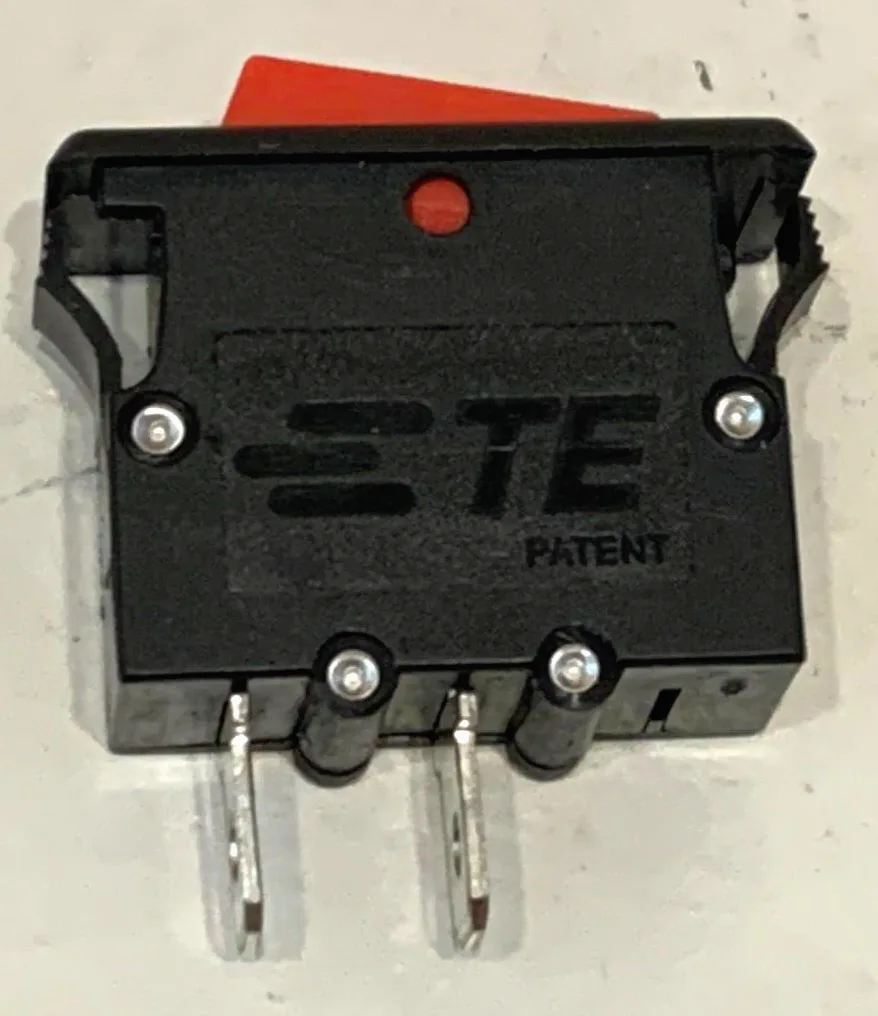
Image source: Bing (Web (fair-use with source credit))
Step 3: Verify the safety key.
The safety key is a magnetic clip that must be attached to the console. Without it, the machine won't start. Sometimes the magnet loses strength or the contact points get dusty.
Wipe the key and the socket with a dry cloth. If it still won't respond, the internal magnetic switch may need replacement.
Step 4: Inspect the power cord.
Look for cuts, kinks, or bent prongs. Test the cord by wiggling it near the plug while the treadmill is on. If the console flickers, the cord is the problem.
Replace it with the manufacturer's original part.
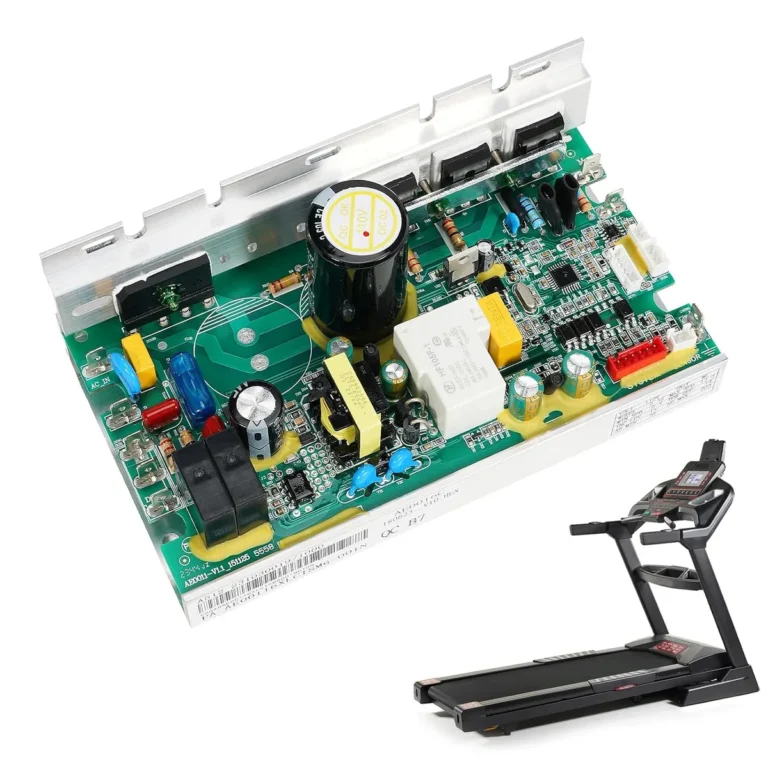
If all of that checks out, you're likely looking at a faulty control board or motor controller. That's when you call a certified technician for other cardio equipment, or a treadmill specialist for your specific machine. Either way, electrical diagnosis beyond the outlet level is pro territory.
Belt Troubles: Slipping, Jerking, or Drifting Out of Alignment
A belt that slips under your weight is dangerous. It means the belt tension is too loose. A belt that drifts to one side is an alignment issue.
Both are fixable.
Slipping Belt:
Unplug the treadmill. Locate the two hex bolts at the rear rollers. Tighten each a half turn, then walk on the belt.
Does it still slip? Repeat until it grips. Never overtighten, which strains the motor.
Jerking Belt:
This usually means the deck needs lubrication. Manufacturer guidelines recommend silicone-based treadmill lube every three months or after a set number of miles. If you've never lubricated the deck, that's likely the fix.
Drifting Belt:
Loosen the belt slightly. Then adjust the rear roller bolts: tighten the left side to move the belt right, tighten the right side to move it left. Turn each bolt in quarter-turn increments.
Walk on it, then recheck.
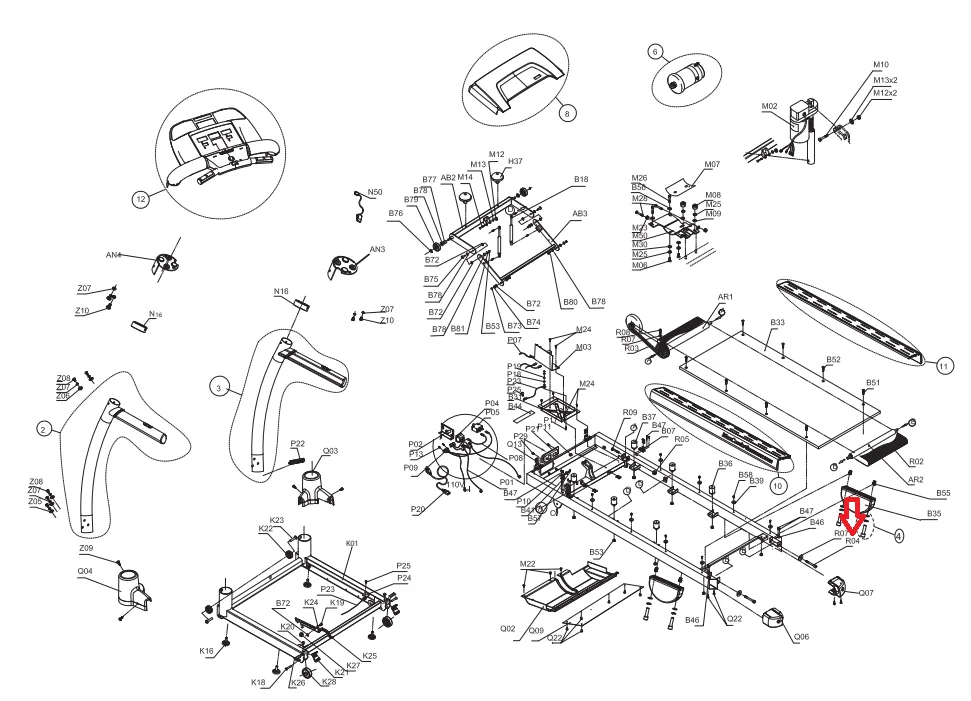
Image source: Bing (Web (fair-use with source credit))
A properly tensioned belt lifts about two to three inches off the deck at the center. Use that as your guide. Overtightening is the most common DIY mistake, and it puts extra load on the motor controller.
Regular belt care is part of a broader maintenance routine. The same preventive thinking applies across your home gym, whether you're keeping an elliptical machine running smoothly or dealing with squeaks on another piece of cardio equipment.
Strange Noises, Burning Smells, and Unusual Vibrations
Noises tell you a lot. So do smells.
Squeaking or Squealing:
That's typically a dry deck or worn roller bearings. Start with lubricating the deck. If the noise persists, spin the roller by hand with the belt off.
A rough or gritty feel means the bearings need replacement.
Thumping or Slapping:
This happens when the belt has a hard patch or a seam has worn down. Check the belt's underside for ridges or damage. If you see one, the belt needs replacing.
Sometimes it's just a misaligned belt hitting the frame. Re-align it first.
Burning Rubber Smell:
Stop using the treadmill immediately. A burning rubber odor usually means the belt is dragging or the drive belt is slipping on the motor pulley. Unplug and inspect the drive belt for cracks or excessive wear.
In our research, the most common cause is an overtightened walking belt that has stretched beyond spec.
Unusual Vibrations:
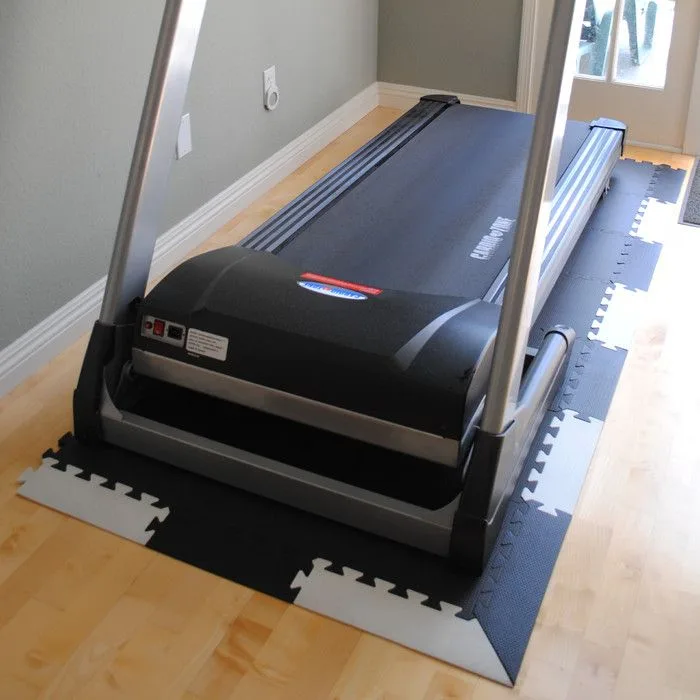
Check the leveling feet on the bottom of the frame. Most treadmills have two or four adjustable feet. Turn them until the unit stops rocking.
A loose bolt near the motor mount can also cause vibration, so do a quick visual scan.
If you smell burning electronics or see smoke, don't touch anything inside. Unplug it and call a professional. That's a safety issue, not a DIY fix.
Console Error Codes and Diagnostic Mode: Decoding the Display
Modern treadmills can tell you what's wrong, if you know how to read them. Most manufacturers use a built-in diagnostic mode. You enter it by holding a combination of buttons while turning on the power.
The exact sequence varies by brand, so check your owner's manual.
Common Error Codes:
| Code | Meaning | Likely Fix |
|---|---|---|
| E1, E2 | Console communication error | Check wiring harness between console and controller |
| E3 | Speed sensor error | Inspect sensor magnet on the flywheel |
| E5 | Incline motor error | Test incline motor connection or replace |
| E6 | Motor controller overcurrent | Check for obstructions or motor brush wear |
Before diving into diagnostics, try the simplest fix. Unplug the treadmill for 60 seconds. Plug it back in.
Sometimes a reset clears a false code.
If the code persists, enter diagnostic mode and test each component individually. Write down the error code and search for the specific number in your service manual. In our research, most error codes point to a loose plug, not a dead part.
Pull the motor cover and check every wiring harness connection. A simple reconnect often solves it.
If multiple unrelated codes flash at once, suspect a failing control board. That's a job for a certified technician. Before you spend money on parts, it helps to understand the value of your equipment.
Some owners compare their treadmill investment against other cardio options like exercise bikes to decide whether repair or replacement makes more sense.
Common DIY Mistakes That Turn Small Fixes Into Expensive Repairs
The quickest way to wreck a treadmill is to overtighten the belt. That strains the motor and can burn out the control board. A repair bill will cost far more than the part you were trying to fix.
Another common error is using household lubricants. WD-40 attracts dust and gunks up the walking deck. Manufacturer specs call for 100% silicone lubricant, nothing else.
People also skip the 60-second unplug-and-wait step. Capacitors inside the motor controller can hold a charge. Treat anything under the motor cover as live until it's been unplugged and allowed to rest.
Repeatedly tripping breakers is a red flag, not a quirk. If your treadmill trips the circuit every time, you're masking a motor or controller issue. Stop DIY and call someone qualified.
One more tip: always check the machine's cleaning requirements alongside your troubleshooting. Dust and pet hair inside the motor compartment cause more failures than most people realize. A vacuum with a brush attachment every few months prevents that.
When to Fix It Yourself vs. Call a Pro: A Quick Decision Guide
Here's the simple version. If it's a belt, lubrication, outlet, or safety key issue, do it yourself. If it's the motor, control board, wiring harness, or a persistent error code, call a pro.
The math usually settles it. A treadmill motor controller can cost $150 to $400. A service call might run $100 to $150 just for diagnosis.
If you guess wrong and buy the wrong part, you've lost both time and money.
Check your warranty first. Many manufacturers void coverage if a non-certified technician opens the motor housing. In-warranty repairs are almost always worth the wait.
If you smell burning electronics or see smoke, stop right there. Unplug and call a technician. That's a safety question, not a money question.
The Consumer Product Safety Commission keeps current recall lists, so check your model's history before attempting any repair.
Before you decide, know what your equipment is worth. Comparing your maintenance costs against other home gym investments helps you make a rational repair-versus-replace call. The decision tree is simple: small fix, DIY.
Big fix, professional.
Frequently Asked Questions
Why does my treadmill stop when I step on it?
That's almost always a belt that's too loose or a deck that needs lubrication. Increase belt tension with the rear roller bolts in half-turn increments. If the belt still slips, lubricate the deck with 100% silicone and test again at a low speed.
Can I use WD-40 on my treadmill deck?
No. WD-40 is a solvent, not a lubricant. It attracts dust and degrades the deck surface.
Use only a treadmill-specific or 100% silicone lubricant. Most manufacturers recommend application every three months, depending on usage.
How do I reset the circuit breaker on my treadmill?
Unplug the machine and wait 60 seconds. Locate the small breaker switch near the power cord or at the base of the console. Press it firmly until it clicks.
Plug the treadmill back in and turn it on. If it trips again immediately, call a technician.
How often should I lubricate my treadmill belt?
Every three months or after every 40 to 50 hours of use, whichever comes first. Heavy runners may need to lubricate more frequently. Check your owner's manual for the exact interval, since it varies by deck material and belt type.
What does error code E1 mean on my treadmill?
E1 usually indicates a communication failure between the console and the motor controller. Check the wiring harness that runs from the console down through the frame. A loose or damaged plug is the most common cause.
Unplug the treadmill, reseat the connection, and restart.