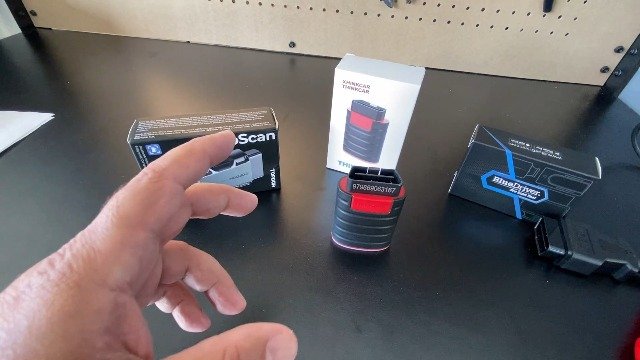
Topdon TopScan Vs BlueDriver: Which Scanner Wins?
Topdon TopScan offers broader service tools, while BlueDriver delivers simpler, proven code reading for everyday drivers.
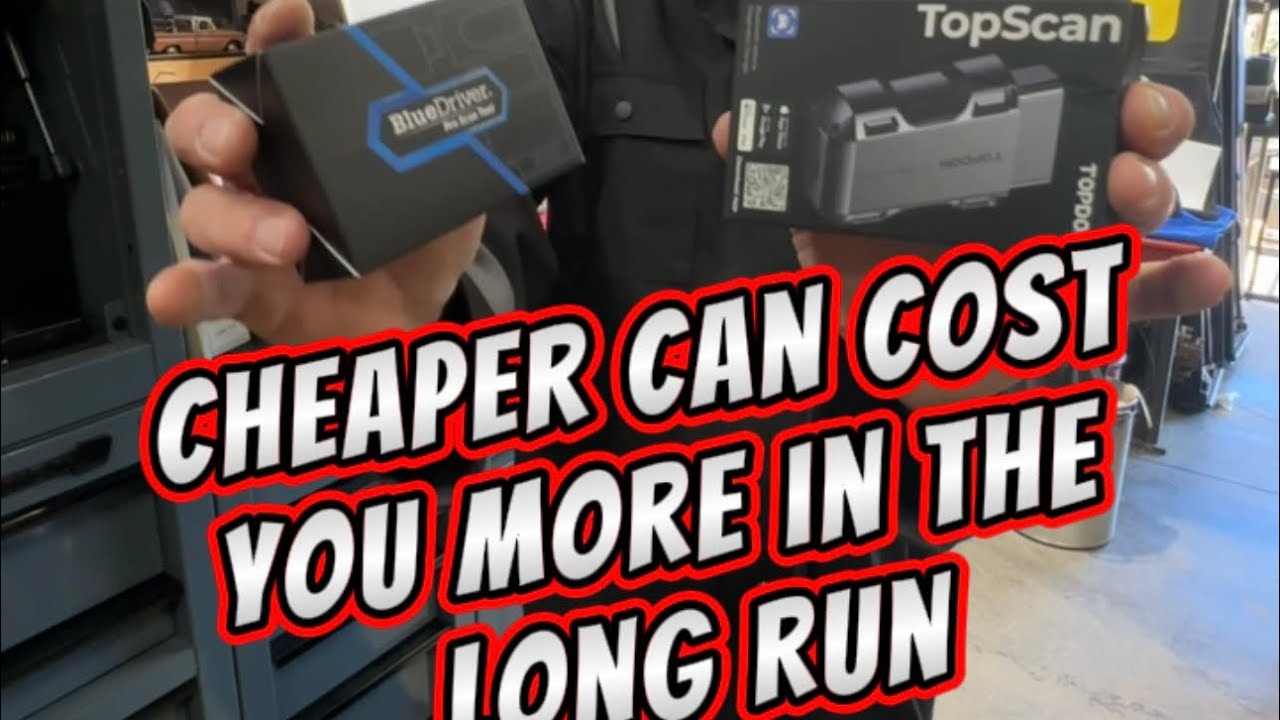
Choosing between Topdon TopScan vs BlueDriver depends on what you want from a car diagnostic scanner. One aims to bring advanced service functions to your phone, while the other focuses on clear fault-code reports and easy repair guidance. After comparing app design, vehicle coverage, live data, service resets, cost, and daily use, the better choice becomes much easier to spot.
Topdon TopScan vs BlueDriver at a Glance
Topdon TopScan and BlueDriver are Bluetooth OBD2 scanners that connect to a smartphone. Both can read trouble codes, clear many warning lights, and show live vehicle data. However, they serve different types of users.
Topdon TopScan is built for drivers who want more advanced functions. Depending on the model and subscription, it may support active tests, special functions, service resets, full-system scans, and coding-related features.
BlueDriver is simpler. It focuses on fast code reading, repair reports, live data, and common vehicle diagnostics. Its strong point is ease of use. You plug it in, open the app, and get a report that is easier for a beginner to understand.
Here is the basic comparison:
| Feature | Topdon TopScan | BlueDriver |
|---|---|---|
| Main focus | Advanced mobile diagnostics | Simple code reading and repair help |
| Connection | Bluetooth through the Topdon app | Bluetooth through the BlueDriver app |
| Basic code reading | Yes | Yes |
| Live data | Yes | Yes |
| Full-system scans | Available on supported vehicles and plans | More limited |
| Service resets | Available on supported vehicles | Limited compared with TopScan |
| Active tests | Available on some models and vehicles | Generally not the main focus |
| Subscription | Some features may require a plan | No recurring subscription for core app use |
| Ease of use | Moderate | Very easy |
| Best for | DIY users and advanced enthusiasts | Everyday drivers and beginners |
The most important detail is vehicle support. A scanner may advertise a feature, but your exact year, make, model, engine, and control module must support it.
What Is Topdon TopScan?
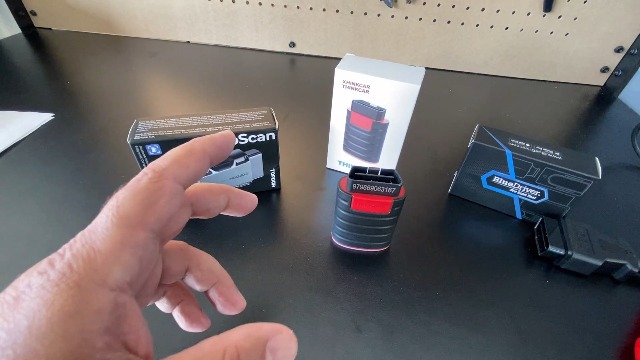
Topdon TopScan is a small wireless diagnostic adapter that works with a smartphone app. It plugs into the vehicle’s OBD2 port and sends data to the app through Bluetooth.
The product line includes different versions, such as TopScan Lite and TopScan Pro. The available tools can differ by version, software plan, and vehicle. That means you should check the current feature list before buying.
TopScan can offer more than basic engine code reading. Depending on the vehicle, it may access systems such as:
• Engine control
• Transmission control
• Airbag and supplemental restraint systems
• Anti-lock braking systems
• Body control modules
• Electronic parking brakes
• Battery management systems
• Steering and driver assistance systems
Common advanced functions may include:
• Oil service reset
• Battery registration
• Electronic parking brake service
• Steering angle calibration
• Diesel particulate filter functions
• Throttle relearn
• Injector coding
• ABS bleeding on supported vehicles
• Active tests that command certain components
These tools can be useful, but they are not universal. A function may work on one Ford, BMW, or Toyota model and fail on another. The vehicle’s software and control module decide what is possible.
TopScan is closer to a compact scan tool than a simple code reader. It can be a useful bridge between a basic Bluetooth scanner and a professional workshop tool.
What Is BlueDriver?
BlueDriver is a Bluetooth OBD2 scanner designed for use with a dedicated mobile app. It works with iPhone and Android devices and is known for simple reports that explain trouble codes in plain language.
BlueDriver can read and clear codes from several vehicle systems, not just the engine, on supported vehicles. It may also provide enhanced codes that a basic generic OBD2 reader cannot see.
One useful feature is the repair report. After scanning, the app can show:
• The trouble code
• A description of the fault
• Possible causes
• Reported fixes from other users
• Vehicle-specific repair information when available
• Freeze-frame data
• Live sensor readings
BlueDriver is not a professional bidirectional scan tool. It generally does not compete with TopScan in areas such as active component tests, coding, or broad service functions.
Its advantage is clarity. If your check engine light turns on before a road trip, BlueDriver can help you understand whether the issue may involve a loose gas cap, an oxygen sensor, an ignition fault, or something more serious.
That does not mean the app gives a final diagnosis. A trouble code points to a system or condition. It does not always identify the failed part.
Topdon TopScan vs BlueDriver: Main Feature Differences
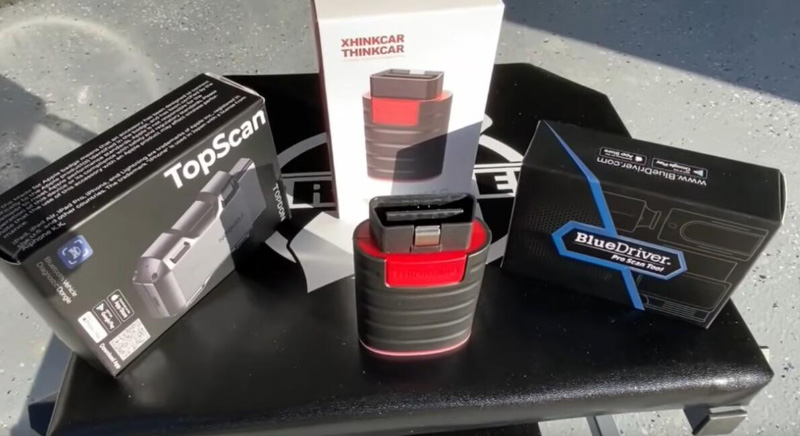
The core difference in Topdon TopScan vs BlueDriver is depth versus simplicity. TopScan provides a wider set of tools on supported vehicles. BlueDriver makes common diagnostics easier for people who do not work on cars every day.
Vehicle system coverage
Both scanners can access generic OBD2 data. This includes emissions-related information from the powertrain system.
TopScan may scan more modules across the vehicle. This matters when the warning light is for an airbag, ABS system, body module, or transmission. BlueDriver can also access enhanced systems on supported vehicles, but its coverage is usually less broad.
Always use the manufacturer coverage list as the final check. Online reviews can be helpful, but software updates can change feature support.
Service functions
TopScan is the stronger choice for service resets. It may support tasks that otherwise require a workshop scan tool.
Examples include:
• Resetting an oil service reminder
• Registering a new battery
• Retracting an electronic parking brake
• Performing a steering angle reset
• Starting a diesel particulate filter service
BlueDriver is better for finding the cause of a warning light than for completing workshop-style service routines.
Active tests
An active test allows a scanner to command a component. For example, a tool may turn a cooling fan on, cycle a fuel pump, or operate a solenoid.
TopScan supports some active tests on some vehicles. This can save time during diagnosis because you can test a component instead of only watching sensor data.
BlueDriver is not designed around this feature. It is mainly a read, explain, and monitor tool.
Active tests can cause damage if used without care. Never command a component unless you understand the system and the correct test procedure.
Live data
Both tools can display live data. This may include:
• Engine speed
• Coolant temperature
• Vehicle speed
• Short-term fuel trim
• Long-term fuel trim
• Oxygen sensor data
• Throttle position
• Battery voltage
• Intake air temperature
Live data helps you see what the vehicle is doing in real time. For example, a fuel trim value that stays very high may support a vacuum leak diagnosis. It does not prove the leak location.
The app layout matters. BlueDriver tends to make basic data easier to follow. TopScan may offer more data and test choices, but the screen can feel more technical.
App Experience and Ease of Use
BlueDriver usually feels more approachable for a first-time user. The scan process is simple, and its reports explain codes without forcing you to search through a large repair manual.
TopScan has more menus. That is helpful when you need a service reset or module scan, but it can also feel overwhelming. The app may ask you to select the vehicle, system, or function before you can begin.
In my view, this is like comparing a kitchen knife with a full tool chest. The knife is faster for one simple job. The tool chest is better when the job changes.
For the smoothest experience with either scanner:
-
Charge your phone before starting.
-
Turn off other Bluetooth devices if the connection is unstable.
-
Keep the ignition on when the app instructs you to do so.
-
Do not unplug the adapter during a scan.
-
Save the original trouble codes before clearing them.
-
Take a screenshot of freeze-frame data.
-
Recheck the vehicle after a short drive.
A common mistake is clearing a code before recording it. Clearing the code also removes useful evidence about the conditions that caused the fault.

Subscription and Long-Term Cost
Cost is a major part of the Topdon TopScan vs BlueDriver decision.
BlueDriver’s main app experience does not normally depend on a recurring subscription for its basic diagnostic features. You buy the adapter and use the app for supported functions.
Topdon sells different TopScan versions, and some advanced functions may depend on a software plan or credits. The exact price and included coverage can change. Check the current terms in the official app or product listing before you buy.
TopScan may offer better value if you use advanced functions several times. Paying for a service reset can be worthwhile if it prevents a shop visit. It may not be worthwhile if you only need to read a check engine code once a year.
Think about your real use:
• One or two scans per year: BlueDriver is often the simpler value.
• Regular DIY repairs: TopScan may offer more useful tools.
• Several family vehicles: Check coverage for every vehicle first.
• Professional work: Neither should automatically replace a dedicated shop-grade platform.
A low purchase price does not always mean a low total cost. Include app plans, supported features, and the time needed to learn the tool.

Which Scanner Is More Accurate?
Neither device is automatically more accurate in every situation. Accuracy depends on the vehicle, the control module, the software version, and the quality of the diagnosis.
Both devices can read standard diagnostic trouble codes. However, a code is not a verdict. For example, an oxygen sensor code may result from an exhaust leak, wiring fault, vacuum problem, fuel mixture issue, or failed sensor.
BlueDriver can make the result easier to understand. TopScan can provide more access for deeper testing. That does not mean TopScan will always find the problem faster.
A sound diagnostic process looks like this:
-
Scan all available systems.
-
Record every code and freeze-frame detail.
-
Look for related codes.
-
Check service information and wiring diagrams.
-
Test the suspected circuit.
-
Repair the confirmed cause.
-
Clear the codes and perform a road test.
This process protects you from parts swapping. Replacing a sensor because its code appears is one of the most expensive mistakes a DIY owner can make.
Topdon TopScan vs BlueDriver for Different Users
Best for beginners
BlueDriver is usually the better fit for beginners. Its reports are clear, and the basic workflow has less room for confusion.
It is a good choice for someone who wants to understand a check engine light before visiting a repair shop.
Best for DIY mechanics
TopScan is often the better fit for DIY mechanics. Its broader system access and service functions can help with repairs at home.
It works best for users who are willing to learn vehicle systems and follow safe test steps.
Best for multiple warning lights
TopScan has an advantage when several warning lights appear at once. A full-system scan may reveal faults in the ABS, airbag, transmission, or body systems.
BlueDriver can still help on supported vehicles, but its range is not usually as broad.
Best for simple code checks
BlueDriver is the easier choice if your goal is simple. Plug it in, scan, read the report, and decide what to do next.
Best for service resets
TopScan is the stronger choice when you need functions such as battery registration, oil reset, or electronic parking brake service. Confirm compatibility before purchase.

Important Limitations to Know
The Topdon TopScan vs BlueDriver comparison has no universal winner. Both products have limits that buyers should understand.
First, neither scanner can repair a vehicle. It can provide data, but mechanical knowledge still matters.
Second, older cars may have limited OBD2 support. In the United States, most 1996 and newer gasoline vehicles use OBD2, but manufacturer-specific access can still vary.
Third, electric vehicles and hybrids need special care. A standard OBD2 adapter may not provide complete high-voltage battery or safety-system data.
Fourth, clearing a code may not fix the fault. The light can return after the vehicle completes its self-checks.
Finally, app support can change. Phone operating system updates, vehicle software updates, and subscription policies may affect the user experience.
Do not work on airbags, high-voltage systems, or running engines without proper training. A scanner is a guide, not a substitute for safety procedures.
Practical Tips for Better Results
Use these tips whether you choose Topdon TopScan or BlueDriver:
• Check exact vehicle coverage before buying.
• Keep the vehicle battery strong during long scans.
• Use a battery charger when performing extended service functions.
• Save reports before clearing codes.
• Compare live data with normal values for your engine.
• Avoid trusting one sensor reading without testing the circuit.
• Read the repair manual before using an active test.
• Update the app and adapter firmware when available.
• Keep your phone close to the vehicle during Bluetooth use.
• Ask a qualified technician for help when safety systems are involved.
One useful habit is to create a scan history. Save the date, mileage, codes, repairs, and test results. Over time, this record can show repeated faults and help a mechanic diagnose the vehicle faster.
Frequently Asked Questions About Topdon TopScan vs BlueDriver
Is Topdon TopScan better than BlueDriver?
Topdon TopScan is better for advanced diagnostics, service resets, and supported active tests. BlueDriver is better for simple code reading, clear reports, and easy everyday use.
Does BlueDriver require a subscription?
BlueDriver’s core app functions are generally available without a recurring subscription after buying the adapter. Optional features and policies can change, so check the current app terms before purchase.
Can Topdon TopScan clear ABS and airbag codes?
TopScan may read and clear ABS or airbag codes on supported vehicles. Coverage depends on the exact vehicle, software version, adapter model, and feature plan.
Can BlueDriver perform an oil reset?
BlueDriver is mainly a diagnostic scanner and does not match TopScan’s range of service reset functions. Some vehicles may offer limited service-related support, but you should confirm the exact model before buying.
Which scanner is easier for a beginner?
BlueDriver is usually easier for a beginner because its reports use simple language and the scan process is direct. TopScan can still work well for new users who want to learn advanced vehicle diagnostics.
Can either scanner diagnose every car problem?
No. Both scanners read electronic data and fault codes, but they cannot find every mechanical, wiring, or intermittent fault. A proper diagnosis may also require a multimeter, pressure gauge, smoke machine, or professional test equipment.
Does TopScan work without a phone?
TopScan is designed to work through a smartphone app. It is not a standalone scan tablet, so you need a compatible phone and the required app.
Is BlueDriver good for professional mechanics?
BlueDriver can be useful for quick checks and code reports, but many professional mechanics need wider vehicle coverage, bidirectional controls, programming, and stronger workshop functions. TopScan may be more suitable for some advanced tasks, but a dedicated professional platform may still be necessary.
Conclusion
Topdon TopScan vs BlueDriver is really a choice between wider diagnostic power and simpler everyday use. TopScan is the better option for DIY users who need service resets, deeper module access, and selected active tests. BlueDriver is the better option for drivers who want clear reports, quick code checks, and a simple app without a complex workflow.
Before buying, check support for your exact vehicle and review any software plan costs. If you only want to understand a check engine light, choose the easier tool. If you plan to perform regular repairs, TopScan may give you more room to grow.
Make your decision based on the jobs you will actually perform, then keep a record of every scan and repair. Share your experience or explore more vehicle diagnostic guides to build your confidence before the next warning light appears.