ANCEL AD310 Vs BlueDriver: Which Scanner Wins?
ANCEL AD310 vs BlueDriver comes down to low-cost simplicity versus deeper app-based vehicle diagnostics.
Choosing between the ANCEL AD310 vs BlueDriver depends on what you need from an OBD2 scanner. The ANCEL AD310 is a simple handheld code reader for basic engine checks, while BlueDriver uses a phone app to offer broader diagnostic data and vehicle-specific reports. This guide compares their features, accuracy, ease of use, cost, limits, and best use cases so you can buy with confidence.
ANCEL AD310 vs BlueDriver: Quick Comparison
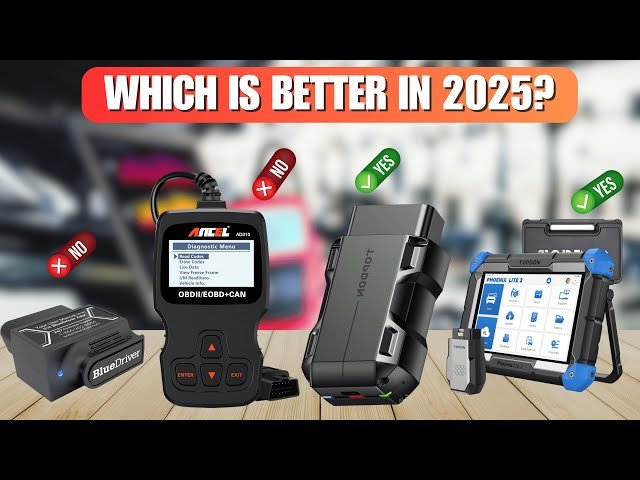
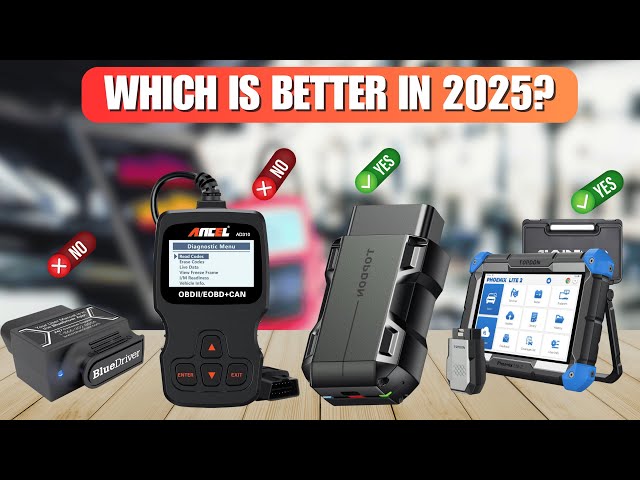
The ANCEL AD310 and BlueDriver serve different types of drivers. The AD310 is a plug-in OBD2 scanner with a built-in screen. BlueDriver is a Bluetooth adapter that sends data to an app on your phone or tablet.
| Feature | ANCEL AD310 | BlueDriver |
|---|---|---|
| Scanner type | Handheld OBD2 reader | Bluetooth OBD2 adapter |
| Screen | Built-in display | Uses a smartphone or tablet |
| Basic engine codes | Yes | Yes |
| Clear trouble codes | Yes | Yes |
| Live data | Yes, basic | Yes, more detailed |
| Vehicle-specific enhanced codes | Limited | Stronger coverage |
| ABS and airbag data | Usually limited or unavailable | Available on many supported vehicles |
| Repair reports | No | Yes |
| Internet connection | Usually not needed after setup | App and internet may be needed for some features |
| Updates | Device-dependent | App and firmware updates |
| Best for | Simple DIY checks | Deeper diagnosis and repair planning |
In simple terms, the ANCEL AD310 is like a basic thermometer. It tells you that something is wrong. BlueDriver is closer to a medical chart. It may show more systems, more data, and more possible causes.

What Is the ANCEL AD310?
The ANCEL AD310 is a basic OBD2 code reader made for vehicles that support standard OBD-II diagnostics. In the United States, most gasoline vehicles from 1996 and newer must support OBD-II emissions diagnostics. Many diesel vehicles from 1997 and newer also support the system, although coverage can vary.
The AD310 connects to the diagnostic port under the dashboard. It gets power from the vehicle, so you do not normally need to charge it or install batteries.
Common functions include:
• Reading diagnostic trouble codes
• Clearing engine fault codes
• Viewing live engine data
• Checking freeze-frame data
• Checking emissions readiness monitors
• Displaying vehicle information
• Running some onboard monitor tests
• Showing a built-in code description or lookup feature on supported versions
The AD310 mainly focuses on the powertrain system. That means the engine, transmission, and emissions controls are its main targets. It is not designed to replace a professional scan tool for body, safety, comfort, or communication systems.
One important point in the ANCEL AD310 vs BlueDriver comparison is that the AD310 is a tool, not a repair guide. It can show a code such as P0420, but it cannot prove that the catalytic converter has failed. A weak oxygen sensor, exhaust leak, wiring fault, or engine misfire may also trigger that code.

What Is BlueDriver?
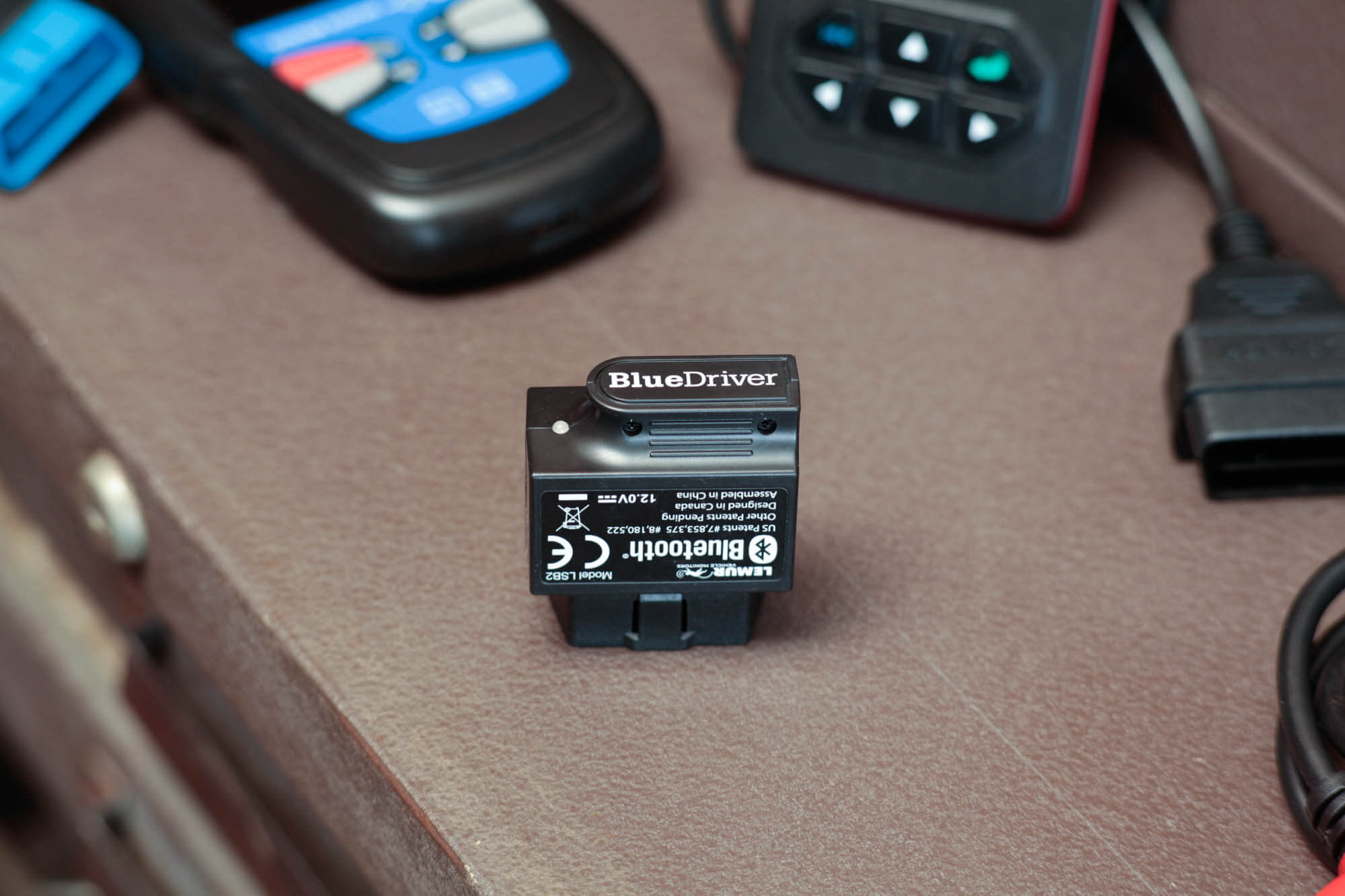
BlueDriver is a small Bluetooth diagnostic adapter that connects to a vehicle’s OBD2 port. You then use a mobile app to read and review vehicle data.
The app gives BlueDriver a major advantage over many low-cost handheld scanners. A phone screen can display graphs, sensor readings, code explanations, and repair information in a way that a small scanner screen cannot.
BlueDriver commonly offers:
• Generic powertrain code reading
• Enhanced manufacturer-specific code reading on supported vehicles
• ABS code access on many vehicles
• Airbag or SRS code access on many vehicles
• Transmission code access on many vehicles
• Live data graphs
• Freeze-frame information
• Repair reports
• Possible causes and reported fixes
• Code clearing
Coverage depends on the vehicle make, model, year, and system. A BlueDriver adapter may read ABS codes on one vehicle but not provide the same coverage on another. Always check the current vehicle support list before buying.
BlueDriver also depends on your phone. A dead phone battery, Bluetooth issue, outdated app, or poor connection can slow down diagnosis. That is the tradeoff for receiving more data and a richer interface.

ANCEL AD310 vs BlueDriver: Diagnostic Coverage
Diagnostic coverage is one of the biggest differences between the ANCEL AD310 vs BlueDriver.
The ANCEL AD310 usually works best with standard engine and emissions codes. These codes use the common OBD2 system found on many cars and light trucks sold in the United States. It can help you understand why the check engine light is on and whether the vehicle is ready for an emissions test.
BlueDriver can often go further. On supported vehicles, it may access manufacturer-specific information from systems such as:
• Anti-lock braking
• Airbag and supplemental restraint systems
• Automatic transmissions
• Body control modules
• Engine control modules
• Some chassis or comfort systems
This extra access can save time. For example, a basic scanner may show no engine code while the ABS warning remains active. BlueDriver may be able to identify the wheel speed sensor or ABS module code, depending on the vehicle.
Still, neither device should be treated as universal. Vehicle networks differ. Some systems require special software, security access, or a professional scan tool. A scanner may also read a code without supporting active tests or module programming.
ANCEL AD310 vs BlueDriver: Ease of Use
The ANCEL AD310 is very easy to use. Plug it in, turn on the ignition, and follow the menu. Its built-in screen means you do not need an app, account, or wireless connection.
This makes the AD310 useful for:
• Checking a used car before purchase
• Reading a check engine light at home
• Confirming whether a repair removed a code
• Checking readiness monitors before an emissions test
• Keeping a simple scanner in an older vehicle
BlueDriver takes a few more steps. You must install the app, pair the adapter, grant the needed permissions, and keep your phone connected. The setup is still simple for most users, but it is not as instant as using a handheld reader.
The reward is better presentation. BlueDriver can display live data as numbers or graphs. Seeing oxygen sensor voltage, fuel trims, engine temperature, and airflow change over time is much more helpful than viewing one value at a time.
For a first-time user, the ANCEL AD310 feels like a light switch. BlueDriver feels like a small control panel. Both work, but they suit different comfort levels.
ANCEL AD310 vs BlueDriver: Live Data
Live data shows what the vehicle sensors and control modules report while the engine runs. It can help you spot patterns that a single trouble code cannot explain.
The ANCEL AD310 provides basic live data on supported vehicles. You may see items such as:
• Engine speed
• Vehicle speed
• Coolant temperature
• Throttle position
• Intake air temperature
• Fuel system status
• Short-term fuel trim
• Long-term fuel trim
• Oxygen sensor readings
BlueDriver generally provides a better live-data experience. Its app can show multiple parameters and create graphs. This matters when a sensor works sometimes but fails under certain conditions.
For example, suppose a car has a rough idle but no stored code. Watching fuel trims at idle and at higher engine speed may reveal a vacuum leak pattern. The scanner does not diagnose the leak by itself, but it gives you better evidence.
A common mistake is to treat live data as a list of pass or fail results. Many readings change with engine load, temperature, fuel quality, and driving speed. Good diagnosis compares the data with service information and known normal values.
ANCEL AD310 vs BlueDriver: Repair Reports and Code Meaning
A diagnostic trouble code is a starting point. It is not a final answer.
The ANCEL AD310 may display a code and a short description. That is useful, but the information may be brief. You often need to search a repair manual or trusted technical database for testing steps.
BlueDriver adds more context in its app. It may show possible causes, common fixes, and repair reports from similar vehicles. This can help you decide whether a problem may involve a sensor, wiring, connector, vacuum leak, or mechanical fault.
However, repair reports are not a guarantee. A common repair is not always the correct repair for your vehicle. The best approach is to use the report as a clue, then confirm the cause with testing.
My practical lesson from many diagnostic discussions is simple: never replace a part just because its name appears in a code. A P0171 code, for example, means the system is running too lean. It does not automatically mean the oxygen sensor is bad.

ANCEL AD310 vs BlueDriver: Accuracy and Reliability
Both scanners can accurately read standard OBD2 codes when the vehicle and connection are working correctly. The main difference is the amount of information each tool can access and explain.
The ANCEL AD310 has fewer parts that can fail. It has a cable, buttons, and a basic display. There is no Bluetooth pairing problem, and the tool receives power from the vehicle.
BlueDriver has a strong advantage in data depth, but its performance depends on several factors:
• Your phone’s operating system
• Bluetooth permissions
• App compatibility
• Adapter firmware
• Vehicle coverage
• Internet access for some app features
• The condition of the vehicle’s diagnostic port
A poor scanner connection can cause false assumptions. If a tool will not connect, check the port fuse, damaged pins, low battery voltage, and ignition position before blaming the scanner.
Neither device can repair a vehicle or guarantee a diagnosis. Accuracy comes from combining scan data with visual inspection, electrical testing, service information, and mechanical knowledge.

ANCEL AD310 vs BlueDriver: Cost and Value
The ANCEL AD310 usually costs less than BlueDriver. It is a good value for drivers who only need basic code reading and clearing.
BlueDriver costs more because you are paying for the adapter, app development, expanded vehicle coverage, data displays, and repair information. For a person who only checks a check engine light once every few years, that extra cost may not be worthwhile.
BlueDriver can offer better value for:
• People who maintain several vehicles
• DIY mechanics
• Used-car buyers
• Drivers with repeated warning lights
• Owners who want ABS or airbag information
• Users who want better live-data graphs
The ANCEL AD310 can offer better value for:
• Occasional home use
• Older vehicles with basic OBD2 needs
• Emissions readiness checks
• Drivers who dislike phone apps
• Emergency storage in a glove box
Think about frequency, not just purchase price. A cheaper tool that cannot read the system you need may cost more after a wrong part purchase or unnecessary repair visit.
Which Scanner Is Better for Used-Car Checks?
The ANCEL AD310 is useful during a basic used-car inspection. It can show whether the check engine light is on, whether codes are stored, and whether emissions monitors are ready.
BlueDriver is usually better for a more detailed inspection. It may reveal enhanced codes that a basic scanner misses. It also gives you more live data to review during a test drive.
Before buying a used vehicle, follow these steps:
-
Plug in the scanner before starting the engine.
-
Confirm that the warning lights appear during the bulb check.
-
Scan for stored and pending codes.
-
Check emissions readiness monitors.
-
Start the engine and look for new codes.
-
Test the vehicle at city and highway speeds.
-
Scan again after the drive.
Pay close attention to monitors that show “not ready.” A seller may have cleared codes shortly before your visit. A recently reset system may need more driving before it can complete its self-tests.
The ANCEL AD310 vs BlueDriver choice is clear here: choose the AD310 for a quick basic check, or BlueDriver when you want a deeper look at supported systems.
Which Scanner Is Better for DIY Repairs?
For simple engine problems, the ANCEL AD310 can be enough. It can help you read a code, clear it after a repair, and confirm whether the fault returns.
BlueDriver is the stronger choice for active DIY work. Its graphs and enhanced code coverage can help you build a better testing plan. It is especially useful when the warning light involves ABS, SRS, transmission, or another supported module.
Neither scanner replaces these basic tools:
• A digital multimeter
• A test light
• A battery tester
• A fuel pressure gauge
• A vacuum gauge
• A repair manual
• A wiring diagram
A scanner tells you what the vehicle computer noticed. It does not always tell you why it happened. Think of it as a witness at the scene, not the detective who solved the case.
Important Limitations to Know
The ANCEL AD310 has a narrow focus. It may not read airbag, ABS, body, or manufacturer-specific codes. It also has a small display and limited storage compared with a phone-based app.
BlueDriver has broader coverage, but it is not a factory scan tool. It may not support every module, every active test, key programming, immobilizer functions, coding, or module replacement procedures.
Both devices may fail to connect when:
• The vehicle does not support standard OBD2
• The diagnostic port has no power
• A fuse is blown
• The battery voltage is too low
• The ignition is in the wrong position
• The vehicle has a communication fault
• The selected system is not supported
Some vehicles also need a special adapter or a different diagnostic method. Commercial trucks, older imports, and certain specialty vehicles deserve extra research before purchase.
Always confirm compatibility by exact year, make, model, engine, and system. “Works with Ford” or “works with Toyota” is not precise enough.
How to Use Either Scanner Safely
Reading codes is low risk, but clearing them can remove useful information. Before you erase a code, write it down or save a screenshot.
Use this simple process:
-
Park safely and apply the parking brake.
-
Turn off unnecessary electrical accessories.
-
Connect the scanner firmly.
-
Turn the ignition on without starting the engine.
-
Read stored and pending codes.
-
Record freeze-frame data.
-
Research the code and inspect related parts.
-
Repair the confirmed cause.
-
Clear the code only after recording the data.
-
Drive the vehicle and scan again.
Do not clear an airbag code and assume the safety system is fixed. Do not ignore a flashing check engine light. A flashing light can indicate a severe misfire that may damage the catalytic converter.
If the vehicle has poor brakes, steering problems, overheating, fuel leaks, or a serious drivability issue, stop driving and seek professional help.
ANCEL AD310 vs BlueDriver: Pros and Cons
ANCEL AD310 advantages
• Low purchase cost
• Simple plug-and-play operation
• No smartphone required
• Built-in screen
• Useful for standard engine codes
• Good for emissions monitor checks
• Easy to keep in a glove box
ANCEL AD310 limitations
• Limited system coverage
• Small screen
• Basic data display
• Less repair information
• Usually not suitable for ABS or airbag diagnosis
• Limited value for complex modern vehicles
BlueDriver advantages
• Better app interface
• Enhanced code access on supported vehicles
• Stronger coverage for several vehicle systems
• Graphing for live data
• Repair reports and possible causes
• Easier data sharing with a repair shop
• Useful for multiple vehicles
BlueDriver limitations
• Requires a compatible smartphone
• Bluetooth and app setup are necessary
• Coverage varies by vehicle
• Not a full factory-level scan tool
• Some functions may depend on app or internet access
The best choice depends on the gap between your needs and each tool’s limits. Do not pay for features you will never use, but do not buy a basic scanner if you already know you need enhanced system access.
Best Choice by Driver Type
Choose the ANCEL AD310 if:
• You want the lowest-cost option for basic checks.
• You mainly need to read engine codes.
• You want to check emissions readiness.
• You prefer a dedicated device.
• You do not want to use a phone during diagnosis.
Choose BlueDriver if:
• You want deeper information from supported vehicles.
• You work on your own cars.
• You want ABS, airbag, or transmission code access.
• You prefer graphs and mobile reports.
• You inspect used cars often.
• You want more help understanding trouble codes.
Choose a professional scan tool instead if:
• You need key programming.
• You need module coding.
• You need bidirectional controls.
• You repair advanced network faults.
• You work on many vehicle brands every day.
• You need factory-level functions.
This is the most useful way to view the ANCEL AD310 vs BlueDriver debate. There is no single winner for every driver. The right scanner is the one that matches your vehicle and your repair goals.
Frequently Asked Questions About ANCEL AD310 vs BlueDriver
Is BlueDriver better than the ANCEL AD310?
BlueDriver is generally better for deeper diagnostics, enhanced codes, live-data graphs, and repair reports. The ANCEL AD310 is better for simple, low-cost engine code checks without using a phone.
Can the ANCEL AD310 read ABS or airbag codes?
The ANCEL AD310 is mainly designed for standard OBD2 engine and emissions diagnostics. It usually cannot access ABS or airbag modules, although exact behavior can vary by vehicle and product version.
Can BlueDriver clear check engine codes?
Yes, BlueDriver can clear supported diagnostic trouble codes through its app. Clear the code only after recording the original information and addressing the likely cause.
Does BlueDriver work with every car?
No scanner works with every vehicle system. BlueDriver supports many cars, but enhanced functions depend on the exact year, make, model, and module, so check compatibility before purchase.
Does the ANCEL AD310 need batteries?
The ANCEL AD310 normally receives power through the vehicle’s OBD2 port. This means it generally does not need separate batteries for normal use.
Can either scanner diagnose a problem completely?
No. Both scanners provide valuable diagnostic clues, but a complete diagnosis may require visual checks, voltage tests, pressure tests, wiring diagrams, and manufacturer service data.
Which one is better for checking a used car?
BlueDriver is usually better because it may reveal more vehicle systems and provide more data. The ANCEL AD310 is still useful for checking basic engine codes and emissions readiness.
Conclusion
The ANCEL AD310 vs BlueDriver comparison is really a choice between simplicity and diagnostic depth. The ANCEL AD310 is affordable, easy to use, and well suited to basic check engine light problems. BlueDriver costs more, but it offers a better app, stronger supported-vehicle coverage, live-data graphs, and useful repair reports.
Choose the ANCEL AD310 if you want a basic scanner for occasional use. Choose BlueDriver if you work on cars more often or want information beyond standard engine codes. Before buying, check exact vehicle compatibility and remember that every trouble code is a clue, not a final diagnosis.
Use the scanner as the first step in a careful repair process, then confirm the cause before replacing parts. Share your vehicle year, make, and model in the comments if you want help deciding which option fits your needs.