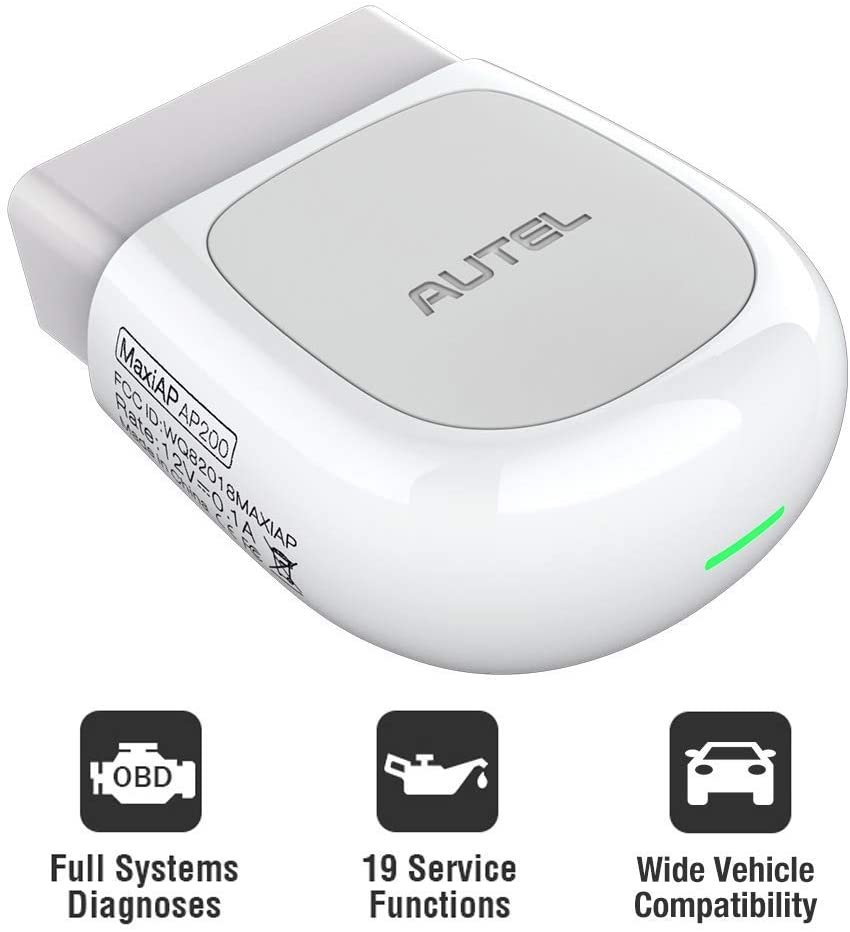
BlueDriver Vs Autel MaxiAP AP200: Which Scanner Wins?
BlueDriver is best for easy vehicle diagnostics, while Autel MaxiAP AP200 offers broader service functions.
Choosing between BlueDriver vs Autel MaxiAP AP200 depends on what you want to do with your car. BlueDriver focuses on clear fault-code reports, enhanced diagnostics, and simple phone-based use. The AP200 takes a wider approach, with deeper system access and service functions that can vary by vehicle brand.
I have compared these scanners by looking at daily use, app design, vehicle coverage, repair value, and long-term cost. This guide explains the real differences so you can choose the right tool without paying for features you may never use.
BlueDriver vs Autel MaxiAP AP200: Quick Comparison
BlueDriver and the Autel MaxiAP AP200 are Bluetooth OBD2 scan tools. Both connect to a smartphone, read trouble codes, and display live vehicle data. However, they are built for different types of users.
| Feature | BlueDriver | Autel MaxiAP AP200 |
|---|---|---|
| Main focus | Easy diagnostics and repair reports | Advanced diagnostics and service functions |
| Vehicle coverage | Many makes with enhanced data | One included vehicle brand, with others available through purchases |
| App support | Android and iPhone | Android and iPhone |
| Basic OBD2 codes | Yes | Yes |
| Manufacturer-specific codes | Yes, on supported vehicles | Yes, with brand coverage |
| Live data | Yes | Yes |
| Repair reports | Strong, easy to read | Available through the app |
| Service resets | Limited compared with Autel | More service functions, depending on vehicle |
| Bidirectional controls | No | Available on some vehicle and function combinations |
| Subscription model | No ongoing subscription for core use | Extra vehicle brands and functions may cost more |
| Best for | DIY owners and home mechanics | Advanced DIY users and small repair shops |
The key point in the BlueDriver vs Autel MaxiAP AP200 comparison is simple: BlueDriver is easier, while the AP200 can go deeper.
BlueDriver is almost like having a helpful translator in your glove box. It turns fault codes into plain-language explanations and often suggests likely causes. The AP200 is more like a compact workshop tool. It gives you more menus, but you may need more technical knowledge to use them well.
What Is BlueDriver?
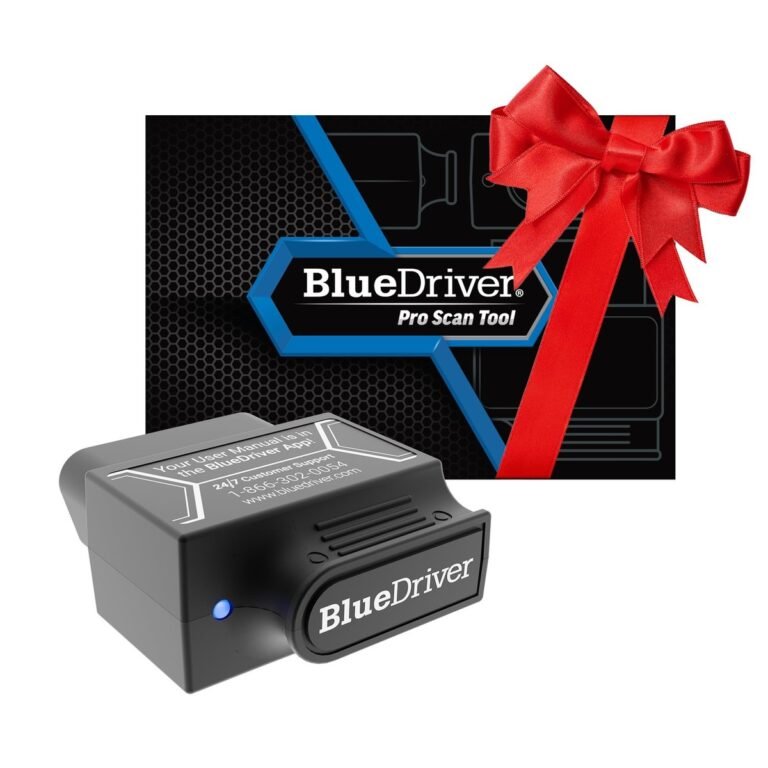
BlueDriver is a Bluetooth vehicle scan tool made for smartphones and tablets. Its small adapter plugs into the vehicle’s OBD2 port, then communicates with the BlueDriver app.
The tool works with most gasoline vehicles sold in the United States from 1996 onward. Diesel vehicle coverage can differ by model and year. The vehicle must also support the required OBD2 communication standards.
BlueDriver can read more than basic engine codes on many supported vehicles. Depending on the car, it may access systems such as:
• Engine control
• Transmission control
• Airbag or supplemental restraint system
• Anti-lock braking system
• Body control modules
• Tire pressure systems
• Climate control
BlueDriver does not provide the same enhanced coverage on every vehicle. A Ford, Toyota, BMW, and Hyundai may show different data and functions. This is normal because each vehicle maker uses its own software and control modules.
One of BlueDriver’s strongest features is its repair report. The app can show common causes, possible fixes, and related technical information for certain codes. This does not replace proper testing, but it can help you avoid replacing parts at random.
What Is the Autel MaxiAP AP200?
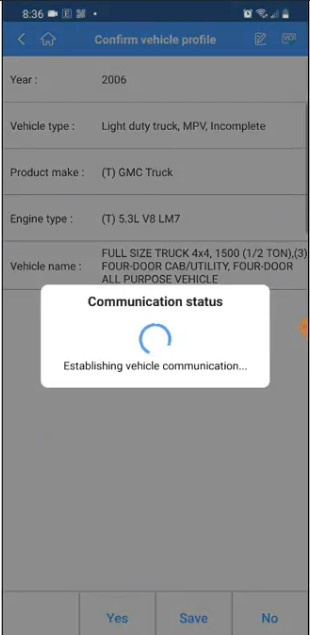
The Autel MaxiAP AP200 is a wireless diagnostic adapter that connects to the MaxiAP200 mobile app. It supports standard OBD2 functions and can offer manufacturer-level diagnostics for selected vehicle brands.
The AP200 is sold as a compact dongle rather than a traditional handheld scanner. You plug it into the OBD2 port, open the app, select the vehicle, and start a scan.
One important difference is the vehicle-brand payment model. The AP200 usually includes access to one vehicle brand. Additional brands may require in-app purchases or subscription-style access. The exact offer can change by region, promotion, and app version.
The AP200 may support functions such as:
• Reading and clearing diagnostic trouble codes
• Viewing live data
• Performing system scans
• Resetting oil service lights
• Registering some batteries
• Resetting steering angle sensors
• Performing diesel particulate filter functions on supported cars
• Resetting electronic parking brakes on supported cars
• Running some active tests
• Accessing manufacturer-specific modules
Not every AP200 function works on every vehicle. A service reset that works on one model may be missing on another. Always check Autel’s current coverage list for your exact year, make, model, engine, and system.
This is where the BlueDriver vs Autel MaxiAP AP200 decision becomes more complex. The AP200 may have greater potential, but potential is not the same as guaranteed coverage.

BlueDriver vs Autel MaxiAP AP200: Diagnostic Coverage
Diagnostic coverage means more than the number of car brands listed on a product page. It includes the systems, model years, engines, codes, tests, and service functions supported for each vehicle.
BlueDriver gives strong coverage for common DIY needs. It can read generic powertrain codes and, on supported vehicles, manufacturer-specific codes from several systems. The app also presents the data in a way that is easy to understand.
The AP200 aims closer to professional-level system access. It may scan more modules and provide more special functions. This makes it attractive for owners who work on several vehicles or handle repairs beyond check-engine lights.
A practical example can help:
• If your 2018 Honda Accord has a check-engine light, both tools may read the engine code.
• If you need a clear explanation of the code and likely repair causes, BlueDriver may feel better.
• If you need a battery registration or electronic parking brake service, the AP200 may be the better choice if that function is supported.
• If you need coding, programming, or security access, neither tool should be assumed to handle the job without checking exact coverage.
BlueDriver’s coverage is often easier to understand because the app is centered on a fixed experience. The AP200 may offer more choices, but its menus and coverage can feel less predictable to a new user.
In real repairs, I have found that the best scanner is the one that supports the exact task. A tool with 100 features is not useful if it cannot perform the one reset your vehicle needs.
App Design and Ease of Use
BlueDriver has one of the friendlier diagnostic apps for home mechanics. You connect the adapter, select the vehicle, and begin a scan. The main screens are clean, and the reports use plain language.
This matters when you are standing in a driveway with a warning light on. You do not want to search through ten menus just to find a code. BlueDriver usually keeps the path short.
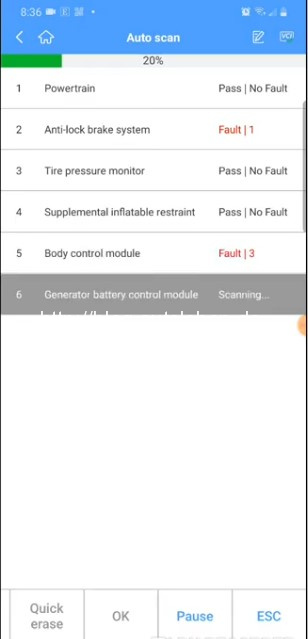
The AP200 app provides more technical information, but the experience can feel busier. It may ask you to identify the vehicle, choose a system, select a control unit, and then choose a test. That added depth is useful, but it can slow down simple jobs.
BlueDriver is usually better for:
• First-time scan tool users
• Drivers who want a quick code explanation
• People who mainly work on one or two vehicles
• Owners who want clear live data graphs
The AP200 is usually better for:
• Experienced DIY mechanics
• Users who want access to more vehicle systems
• Small shops working on multiple brands
• Owners who need service functions
A common mistake is buying a professional-style scanner and expecting it to explain every result. The AP200 can show a fault code, but the code still needs diagnosis. A code identifies a problem area, not always a failed part.

Live Data and Freeze-Frame Information
Both tools can display live data from the vehicle. This may include engine speed, coolant temperature, oxygen sensor readings, fuel trims, throttle position, vehicle speed, and more.
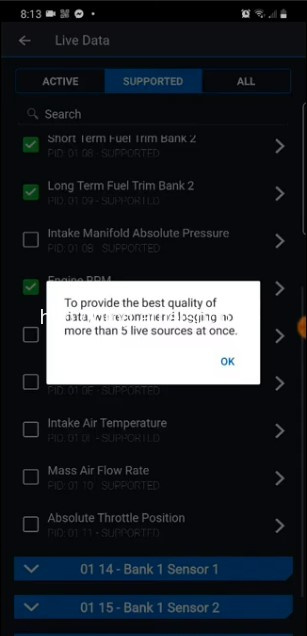
BlueDriver presents live data in a simple format. It can show readings in graphs, which helps you watch a sensor while the engine runs. For example, you can monitor short-term and long-term fuel trim while checking for a vacuum leak.
The AP200 may display a wider range of data, depending on the vehicle and control module. This can help advanced users compare sensor values and observe system behavior during a test drive.
Freeze-frame data is also valuable. When a vehicle stores a fault code, it may save conditions such as:
• Engine speed
• Vehicle speed
• Coolant temperature
• Load
• Fuel status
This information shows what the vehicle was doing when the fault occurred. It is like a snapshot from the moment the problem appeared.
BlueDriver tends to make this snapshot easier for beginners to read. The AP200 may provide more technical detail, but the user must know which values matter. Neither tool can replace a multimeter, pressure gauge, wiring diagram, or service manual when deeper testing is needed.
Service Functions and Active Tests
This is one of the biggest differences in the BlueDriver vs Autel MaxiAP AP200 comparison.
BlueDriver is mainly a diagnostic scanner. It reads codes, displays data, and provides reports. It is not designed as a full service reset or actuator-control platform.
The AP200 can support more service functions on selected vehicles. These may include oil reset, battery registration, steering angle calibration, electronic parking brake service, and diesel particulate filter procedures.
Some AP200 coverage may also include active tests. An active test tells a vehicle module to operate a component. For example, a scan tool might command a cooling fan, fuel pump, or injector under specific conditions.
Active tests require care. They are not simple “press and fix” tools. Running the wrong command can create a fault, move a component, or interrupt a maintenance procedure.
Before using an AP200 special function:
-
Confirm the vehicle year, engine, and system.
-
Check battery voltage and connect a charger when needed.
-
Read the on-screen warnings.
-
Follow the vehicle service procedure.
-
Do not disconnect the adapter during the test.
-
Confirm the function completed before clearing codes.
If your main goal is to diagnose a warning light, BlueDriver may be enough. If your goal includes maintenance resets and module tests, the AP200 has a clear advantage when coverage is available.
Vehicle Brand Costs and Subscriptions
The purchase price is only part of the ownership cost.
BlueDriver generally uses a simple model. You buy the adapter and use the core app without a recurring subscription. This makes the long-term cost easier to predict.
The AP200 commonly includes one vehicle brand. If you want to work on more brands, you may need to buy additional coverage or pay for access through the app. Offers can change, so check the current terms before buying.
This makes the best choice depend on your garage:
• One family vehicle: BlueDriver may offer better value.
• Several vehicles from one brand: Either tool may work well.
• Several brands: The AP200 may cost more, but it can provide broader coverage.
• Frequent service resets: The AP200 may justify the added cost.
• Occasional check-engine diagnosis: BlueDriver is often the simpler buy.
A low purchase price can become expensive if every extra brand or feature requires payment. On the other hand, a tool with no subscription is not automatically better if it cannot perform the task you need.
Write down your vehicles before you buy. Include the model year, make, model, engine, and the repair jobs you expect to do. This simple list can prevent a costly mistake.
Connection, Compatibility, and Setup
Both scanners use Bluetooth and a mobile app. Your phone must support the required operating system and Bluetooth connection.
BlueDriver pairs through its own app. The setup is usually straightforward, but you should keep your phone charged and allow the app to use the required permissions.
The AP200 also depends on the MaxiAP200 app. It may require account setup, vehicle-brand downloads, and app updates before use. This is not difficult, but it can take longer than a basic scan.
Before scanning, follow these steps:
• Park safely and switch off unnecessary electrical loads.
• Find the OBD2 port under the dashboard.
• Plug in the adapter firmly.
• Turn the ignition on, or start the engine if the app requests it.
• Open the matching app.
• Select the correct vehicle.
• Run a health scan or code scan.
Do not leave a Bluetooth adapter connected all the time unless the manufacturer allows it. Some vehicles keep power at the OBD2 port after shutdown. Over a long period, this may drain the battery.
A stable phone connection is also important during service functions. Bluetooth is convenient, but it is not a reason to ignore battery voltage or connection warnings.

Which Scanner Is Better for Check-Engine Lights?
BlueDriver is usually the better choice for a check-engine light.
It is designed around this common problem. The app can read the code, explain its meaning, show likely causes, and provide repair information for supported vehicles.
The AP200 can also read check-engine codes. It may provide deeper system access, but that extra power is not always needed for a basic diagnosis.
For example, if a fuel-trim code appears, BlueDriver can help you understand that the engine may be running too lean or too rich. You still need to inspect vacuum hoses, intake leaks, fuel pressure, sensors, and wiring. The scanner points toward the problem; it does not prove which part has failed.
Clear the code only after recording it and checking the cause. Clearing codes can erase useful freeze-frame data and may reset emissions monitors. This can also make a vehicle temporarily unready for an emissions test.
For simple warning-light work, BlueDriver offers a smoother path from code to understanding.
Which Scanner Is Better for ABS, Airbag, and Transmission Codes?
The answer depends on the exact vehicle.
BlueDriver can access ABS, airbag, and transmission systems on many supported vehicles. Its coverage is useful for DIY owners who want more than generic engine codes.
The AP200 may provide broader manufacturer-level access and more system choices. This can make it a stronger option for advanced diagnostics, especially when several control modules are involved.
Safety systems need extra care. Airbag and ABS faults should not be treated like minor engine codes. A stored code may relate to a wiring fault, low battery voltage, crash data, a sensor, or a control module.
Do not erase an airbag code just to turn off the warning light. The system may still be disabled. Inspect the cause and follow the manufacturer’s repair process.
When comparing BlueDriver vs Autel MaxiAP AP200 for these systems, check coverage before purchase. Product pages often describe general capability, but exact functions depend on the vehicle.
Which One Is Better for DIY Mechanics?
BlueDriver is often the best fit for a beginner or casual DIY mechanic. It has a low learning curve and strong report features.
The AP200 is a better match for someone who already understands scan data and wants to perform more advanced work. It can grow with your skills, but its extra menus may feel confusing at first.
Here is a simple guide:
• Choose BlueDriver if you want easy code reading and repair guidance.
• Choose BlueDriver if you mostly service your own car.
• Choose the AP200 if you need maintenance resets.
• Choose the AP200 if you work on multiple systems.
• Choose the AP200 if you are comfortable checking brand coverage and paid features.
• Choose neither as your only tool if you need ECU programming or key programming.
One lesson I would share with any new user is this: do not buy a scanner based only on the longest feature list. Buy it based on the repairs you actually plan to do.
Strengths and Limitations of BlueDriver
BlueDriver has a clear purpose, and that focus is its strength.
BlueDriver advantages
• Very simple app experience
• Helpful code descriptions
• Good live data display
• Useful repair reports
• Works with iPhone and Android devices
• No typical ongoing subscription for core use
• Strong choice for home diagnosis
BlueDriver limitations
• No general bidirectional control
• Limited service-reset capability compared with professional tools
• Coverage varies by vehicle
• Not a replacement for factory-level software
• Some advanced data may not be available for every brand
BlueDriver is not a magic repair tool. It may tell you that a code relates to an oxygen sensor, but the real cause could be an exhaust leak, wiring problem, intake issue, or damaged connector.
Used correctly, it can save time and prevent blind parts replacement. Used carelessly, it can still lead to a wrong repair.
Strengths and Limitations of the Autel MaxiAP AP200
The AP200 offers more diagnostic depth, but that comes with more complexity.
Autel MaxiAP AP200 advantages
• Access to many manufacturer-specific systems
• More service functions on supported vehicles
• Potential active-test support
• Useful for multiple vehicle brands
• Compact and easy to carry
• Suitable for advanced DIY work
Autel MaxiAP AP200 limitations
• Additional vehicle brands may cost extra
• Coverage varies by year, model, and system
• The app can feel complex for beginners
• Some functions may require stable voltage and careful setup
• It is not a universal replacement for a factory scan tool
The AP200 is best viewed as a compact diagnostic platform. It can do more than a basic code reader, but it still has limits. Programming, security access, and advanced coding may require an OEM tool or a higher-level Autel scanner.
BlueDriver vs Autel MaxiAP AP200: Real-World Buying Advice
Start with the warning light or repair job you want to solve. Do not start with brand names or marketing claims.
If you only need to read engine codes, monitor live data, and understand likely causes, BlueDriver is usually the safer choice. It gives useful information without making the process feel like a factory service bay.
If you need battery registration, electronic parking brake service, steering angle resets, or other special functions, investigate the AP200. Confirm that the function works on your exact vehicle before paying for coverage.
You should also consider these points:
• Check the app rating and recent update history.
• Confirm iPhone or Android compatibility.
• Review brand coverage for your exact vehicle.
• Check whether extra brands require payment.
• Confirm that the adapter fits your OBD2 port.
• Keep a battery charger available for longer procedures.
• Avoid clearing codes before recording them.
The most expensive mistake is not choosing the wrong scanner. It is trusting a code without testing the system. A scan tool is a map, not the destination.
BlueDriver vs Autel MaxiAP AP200: Frequently Asked Questions
Is BlueDriver better than the Autel MaxiAP AP200?
BlueDriver is better for simple use, clear reports, and check-engine light diagnosis. The Autel MaxiAP AP200 is better when you need deeper system access and service functions on a supported vehicle.
Can BlueDriver reset an oil light?
BlueDriver may provide limited reset support on some vehicles, but it is not mainly designed for service resets. The Autel MaxiAP AP200 usually offers more oil-reset coverage, although exact support depends on the vehicle.
Does the Autel MaxiAP AP200 need a subscription?
The AP200 often includes one vehicle brand, while additional brands or services may require extra purchases. Check the current app terms because pricing and coverage offers can change.
Can BlueDriver read ABS and airbag codes?
BlueDriver can read ABS and airbag codes on many supported vehicles. Coverage is not universal, so confirm support for your exact year, make, and model before buying.
Can the Autel MaxiAP AP200 program keys or modules?
The AP200 should not be assumed to provide full key programming or module programming. These jobs often require specialized tools, security access, or factory software.
Which scanner is easier for beginners?
BlueDriver is generally easier for beginners because its app uses simple reports and clear explanations. The AP200 offers more depth but may require more diagnostic knowledge.
Can either scanner diagnose a bad sensor with certainty?
No. A scanner reports codes and data, but it does not prove that a sensor has failed. Proper diagnosis may require wiring checks, voltage tests, pressure tests, and inspection for mechanical problems.
Conclusion
BlueDriver and the Autel MaxiAP AP200 serve different needs. BlueDriver is the better everyday choice for simple setup, clear code reports, live data, and home vehicle diagnosis. The AP200 is the stronger option for advanced users who need broader system access and service functions.
Choose BlueDriver for clarity and convenience. Choose the AP200 when its supported functions match the repairs you plan to perform, and remember to check brand coverage and extra costs first.
Before you buy, list your vehicles and the exact jobs you want to complete. That small step can help you make a confident choice. If this comparison helped, explore more vehicle diagnostic guides and share your experience with these scanners in the comments.