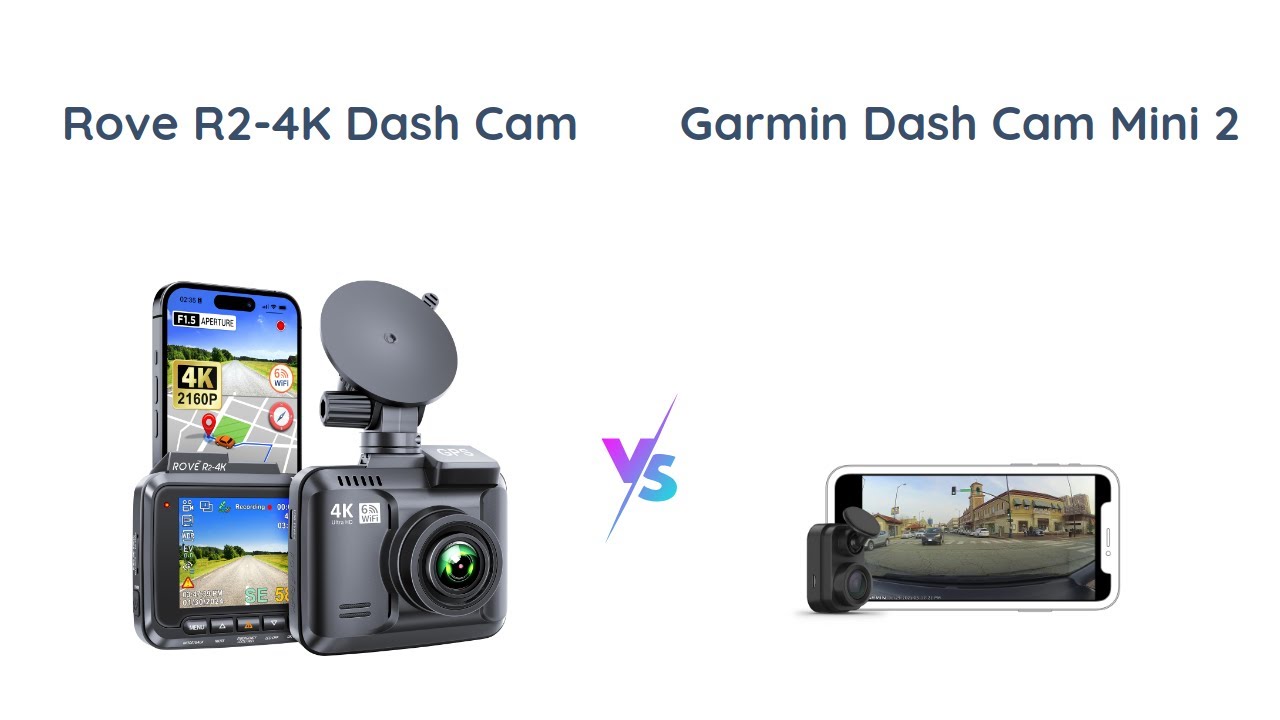
Rove R2-4K Vs Garmin Dash Cam Mini: Which Wins?
The Rove R2-4K offers sharper video; the Garmin Dash Cam Mini wins for size and simple, quiet use.
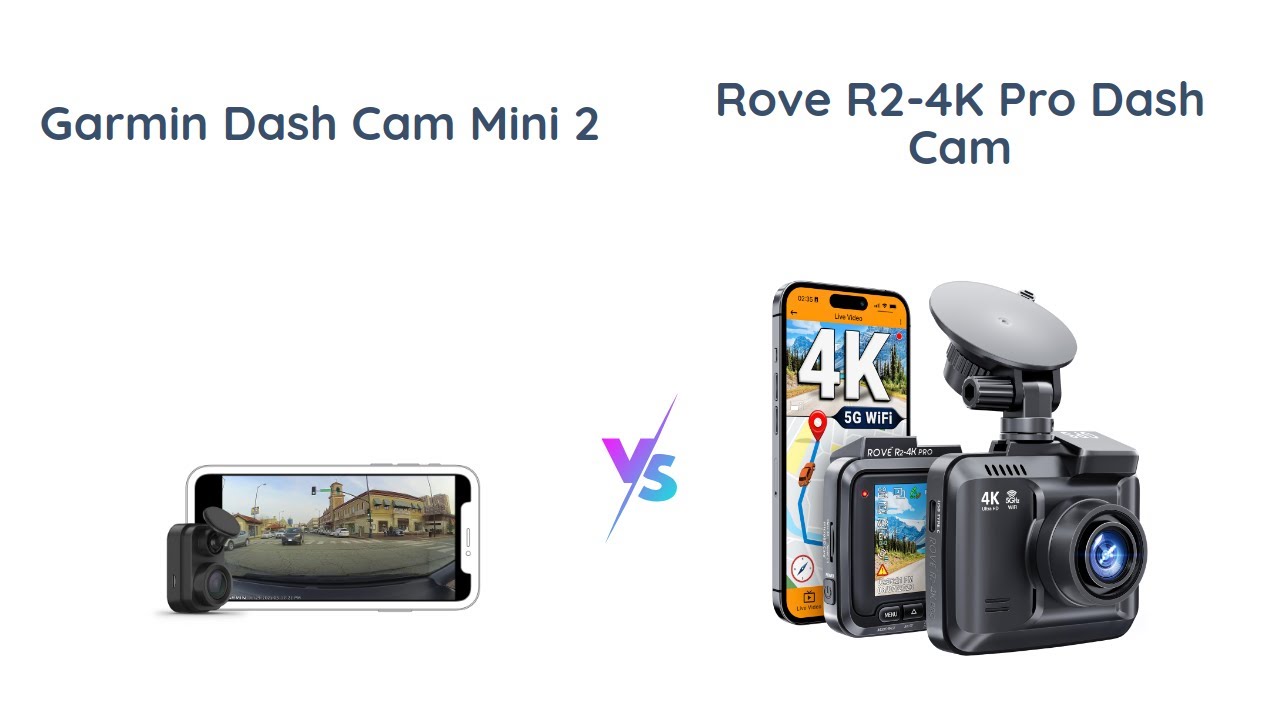
Choosing between the Rove R2-4K vs Garmin Dash Cam Mini comes down to one clear trade-off: image detail or tiny design. The Rove is built for drivers who want 4K video, a screen, GPS, and more control. The Garmin focuses on discreet recording, trusted safety features, and an almost invisible fit behind the mirror. This detailed comparison breaks down video quality, night footage, storage, app support, parking mode, installation, and value so you can choose with confidence.

Rove R2-4K vs Garmin Dash Cam Mini at a glance
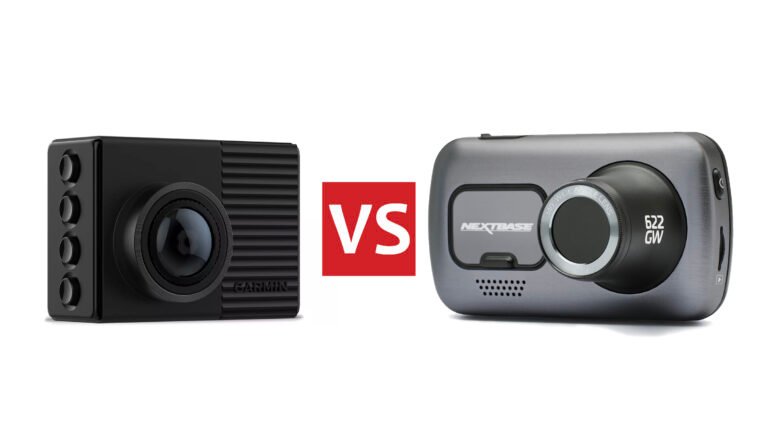
The Rove R2-4K and Garmin Dash Cam Mini serve different types of drivers. The Rove feels like a full-featured camera. The Garmin feels like a small safety sensor that records without drawing attention.
| Feature | Rove R2-4K | Garmin Dash Cam Mini |
|---|---|---|
| Maximum video | 4K UHD at up to 24 frames per second | 1080p Full HD at 30 frames per second |
| Lens view | About 150 degrees | About 140 degrees |
| Display | Built-in 2.4-inch screen | No built-in screen |
| GPS | Built-in GPS on the standard R2-4K package | Original Mini generally lacks built-in GPS |
| Wi-Fi | Yes | Yes |
| Mobile app | ROVE app | Garmin Drive app |
| Size | Larger windshield footprint | Extremely compact |
| Parking mode | Available with suitable power connection | Available with compatible constant power setup |
| Best for | Detail, value, and control | Small size and easy daily use |
Specifications can vary by sales package, firmware, and region. The Garmin Dash Cam Mini should also not be confused with the newer Garmin Dash Cam Mini 2, which adds some updated features.
The biggest difference is video resolution. The Rove captures more pixels, while the Garmin records standard 1080p. More pixels do not guarantee a perfect clip, but they can help when you need to read a sign or identify a license plate at a useful distance.
Video quality and real-world detail
The Rove R2-4K has the stronger video system on paper and in practical use. Its 4K recording gives footage more fine detail than the Garmin’s 1080p recording. This matters when a crash happens several car lengths away or when a plate appears near the edge of the frame.
The Rove typically uses a Sony STARVIS image sensor and records 4K video at a lower frame rate than its 1080p mode. Its 1080p setting can offer smoother motion at up to 60 frames per second. The Garmin Dash Cam Mini records 1080p at 30 frames per second, which is still useful for routine incident recording.
The Garmin image is not poor. It is clear enough for many daytime events. Think of it as a clean postcard, while the Rove R2-4K is closer to a detailed photo that gives you more room to crop.
Daytime recording
In daylight, both cameras can capture traffic lights, lane markings, and nearby vehicles. The Rove has an advantage when the subject is farther away or when you want to zoom into a clip after recording.
The Garmin’s narrower view can also help. A very wide lens shows more of the road but may make distant objects look smaller. The Rove’s wider field of view is helpful at intersections, but the outer edges may show more lens distortion.
Night recording
Night video is more difficult for every dash cam. Headlights, street lamps, reflections, and dark roads can quickly reduce detail. The Rove’s larger sensor and higher resolution can produce more useful footage, but its 4K mode does not magically remove glare.
The Garmin can still record a clear event in a well-lit city area. On a dark rural road, however, neither camera should be expected to read every plate. Keep the windshield clean, aim the lens correctly, and avoid placing the camera behind tinted glass or a dark sun strip.
Which camera captures license plates better?
The Rove R2-4K usually has the better chance of capturing a readable license plate because it records at a much higher resolution. Still, speed, distance, glare, focus, compression, and plate angle matter more than resolution alone.
Design, screen, and ease of use
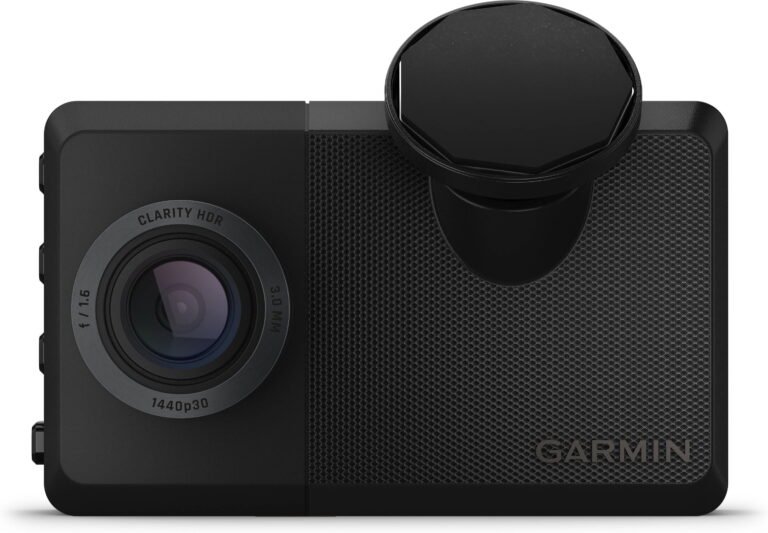
The Garmin Dash Cam Mini is the clear winner for discreet design. It is small enough to hide behind a rearview mirror, and it has no bright display competing with your view. This makes it a strong choice for people who dislike bulky electronics on the windshield.
The Rove R2-4K is larger, but the built-in screen is useful. You can check the camera angle during setup, review a clip without a phone, and confirm that the camera is recording. That small screen can save time when you are parked on the roadside and need to inspect an incident.
The Rove’s screen also makes installation less frustrating for first-time users. With the Garmin, you rely more on the mobile app and your phone screen. Once the Garmin is set up, though, its simple design becomes a major benefit.
Installation experience
Both cameras use a windshield mount and a power cable. The Rove usually takes more space and may require extra care when routing its longer cable. The Garmin is easier to tuck away, especially in a small sedan or compact SUV.
A clean installation should follow these steps:
- Mount the camera near the center of the windshield.
- Keep it behind the mirror if local law and visibility rules allow.
- Leave the lens clear of tint bands and wiper gaps.
- Route the cable along the headliner and door seal.
- Test the view before hiding the last section of cable.
- Format the memory card in the camera or its app.
Do not mount a dash cam where it blocks your view. Laws differ by state, so check local windshield-mount rules before installation.

GPS, Wi-Fi, and mobile apps
The Rove R2-4K offers built-in GPS in its standard configuration. GPS data can add speed and location information to video files. That information may help explain where an event happened, although some drivers prefer to disable the speed stamp for privacy or presentation reasons.
The original Garmin Dash Cam Mini generally does not include built-in GPS. This is an important difference in the Rove R2-4K vs Garmin Dash Cam Mini comparison. If location data matters to you, check the exact Garmin model and package before buying.
Both cameras use Wi-Fi to connect with a phone. Wi-Fi does not mean the camera uses your home internet. It creates a short-range connection so you can view, download, and manage clips.
ROVE app experience
The ROVE app gives you access to recordings, camera settings, and downloads. The Rove’s screen means you can also manage basic tasks without the app. This two-way control feels convenient when you are traveling or helping another driver.
Large 4K files can take time to download. A short clip may move quickly, but a long trip file can fill your phone storage. Download only the important section when possible.
Garmin Drive app experience
The Garmin Drive app is designed around a simple, connected setup. It helps you view recordings and change settings without a display on the camera. Garmin’s broader ecosystem can appeal to drivers who already use a Garmin navigation device or smartwatch.
The trade-off is dependence on the phone. If your phone is unavailable, the Garmin Dash Cam Mini is less convenient for immediate playback.
Storage, loop recording, and file protection
Both cameras use microSD cards and loop recording. When the card fills, the camera overwrites older unlocked files. This keeps the camera recording without daily manual deletion.
A dash cam should use a high-quality, high-endurance microSD card. Cheap cards can fail under repeated writing, heat, and vibration. For the Rove R2-4K, a larger card may be useful because 4K files consume more space than 1080p files.
Important clips are normally protected when the camera detects a strong impact. You can also lock a clip manually on many setups. Do not rely on automatic protection alone. After a serious event, stop driving when safe and copy the file to your phone or computer.
How much storage does 4K need?
4K video uses more storage than 1080p. The exact file size depends on bitrate, frame rate, audio, and recording length, but a 128GB card can fill much sooner in the Rove than in the Garmin.
A practical storage plan looks like this:
• Choose a high-endurance card from a reliable brand.
• Use a 64GB or larger card when supported by the camera and your driving pattern.
• Format the card regularly through the camera.
• Replace the card when you see missing clips, recording errors, or repeated warnings.
• Keep a spare card in the vehicle for long road trips.

Parking mode and power needs
Parking mode can record movement or impacts while your vehicle is parked. It is useful in busy lots, apartment garages, and public streets. However, parking mode is not the same as continuous security coverage.
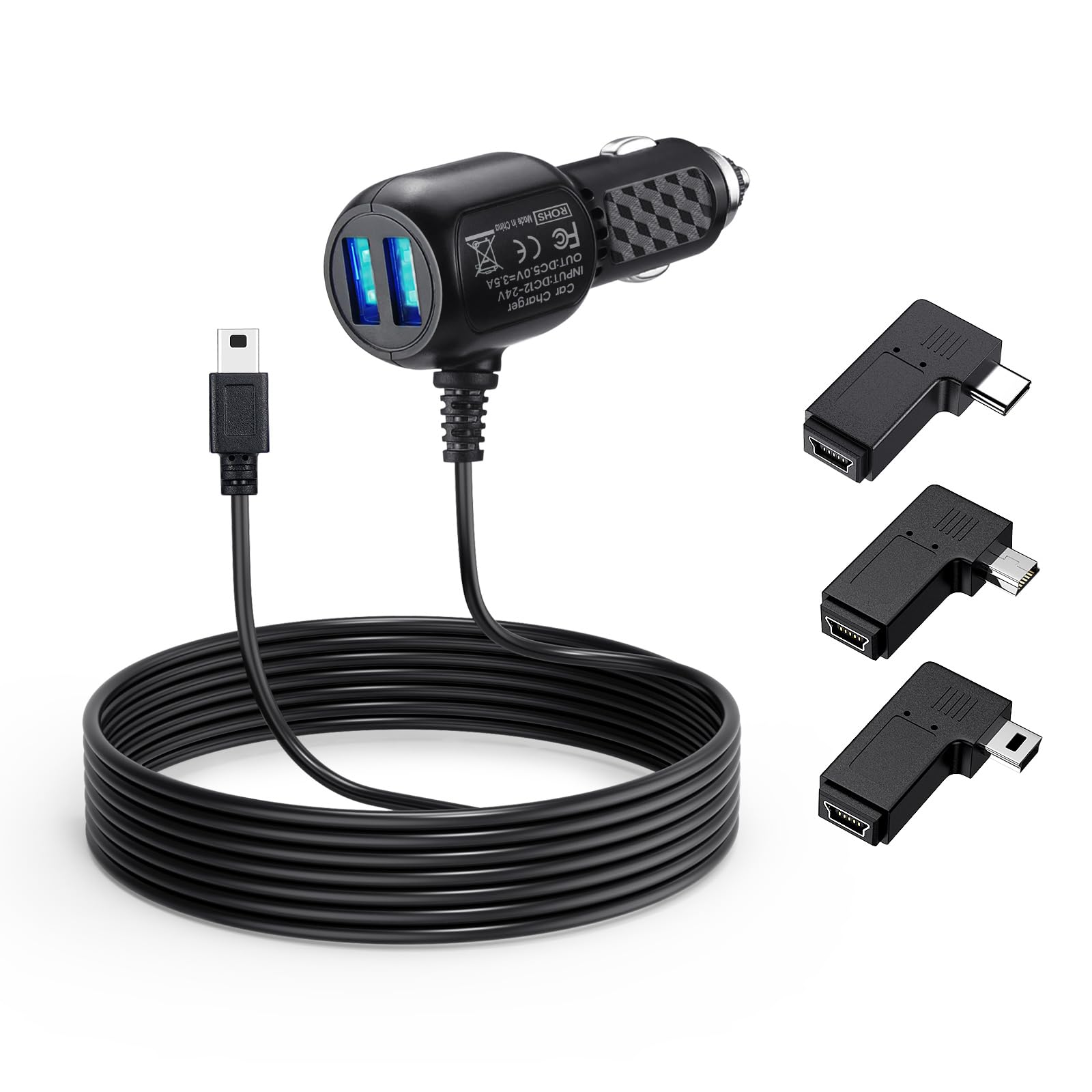
The Rove R2-4K and Garmin Dash Cam Mini generally need a constant power source for reliable parking surveillance. A hardwire kit is often the best option because it can provide power after the ignition turns off and protect the car battery from excessive drain.
Before using parking mode, check three things:
• The camera must support the parking feature in your firmware and package.
• The power adapter or hardwire kit must provide power after the vehicle is off.
• The vehicle battery must be healthy enough to support the added load.
A weak battery can create trouble in cold weather. If parking protection is important, have a professional install the hardwire kit or use a battery protection setting approved for your vehicle.
Reliability, heat, and daily ownership
Dash cams live in a harsh place. A windshield can become extremely hot in summer and very cold in winter. Repeated heat cycles can shorten the life of batteries, memory cards, and electronic parts.
The Rove R2-4K offers more hardware and a display, so there are more settings to manage. That is not a flaw, but it can feel like extra work if you want a camera that simply records and stays out of sight.
The Garmin Dash Cam Mini has a simpler body and fewer controls. Its small size reduces windshield clutter, but it also means fewer on-camera controls. In my comparison work, one lesson comes up often: the best dash cam is the one you can set up correctly and trust to record every drive.
Avoid these common mistakes:
• Leaving the factory plastic film on the lens.
• Using a slow or damaged memory card.
• Pointing the camera too high at the sky.
• Hiding the lens behind a tinted windshield area.
• Forgetting to check clips after installation.
• Assuming parking mode works without constant power.
Rove R2-4K vs Garmin Dash Cam Mini: value for money
The Rove R2-4K usually gives you more hardware for the money. You get 4K video, a screen, GPS, a wide lens, and several recording options. It is a strong value for drivers who want detailed footage without moving into a premium multi-camera system.
The Garmin Dash Cam Mini may cost more for its basic video specification. Its value comes from its tiny design, simple appearance, familiar Garmin software, and easy placement. For some drivers, a camera that disappears behind the mirror is worth more than a higher resolution number.
Consider the full ownership cost, not only the camera price. Add a reliable microSD card, a hardwire kit if needed, and possible installation labor. A low-cost camera that uses a poor card can become more expensive when it misses the clip you need.

Which dash cam should you buy?
Choose the Rove R2-4K if you want:
• Higher video resolution for daytime detail.
• Better odds of capturing distant plates.
• A built-in display for easy setup and review.
• Built-in GPS information.
• More control over video modes and settings.
• Strong value for road trips, rideshare work, or frequent driving.
Choose the Garmin Dash Cam Mini if you want:
• The smallest possible windshield camera.
• A discreet design behind the rearview mirror.
• Simple operation with minimal visual clutter.
• Reliable 1080p recording for everyday use.
• A polished mobile app experience.
• A camera that blends into a modern car interior.
The Rove R2-4K is the better all-around choice for image quality and features. The Garmin Dash Cam Mini is the better choice for drivers who value size and simplicity above all else.
Frequently Asked Questions About Rove R2-4K vs Garmin Dash Cam Mini
Is the Rove R2-4K better than the Garmin Dash Cam Mini?
The Rove R2-4K is better for video resolution, GPS, screen access, and overall feature value. The Garmin Dash Cam Mini is better for a compact design and low-profile installation.
Does the Rove R2-4K record better video at night?
It can produce more detailed footage than the 1080p Garmin, especially in areas with good lighting. Night performance still depends on glare, road lighting, windshield clarity, camera settings, and vehicle speed.
Does the Garmin Dash Cam Mini have GPS?
The original Garmin Dash Cam Mini generally does not have built-in GPS. Check the exact model number because the Garmin Dash Cam Mini 2 and other Garmin cameras may offer different features.
Can both cameras record while parked?
Both may support parking recording when paired with a suitable constant-power setup. Parking mode can drain a weak battery, so use a compatible hardwire kit with battery protection.
What memory card should I use with the Rove R2-4K?
Use a high-endurance microSD card from a dependable brand. Choose a capacity supported by the current Rove manual or firmware, and format the card in the camera before regular use.
Is 4K worth it in a dash cam?
4K is useful when you want more detail for distant vehicles, signs, or plates. It also creates larger files and may require a faster, higher-capacity memory card than a 1080p camera.
Does the Garmin Dash Cam Mini need a phone?
The Garmin can record without your phone once it has power and a memory card. A phone is useful for setup, settings, viewing clips, and downloading video.
Which camera is easier to hide?
The Garmin Dash Cam Mini is easier to hide because of its very small body and lack of a screen. The Rove R2-4K can still be installed neatly, but it takes up more windshield space.
Conclusion
The Rove R2-4K vs Garmin Dash Cam Mini comparison is really a choice between detail and discretion. The Rove offers sharper 4K footage, GPS, a screen, and strong value. The Garmin offers a tiny body, simple daily use, and a clean installation that almost disappears behind the mirror.
For most drivers who want the strongest evidence after an incident, the Rove R2-4K is the more capable pick. Choose the Garmin Dash Cam Mini if a small, quiet, low-profile camera matters more than maximum resolution. Whichever model you select, pair it with a high-endurance memory card, aim it correctly, and test the footage before relying on it. Share your dash cam experience or explore more vehicle safety guides before making your final choice.