Thinkware U3000 Vs BlackVue DR970X: Best Buy
Thinkware U3000 offers better night video, while BlackVue DR970X delivers stronger cloud features and a slimmer design.
Choosing between the Thinkware U3000 vs BlackVue DR970X is not simple because both are premium 4K dash cams with parking protection, phone apps, and strong safety tools. The better choice depends on what matters most to you: image quality, cloud access, parking mode, installation, or daily ease of use. This guide compares their real-world strengths, limits, key features, and best use cases so you can buy with confidence.
Thinkware U3000 vs BlackVue DR970X: Key Differences
The Thinkware U3000 and BlackVue DR970X sit near the top of the consumer dash cam market. Both record 4K video from the front camera, support a rear camera in dual-channel kits, and offer parking surveillance.
The main difference is their design goal. Thinkware focuses heavily on image quality, parking mode, and driver safety tools. BlackVue puts more emphasis on a clean design, remote access, and cloud-based features.
| Feature | Thinkware U3000 | BlackVue DR970X |
|---|---|---|
| Front video | 4K UHD | 4K UHD |
| Rear video | Usually 2K QHD | Usually Full HD |
| Image sensor focus | Sony STARVIS 2, strong low-light detail | Sony STARVIS, good 4K daytime video |
| Cloud access | Limited compared with BlackVue Cloud | Major strength |
| Built-in GPS | Yes, depending on model and region | Yes |
| Wi-Fi and Bluetooth | Yes | Yes |
| Parking mode | Strong, with optional radar support | Strong, with hardwire or battery accessory |
| Screen | No built-in screen | No built-in screen |
| Design | Larger and more feature-focused | Slim, discreet, and cylindrical |
| Best for | Video quality and parking protection | Cloud access and simple remote viewing |
The exact specification can vary by package, region, and model suffix. For example, DR970X versions may include different rear cameras, LTE support, or accessories. Always check the box contents before ordering.
Video Quality Comparison
Video quality is one of the most important parts of the Thinkware U3000 vs BlackVue DR970X debate. A dash cam can have a long feature list, but poor footage will not help much after a crash.
Both cameras record front video in 4K UHD. This gives you more detail than standard 1080p video. It can help capture road signs, lane markings, and vehicle details at a useful distance.
Thinkware U3000 video quality
The Thinkware U3000 uses a newer Sony STARVIS 2 image sensor in its front camera. This sensor is designed to improve dynamic range and low-light performance.
In simple terms, it handles bright and dark areas with less loss of detail. That matters when you drive toward a low sun, pass under trees, or record a car at night.
The U3000 rear camera is also a major advantage. Many U3000 dual-channel packages include a 2K rear camera, while the DR970X commonly pairs its 4K front camera with a 1080p rear camera.
This does not mean every rear detail will be perfect. License plate visibility depends on speed, distance, lighting, windshield tint, camera angle, and motion blur. Still, the U3000 gives the rear camera more resolution to work with.
BlackVue DR970X video quality
The BlackVue DR970X uses a 4K front camera and produces sharp daytime footage. Its image has good color and clear road detail when the lens is clean and the exposure is correct.
The rear camera is often 1080p. That is enough for general evidence, but it provides less detail than a 2K rear camera. The difference is most noticeable at night or when a vehicle is several car lengths away.
BlackVue has also refined its image processing over many generations. The DR970X is not a weak camera. It simply does not place as much emphasis on rear resolution as the Thinkware U3000.
Which camera records better at night?
The Thinkware U3000 usually has the edge in difficult light, especially with its newer front sensor and stronger low-light processing. The difference is not magic, though. A dirty windshield, poor mounting position, or incorrect exposure can ruin footage from any camera.
The Thinkware U3000 vs BlackVue DR970X comparison favors Thinkware for:
• Dark roads with limited street lighting
• Bright headlights from oncoming traffic
• Scenes with deep shadows and bright signs
• Rear video detail in dual-camera kits
• Drivers who want the strongest evidence footage
BlackVue remains a strong choice for daytime recording and normal city driving. Its front 4K video is detailed enough for most daily needs.

Parking Mode and Motion Detection
Parking mode lets a dash cam watch your vehicle while it is parked. This feature can record an impact, movement near the car, or changes in the scene.
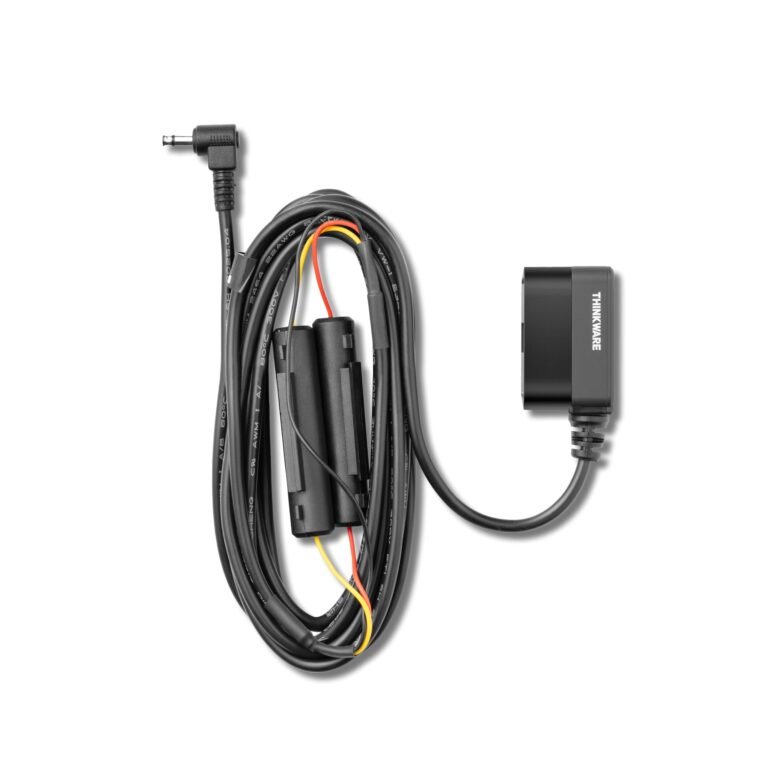
Both cameras need a constant power source for full parking mode. This usually means a hardwire kit or a compatible dash cam battery pack. The cigarette lighter socket may not provide power after the ignition is off.
Thinkware U3000 parking mode
The U3000 has a strong parking feature set. Depending on the setup, it can use:
• Impact detection
• Motion detection
• Time-lapse recording
• Energy-saving parking mode
• Low-voltage battery protection
• Optional radar-based motion detection
Thinkware’s optional radar module can help detect movement near the vehicle while using less power than recording continuously. This may extend parking coverage, but it is an extra purchase and does not replace proper hardwiring.
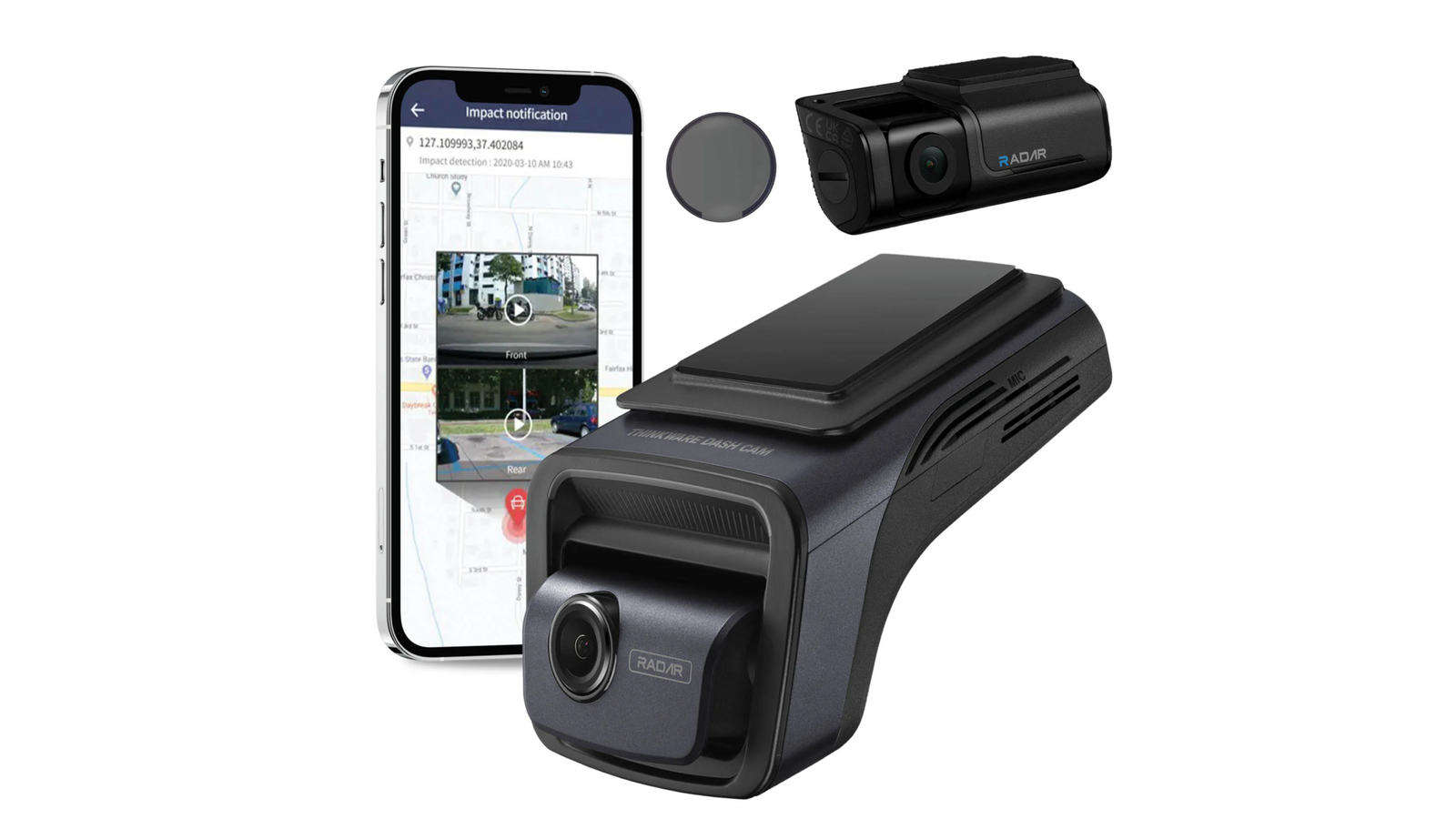
The U3000 also provides parking notifications through the app. You can review event clips and check whether the camera detected an impact or motion.
BlackVue DR970X parking mode
The DR970X also supports impact and motion detection while parked. It can record through a hardwire kit and may work with a BlackVue battery pack for longer coverage.
BlackVue’s parking system is easy to understand. The camera changes modes when the vehicle stops, then records based on the selected detection method.
Some DR970X models support advanced parking features through firmware and accessories. The exact options depend on the camera version and power setup.
Which parking mode is better?
The Thinkware U3000 vs BlackVue DR970X comparison gives Thinkware a slight advantage for built-in parking controls and radar support. BlackVue is still highly capable, especially when paired with its battery and cloud accessories.
Before using parking mode, set the low-voltage cutoff correctly. A dash cam should protect your car battery, not leave you stranded with a dead one.
A common mistake is installing a hardwire kit without checking the fuse type or voltage setting. Professional installation is worth considering if you are not comfortable testing constant and switched power lines.
Cloud Features and Remote Access
Cloud access is the clearest area where BlackVue leads. The DR970X is designed to connect with BlackVue Cloud when it has an internet connection through a compatible LTE module, hotspot, or supported setup.
BlackVue Cloud can allow you to:
• View the vehicle remotely
• Receive impact notifications
• Check the camera’s location
• Download clips from a distance
• Use two-way voice communication on supported models
• Receive alerts when the camera detects an event
This is useful for parents, fleet owners, and people who want to check a parked vehicle from another location.
The Thinkware U3000 offers Wi-Fi and Bluetooth connections for local phone access. You can connect to the camera, change settings, and download clips without removing the memory card.
However, the Thinkware U3000 is not as focused on full remote cloud access. If you want to check your car from work or receive a remote alert while traveling, BlackVue is usually the better fit.
The Thinkware U3000 vs BlackVue DR970X decision becomes much easier here:
• Choose BlackVue for remote viewing and cloud alerts.
• Choose Thinkware for local phone control and fewer cloud costs.
Cloud services also depend on mobile coverage, account settings, subscription terms, and power. A camera cannot send an alert if it has no internet connection or loses power.

Design, Installation, and Daily Use
The physical design affects how easy a dash cam is to install and live with. Both models avoid a large screen, which keeps the windshield view clear.
Thinkware U3000 design
The U3000 has a more traditional dash cam shape. It may look larger than the DR970X, but it provides space for strong cooling, controls, and a clear status system.
Thinkware uses indicator lights and voice guidance instead of a built-in display. You use the mobile app to preview the angle and adjust settings.
The U3000 can be mounted behind the rearview mirror. This keeps it out of your direct view and reduces distraction.
BlackVue DR970X design
The DR970X has a slim, tube-shaped body. This makes it easy to hide behind the rearview mirror and gives it a clean factory-style appearance.
Its lens can usually be adjusted vertically after installation. The cylindrical design is one of BlackVue’s most recognizable features.
The rear camera uses a cable that must be routed through the headliner and trim. Take your time with this step. A loose cable can rattle, and a sharp bend can damage the wire over time.
App experience
Thinkware’s app is useful for setup and file transfers. BlackVue’s app is also easy to use for local Wi-Fi access, and it becomes more powerful when Cloud features are active.
Neither camera is as convenient as a model with a built-in screen for instant playback. That is the trade-off for a smaller, cleaner design.
In my experience comparing premium dash cams, the first installation mistake is placing the camera too low. The lens should see enough road while keeping most of the frame outside the sky. A good target is roughly 60% road and 40% sky.
Safety Features and GPS Functions
Both cameras include safety tools that go beyond video recording. These features can help you drive with more awareness, but they should not replace careful driving.
The Thinkware U3000 commonly includes:
• Forward collision warnings
• Lane departure warnings
• Front vehicle departure alerts
• GPS speed data
• Location data
• Vehicle impact alerts
The BlackVue DR970X may include:
• GPS speed and location data
• Speed camera alerts in supported regions
• Impact detection
• Driving event notifications
• Optional advanced alerts through the app or firmware
Speed camera and safety alerts can vary by country. Database coverage may also change. Treat these tools as reminders, not as a guarantee that every hazard will be detected.
GPS data can be helpful after a crash. It may show your speed, route, and location, but it can also create privacy concerns. If you share a clip online, consider removing location and personal data first.
The Thinkware U3000 vs BlackVue DR970X comparison is close for basic safety features. Thinkware often offers more driver-assistance options, while BlackVue focuses on useful alerts and connected access.

Storage, Reliability, and Power
Both dash cams use a microSD card to store video. A high-end 4K camera creates large files, so storage capacity matters.
A 128GB or 256GB high-endurance card is often a practical starting point, depending on the camera’s supported capacity and recording settings. Use a card designed for constant writing. Standard bargain cards may fail sooner under heat and repeated recording.
Format the card in the camera at regular intervals. This helps reduce file errors and keeps the storage system healthy.
Power protection
Both cameras use supercapacitor-based designs rather than relying only on a standard lithium-ion battery. Supercapacitors are better suited to heat and cold because they are designed to handle the final file-writing process when power is removed.
This does not make a dash cam immune to heat damage. A camera mounted behind glass can face extreme temperatures in summer. Good ventilation, correct installation, and a quality memory card still matter.
Reliability tips
Use these habits with either model:
• Format the memory card in the camera.
• Replace the card when errors or missing clips appear.
• Keep the lens and windshield clean.
• Check parking voltage settings after installation.
• Update firmware through the official app or support process.
• Test front and rear video before hiding the cables.
In long-term dash cam use, small habits often matter more than a small difference in specifications.
Thinkware U3000 vs BlackVue DR970X: Price and Value
Prices change often because retailers bundle different accessories. A package may include a rear camera, hardwire kit, radar module, LTE accessory, memory card, or installation service.
The Thinkware U3000 often costs more when you add its radar module or premium parking accessories. The BlackVue DR970X can also become expensive when you add Cloud hardware or a battery pack.
Look at the total system price, not only the camera price. A cheaper camera may become more costly after adding the items you need.
Thinkware U3000 offers better value when:
• You want strong front and rear video.
• Night recording is a high priority.
• You need advanced parking protection.
• You do not need constant remote cloud access.
• You want a high-end camera with fewer ongoing service costs.
BlackVue DR970X offers better value when:
• You want remote access to your vehicle.
• A small, discreet design matters.
• You like a polished connected app system.
• You manage several vehicles.
• You are willing to pay for LTE or cloud accessories.
Warranty length, return rules, and local support also matter. Buying from an authorized seller can make firmware help and warranty service easier.

Which Dash Cam Is Best for You?
There is no single winner for every driver. The right model depends on your driving pattern and what you want the camera to do after installation.
Choose the Thinkware U3000 if:
• You want the best overall image quality between the two.
• You drive at night or on poorly lit roads.
• You want a higher-resolution rear camera.
• Parking mode is one of your main reasons for buying.
• You prefer local video access over a cloud subscription.
Choose the BlackVue DR970X if:
• You want remote viewing and cloud alerts.
• You prefer a sleek, hidden installation.
• You own a work vehicle or manage a small fleet.
• You want to check your car while away from home.
• You value BlackVue’s connected ecosystem.
For most private drivers, I would lean toward the Thinkware U3000 when video evidence is the main goal. For connected vehicle monitoring, the BlackVue DR970X makes more sense.
The Thinkware U3000 vs BlackVue DR970X choice is less about which brand is “better” and more about which weakness you can accept. Thinkware gives up some cloud convenience. BlackVue gives up some rear resolution and low-light advantage.
Installation Tips for Better Footage
Even the best dash cam can record poor video if the installation is wrong. Follow these steps before your first drive:
- Clean the windshield with glass cleaner and a dry microfiber cloth.
- Mount the front camera behind the rearview mirror.
- Set the lens so the road fills most of the frame.
- Keep the camera away from tinted windshield dots if possible.
- Route the rear cable gently through the headliner.
- Connect the hardwire kit to the correct fuse circuits.
- Set the low-voltage cutoff based on your vehicle and battery condition.
- Format the memory card in the camera.
- Record a short test drive in daylight and at night.
- Review both camera views before completing the cable trim.
Do not place the lens behind a dark tint strip. It can reduce exposure and make nighttime video too dark.
Also check local laws before using audio recording, speed alerts, or cloud monitoring. Privacy rules differ between states and countries.
Common Mistakes to Avoid
Many dash cam problems come from setup mistakes rather than defective hardware. Avoid these common issues:
• Using a low-quality memory card that cannot handle 4K recording.
• Forgetting to connect the rear camera during testing.
• Hiding cables before checking the camera angle.
• Using parking mode without a proper hardwire kit.
• Setting the parking voltage cutoff too low.
• Leaving protective film on the lens.
• Ignoring firmware updates.
• Expecting cloud features without an internet connection.
• Sharing footage that includes private location data.
A dash cam is like a small witness in your vehicle. It only helps if it has a clear view, enough power, and usable storage.
Frequently Asked Questions of Thinkware U3000 vs BlackVue DR970X
Is the Thinkware U3000 better than the BlackVue DR970X?
The Thinkware U3000 is usually better for low-light video, rear-camera detail, and advanced parking features. The BlackVue DR970X is better for cloud access, remote monitoring, and a slim design.
Which has better night vision, Thinkware U3000 or BlackVue DR970X?
The Thinkware U3000 generally has the advantage because of its newer image sensor and low-light processing. Results still depend on windshield cleanliness, headlights, speed, and camera settings.
Does the BlackVue DR970X have cloud access?
Yes, compatible DR970X versions can use BlackVue Cloud with a suitable internet connection. Some features may require an LTE module, hotspot, subscription, or additional accessory.
Does the Thinkware U3000 record while parked?
Yes, the Thinkware U3000 supports parking recording when connected to a proper constant-power source. It can use impact detection, motion detection, time-lapse, and optional radar-based monitoring, depending on the setup.
Which dash cam has the better rear camera?
The Thinkware U3000 usually has the better rear camera because many dual-channel kits use a 2K rear unit. The BlackVue DR970X commonly uses a 1080p rear camera, although package details can vary.
Do both cameras need a hardwire kit?
Both cameras need a constant power connection for full parking mode. A hardwire kit or compatible battery pack is normally required when the vehicle’s accessory socket turns off with the ignition.
Can I use a larger memory card with either camera?
The supported capacity depends on the exact model and firmware. Use a high-endurance microSD card within the manufacturer’s stated limit, and format it in the camera before recording.
Conclusion
The Thinkware U3000 vs BlackVue DR970X comparison comes down to priorities. The U3000 is the stronger pick for image quality, night footage, rear detail, and parking protection. The DR970X is the better choice for cloud access, remote vehicle checks, and a discreet tube-style design.
Before buying, decide whether you need local recording or remote monitoring. Then include the cost of the memory card, hardwire kit, radar module, LTE accessory, or professional installation. Choose the system that fits your daily driving, install it carefully, and test every camera angle before relying on it.