Garmin Dash Cam Mini 3 Vs Viofo A229: Which Dash Cam Wins?
The Garmin Dash Cam Mini 3 favors discreet simplicity, while the Viofo A229 offers stronger video coverage and control.
Choosing between the Garmin Dash Cam Mini 3 vs Viofo A229 depends on what you value most: a tiny camera that stays out of sight or a full dual-camera system built for stronger evidence. After comparing video quality, parking mode, storage, installation, app features, and daily use, the difference is clear. Garmin wins for ease and size. Viofo wins for coverage and image detail.
Garmin Dash Cam Mini 3 vs Viofo A229 at a Glance
The Garmin Dash Cam Mini 3 and Viofo A229 target different drivers. The Garmin is a small, front-facing dash cam for people who want a clean install. The Viofo A229 is a larger camera system with front and rear recording, better control, and more room to fine-tune settings.
This is the standard Viofo A229 comparison. The A229 Pro and A229 Plus are different models with different video features.
| Feature | Garmin Dash Cam Mini 3 | Viofo A229 |
|---|---|---|
| Camera setup | Front camera | Front and rear camera system |
| Front video | 1080p Full HD | 2K Quad HD |
| Rear video | Not included | 2K rear camera |
| Display | No built-in screen | Built-in screen |
| HDR | Yes | Yes |
| GPS | Available through the mount or system setup | Built into the main unit |
| Storage | microSD card | microSD card |
| Cloud features | Garmin Vault support | No native cloud service |
| Parking mode | Available with compatible constant power | Available with hardwire kit |
| Best for | Small size and simple use | Video quality and wider coverage |
The Garmin Dash Cam Mini 3 is like a small security camera tucked behind your mirror. The Viofo A229 is more like a complete witness system, with eyes on both the road ahead and the traffic behind you.

Video Quality and Real-World Detail
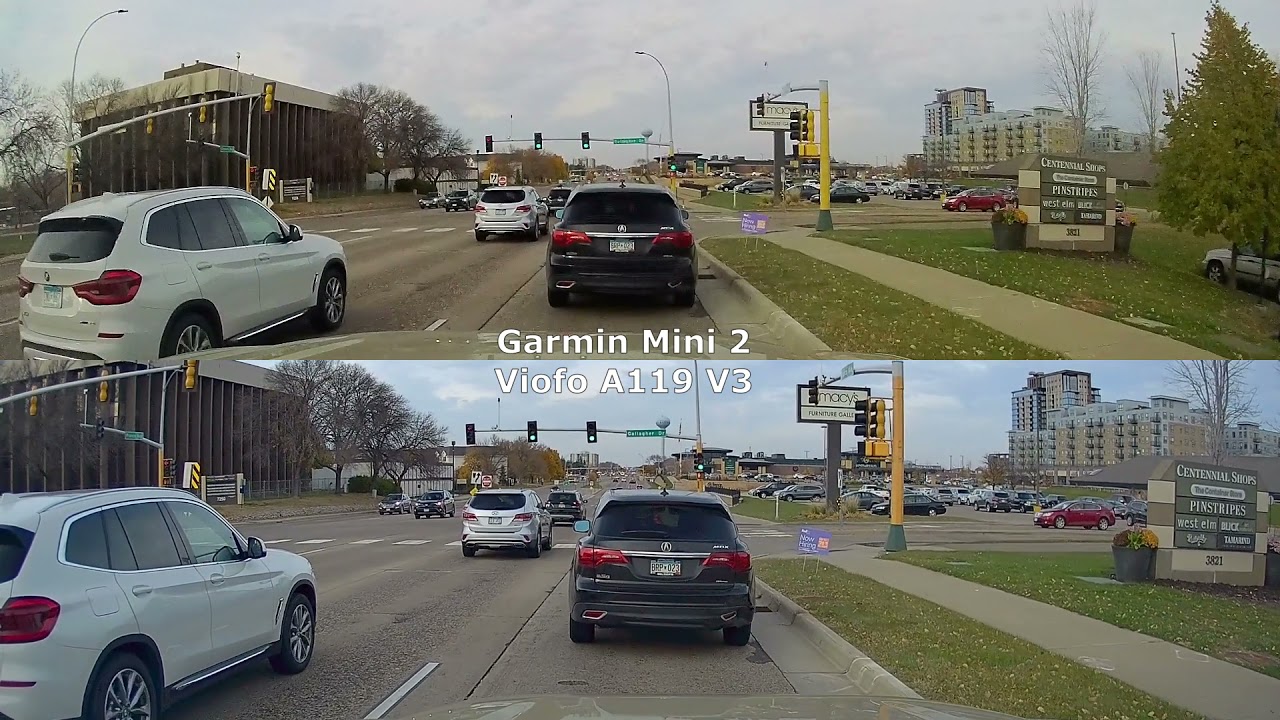
Video quality is the biggest advantage of the Viofo A229. Its front camera records at 2K, while the rear camera also records at 2K. This gives you more detail than the Garmin Dash Cam Mini 3, especially when reading signs, spotting lane markings, or reviewing an event later.
The Garmin Dash Cam Mini 3 records in 1080p Full HD. That is still useful for many crashes and traffic disputes. However, small details can look softer, especially at night or when another car is far ahead.
Both cameras use wide lenses and image processing to capture more of the road. Both also support high dynamic range features that help balance bright skies and dark streets. Still, no dash cam can turn a blurred plate into a clear one. Speed, distance, glare, weather, and lens cleanliness all matter.
Daytime recording
In daylight, the Viofo A229 usually produces sharper footage. Its higher resolution gives you more pixels to work with. This can help when an incident happens several car lengths away.
The Garmin looks less distracting in daily use. Its footage is good for identifying traffic lights, road position, and nearby vehicles. For city driving, that may be enough.
Night recording
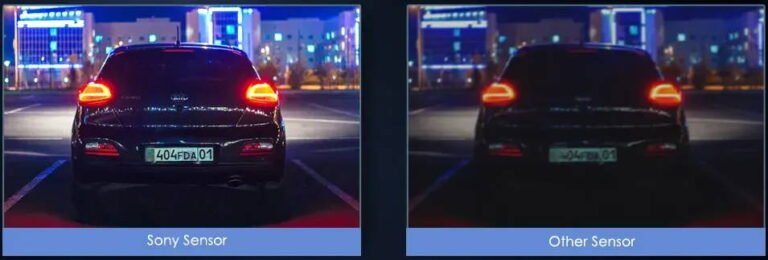
Night video is more demanding. Street lights create glare, headlights can wash out details, and dark roads reduce contrast.
The Viofo A229 has the stronger overall advantage because of its higher resolution and dual-camera coverage. The Garmin can still record useful night footage, but it is not the better choice if night driving is your main concern.
Keep the windshield clean. A thin film of dust can create large halos around headlights. This is one of the simplest dash cam mistakes to avoid.

Front and Rear Coverage
The Viofo A229 wins this category by a wide margin. Its two-camera design records the road ahead and the area behind your vehicle.
Rear footage can be valuable in several situations:
• A rear-end collision
• A hit-and-run in a parking lot
• Aggressive tailgating
• A driver changing lanes into your vehicle
• A dispute about which car caused contact
The Garmin Dash Cam Mini 3 only records from the front. It may capture a rear event indirectly through the front camera, but that view will not show the rear plate or the full impact clearly.
This difference changes the buying decision. If you drive in busy traffic, park on public streets, or often travel on highways, rear coverage is more than a luxury. It adds a second angle to the story.
The Garmin’s single-camera design is still useful for drivers who want a simple front-facing record. It also suits a second car, a work vehicle, or a driver who dislikes visible electronics.
Design, Size, and Installation
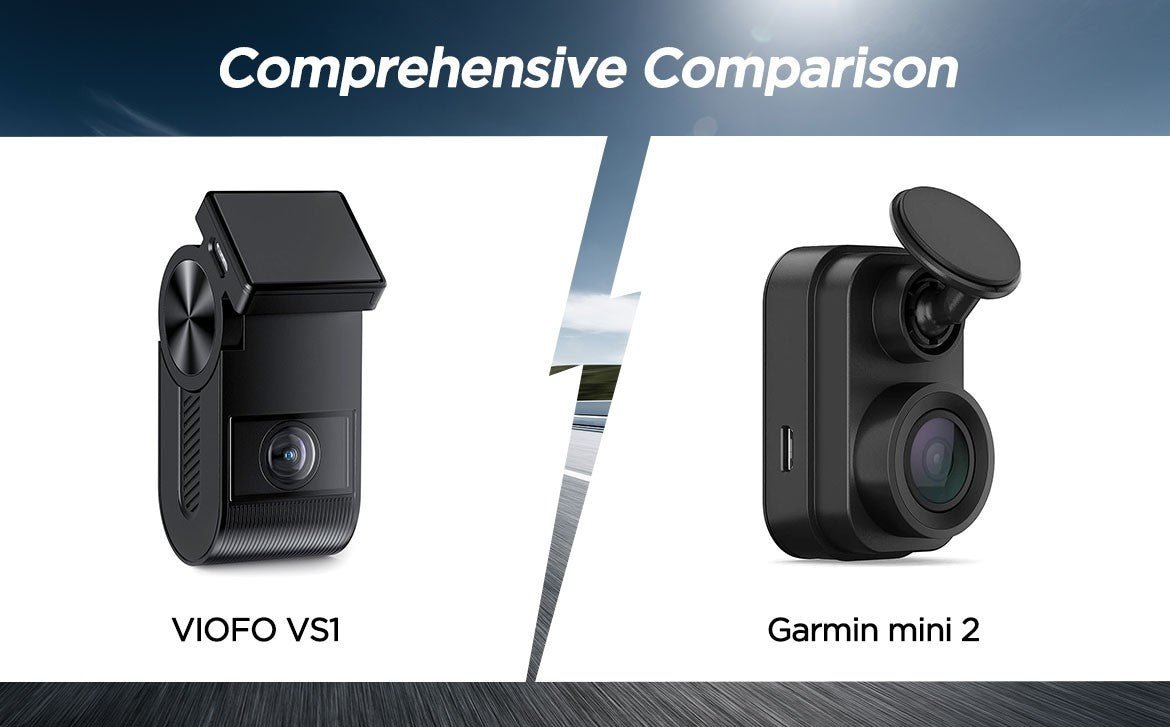
The Garmin Dash Cam Mini 3 is one of its class’s smallest cameras. Its compact body can hide behind the rearview mirror with little visual clutter. That makes it appealing for leased cars, small cars, and drivers who want an almost invisible setup.
The Viofo A229 is larger because it includes a screen, more hardware, and a rear camera connection. It takes more time to install, especially when routing the rear cable through the headliner and hatch or trunk trim.
A clean installation usually follows these steps:
-
Place the front camera behind the rearview mirror.
-
Keep the lens clear of the windshield’s tinted area.
-
Route the power cable along the headliner and pillar trim.
-
Route the rear camera cable without placing it near airbags.
-
Test both views before securing the trim.
-
Format the microSD card in the camera.
The main lesson is simple: do not rush the cable route. Modern vehicles often have curtain airbags in the roof pillars. A cable should not interfere with their deployment path.
The Garmin is easier to install. The Viofo takes more effort but gives you much more coverage in return.
App Experience and Daily Use
The Garmin Dash Cam Mini 3 is designed for simple daily use. It does not have a built-in display, so you use a phone to review clips and change settings. This keeps the camera small but means your phone is part of the setup.
Garmin’s connected features may include automatic upload options through Garmin Vault. Some cloud features can require a subscription or compatible plan. Check the current plan details before buying if cloud storage is important to you.
The Viofo A229 has a built-in screen. You can review clips, adjust settings, and confirm the camera view without always opening an app. Its app is useful for downloading files, but the overall experience is more hands-on.
In everyday use, the Garmin feels quieter. You install it, connect it, and let it record. The Viofo gives you more control, but more control also means more settings to understand.
Neither approach is wrong. It is similar to choosing between an automatic camera and a manual camera. One gets out of the way. The other gives you more control over the result.

Storage and Video File Management
Both cameras use a microSD card. A high-quality, high-endurance card is important because dash cams write video for long periods and overwrite old clips.
Avoid cheap cards made for occasional phone photos. They may fail sooner under constant recording. A high-endurance card from a reliable brand is a better fit.
Use these habits to protect important footage:
• Format the card in the camera after inserting it.
• Replace the card when the camera reports errors.
• Save incident clips to your phone or computer quickly.
• Do not rely on a locked clip as your only copy.
• Keep a spare card in the vehicle for emergencies.
The Viofo A229 creates more footage because it records two camera views. That means larger storage needs and more files to manage. The Garmin produces a simpler file library because it records from one camera.
If you drive many hours each week, the Viofo’s storage demand will be higher. A larger compatible card can help, but always follow the manufacturer’s supported capacity and card guidelines.

Parking Mode Comparison
Parking mode lets a dash cam monitor the vehicle while it is parked. It can record motion, impacts, or time-lapse footage, depending on the model and wiring setup.
Neither camera can provide reliable parking monitoring from a normal switched power socket after the car is turned off. For full parking mode, you usually need a compatible hardwire kit or another constant-power solution.
The Garmin Dash Cam Mini 3 is attractive for parking use because its small size makes a permanent installation less noticeable. Garmin’s connected ecosystem may also help with remote access, depending on the setup and subscription.
The Viofo A229 offers more traditional parking-mode controls. With the correct hardwire kit, it can monitor impacts and motion while the vehicle is off. It also provides a rear view, which is useful in parking lots.
A hardwire kit should include low-voltage protection. This helps reduce the risk of draining the car battery. Even with protection, parking mode may not be ideal for an older battery.
My practical advice is to test parking mode for a few nights before trusting it. Check whether the camera records what you expect, whether the battery voltage remains healthy, and whether the vehicle enters its normal sleep state.
GPS, Wi-Fi, and Safety Features
GPS can record useful data such as speed, direction, and location. This information may help explain where a clip occurred. Some drivers prefer to disable speed data for privacy reasons, so check the available settings.
The Garmin Dash Cam Mini 3 focuses on a simple connected experience. Depending on the package and mount, GPS and Wi-Fi features may be available. Voice control and automatic incident saving can also make daily operation easier.
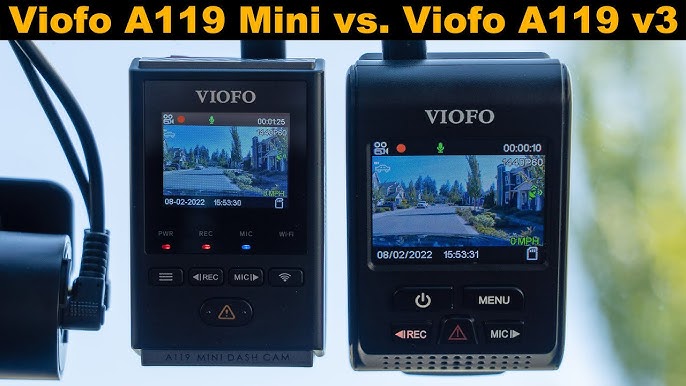
The Viofo A229 includes practical controls such as a screen, Wi-Fi access, and GPS functions. It generally gives advanced users more ways to adjust exposure, recording options, and parking settings.
A dash cam should not distract you while driving. Set it up while parked. Turn off features that create unnecessary alerts. The best camera is one that records quietly without becoming another source of stress.
Remember that dash cam laws vary across the United States. Windshield placement rules also differ by state. Keep the camera outside the driver’s clear view and check local rules before installing it.
Which Dash Cam Is Easier to Use?
The Garmin Dash Cam Mini 3 is easier for most beginners. It has fewer parts, a smaller body, and a less complex installation. It is a strong choice if you want to install the camera once and rarely touch it.
The Viofo A229 is not difficult, but it asks more from the owner. You must install a rear camera, manage more cables, learn the screen and app, and handle more video files.
Choose the Garmin Dash Cam Mini 3 if you want:
• The smallest possible camera
• A discreet installation
• Simple front-facing recording
• A connected Garmin experience
• Less cable work
Choose the Viofo A229 if you want:
• Front and rear recording
• Higher front video resolution
• A built-in display
• More manual controls
• Stronger evidence in rear-impact situations
The Garmin Dash Cam Mini 3 vs Viofo A229 decision becomes easier when you focus on your driving routine. A short daily commute may not need a dual-camera setup. Long highway trips and street parking make the Viofo’s extra coverage more valuable.

Garmin Dash Cam Mini 3 vs Viofo A229: Value and Long-Term Cost
The Garmin may cost less or more depending on the bundle, memory card, power accessories, and cloud plan. Do not compare only the camera price. Include the parts needed for the way you plan to use it.
The Viofo A229 may require extra spending for:
• A high-endurance microSD card
• A hardwire kit
• A trim tool
• A replacement polarizing filter, if needed
• Professional installation
The Garmin may also need accessories for constant power or advanced parking features. Cloud storage can add an ongoing cost, while the Viofo mainly relies on local storage.
Over several years, the Viofo can offer strong value because one system covers both ends of the car. The Garmin may offer better value for someone who places the highest value on size, speed, and convenience.
One common mistake is buying a cheap memory card to save money. That small saving can lead to missing footage later. Storage reliability matters more than saving a few dollars at checkout.
Which One Should You Buy?
Buy the Garmin Dash Cam Mini 3 if you want a tiny front camera that blends into the vehicle. It is a good fit for simple protection, clean interiors, and drivers who do not want a screen.
Buy the Viofo A229 if you want the stronger overall recording system. Its 2K front and rear coverage gives you more useful evidence, especially in traffic and parking incidents.
For many drivers, the Viofo A229 is the better all-around choice. For drivers who value a nearly invisible camera above all else, the Garmin Dash Cam Mini 3 may be the better match.
The best choice is not always the camera with the longest feature list. It is the camera you install correctly, maintain, and use consistently.
Frequently Asked Questions of Garmin Dash Cam Mini 3 vs Viofo A229
Is the Viofo A229 better than the Garmin Dash Cam Mini 3?
The Viofo A229 is better for video quality, rear coverage, and manual control. The Garmin Dash Cam Mini 3 is better for compact size, simple installation, and a discreet look.
Does the Garmin Dash Cam Mini 3 record the rear of the car?
No, the Garmin Dash Cam Mini 3 is a front-facing dash cam. It does not include a separate rear camera like the Viofo A229.
Does the Viofo A229 have better night video?
The Viofo A229 usually has the stronger night-video performance because it records at higher resolution and uses a dedicated rear camera. Clean glass, correct exposure settings, and a good memory card still affect the final result.
Do both cameras support parking mode?
Yes, both can support parking monitoring with the proper constant-power setup. A compatible hardwire kit and low-voltage protection are important for safe, reliable use.
Does the Garmin Dash Cam Mini 3 have a screen?
No, the Garmin Dash Cam Mini 3 does not have a built-in screen. You use a phone or connected Garmin tools to view footage and adjust many settings.
Does the Viofo A229 need a subscription?
The Viofo A229 mainly stores footage locally on a microSD card and does not require a cloud subscription for normal recording. Garmin cloud features may involve a paid plan, depending on the service and current package.
Conclusion
The Garmin Dash Cam Mini 3 vs Viofo A229 comparison comes down to simplicity versus coverage. Garmin gives you a very small front camera with a clean installation and an easy daily experience. Viofo gives you sharper 2K recording, front and rear views, a screen, and more control.
For the best evidence in busy traffic, highway driving, and parking incidents, choose the Viofo A229. For a discreet camera that stays out of your way, choose the Garmin Dash Cam Mini 3.
Whichever model you select, use a high-endurance memory card, clean the windshield, test the footage, and install the wiring safely. Explore compatible accessories and local windshield laws before installation, then share your dash cam experience in the comments.