BlackVue Vs Thinkware: Which Dash Cam Wins?
BlackVue and Thinkware both make excellent dash cams, but BlackVue favors connected features while Thinkware excels at parking protection.
Choosing between BlackVue vs Thinkware is not as simple as comparing video resolution. Both brands offer sharp footage, GPS, parking mode, smartphone apps, and strong reliability. The better choice depends on how you drive, where you park, and whether you value cloud access or advanced parking tools more.
BlackVue vs Thinkware: Key Differences at a Glance
BlackVue and Thinkware are two of the best-known premium dash cam brands in the United States. Both focus on long-term use, clean video, and features that go beyond basic recording.
The main difference is their design philosophy:
• BlackVue puts more focus on cloud connectivity, remote access, and a slim, discreet design.
• Thinkware puts more focus on parking surveillance, driver-assistance features, and broad camera system options.
Here is a simple comparison:
| Feature | BlackVue | Thinkware |
|---|---|---|
| Main strength | Cloud features and remote viewing | Parking mode and safety tools |
| Video quality | Excellent, especially in higher-end models | Excellent, with strong night footage |
| Cloud access | One of the brand’s biggest advantages | Available on select models and setups |
| Parking mode | Strong, often enhanced by optional accessories | Very strong and highly configurable |
| Design | Slim and discreet | Compact, with many screen and screenless options |
| App experience | Built around connected use | Focused on setup, playback, and control |
| Installation | Usually simple, with optional hardwiring | Simple, but parking features may need extra wiring |
| Best for | Connected drivers and fleet users | Drivers who want detailed parking protection |
The best BlackVue vs Thinkware choice is not always the most expensive model. A midrange camera that fits your needs can be better than a premium model with features you never use.

Video Quality and Image Performance
Video quality is the foundation of any dash cam. A camera must capture useful details such as license plates, traffic signs, lane markings, and faces. A high resolution number alone does not guarantee clear evidence.
BlackVue offers several cameras with 4K front video, while other models use 2K or Full HD recording. Thinkware also offers 4K, 2K, and Full HD systems. In both brands, the image sensor, lens, bitrate, and software tuning affect the final result.
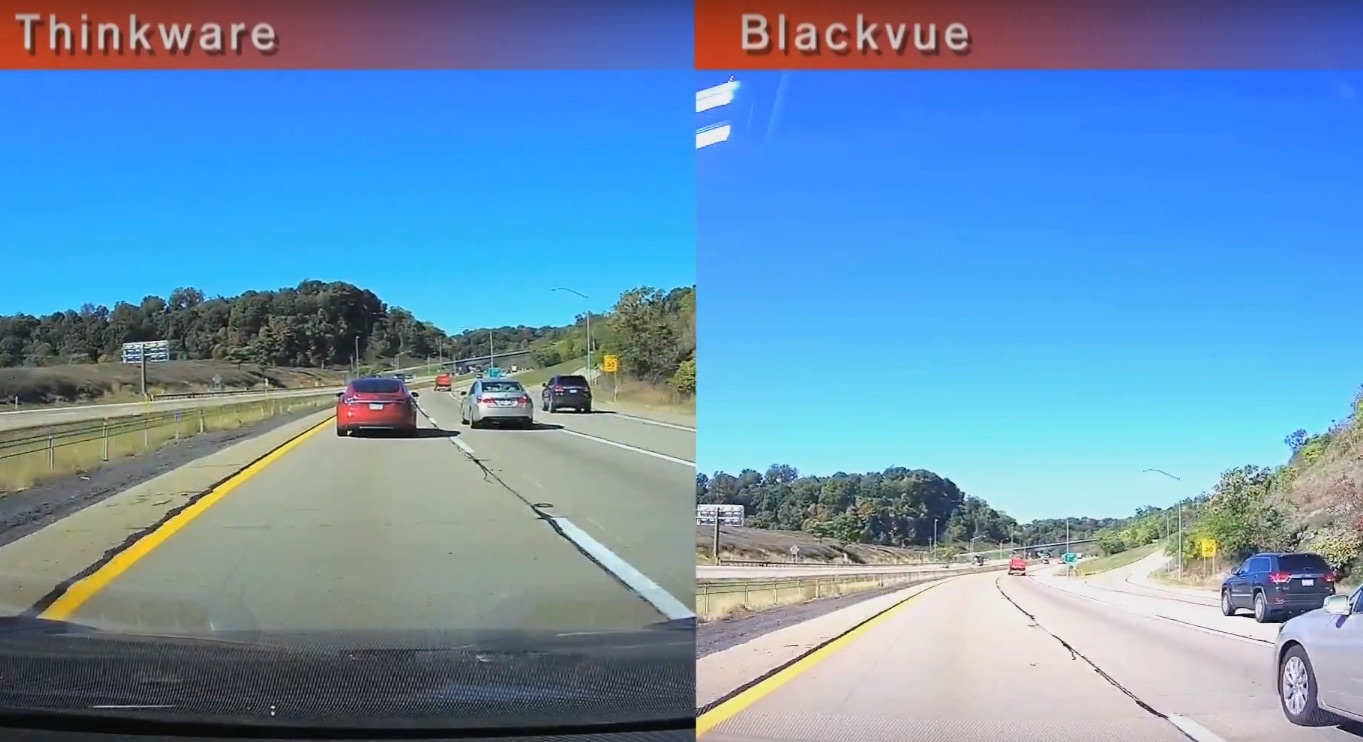
A 4K camera can capture more detail in good light. However, a well-tuned 2K camera may still produce better footage at night than a poorly tuned 4K model. This is why BlackVue vs Thinkware comparisons should look at real sample footage, not only box specifications.
Daytime recording
In daylight, both brands can produce sharp and useful video. Higher-end models often show clear lane lines and readable plates when the target vehicle is close enough.
BlackVue footage often has a natural, balanced look. Thinkware footage can appear slightly more processed, depending on the model and image settings. Neither style is automatically better. What matters is whether the footage preserves detail without too much glare or sharpening.
Night recording
Night video is more difficult. Headlights, street lamps, dark roads, and reflective plates can confuse a camera’s exposure system.
When comparing BlackVue vs Thinkware at night, pay attention to:
• Plate readability under headlights
• Shadow detail on unlit roads
• Motion blur from moving cars
• Glare from street lights
• Exposure changes when entering or leaving a tunnel
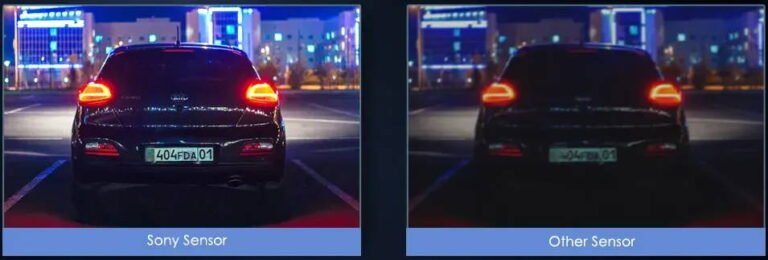
Both brands use modern image sensors in many models, but performance varies across product lines. A premium camera from either brand will usually outperform an entry-level model from the same brand.
Front, rear, and interior cameras
A front and rear system gives better coverage than a front-only camera. It can show what happened behind you during a collision or while parked.
Some BlackVue and Thinkware systems also support interior cameras. These can help rideshare drivers, parents, and people who want a broader view of the cabin. Check local privacy laws before recording passengers or sharing footage.
Cloud Features and Smartphone Apps
Cloud access is one of the clearest differences in a BlackVue vs Thinkware comparison.
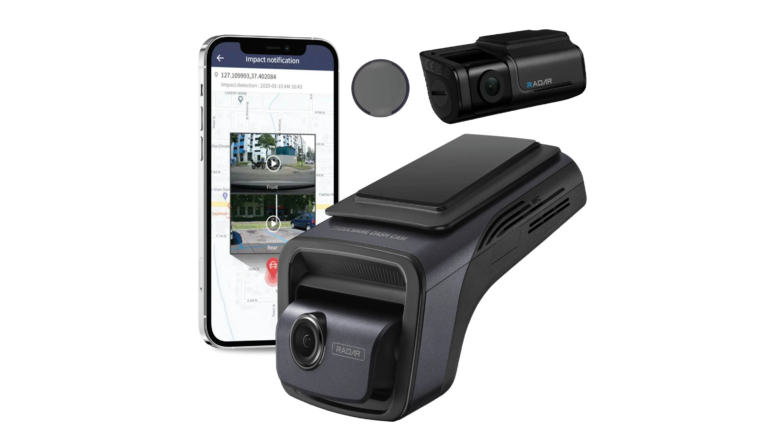
BlackVue is widely known for connected dash cams. Compatible models can use a Wi-Fi or cellular connection to send alerts, show live video, back up clips, and provide access to stored recordings. This can be useful if you want to check your vehicle while it is parked.
For example, a cloud-connected BlackVue may notify you if it detects an impact. You could then review a short clip without removing the memory card. This is helpful when your car is parked at work, at an airport, or outside your home.
Thinkware also offers connected features on selected models and with compatible accessories. Its systems can provide remote functions, but the exact experience depends on the camera, connection method, and service plan.
Before buying, check these details:
• Whether the camera supports cloud service
• Whether a separate LTE or Wi-Fi accessory is required
• Whether the service needs a subscription
• How much mobile data the system may use
• Whether remote features work well in your parking location
Cloud access is convenient, but it is not essential for every driver. If you mainly want evidence after a crash, local memory card recording may be enough. If you manage several vehicles or want remote alerts, BlackVue may have the stronger appeal.

Parking Mode Comparison
Parking mode records activity while your vehicle is turned off. It is one of the most useful features in a modern dash cam, but it must be installed correctly.
A hardwire kit is usually needed. This kit connects the camera to the vehicle’s electrical system and lets it monitor the car without relying on the accessory socket.
Both brands offer parking modes that may include:
• Impact detection
• Motion detection
• Time-lapse recording
• Low-bitrate recording
• Energy-saving monitoring
BlackVue often makes parking events easy to review through its connected platform. Some models can send an alert when an impact is detected, provided the camera has the required connection.
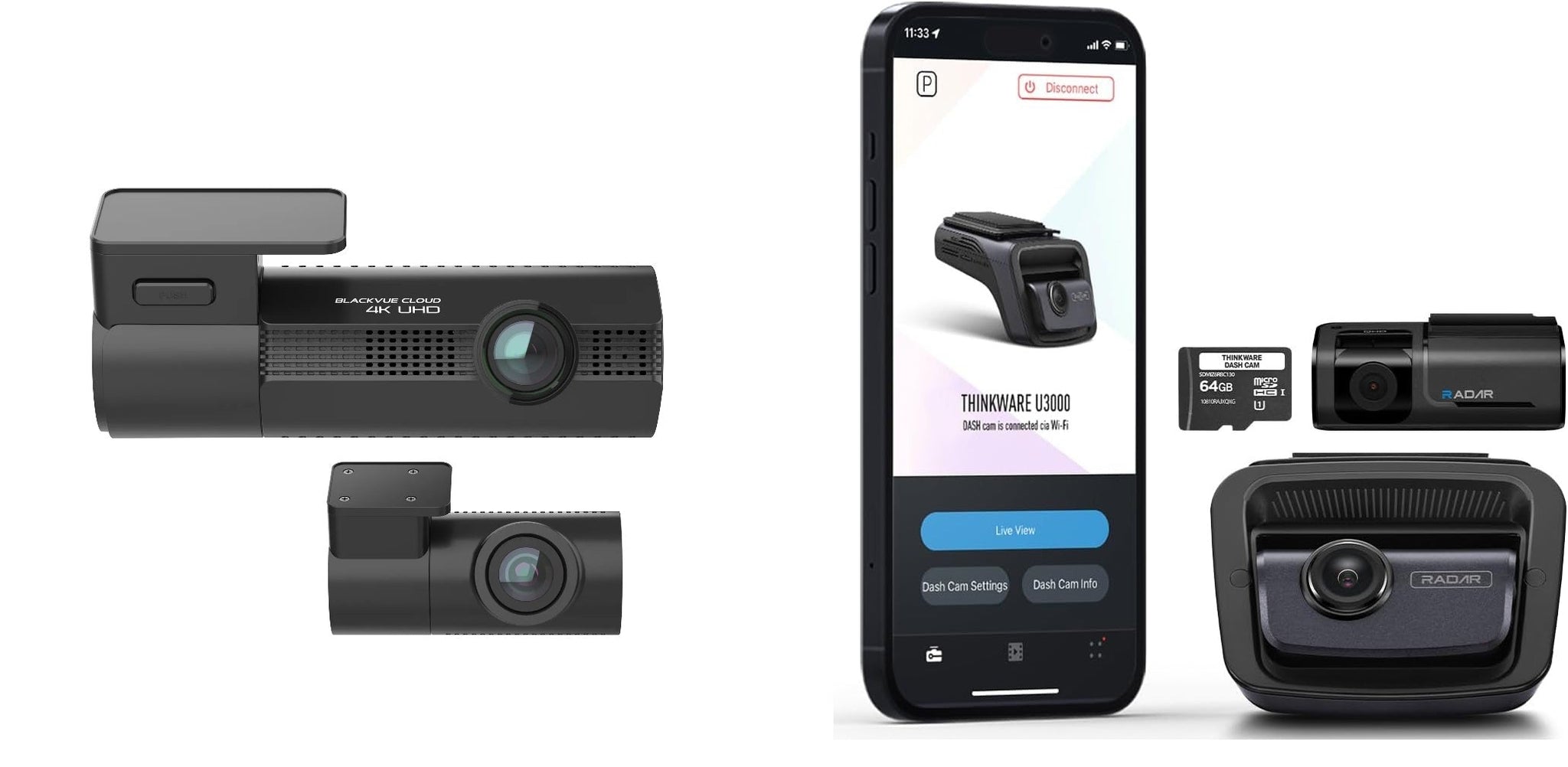
Thinkware is known for detailed parking features and optional parking accessories. Some systems support radar-based parking monitoring. A radar accessory can detect movement before an object reaches the camera’s normal field of view, which may reduce unnecessary recordings.
A practical lesson from dash cam installations is that parking mode is only as good as the wiring. A weak battery, poor ground connection, or incorrect voltage setting can cause missed recordings or battery drain. Always use a compatible hardwire kit and set the low-voltage cutoff correctly.
The BlackVue vs Thinkware decision may come down to your parking habits. Thinkware can be a strong choice for drivers who want dedicated parking tools. BlackVue can be better for drivers who want parking alerts and remote access.
Design, Installation, and Daily Use
A dash cam should be easy to live with. If it blocks your view, has loose cables, or falls off the windshield, even excellent video quality becomes less useful.
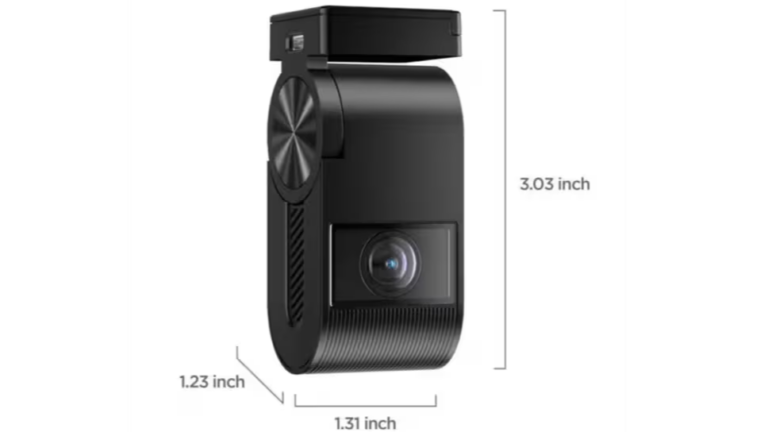
BlackVue cameras often use a tube-style design without a large display. This creates a clean look behind the rearview mirror. It also makes the camera less distracting while driving.
Thinkware offers both screenless and screen-equipped models. A built-in screen can help with setup and playback, but it may take up more space on the windshield. Screenless models provide a cleaner appearance.
Installation usually involves these steps:
-
Clean the windshield with an alcohol wipe.
-
Mount the camera behind or near the rearview mirror.
-
Route the power cable along the headliner and door trim.
-
Connect the rear camera if using a two-channel system.
-
Add a hardwire kit if you need parking mode.
-
Format the memory card in the camera.
-
Adjust the lens and test the recording angle.
Do not run cables across airbags or place the camera where it blocks the driver’s view. If you are not comfortable working near trim panels or fuse boxes, professional installation is a wise choice.
In daily use, BlackVue’s minimalist design feels polished. Thinkware’s screen-based models may feel more direct because you can change settings without using a phone.

GPS, Wi-Fi, and Driver Assistance
GPS records location and speed data with the video. This information can help show where an event happened, although speed data may not always work in your favor during an insurance or legal dispute.
Both BlackVue and Thinkware offer GPS on many models. GPS can also support features such as:
• Route tracking
• Speed display
• Location stamps
• Automatic time correction
• Driver alerts
Wi-Fi lets you connect a phone directly to the camera. This is useful for downloading clips without removing the memory card. It does not always mean the camera has internet access. Local Wi-Fi and cloud connectivity are different features.
Thinkware has traditionally offered a broad set of driver-assistance functions on some models. These may include lane departure warnings, forward collision alerts, and front vehicle departure alerts.
These systems can be helpful, but they are not substitutes for careful driving. Windshield angle, road markings, weather, and traffic can affect accuracy. Many drivers eventually disable sound alerts if they find them distracting.
BlackVue tends to place less emphasis on built-in driver alerts and more emphasis on recording and connected services. This difference is important when comparing BlackVue vs Thinkware for daily driving.
Storage, Memory Cards, and Reliability
A dash cam records large video files. A 4K camera uses more storage than a Full HD camera, especially when recording at a high bitrate.
Most systems use microSD cards. Not every card is suitable for continuous dash cam recording. Choose a high-endurance card made for repeated writing. Standard cards made mainly for phones or cameras may wear out sooner.
Follow these storage habits:
• Format the card in the dash cam at regular intervals.
• Replace the card when the camera reports errors.
• Keep a spare card in the vehicle.
• Download important clips promptly.
• Avoid removing the card while the camera is recording.
Heat is another concern. A car interior can become extremely hot in summer, especially in the southern United States. A camera with a supercapacitor is often better suited to high heat than one that depends on a small lithium battery for shutdown.
BlackVue and Thinkware both offer models designed for continuous vehicle use, but no dash cam is immune to heat, poor wiring, or a worn memory card. Many apparent camera failures are actually caused by storage or power problems.
A useful maintenance routine is to check the camera once a month. Confirm that the date is correct, the rear camera still works, and recent clips open properly. This takes only a few minutes and can prevent an unpleasant surprise after an accident.

BlackVue vs Thinkware: Which Brand Is Better for You?
There is no universal winner. The right brand depends on your priorities.
Choose BlackVue if you want connected features
BlackVue may suit you if you value:
• Remote live view
• Cloud alerts
• A discreet, screenless design
• Easy access to clips through a phone
• Vehicle monitoring for work or personal use
It can be especially useful for fleet managers, rideshare drivers, and people who want to check on a parked vehicle from a distance.
Choose Thinkware if parking protection matters most
Thinkware may be the better fit if you want:
• Detailed parking recording options
• Optional radar parking support
• A built-in display on selected models
• Strong driver-assistance features
• A camera system built around local recording
Thinkware can also appeal to drivers who prefer changing settings on the camera rather than relying on a cloud service.
Choose based on your vehicle and climate
Your car matters too. A large SUV may benefit from a longer rear cable. A compact car may need a smaller camera. Vehicles parked outside in hot climates need careful attention to heat management and memory card quality.
Drivers in snowy areas should also check how the camera handles glare, dirty windshields, and low winter light. In coastal areas, humidity and salt can affect connectors over time.
Pricing and Long-Term Value
Premium dash cams cost more than basic models, but the price includes more than the camera itself. You may also need a rear camera, hardwire kit, memory card, installation, and cloud service.
Think about the total cost:
• Camera system
• High-endurance memory card
• Hardwire kit
• Rear camera cable
• Professional installation
• Optional LTE or radar accessory
• Possible subscription fees
BlackVue may cost more when cloud hardware or service is added. However, remote access can be worth the cost for some drivers. Thinkware may offer strong value if you want advanced parking tools without depending heavily on cloud features.
Do not buy based on resolution alone. A less expensive 2K system with reliable parking mode may provide more real-world value than an expensive 4K camera that is poorly installed.
Warranty coverage and customer support also matter. Check the warranty period, return policy, firmware update process, and availability of replacement cables before you buy. These details are easy to overlook when focusing only on image quality.
Common Mistakes to Avoid
Many dash cam problems come from setup mistakes rather than poor hardware.
Avoid these common errors:
• Using a low-quality memory card
• Forgetting to format the card
• Mounting the lens behind a tinted or dotted windshield area
• Installing the camera too high or too low
• Skipping the hardwire fuse protection
• Leaving the camera’s date and time incorrect
• Ignoring firmware updates
• Expecting parking mode from a basic power connection
• Saving important clips only on the camera
One mistake I often see in real-world dash cam testing is judging a camera before checking the windshield position. A dirty windshield or incorrect lens angle can make an excellent camera look weak. Clean the glass inside and outside, then aim the lens so the road fills most of the frame.
Another mistake is buying a camera without checking the rear cable length. Measure your vehicle first, especially if you drive a long SUV, truck, or van.
How to Choose the Right Dash Cam
Use this simple process before selecting a BlackVue or Thinkware model.
-
Decide whether you need front-only, front-and-rear, or front, rear, and interior coverage.
-
Set a realistic budget that includes accessories and installation.
-
Decide whether cloud access is important to you.
-
Check how often your vehicle is parked outside and unattended.
-
Choose 2K or 4K based on your night driving needs and storage budget.
-
Select a high-endurance memory card.
-
Confirm that the hardwire kit fits your vehicle.
-
Read the warranty and service terms.
-
Watch sample videos recorded in daylight and at night.
-
Check whether the phone app works with your device.
If you are still unsure, compare two cameras from the same price range. Comparing a high-end BlackVue with an entry-level Thinkware can create a misleading result. A fair BlackVue vs Thinkware comparison should match similar resolution, coverage, and price.
Frequently Asked Questions About BlackVue vs Thinkware
Is BlackVue better than Thinkware?
BlackVue is often better for cloud access, remote alerts, and a slim design. Thinkware may be better for drivers who want advanced parking features and local camera controls.
Does Thinkware have better night vision than BlackVue?
Neither brand wins in every model. Night performance depends on the sensor, lens, bitrate, firmware, and lighting, so compare sample footage from specific models rather than judging the brand alone.
Is BlackVue cloud service worth it?
It can be worthwhile if you want remote viewing, impact alerts, or access to clips without removing the memory card. Drivers who only need local recording may not need the added cost or data connection.
Which brand is better for parking mode?
Thinkware is a strong choice for detailed parking options and radar-supported monitoring. BlackVue also offers capable parking mode and may be more attractive if you want cloud-based parking alerts.
Do BlackVue and Thinkware require professional installation?
No. Many drivers can install either brand with basic cable-routing skills. Professional installation is recommended for hardwiring, complex vehicles, or anyone who is not comfortable working near fuse panels and airbags.
Can I use any microSD card with these dash cams?
It is best to use a high-endurance microSD card that matches the camera’s recommended capacity and speed. Dash cams write data constantly, so ordinary cards may fail sooner.
Is 4K worth the extra cost?
4K can provide more detail in good conditions, but it also uses more storage and may need stronger processing. A high-quality 2K camera can be a better value if it offers strong night footage and reliable parking recording.
Conclusion
BlackVue vs Thinkware comes down to two different strengths. BlackVue stands out for cloud access, remote monitoring, and a clean design. Thinkware stands out for parking protection, driver alerts, and flexible local controls.
Choose BlackVue if staying connected to your vehicle is important. Choose Thinkware if your top priority is detailed parking surveillance and practical in-car control. Whichever brand you select, install it correctly, use a high-endurance memory card, and test the footage before trusting it.
Compare current models, check the full installation cost, and choose the system that fits your daily routine. If this guide helped, explore more dash cam setup guides and share your own BlackVue or Thinkware experience in the comments.