Garmin Mini Vs Garmin Mini 3: Which Dash Cam Wins?
Garmin Mini vs Garmin Mini 3: Mini 3 is newer, but buyers should verify availability and real feature gains.
The Garmin Mini vs Garmin Mini 3 comparison can be confusing because Garmin has released several compact dash cams, while product names and listings may differ by country. The original Garmin Dash Cam Mini is a tiny 1080p camera, while the Mini 3 is positioned as a newer version with updated imaging, software, and connected features.
This guide explains the Garmin Mini vs Garmin Mini 3 differences in simple terms. It covers video quality, size, storage, parking protection, app support, installation, price, and the mistakes buyers should avoid before choosing one.
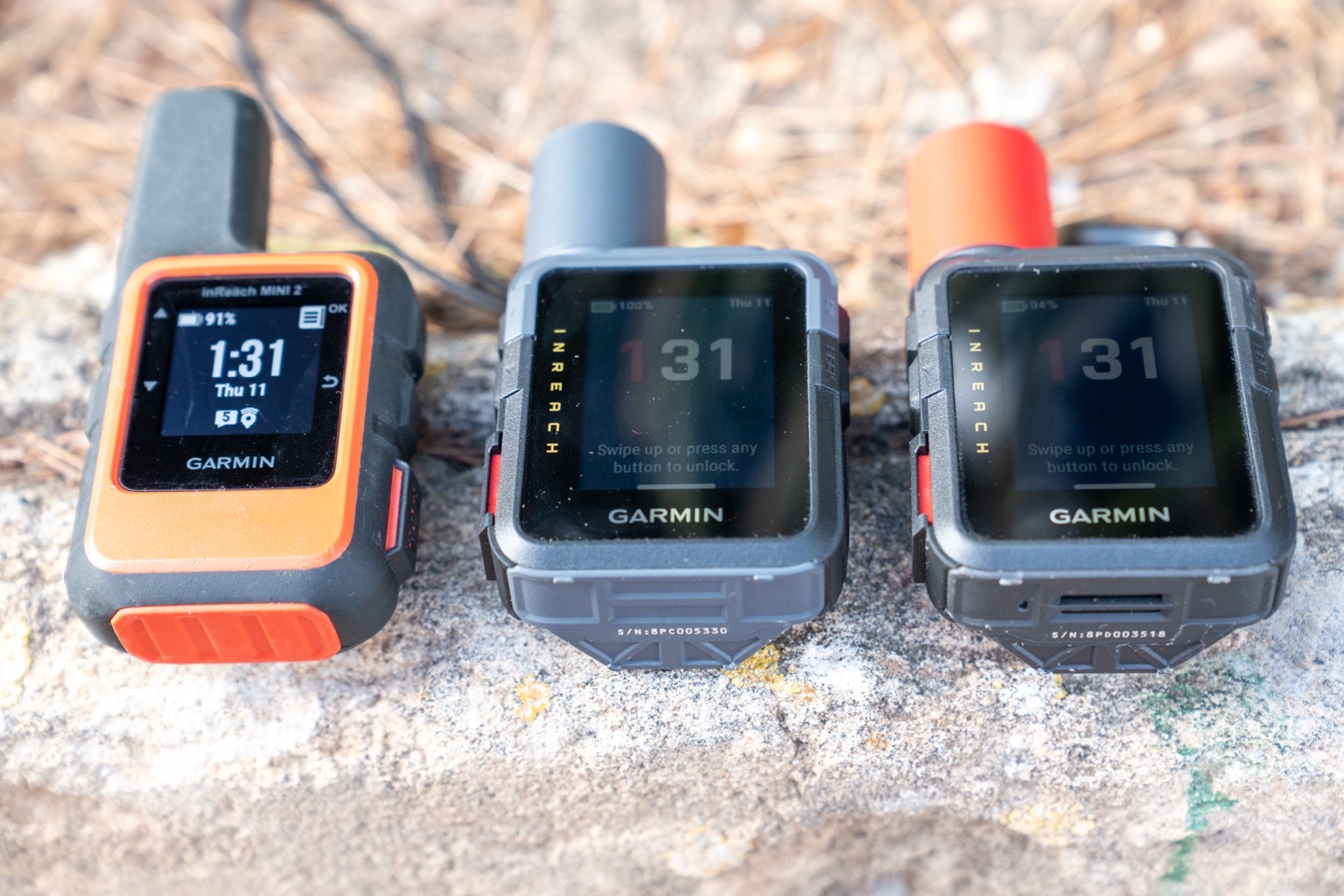
Garmin Mini vs Garmin Mini 3: Key Differences
The Garmin Mini vs Garmin Mini 3 comparison starts with one clear point: both cameras are made for drivers who want a small, hidden dash cam rather than a large screen-mounted unit.
The original Garmin Dash Cam Mini focuses on basic protection. It records Full HD video, uses a wide viewing angle, and connects to a phone for setup and playback. It does not have a built-in display, so you control it through the Garmin Drive app.
The Garmin Mini 3 follows the same compact idea but offers newer hardware and software in markets where it is officially sold. Depending on the region and package, it may provide better image processing, improved low-light results, and updated compatibility with Garmin’s connected camera features.
| Feature | Garmin Dash Cam Mini | Garmin Dash Cam Mini 3 |
|---|---|---|
| Main purpose | Small, discreet dash cam | Newer compact dash cam |
| Video resolution | 1080p Full HD | Check the local product listing |
| Display | No built-in screen | No built-in screen expected |
| Phone app | Garmin Drive | Garmin Drive or supported Garmin app |
| Viewing angle | About 140 degrees | Similar wide-angle design |
| GPS | Usually no built-in GPS | Confirm by regional model |
| Parking features | Available with extra setup | Available on supported versions |
| Size | Very small | Very small |
| Best for | Low-cost basic recording | Buyers who want newer hardware |
One important warning matters here. Garmin product names, bundles, and regional listings can change. Check the exact model number, resolution, and included cable before buying. A listing called “Mini 3” may not include every feature associated with Garmin’s larger dash cams.
Garmin Dash Cam Mini: What You Get
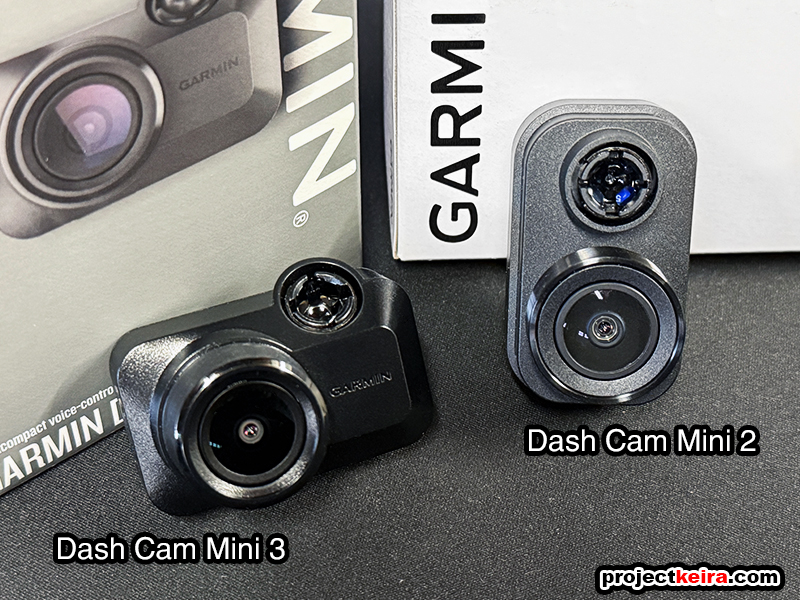
The original Garmin Dash Cam Mini is one of the smallest dash cams in its class. Its body is close to the size of a small car key fob, which helps it hide behind a rearview mirror.
It records 1080p video. That is enough to capture road signs, lane markings, and nearby vehicles in daylight. However, Full HD video has limits. A license plate several car lengths away may not be clear, especially at night or when the car is moving fast.
The camera has no screen. This keeps the body small and reduces distraction. You use the Garmin Drive app to change settings, view clips, and download important video.
Key strengths include:
• Very small design that does not block much of the windshield
• Simple installation with a windshield mount
• Wide viewing angle for traffic around the front of the car
• Wi-Fi connection for phone access
• Automatic incident recording
• Voice control on supported versions or firmware
• Access to Garmin’s cloud and connected features when the proper setup is used
The original Mini is best for drivers who want basic evidence after a crash. It is also a good fit for a second vehicle, a small car, or a driver who dislikes large screens.
The main limitation is age. Newer dash cams may offer sharper video, better night detail, faster phone transfers, and stronger low-light processing. That does not make the Garmin Mini useless. It simply means you should buy it at the right price.
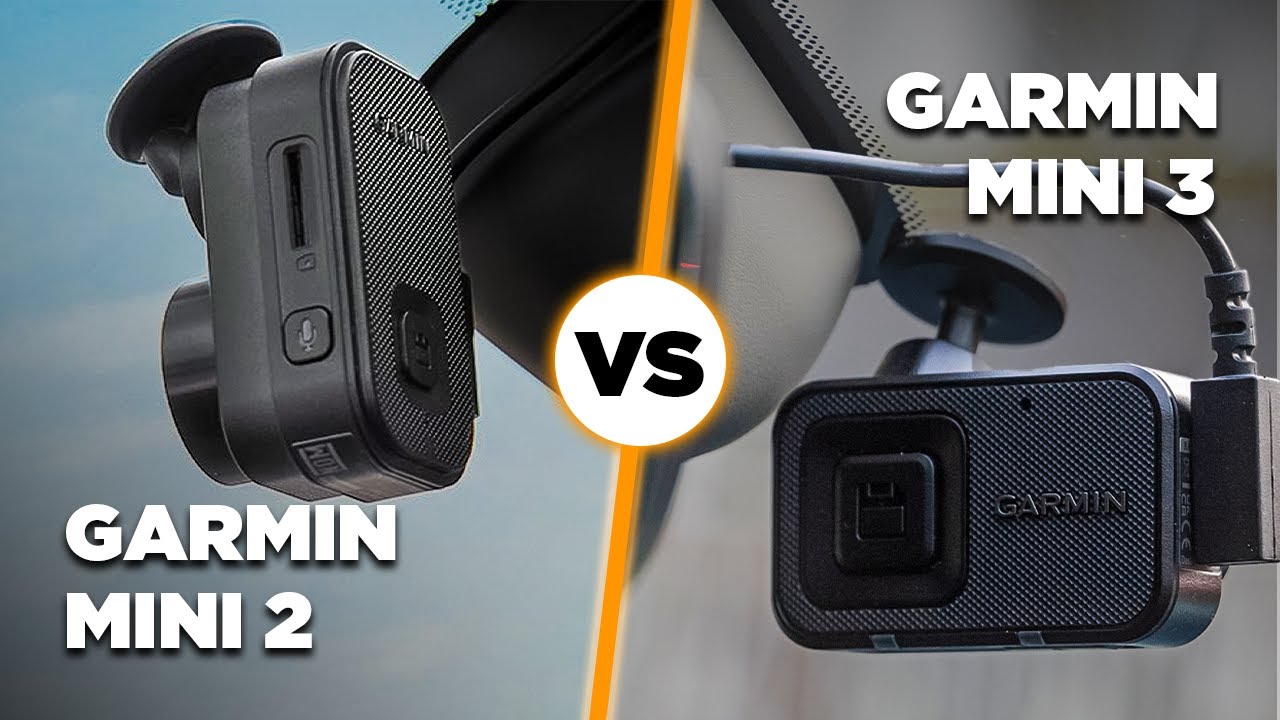
Garmin Mini 3: What May Be Different
The Garmin Mini 3 is designed to keep the same discreet shape while updating the camera experience. Its main appeal is not a large screen or a long list of extra buttons. Its appeal is a cleaner, newer version of the compact Garmin formula.
Published specifications can vary by market, so review the exact Garmin Mini 3 product page before purchase. Pay close attention to these details:
• Maximum video resolution
• High dynamic range support
• Night recording performance
• Built-in GPS or lack of GPS
• Parking mode requirements
• Included power cable
• Cloud storage terms
• Supported memory card size
A newer model can improve image processing without making a dramatic jump in resolution. In real driving, this can matter more than a simple number on the box. Better exposure control may help the camera balance bright headlights, dark roads, and reflective signs.
The Mini 3 may also have newer software support. This can make pairing, firmware updates, and video management easier. Still, app support should not be the only reason to upgrade. A camera is useful because it records clear, reliable evidence when you need it.
For buyers comparing the Garmin Mini vs Garmin Mini 3, the Mini 3 makes more sense when its price is close to the older model. If it costs much more, compare its actual resolution and features with other current dash cams.

Video Quality and Night Recording
Video quality is the most important part of any dash cam. A small body is helpful, but it cannot replace a clear image.
The original Garmin Mini records 1080p video. In daylight, it can provide useful footage of traffic events. It may show the color and type of a vehicle, the road layout, and the events leading to a collision.
Night recording is harder. Streetlights, headlights, rain, and dirty windshields can reduce detail. A camera with HDR can handle bright and dark areas better, but HDR is not magic. It cannot recover a license plate that was overexposed or blurred by motion.
When testing or comparing the Garmin Mini vs Garmin Mini 3, look for these video traits:
• Clear plates at a reasonable distance
• Smooth footage during turns
• Good exposure when facing the sun
• Limited glare from headlights
• Accurate color in daylight
• Enough detail in shadows
A polarizing filter can reduce reflections from the dashboard and windshield. However, it can also make the image darker. If the camera or an accessory includes a filter, adjust it carefully and keep the windshield clean.
My practical advice is simple: do not judge a dash cam only from a short daytime sample. Watch nighttime clips, clips in rain, and clips with oncoming headlights. Those conditions reveal the real difference between models.

Design, Installation, and Daily Use
Both cameras are made for discreet installation. This is one of the strongest reasons to consider the Garmin Mini vs Garmin Mini 3 instead of a larger dash cam.
A small camera can sit behind the rearview mirror. It is less likely to attract attention and does not create a large black rectangle in your view. The lack of a built-in screen also keeps the design clean.
Installation usually involves three steps:
-
Clean the windshield and choose a position behind the mirror.
-
Attach the mount and connect the power cable.
-
Route the cable along the headliner and door trim.
Do not place the camera where it blocks your view. Do not route the cable across an airbag path. If you are unsure about trim panels or fuse wiring, ask a qualified installer.
The Garmin Mini vs Garmin Mini 3 daily experience is similar because both rely on a phone app. This is convenient for occasional use, but it can feel slower than using a dash cam with a screen. You must open the app, connect to the camera, and wait for the video list to load.
One mistake I often see in dash cam setups is poor cable management. A loose cable can hang near the mirror, interfere with the sun visor, or disconnect after repeated movement. A careful installation takes a few extra minutes and prevents many small problems.

Storage, Wi-Fi, and Garmin Drive App
Neither camera should be treated like a normal action camera. Dash cams record in loops. When the memory card becomes full, the camera overwrites older, unprotected clips.
Use a high-quality microSD card designed for continuous video recording. Cheap cards may fail sooner because dash cams write data for hours each day. Check Garmin’s recommended card capacity and format the card in the camera when possible.
The Garmin Drive app lets you:
• Connect to the camera over Wi-Fi
• Watch recorded clips
• Save videos to your phone
• Change camera settings
• Install firmware updates
• Manage connected camera features
Wi-Fi does not mean the camera gives you internet access by itself. Your phone may temporarily connect directly to the dash cam. This can interrupt normal mobile data use during file transfers.
Garmin’s cloud features may require a compatible plan, account, or constant power connection. Read the current terms before assuming that every clip is stored online forever. Cloud storage can be useful after a crash, but local memory card recording remains important.
For the Garmin Mini vs Garmin Mini 3, app support may be similar, but newer hardware can receive longer software support. That benefit is real, although Garmin does not guarantee unlimited support for every older model.
Parking Guard and Incident Protection
Parking protection can record events while your car is parked. This is useful if another vehicle hits your bumper in a parking lot or someone damages the car while it is unattended.
The camera usually needs a constant power source for parking mode. The standard cigarette lighter socket may turn off when the ignition is off. A parking cable or compatible constant-power accessory may be required.
Before using parking mode, check:
• Whether your car socket stays powered
• Whether a parking cable is included
• Whether the camera can protect your car battery
• How motion and impact detection work
• Whether cloud viewing needs a subscription
A dash cam is not a complete security system. It may miss an event outside the viewing angle, fail to detect a light touch, or stop recording if power is lost. Extreme heat and cold can also affect electronics and memory cards.
The Garmin Mini vs Garmin Mini 3 comparison favors the newer model if it offers better parking support or easier remote access. Still, installation quality matters just as much as the camera. A badly powered new camera is less useful than an older camera that records reliably.

Garmin Mini vs Garmin Mini 3: Which One Should You Buy?
Choose the original Garmin Mini if:
• You want the smallest possible Garmin dash cam
• You mainly drive during the day
• You find it at a strong discount
• You need simple front-facing crash recording
• You already use the Garmin Drive app
Choose the Garmin Mini 3 if:
• You want newer hardware
• You prefer the latest compact Garmin design
• You want improved processing or updated software
• The price difference is small
• The local version clearly lists the features you need
Consider another Garmin model if:
• You need 1440p or 4K detail
• You want built-in GPS data
• You need a rear camera
• You want a large built-in display
• You want advanced driver alerts
The best choice in the Garmin Mini vs Garmin Mini 3 debate depends on your goal. For basic evidence, the original Mini can still do the job. For a new purchase, the Mini 3 is usually the safer long-term choice if its specifications and warranty are clear.

Buying Mistakes to Avoid
Buying the cheapest camera is not always the best decision. A dash cam should work every day, save files correctly, and remain stable in changing temperatures.
Avoid these common mistakes:
• Buying from a listing with no model number
• Assuming “Mini 3” automatically means 4K
• Forgetting to buy a suitable high-endurance microSD card
• Ignoring the cost of a parking power cable
• Installing the camera where it blocks the driver’s view
• Failing to format the memory card
• Never checking whether the camera is still recording
• Relying only on cloud storage
• Leaving important clips unprotected
After installation, test the camera. Record a short drive, open the clip on your phone, and check the time and date. Then test the memory card again after a few days.
This simple check can prevent a painful surprise. Many drivers only discover a camera stopped recording after an accident. A quick monthly review is a good habit.
Is the Garmin Mini 3 Worth the Upgrade?
The Garmin Mini 3 is worth considering when it offers clearer video, better low-light performance, or stronger software support at a reasonable price.
It may not be worth upgrading if your current Garmin Mini records reliably and your main need is basic daytime protection. In that case, buying a new memory card, improving the mount, or adding proper parking power may provide more value.
The upgrade makes the most sense for drivers who notice:
• Blurry plates at night
• Weak exposure in bright sunlight
• Unreliable phone connections
• A worn memory card slot
• Poor support from an older app or firmware
Compare real sample footage before spending more. Numbers such as resolution and viewing angle help, but actual clips show how a camera handles the road.
Frequently Asked Questions About Garmin Mini vs Garmin Mini 3
Is the Garmin Mini 3 better than the original Garmin Mini?
The Garmin Mini 3 is the newer option and may offer updated imaging and software. However, the exact improvements depend on the regional model and its published specifications.
Does the Garmin Mini have a built-in screen?
No. The Garmin Mini uses a phone and the Garmin Drive app for setup, playback, and settings. This keeps the camera small but makes quick clip review less direct.
Does the Garmin Mini 3 record in 4K?
Do not assume that it records in 4K. Check the exact product listing because Garmin’s compact Mini models and regional bundles may have different specifications.
Do Garmin Mini cameras record while parked?
They can support parking recording when the correct power setup is used. A constant-power cable may be needed, and parking features can depend on the camera, vehicle, and Garmin service plan.
Does the Garmin Mini need a memory card?
Yes. The camera needs a compatible microSD card to store normal recordings. Use a high-endurance card and replace it when it shows errors or becomes unreliable.
Does the Garmin Mini have GPS?
The original Garmin Mini generally does not include built-in GPS. Confirm the exact Mini 3 model before buying if speed, location, or route data is important to you.
Can I use the Garmin Mini without the Garmin Drive app?
The camera can record without constant app use. However, the app is normally needed for setup, settings, firmware updates, and downloading videos.
Conclusion
The Garmin Mini vs Garmin Mini 3 choice comes down to value, video needs, and product availability. The original Garmin Mini remains a small and practical 1080p dash cam, while the Mini 3 is the better starting point for buyers who want newer hardware and longer-term support.
Before ordering, verify the model number, resolution, GPS support, parking requirements, warranty, and memory card limits. Install it carefully, test a recording, and check the camera from time to time.
Choose the Garmin Mini for simple, low-cost protection. Choose the Garmin Mini 3 when its updated features justify the price. Explore the official specifications, compare real sample footage, and share your experience with other drivers before making your final decision.