Viofo Vs Thinkware: Best Dash Cam For You
Viofo often wins on video quality and value, while Thinkware leads in smart safety features and polished software.
Choosing between Viofo vs Thinkware is not as simple as comparing prices or camera resolution. Both brands make strong dash cams, but they serve different drivers. Viofo focuses on sharp footage, flexible settings, and excellent value. Thinkware focuses on parking protection, driver alerts, cloud tools, and a smooth user experience.
This guide breaks down Viofo vs Thinkware by video quality, night recording, parking mode, installation, apps, reliability, price, and real-world use. By the end, you should know which brand fits your car, budget, and daily driving needs.
Viofo vs Thinkware: Brand Overview
Viofo and Thinkware are well-known names in the dash cam market. Both offer front, rear, and interior camera systems. Both also support features such as GPS, loop recording, Wi-Fi, and parking surveillance on selected models.
The main difference is their design focus. Viofo builds cameras around strong image quality and user control. Thinkware builds a wider safety system with advanced parking tools and a more guided user experience.
A simple way to view the Viofo vs Thinkware debate is this:
• Viofo is like a high-quality camera with car features.
• Thinkware is like a car safety system with cameras inside it.
That comparison is not perfect, but it helps explain the different ownership experience.
Viofo models often use Sony STARVIS or STARVIS 2 image sensors. These sensors are known for strong low-light performance. Thinkware also uses capable Sony sensors in many models, but its advantage often comes from software, alerts, and parking functions.
Model choice still matters. A high-end Viofo can outperform a lower-priced Thinkware in video detail. Likewise, a premium Thinkware system may offer more useful safety tools than a basic Viofo camera.

Video Quality and Resolution
Video quality is one of the biggest reasons people compare Viofo vs Thinkware. A dash cam must capture useful detail, not just produce a high resolution number on a product page.
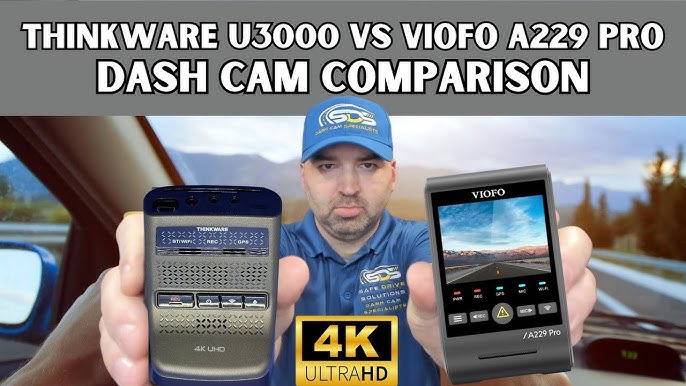
Viofo has a strong reputation for video quality. Models such as the A139 Pro, A229 Pro, and A119 Mini 2 use modern image sensors and can record fine detail in daylight. Some models support 4K front video, while others offer 2K or Full HD recording.
Thinkware also offers 4K and 2K dash cams. Models such as the U3000 and Q1000 are designed to capture clear road footage. Thinkware video often looks balanced and natural, with good exposure in mixed light.
Daytime recording
During the day, both brands can record license plates, road signs, and traffic lights. Viofo may provide a slightly sharper image on some models, especially when using a high-quality lens and a Sony STARVIS 2 sensor.
Thinkware footage can look smoother and more processed. This may help with exposure, but some drivers prefer Viofo’s more direct and detailed image.
Actual results depend on:
• Lens quality
• Image sensor
• Bitrate
• Weather
• Windshield cleanliness
• Camera angle
• Vehicle speed
A dirty windshield can ruin footage from a premium camera. I have seen drivers blame the dash cam when the real problem was glare, dust, or a lens aimed too high.
Night recording
Night performance is harder to judge. A camera can record a bright image at night but still fail to capture a readable plate.
Viofo’s newer STARVIS 2 models perform well in dark streets and areas with street lighting. Thinkware’s premium cameras also produce strong night footage, especially when exposure is set correctly.
Neither brand can defeat physics. A fast-moving car with bright headlights, rain, and a dark road can still create blurred plates. A polarizing filter may reduce windshield reflections, but it can also make the image darker.
For the best night results:
• Clean the windshield inside and out.
• Mount the camera near the rearview mirror.
• Keep the lens level with the road.
• Use a quality memory card.
• Avoid excessive tint near the camera.
• Test footage after installation.
Front, rear, and interior coverage
Viofo offers many camera layouts. You can buy a front-only model, a front and rear kit, or a three-channel system with cabin coverage.
Thinkware also offers front and rear systems and some models with interior recording. The best setup depends on your driving needs.
A rideshare driver may need an interior camera. A family driver may prefer front and rear coverage. A car owner in a busy city may value a wide viewing angle more than cabin recording.
Parking Mode Comparison
Parking mode is a major difference in the Viofo vs Thinkware comparison. It lets the dash cam monitor the vehicle while the engine is off.
Viofo supports several parking modes on many models. These may include:
• Automatic event detection
• Time-lapse recording
• Low-bitrate recording
• Buffered parking recording
Thinkware also provides parking surveillance, often with motion detection, impact detection, energy-saving modes, and time-lapse options. Some Thinkware models add radar-based parking protection with a compatible accessory.
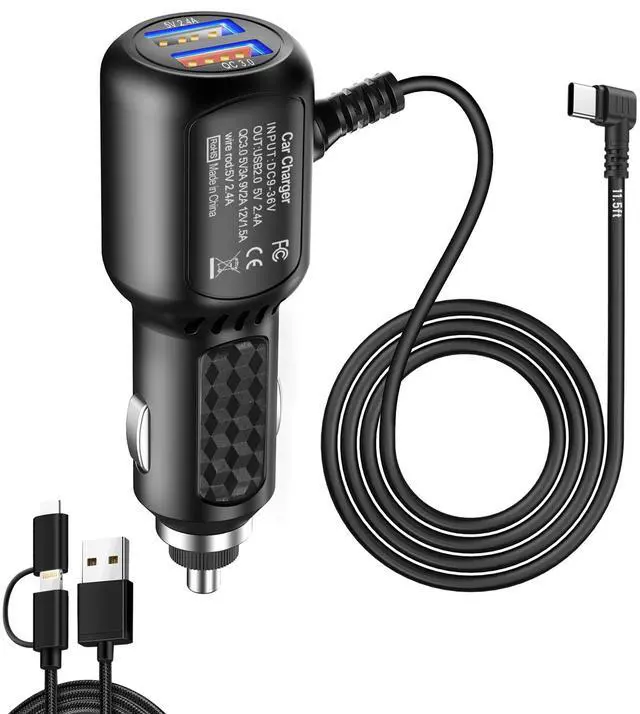
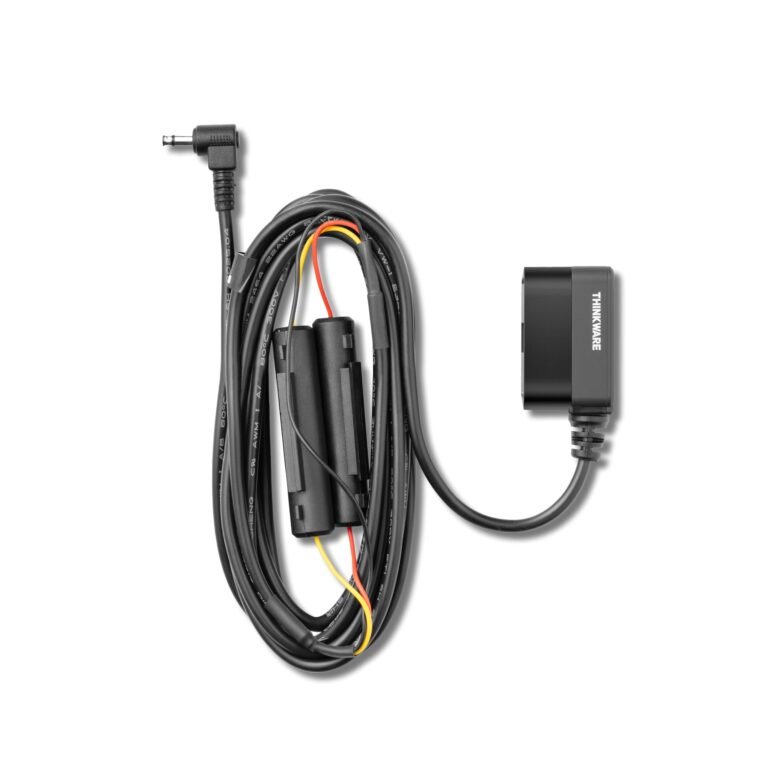
Parking mode requires a proper hardwire kit or an external battery pack. A dash cam plugged into a standard accessory outlet may turn off when the car shuts down.
Viofo parking mode
Viofo gives users more control. You can often choose the recording mode, voltage cutoff, and other settings through the camera or app.
This flexibility is useful for experienced users. It can also feel confusing during setup. If the settings are wrong, the camera may stop recording too soon or drain the vehicle battery.
Thinkware parking mode
Thinkware tends to make parking protection feel more guided. The camera may offer clearer alerts and more energy-saving options.
Thinkware’s parking features can be especially useful for drivers who park outdoors, use a shared garage, or leave a vehicle in busy areas. However, some advanced functions need extra hardware or a paid cloud plan.
Which brand protects a parked car better?
There is no universal winner. Viofo can provide excellent buffered parking footage at a lower total cost. Thinkware may offer a more refined parking system with better alerts and accessory support.
The installation matters as much as the brand. A poorly installed hardwire kit can cause battery problems or prevent parking mode from working.

Smart Features and Driver Assistance
Thinkware usually has the advantage in built-in smart features. Depending on the model, these may include:
• Forward collision warnings
• Lane departure warnings
• Front vehicle departure alerts
• Speed camera alerts
• Red-light camera alerts
• GPS tracking
• Parking impact notifications
Viofo offers useful features too, but it generally keeps the focus on recording. Some Viofo models include GPS, voice alerts, Bluetooth controls, and Wi-Fi. They usually do not try to act like a full driver assistance system.
Driver alerts can be helpful, but they are not perfect. A camera may warn you because of road curves, poor lane markings, or a car that is not actually a danger. These systems should support careful driving, not replace it.
In my view, safety alerts are most useful when they are easy to disable. Distracting alerts can become background noise. Video evidence, reliable parking recording, and clear controls matter more than a long feature list.
App and User Experience
The Viofo vs Thinkware choice also depends on how you manage video files.
Viofo cameras often use a mobile app through built-in Wi-Fi. You can connect your phone, view clips, change settings, and download files. The process works well once you understand it, but the interface may feel less polished than a mainstream smartphone app.
Thinkware’s app experience varies by model. Some cameras use local Wi-Fi, while connected models may support cloud features. Cloud tools can let you check the camera remotely, receive impact notifications, and view vehicle status.
Cloud service can be helpful, but it may require:
• A stable internet connection
• A separate Wi-Fi hotspot
• A subscription
• Extra setup time
Viofo is often better for people who want simple local storage. Thinkware may suit drivers who want remote access and more connected features.
One practical tip is to download a short clip before you need it. Do not wait until a crash or parking incident occurs. Learning the app in advance can save stress later.
Installation and Ease of Use
Both brands can be installed by a professional or by a careful do-it-yourself owner. A front camera is usually simple. A front and rear system takes more time because the cable must run through the vehicle.
Viofo kits often include useful mounting options and a clear physical layout. Some drivers like the presence of a screen because it makes setup easy. Other models use a compact body with fewer distractions.
Thinkware cameras often have a clean, discreet design. Many models have no traditional screen, which keeps the windshield area tidy. Settings are usually managed through the app or buttons on the camera.
Professional installation is worth considering if you need:
• A hidden cable route
• A rear camera mounted inside a hatch
• A hardwired parking mode
• A battery protection module
• A three-channel system
Avoid placing the camera where it blocks your view. In the United States, windshield and tint rules can vary by state. Check local regulations before mounting the camera.
Reliability, Storage, and Heat
A dash cam works in a difficult environment. It sits behind glass in direct sun and records for long periods. Heat, vibration, poor wiring, and low-quality memory cards can cause failures.
Viofo and Thinkware both need a high-endurance microSD card. Standard cards made for phones or casual cameras may wear out faster under constant recording.
Good maintenance includes:
• Format the memory card in the camera every few weeks or months.
• Replace the card when errors appear.
• Check the lens and windshield often.
• Review a short clip from time to time.
• Update firmware only by following the official instructions.
• Keep cables secure and away from airbags.
Viofo may appeal to owners who like to adjust settings and replace parts themselves. Thinkware can feel more refined as a complete system, but repair and accessory costs may be higher for some models.
No dash cam brand is immune to failure. Heat protection, correct installation, and proper storage habits have a major effect on reliability.

Price and Overall Value
Price is one of Viofo’s strongest advantages. The brand often provides high-resolution video and useful features without the premium cost of a connected safety system.
Thinkware prices can be higher, especially for 4K systems with cloud functions, radar accessories, or professional installation. The added cost may be worthwhile if you will use those features.
Consider the full ownership cost, not just the camera price:
• Front camera
• Rear camera
• Interior camera
• Memory card
• Polarizing filter
• Hardwire kit
• External battery pack
• Installation
• Cloud subscription
A low-cost camera that lacks parking support may cost more after upgrades. A high-priced camera may also be poor value if you never use cloud alerts or driver warnings.
Best value by driver type
Viofo is often the better value for:
• Drivers who want sharp video.
• Owners who prefer local storage.
• DIY installers.
• People who want manual control.
• Buyers with a tighter budget.
Thinkware is often the better value for:
• Drivers who want advanced parking tools.
• Rideshare or commercial drivers.
• Owners who prefer a polished app.
• People who want cloud notifications.
• Drivers who want a discreet, integrated system.

Viofo vs Thinkware: Which One Should You Buy?
The right answer depends on your priorities.
Choose Viofo if video evidence is your main goal. It is a strong choice for recording license plates, road incidents, and parking events while keeping the price reasonable.
Choose Thinkware if you want a broader safety package. It may be a better fit when parking protection, connected features, and a clean installation matter more than maximum manual control.
Use this simple decision guide:
-
Choose your main recording view. Decide between front-only, front and rear, or three-channel coverage.
-
Decide whether parking mode is essential. If yes, budget for a hardwire kit or battery pack.
-
Consider your comfort with technology. Viofo offers more control, while Thinkware often feels more guided.
-
Check the full cost. Include accessories, installation, and any subscription.
-
Read the warranty terms. Confirm how support works in your country.
-
Buy a high-endurance memory card. It is one of the most important accessories.
The best Viofo vs Thinkware choice is the camera you will install correctly, maintain, and use when something goes wrong.
Common Mistakes to Avoid
Many dash cam problems come from setup mistakes rather than poor hardware.
Avoid these common errors:
• Buying a memory card with the wrong speed or capacity.
• Mounting the camera too high or too low.
• Forgetting to remove protective film from the lens.
• Running cables across airbag paths.
• Enabling parking mode without checking battery protection.
• Never testing the rear camera at night.
• Ignoring firmware instructions.
• Assuming a dash cam records while parked without a hardwire connection.
Another mistake is choosing 4K without considering storage. Higher resolution creates larger files. If you drive often, you may need a larger card or more frequent file management.
Keep a spare memory card in the vehicle or at home. If the main card fails after an incident, a backup can be extremely useful.
Frequently Asked Questions About Viofo vs Thinkware
Is Viofo better than Thinkware for video quality?
Viofo often offers excellent video detail, especially in models with Sony STARVIS 2 sensors. Thinkware also makes sharp cameras, so the exact model, lens, bitrate, and lighting conditions matter more than the brand alone.
Is Thinkware better than Viofo for parking mode?
Thinkware often provides a more polished parking experience, with advanced energy-saving tools and optional connected features. Viofo can also deliver strong parking coverage, but it may require more manual setup.
Which brand is easier to install?
Both brands are manageable for a front camera, but a professional install is useful for rear cameras and hardwired parking mode. Thinkware may feel cleaner and more discreet, while Viofo often gives users more mounting and setting flexibility.
Do Viofo and Thinkware dash cams need a memory card?
Most models need a compatible microSD card for local recording. Use a high-endurance card that matches the camera’s recommended capacity and speed.
Which is better for rideshare drivers, Viofo or Thinkware?
A three-channel Viofo or Thinkware system can work well for rideshare drivers. Choose Viofo for value and detailed footage, or Thinkware if you prefer parking tools, connected alerts, and a more guided system.
Does either brand offer cloud recording?
Selected Thinkware models support cloud services and remote notifications. Viofo mainly focuses on local recording and phone access through Wi-Fi, although features vary by model.
Can a dash cam drain my car battery?
Yes, parking mode can drain a battery if the camera lacks a proper voltage cutoff or if the battery is old. Use a compatible hardwire kit, check the settings, and consider a dedicated dash cam battery pack.
Conclusion
Viofo vs Thinkware is really a choice between two different strengths. Viofo usually offers excellent video quality, flexible settings, and strong value. Thinkware often delivers better smart features, parking tools, cloud options, and a polished ownership experience.
Before buying, decide what matters most: sharp footage, easy controls, remote alerts, parking security, or total cost. Then choose the model that matches your driving habits instead of buying based only on resolution.
Take time to install the camera correctly, use a high-endurance memory card, and test both daytime and nighttime footage. Compare current models and accessories carefully, then share your experience or questions in the comments.