Redtiger F7N Vs Rove R2-4K: Which Dash Cam Wins?
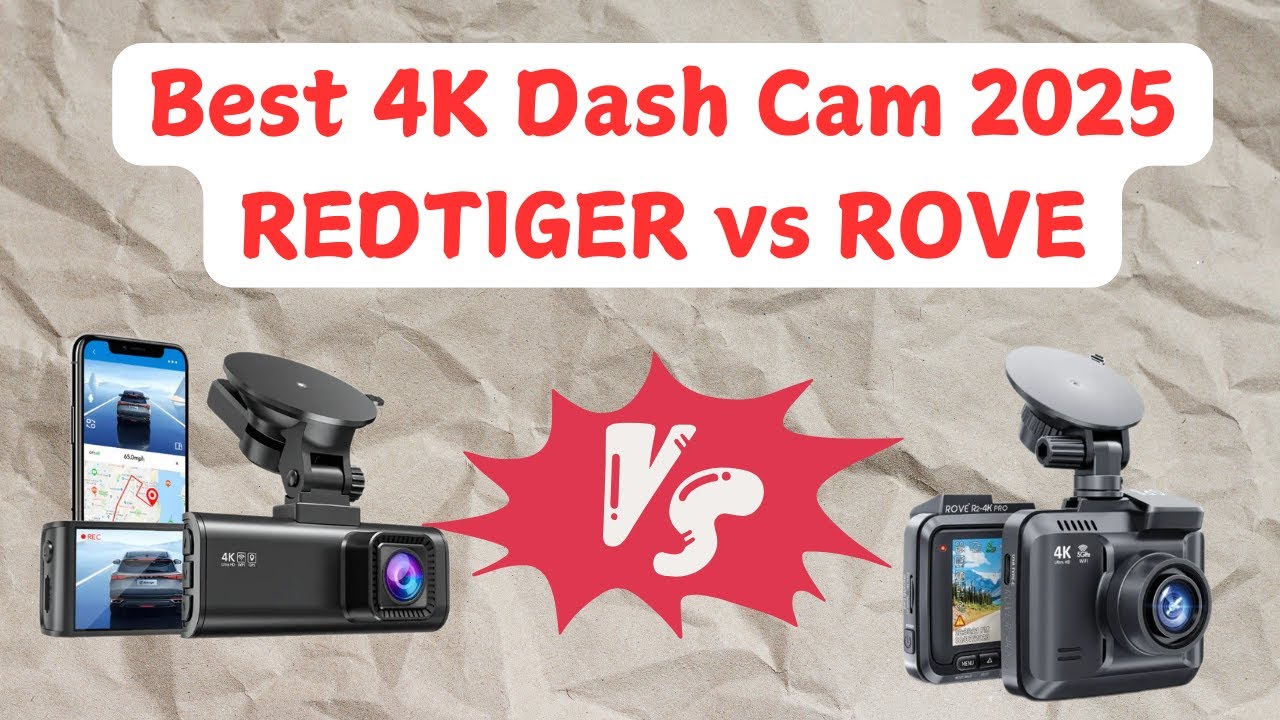
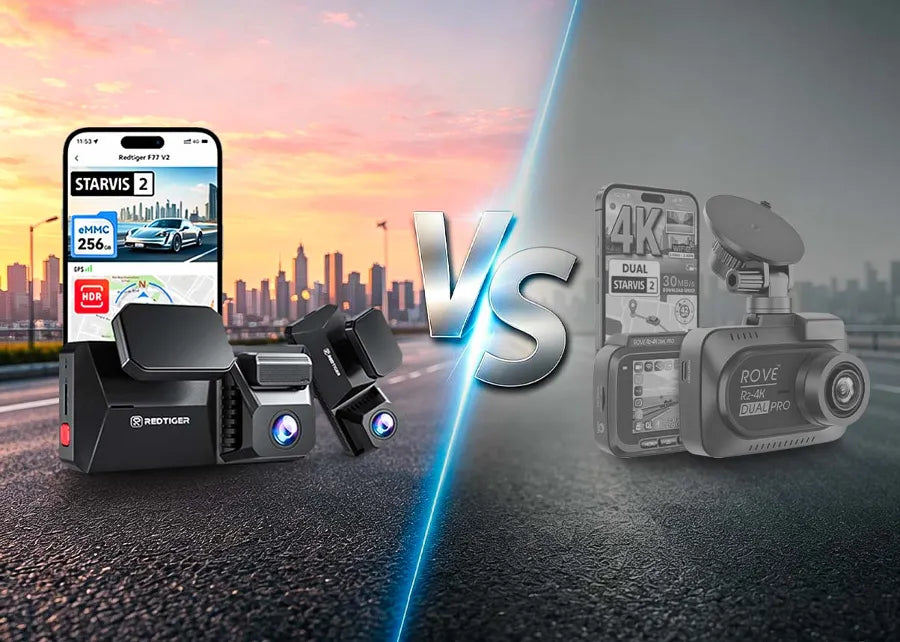
The Redtiger F7N offers wider two-camera coverage, while the Rove R2-4K is a simpler front-camera choice.
Choosing between the Redtiger F7N vs Rove R2-4K depends on what you value most: front-and-rear protection or a compact front-facing camera with strong 4K video. I have compared their video purpose, features, setup needs, and real-world trade-offs so you can pick the right dash cam with confidence.
Redtiger F7N vs Rove R2-4K at a Glance
The Redtiger F7N and Rove R2-4K serve different drivers. The Redtiger F7N is built as a dual-channel dash cam system. It usually records the road ahead and the area behind your car. The Rove R2-4K is mainly a front-facing dash cam designed to keep the setup simple.
Here is the main difference:
| Feature | Redtiger F7N | Rove R2-4K |
|---|---|---|
| Camera setup | Front and rear system | Front camera |
| Front video | 4K-class recording, depending on model version | 4K recording |
| Rear video | Included with the dual-camera kit | Not included |
| Display | Built-in screen | Built-in screen |
| GPS | Commonly included | Included on most current versions |
| Wi-Fi | Available on many versions | Included |
| Parking mode | Available with suitable wiring | Usually needs a hardwire kit |
| Best for | Full vehicle coverage | Simple front video recording |
| Main advantage | Records more angles | Strong front video in a smaller setup |
| Main limitation | More wires and installation work | No standard rear-camera coverage |
The Redtiger F7N vs Rove R2-4K comparison is not only about resolution. A 4K label can attract attention, but camera coverage, night quality, storage, mounting, and reliability matter just as much.

Video Quality and Real-World Detail
Both cameras focus on high-resolution front video. The Rove R2-4K is known for its 4K front recording, which can help capture road signs, lane markings, and nearby license plates in good daylight. Its front-only design also gives the camera more processing power for one video stream.
The Redtiger F7N aims to record front and rear footage at the same time. Its front camera can capture 4K-class video, while the rear camera records at a lower resolution in many package versions. This trade-off is common in dual-channel dash cams because the camera must process and save two video streams.
In practical use, 4K does not guarantee perfect plate reading. Plate distance, glare, motion, dirty glass, poor focus, and low light can reduce detail. A clean windshield and a well-aimed lens often help more than a jump from one resolution level to another.
Daytime video
The Rove R2-4K may appeal to drivers who want the clearest single view ahead. With only one camera feed, it offers a simple way to capture front-road events.
The Redtiger F7N gives you more complete evidence. If another car hits you from behind, the rear camera may provide useful context that a front-only camera cannot record. This is where the Redtiger F7N vs Rove R2-4K decision becomes more about coverage than sharpness.
Night video
Night recording depends on the sensor, lens, exposure control, and light around the car. Headlights can create glare, while dark roads can hide detail. Neither model should be treated as a night-vision miracle.
For the best result, mount the camera behind the rearview mirror. Clean the glass inside and out. Turn off features that create reflections, such as a bright screen facing the windshield. Test several night clips before trusting the camera for daily use.

Camera Coverage: Dual Channel vs Front Only
The largest difference in the Redtiger F7N vs Rove R2-4K matchup is camera coverage. The Redtiger F7N typically includes a rear camera. That means it can record events in front of and behind the vehicle.
The Rove R2-4K records the front view. It does not normally include a rear camera in the box. You can still get useful protection, but you will not have a direct view of a rear impact, tailgater, or vehicle that drives away behind you.
A rear camera is especially useful for:
• Rear-end crashes
• Hit-and-run events in traffic
• Tailgating incidents
• Disputes during lane changes
• Monitoring the area behind the car while parked
A front-only dash cam can still be the better fit for some people. It has fewer cables, fewer mounting decisions, and less work during setup. If you drive an older car, share a vehicle, or want a fast installation, the Rove may feel less stressful.
From my experience advising people on dash cam setups, the most common mistake is buying based only on front resolution. Drivers often remember rear coverage after a parking-lot incident. If your budget allows it, two angles can be worth more than a higher number on the product box.

Design, Screen, and Ease of Use
The Redtiger F7N uses a built-in display and a separate rear-camera cable. This lets you check framing and review clips in the car. However, routing the rear cable through the headliner and trim takes time.
The Rove R2-4K also has a screen for setup and basic playback. Since it is a front-only camera, installation is usually faster. You can place it, connect power, adjust the angle, and start recording without routing a long video cable to the rear window.
Both systems may support phone connections through Wi-Fi. Wi-Fi is useful for downloading a short clip without removing the memory card. It does not mean the camera provides internet access. Most dash cams use Wi-Fi as a local connection between the camera and your phone.
Helpful setup steps include:
-
Insert a compatible high-endurance microSD card.
-
Format the card inside the dash cam.
-
Set the time zone and date.
-
Adjust the lens so the road takes up most of the view.
-
Hide cables away from airbags and pedals.
-
Test emergency recording and phone downloads.
-
Check the camera again after driving at night.
The Redtiger F7N needs more installation care because of the rear camera. Do not run its cable across an airbag path. If you are unsure about trim panels or fuse wiring, use a professional installer.

GPS, Wi-Fi, and Parking Mode
GPS can save speed and location data with each clip. This information may help explain where an event happened, but it can also raise privacy concerns. Check whether the camera lets you hide the speed display or disable GPS recording.
Wi-Fi makes clip transfer easier. A short crash clip may download quickly, but large 4K files can still take time. For long videos, removing the memory card and using a computer may be faster.
Parking mode is more complex than many product pages suggest. A dash cam needs power while the car is off. In most installations, that means using a compatible hardwire kit or an external battery pack. The included cigarette-lighter adapter usually powers the camera only while the ignition is on.
The Redtiger F7N vs Rove R2-4K comparison should include parking needs if you leave your car outdoors often. Before buying, check:
• Whether the hardwire kit is included
• Whether low-voltage protection is supported
• Whether the camera uses motion or impact detection
• Whether time-lapse recording is available
• Whether your vehicle supports the required fuse type
A hardwire kit without low-voltage protection can drain a car battery. Follow the vehicle and kit instructions, and avoid guessing which fuse to use.

Storage, File Management, and Reliability
4K video creates large files. A long commute can fill a memory card faster than expected. Both cameras use loop recording, which deletes the oldest unlocked clips when the card is full.
Use a high-endurance microSD card made for constant recording. A cheap card may work for a few days and then fail under heat and repeated writing. Format the card regularly in the camera, and replace it when you notice missing clips, freezing, or file errors.
Important clips should be copied to two places:
• Your phone or computer
• A cloud drive or external storage
Do not rely on the dash cam card as permanent storage. A crash can damage the card, and loop recording can overwrite evidence.
The Redtiger F7N may require more storage because it records two channels. The Rove R2-4K records one main stream, but its 4K files can still be large. Capacity, recording length, and rear-camera resolution all affect how long footage remains available.
Heat is another concern. A dash cam sits behind glass in a hot car. Use a reliable card, keep the lens area clear, and check the camera during very hot weather. A camera that works well in mild weather may need extra attention in summer.

Redtiger F7N vs Rove R2-4K: Pros and Cons
Redtiger F7N advantages
• Front and rear recording provides wider coverage.
• A rear camera can help with rear impacts and hit-and-run cases.
• GPS and Wi-Fi add useful tools for reviewing clips.
• The system suits drivers who want broader everyday protection.
Redtiger F7N limitations
• Rear-camera installation takes more time.
• More cables create more points for setup mistakes.
• Two video streams can use storage quickly.
• Exact features may vary by package or updated model version.
Rove R2-4K advantages
• 4K front recording can capture strong daytime detail.
• Front-only installation is simple.
• Fewer cables create a cleaner setup.
• It suits drivers who want a straightforward dash cam.
Rove R2-4K limitations
• It does not normally provide rear-camera coverage.
• Parking mode may require an extra hardwire kit.
• Front video cannot show what happens behind the car.
• 4K files can require a large, reliable memory card.
A useful lesson is to match the camera to your risk. If rear collisions and parking damage worry you, choose the Redtiger F7N. If you mainly want a clean record of the road ahead, the Rove R2-4K may be enough.
Which Dash Cam Is Better for You?
Choose the Redtiger F7N if:
• You want front and rear video.
• You drive in busy traffic.
• You park on public streets or open lots.
• You want more complete evidence after a crash.
• You do not mind a longer installation.
Choose the Rove R2-4K if:
• You prefer a simple front-camera setup.
• You want strong 4K front footage.
• You drive a second car or leased vehicle.
• You want fewer cables and less installation work.
• Rear coverage is not a major concern.
The Redtiger F7N vs Rove R2-4K choice also depends on your car. A hatchback may make rear-camera routing easy. A large SUV, truck, or vehicle with a complex liftgate may require more care. Check cable length and mounting options before ordering.
Before purchase, confirm the current product listing. Manufacturers may change bundles, memory card offers, firmware, rear-camera resolution, or included accessories. This is especially important when product names look similar across online stores.
Installation Tips for Better Evidence
Good installation can improve footage more than people expect. Place the front camera near the center of the windshield, but keep it outside the driver’s main view. Make sure the windshield wiper clears the lens area.
Keep the camera level. If the horizon tilts, the footage can be harder to judge. Point the lens slightly down if the sky fills too much of the image, but keep enough road in view to show traffic position.
For the Redtiger F7N rear camera:
-
Test the camera before hiding the cable.
-
Check the rear view with the hatch or trunk fully open.
-
Leave enough slack near moving panels.
-
Keep the cable away from airbags.
-
Secure loose cable so it does not rattle.
For either camera, take a short drive and review the result. Look for glare, reflections, blocked signs, and an incorrect date. I have seen people spend money on a high-end dash cam, then lose useful footage because the lens was aimed at the sky or the card was never tested.

Frequently Asked Questions About Redtiger F7N vs Rove R2-4K
Is the Redtiger F7N better than the Rove R2-4K?
The Redtiger F7N is better for drivers who want front and rear coverage. The Rove R2-4K is better for drivers who want a simpler front-facing setup with 4K recording.
Does the Rove R2-4K record the rear view?
The standard Rove R2-4K is a front-facing dash cam and does not normally include a rear camera. Check the exact bundle before buying because sellers may use similar names for different packages.
Does the Redtiger F7N record in 4K?
Many Redtiger F7N packages advertise 4K-class front recording, with a separate rear camera recording at a lower resolution. Confirm the exact front and rear settings on the current product page or manual.
Do both dash cams support parking mode?
Both may support parking features, but parking mode generally needs continuous power. A compatible hardwire kit or external battery is often required, and low-voltage protection is important.
What memory card should I use?
Use a high-endurance microSD card from a reputable brand and choose a capacity supported by the camera. Format it in the dash cam and replace it if you see recording gaps, errors, or corrupted files.
Which one is easier to install?
The Rove R2-4K is easier because it uses one front camera and fewer cables. The Redtiger F7N takes longer because its rear-camera cable must be routed through the vehicle.
Conclusion
The Redtiger F7N vs Rove R2-4K decision comes down to coverage and simplicity. The Redtiger F7N is the stronger choice for front-and-rear protection, while the Rove R2-4K is a practical option for clear front video with an easier installation.
Think about your daily drive, parking habits, vehicle size, and willingness to run cables. Then use a high-endurance memory card, aim the camera carefully, and test every feature before you need it. Compare the latest package details, choose the model that fits your real needs, and share your dash cam experience in the comments.