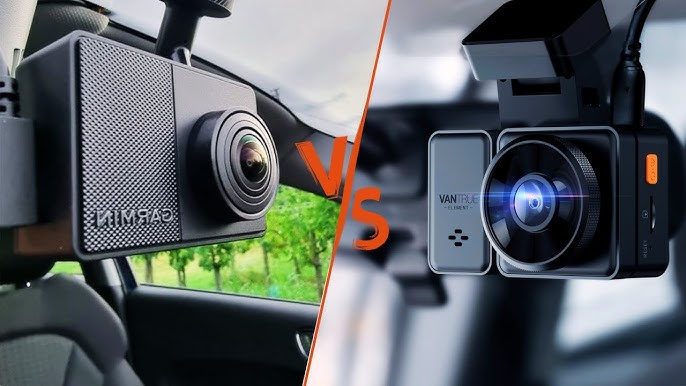
Garmin Vs Vantrue Dash Cam: Which Is Best?
Garmin focuses on compact design and easy use, while Vantrue offers more cameras, storage, and advanced recording options.
Choosing between Garmin vs Vantrue Dash Cam depends on what you value most: simple daily protection or broader video coverage. Garmin is known for small cameras, clean software, voice control, and a polished user experience. Vantrue often stands out with 4K video, cabin and rear cameras, larger storage support, and strong options for rideshare drivers or family vehicles.
I have found that dash cam buyers often focus too much on video resolution. In real use, lens angle, night detail, heat control, parking mode, app quality, and ease of downloading clips matter just as much. This guide compares Garmin vs Vantrue Dash Cam models in those areas so you can choose with confidence.
Garmin vs Vantrue Dash Cam: Quick Comparison
Garmin and Vantrue take different approaches to dash cams. Garmin aims to make driving protection feel simple and refined. Vantrue gives drivers more control, more camera channels, and more recording flexibility.
| Feature | Garmin Dash Cams | Vantrue Dash Cams |
|---|---|---|
| Best known for | Compact design and simple operation | Multi-camera systems and high-resolution video |
| Typical video quality | 1440p to 4K, depending on model | 2.5K to 4K, depending on model |
| Camera choices | Mostly front-facing, with some linked-camera options | Front, rear, cabin, and four-channel models |
| App experience | Clean Garmin Drive app | Functional Vantrue app with model-specific support |
| Voice control | Available on select models | Available on some models |
| Storage | microSD card and optional cloud features | microSD card, usually with larger capacity support |
| Parking mode | Available with extra power setup on many models | Available with hardwire kits or parking accessories |
| Best buyer | Drivers who want simple, compact protection | Drivers who want maximum coverage and control |
The best Garmin vs Vantrue Dash Cam is not the same for every driver. A commuter may prefer a small Garmin camera that disappears behind the mirror. A rideshare driver may need a Vantrue N4 Pro or N5 with cabin coverage.
Video Quality and Real-World Detail
Video quality is one of the main reasons people compare Garmin vs Vantrue Dash Cam models. Resolution matters, but it is only one part of the picture.
A 4K dash cam can capture more detail than a 1080p model. That extra detail may help you read a road sign or identify a vehicle at a moderate distance. Yet a sharp lens, good exposure, and a fast shutter also matter. A poor 4K camera can produce less useful footage than a well-tuned 1440p camera.
Garmin video performance
Garmin models such as the Dash Cam X310 record in 4K resolution. Other Garmin cameras use 1440p or lower resolutions. Garmin video usually has good color balance and a natural look.
Garmin also uses features such as High Dynamic Range on many models. HDR helps manage bright skies, dark roads, and headlights. This is useful when a car moves from a shaded street into direct sunlight.
Garmin’s small cameras can have a narrow field of view compared with some Vantrue models. That is not always a weakness. A narrower view can make distant plates look larger because the image spreads across fewer areas.
Vantrue video performance
Vantrue offers a wider range of video systems. The Vantrue N4 Pro, for example, combines a 4K front camera with rear and cabin cameras. The Vantrue N5 adds broader multi-channel coverage for drivers who want to record several angles.
Vantrue often gives users more control over exposure, microphone settings, and recording channels. This can help advanced users fine-tune the camera. It may also make the setup feel more complex for someone who wants a plug-in-and-go device.
Which brand records better license plates?
Neither brand guarantees clear license plates in every situation. Plate visibility depends on light, speed, distance, windshield glare, plate angle, and camera placement.
For the best chance of capturing a plate:
• Mount the camera high behind the rearview mirror.
• Keep the windshield clean inside and out.
• Use a fast memory card with enough free space.
• Avoid placing the camera behind tinted film or a dark sun strip.
• Check test clips at night before relying on the camera.
In my experience, many dash cam complaints come from poor mounting rather than poor hardware. A camera pointed too high records sky. A camera pointed too low records too much hood. Small adjustments can make a big difference.

Garmin vs Vantrue Dash Cam for Night Driving
Night recording separates a good dash cam from a weak one. This is also where Garmin vs Vantrue Dash Cam comparisons become more difficult because results vary by model.
Garmin cameras usually produce balanced night footage with controlled exposure. They may reduce bright headlight glare well, but the result can look less bright than footage from some Vantrue cameras.
Vantrue models often use Sony STARVIS image sensors in selected cameras. These sensors are designed for strong low-light performance. A Vantrue multi-camera system can also record the cabin at night, which helps rideshare drivers and parents.
Still, a bright image is not always a clear image. Too much exposure can turn headlights into large white blobs. Look for footage that keeps road signs, lane lines, and vehicle shapes visible without excessive glare.
Night video tips
-
Clean the windshield near the lens.
-
Turn off interior lights that reflect into the camera.
-
Avoid mounting near a dashboard surface that creates glare.
-
Test the camera on an unlit road and a bright city street.
-
Review clips on a computer, not only on a small phone screen.
Garmin may suit drivers who want steady, simple night recording. Vantrue may suit users who want more camera angles and stronger cabin coverage after dark.
Design, Size, and Installation
Garmin has a clear advantage in compact design. Many Garmin dash cams are small enough to sit behind the rearview mirror without blocking the driver’s view. This gives the interior a clean look.
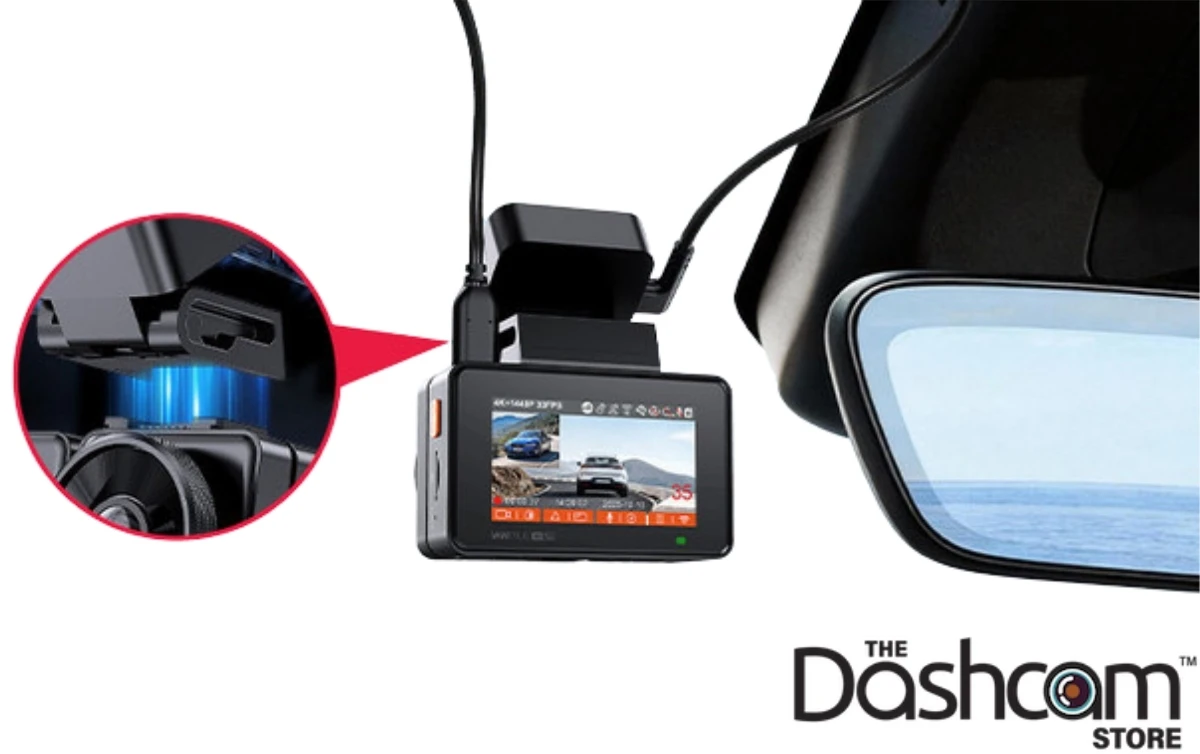
Vantrue cameras are often larger, especially multi-channel models with front and cabin lenses. The extra size allows more cameras and controls, but installation takes more planning. You may need to route a rear cable along the headliner and side trim.
A tidy installation is more than a style choice. Loose cables can distract you or interfere with airbags. Never run wires across an airbag cover or in a way that blocks your view.
Garmin installation experience
Garmin usually offers a simple setup:
• Attach the mount to the windshield.
• Connect the power cable.
• Insert a compatible microSD card.
• Pair the camera with the Garmin Drive app.
• Set the date, time zone, and recording preferences.
Some Garmin models use a magnetic mount. This makes it easy to remove the camera when parking in a public place.
Vantrue installation experience
Vantrue installation depends on the model. A single front camera can be simple. A front, rear, and cabin system needs more time.
You should plan for:
• Rear camera cable routing.
• Correct cabin camera positioning.
• A hardwire kit for parking mode.
• A high-endurance memory card.
• Extra space around the camera for heat and adjustment.
The lesson I would give any new owner is simple: spend more time on cable routing than you think you need. A neat install is safer, less distracting, and easier to repair later.

Features and Smart Driving Tools
Both brands offer useful features, but the software philosophy differs.
Garmin places strong focus on driver-friendly tools. Depending on the model, features may include:
• Voice control.
• Forward collision warnings.
• Lane departure alerts.
• Travelapse time-lapse recording.
• GPS location data.
• Speed information.
• Incident detection.
• Automatic video uploads through supported services.
Driver alerts can be useful, but they are not a substitute for attention. A dash cam should support safe driving, not encourage you to watch the screen while moving.
Vantrue focuses more on recording control and camera coverage. Depending on the model, features may include:
• Buffered parking mode.
• Motion detection.
• Low-bitrate parking recording.
• Infrared cabin recording.
• GPS logging.
• Wi-Fi file transfer.
• Voice notifications or voice control.
• Polarizing filter support on selected models.
Vantrue’s cabin recording is a major benefit for rideshare drivers, taxi operators, and families. It can provide context when a dispute occurs inside the vehicle. However, local privacy and recording laws vary. Check your state rules before recording passengers or conversations.
Parking Mode Comparison
Parking mode records events when your vehicle is parked. It can help document a hit in a parking lot or suspicious activity near your car.
Both Garmin and Vantrue may require a constant power source for full parking protection. The standard cigarette-lighter socket often turns off when the engine stops. A compatible hardwire kit is usually needed for continuous monitoring.
Garmin parking features can work well for drivers who want an easy system. Some features may use a parking cable, a compatible vehicle power connection, or a cloud-connected accessory.
Vantrue offers several parking modes on selected models. These can include:
• Event detection, which saves clips after an impact or movement.
• Buffered recording, which captures a short period before and after an event.
• Low-bitrate recording, which saves continuous video while using less storage.
• Motion detection, which starts recording when movement appears.
Parking mode has limits. A camera may miss a hit if the impact is too light, the vehicle is outside the lens view, or the battery protection system shuts the camera down. Hardwire kits should use a low-voltage cutoff to protect the car battery.
App, Wi-Fi, and Cloud Storage
A dash cam is only useful if you can retrieve the footage. This makes the app an important part of the Garmin vs Vantrue Dash Cam decision.
Garmin uses the Garmin Drive app for setup, live viewing, and clip management on supported models. The interface is generally clean and simple. Garmin’s ecosystem may appeal to people who already use Garmin watches, GPS devices, or navigation products.
Vantrue uses its own mobile app for supported cameras. You can connect through built-in Wi-Fi, view clips, and download files without removing the memory card. App performance may vary by model and phone.
Wi-Fi in a dash cam usually creates a direct connection between the camera and your phone. It is not the same as cellular internet. You may need to disconnect from your home or vehicle Wi-Fi during the transfer.
Cloud features can add convenience, but they may involve extra fees, supported hardware, or a subscription. Before buying, check:
• Whether cloud storage is included.
• How long saved clips remain available.
• Whether cellular service is required.
• Whether the camera uploads automatically.
• Whether the service works in your area.
For many drivers, a memory card is still the simplest storage method. Download important clips soon after an incident. Do not assume a dash cam will preserve a file forever.
Storage, Memory Cards, and Reliability
Garmin and Vantrue dash cams usually record to a microSD card. The card fills as new footage replaces old footage. Locked emergency clips take priority, so too many protected files can eventually stop normal recording.
Use a high-endurance microSD card designed for continuous video recording. Standard cards made for occasional photos may fail sooner under the heat and write cycles of a dash cam.
Before buying a card, check the camera manual for:
• Maximum supported capacity.
• Required speed class.
• Recommended file system.
• Supported card type.
• Formatting instructions.
Format the card in the camera at regular intervals. This helps maintain a clean file system. Save important evidence to another device before formatting.
Vantrue often supports larger memory cards on multi-camera models, which helps when recording several video streams. Garmin may be easier for buyers who prefer a smaller, simpler setup. More storage does not remove the need for routine checks.
A practical habit is to inspect one clip every few weeks. Confirm that the date, time, audio, and video all work. A dash cam can look fine on the windshield while silently failing to record.
Heat Resistance and Long-Term Durability
Dash cams live in a difficult environment. A parked car can become extremely hot in summer, while winter can bring freezing temperatures. Repeated heat cycles can damage batteries, memory cards, mounts, and internal parts.
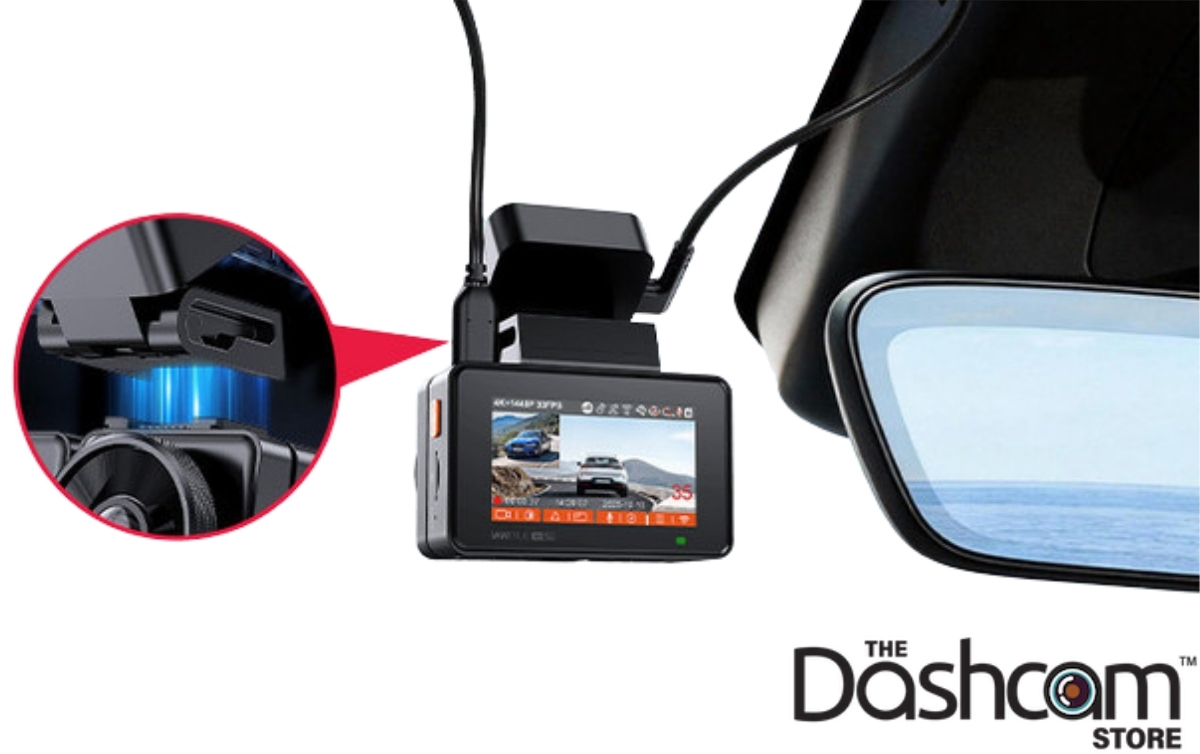
Many modern dash cams use supercapacitors instead of traditional lithium-ion batteries. Supercapacitors generally handle heat better and provide short power for safely saving a file after the vehicle turns off. Check the exact model because designs vary.
Vantrue multi-camera systems may produce more heat because they process several video feeds. Good ventilation and correct installation matter. Do not cover the camera with fabric, stickers, or accessories that block airflow.
Garmin’s small form factor can make installation easier, but small size does not guarantee better heat performance. Always review the operating temperature listed in the product manual.
To improve reliability:
• Use a quality memory card.
• Keep the lens and vents clear.
• Avoid leaving the camera loose in direct sun.
• Update firmware when the manufacturer provides a stable update.
• Check the power cable for heat or damage.
Privacy, Audio, and Legal Considerations
Dash cams record public roads, but they may also record people, voices, homes, and license plates. Laws differ by location.
Audio recording deserves special care. Some states have consent rules for recording conversations. If you drive for a rideshare service, tell passengers when recording is active if required by local law or platform policy.
You can turn off the microphone on many Garmin and Vantrue models. This may reduce privacy risk while keeping video evidence.
Also consider windshield mounting laws. A camera cannot block your clear view of the road. Mount it behind or near the rearview mirror when allowed, and keep the lens within the area permitted by your state.
These rules can change. Treat this article as general buying guidance, not legal advice. Check your state transportation and privacy rules before using a dash cam for commercial driving.

Garmin vs Vantrue Dash Cam: Which Is Better for Different Drivers?
The right choice depends on your car, driving habits, and comfort with technology.
Choose Garmin if you want:
• A small and discreet camera.
• A simple setup.
• A polished mobile app.
• Voice control on supported models.
• A strong single-camera solution.
• Garmin integration with other Garmin products.
Garmin is often a good fit for daily commuters, new dash cam owners, and drivers who dislike complicated wiring.
Choose Vantrue if you want:
• Front, rear, and cabin recording.
• 4K front video on selected models.
• More recording settings.
• Large storage support.
• Strong rideshare coverage.
• A multi-camera system for family or work vehicles.
Vantrue is often better for rideshare drivers, taxi operators, parents, and people who want more than one view.
Best option for rideshare drivers
Vantrue usually has the stronger feature set for rideshare work. A cabin camera can record passenger activity, while a rear camera covers traffic behind the vehicle.
Garmin can still work for rideshare drivers who mainly need road evidence. However, a front-only model may not provide enough interior coverage for every dispute.
Best option for a small car
Garmin often wins for small cars because of its compact design. It is easier to hide behind the mirror and may create less cable clutter.
A compact Vantrue model can also work well, but check the camera size and mounting position before buying.
Best option for family protection
Vantrue may be more useful when you want to monitor the cabin and rear seats. This can help parents who want a record of road events and activity inside the car.
Garmin may be the better choice if your main goal is a clean front view with minimal setup.

Common Mistakes to Avoid
Even the best Garmin vs Vantrue Dash Cam cannot fix poor setup. These mistakes are common and easy to prevent.
• Buying a cheap memory card: A low-quality card can corrupt recordings.
• Pointing the lens too high: You lose important road detail.
• Ignoring the rear camera: A rear lens is useless if its cable is loose or its view is blocked.
• Forgetting to set the time: Incorrect timestamps can weaken the value of a clip.
• Leaving the microphone on without considering privacy: Disable audio when appropriate.
• Skipping parking-mode testing: Confirm that the camera starts and saves clips after the ignition turns off.
• Using an unsuitable hardwire kit: A poor kit may drain the battery or lack proper low-voltage protection.
• Never checking saved videos: A failed camera can go unnoticed for months.
• Relying only on cloud storage: Internet connections and subscriptions can fail.
One practical test helps a lot. After installation, drive around the block, trigger a parked event if safe, and review every camera angle. Check the front road, cabin, rear view, audio, GPS data, and file timestamps.

Garmin vs Vantrue Dash Cam: Value and Total Cost
The purchase price is only part of the cost. A complete dash cam system may also need accessories.
Consider these possible expenses:
• High-endurance microSD card.
• Polarizing filter.
• Hardwire kit.
• Rear camera extension cable.
• Professional installation.
• Cloud storage subscription.
• Replacement adhesive mount.
Garmin may cost more for a compact premium system, especially when adding cloud-connected features. Vantrue may offer more cameras for the money, but installation and storage costs can rise with a multi-channel setup.
The best value is the camera that records useful evidence every day. A cheap camera that overheats, loses files, or has poor night video is not a bargain. Likewise, a costly four-camera system may be unnecessary if you only need front-road protection.
Frequently Asked Questions About Garmin vs Vantrue Dash Cam
Is Garmin better than Vantrue for a dash cam?
Garmin is better for drivers who want a compact camera, simple controls, and a polished app. Vantrue is better for drivers who want multi-channel coverage, cabin recording, and more storage flexibility.
Which is better for night recording, Garmin or Vantrue?
Both brands offer models with strong night performance, but results depend on the sensor, lens, settings, and installation. Vantrue models with STARVIS sensors and cabin infrared recording can be especially useful at night, while Garmin often delivers balanced exposure and simple operation.
Does Vantrue record inside the car?
Many Vantrue models include an interior camera, including selected three-channel and four-channel systems. Always confirm the exact model because not every Vantrue dash cam has cabin recording.
Does Garmin have parking mode?
Many Garmin dash cams support parking-related recording with the correct power setup or accessory. Full parking protection may require a constant power cable, a hardwire connection, or a compatible cloud service.
Do Garmin and Vantrue dash cams need a memory card?
Most models require a compatible microSD card for local recording. Use a high-endurance card that meets the capacity and speed limits listed in the camera manual.
Can a dash cam record while the car is parked?
Yes, supported Garmin and Vantrue models can record while parked when they receive continuous power. Parking mode may use motion, impact, buffered, or low-bitrate recording, depending on the model.
Which dash cam is easier to install?
Garmin is usually easier when you want a single front camera with minimal wiring. Vantrue installation can take longer, especially for systems with rear and cabin cameras.
Is a 4K dash cam worth it?
A 4K dash cam can capture more detail, especially in daylight and at moderate distances. It also uses more storage and may produce larger files, so it is most valuable when paired with a good lens, sensor, memory card, and stable mounting.
Conclusion
Garmin vs Vantrue Dash Cam is a choice between simplicity and flexibility. Garmin stands out for compact designs, easy daily use, and a clean software experience. Vantrue is the stronger fit for drivers who need front, rear, and cabin coverage, high-resolution video, and more recording control.
Before you buy, decide what matters most: one clear road view or full vehicle coverage. Then check night footage, parking requirements, memory-card support, privacy rules, and installation space. Choose the model that fits your real driving needs, and review a test clip after installation to make sure it works as expected.
Explore the latest model specifications, compare accessory costs, and share your dash cam experience in the comments.