How To Use A Usb Car Charger: Easy Step-By-Step Guide
A USB car charger powers your devices safely from your car’s 12-volt outlet while you drive.
A USB car charger is one of those small tools that feels simple until you actually rely on it every day. I’ve used plenty over the years, and the difference between a good one and a bad one becomes obvious fast: one keeps your phone alive on long drives, and the other barely trickles power or overheats. If you want to know how to use a USB car charger the right way, and how to avoid the common mistakes that can wear out your battery, your charger, or your device, this guide will walk you through it clearly and practically.
What a USB car charger is and how it works
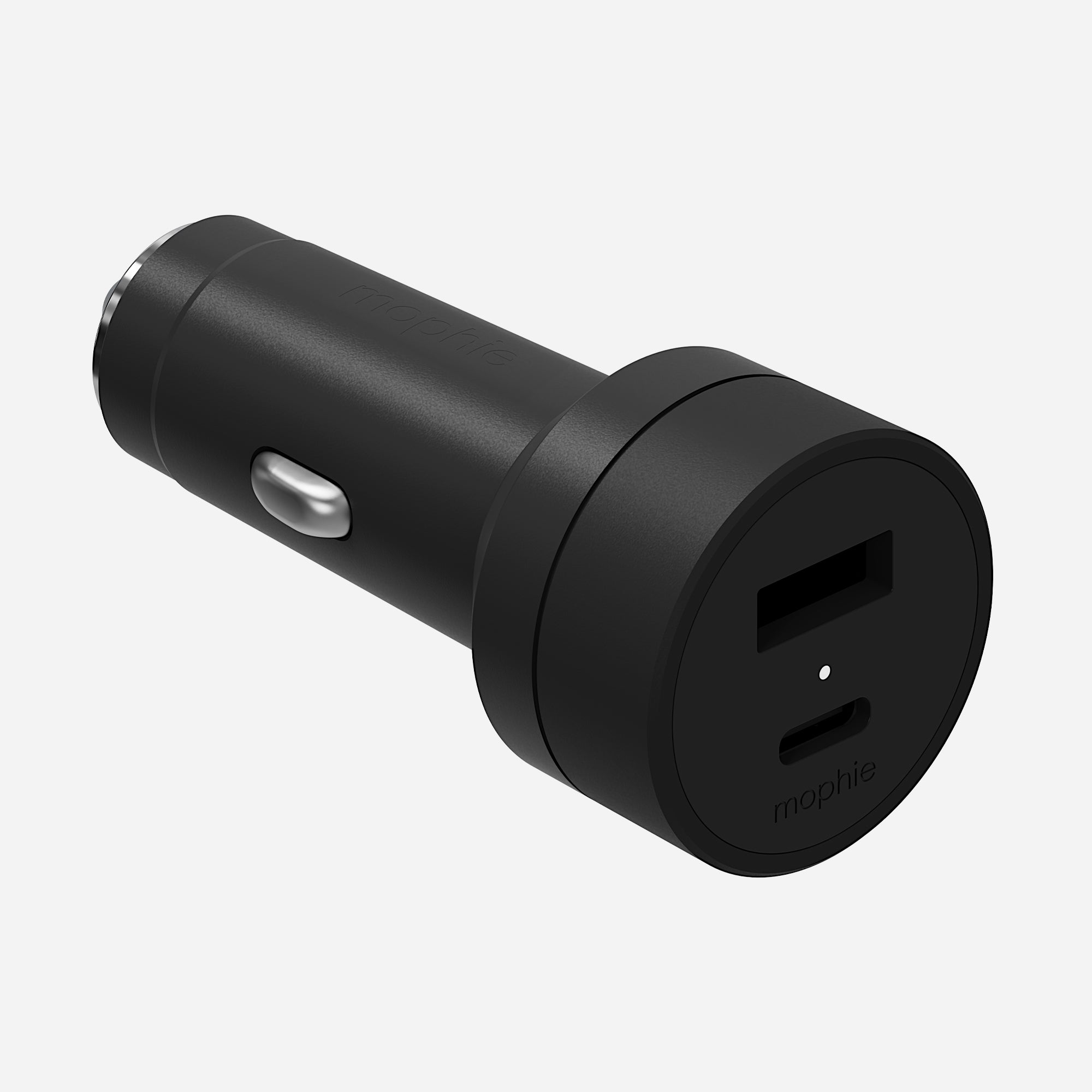
A USB car charger is a compact adapter that plugs into your car’s 12V accessory socket, often called the cigarette lighter socket. It converts your car’s power into USB power so you can charge phones, tablets, GPS units, earbuds, dash cams, and other small devices.
Most modern chargers use USB-A, USB-C, or both. Some support fast charging standards like USB Power Delivery or Quick Charge, which helps compatible devices charge faster. The main job is simple: take the car’s power and deliver it in a controlled, device-friendly way.
From my own experience, people often think all car chargers are the same. They are not. The output rating, cable quality, and build matter a lot, especially if you charge more than one device at a time.

How to use a USB car charger step by step
Using a USB car charger is easy, but doing it correctly helps your devices charge better and last longer.
1. Start the car or turn the ignition to accessory mode
Many vehicles only power the USB car charger when the ignition is on. Some cars keep power available even when parked, but not all do. If your charger does not light up right away, the car may need to be running or in accessory mode.
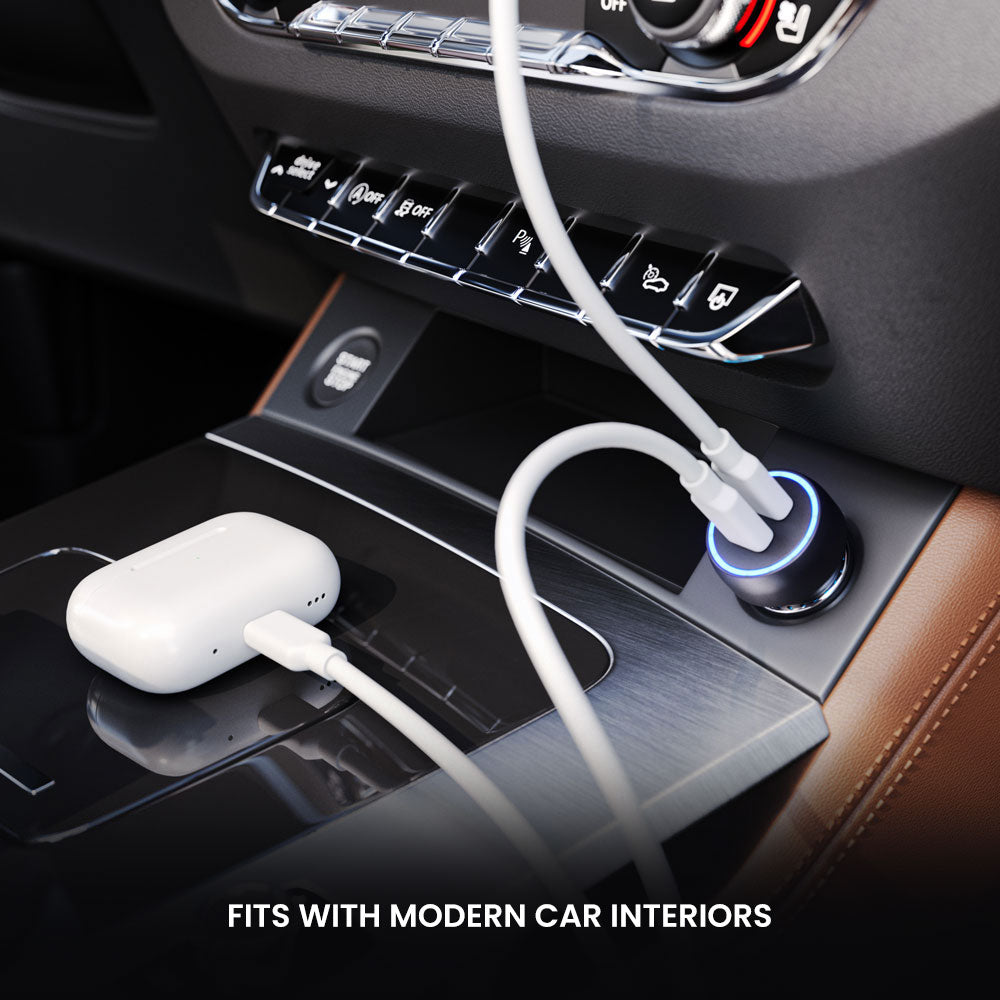
2. Plug the charger into the 12V outlet
Insert the USB car charger firmly into the car’s power socket. It should fit snugly without wobbling too much. If it feels loose, the connection may be weak, which can cause slow charging or intermittent power.
3. Connect the charging cable
Use a cable that matches your device. For example, use USB-C for newer Android phones and many tablets, or Lightning for older iPhones. A strong cable makes a bigger difference than most people expect, because a weak cable can slow charging even if the charger itself is excellent.
4. Plug your device into the cable
Connect your phone or other device, then check for the charging symbol. If the battery percentage does not rise right away, wait a minute. Some devices take a short moment to recognize a car charger, especially if fast charging is involved.
5. Keep the charger and cable clear of heat and movement
Tuck the cable so it does not get pinched by doors, gears, or cup holders. Heat and friction can damage both the cable and the charger over time. I learned this the hard way after a cable cracked near the connector from constant bending on road trips.
6. Unplug when you no longer need it
When you are done charging, remove the cable first and then the charger if you want to fully disconnect it. This is not always required, but it can help reduce unnecessary power draw in some vehicles.
Choosing the right USB car charger
Not every USB car charger fits every need. The right one depends on what you charge and how often you drive.
Check the power output
Look for the output listed in amps and watts. A basic 5W charger may work for small devices, but most phones charge better with 18W or more. If you use newer devices, a USB-C PD charger is often a better choice.
Match the port type to your devices
A charger with USB-C is a smart pick for modern phones, tablets, and accessories. USB-A still works for many older cables and devices. If you use both old and new gear, a dual-port USB car charger can be a very practical option.
Look for safety features
A trustworthy charger should offer protections against:
• Overcurrent
• Overvoltage
• Overheating
• Short circuits
• Overcharging
These features matter because a car electrical system is not the same as a wall outlet. Good protection helps keep your devices and vehicle safer.
Choose a reputable build
Cheap chargers can fail early, get hot, or fit poorly in the outlet. A well-made charger usually has better contacts, better thermal control, and a more stable power output. In my experience, spending a little more upfront saves frustration later.
Best practices for safe charging in your car
Knowing how to use a USB car charger is only part of the story. Safe habits make a real difference.
• Use certified cables whenever possible
• Avoid leaving devices in direct sunlight while charging
• Do not overload a charger with more devices than it can handle
• Replace frayed or bent cables right away
• Check your charger for heat after long use
• Remove damaged chargers from service immediately
A charger that feels hot enough to be uncomfortable is a sign to stop and inspect it. Mild warmth is normal. Strong heat is not.
It also helps to remember that charging speed depends on the device, cable, charger, and vehicle voltage. Sometimes the charger is fine, but the cable is the weak link. That is a common mistake, and it is easy to fix.
Common problems and how to fix them
Even a good USB car charger can run into issues now and then. Most problems have simple causes.
The charger is not working
If the charger does not power on, try these checks:
• Make sure the car is on or in accessory mode
• Push the charger fully into the outlet
• Test the outlet with another device
• Check for a blown fuse in the car’s accessory circuit
The phone charges slowly
Slow charging often comes from one of these:
• A low-output charger
• A poor quality cable
• A device using power while charging
• A dirty or loose charging port
If you use navigation, music streaming, and bright screen settings at the same time, your phone may charge slowly even with a decent charger.
The charger gets hot
Some warmth is normal, especially during fast charging. If it becomes very hot, unplug it and inspect it. Heat can come from poor ventilation, low-quality parts, or too much power demand from connected devices.
The connection keeps cutting out
This often means the charger is loose in the socket or the cable is worn. Try a different cable or a better-fitting charger. In older vehicles, the outlet itself may also be the issue.
What to charge with a USB car charger
A USB car charger is useful for more than phones. It can power or charge many everyday travel items.
• Smartphones
• Tablets
• Wireless earbuds
• Smartwatches
• GPS devices
• Portable power banks
• Some dash cams
• Bluetooth accessories
That said, always check the device’s power needs first. A USB car charger is not meant for high-power appliances like laptops unless the charger is specifically made for that purpose.
Tips from real-world use
The best lesson I have learned is that convenience depends on preparation. Keep one good cable in the car at all times, and keep a spare in the glove box. That tiny habit has saved me more than once on long drives.
Another useful trick is to label cables if multiple people use the car. It sounds small, but it stops confusion fast. I have also found that flat cables or braided cables last longer in cars because they handle bending better.
If you drive often for work, school, or family trips, a dual-port USB car charger is usually worth it. It lets you charge two devices at once without swapping cables every few hours. That kind of small upgrade makes daily driving feel smoother.
Frequently Asked Questions of How to use a USB car charger
Can I leave a USB car charger plugged in all the time?
Yes, many drivers do, and most modern chargers draw very little power when idle. Still, if your car has an outlet that stays live when parked, unplugging it can reduce battery drain over long periods.
Does a USB car charger work with the car off?
Sometimes, yes. It depends on your vehicle’s electrical design, because some outlets stay powered even after the engine is off. If yours does not, the charger will only work when the ignition is on or in accessory mode.
Why is my phone charging slowly in the car?
Slow charging usually comes from low charger output, a weak cable, or heavy phone use while charging. Navigation, streaming, and screen brightness can all slow the charging rate.
Is fast charging safe in a car?
Yes, fast charging is generally safe if you use a quality USB car charger and a compatible cable. The key is making sure the charger has proper safety features and matches your device’s charging standard.
Can a USB car charger drain my car battery?
A good charger uses very little power when idle, so it usually will not drain the battery noticeably. The risk is higher if the charger or outlet stays active for long periods when the car is parked, especially in older vehicles.
Conclusion
Using a USB car charger is simple once you know the basics, but the details matter more than most people think. The right charger, the right cable, and a few smart habits can improve charging speed, reduce heat, and protect your devices on the road.
If you choose a reliable USB car charger and use it carefully, you will get a cleaner, safer, and more convenient charging experience every time you drive. Try the tips above on your next trip, and if you want even better results, explore charger specs before you buy your next one.