Foxwell NT301 Vs ANCEL AD310: Which Scanner Wins?
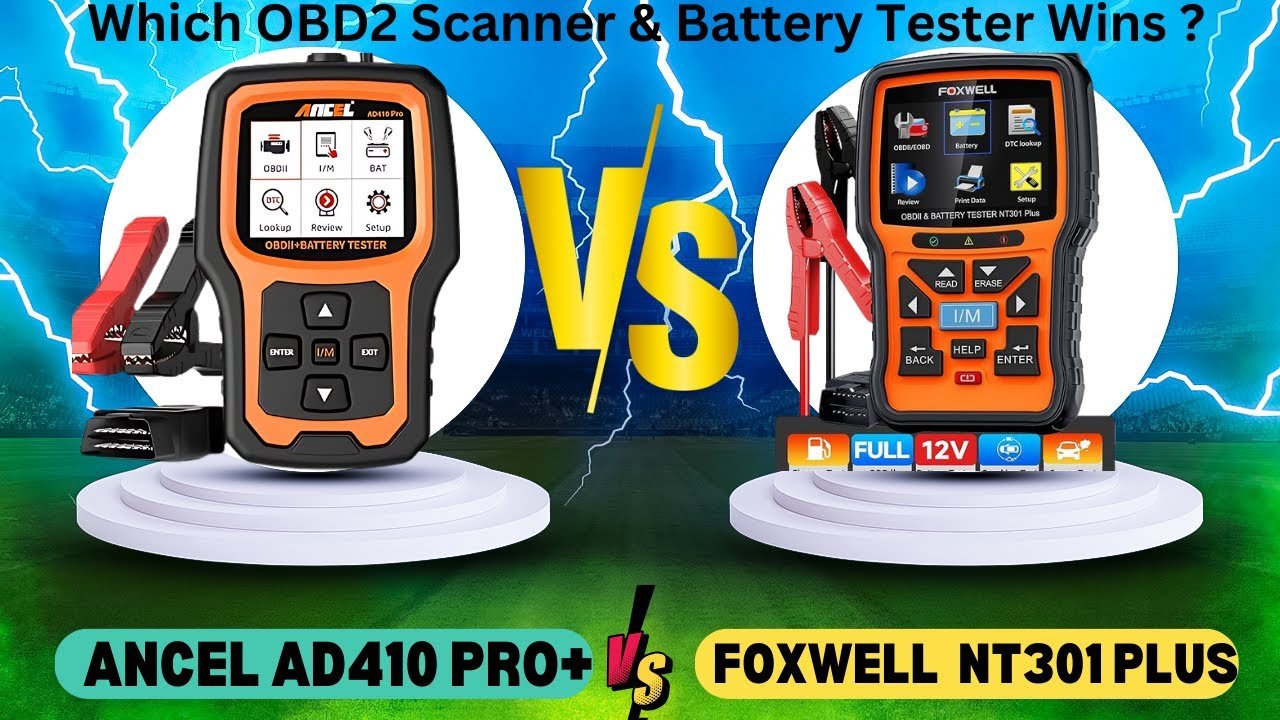
Foxwell NT301 offers deeper diagnostics, while ANCEL AD310 wins on simplicity, price, and basic code reading.
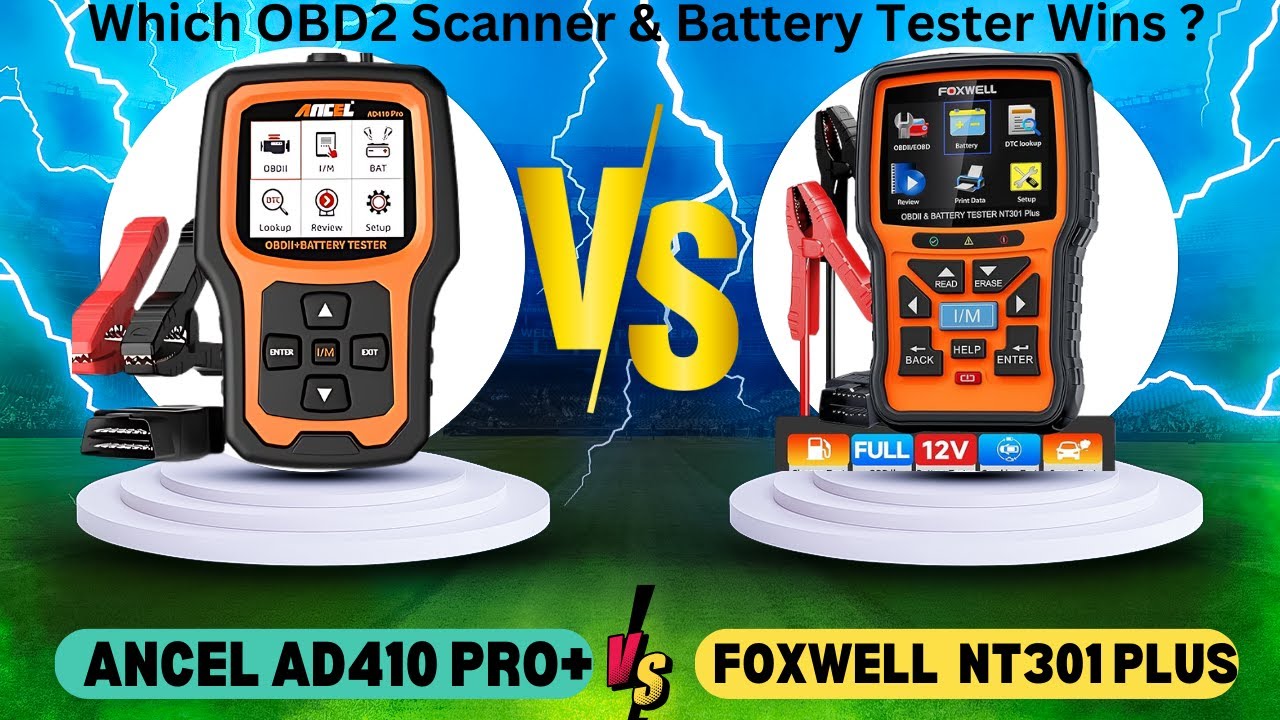
Choosing between the Foxwell NT301 vs ANCEL AD310 can feel like choosing between two similar keys. Both plug into a vehicle’s OBD2 port, read trouble codes, and help check emissions readiness. Yet their screens, data tools, code support, and ease of use are not the same. After comparing their core functions, limits, and real-world value, this guide will help you pick the right scanner for your car, budget, and repair skills.
Foxwell NT301 vs ANCEL AD310: Quick comparison
The Foxwell NT301 is the more advanced tool. It is aimed at drivers and home mechanics who want live data, better code details, and more help during diagnosis.
The ANCEL AD310 is simpler. It focuses on basic OBD2 tasks, such as reading and clearing engine codes and checking emissions monitors.
| Feature | Foxwell NT301 | ANCEL AD310 |
|---|---|---|
| Main use | OBD2 diagnosis with extra data tools | Basic engine code scanning |
| Code reading | Yes | Yes |
| Code clearing | Yes | Yes |
| Live data | Yes, with more useful display tools | Yes, but more basic on many versions |
| I/M readiness | Yes | Yes |
| Freeze-frame data | Yes | Yes |
| O2 sensor tests | Supported on compatible vehicles | Supported when the vehicle allows it |
| EVAP tests | Supported when the vehicle supports Mode $08 | Supported when available |
| Code definitions | Built-in descriptions on many versions | Basic code display and definitions |
| Screen | Larger color display | Simple color display |
| Controls | Dedicated buttons | Simple buttons |
| Vehicle coverage | Standard OBD2 vehicles | Standard OBD2 vehicles |
| Best for | Home mechanics and deeper checks | First-time users and quick checks |
The exact menu names and supported tests can vary by firmware and vehicle. OBD2 scanners can only show data that the vehicle’s computer makes available.

What both scanners can do
The Foxwell NT301 vs ANCEL AD310 comparison starts with a shared foundation: both are designed for OBD2 vehicles. In the United States, most gasoline cars and light trucks from model year 1996 onward use OBD2. Many diesel vehicles also support OBD2, but coverage can vary.
Both scanners can usually help you:
• Read diagnostic trouble codes, often called DTCs
• Clear engine fault codes
• Check the check engine light
• View I/M readiness monitors
• Display freeze-frame data
• Show vehicle information
• View selected live data
• Perform some onboard monitor checks
• Turn off the check engine light after a repair
This makes either scanner useful for a basic question: “Why is my check engine light on?”
Still, clearing a code does not repair the fault. It is like turning off a smoke alarm without removing the smoke. If the problem remains, the light will return.

Foxwell NT301 review
The Foxwell NT301 stands out because it gives more information during a diagnosis. Its color screen and data menus make it easier to move beyond simply reading a code.
A typical scan may show a code such as P0171. That code means the engine is running too lean on Bank 1. The NT301 can help you view related live data, such as fuel trim readings, engine speed, coolant temperature, and oxygen sensor values when the vehicle supports them.
Main strengths of the Foxwell NT301
• Larger color display with clear menus
• Built-in code definitions on many units
• Live data viewing
• Freeze-frame information
• I/M readiness checks
• O2 sensor and onboard monitor functions when supported
• Oil service reset on some versions or related Foxwell models, but not universal
• Updates through a computer on supported versions
• Easy button layout for home users
One useful feature is its ability to display data while the engine is running. For example, a coolant temperature reading near room temperature after an overnight cold start is usually expected. A reading that stays extremely low after the engine warms up may point to a thermostat or coolant temperature sensor issue.
The Foxwell NT301 is not a full professional scan tool. It does not usually access every body, airbag, transmission, or manufacturer-specific system. Think of it as a strong OBD2 engine tool, not a complete dealership scanner.

ANCEL AD310 review
The ANCEL AD310 is built for simple and direct use. You plug it into the diagnostic port, turn on the ignition, and follow the screen prompts.
Its main advantage is that it avoids a steep learning curve. A new user can read a code without dealing with wireless pairing, a phone app, or a subscription.
Main strengths of the ANCEL AD310
• Low purchase cost
• Simple plug-and-play operation
• No battery or app required
• Reads and clears engine codes
• Shows I/M readiness status
• Displays freeze-frame data
• Works with many standard OBD2 vehicles
• Compact design for storage in a glove box
The AD310 can be a good choice for a driver who wants to know whether a check engine light is minor or urgent. It can also help before buying a used car, although a scanner should never replace a mechanical inspection.
The main limitation is depth. The screen and menus are less helpful when you need to compare several live data values or track a problem during a road test. Firmware versions can also differ, so check the current product listing and manual before buying.

Foxwell NT301 vs ANCEL AD310: Features and usability
The most important difference in the Foxwell NT301 vs ANCEL AD310 matchup is how much information each tool gives you.
The NT301 is better when you want to understand a fault. The AD310 is better when you mainly want to identify and clear a code.
Live data
Live data shows readings from sensors while the engine runs. Common values include:
• Engine RPM
• Coolant temperature
• Vehicle speed
• Short-term fuel trim
• Long-term fuel trim
• Throttle position
• Oxygen sensor readings
• Intake air temperature
• Mass airflow readings, when supported
The NT301 generally presents live data in a more useful way. This can help with problems such as rough idle, poor fuel economy, or hesitation.
The AD310 may show live data on compatible vehicles, but its display and navigation are more basic. It is suitable for quick checks, yet it may feel limited during a detailed diagnosis.
Freeze-frame data
Freeze-frame data records vehicle conditions when a fault occurs. It may show engine speed, load, coolant temperature, and fuel trim at the moment the computer stored the code.
Both scanners can display this information on supported vehicles. It can provide useful context, but it is only a snapshot. It does not prove which part has failed.
I/M readiness
I/M readiness tells you whether the vehicle’s emissions self-tests have completed. This matters before a state emissions test.
Both the Foxwell NT301 and ANCEL AD310 can check readiness monitors. However, clearing codes or disconnecting the battery usually resets some monitors to “not ready.” You may need several normal drive cycles before the vehicle is ready again.
Code definitions
The NT301 is usually more helpful for beginners because many units provide built-in code descriptions. The AD310 can show codes clearly, but the amount of built-in explanation depends on the model and firmware.
A code definition is only a starting point. For example, P0420 points to catalyst efficiency below the expected level. It does not automatically mean the catalytic converter must be replaced. Exhaust leaks, oxygen sensors, wiring, and engine problems can also contribute.

Foxwell NT301 vs ANCEL AD310: Ease of use
Both scanners are wired tools. They receive power from the OBD2 port, so there is no need to charge a battery.
The AD310 has the simpler learning curve. It has fewer advanced menus and works well for someone who wants a fast answer.
The NT301 takes a little longer to learn, but the extra menus are useful. Its color display makes readings easier to follow, especially in a dim garage or during a roadside check.
In my experience comparing entry-level scanners, the biggest mistake is buying a tool based only on the number of advertised functions. A feature matters only if you can find it, understand it, and use it safely. The AD310 is less intimidating. The NT301 gives more room to grow.
Diagnostic examples from real-world use
Imagine your check engine light comes on during a commute. You scan the car and find P0455, which relates to a large evaporative emissions leak.
With the AD310, you can read the code, check freeze-frame data, and clear it after inspecting the fuel cap. That may be enough if the cap was loose and the light stays off after several trips.
With the NT301, you can inspect more live data and use supported onboard tests. The tool may help you learn more, but it still cannot locate every small leak by itself. A smoke test may be needed.
Another example is a P0302 misfire code. This points to a cylinder two misfire, not automatically to a bad spark plug. You should inspect the plug, ignition coil, injector, compression, and wiring. A scanner helps narrow the path, but it does not replace testing.
These examples show the real difference in the Foxwell NT301 vs ANCEL AD310 decision. The NT301 can support a wider diagnostic process, while the AD310 mainly gives you the first clue.

Vehicle compatibility and update support
Before buying either scanner, confirm that your vehicle uses standard OBD2. The diagnostic port is often below the dashboard near the steering column, but its exact location varies.
Both scanners are mainly designed for engine and emissions systems. They may not communicate with:
• Airbag control modules
• Anti-lock brake systems
• Body control modules
• Transmission modules
• Tire pressure modules
• Manufacturer-specific service systems
A vehicle can have a standard OBD2 port and still require a more advanced scanner for these systems.
Software updates also matter. Foxwell models commonly use a computer-based update process, while ANCEL update support depends on the model and current manufacturer policy. Check whether updates are free, how long support lasts, and whether your operating system is compatible.

Which scanner is better for different drivers?
The right choice depends on what you expect from the tool.
Choose the Foxwell NT301 if:
• You want more detailed live data
• You are learning basic automotive diagnosis
• You prefer built-in code descriptions
• You plan to keep the scanner for several years
• You want better support for sensor checks
• You are comfortable using a computer for updates
Choose the ANCEL AD310 if:
• You want the lowest-cost option
• You mainly read and clear engine codes
• You want a simple tool for occasional use
• You do not need deep live-data analysis
• You prefer a small, direct scanner
• You want a backup tool for your glove box
For most home mechanics, I would choose the Foxwell NT301. For a driver who wants a basic warning-light reader, the ANCEL AD310 offers better value.
Important limits and safety tips
A scanner cannot diagnose every vehicle problem. It may not detect a mechanical issue that does not trigger a computer code. Brakes, tires, suspension, battery cables, fluid leaks, and many noise-related faults still need a physical inspection.
Follow these tips when using either scanner:
- Park safely before connecting the tool.
- Keep the vehicle in Park or Neutral with the parking brake set.
- Do not clear codes before saving them.
- Write down freeze-frame data.
- Repair the cause before erasing the code.
- Never use live data while driving unless another person operates the scanner.
- Do not ignore a flashing check engine light.
- Check the manual for vehicle-specific limits.
A flashing check engine light often indicates an active misfire that can damage the catalytic converter. Stop driving when it is unsafe and seek professional help.
How to use either scanner correctly
Follow this basic process for the Foxwell NT301 vs ANCEL AD310:
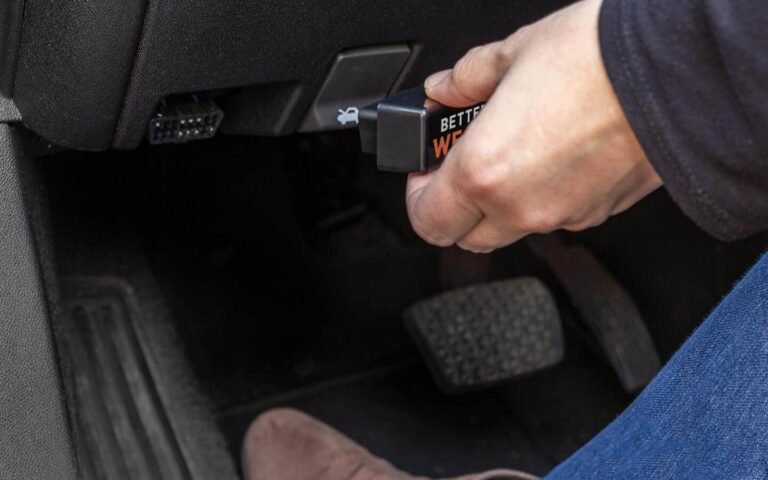
- Find the vehicle’s OBD2 port.
- Turn the ignition off.
- Plug in the scanner.
- Turn the ignition to the “On” position without starting the engine.
- Let the scanner identify the vehicle.
- Read stored, pending, and permanent codes.
- Save the code numbers and descriptions.
- Review freeze-frame and live data.
- Search for the correct diagnostic test.
- Clear the code only after repairs.
- Drive the vehicle and rescan it.
Do not rely on a code-selling website that tells you to replace one part without testing. A code is a clue, much like a symptom at a doctor’s office. Good diagnosis confirms the cause before spending money.
Foxwell NT301 vs ANCEL AD310: Value for money
The AD310 usually costs less, which makes it attractive for occasional use. Its low price can pay for itself after one avoided diagnostic fee.
The NT301 costs more, but its extra data functions may save time during troubleshooting. If it helps you identify a bad sensor, vacuum leak, or temperature issue before replacing parts, the added cost can be worthwhile.
Prices change with sales, bundles, and firmware versions. Compare the current price, warranty, update policy, return terms, and included accessories rather than relying on an old deal.
The best value is not always the cheapest scanner. It is the tool that gives you the information you can use.
Frequently Asked Questions of Foxwell NT301 vs ANCEL AD310
Is the Foxwell NT301 better than the ANCEL AD310?
The Foxwell NT301 is better for users who want live data, code descriptions, and more detailed checks. The ANCEL AD310 is better for simple code reading at a lower cost.
Can both scanners clear a check engine light?
Yes, both can usually clear standard OBD2 engine codes on compatible vehicles. The light may return if the underlying fault has not been repaired.
Do the Foxwell NT301 and ANCEL AD310 work with all cars?
They work with many standard OBD2 vehicles, especially most U.S. gasoline vehicles from 1996 and newer. They may not access manufacturer-specific systems such as airbags, ABS, or transmission modules.
Which scanner is easier for beginners?
The ANCEL AD310 is easier because it has fewer menus and focuses on basic functions. The Foxwell NT301 is still user-friendly, but its extra tools take more time to learn.
Can either scanner pass an emissions test?
Neither scanner can make a vehicle pass an emissions test. Both can check readiness monitors, but the vehicle must complete its drive cycle and have no emissions faults.
Does clearing codes fix the vehicle?
No. Clearing codes only removes stored information and may turn off the warning light for a short time. The cause must be found and repaired.
Which one should I buy for a used-car inspection?
The Foxwell NT301 is the stronger choice because it offers more diagnostic information. However, always combine a scan with a professional inspection, a road test, and a review of service records.
Conclusion
The Foxwell NT301 vs ANCEL AD310 comparison comes down to depth versus simplicity. The NT301 is the better all-around choice for home mechanics who want live data and more guidance. The AD310 is a practical, low-cost option for basic check engine light checks.
Whichever scanner you choose, save the original codes, study the related data, and test before replacing parts. Use the tool as a guide, not a magic answer. Check the latest model details, confirm vehicle compatibility, and share your experience or questions in the comments.