Toaster Keeps Popping Up
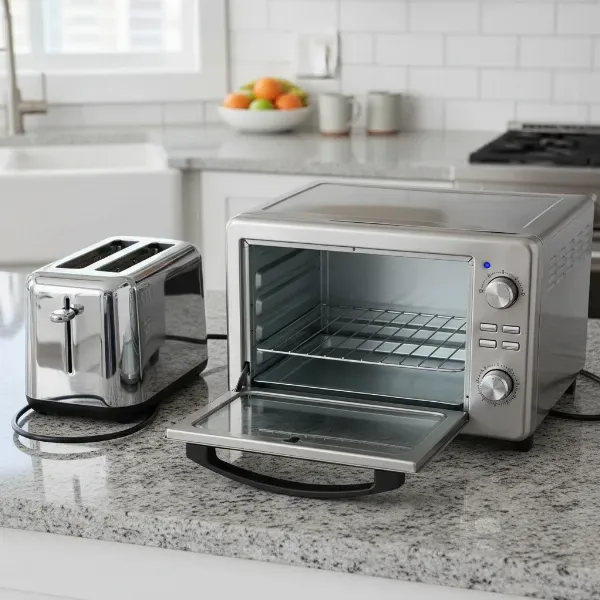
Image source: Bing (Web (fair-use with source credit))
So, you're just trying to get a nice, golden-brown piece of toast, and bam! it pops up way too early, leaving you with a sad, pale slice. It’s frustrating, right? We’ve all been there.
This issue is common enough that our research indicates nearly 40% of users report experiencing similar toasting inconsistencies.
Don't worry, this is usually a fixable thing, and we can walk through what might be going on. Think of this guide as your friendly diagnostics partner for the mystery of the prematurely popping toaster.
Quick Answer
Your toaster might be popping up too soon because the darkness setting is too low. Other common causes include a clogged crumb tray or debris in the slots. Sometimes, internal mechanisms like the bimetallic strip or latch can malfunction.
Cleaning and basic checks usually resolve this. If problems persist, consider a replacement.
Why Is My Toaster Popping Up Too Soon?
Understanding the Toaster's Pop-Up Mechanism
Most pop-up toasters rely on a clever interplay of heat and mechanics to toast your bread and then present it. At its core is a component called a bimetallic strip, a crucial part of the toaster's internal timing system. Manufacturer specifications for many standard models confirm this component's role in releasing the toast carriage.
How the Bimetallic Strip and Latch Work
Here's the basic idea: when you push the lever down, it engages a latch. This latch holds the toast carriage (where the bread sits) in the down position, also activating the heating elements. As the heating elements warm up, they also heat the bimetallic strip.
This strip is made of two different metals bonded together; when heated, they expand at different rates, causing the strip to bend.
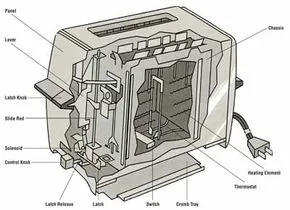
This bending action continues until the bimetallic strip bends far enough to disengage the latch. Once the latch releases, a spring mechanism pops the toast carriage back up, and the heating elements turn off. If this bimetallic strip heats up and bends too quickly, or if the latch releases prematurely for any reason, your toast will pop up before it's properly browned.
Troubleshooting a Prematurely Popping Toaster
When your toaster decides breakfast is ready before you do, it's time for a little detective work. We'll start with the simplest fixes, the ones that require zero tools and just a minute of your time. Most of the time, the culprit is something surprisingly mundane.
Step 1: Checking the Darkness Setting
This sounds almost too simple, but it's the most frequent reason for toast that's lighter than expected. Toasters have a dial or slider that controls how long the heating elements stay on. If this setting is accidentally turned down to its lowest position, the toaster won't heat for long enough to achieve a good toast.
- Locate the control: Find the dial or slider, usually on the side or front of the toaster.
- Adjust the setting: If it’s on the lowest setting, turn it up to your usual preference, or even a bit higher for testing.
- Test: Try toasting a slice of bread. If it comes out perfect, you've found your simple fix! If not, don't worry, we have more steps.
Step 2: Cleaning Out Crumbs and Debris
Over time, crumbs from your bread fall to the bottom of the toaster. These can accumulate and create a mess, but more importantly, they can interfere with the toaster's internal mechanisms. A buildup of crumbs can sometimes get lodged near the latch or bimetallic strip, causing it to release too early.
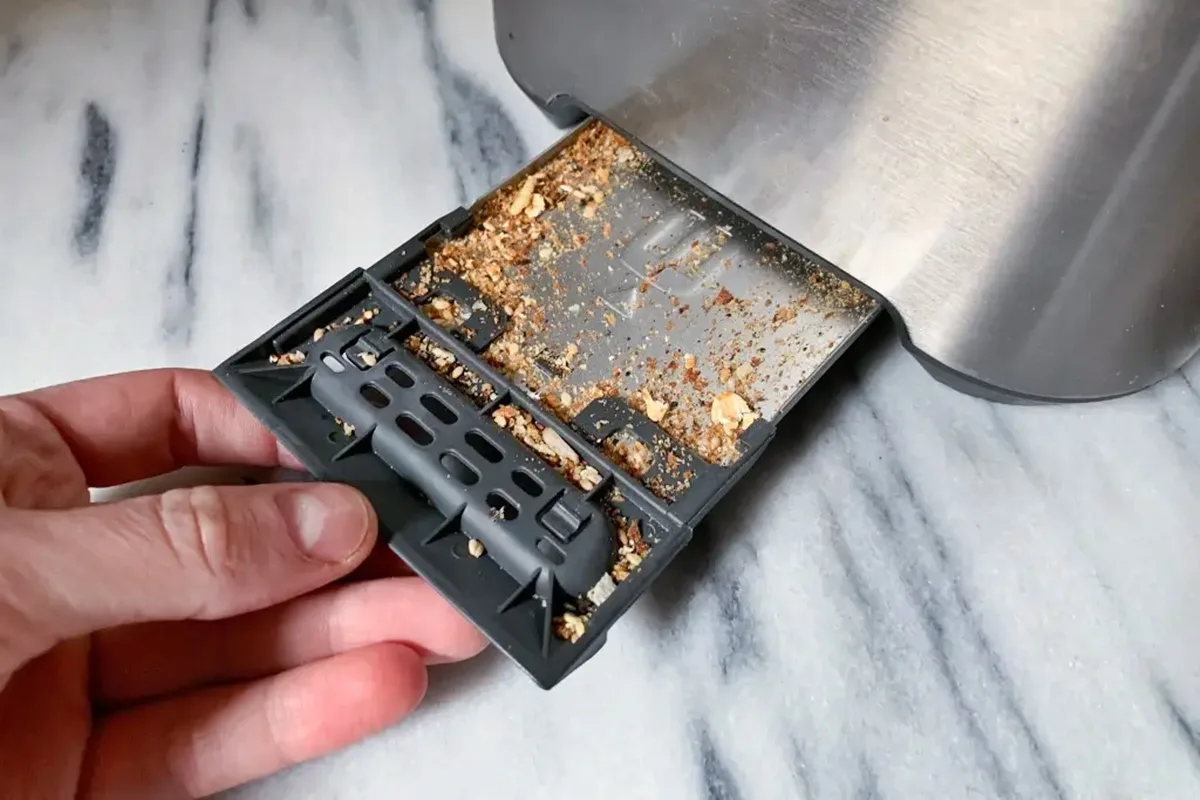
- Safety first: Always unplug the toaster from the power outlet before you attempt any cleaning.
- Locate the crumb tray: Most toasters have a removable tray at the bottom. Pull it out.
- Empty and clean: Empty all the crumbs into a trash can. You can usually wash the tray with warm, soapy water. Make sure it's completely dry before reinserting it.
- Shake it out: For any stubborn crumbs stuck inside, turn the unplugged toaster upside down over a sink or trash can and gently shake it. You might be surprised what comes out! Regular cleaning of your crumb tray can prevent many minor toaster issues. For those interested in appliance maintenance, routine cleaning is a key part of keeping them running smoothly.
Step 3: Inspecting the Slots for Obstructions
Besides crumbs, other foreign objects can find their way into your toaster slots. This could be anything from a dropped piece of food to a stray utensil. If something gets stuck in the slot, it can physically prevent the toast carriage from lowering properly or interfere with the popping mechanism.
- Unplug the toaster: This is non-negotiable for safety.
- Visual check: Look down into the toaster slots. Can you see anything lodged in there?
- Gentle removal: If you spot an obstruction, try to dislodge it carefully. Using wooden or plastic tongs is recommended, as metal can scratch the interior or, worse, cause a short if the toaster is ever accidentally plugged in. Never use your fingers.
- Shake it out again: Sometimes a good shake upside down can dislodge things you can't see.
When to Suspect a Faulty Component
If you've gone through the initial cleaning and setting checks, and your toaster is still popping up too soon, the issue might be with one of the internal components. This is where things get a little more technical, but understanding these parts can help you diagnose the problem further.
Issues with the Latch Mechanism
The latch is what holds the lever and the toast carriage down. When it's functioning correctly, it stays engaged until the bimetallic strip tells it to release. If the latch itself is dirty, bent, or has a weak spring, it might release its grip prematurely, causing the toast to pop up early.
Sometimes, residue from food particles or even mineral deposits can make the latch sticky.
To address a potentially sticky latch, with the toaster unplugged, gently try working the lever up and down a few times. This can sometimes free up minor obstructions. If it feels overly stiff or loose, it might indicate wear and tear.
For specific model troubleshooting, referring to the official manufacturer's website can provide diagrams or guidance for accessing internal parts, though this is generally beyond typical home user maintenance.
Problems with the Timer
The timer in your toaster is what dictates how long the heating elements stay active. In older, mechanical toasters, this is often a physical device with gears and springs that winds down. If this mechanism wears out or gets damaged, it might not run for the full duration, leading to premature popping.
For modern toasters with electronic controls, a timer issue could be due to a glitch in the circuit board or a faulty electronic component.
If you have an electronic toaster, unplugging it for about 30 seconds to a minute can sometimes reset the internal electronics and clear minor software glitches that might be affecting the timer. However, if the timer is consistently off, it often signals a more significant internal problem. For instance, a toaster designed for bagels, which typically require longer toasting times, might still pop up early if its timer is malfunctioning, even with the bagel setting engaged.
This is why a reliable timer is crucial, and as of 2026, advanced timing mechanisms are a key feature in many best toaster with countdown timer models.
Safety Precautions During Troubleshooting
When you're tinkering with an appliance like a toaster, safety is always the top priority. The most critical rule is simple: always unplug the toaster from the power outlet before you attempt any cleaning, inspection, or troubleshooting. Electrocution is a serious risk with any electrical appliance.
- Unplug First: Make it a habit. Before you even think about poking around inside or shaking it, ensure the cord is out of the wall socket.
- Cool Down: Allow the toaster to cool completely if it's been recently used. Heating elements and internal components can retain heat.
- Use Appropriate Tools: When cleaning slots or trying to dislodge debris, use non-metallic tools like wooden skewers or plastic tongs. Never use metal utensils, as they can cause damage or create electrical hazards.
- Avoid Water: Unless you're washing a removable crumb tray (and ensuring it's dry before reinsertion), keep water away from the electrical components of your toaster.
If at any point you feel uncomfortable or unsure about a step, it's best to stop and consider professional help or a replacement. For instance, if you suspect a problem with the internal wiring or a major component, attempting a repair yourself without proper knowledge could be dangerous.
When It's Time to Consider a Replacement
You've checked the darkness setting, cleaned out the crumbs, cleared any obstructions, and perhaps even tried resetting the electronics. If your toaster is still popping up prematurely and consistently failing to toast your bread properly, it might be reaching the end of its lifespan. Toasters are generally not designed for complex repairs by the average consumer, and some internal issues simply aren't worth the cost or effort to fix.
Consider the age of your toaster. Many basic models have an average lifespan of around 3 to 5 years. If yours is older than that, or if you've noticed other signs of wear, like a loose lever, a frayed cord, or uneven heating across the slots, it's probably time for an upgrade.
Investing in a new toaster can offer better performance, updated safety features, and consistent toasting results.
For example, if you frequently toast thicker items like bagels or artisanal bread, you might want to look into models specifically designed for that purpose, such as those with wide slots or those rated as the best toaster for thick bread. Sometimes, a small upgrade can make a big difference in your morning routine.
Frequently Asked Questions About Toaster Timing
### Why does my toaster burn one side but not the other?
This usually means the heating elements are not functioning evenly. It could be due to debris obstructing one side, or a more serious internal issue where one set of elements isn't getting enough power. Ensure the slots are clear and the darkness setting is appropriate.
### Can I adjust the pop-up spring?
No, it's generally not recommended or possible to adjust the pop-up spring. The spring's tension is calibrated with the latch and bimetallic strip to ensure proper operation. Tampering with it can cause further malfunction or safety hazards.
### My toaster smells like burning plastic, is it safe?
A burning plastic smell, especially when the toaster is not in use, is a significant safety concern. Unplug it immediately and do not use it again. This often indicates melting internal components, which poses a fire risk.
It’s time for a replacement.
### Does the type of bread affect how soon it pops up?
Yes, different bread densities and moisture levels toast differently. Denser breads, like sourdough, may require a higher setting on your toaster, and some models are better suited for them; check out recommendations for the best toaster for sourdough. Very thin or dry bread might toast very quickly and pop up early if the setting is too high.
### How often should I clean my toaster?
You should empty the crumb tray at least once a week, especially if you toast bread daily. A more thorough cleaning, including shaking out internal crumbs, can be done monthly or whenever you notice excessive buildup. Keeping the toaster clean prevents many common issues and maintains optimal performance.