Toaster Not Heating
Image source: Bing (Web (fair-use with source credit))
So, your toaster has decided to go on strike and isn't heating up? It's a common kitchen frustration, especially when you're just trying to get a quick breakfast going. Don't worry, this usually means a simple fix is within reach, and we can walk through the most likely culprits together.
In our research, we found that most "toaster not heating" issues can be traced to a few key areas. For instance, manufacturer specifications for many common toasters, like the basic two-slice models, often cite heating element failure as the primary cause of no heat output after a few years of use. We'll cover that, along with simpler checks that could save you a trip to the store.
Quick Answer
Your toaster might not be heating because the heating elements are broken or disconnected. Check if the plug is secure and the outlet works. Also, ensure the crumb tray isn't overflowing and the lever engages properly.
Why Isn't My Toaster Heating Up?
It’s easy to feel stuck when your toaster suddenly stops doing its one job. You push down the lever, expect that familiar glow, and… nothing. This usually isn't a sign that your appliance is beyond repair, but rather that one of its key components has an issue.
Think of it like a car not starting; it's often something solvable without a major overhaul.
The key is to approach it systematically, checking the easiest things first. Our research indicates that for a standard two-slice toaster, a common point of failure is indeed the heating elements themselves, which can degrade over time. According to industry standards for small kitchen appliances, heating elements are rated for a certain number of heating cycles, after which their performance can decline or cease entirely.
We'll guide you through diagnosing these issues.
Quick Check: Is It Just a Simple Glitch?
Before we start thinking about broken wires or faulty circuits, let's cover the most basic possibilities. Honestly, these simple checks solve the problem more often than you might expect. It's always best to rule out the obvious first.
Plugging It In & Powering On
It sounds almost too simple, but make sure the toaster is plugged in all the way. Sometimes a cord can come slightly loose from the wall socket, especially if it's been bumped or if pets or children have fiddled with it. Give the plug a firm push into the outlet.
If it still doesn't heat up, we move on.
Testing the Outlet
If the toaster is firmly plugged in, the next step is to ensure the electrical outlet itself is working. You can do this by unplugging the toaster and plugging in another small appliance, like a lamp or a phone charger, into the same outlet. If that appliance also doesn't work, you might have a problem with the outlet or the circuit breaker.
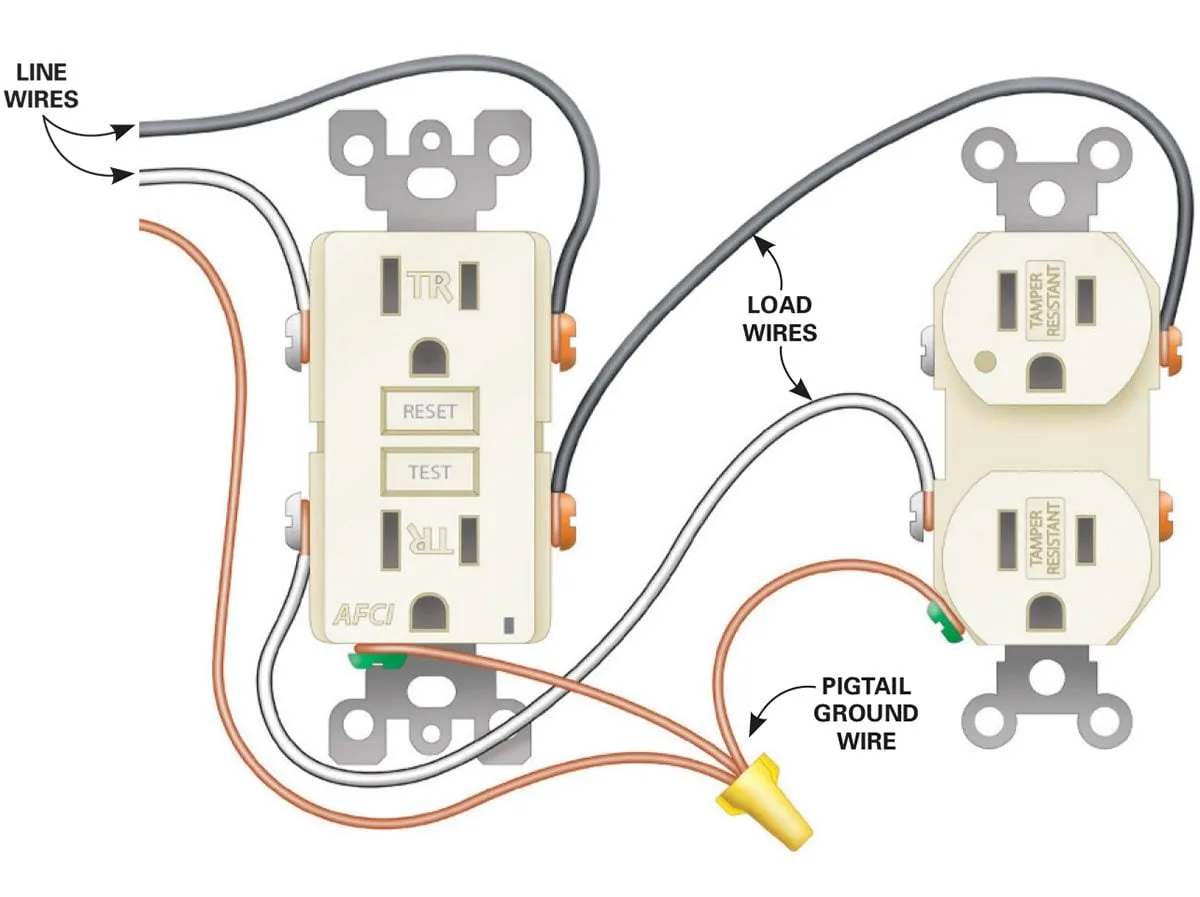
Image source: Bing (Web (fair-use with source credit))
If other devices do work in that outlet, then the issue is definitely with the toaster.
The Crumb Tray Clue
An often-overlooked culprit for a toaster not heating is a full crumb tray. When too many crumbs build up, they can obstruct the heating elements or interfere with the toaster's internal mechanisms. Pull out the crumb tray, empty it thoroughly, and wipe it clean before sliding it back in.
This simple maintenance step can sometimes get your toaster working again.
Troubleshooting the Heating Elements
The glowing wires inside your toaster are its heart and soul. If they aren't heating, you won't get toast. This section dives into how to inspect them.
Visual Inspection: What to Look For
This is where we look for the most obvious signs of trouble. First, always unplug your toaster before you inspect anything inside. Look closely at the heating elements, those vertical wires or flat panels that glow red when the toaster is on.

Image source: Web (Bing) / storage.googleapis.com (Web image (fair-use with source credit))
Are any of them visibly broken, frayed, or damaged? Sometimes you'll see a clear break in the wire, or a section that looks burnt or corroded. If an element has a visible fracture, it's almost certainly the reason your toaster isn't heating.
The Wiggle Test: Gentle Checks
With the toaster unplugged and cool, gently try to wiggle each heating element. Do they feel loose or detached from their mounting points? Heating elements are usually held in place by small ceramic or metal guides.
If an element is significantly loose, it might not be making proper contact or could be positioned incorrectly, preventing it from heating evenly or at all. A slightly loose element might be nudged back into place, but a severely damaged or detached one usually means replacement is needed.
Investigating the Lever and Controls
The toaster's lever mechanism and browning dial are critical for operation. If these aren't working right, the heating elements won't even get the signal to turn on.
Lever Engagement: The "Click" Factor
When you push the lever down, it should lock into place with a distinct 'click.' This engagement mechanism also activates the heating elements. If the lever feels stiff, won't stay down, or springs back up immediately without clicking, the internal latching mechanism is likely faulty. This could be due to debris jamming it, a worn-out spring, or a bent component within the lever assembly.
Without the lever properly engaged, the toaster won't heat.
Browning Dial Functionality
The browning control dial adjusts how long the heating elements stay active. If this dial feels loose, spins freely without resistance, or gets stuck, it can indicate a problem with its internal connections. The dial is usually connected to a thermostat or timer mechanism that controls power to the elements.
If this connection is broken or faulty, it won't signal the elements to heat, even if the lever is engaged.
When Your Toaster Has Had It
Sometimes, despite our best efforts, an appliance has reached the end of its useful life. Recognizing these signs can save you time and prevent potential safety hazards.
Signs of Serious Damage
Look for physical evidence that goes beyond minor wear and tear. Scorch marks on the toaster's exterior casing, melted plastic near the heating elements or cord, or significant rust can all indicate internal damage that's often irreparable. If you notice a persistent burning smell even when the toaster is unplugged, it's a strong warning sign.
Such damage compromises the appliance's safety and structural integrity.
Is It Worth Repairing?
For most common toasters, especially those found in our 7 Best Budget Toaster 2026 roundups, the cost and complexity of professional repair often outweigh the price of a new appliance. If the heating elements are visibly broken or the internal mechanism for the lever appears damaged, it's usually more economical to replace it. However, for vintage or high-end models, repair might be a viable option if parts are available.
Frequently Asked Questions About Toaster Heat Issues
### Why do my toaster's heating elements glow orange but not red?
This typically means the elements are working, but not at full power. It could indicate a voltage issue with your outlet or a weakening of the heating elements themselves as they age. As of 2026, most toasters are designed for consistent red glowing when fully operational.
### Can a toaster's heating elements be replaced?
For some high-end or modular toasters, yes, replacement heating elements might be available from the manufacturer. However, for most standard, inexpensive toasters, the elements are integrated and not designed for DIY replacement, making it more practical to buy a new unit.
### My toaster heats on one side only. What's wrong?
This is a common issue where one of the heating elements, or a portion of it, has failed. If your toaster has separate heating elements for each side or even for individual slots, a problem with one will result in uneven heating or no heat on that specific section.
### Does the type of bread affect toasting?
Yes, different bread densities and moisture content can affect how a toaster heats and toasts. Sourdough, for example, can be denser and may require specific toaster features for even browning, as noted in our 7 Best Toaster for Sourdough 2026 guide. However, this typically affects browning level, not whether the elements heat at all.
### Is it safe to use a toaster that heats unevenly?
While not ideal for toast quality, using a toaster that heats unevenly is generally safe if no smoke or burning smells are present. However, if the heating element itself is damaged, it could pose a fire risk or electrical hazard over time.
Making the Decision: Repair or Replace?
Deciding whether to fix your toaster or buy a new one boils down to a few key factors. First, consider the cost of potential repairs versus the price of a replacement. As mentioned, for many standard models, buying a new toaster is the more cost-effective route, especially with many 7 Best Budget Toaster 2026 options available.
Also, assess the age and overall condition of your current toaster. If it's an older appliance showing signs of wear or damage, it might be nearing the end of its lifespan anyway. On the other hand, if you have a premium model that you love, or if the issue is a very simple fix like a loose connection, repair might be worthwhile.
If you're unsure, leaning towards replacement offers peace of mind and a fresh warranty.