Autel AL319 Troubleshooting: Quick Fixes And Tips
Most Autel AL319 problems come from weak power, poor connection, unsupported vehicles, or codes that need deeper testing.
Autel AL319 troubleshooting is usually simple once you separate a scanner problem from a vehicle problem. This compact OBD2 code reader can read and clear diagnostic trouble codes, show basic data, and check emissions readiness, but it cannot repair a fault or replace a professional scan tool. This guide explains the most common issues, safe fixes, common mistakes, and the limits of the AL319.
What the Autel AL319 Does
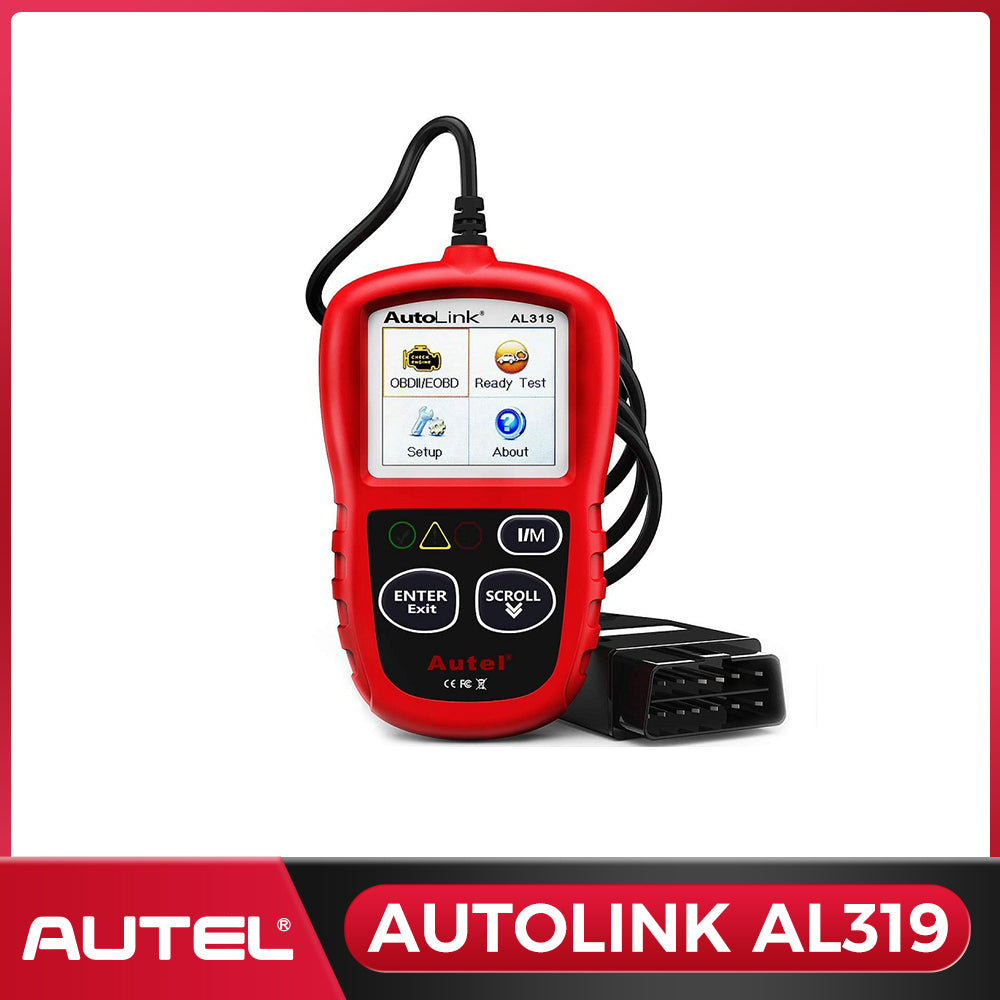
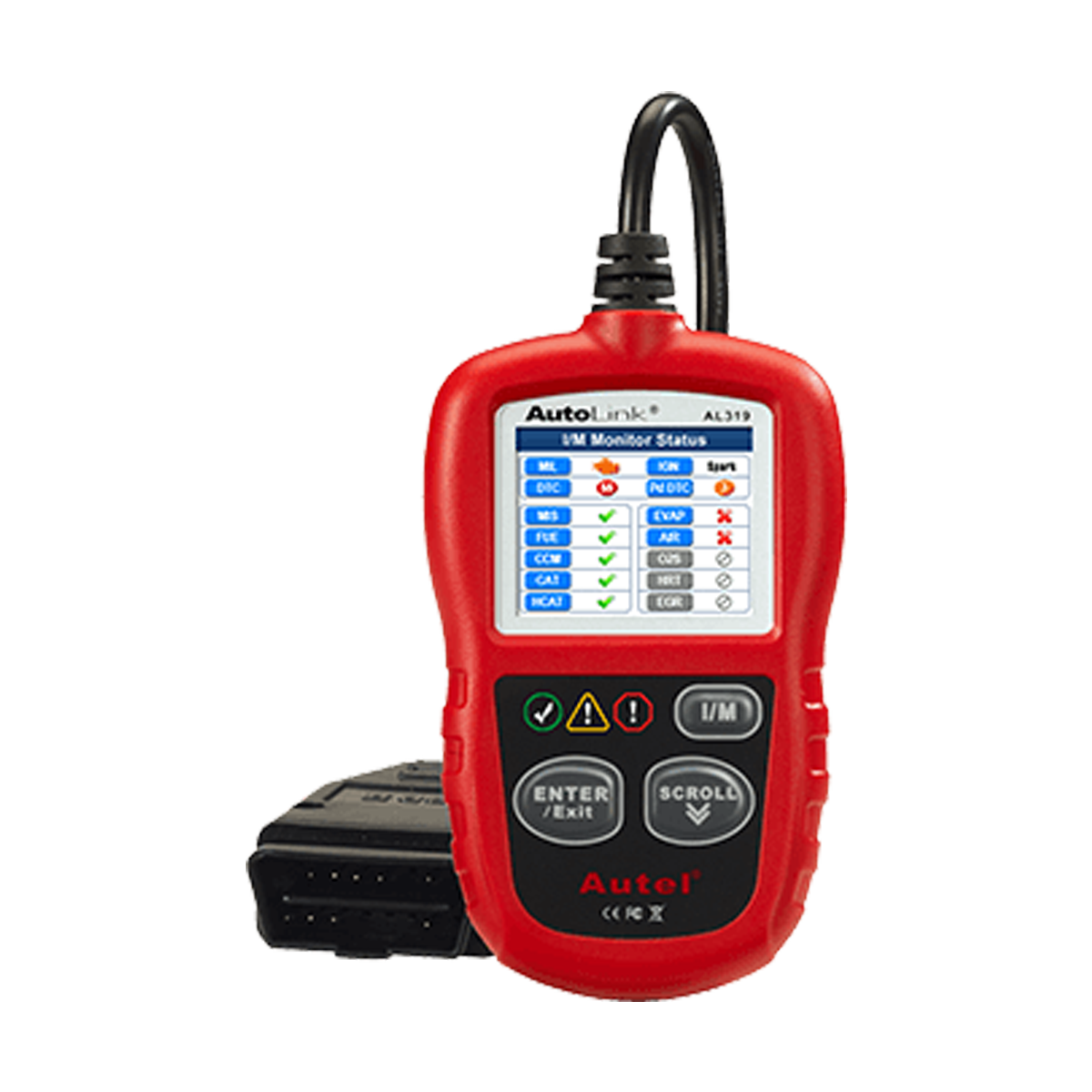
The Autel AL319 is a basic OBD2 and EOBD code reader. It gets power through the vehicle’s diagnostic port, often called the OBD2 port. It then communicates with the vehicle’s engine control module, or ECM.
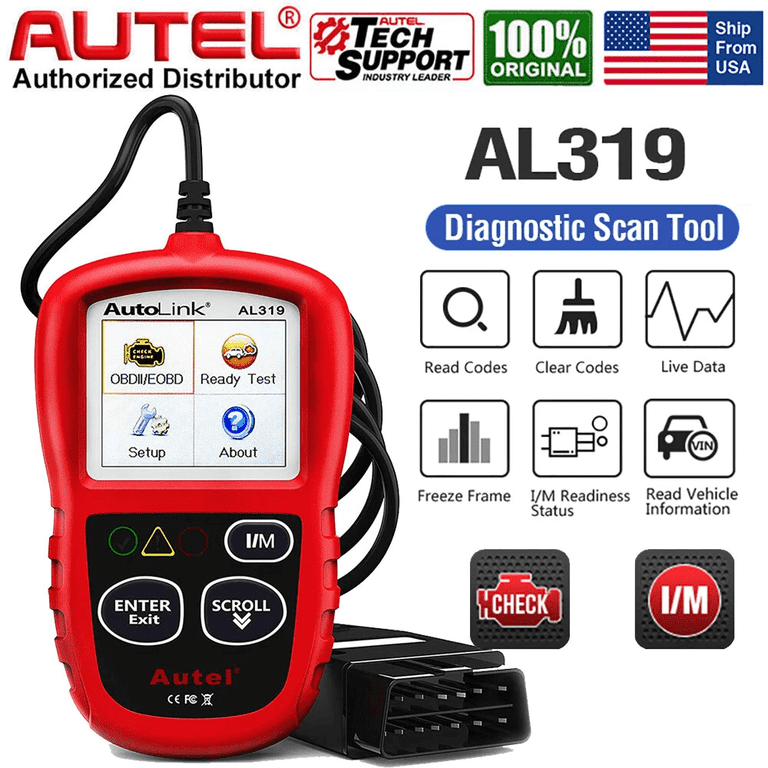
The tool is mainly designed for engine and emissions faults. It may help you:
• Read stored diagnostic trouble codes
• Clear trouble codes after repairs
• View freeze-frame data
• Check I/M readiness monitors
• Display basic live data on supported vehicles
• Turn off the check engine light after the cause is fixed
The AL319 is not a full vehicle diagnostic system. It may not access airbag, ABS, transmission, body, or advanced manufacturer systems. This limit is important because many drivers assume that every scan tool can read every module.
A useful way to think about the AL319 is as a flashlight. It can show where to look, but it does not repair the problem by itself. Autel AL319 troubleshooting works best when you use the displayed code with symptoms, service information, and basic testing.

Autel AL319 Troubleshooting: Start With the Basics
Before testing the vehicle, check the scanner itself. Many problems come from a simple power or connection issue.
Follow this basic process:
-
Park the vehicle safely and switch off the engine.
-
Find the 16 pin OBD2 port under the dashboard.
-
Check the port for dirt, bent pins, loose terminals, or damage.
-
Plug the AL319 in firmly.
-
Turn the ignition key to the ON position without starting the engine.
-
Wait for the scanner to power up and communicate.
-
Follow the prompts on the screen.
The diagnostic connector should fit firmly. Do not force the plug. A bent terminal can stop communication or cause an intermittent connection.
Check whether the vehicle battery is weak. The AL319 receives power from the OBD2 port, so low battery voltage can affect communication. If the vehicle has been sitting for a long time, test the battery before blaming the scanner.
A common mistake is trying to scan with the ignition fully off. The scanner may not receive enough power, and the control module may not be awake. On many vehicles, the correct position is the second key position, often marked “ON.”
If the scanner remains blank, inspect the fuse that powers the diagnostic port. In some vehicles, this fuse also powers the cigarette lighter or accessory socket. A blown fuse can make the AL319 appear dead.
Autel AL319 Will Not Turn On
A blank screen is one of the most common Autel AL319 troubleshooting complaints. Since the AL319 does not normally use a separate battery, it depends on power from the vehicle’s diagnostic connector.
Try these checks in order:
• Confirm that the ignition is in the ON position.
• Unplug the AL319, wait 30 seconds, and plug it in again.
• Test the scanner on another compatible vehicle.
• Inspect the OBD2 plug for bent or pushed-back pins.
• Check the vehicle’s OBD2 or accessory fuse.
• Measure battery voltage if the vehicle has starting problems.
If the scanner works on another vehicle, the AL319 is probably fine. Focus on the first vehicle’s port, fuse, battery, or communication system.
If the scanner stays blank on several known-compatible vehicles, the cable or internal hardware may be damaged. Do not open the tool while it is under warranty. Contact Autel support or the seller and provide the model number, purchase details, and a clear description of the fault.
Do not connect random power adapters to the AL319. It is designed to draw power through the diagnostic port. Incorrect voltage can damage the tool.
In my experience with basic code readers, users often replace the scanner when the real issue is a blown accessory fuse. Always test the vehicle-side power supply first. It takes less time and prevents an unnecessary purchase.

Autel AL319 Cannot Connect to the Vehicle
The AL319 may turn on but fail to establish communication. The screen may show messages such as “Linking Error,” “Unable to Connect,” or “Communication Error.”
This issue can have several causes:
The vehicle is not OBD2 compatible
Most cars and light trucks sold in the United States from model year 1996 onward support OBD2. Some vehicles made for other markets use different dates or standards. European gasoline vehicles often became EOBD compliant around 2001, while diesel coverage began later.
Older vehicles may use a manufacturer-specific connector or protocol. A plug that looks similar to OBD2 does not guarantee compatibility.
The ignition is not switched on
The control module must be awake before the scanner can communicate. Turn the ignition to ON, but do not start the engine unless the instructions require it.
The diagnostic port has a wiring fault
A damaged power, ground, or communication terminal can block communication. A technician can test the port with a wiring diagram and a digital multimeter.
An aftermarket device is interfering
Remote starters, alarm systems, tracking devices, and poorly installed audio equipment can affect OBD2 communication. If the problem began after an accessory was installed, inspect that work first.
The vehicle has a serious electrical issue
Low voltage, a poor ground, or a failed control module can prevent scanning. In that case, Autel AL319 troubleshooting may identify the symptom, but further electrical diagnosis is required.
Never bridge terminals in the diagnostic connector with a metal tool. A short circuit can damage the vehicle control module or the scanner.

Autel AL319 Shows “No Codes Found”
“No codes found” does not always mean the vehicle has no problems. It means the scanner did not find a stored code in the system it can access at that moment.
Possible reasons include:
• The fault has not lasted long enough to set a code.
• The code is pending rather than confirmed.
• The problem is outside the engine or emissions system.
• The vehicle is not fully compatible with the scanner.
• The check engine light was recently cleared.
• The issue is mechanical but has not caused a monitored electrical fault.
For example, a worn wheel bearing may make noise without setting an engine code. A weak fuel pump may cause poor performance before the ECM detects a clear electrical pattern. An air conditioning problem may be stored in a body or climate module that the AL319 cannot access.
Check the vehicle symptoms carefully. If the engine runs poorly but no code appears, inspect basic items such as fuel pressure, ignition, air leaks, battery voltage, and wiring. Do not keep clearing the system in the hope that a code will appear.
You should also check for pending codes if the AL319 menu supports that function. A pending code can show that the control module noticed an unusual reading but has not confirmed the fault.
Autel AL319 Cannot Clear a Code
The AL319 can usually clear emissions-related codes on compatible vehicles. However, code clearing is not the same as fixing the cause.
If the code will not clear, check the following:
-
Repair the fault first.
-
Turn the ignition off, then back to ON.
-
Make sure the scanner remains connected.
-
Confirm that the battery voltage is stable.
-
Scan the vehicle again.
-
Clear the code only when the tool gives that option.
Some faults return immediately because the vehicle performs a self-check as soon as the ignition is turned on. Other faults may return after a short drive cycle.
A code may also remain if the problem is active, the control module does not allow clearing, or the AL319 cannot access the system where the code is stored.
Do not clear codes before recording them. Write down the code, description, freeze-frame details, mileage, and symptoms. Clearing the code removes useful clues. It may also reset emissions monitors, which can cause the vehicle to fail an inspection until the monitors run again.
Autel AL319 troubleshooting is most useful when clearing is treated as the final step after repair, not as the repair itself.
Autel AL319 Displays an Error Message
Error messages can point to a communication, software, or vehicle issue. Read the full message before unplugging the scanner.
Common examples include:
Link error
This usually means the scanner cannot communicate with the control module. Recheck the ignition position, connector, battery, fuse, and vehicle compatibility.
Communication error
This may indicate an unsupported protocol, wiring problem, low voltage, or control module fault. Try the scanner on another compatible vehicle to separate tool problems from vehicle problems.
No link to vehicle
This message often appears when the diagnostic port has no power or when the vehicle is not ready to communicate. Check the port fuse and ignition position.
Memory or software error
Disconnect the tool, restart it, and try again. If the error repeats, check for an available firmware update through Autel’s official support process. Use the correct model and follow the update instructions carefully.
Avoid interrupting a firmware update. Do not unplug the tool or switch off the computer during the update unless the instructions tell you to do so.
Take a photo of the error message if you need support. Exact wording helps support staff identify the problem faster.

Autel AL319 Screen or Button Problems
A frozen display or unresponsive button can result from a temporary software lock, poor power, or physical damage.
Try this simple reset process:
• Disconnect the AL319 from the vehicle.
• Wait at least 30 seconds.
• Reconnect it with the ignition switched on.
• Press the buttons gently and one at a time.
• Test the device on another compatible vehicle.
Keep the scanner dry and away from extreme heat. Do not pull it from the cable. Grip the connector when removing it.
If the screen is dim, first check the vehicle battery and port voltage. A weak supply can make the display unstable. If the screen has permanent lines, dark areas, or cracked glass, the tool may need repair.
Never spray cleaner into the buttons or connector. Use a soft, dry cloth. Compressed air can help remove light dust, but high pressure may push dirt deeper into the device.
One lesson worth remembering is that small diagnostic tools are often stored in hot trunks or damp garages. That environment is hard on screens and cables. A simple storage case can extend the life of the AL319.
Autel AL319 Reads a Code but the Car Still Runs Poorly
A diagnostic trouble code identifies a system or condition. It does not always identify the failed part.
For example, code P0171 may indicate that the engine is running too lean. Possible causes include:
• A vacuum leak
• Low fuel pressure
• A dirty or weak mass air flow sensor
• An exhaust leak near an oxygen sensor
• A restricted fuel injector
Replacing the oxygen sensor without testing these possibilities may waste money. The code is a starting point, much like a smoke alarm. It tells you that something needs attention, but it does not tell you which room has the fire.
Use the code with the vehicle’s symptoms and freeze-frame data. Look at engine temperature, load, engine speed, and fuel trim when available. Compare the data with the vehicle manufacturer’s specifications.
If the problem affects braking, steering, fuel leaks, overheating, or engine safety, stop driving and seek professional help. A basic OBD2 reader is not enough for every fault.
Autel AL319 troubleshooting should lead to a logical test plan. Avoid changing parts based on the code alone.
How to Use Freeze-Frame and Readiness Data
Freeze-frame data captures operating conditions when the control module sets a fault. It may show information such as engine speed, coolant temperature, vehicle speed, and load.
This information can explain when the fault happened. A code that appears during a cold start points toward a different path than one that appears under heavy acceleration.
Use freeze-frame data in this order:
-
Record the trouble code.
-
Record the freeze-frame values.
-
Note the driver’s complaint.
-
Inspect related wiring, hoses, and connectors.
-
Test the likely causes.
-
Repair the confirmed fault.
-
Clear the code and complete a drive cycle.
Readiness monitors are different. They show whether the vehicle has completed its self-tests for systems such as the catalyst, oxygen sensor, evaporative emissions system, and exhaust gas recirculation system, depending on the vehicle.
Clearing codes or disconnecting the battery can set monitors to “not ready.” The vehicle then needs normal driving under suitable conditions before the tests finish. Exact drive cycles vary by vehicle, so use the manufacturer’s instructions.
A car can have no active check engine light and still have monitors that are not ready. This matters during emissions testing.
Autel AL319 Troubleshooting After a Failed Emissions Test
If the vehicle fails an emissions inspection, do not clear the codes just before returning for another test. That often resets the readiness monitors and may create another failure.
First, check the AL319 for:
• Stored codes
• Pending codes
• Readiness monitor status
• Freeze-frame information
If the check engine light is on, repair the cause before testing again. If the light is off but a monitor is not ready, follow the correct drive cycle for the vehicle.
Many readiness problems come from short trips. The engine may need a cold start, steady highway driving, stop-and-go traffic, and a period of idling. Weather, fuel level, traffic, and battery condition can affect the process.
The evaporative emissions monitor is especially sensitive. A loose fuel cap, very full or nearly empty fuel tank, or unsuitable driving conditions may delay the test.
The AL319 can show readiness status, but it cannot force a monitor to complete. If the monitor will not run after several proper drive cycles, professional testing may be needed.
When an Autel AL319 Update May Help
Firmware updates can improve compatibility, fix software issues, or improve menu performance. However, not every communication problem is solved by an update.
Before updating:
• Confirm that the tool is an AL319, not a similar Autel model.
• Use the official Autel update method.
• Have a stable computer and internet connection.
• Do not disconnect the tool during the update.
• Save any important scan information first.
If the tool works on other vehicles but not one specific vehicle, an update may not solve the issue. The vehicle may use a protocol or system outside the AL319’s coverage.
If the device shows repeated software errors on several vehicles, an update is more reasonable. If the tool will not power on at all, an update cannot usually fix a lack of electrical power.
Autel AL319 troubleshooting should always begin with the basics before software work. A firmware update is useful, but it is not a substitute for checking the port, fuse, battery, and compatibility.
Common Mistakes to Avoid
Small errors can create large confusion during diagnosis. Avoid these common habits:
• Scanning with the ignition off
• Pulling the tool out while it is communicating
• Clearing codes before writing them down
• Replacing a sensor based only on a code
• Ignoring pending codes
• Assuming every warning light is an engine code
• Driving with a serious safety-related symptom
• Using the scanner on a wet or damaged connector
• Resetting readiness monitors before an emissions test
• Treating “no codes found” as proof that the vehicle is healthy
The biggest mistake is confusing information with diagnosis. The AL319 reports what the control module sees. It does not prove that a particular sensor or part has failed.
Take notes during each scan. Record the date, mileage, code, symptoms, and repairs. This simple habit creates a useful history and makes professional help more efficient.
When to Stop Troubleshooting and Get Help
Some issues require equipment beyond the AL319. Seek a qualified technician when:
• The vehicle has no power at the diagnostic port.
• Multiple control modules stop communicating.
• The scan tool reports repeated network errors.
• The engine stalls or loses power in traffic.
• The vehicle overheats.
• There is a fuel smell or visible fuel leak.
• The airbag or brake warning light is on.
• Wiring or control module damage is suspected.
A professional may use a multimeter, test light, oscilloscope, smoke machine, fuel pressure gauge, or advanced scan tool. These tools can test circuits and modules that the AL319 cannot reach.
Do not work under a vehicle supported only by a jack. Use proper stands and follow safe electrical practices. Diagnostic work should never put you or other road users at risk.
The AL319 is excellent for basic engine-code checks. Its limits are not a defect; they are part of its design. Knowing those limits saves time and helps you choose the right next step.
Frequently Asked Questions About Autel AL319 Troubleshooting
Why does my Autel AL319 have a blank screen?
The scanner may not be receiving power from the OBD2 port. Check the ignition position, port fuse, battery voltage, connector pins, and the scanner on another compatible vehicle.
Why will the Autel AL319 not connect to my car?
The vehicle may be unsupported, the ignition may be off, or the diagnostic port may have a power or wiring fault. Aftermarket alarms, remote starters, and low battery voltage can also interfere with communication.
Can the Autel AL319 read ABS or airbag codes?
The AL319 is mainly designed for engine and emissions diagnostics. It generally cannot access ABS, airbag, body, or other manufacturer-specific modules.
Why does the check engine light return after I clear it?
The light returns when the vehicle detects the same fault again. Read the code, record the freeze-frame data, repair the actual cause, and then clear the code.
Does “no codes found” mean my car has no problem?
No. It means the AL319 found no accessible stored code at that time. Mechanical faults, pending faults, and problems in unsupported modules may still exist.
Can the Autel AL319 reset the oil light?
The AL319 is not designed as a general service reset tool. Oil service reset functions depend on the vehicle and usually require a tool with dedicated service features.
How do I fix an Autel AL319 communication error?
Check the OBD2 port, fuse, battery, ignition position, and vehicle compatibility. If the AL319 fails on several compatible vehicles, inspect the cable and contact Autel support.
Conclusion
Autel AL319 troubleshooting starts with simple checks: confirm compatibility, switch the ignition on, inspect the OBD2 port, check the fuse and battery, and connect the tool firmly. A code is a clue, not a final diagnosis, so use it with symptoms, freeze-frame data, and proper testing.
The AL319 is a helpful first step for many check engine light problems, but it cannot access every vehicle system or replace advanced diagnostic equipment. Keep clear notes, avoid clearing codes too early, and stop when the repair involves safety or complex electrical faults. Use these steps on your next scan, explore your vehicle’s service information, and share your experience in the comments.