Is Garmin Edge 840 Worth It: Honest Buying Guide
Yes, the Garmin Edge 840 is worth it for serious riders who want smart training, maps, and reliable controls.
The Garmin Edge 840 sits between a simple bike computer and a full training coach. After comparing its features, battery claims, mapping tools, and daily usability, I find that the Garmin Edge 840 is worth it for riders who train often, explore new roads, or use power and heart-rate data. Casual cyclists may save money with a simpler model, but the Edge 840 offers a strong mix of speed, control, and long-term value.
Garmin Edge 840: At a Glance
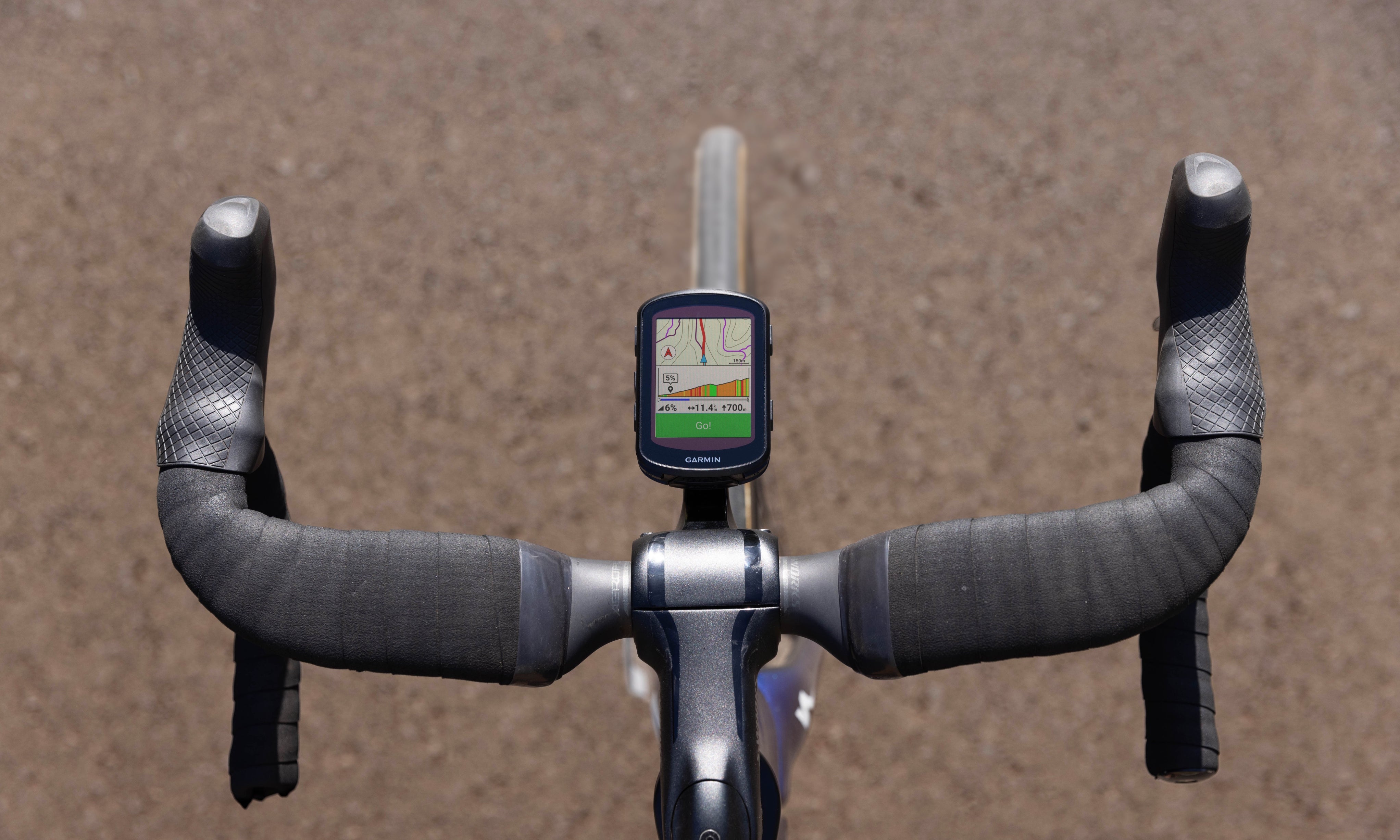
The Garmin Edge 840 is a GPS cycling computer for road cycling, gravel, mountain biking, commuting, and structured training. It uses both a color touchscreen and physical buttons, so you can choose the control style that fits the ride.
The standard model has a compact 2.6-inch display, built-in GPS, turn-by-turn navigation, performance tools, cycling safety features, and smart notifications. Garmin also sells a Solar version with a solar-charging screen and longer claimed battery life.
Key features include:
• 2.6-inch color touchscreen
• Physical buttons for wet or rough rides
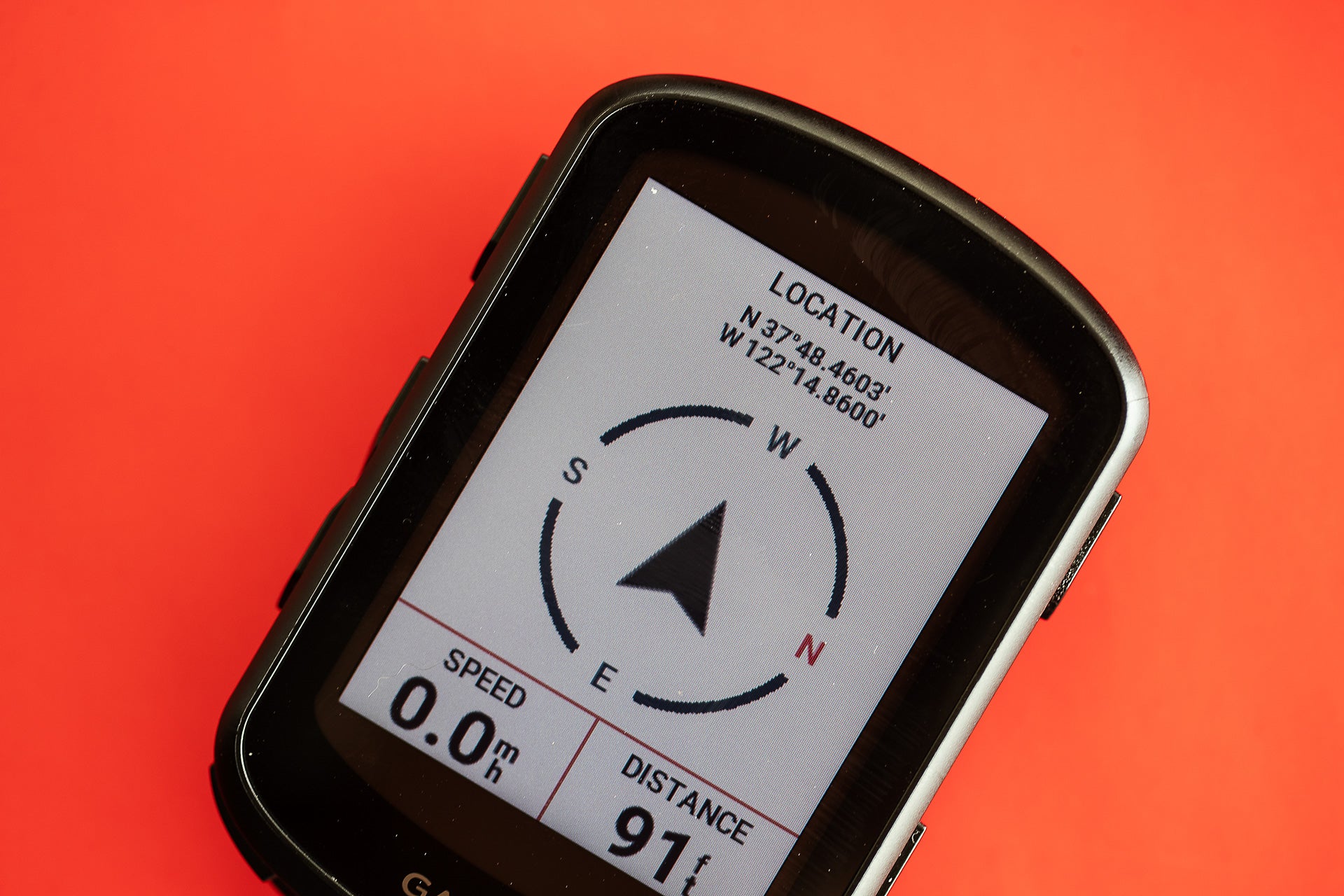
• Multi-band GNSS for better GPS accuracy
• Up to 42 hours of battery life in standard use
• Longer battery life on the Solar model under ideal conditions
• Turn-by-turn cycling maps
• Training status and recovery insights
• ClimbPro hill planning
• Power Guide and real-time stamina tools
• Support for power meters, heart-rate monitors, radar, lights, and smart trainers
• IPX7 water resistance
• USB-C charging
The Garmin Edge 840 is not the biggest or cheapest bike computer. Its appeal comes from balance. It gives you many high-end tools without the large size of the Edge 1040.

Is Garmin Edge 840 Worth It for Most Cyclists?
For many cyclists, the answer is yes. The Garmin Edge 840 offers more training depth than entry-level computers and more control than many touchscreen-only devices.
It is especially useful if you:
• Ride three or more times per week
• Follow planned workouts
• Use a power meter or heart-rate monitor
• Ride unfamiliar roads
• Take part in long-distance events
• Want one device for road, gravel, and mountain rides
• Care about fitness trends and recovery
The Garmin Edge 840 may not be worth the extra cost if you only need speed, distance, and basic route tracking. A lower-cost computer can handle those tasks with less setup and fewer menus.
The best way to view this device is as a bike computer that grows with you. A new rider can use basic screens at first. Later, that same rider can add power data, structured workouts, radar, and advanced navigation without replacing the computer.
Garmin Edge 840 Features That Matter Most
Touchscreen and Physical Buttons
The Edge 840 stands out because it offers two control methods. You can tap and swipe through screens, or use buttons on the sides and bottom of the unit.
The touchscreen feels quick in normal conditions. It works well when setting up pages, reviewing maps, or changing settings before a ride. Buttons are better when your hands are wet, cold, gloved, or covered in mud.
This design solves a common cycling problem. Touchscreens are convenient, but they are not always easy to use while moving. Physical buttons act like a dependable backup when the weather turns bad.
Multi-Band GPS
The Edge 840 supports multi-band satellite positioning. This can improve tracking in places with tall buildings, thick trees, steep rock walls, or other signal barriers.
GPS accuracy still depends on the environment. No cycling computer will produce a perfect track under every tree or beside every high-rise. However, multi-band positioning can reduce sudden jumps and incorrect route lines when compared with older GPS systems.
For road riders, this means cleaner distance and route records. For mountain bikers, it can help keep a trail line closer to the actual path.
Advanced Training Tools
The Edge 840 can connect with common cycling sensors. These include power meters, cadence sensors, speed sensors, heart-rate straps, smart trainers, electronic shifting systems, and cycling radar.
Its training tools may include:
• Training status
• Training load
• Recovery time
• Training readiness
• VO2 max estimates
• Cycling ability
• Real-time stamina
• Power Guide
• Suggested workouts
• Daily workout recommendations
These features are estimates, not medical results. They become more useful when the device has steady data from several rides. A single short ride does not tell the whole story.
ClimbPro
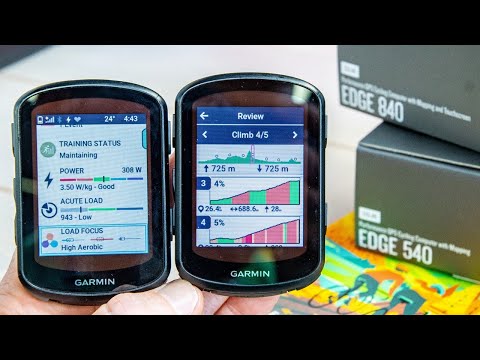
ClimbPro breaks a planned route into climbs. It can show the remaining distance, elevation, grade, and position on a hill.
This is useful on hilly road rides and long gravel events. Instead of guessing how much of a climb remains, you can see the work ahead and pace your effort.
ClimbPro works best when the route contains accurate elevation data. If the route is poorly built or the climb data is wrong, the display may not match the road perfectly.
Cycling Safety Features
The Edge 840 works with Garmin safety accessories, including rearview radar and smart lights. With compatible equipment, the computer can show approaching vehicles and provide alerts.
It can also support incident detection and assistance features through a paired smartphone. These tools are helpful, but they should not replace safe riding habits, a charged phone, or telling someone where you are going.
Navigation and Maps
The Edge 840 includes color cycling maps and turn-by-turn directions. You can create routes in Garmin Connect or transfer routes from compatible third-party services.
The map screen is detailed enough for most road and gravel rides. It can show roads, trails, points of interest, elevation information, and route turns.
The smaller screen is the main trade-off. Maps are easier to read on the Edge 1040 or a phone, especially when a route has many nearby roads. Still, the Edge 840 gives you useful navigation without placing a large screen on your handlebar.
Garmin Edge 840 Battery Life
Battery life is one of the strongest reasons people ask, “Is Garmin Edge 840 worth it?” The standard Edge 840 offers up to about 42 hours under Garmin’s stated conditions.
Real battery life depends on how you use it. GPS mode, screen brightness, navigation, sensors, phone connections, music controls, and wireless features all affect runtime.
You may get less battery life when:
• The screen stays bright for long periods
• You use multi-band GPS
• Several sensors remain connected
• Navigation runs for the whole ride
• You ride in cold weather
• You use demanding data fields
The Solar version can extend battery life in strong sunlight. Its solar performance depends on light exposure, screen angle, weather, and the selected battery mode. Solar charging helps most on long outdoor rides. It should not be treated as unlimited power.
For normal training, a full charge can last several rides. For bikepacking or ultra-distance events, the standard model is already capable, while the Solar model provides more breathing room.
Is Garmin Edge 840 Worth It for Navigation?
The Garmin Edge 840 is worth it for navigation if you want a dedicated device that keeps your phone in your pocket. It can guide you through planned routes while recording your ride and displaying useful cycling data.
The navigation system works well for:
• Road trips in unfamiliar areas
• Gravel route exploration
• Long charity rides
• Gran fondos
• Multi-day cycling trips
• Routes with repeated climbs
Route preparation still matters. Before leaving, check the route on a larger screen. Confirm that roads are open and that private roads, seasonal trails, and poor surfaces will not create problems.
One mistake riders often make is starting a complex route without downloading maps or checking the route. The Edge 840 is powerful, but it cannot fix a badly planned track. Spend a few minutes reviewing the route before you ride.
Compared with a smartphone, the Edge 840 has better battery efficiency, a bike-friendly mount, weather resistance, and sensor support. Compared with a larger computer, it gives up some map size and screen space.
Is Garmin Edge 840 Worth It for Training?
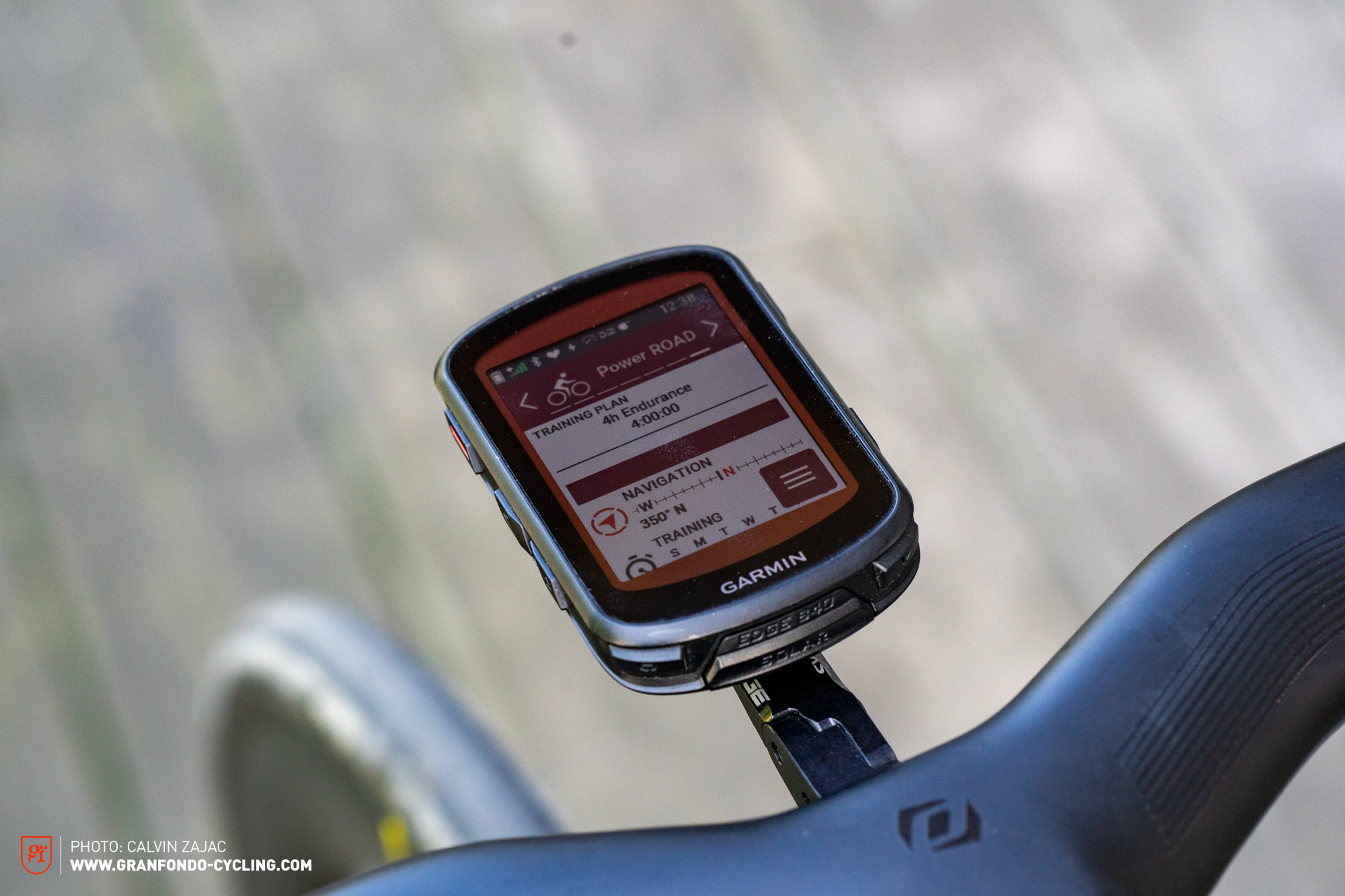
The answer is strongly yes for cyclists who use structured training. The Edge 840 can display power, heart rate, cadence, speed, distance, lap data, and workout targets in real time.
A rider training for a century might use it to:
-
Follow power targets during long intervals.
-
Watch heart rate during endurance rides.
-
Review climbing effort after each hill.
-
Track recovery and training load.
-
Compare performance over time.
The Power Guide feature can help plan effort across a route. It considers factors such as distance, elevation, and target intensity. This can reduce the common mistake of riding too hard at the start of a long event.
Training data is only useful when you understand its limits. The Edge 840 does not know every detail about sleep, stress, nutrition, illness, or life outside cycling. Treat its readiness and recovery suggestions as guidance rather than strict commands.
If you ride without a power meter or heart-rate monitor, many advanced tools will have less value. The computer can still track speed and distance, but its coaching features become more powerful with good sensor data.

Garmin Edge 840 for Road, Gravel, and Mountain Biking
Road Cycling
Road cyclists benefit from navigation, structured workouts, climbing data, and compatibility with electronic shifting. The compact shape also looks neat on a performance road bike.
Gravel Cycling
Gravel riders may find the Edge 840 especially useful. It supports route planning, elevation data, navigation, and sensor pairing without relying on a phone signal.
The main concern is route quality. Gravel routes can change due to weather, land access, construction, and private property. Always check local conditions before following an unfamiliar track.
Mountain Biking
Mountain bikers can use trail maps, climb data, incident detection, and compatibility with the Garmin mountain bike ecosystem. The physical buttons are helpful when the trail is rough.
The Edge 840 is not a rugged handheld GPS designed for every outdoor activity. It is still a cycling computer, so mount it securely and protect it from major impacts.
Commuting
For commuting, the Edge 840 may be more capable than necessary. It can track rides and guide you through traffic, but a basic model may offer better value if you do not use training or navigation tools.

Garmin Edge 840 vs. Edge 540
The Edge 540 is the closest alternative. The two computers share many important features, including training tools, navigation, battery performance, and sensor support.
The main difference is control. The Edge 540 uses physical buttons, while the Edge 840 adds a touchscreen.
Choose the Edge 840 if you want:
• Easier menu navigation
• Faster map movement
• Simple route setup on the device
• Touch controls alongside buttons
Choose the Edge 540 if you prefer:
• A lower purchase price
• Buttons only
• Fewer accidental screen touches
• A simpler setup
This comparison is central to deciding, “Is Garmin Edge 840 worth it?” If you do not care about a touchscreen, the Edge 540 may provide nearly all the performance features you need.

Garmin Edge 840 vs. Edge 1040
The Edge 1040 has a larger screen and usually offers more room for maps and data fields. It is a better fit for riders who want a large display or spend long hours navigating complex routes.
The Edge 840 is smaller and lighter. It takes up less handlebar space and feels less noticeable on a compact road bike.
Choose the Edge 1040 if:
• You value a large map
• You want more screen space
• You often ride all day
• You prefer larger text and data fields
Choose the Edge 840 if:
• You want a compact computer
• You ride mixed terrain
• You want high-end features in a smaller body
• You do not need the largest possible screen
For many riders, the Edge 840 is the better middle ground. It delivers most of the important features without the larger body and higher cost of the top-tier model.

Garmin Edge 840 vs. Wahoo ELEMNT Roam and Bolt
Wahoo computers are popular because they offer simple menus, clear screens, and easy route use. Garmin generally provides deeper training analysis, more sensor options, and a wider range of connected features.
Wahoo may suit you better if:
• You want a very simple interface
• You prefer physical controls
• You value quick setup
• You already use the Wahoo ecosystem
Garmin may suit you better if:
• You want detailed training metrics
• You use Garmin watches or accessories
• You want broader sensor support
• You need advanced climbing and workout tools
Neither brand is perfect for every rider. The right choice depends on whether you value simplicity or depth. If you enjoy adjusting data screens and reviewing performance trends, the Edge 840 has more room to grow.
Drawbacks of the Garmin Edge 840
The Garmin Edge 840 is powerful, but it has several weaknesses.
Learning Curve
The large feature set can feel confusing at first. Menus, profiles, sensors, maps, alerts, and data screens require time to set up.
My practical advice is to avoid changing everything at once. Start with one road profile, one gravel profile, and a small number of useful data fields. Add advanced features only when you understand why you need them.
Small Display
The 2.6-inch screen is compact. It works well for data, but dense maps can feel crowded.
Riders with poor eyesight or those who rely heavily on navigation may prefer the Edge 1040. Larger text can make a major difference during a long ride.
Touchscreen Limits
The touchscreen is useful, but rain, gloves, and road vibration can reduce comfort. The physical buttons help, yet the experience is not always as smooth as using a phone indoors.
High Cost
The Edge 840 costs more than basic cycling computers. Its value depends on whether you use the extra features.
Buying an expensive computer and using only speed and distance is like buying a full toolbox to tighten one screw. It works, but the value is poor.
Garmin Connect Dependence
Garmin Connect is useful for syncing rides, building workouts, reviewing data, and managing devices. However, it can feel busy for people who prefer a very simple app.
The computer remains useful without exploring every app feature. Still, you get the best experience when you spend time learning the Garmin ecosystem.
How to Get Better Value From the Garmin Edge 840
If you decide the Garmin Edge 840 is worth it, use these setup tips.
-
Update the device before your first major ride. Firmware and map updates can improve stability and accuracy.
-
Create separate activity profiles. Road, gravel, indoor, and mountain bike rides need different data screens.
-
Keep the first screen simple. Show speed, distance, heart rate, power, and time before adding extra fields.
-
Pair sensors one at a time. This makes connection problems easier to identify.
-
Download routes before leaving home. Do not depend on mobile service in remote areas.
-
Set alerts carefully. Too many alerts can distract you and drain the battery.
-
Calibrate your power meter when appropriate. Follow the instructions from the meter maker.
-
Charge before long rides. Battery estimates are not guarantees.
-
Clean the buttons and charging port. Dirt can cause poor button movement or charging problems.
-
Review your data with context. A hard day, poor sleep, heat, or stress can change your results.
These small steps make the computer feel less like a complicated gadget and more like a calm riding partner.
Who Should Buy the Garmin Edge 840?
The Garmin Edge 840 is a strong choice for:
• Dedicated road cyclists
• Gravel riders
• Triathletes
• Cyclists who train with power
• Riders who join long events
• People who explore unfamiliar routes
• Garmin ecosystem users
• Cyclists who want buttons and a touchscreen
It may not be the best choice for:
• Very occasional riders
• People who only need basic speed and distance
• Riders who dislike setup work
• Cyclists who want the largest possible screen
• Budget-focused buyers
• People who prefer a phone for all navigation
The Garmin Edge 840 is worth it when its advanced features solve real problems for you. It is not worth it simply because it has more features than a basic computer.
Is Garmin Edge 840 Worth It at Its Current Price?
The value depends on the sale price, package, and included accessories. The base unit may be enough for riders who already own a heart-rate monitor or power meter. Bundles can be useful if they include sensors you planned to buy anyway.
Before purchasing, compare:
• Standard and Solar versions
• New and certified refurbished units
• Base and sensor bundles
• The Edge 840 and Edge 540
• The Edge 840 and larger Edge 1040
• Warranty terms
• Return policy
Avoid paying extra for Solar if your rides are short and you charge devices often. Consider Solar if you do long events, bikepack, or want fewer charging worries.
A sale can make the Edge 840 much more attractive. However, a lower price should not be the only factor. A computer that fits your training style is usually a better deal than a cheaper model that frustrates you.
Common Mistakes to Avoid
Many buyers focus only on GPS accuracy and battery life. Those matter, but daily comfort matters too.
Avoid these mistakes:
• Buying the Solar model without needing extra battery life
• Choosing the Edge 840 when you really want a large map
• Ignoring the time needed for setup
• Using too many data fields
• Trusting every recovery suggestion without personal judgment
• Starting a route without checking access or road conditions
• Forgetting to update maps
• Leaving unnecessary sensors connected
• Buying a bundle with accessories you already own
The most useful bike computer is the one you can read quickly and use without stress. A clean setup often improves the riding experience more than another advanced metric.
Frequently Asked Questions About Is Garmin Edge 840 Worth It?
Is the Garmin Edge 840 good for beginners?
Yes, but it may offer more features than a beginner needs. It is a good long-term choice if you plan to train, navigate, or add cycling sensors later.
Is Garmin Edge 840 worth it without a power meter?
It can still track routes, speed, distance, elevation, heart rate, and workouts. However, several advanced training tools become more useful after you add a power meter.
Is the Garmin Edge 840 waterproof?
The Edge 840 has an IPX7 water-resistance rating. It can handle rain and brief water exposure, but you should not treat it as a device made for swimming or deep submersion.
How long does the Garmin Edge 840 battery last?
Garmin rates the standard model for up to about 42 hours in suitable conditions. Actual life varies with GPS mode, screen use, navigation, sensors, temperature, and connected features.
Does the Garmin Edge 840 work with a smartphone?
Yes. It can pair with compatible smartphones for syncing, notifications, route transfers, safety features, and access to Garmin Connect services.
Is the Garmin Edge 840 better than the Edge 540?
It is better if you want a touchscreen and easier map interaction. The Edge 540 may be the better value if you prefer buttons and do not need touch controls.
Is Garmin Edge 840 worth it for long-distance cycling?
Yes, especially because of its strong battery life, navigation, training tools, and sensor support. Riders who need a larger map may prefer the Edge 1040.
Can the Garmin Edge 840 guide you without a phone?
Yes. You can download maps and routes to the device before riding. A phone may still be useful for syncing, live features, emergency contact, and route changes.
Conclusion
So, is Garmin Edge 840 worth it? For serious cyclists, the answer is usually yes. It combines accurate GPS, reliable buttons, a useful touchscreen, long battery life, advanced training data, navigation, and wide sensor support in a compact body.
It is less appealing for casual riders who only want basic ride tracking. In that case, the Edge 540 or a simpler computer may offer better value.
Choose the standard Edge 840 for the best balance of features and price. Choose the Solar model for longer rides and extra battery flexibility. Before buying, compare current prices, check which sensors you need, and decide whether a compact screen fits your eyes and riding style. Explore more cycling gear guides, and share your own Edge 840 experience in the comments.