How To Use A Phone Mount In Your Car: Easy Guide
A good phone mount keeps your phone visible, stable, and hands-free while you drive safely.
Using a phone mount in your car is one of those small habits that can make a big difference. I’ve seen firsthand how the right setup cuts down on distractions, keeps navigation easy to follow, and makes everyday driving feel calmer and more organized. If you want to know how to use a phone mount in your car the right way, this guide will walk you through the best placement, setup tips, safety rules, and common mistakes so you can drive smarter and safer.
What a phone mount does and why it matters
A phone mount holds your phone in a fixed spot inside your car. That sounds simple, but it solves a lot of real problems. Instead of looking down at a cup holder or digging through a bag, you can keep your screen at eye level and your hands on the wheel.
A well-placed phone mount helps with:
- Navigation access while driving
- Hands-free calling
- Safer screen visibility
- Less fumbling and fewer distractions
- Better cable management for charging
In my experience, the biggest win is not convenience alone. It is the mental relief of knowing your phone has a home. Once you stop moving it around the car, driving feels more focused and less rushed.
How to use a phone mount in your car step by step
Learning how to use a phone mount in your car is mostly about choosing the right spot, installing it correctly, and adjusting your phone for clear viewing. The goal is simple: make it easy to glance at your phone without taking your attention off the road.
1. Choose the right type of mount
Before you install anything, think about where you want your phone to sit. Different car phone mount types work better in different vehicles and driving habits.
Common options include:
- Vent mounts, which clip onto an air vent
- Dashboard mounts, which stick to a flat surface
- Windshield mounts, which use suction cups
- CD slot mounts, which fit into the old CD player slot
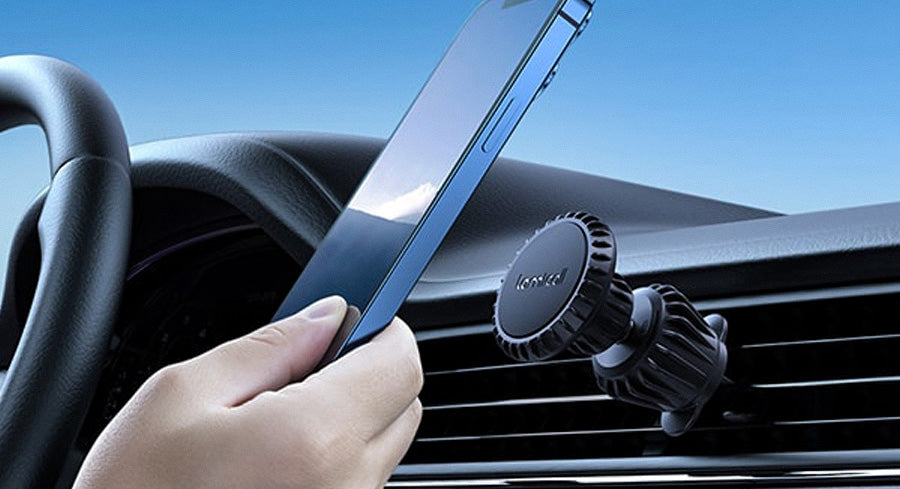
- Magnetic mounts, which use a metal plate or magnetic back
Each type has trade-offs. A vent mount is easy to use, but it may block airflow. A windshield mount can offer a great view, but it may not be legal or ideal in every state or vehicle. A dashboard mount often feels stable, but only if the surface is clean and slightly flat.
2. Pick a safe, easy-to-see location
The best place for a phone mount is where you can glance at it quickly without leaning forward. Most drivers do best with a spot near the center stack or low on the dashboard.
A good location should:
- Stay within your natural line of sight
- Avoid blocking the windshield
- Not cover air vents, buttons, or displays
- Be reachable without stretching
- Stay clear of airbags and steering wheel movement
I once used a mount that was too low, and I kept looking down like I was checking a notebook. That tiny shift made navigation harder, not easier. The lesson was simple: if you have to work to see it, the mount is in the wrong place.
3. Clean the surface before mounting
This step is easy to skip, but it matters a lot. Dust, oil, and heat can weaken suction pads and adhesive mounts.
Before installing:
- Wipe the dashboard or windshield with a clean microfiber cloth
- Let the surface dry fully
- Remove any oily film or residue
- Make sure the vent slats are clean if using a vent clip
A clean surface helps the mount grip better and last longer. In hot weather, even a strong adhesive can fail if the surface is dusty or greasy.
4. Install the mount according to its design
Follow the mount’s instructions closely, since each type works a little differently. Don’t force parts that are meant to slide, lock, or twist.
Typical setup steps include:
- Pressing the suction cup firmly into place
- Locking the suction lever if your mount has one
- Tightening vent clips so they hold steady
- Attaching the magnetic plate or phone holder
- Waiting a few minutes before placing the phone, especially with adhesive mounts
If you use an adhesive dashboard mount, give it time to cure before driving. That extra wait can make a big difference in stability.
5. Adjust the angle for safe viewing
Once the mount is installed, adjust the angle so your phone is visible with a quick glance. You should not need to tilt your head much or look away from the road for long.
Aim for:
- A slight upward angle
- A screen position that reduces glare
- Easy access to the charging port
- A view that does not block your gauges
I like to test the angle while the car is parked. I sit in the driver’s seat, hold the steering wheel, and check if I can see the map clearly. If it feels awkward before the trip starts, it will feel worse at 55 mph.
6. Secure your phone properly
A phone mount only works well if the phone stays locked in place. If it slips, shakes, or falls, the whole point is lost.
Make sure your phone is:
- Centered in the mount
- Snapped in fully if using a clamp style
- Positioned correctly on the magnet if using a magnetic mount
- Not too heavy for the mount’s rating
- Protected by a case that still allows a firm grip
If your phone is large and heavy, especially with a thick case, check that the mount can handle it. A weak clamp can slowly loosen over time.
7. Connect charging safely
Many drivers use a phone mount and charger together. That is smart, especially for long trips or navigation-heavy drives.
A clean charging setup should:
- Use a short cable to reduce clutter
- Keep wires away from the gear shifter and pedals
- Plug into a reliable USB port or power adapter
- Leave enough slack to remove the phone easily
A short cable often works best because it avoids the “spaghetti cord” look. That also keeps the cabin cleaner and reduces the chance of pulling the phone loose.
8. Test it on a short drive
Never assume the mount is perfect just because it looks stable parked in the driveway. Road vibration, heat, and braking can reveal problems fast.
During a short test drive, check for:
- Wobbling
- Slipping
- Screen glare
- Blocked vents or controls
- Difficulty reaching the phone
If anything feels off, reposition it before longer trips. A five-minute test can save you a lot of frustration later.
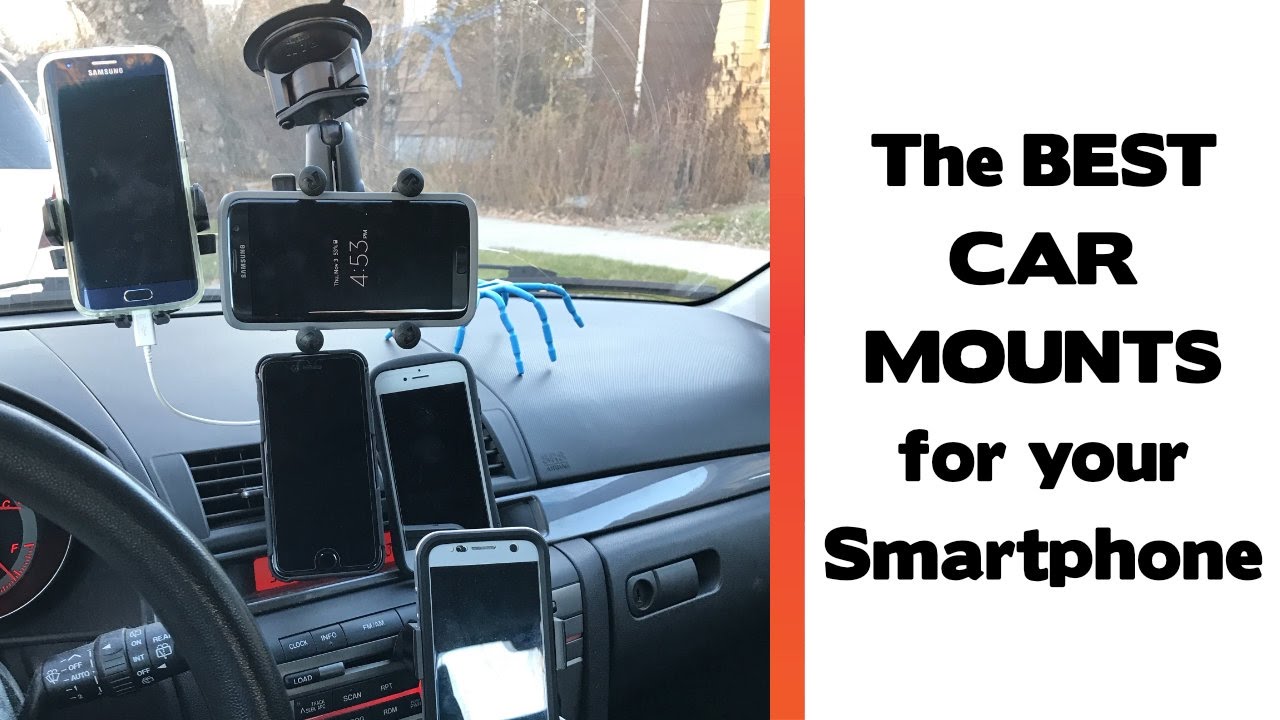
Best ways to use a phone mount for safer driving
Knowing how to use a phone mount in your car is only part of the story. The real value comes from using it in a way that supports safe driving habits.
Keep interaction brief
A mount is not a license to stare at your screen. It is meant to reduce distraction, not increase it.
Use the mount to:
- Start navigation before driving
- Glance at turn-by-turn directions
- Answer calls hands-free
- Check essential alerts quickly when stopped
If you need to type a message or change multiple settings, pull over first. Safe use always beats convenient use.
Use voice features when possible
Voice commands are one of the best companions to a phone mount. They let you keep your hands on the wheel and your eyes closer to the road.
You can often use voice tools to:
- Start a route
- Call a contact
- Send a short message
- Play music or podcasts
This lines up with broader road safety advice from transportation and safety organizations that warn against manual phone handling while driving. Even a mounted phone can become a distraction if you interact with it too much.
Avoid blocking important controls
A phone mount should never interfere with the car’s core functions. That includes climate controls, hazard lights, infotainment buttons, and visibility.
Avoid mounting your phone:
- In front of airbag zones
- Over the speedometer
- Too close to the steering wheel
- Where it blocks your view of mirrors
- Where it blocks the road ahead
A mount that seems “convenient” at first can become annoying fast if it blocks everyday controls.
Choosing the right phone mount for your car
There is no one best phone mount for every driver. The right choice depends on your car, your phone size, and your routine.
Vent mounts
Vent mounts are popular because they are easy to install and remove. They work well if you want something simple and portable.
Best for:
- Drivers who switch cars often
- People who want a low-cost option
- Small to medium phones
Limitations:
- Can block airflow
- May not hold well on weak vents
- Can loosen in extreme heat or cold
Dashboard mounts
Dashboard mounts often offer a strong, steady view. They can feel very natural if the dashboard has a good flat area.
Best for:
- Drivers who want a stable position
- People who use navigation often
- Cars with decent dashboard space
Limitations:
- Adhesive may weaken over time
- Requires a clean surface
- Not all dashboard shapes work well
Windshield mounts
Windshield mounts can place the phone high and easy to see. That can be helpful for drivers who prefer a near-eye-level view.
Best for:
- Larger vehicles
- Drivers who want a clear line of sight
- Navigation-heavy commutes
Limitations:
- May leave marks on glass
- Can be restricted by local rules
- May obstruct vision if placed badly
Magnetic mounts
Magnetic mounts are fast and simple. You just place the phone near the magnet, and it clicks into position.
Best for:
- Quick access
- Drivers who want easy one-handed use
- People who remove their phone often
Limitations:
- May need a metal plate
- Some thick cases weaken the hold
- Not ideal for very rough roads unless the magnet is strong
Common mistakes to avoid
I have seen a lot of drivers struggle with the same few mistakes. Most of them are easy to fix once you know what to watch for.
Avoid these issues:
- Mounting the phone too low or too far away
- Blocking air vents or dashboard controls
- Using a weak adhesive on a hot dashboard
- Letting charging cables clutter the cabin
- Ignoring local laws about windshield placement
- Touching the phone too often while driving
- Using a mount that cannot support your phone’s weight
A bad setup can make the mount feel useless. A good setup should fade into the background and help the drive feel smoother.
What the law and safety research generally say
Rules about phone mounts and phone use vary by state and country, so it is smart to check local laws before installing one. Some places allow windshield mounts only in certain areas, while others prefer dashboard or vent placement.
Safety groups and traffic agencies generally agree on one point: hands-free and mounted does not mean risk-free. The main goal is still to reduce distraction. Even with a mount, manual tapping, scrolling, and reading messages can take attention away from driving.
That is why the best habit is to set up your route, music, or call before the car moves. The mount should support the drive, not compete with it.
Real-world tips from everyday use
After using phone mounts in different cars, a few lessons keep coming up.
- Keep a backup cable in the car in case your main charger fails
- Recheck suction and clips during hot weather
- Choose a mount that works with your phone case, not just the bare phone
- Clean the contact point every few weeks
- Reposition the mount if your seating position changes
One of the biggest mistakes people make is buying a mount for the box photo, not real life. A mount can look great online but feel awkward in your actual car. Your dashboard shape, vent style, and driving posture matter more than marketing photos.

Frequently Asked Questions
How do I know where to place a phone mount in my car?
Place it where you can see the screen with a quick glance and without blocking your view. Many drivers prefer the center dashboard area because it balances visibility and safety.
Is it safe to use a phone mount while driving?
Yes, if you use it mainly for hands-free navigation and calls. It becomes unsafe if you keep tapping, typing, or looking at the screen for too long.
Do phone mounts damage car vents or dashboards?
They can if they are poorly made or installed too tightly. A quality mount used correctly is usually fine, but you should avoid forcing clips or using damaged adhesive.
Can I use a phone mount with a thick phone case?
Yes, but check the mount’s grip and size limits first. Thick cases can weaken magnetic mounts or make clamp-style mounts fit poorly.
What type of phone mount is best for long drives?
A stable dashboard or windshield mount often works best for long drives because it offers better visibility and less movement. If your car has poor dashboard space, a strong vent or magnetic mount may still work well.
Why does my phone mount keep falling off?
The most common reasons are dust, heat, weak adhesive, or poor placement. Clean the surface, let adhesive mounts cure, and make sure the mount matches your car’s shape and your phone’s weight.
Conclusion
Using a phone mount in your car is really about making driving simpler, safer, and less stressful. When you choose the right mount, place it well, and use it with care, it becomes one of those small tools that quietly improves every trip.
The best setup is the one that fits your car, supports your habits, and keeps your focus where it belongs: on the road. If you are ready to improve your driving routine, try the tips in this guide, test your setup on a short drive, and adjust until it feels natural. If you found this helpful, explore more driving safety tips and share your own phone mount experience in the comments.