How To Use A Car Battery Monitor: Easy Guide
A car battery monitor shows your battery’s health, voltage, and charging status in real time.
If you want fewer dead starts and more peace of mind, learning how to use a car battery monitor is one of the smartest habits you can build. I’ve used battery monitors in daily drivers, work trucks, and older cars that were just a little too good at draining themselves overnight. Once you know what the numbers mean, the monitor feels less like a gadget and more like a dashboard for your battery’s life.

What a car battery monitor does
A car battery monitor tracks your battery’s voltage and, in many cases, current flow, state of charge, and charging behavior. Think of it like a health tracker for your car’s electrical system. Instead of waiting for a no-start surprise, you get early warning signs.
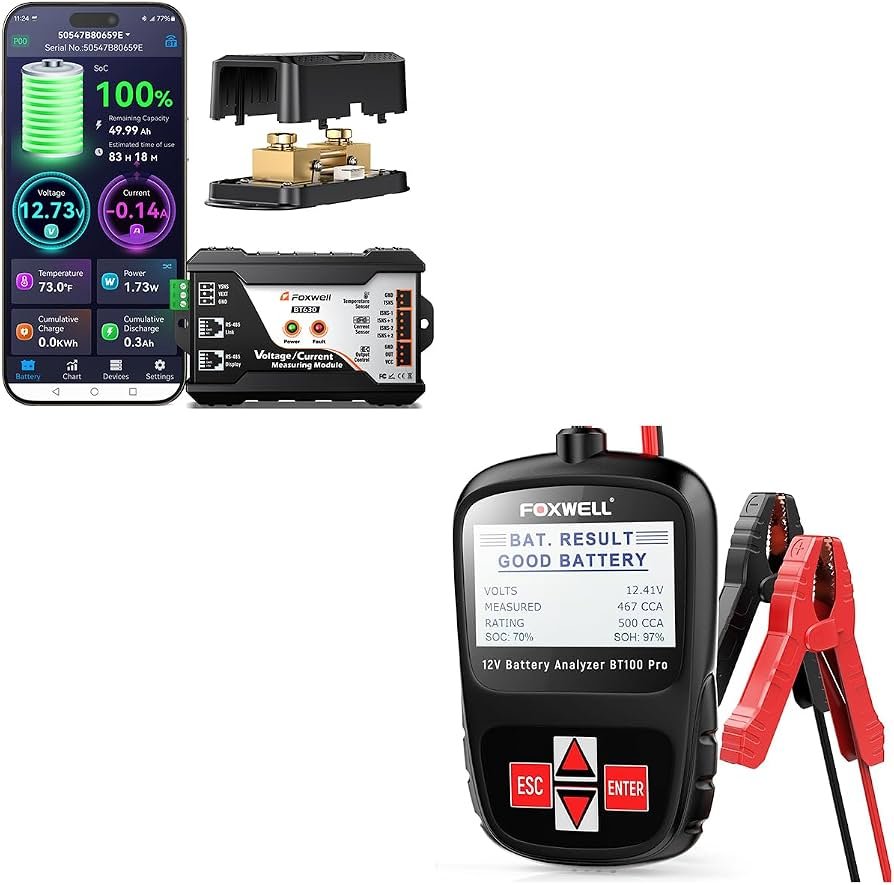
Most modern battery monitors are either:
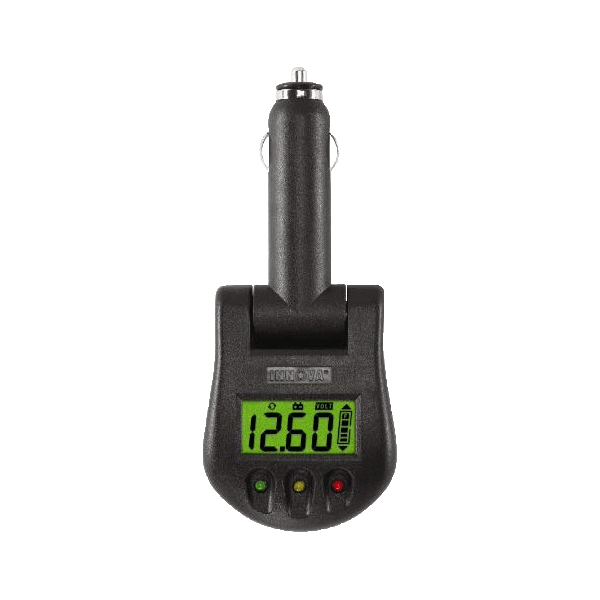
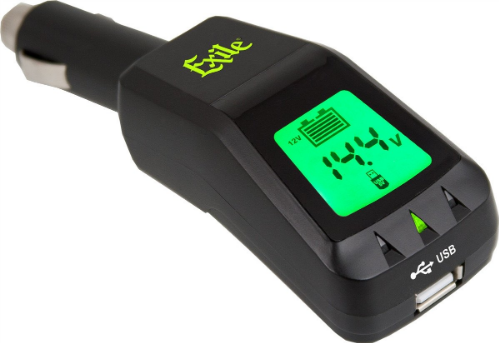
• Plug-in devices that connect to the 12-volt port
• Bluetooth monitors that pair with a phone app
• Hardwired monitors installed near the battery
• Built-in vehicle systems in newer cars
A basic monitor often shows battery voltage. More advanced models may estimate state of charge, starting power, or alternator performance. That extra data can help you spot a weak battery before winter or catch a charging issue before it becomes expensive.
Why using a car battery monitor matters
A battery can fail quietly. Many drivers assume a battery is either fine or dead, but the truth is usually messier. I’ve seen batteries that still cranked the engine but were already losing capacity fast. That kind of slow decline is exactly what a car battery monitor helps catch.
Using a car battery monitor can help you:
• Avoid unexpected no-start problems
• Catch parasitic drain from accessories or bad wiring
• Check if the alternator is charging correctly
• Extend battery life with better maintenance
• Save money by replacing a battery at the right time
It also gives you a better sense of patterns. For example, if voltage drops every time the car sits for three days, that’s a clue. If voltage looks fine while driving but low in the morning, the battery may be aging or something may be draining it overnight.
How to use a car battery monitor step by step
Using a car battery monitor is usually simple, but the details matter. A rushed setup can give misleading numbers, and that can send you chasing the wrong problem. Here’s the cleanest way to do it.
1. Choose the right monitor
Start with the type of monitor that fits your needs.
• For quick checks, a plug-in or Bluetooth monitor works well
• For deeper diagnostics, choose a hardwired monitor with amp tracking
• For fleet or long-term use, look for an app with history graphs and alerts
If you only want battery voltage, a basic model is enough. If you want to track charging and load behavior, get one that measures more than voltage.
2. Install or connect it properly
Follow the manual closely. Most Bluetooth monitors connect directly to the battery terminals, while 12-volt socket models plug into the accessory port. Hardwired units usually require a direct battery connection and may include a shunt for current measurement.
A few practical tips from experience:
• Clean the battery terminals before connecting
• Make sure the connection is tight
• Keep wires away from hot or moving parts
• Mount the device where it will not rattle loose
Poor contact is a common reason for strange readings. I learned that the hard way on an older sedan where a slightly loose clamp made the monitor report random voltage drops.
3. Let the car sit so you get a true reading
For the most useful battery reading, let the vehicle rest for a while first. A battery right after driving can show a surface charge, which makes the voltage look healthier than it really is. Many monitors and technicians suggest waiting at least 30 minutes after shutting the engine off for a more stable reading.
This resting reading gives you a better picture of the battery’s real condition. If it is already low at rest, that is usually more meaningful than a brief dip while starting.
4. Learn the voltage range
A 12-volt car battery usually tells its story through voltage.
• Around 12.6 volts or higher often means a fully charged battery
• Around 12.4 volts suggests moderate charge
• Around 12.2 volts or lower can mean the battery is weak or undercharged
• Around 13.7 to 14.7 volts while running usually shows normal alternator charging
These are general guidelines, not perfect rules. Temperature, battery age, and vehicle type can affect readings. Still, voltage gives you a solid starting point.
5. Check the numbers in different conditions
Do not rely on one reading alone. Use the car battery monitor at different times.
• Before starting the car
• While the engine is running
• After short trips
• After the car sits overnight
• When accessories like headlights or the AC are on
This helps you compare normal behavior with unusual behavior. A battery that looks fine on the road but drops overnight may point to a drain. A battery that sags badly during startup may be nearing the end of its life.
6. Set alerts if your monitor supports them
Many Bluetooth battery monitors let you set voltage alerts. This is one of the most useful features because it removes guesswork. If the battery drops below your chosen level, you get a warning before the car leaves you stranded.
Good alert settings depend on the car and battery, but the key is consistency. Use the monitor to catch trends, not just emergencies.

How to read the results from a car battery monitor
Knowing how to use a car battery monitor is really about knowing what the readings mean. A number on a screen is only useful if you can turn it into action.
Battery voltage at rest
This tells you how charged the battery is after the car has been off for a while. If the resting voltage keeps dropping over several days, that may mean the battery is weak or something is draining power.
Voltage during engine start
This is where weak batteries often show themselves. If voltage dips hard while cranking, the battery may not have enough reserve power. In cold weather, that drop can be even more dramatic.
Charging voltage with the engine running
When the engine is on, the alternator should usually keep voltage in the normal charging range. If the number stays too low, the battery may not recharge well. If it is too high, the charging system may need attention.
Current draw and parasitic drain
Some advanced monitors show current flow. That can help you identify a parasitic drain, which is power used while the car is off. Common causes include a faulty module, stuck relay, glove box light, or aftermarket accessory.
Common mistakes to avoid
A car battery monitor is only useful if you use it the right way. A lot of people see weird numbers and immediately blame the battery. Sometimes they are right, but not always.
Avoid these mistakes:
• Checking voltage only once and calling it done
• Ignoring temperature effects on battery performance
• Forgetting that short trips can leave the battery undercharged
• Assuming all low voltage means the battery is bad
• Using a loose or dirty connection
• Forgetting to compare resting and running voltage
One mistake I see often is people replacing a battery when the real issue is the alternator. Another is blaming the alternator when the real problem is an old battery that cannot hold a charge anymore. The monitor helps, but it works best when you look at the whole picture.
Best practices for accurate battery monitoring
If you want the most reliable results, treat the monitor like a tool, not a magic answer. Good habits make the data much more useful.
• Check readings at the same time each day if you are tracking a problem
• Use the same app or device so your data stays consistent
• Compare results after the car rests and while it runs
• Keep battery terminals clean and corrosion free
• Replace a battery that keeps failing under load even if voltage seems okay at rest
It also helps to know your driving pattern. If you mostly take short trips, the battery may never fully recharge. In that case, a monitor can show the slow slide long before the car refuses to start.
How a car battery monitor helps in real life
I once helped a friend with a car that kept dying after two or three days parked. The battery tested “okay” at first glance, which was frustrating. A monitor showed the voltage dropping overnight even when the car was off, and that pointed us toward a parasitic drain from an aftermarket stereo install.
That is the kind of problem a monitor solves well. It turns a guessing game into a pattern you can actually see. And once you see the pattern, fixing the issue becomes much easier.
Another time, a winter-ready SUV looked healthy until the first real cold snap. The monitor showed the battery had been sitting just a bit low for weeks. The owner replaced it before a trip, which probably saved a tow and a frozen roadside headache.
Limitations of a car battery monitor
A battery monitor is helpful, but it is not perfect. It gives you clues, not full diagnostic certainty. That matters because some problems look similar on the screen.
Limitations include:
• It may not detect internal battery damage with certainty
• It can miss intermittent wiring issues
• Voltage alone does not always tell the full story
• Some app-based monitors can lag or lose connection
• Cheap devices may give less accurate readings
For best results, pair the monitor with basic checks like battery age, terminal condition, and charging tests. When in doubt, a professional load test or electrical diagnosis can confirm what the monitor suggests.
Frequently Asked Questions of How to use a car battery monitor
How often should I check my car battery monitor?
Check it at least once a week if you are just keeping an eye on the battery. If you are troubleshooting a problem, check it daily at the same time so you can spot patterns.
Can a car battery monitor tell me if my battery is bad?
It can strongly suggest a problem, especially if voltage is low at rest or drops hard under load. Still, a proper load test is the best way to confirm battery failure.
Does a car battery monitor drain the battery?
Most modern monitors draw very little power, especially Bluetooth models designed for 12-volt systems. Even so, a poor-quality device or bad installation can add unwanted drain over time.
What voltage is too low for a car battery?
A resting voltage around 12.2 volts or lower usually means the battery is undercharged or weakening. If it keeps dropping after charging, the battery may be nearing replacement.
Can I use a car battery monitor on a hybrid or electric vehicle?
Some can, but not all are designed for high-voltage systems or special vehicle batteries. Always check compatibility first, because hybrids and EVs may use different monitoring needs and battery types.
Conclusion
A car battery monitor is one of those small tools that can save you from big problems. When you know how to use a car battery monitor, you can spot weak charge, charging issues, and hidden drain before they leave you stuck. That means fewer surprises, better battery life, and more confidence every time you turn the key.
If you drive often, park for long stretches, or own an older vehicle, this is a smart habit to build. Start checking your readings regularly, learn what normal looks like for your car, and act early when something changes. If this guide helped, keep exploring battery care tips and share your own experience in the comments.