How To Use A GPS Navigator: Easy Step-By-Step Guide
A GPS navigator works best when you enter your destination, follow the route prompts, and stay aware of the road.
A GPS navigator can turn a confusing drive into a smooth trip, but only if you know how to use it well. I’ve used GPS devices in city traffic, on long road trips, and in areas with weak signals, and the same lesson always comes up: the best results come from simple setup, smart route checks, and a little driver judgment. If you want to use a GPS navigator with confidence, save time, and avoid common mistakes, this guide will walk you through it step by step.
What a GPS navigator does
A GPS navigator uses satellite signals to estimate your location and guide you to a destination. It gives turn-by-turn directions, shows your route on a map, and often updates traffic in real time.
In plain terms, it is like having a calm co-pilot that watches the road map for you. The device or app helps you find the fastest or easiest path, reroute around delays, and keep your trip organized.
A good GPS navigator can also help with:
- Trip planning
- Lane guidance
- Speed limit alerts
- Points of interest
- Estimated arrival time
- Alternate route options
Modern systems may be built into a car dashboard, come as a handheld device, or run as a phone app. No matter the format, the basic way to use a GPS navigator is similar.

How to use a GPS navigator step by step
Using a GPS navigator is easy once you understand the flow. The process is usually the same whether you use a dedicated device or a navigation app.
-
Turn on the device or open the app
Start the GPS navigator and wait for it to get a signal. Most systems need a few seconds to lock onto satellites and locate your position.
-
Enter your destination
Type in the address, business name, landmark, or saved contact. The more exact the destination, the better the route.
-
Review the route
Check the map before you start moving. Look for toll roads, highways, ferries, or long detours that may affect your trip.
-
Choose your route preference
Many GPS systems let you pick the fastest route, shortest route, or a route that avoids tolls. Choose the option that fits your trip.
-
Start navigation
Tap or press start, then begin driving. Follow the voice prompts and map guidance as you go.
-
Keep an eye on the road and screen
Glance at the display only when it is safe. Let the voice directions do most of the work.
-
Respond to rerouting
If you miss a turn or hit traffic, the GPS navigator will usually recalculate. Stay calm and follow the new directions.
I learned long ago that trying to “outsmart” the route often leads to more stress, not less. The best habit is to check the screen before a turn, then trust the voice prompts and your own road sense.

How to set up a GPS navigator before driving
Good setup makes a big difference. A GPS navigator is only as helpful as the information you feed it.
Before driving, do these things:
- Update maps and software if needed
- Set your preferred units, such as miles or kilometers
- Turn on voice guidance
- Adjust brightness for daylight or night driving
- Mount the device where you can see it safely
- Set home, work, or frequent destinations for faster access
If you use a smartphone app, also check battery level and data use. On a dedicated GPS unit, make sure it is charged or plugged in.
I once made the mistake of starting a long drive with an outdated map. That small error turned a simple route into a frustrating detour. Since then, I always update the device before any important trip.

How to enter a destination the right way
Entering the destination correctly is one of the most important parts of using a GPS navigator. A small typo or vague search term can send you to the wrong place.
Use these tips:
- Enter the full street address when possible
- Include city and state for better accuracy
- Use the exact business name if you are going to a store or office
- Save frequent places like home, school, or work
- Double-check spelling before you start
If you are heading to a large location like a mall, hospital, or stadium, look for a specific entrance or parking area. GPS navigators can sometimes send you to the main address, which is not always the best drop-off point.
This is one of those small details that saves time. It also helps reduce the chance of circling the block when you are already late.

How to read the map and follow directions
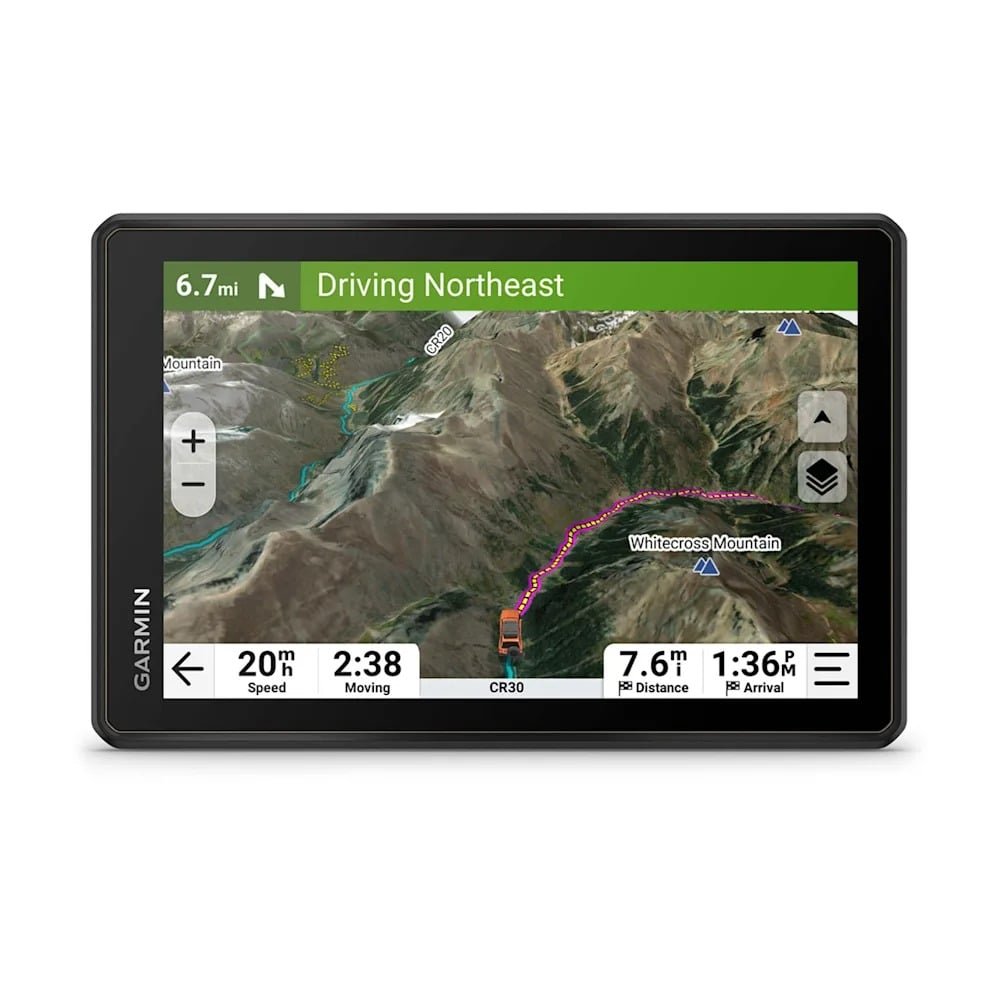
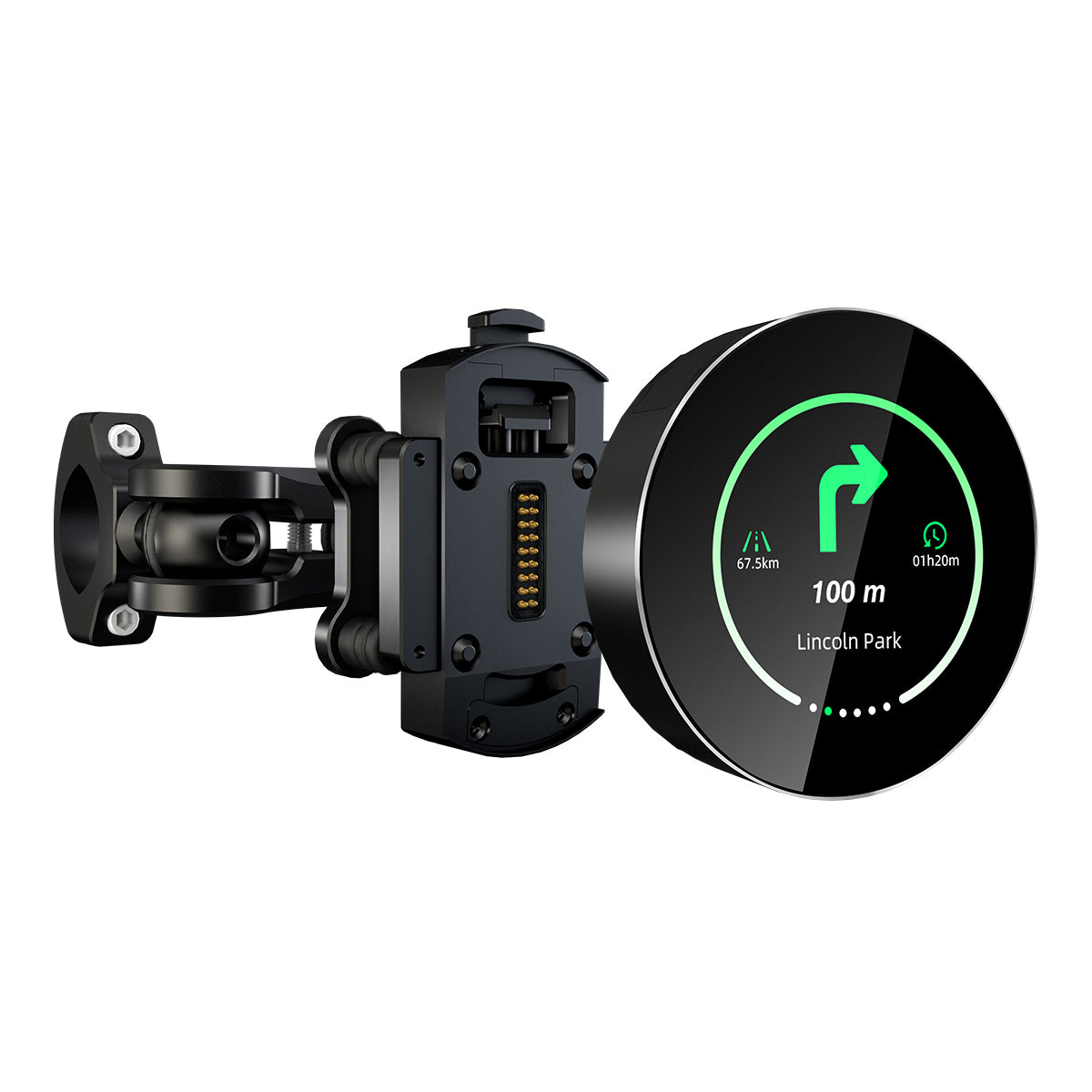
The map view is the heart of any GPS navigator. It shows your location, the road ahead, and upcoming turns.
Here is what to watch for:
- The blue line or highlighted route shows where you should go
- The arrow or vehicle icon shows your current position
- Turn symbols tell you what direction to take
- Distance markers show how far until the next move
- Traffic colors may show slow or clear roads
Voice directions are very helpful, but the map gives added context. For example, if the system says “turn left in 500 feet,” the map can help you spot the turn lane early.
A useful habit is to glance ahead, not just at the next step. That helps you prepare for lane changes, exits, or tricky intersections.
How to use a GPS navigator safely while driving
Safety matters more than convenience. A GPS navigator should reduce stress, not distract you.
Follow these safe-use habits:
- Set the destination before you start moving
- Mount the screen at eye level if possible
- Use voice guidance so you do not stare at the screen
- Pull over if you need to type a new address
- Avoid tapping the device in heavy traffic
- Keep your attention on the road, not the display
Many drivers treat GPS like a second set of eyes, but it should never replace your own judgment. Signs, road closures, school zones, and construction crews still matter.
In my experience, the safest drivers are the ones who use GPS as support, not as a crutch. The navigator guides the trip, but the driver makes the final call.

How to handle traffic, detours, and rerouting
One of the biggest benefits of a GPS navigator is real-time adjustment. If traffic slows down or a road closes, the device can often suggest a better path.
To handle rerouting well:
- Stay calm when the route changes
- Check whether the new route is actually better
- Watch for sudden lane changes or tricky turns
- Follow traffic laws even if the GPS says “recalculating”
- Use live traffic features when available
Sometimes the shortest route is not the smartest one. A GPS navigator may send you through narrow streets or busy neighborhood roads to save a few minutes. That is why it helps to review the new path before accepting it.
This is where experience counts. After enough trips, you start to recognize when the GPS is making a smart move and when it is simply chasing the fastest time on paper.

Common mistakes to avoid when using a GPS navigator
Even simple tools can go wrong if used carelessly. A GPS navigator works best when you avoid these common mistakes.
- Not updating maps regularly
- Entering the wrong destination
- Ignoring voice prompts
- Looking at the screen too long
- Trusting the route without checking road signs
- Leaving the device uncharged
- Mounting the screen where it blocks your view
- Using it in low-signal areas without planning ahead
Another mistake is assuming the GPS is always correct. Maps can be outdated, new roads can open, and temporary closures can change a route. A good driver uses the navigator, but still pays attention to the real world.

Tips for getting better results from your GPS navigator
If you want your GPS navigator to feel more useful and less annoying, a few small habits can help a lot.
- Use voice commands if your device supports them
- Save common locations for quick access
- Download offline maps before a trip in weak-signal areas
- Keep the device charged or connected to power
- Use lane guidance on highways
- Zoom out occasionally to see the bigger route picture
- Compare ETA with traffic conditions before leaving
One of my favorite habits is checking the route a few minutes before departure. That gives me time to spot tolls, heavy traffic, or odd detours before I am already on the road.
Think of it like packing a bag before a trip. A little prep makes the whole journey easier.
GPS navigator benefits and limitations
A GPS navigator can be a huge help, but it is not perfect. Knowing both sides makes it easier to use well.
Benefits:
- Faster route planning
- Less chance of getting lost
- Helpful rerouting around traffic
- Better trip confidence
- Useful for unfamiliar areas
- Helpful for road trips and business travel
Limitations:
- Can lose signal in tunnels, garages, or remote areas
- May suggest poor routes if maps are outdated
- Can distract drivers if overused
- May not know about every temporary closure
- Voice and screen settings can vary by device
The Federal Highway Administration and similar transportation agencies continue to emphasize that driver attention remains a major safety issue. That makes sense, because even the best navigation tool cannot replace alert driving.
Frequently Asked Questions of How to use a GPS navigator
How do I use a GPS navigator for the first time?
Turn it on, let it find your location, and enter your destination. Then review the route and start navigation with voice guidance on so you can follow directions safely.
Do I need internet to use a GPS navigator?
Not always. Many dedicated GPS devices work with satellite signals and offline maps, while phone apps may need data for live traffic and updates.
Why is my GPS navigator giving the wrong route?
This can happen if the maps are outdated, the destination was entered incorrectly, or the app is trying to avoid traffic or tolls. It helps to update the maps and check the route before driving.
Can I use a GPS navigator without looking at the screen?
Yes, voice directions can guide most of the trip. Still, it is smart to glance at the screen when safe, especially before lane changes or complex turns.
How often should I update my GPS navigator?
Update it as often as the manufacturer recommends, especially before long trips. Regular updates help improve map accuracy, traffic data, and route quality.
Is a phone GPS as good as a dedicated GPS navigator?
For many drivers, a phone app is very effective and convenient. A dedicated GPS navigator can still be better for long trips, offline use, or drivers who want a device focused only on navigation.
Conclusion
Using a GPS navigator is really about combining smart setup with calm driving. When you enter the destination correctly, check the route, follow the voice prompts, and stay alert on the road, the GPS navigator becomes a reliable travel helper.
The more you use it, the more natural it feels. Start with good habits, avoid the common mistakes, and treat the device as a guide rather than a replacement for your judgment. If you found this guide helpful, try these tips on your next drive, explore more navigation advice, or leave a comment with your own GPS navigator experience.