How To Use A Backup Camera: Easy Safety Tips
A backup camera helps you see behind your vehicle, so you can reverse more safely and with better control.
Knowing how to use a backup camera is one of those small driving skills that can make a big difference. I’ve used them in sedans, SUVs, and larger vehicles, and the pattern is always the same: the camera is helpful, but only when you understand what it can and cannot show. In this guide, I’ll walk you through how to use a backup camera the right way, how to read the screen, and how to avoid the common mistakes that catch even experienced drivers off guard.
What a Backup Camera Does
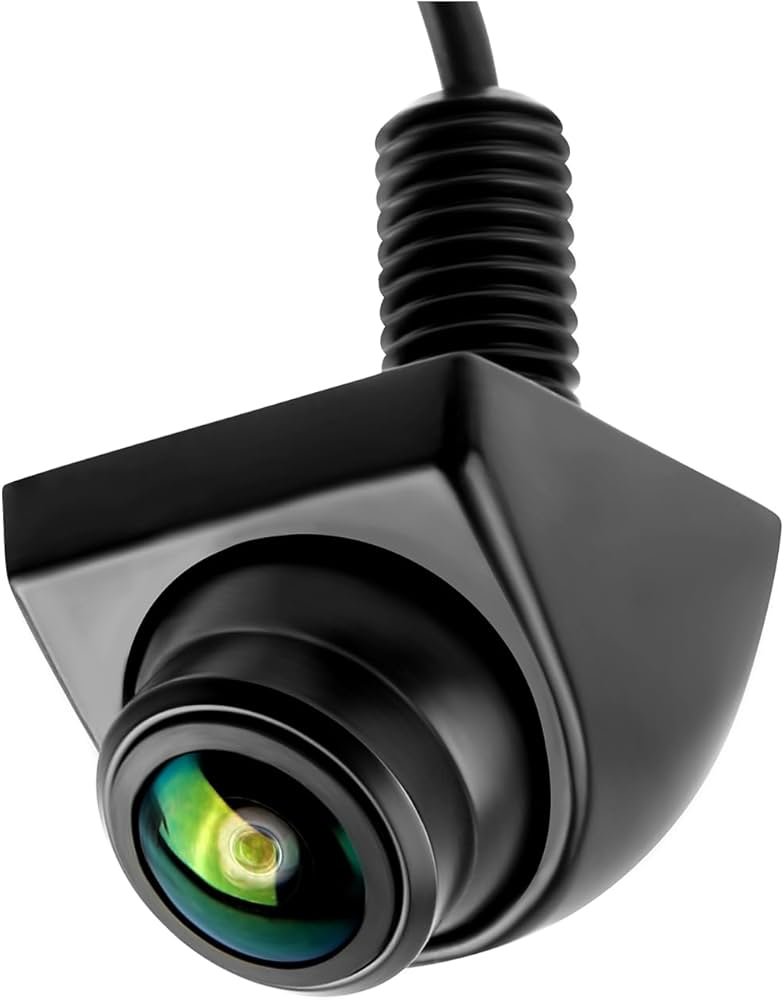
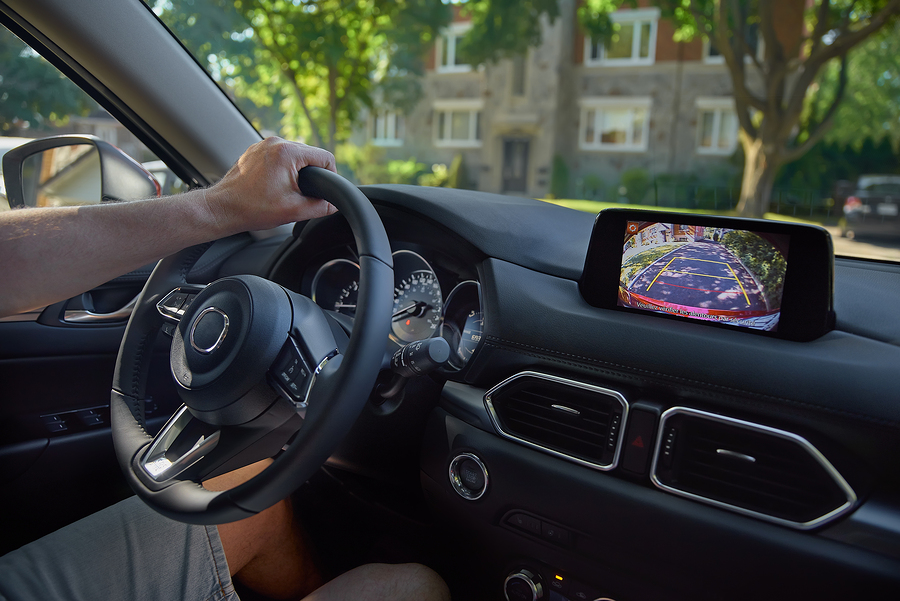
A backup camera, also called a rearview camera or reversing camera, shows the area behind your vehicle when you shift into reverse. Most systems display a live video feed on the dashboard screen, rearview mirror, or infotainment display. Many also include guide lines to help you judge distance and steering angle.
The main job of a backup camera is simple: reduce blind spots and make backing up easier. It does not replace mirrors, head checks, or good driving habits. Think of it like a helpful extra set of eyes, not a full replacement for your own.

How to Use a Backup Camera Step by Step
Using a backup camera is easy once you learn the basics. The camera usually turns on automatically when you put the car in reverse, but the real skill is knowing how to use the image well.
Follow these steps:
-
Start the vehicle and check your surroundings
Look around before moving. Make sure children, pets, shopping carts, and low objects are not behind the car. -
Shift into reverse
The camera screen should appear right away. If it does not, check your vehicle settings or display system. -
Look at the screen and your mirrors at the same time
The backup camera gives you the rear view, but your side mirrors still help you see wider areas. -
Use the guide lines
Many cameras show colored or curved lines. These help you steer and judge how close you are to objects. -
Reverse slowly
Move at a crawl. A backup camera works best when you go slow enough to react to what you see. -
Stop and recheck if needed
If anything looks unclear, stop, look around, and adjust before continuing.
I’ve seen new drivers make the mistake of staring only at the screen. That can be risky because the camera has limits, especially when an object is low, small, or outside the camera’s angle.
How to Read Backup Camera Guide Lines
Guide lines are one of the most useful features on a backup camera, but they can be confusing at first. Some lines are fixed, while others move with the steering wheel.
Here’s a simple way to understand them:
- Green lines often mean safe space or greater distance
- Yellow lines usually mean caution
- Red lines often mean stop or very close
- Curved moving lines show where the car will go if you keep turning the wheel
If your vehicle has dynamic guide lines, pay close attention to them when backing into a parking spot. They can help you line up the car more accurately, especially in tight spaces. Still, do not treat the lines like a perfect measuring tool. Camera angles can change with vehicle height, lens shape, and calibration.
Best Practices for Safe Use
A backup camera is most useful when you use it as part of a full safety routine. Drivers who rely on it alone are more likely to miss something important.
Good habits include:
- Check your mirrors before and during reverse
- Turn your head and look behind you when possible
- Keep the camera lens clean
- Reverse slowly and steadily
- Watch for motion, not just objects
- Use parking sensors if your car has them
- Avoid multitasking while backing up
One lesson I learned early on is that a dirty lens can make a good camera nearly useless. Rain, mud, snow, and road salt can blur the image fast. A quick wipe before driving can save you from a bad guess in a tight spot.
Limitations of a Backup Camera
Backup cameras are helpful, but they are not perfect. Every driver should understand their limits so they do not become overconfident.
Common limitations include:
- Blind spots near the corners of the bumper
- Poor visibility in darkness, fog, or heavy rain
- Lens glare from sunlight or headlights
- Delayed or blurry video on older systems
- Distortion from wide-angle lenses
- Difficulty seeing small children, pets, or low posts
According to safety guidance from major traffic safety organizations, rear visibility systems are meant to support the driver, not replace active scanning. That is why using mirrors and checking over your shoulder still matters. The camera helps you see more, but not everything.
How to Use a Backup Camera When Parking
Parking is where a backup camera really shines. It can help you straighten the car, avoid curbs, and fit into narrow spaces with less stress.
For parallel parking:
- Pull up beside the car in front of the space
- Shift into reverse and watch the screen
- Use the guide lines to begin turning
- Keep moving slowly
- Stop when the car is centered in the space
For backing into a parking spot:
- Align your car with the space
- Check both mirrors and the camera
- Back up slowly while watching the lines
- Make small steering corrections
- Stop before you get too close to the curb or barrier
For garage parking:
- Use the camera to judge distance from the wall or storage items
- Mark a safe stopping point if needed
- Back in slowly, especially if the space is tight
I’ve found that backup cameras are especially helpful in bad weather when depth judgment is harder. On rainy days, the screen can still help if you move slowly and keep your expectations realistic.
Common Mistakes to Avoid
Even experienced drivers make mistakes with backup cameras. The good news is that most of them are easy to fix.
Watch out for these errors:
- Trusting the camera too much
- Ignoring mirrors and blind spots
- Reversing too fast
- Forgetting that guide lines can be inaccurate if the camera is misaligned
- Using the camera with a dirty lens
- Assuming the screen shows everything behind the car
- Failing to check for small children or pets
One of the biggest mistakes I’ve seen is treating the camera like a magic shield. It is not. It is a tool, and like any tool, it works best in the hands of someone attentive and patient.
How Backup Cameras Improve Safety
Backup cameras have become common because they help reduce backing accidents. They are especially useful in crowded driveways, parking lots, and neighborhoods with kids or pets.
Benefits include:
- Better rear visibility
- Easier parking
- Fewer curb hits and bumper scrapes
- More confidence for new drivers
- Help spotting objects close to the vehicle
The strongest safety benefit is awareness. When drivers can see more clearly behind the car, they are less likely to hit something or someone. That said, safety still depends on driver behavior, not just equipment.
Troubleshooting Backup Camera Problems
If your backup camera is not working well, the issue is often simple. Before assuming the system is broken, check a few basics.
Try these fixes:
- Clean the lens
- Restart the vehicle
- Check the fuse if the screen stays blank
- Inspect the display settings
- Look for loose wiring or damaged connectors
- Test whether the camera works only in reverse
- Visit a mechanic or dealer if the image stays distorted
If the screen is black, frozen, or flickering, the problem may be with the camera, wiring, or infotainment system. In older vehicles, cold weather can also affect performance. If you are not sure, a professional diagnosis is the safest move.
Helpful Tips for New Drivers
If you are still learning how to use a backup camera, keep things simple. Practice in an empty lot or driveway before using it in a crowded space.
A few practical tips:
- Practice reversing in daylight first
- Learn where the guide lines end
- Use slow, gentle steering
- Watch how the image changes as the car moves
- Compare the camera view with your mirrors
- Stay calm and stop if you feel unsure
The camera should lower stress, not raise it. Once you get used to the view, reversing feels much more natural. It starts to feel less like guesswork and more like controlled movement.
Frequently Asked Questions of How to use a backup camera
How do I know if my backup camera is working?
Put the car in reverse and check whether the display turns on automatically. If the screen stays black or the image is distorted, the lens, wiring, or settings may need attention.
Should I use the backup camera only when parking?
No, it can help any time you reverse, not just while parking. It is useful for driveways, garages, loading areas, and tight spots where visibility is limited.
Can I rely on a backup camera instead of mirrors?
No, mirrors still matter because they show areas the camera may miss. The safest approach is to use the camera, mirrors, and a quick head check together.
Why do backup camera lines move when I turn the wheel?
Those are dynamic guide lines, and they show the direction your vehicle is likely to travel. They help with steering, but they should be used as guidance rather than exact measurements.
What should I do if my backup camera image is blurry?
Clean the lens first, since dirt and water are common causes. If the image is still blurry, the camera may need recalibration, repair, or replacement.
Conclusion
Learning how to use a backup camera the right way makes reversing safer, easier, and less stressful. The key is to treat it as a support tool, not a full replacement for mirrors, careful observation, and slow movement. Once you get used to reading the screen and guide lines, it becomes a very natural part of driving.
If you want better results, practice in an open space, keep the lens clean, and build the habit of checking your surroundings every time you back up. Keep learning, stay alert, and use your camera with confidence. If this guide helped, explore more car safety tips or leave a comment with your own backup camera experience.