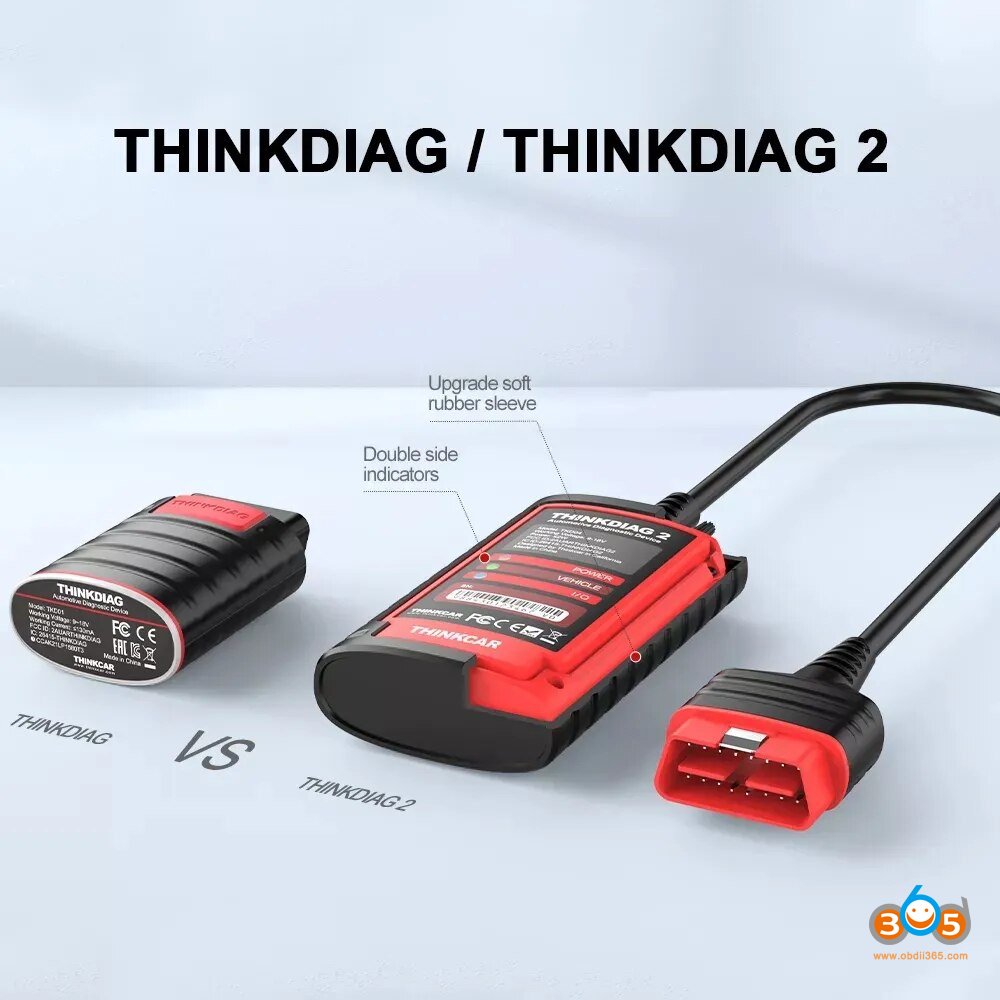
ThinkDiag Vs Autel AP200: Which Scanner Wins?
ThinkDiag offers broader service tools, while Autel AP200 provides simpler, brand-based diagnostics at a lower entry cost.
Choosing between ThinkDiag vs Autel AP200 can feel like comparing two small toolboxes that look alike but serve different drivers. Both connect to a phone, read fault codes, show live data, and reset many warning lights. However, their software plans, vehicle coverage, special functions, and ease of use can change the buying decision.
After comparing their typical features, app workflows, subscription models, and real-world use cases, this guide explains where each scanner fits best. You will also learn which tool suits home mechanics, technicians, used-car buyers, and small repair shops.

ThinkDiag vs Autel AP200: Quick Comparison
ThinkDiag and Autel AP200 are Bluetooth OBD2 diagnostic scanners. They use a mobile app instead of a built-in screen. This keeps the hardware small and lowers the purchase price.
The biggest difference is software design. ThinkDiag aims to offer wide system access and advanced service functions through the ThinkDiag app. Autel AP200 uses the MaxiAP200 app and is often sold with one free vehicle brand package, while extra brands may require additional purchases.
| Feature | ThinkDiag | Autel AP200 |
|---|---|---|
| Connection | Bluetooth | Bluetooth |
| Device type | Phone-based scanner | Phone-based scanner |
| Basic OBD2 codes | Yes | Yes |
| Full-system scans | Usually available with active software | Available for supported vehicle brands |
| Service resets | Many common resets | Many common resets |
| Active tests | Available on supported vehicles | Available on supported vehicles |
| Coding and special functions | Vehicle and software dependent | Vehicle and software dependent |
| Software model | Subscription or package based | Vehicle-brand package model |
| Best for | Users who want broad functions | Users who want simple brand-focused use |
| Display | Uses a phone or tablet | Uses a phone or tablet |
The table shows why ThinkDiag vs Autel AP200 is not simply a matter of choosing the “better” scanner. The right choice depends on your car, your repair goals, and how often you will use advanced features.

What Is ThinkDiag?
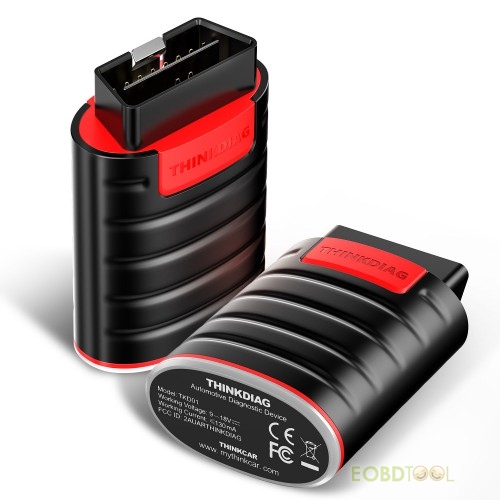
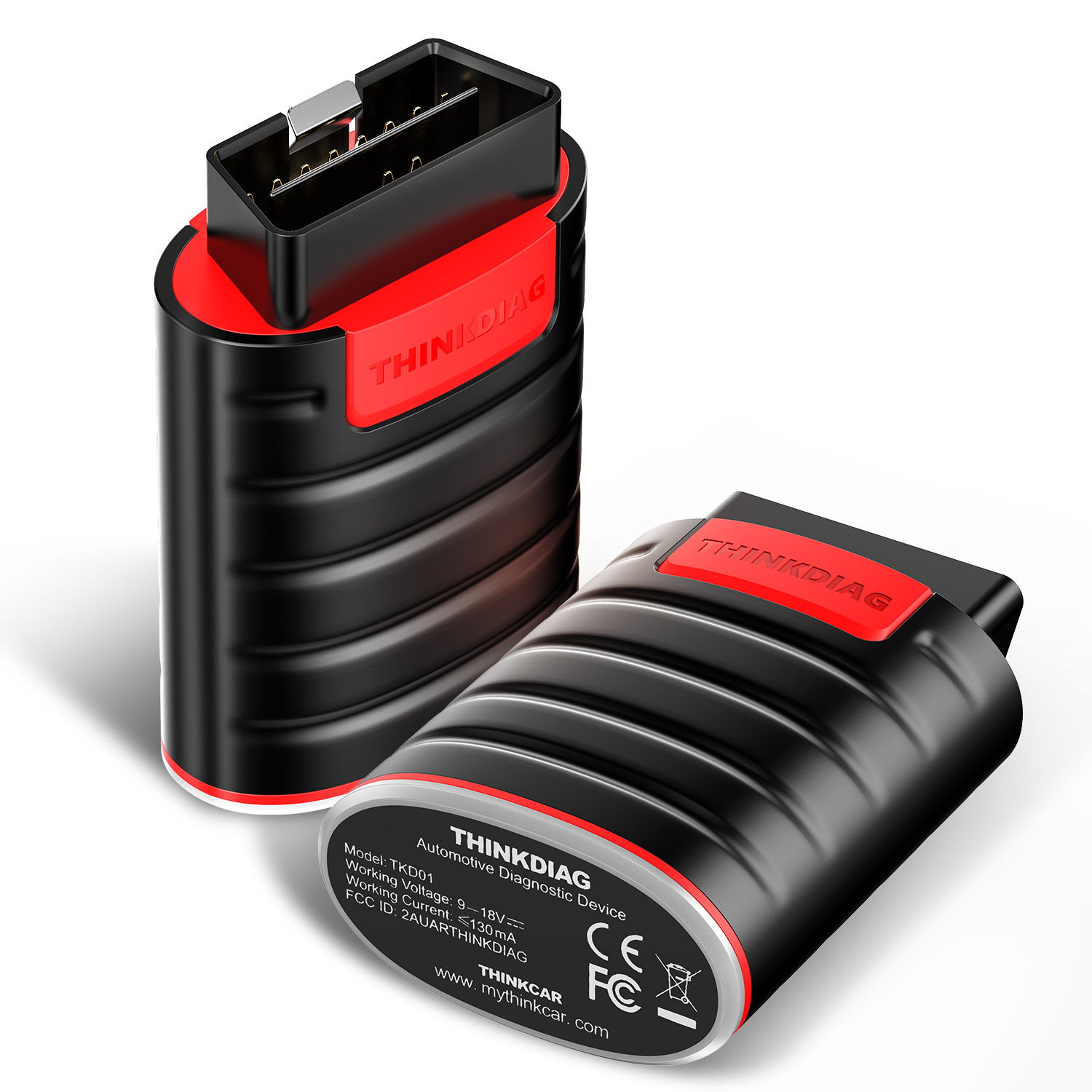
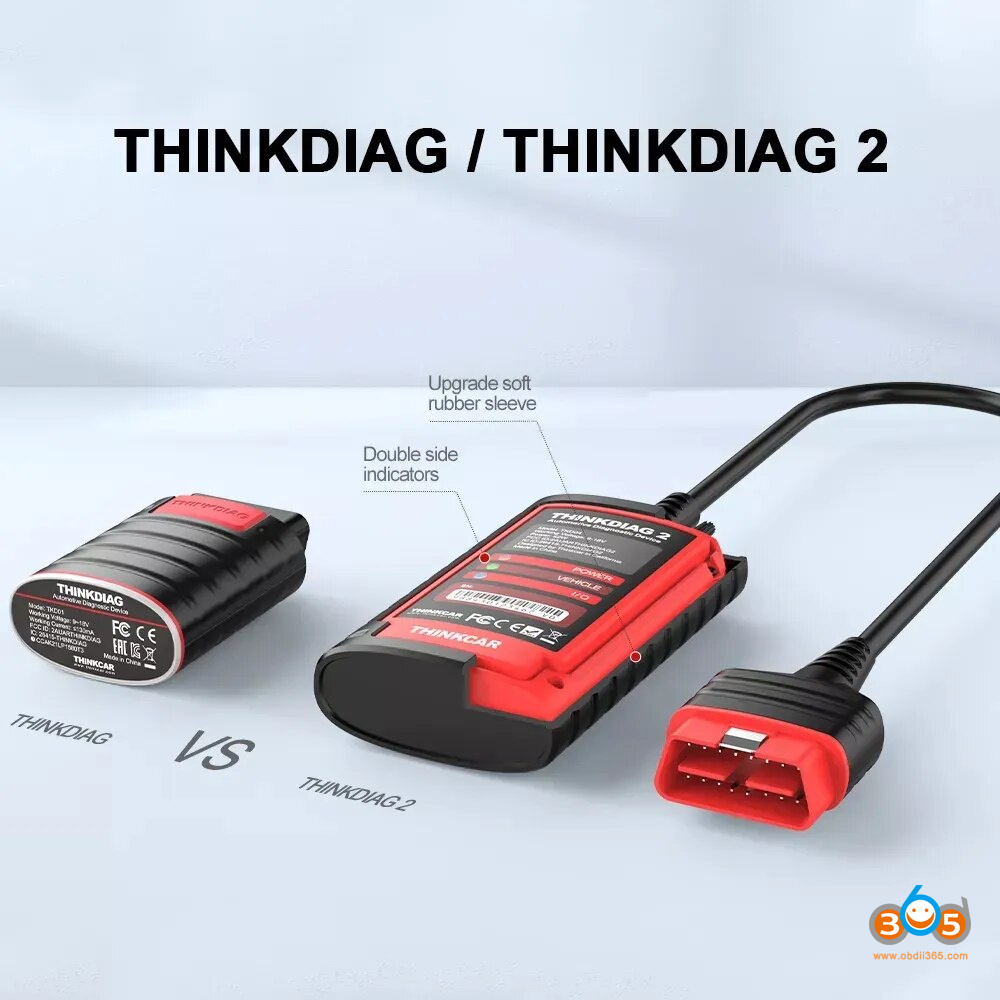
ThinkDiag is a compact diagnostic adapter made by THINKCAR. It connects to a vehicle’s OBD2 port and communicates with the ThinkDiag app on an Android or iOS device.
The scanner can often access more than the engine control module. Depending on the vehicle and software license, it may communicate with systems such as:
• Engine
• Transmission
• ABS
• Airbag
• Body control modules
• Instrument cluster
• Parking brake
• Steering systems
• Battery management systems
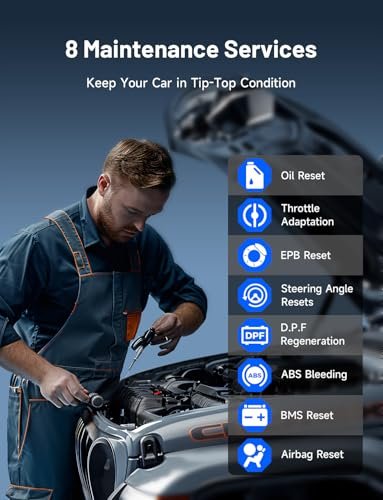
ThinkDiag may also support service functions such as oil reset, battery registration, electronic parking brake reset, steering angle calibration, diesel particulate filter regeneration, throttle relearn, and injector coding. The exact list changes by vehicle make, model, year, and software version.
This is an important point in any ThinkDiag vs Autel AP200 review. A scanner may advertise a function, but that does not mean it works on every car. Vehicle coverage always matters more than the feature name on the box.
ThinkDiag strengths
• Broad vehicle coverage through its app ecosystem
• Access to many maintenance resets
• Live data graphs and system scans
• Potential support for active tests
• Useful functions for home mechanics and small workshops
• Small adapter that fits easily in a glove box
ThinkDiag limitations
• Many advanced features require an active license
• The app can feel complex for first-time users
• Some functions may vary between ThinkDiag models
• Coding and bidirectional tests are not universal
• A weak phone connection or outdated app can interrupt a session
ThinkDiag is best viewed as a software-based diagnostic platform. The adapter is only the bridge. The real value comes from the vehicle software, service coverage, and license plan.
What Is Autel AP200?
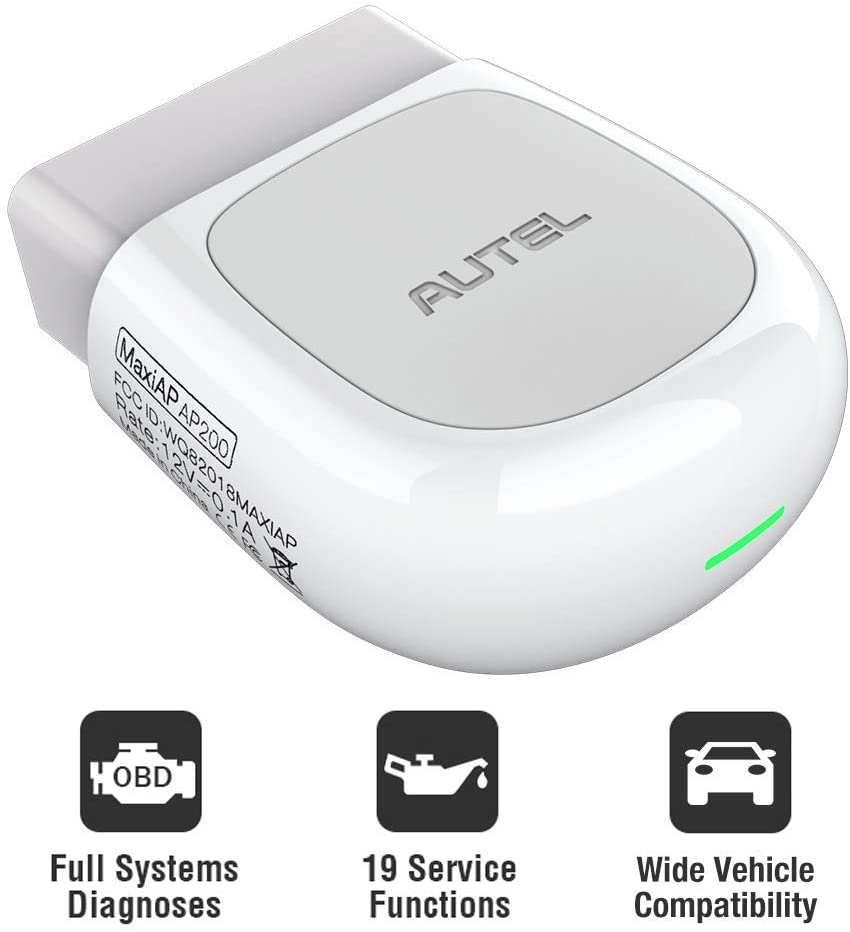
Autel AP200 is a Bluetooth diagnostic adapter that works with the MaxiAP200 mobile app. It is designed for drivers and technicians who want more than a basic code reader without buying a large scan tablet.
The AP200 can provide engine diagnostics and, with the correct vehicle software, may scan several vehicle systems. It can also support selected maintenance functions and active tests.
Autel usually markets the AP200 around vehicle-brand packages. In many markets, the purchase includes access to one vehicle make, while additional brands cost extra. Pricing and package terms can change, so buyers should check the current app listing before ordering.
Common AP200 functions may include:
• Reading and clearing diagnostic trouble codes
• Viewing live sensor data
• Performing full-system scans
• Resetting oil service reminders
• Registering batteries on supported cars
• Resetting electronic parking brakes
• Calibrating steering angle sensors
• Regenerating diesel particulate filters on some models
• Running selected active tests
The main appeal of the AP200 is its focused workflow. If you own one brand and select the matching software, the app can be easy to understand. This makes the Autel AP200 a practical option for routine checks and maintenance work.
Still, AP200 capability depends on the vehicle software package. It should not be confused with Autel’s higher-level professional tablets, which may offer deeper coding, topology views, guided tests, and wider module coverage.
ThinkDiag vs Autel AP200: Main Differences
The most useful way to understand ThinkDiag vs Autel AP200 is to compare the areas that affect daily use.
Vehicle coverage
ThinkDiag often appeals to users who work on several makes. Its software platform may provide access to many brands through a subscription or purchased package.
The AP200 is often more economical when you mainly work on one brand. Its brand-based model can be simple, but the cost may rise if you need several manufacturers.
Before buying, write down every vehicle you expect to scan. Include your own car, family vehicles, and any cars you service for friends. Then check coverage by year, engine, and system.
Special functions
Both scanners can perform common service resets. These may include oil service, battery registration, electronic parking brake, steering angle, and diesel particulate filter functions.
ThinkDiag may offer more advanced options in some vehicle software packages. The AP200 can also perform useful special functions, but availability is more dependent on the selected brand package.
Neither scanner should be treated as a guaranteed coding tool. Module coding, key programming, security access, and ECU flashing need special support. Some jobs also require stable power, factory-level procedures, or professional equipment.
App experience
ThinkDiag can present many menus and functions in one app. That is helpful for experienced users, but new users may need time to learn the layout.
The AP200 app tends to feel more brand-centered. This can reduce clutter when you only work on one manufacturer.
In hands-on diagnostic work, the app matters almost as much as the adapter. A scanner that has the right feature but hides it behind confusing menus can waste time. I recommend installing the app and reviewing its supported brands before purchasing the hardware.
Software cost
Software is where ThinkDiag vs Autel AP200 can become complicated. The initial adapter price does not show the full cost of ownership.
ThinkDiag may use annual subscriptions, function packages, or brand software plans. Autel AP200 commonly uses a vehicle-brand package model, with extra brands sold separately.
Check these details before checkout:
• Which brand is included?
• How long does the included software last?
• Are advanced functions included?
• What happens when the license expires?
• Can you still use basic OBD2 after expiration?
• Are updates included?
• Is the software tied to one account or device?
A cheap scanner can become expensive if you need several brands every year.

Diagnostic Performance and Real-World Use
Both devices can read generic OBD2 emissions codes. They can also display data such as engine speed, coolant temperature, fuel trim, oxygen sensor readings, and vehicle speed.
However, generic OBD2 is only the first layer of diagnosis. A complete repair often requires manufacturer-specific data. For example, a P0301 misfire code tells you that cylinder one has a problem, but it does not prove the spark plug is faulty.
A good diagnostic process looks like this:
-
Confirm the customer complaint.
-
Scan all available modules.
-
Record codes before clearing them.
-
Review freeze-frame data.
-
Check live data under the right conditions.
-
Test the likely cause.
-
Repair the fault.
-
Clear codes and perform a road test.
The scanner is a map, not the mechanic. It points toward a problem, but it does not replace voltage tests, wiring checks, pressure tests, or service information.
Live data
ThinkDiag and AP200 can show live data on supported vehicles. This helps you watch sensors while the engine runs.
Useful readings may include:
• Short-term and long-term fuel trims
• Coolant temperature
• Mass airflow readings
• Throttle position
• Engine load
• Oxygen sensor voltage
• Rail pressure
• Battery voltage
A common mistake is to judge one live-data number without considering engine temperature, load, and operating conditions. Data should be viewed as a pattern, much like reading a weather map instead of looking at one cloud.
Active tests
Active tests let a scanner command a component. Examples include switching a cooling fan, operating a fuel pump, cycling an electronic valve, or activating an actuator.
ThinkDiag vs Autel AP200 performance in this area depends heavily on the vehicle. One car may allow an active test, while another car from the same brand may not.
Use a battery charger during long diagnostic sessions. Low voltage can cause communication errors and may create new faults. Never run an active test when it could move a vehicle part without checking the surrounding area first.
Which Scanner Is Easier to Use?
The Autel AP200 may be easier for a new user who owns one supported vehicle brand. The app structure is fairly direct when the correct software package is installed.
ThinkDiag may suit users who want more options. Yet more options can also mean more menus, settings, and license questions.
For either scanner, follow these steps:
-
Install the official app from the correct app store.
-
Create an account before starting a repair.
-
Charge your phone or tablet.
-
Turn off other Bluetooth devices nearby.
-
Plug the adapter into the OBD2 port.
-
Switch the ignition on without starting the engine.
-
Select the exact vehicle details.
-
Run a health report before clearing codes.
-
Save screenshots or export the report.
-
Disconnect the adapter after the session.
Saving the original scan is one of the best habits you can build. I have seen many owners erase codes too early and lose useful freeze-frame information. Once the data is gone, the problem can become much harder to trace.
ThinkDiag vs Autel AP200 for Different Users
For a home mechanic
ThinkDiag is a strong choice if you service several vehicle brands and want access to many maintenance functions. It offers room to grow, provided you understand the license costs.
The AP200 is a good fit if you own one main vehicle brand and want a simple tool for codes, live data, and common resets.
For a used-car buyer
Either tool can help during a pre-purchase inspection. Scan all modules, not just the engine computer. Look for current, pending, and permanent codes.
A seller may clear codes before you arrive. Check readiness monitors and compare the odometer, module data, service records, and vehicle history. A scanner cannot prove that a car is perfect, but it can reveal useful clues.
For a small repair shop
ThinkDiag may offer better multi-brand flexibility. It can help with routine service tasks and first-level diagnosis.
The AP200 may make sense as a low-cost brand-specific tool. A shop that mainly repairs one or two brands can control costs by buying only the needed software.
Neither device should be the only scanner in a busy professional shop. Shops may need factory tools, stronger diagnostic tablets, wiring diagrams, programming equipment, and technical subscriptions.
For a DIY car owner
The AP200 often provides a gentler learning curve. ThinkDiag may deliver more value for a curious owner who wants to explore deeper systems.
Your best choice depends on how often you will use the tool. If you scan one car once a year, paying for broad software may not make sense. If you maintain several cars, the extra coverage can pay for itself.
Pros and Cons of ThinkDiag vs Autel AP200
ThinkDiag pros
• Broad software coverage
• Many service functions
• Good potential for multi-brand use
• Compact and easy to store
• Useful live-data tools
• Suitable for advanced DIY work
ThinkDiag cons
• Subscription costs may affect long-term value
• Function availability changes by vehicle
• The app may take time to learn
• Some advanced features need extra access
• It is not a replacement for factory programming equipment
Autel AP200 pros
• Simple Bluetooth setup
• Good value for one main brand
• Clear mobile app workflow
• Supports full-system scans on supported vehicles
• Useful maintenance resets
• Easy to carry in a small tool bag
Autel AP200 cons
• Extra brands can increase the total cost
• Brand coverage must be checked carefully
• Some functions need additional software
• Advanced coding is limited on many vehicles
• It depends on a phone, app, and Bluetooth connection
The winner in ThinkDiag vs Autel AP200 depends on your software needs. Hardware quality matters, but software access usually has the greater effect on value.
Common Mistakes to Avoid
Many scanner problems come from user mistakes rather than faulty hardware.
Avoid these errors:
• Clearing codes before saving the scan report
• Choosing the wrong model year
• Assuming every service function works on every vehicle
• Using a weak phone battery during a long test
• Skipping a battery charger during active tests
• Buying a subscription without checking renewal terms
• Treating a trouble code as a final diagnosis
• Leaving the adapter plugged in for weeks
• Updating software during an unstable internet connection
• Using a cheap power adapter that causes phone dropouts
Always verify the vehicle identification number when the app supports automatic identification. If the app selects the wrong engine or market, some test menus may disappear or provide incorrect data.
Also remember that safety systems deserve care. Do not clear airbag or ABS faults unless you understand the cause and have completed the repair. A warning light is often a safety message, not a minor annoyance.
How to Choose Between ThinkDiag and Autel AP200
Use this simple decision process.
-
List the vehicles you will scan.
-
Decide whether you need one brand or several brands.
-
Identify the service functions you need.
-
Check the current software price.
-
Confirm the app works with your phone.
-
Review update and renewal terms.
-
Consider whether you need active tests.
-
Choose the tool with the lower total cost over two years.
Choose ThinkDiag if:
• You work on several brands.
• You want a wider range of service functions.
• You are comfortable learning a more detailed app.
• You may need active tests on supported vehicles.
Choose Autel AP200 if:
• You mainly service one brand.
• You want a simple phone-based scanner.
• You need common maintenance resets.
• You prefer buying brand software as needed.
When comparing ThinkDiag vs Autel AP200, do not choose based only on the adapter price. Compare the complete ownership cost, including software, updates, phone use, and the functions you will actually use.
Frequently Asked Questions About ThinkDiag vs Autel AP200
Is ThinkDiag better than Autel AP200?
ThinkDiag can be better for multi-brand users and drivers who want more service functions. Autel AP200 may be better for simple, brand-focused diagnostics and lower-cost routine work.
Can ThinkDiag and Autel AP200 read ABS and airbag codes?
Both may read ABS, airbag, and other module codes on supported vehicles with the correct software. Coverage depends on the vehicle, model year, region, and active license.
Do ThinkDiag and Autel AP200 require subscriptions?
ThinkDiag commonly uses subscriptions or software packages for advanced coverage. Autel AP200 often includes one vehicle brand and charges for additional brands, but current terms can vary by market.
Can either scanner program keys?
Neither scanner should be assumed to program keys. Key programming requires vehicle-specific security access and special equipment, and many models need a professional locksmith or factory tool.
Can I use these scanners without a phone?
No. ThinkDiag and Autel AP200 are designed to work with a compatible Android or iOS phone or tablet. The mobile device provides the display, controls, software, and internet connection.
Which scanner is better for checking a used car?
Either scanner can help, especially when it scans all available modules and checks readiness monitors. It should support a wider inspection that includes a road test, visual checks, service records, and an independent mechanical review.
Can these scanners clear check engine lights?
Yes, both can usually clear diagnostic codes after connecting to a supported vehicle. Clearing a code does not fix the cause, and the light may return if the fault remains.
Conclusion
ThinkDiag vs Autel AP200 comes down to flexibility, software cost, and vehicle coverage. ThinkDiag is often the stronger choice for multi-brand work and broader service functions. Autel AP200 is often the simpler choice for owners who mainly work on one vehicle brand.
Both tools can read codes, display live data, and support useful maintenance tasks. Neither one replaces sound testing, reliable service information, or professional equipment for programming and complex repairs.
Check your exact vehicles and required functions before you buy. Then compare the full software cost, not just the adapter price. If this guide helped you choose, explore more diagnostic guides or share your vehicle and repair goals in the comments.