Why Does My Treadmill Keep Stopping
Few things ruin a workout faster than a treadmill that dies mid-stride. If you've been wondering why does my treadmill keep stopping, you've probably noticed it follows a pattern. That's actually good news.
Patterns lead straight to the cause.
Most home treadmills draw 10 to 12 amps under load and need a dedicated 15-amp circuit. As of 2026, safety certification under UL 1647 is standard for U.S. models. Understanding that baseline helps you read the clues your machine is giving you.
Let's walk through them step by step.
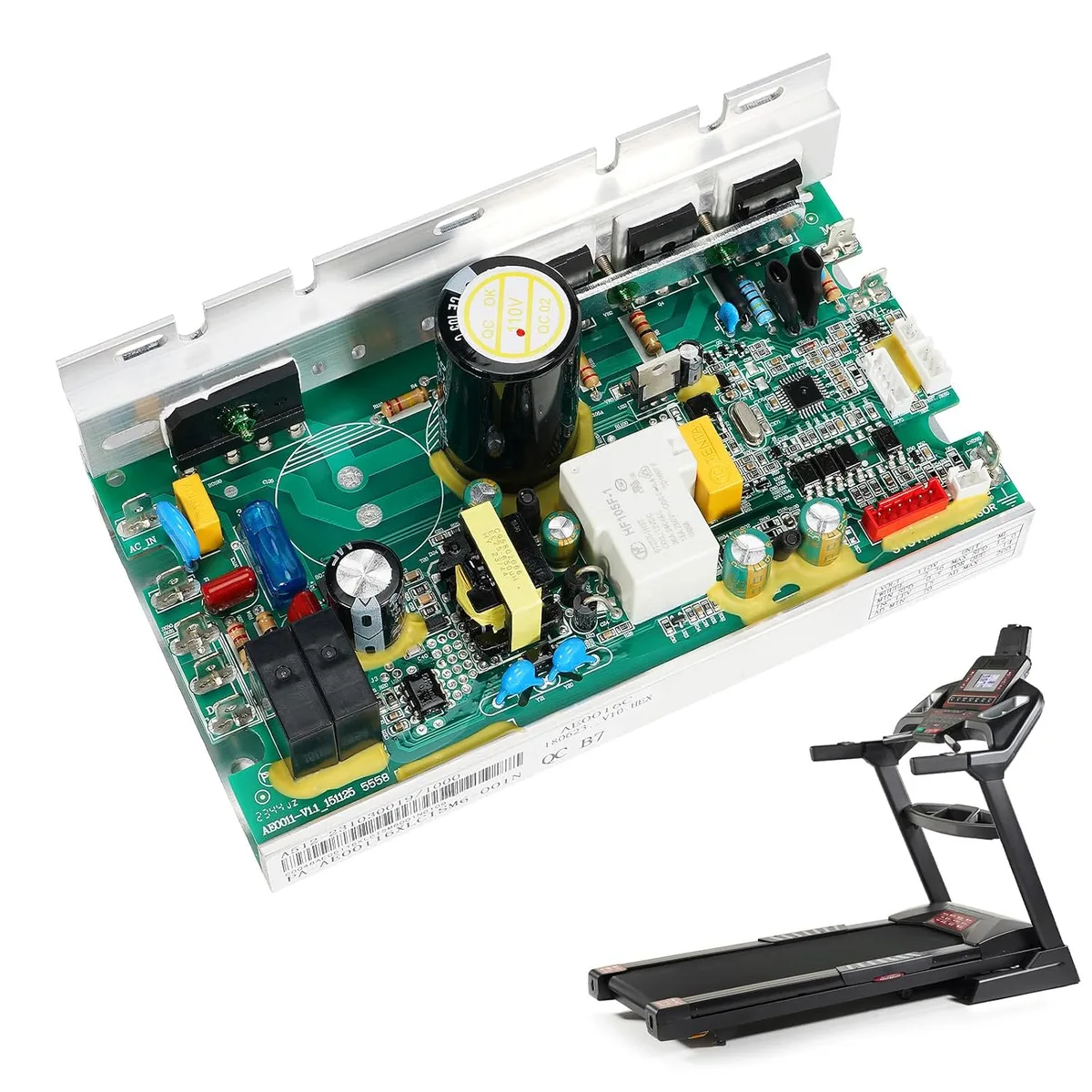
Image source: Bing (Web (fair-use with source credit))
First, the 60-Second Answer (When It Stops and What That Tells You)
Here's the short version, drawn from manufacturer service documentation and aggregate user reports:
- Stops instantly when you start, usually the safety key, a dead outlet, or a bad motor control board.
- Stops after 5 to 10 minutes, almost always heat-related: a failing motor, clogged cooling fins, or a dragging belt.
- Trips the circuit breaker, too many devices on the same circuit, a damaged power cord, or a short inside the motor.
- Stops only at higher speeds, the speed sensor losing signal, or a loose drive belt.
- Shows an error code, codes like E1, E2, or E5 point to the control board or sensor wiring.
If you've got a pattern, you've got a path. Start with the branch that matches your symptom. If the console goes black at the same time, begin with power checks.
If the console stays lit, move to the motor drive system.
How a Treadmill's Power and Motor System Actually Works
Factory service manuals describe a closed loop. The console reads your speed and incline inputs and sends a low-voltage signal to the motor control board. That board, often called the MCB, converts household 120V AC into variable DC power for the motor.
The safety key interrupts that signal the moment it's pulled. The speed sensor watches the flywheel and reports back to the console. If any link goes silent, the controller assumes a fault and kills power to the motor.
That's why a loose wire, a dead sensor, or a worn motor can all trigger the same shutdown.
The walking belt plays a role too. A belt that's too tight or dry makes the motor work harder, drawing more current and heating up. That heat trips the thermal overload switch.
If you've maintained other cardio machines before, the logic is identical here.
The Symptom-to-Cause Decision Tree
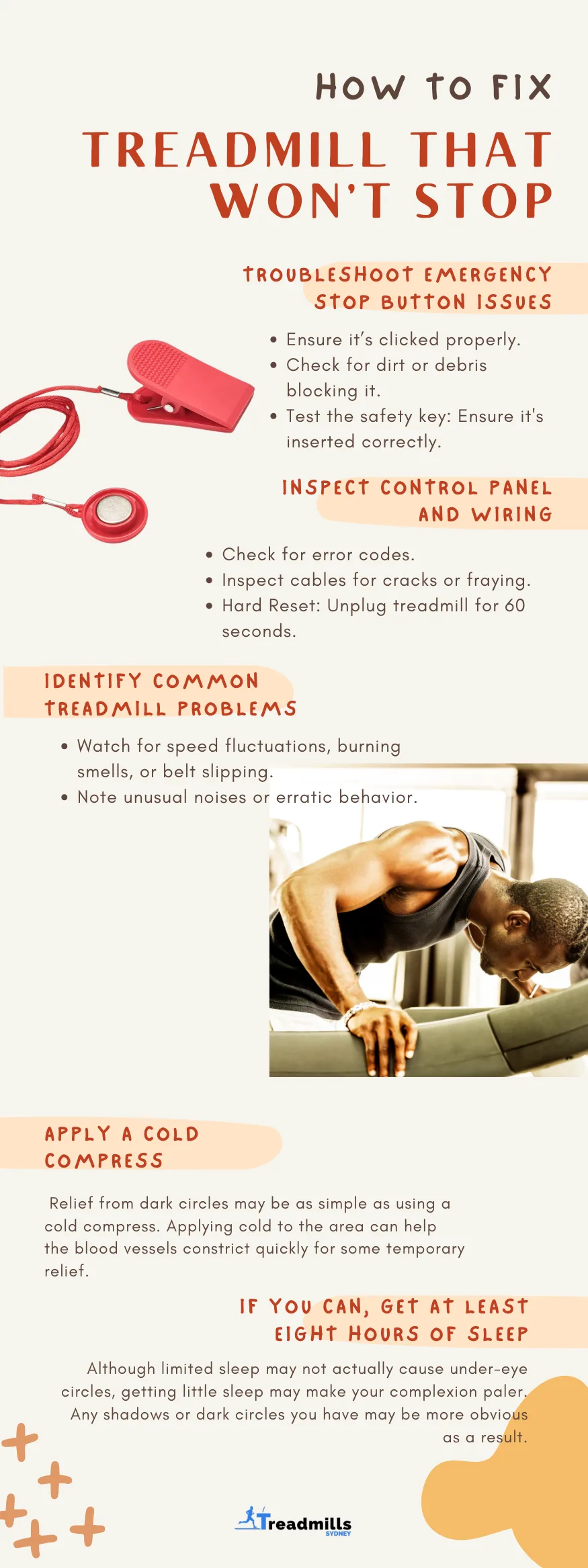
Image source: Bing (Web (fair-use with source credit))
Use the branch that matches your symptom. If you guess wrong, no money lost. Most checks take under ten minutes.
| When it stops | Likely cause | First step |
|---|---|---|
| Instantly, before belt moves | Safety key, dead outlet, bad MCB | Check safety key and power |
| After 5 to 10 minutes | Thermal overload, motor strain | Check belt tension and cooling |
| Trips the breaker | Overloaded circuit, short | Unplug other devices, inspect cord |
| Only at speed | Speed sensor, drive belt slip | Test sensor gap, tighten belt |
| Error code on console | Sensor or MCB failure | Decode code in owner's manual |
Stops Immediately When You Turn It On
Check the safety key first. A loose magnet or weak switch kills the start signal. Then test the outlet by plugging in a lamp.
If the lamp works, suspect the console or control board.
Stops After 5 to 10 Minutes
This is heat. The motor or controller hits its thermal cutoff. Feel the motor cover.
If it's hot to the touch, check the belt tension and clean dust out of the cooling fins. Lubricate the deck per your manual's schedule.
Trips the Circuit Breaker
Unplug everything else on that circuit and try again. If it still trips, inspect the power cord for nicks or melted insulation. A short in the motor windings causes this too.
That requires a technician.
Shuts Off Only at High Speed
A high-speed stop often points to the speed sensor. The console loses its reading and assumes a fault. Test the sensor gap and wiring.
Check the drive belt for slipping as well.
Console Displays Error Codes
Your manual holds the key. E1 and E2 usually mean communication failure between console and MCB. E5 typically signals motor current overload.
Both lead back to the control board or motor brushes.
What to Check and Fix First (No Tools Needed)
The Safety Key and Console Contact
Inspect the magnet inside the safety key. If it's cracked or weak, replace it. Make sure it clicks into its slot firmly.
Sometimes a tiny piece of metal or dust blocks the contact. Clean the area with a dry cloth and retry.
Walking Belt Tension and Alignment
Lift the center of the belt. You should see 2 to 3 inches of clearance from the deck. Tighten the rear roller bolts in half-turn increments on both sides.
A belt too tight drags the motor. A loose one slips and causes speed spikes.
The Power Cord, Outlet, and Extension Cord
Plug the treadmill directly into a grounded wall socket. Extension cords and power strips cause voltage drops that confuse the controller. Test the outlet with a multimeter if you have one.
You need 110 to 120 volts under load.
The Reset Button and Thermal Overload
Look on the motor housing for a small reset switch. Press it firmly and listen for a click. If it pops again within a few minutes, the motor is overheating.
That means the problem is mechanical or electrical, not just a tripped switch.
Deeper Troubleshooting (When Simple Fixes Don't Work)
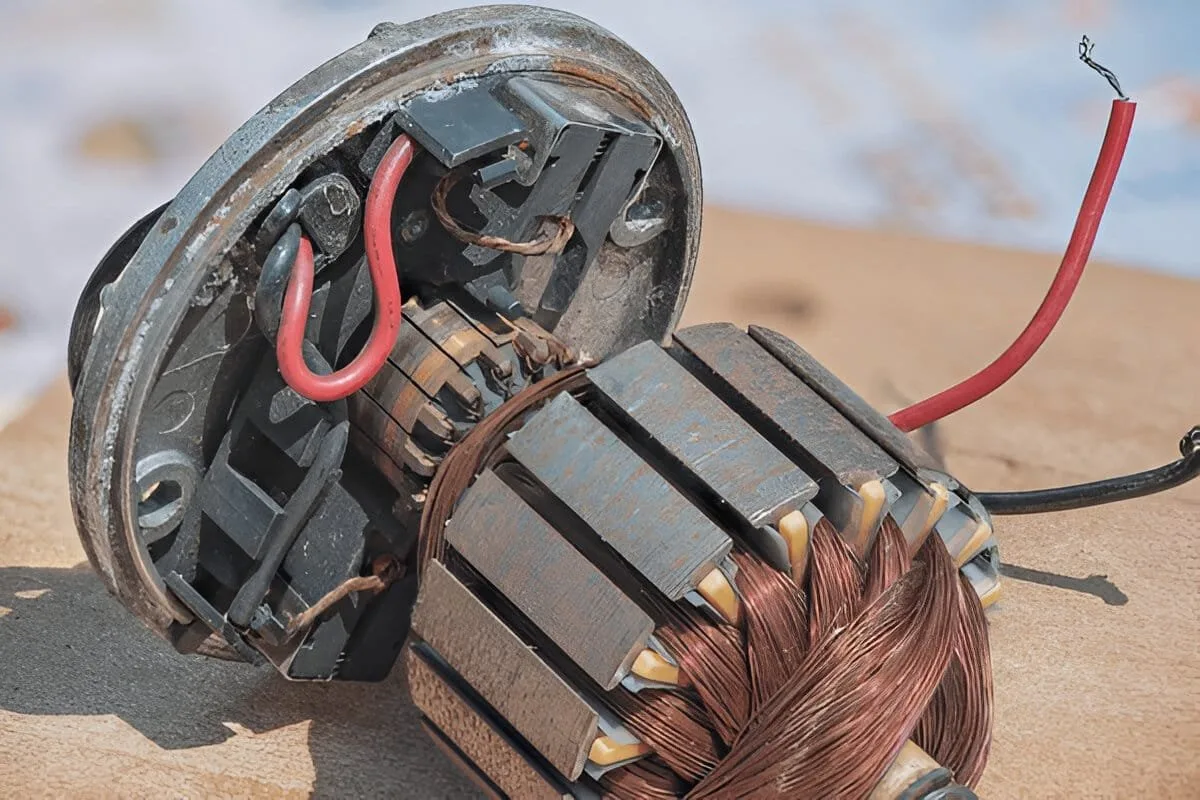
Image source: Bing (Web (fair-use with source credit))
Motor Brushes and Carbon Dust
Under the motor cover, you'll see two plastic caps. Those are the brush holders. Worn brushes cause intermittent cutoff, especially at higher speeds.
New brushes run about one inch long. If they're under a quarter inch, replace them. Heavy carbon buildup can cause shorts, so vacuum it out carefully.
The Speed Sensor Gap
The reed switch or Hall effect sensor sits near the flywheel. The gap should be 1 to 3 mm. Too far apart, and the console loses speed feedback mid-run.
That triggers a safety stop. Adjust the bracket, tighten it, and wiggle the wire to check for a loose connection.
The Motor Control Board
Inspect the MCB for scorch marks, bulged capacitors, or a burnt smell. Loose wiring harnesses are common culprits. Reseat all visible connectors.
If you see damaged solder joints, the board needs replacement. If you're not comfortable testing with a multimeter, call a professional.
Drive Belt and Roller Condition
A cracked or frayed drive belt slips under load. The motor runs but the roller doesn't keep up. Replace the belt if it shows visible wear.
Also spin the rollers by hand. If they don't turn freely, worn bearings add resistance and trigger overload.
Common Mistakes That Make It Worse
The fastest way to turn a small problem into a big bill is replacing parts on a hunch. A worn speed sensor can send you chasing a new motor. A dirty belt can make you order a new control board.
Diagnose first, then spend.
- Over-tightening the walking belt. Extra tension drags the motor and trips the thermal cutoff.
- Using an extension cord. Voltage drops confuse the motor control board and cause random shutdowns.
- Ignoring error codes. They point straight to the system that's failing. Read your manual.
Another common blunder is skipping lubrication. A dry deck creates friction, forcing the motor to draw more current. That extra load heats everything up.
Eventually, the machine shuts off to protect itself.
Maintenance That Prevents Future Shutdowns
Lubrication is the single best prevention. Most manufacturers recommend silicone-based lube on the deck every 3 to 6 months. A well-lubricated belt cuts motor strain dramatically and extends the life of both motor and deck.
Vacuum the motor area monthly. Carbon dust, pet hair, and lint block the cooling fins. Clogged fins are a leading cause of thermal stops in home treadmills.
Check belt tension and alignment at the same time. The belt should lift 2 to 3 inches at the center. Tighten both rear roller bolts evenly in half-turn increments.
Motor brushes wear down after roughly 500 to 600 hours of use. Inspect them before they fail completely. If you follow a regular cleaning routine for your other machines, apply the same discipline here.
When to Call a Technician (And When to Buy New)
Call a technician once you've confirmed power is good, the belt moves freely, the speed sensor reads properly, and the safety key works. If it still stops, the fault is likely in the motor or control board.
Burnt connectors, a shorted motor winding, or a melted control board need professional diagnosis. Opening a motor control board is dangerous. The capacitors hold a charge even after unplugging.
Don't risk a shock.
A typical service call runs $100 to $250 plus parts. A new home treadmill costs $500 to $800. If the repair quote exceeds half the replacement price, buying new makes more sense.
If you're tired of treadmill repairs entirely, there are motor-free workout options that might suit your home gym better.
Final Verdict: Which Fix Should You Try First?
Work through this order: safety key, outlet, belt tension, reset button, cooling fins, speed sensor, motor brushes, then control board. Each step rules out a cause. Most problems stop at the first three.
If the machine stops after a few minutes, start with belt tension and lubrication. If it trips the breaker, test the circuit with nothing else plugged in. If it throws an error code, decode it in the manual before touching anything else.
Still stuck after working through every step? Get a technician's estimate and compare it against the replacement cost. At that point, you'll have the data to make a smart call.
Frequently Asked Questions
Why does my treadmill keep stopping after a few minutes?
Heat is the usual cause. The motor or controller hits its thermal cutoff when the belt drags, the deck is dry, or the cooling fins are clogged. Lubricate the deck, loosen the belt to spec, and vacuum the motor area.
That clears most cases.
Why does my treadmill trip the circuit breaker?
The treadmill likely shares a circuit with other appliances. Its motor draws a heavy inrush current on startup. Move it to a dedicated 15-amp circuit.
If it still trips, inspect the power cord for damage and check the motor for a winding short.
Why does my treadmill shut off when I increase speed?
A slipping drive belt or failing speed sensor usually causes this. The console loses feedback and stops for safety. Check the drive belt for wear, adjust the sensor gap to 1 to 3 mm, and inspect the motor brushes for heavy wear.
How much does it cost to fix a treadmill that keeps stopping?
A service call typically costs $100 to $250, plus parts. Motor brushes run under $30. A control board can cost $150 to $300.
If the motor itself is shorted, the repair can exceed the value of a budget treadmill.
Is it worth repairing a treadmill that keeps stopping?
It depends on the machine's age and price. For a treadmill under five years old, a $150 repair is worth it. For an older model with a bad motor, replacement is smarter.
Compare the repair cost against the price of a new machine.