How to Fix a Stand Mixer
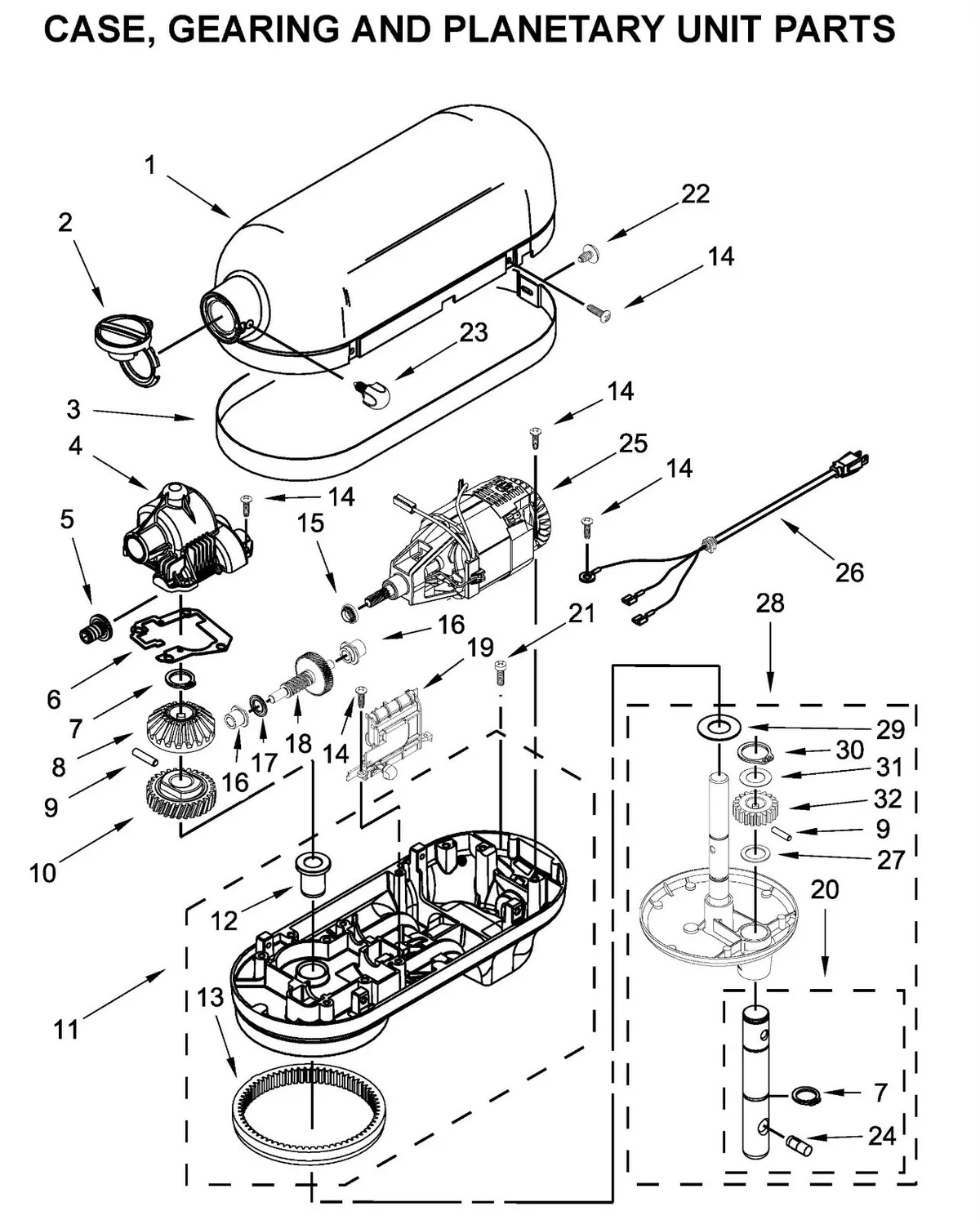
Image source: Bing (Web (fair-use with source credit))
That moment when your stand mixer, your loyal kitchen companion, decides to go on strike can be frustrating. Whether it's refusing to turn on, making a concerning noise, or just not mixing properly, it's a problem that stops your baking or cooking dead in its tracks. Figuring out how to fix a stand mixer doesn't always require a professional; often, it's about a simple diagnostic process.
Most modern stand mixers are built with robust motors, often rated around 300-500 watts, designed for regular home use. However, like any appliance, they can develop issues from wear and tear or improper use. We'll break down the common problems and guide you through the troubleshooting steps.
Quick Answer
To fix a stand mixer, first unplug it, then identify the specific problem: no power, strange noises, or attachment issues. Check the outlet and power cord for simple electrical faults. For mechanical sounds or performance problems, consult your manual for cleaning or specific troubleshooting steps.
Safety First: Unplug Before You Ponder
Before you even think about diagnosing the issue, the most critical first step is safety. Every single time you're about to investigate a problem with your stand mixer, unplug it from the wall socket. This is non-negotiable. Many internal components can cause serious injury if the appliance is accidentally powered on while you're working on it.
Manufacturer specifications consistently highlight this as the primary safety precaution for any appliance repair or inspection.
Is It Completely Dead? Troubleshooting No Power
When your stand mixer shows absolutely no signs of life, no lights, no humming, nothing, it's usually an electrical issue. This is the most straightforward type of problem to tackle because it typically involves checking the power source.
Checking the Outlet and Power Cord
Is the outlet itself working? It sounds basic, but it's the most common reason for a completely unresponsive appliance.
- Test the Outlet: Plug a known working appliance, like a lamp or a phone charger, into the same outlet. If that device doesn't turn on, the problem is with your outlet or home's circuit breaker, not the mixer.
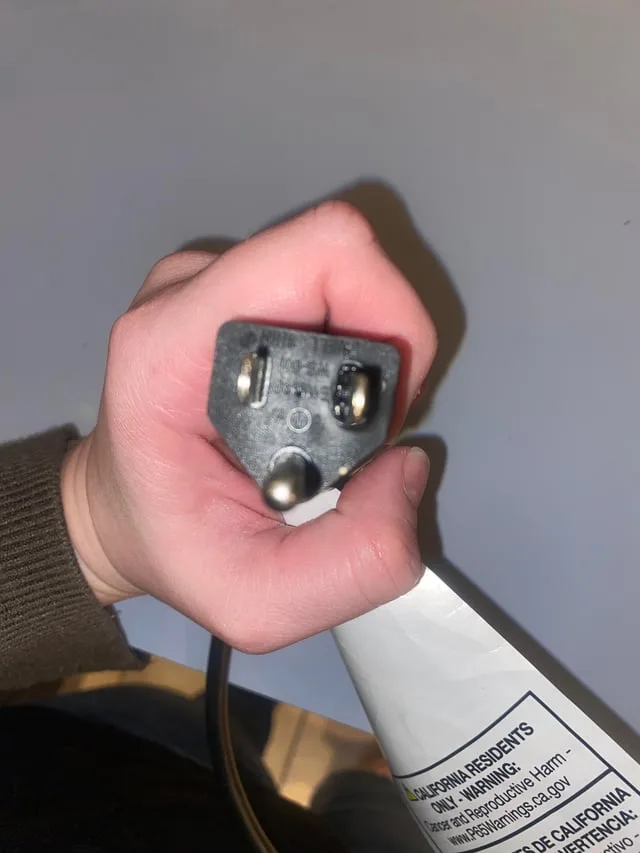
- Inspect the Power Cord: Visually examine the entire length of the power cord attached to your mixer. Look for any nicks, cuts, or signs of fraying, especially near the plug and where the cord enters the mixer housing. Aggregated user reviews often report cord damage as a frequent failure point. If you spot any damage, the cord likely needs replacement, which often requires professional service.
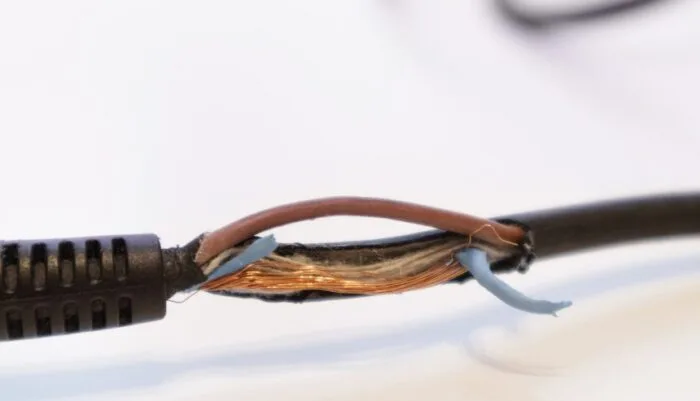
Image source: Bing (Web (fair-use with source credit))
When to Suspect an Internal Fuse
Some stand mixers are equipped with an internal fuse designed to protect the motor in case of a power surge or overload. If the power cord and outlet are fine, but the mixer still won't turn on, this fuse might have blown.
- Consult Your Manual: The exact location and type of fuse vary by manufacturer. Your stand mixer's user manual will be the best resource for identifying if it has a fuse and how to access it.
- Fuse Replacement: If you confirm a blown fuse, you'll need to replace it with one of the exact same amperage and type. This is generally a manageable DIY task for many users, but if you're uncomfortable opening appliance housings, it's best to seek professional help.
Strange Noises: Decoding Your Mixer's Sounds
A grinding, humming, or clunking noise often points to a mechanical issue within the mixer's gears or motor. The type of sound can give you clues about what’s going on inside.
When the Motor is Just Struggling
Sometimes, unusual noises aren't a sign of broken parts but of the motor working too hard.
- Overloading: If you've tried to mix a very stiff dough, like dense bread or cookie dough, at a high speed, the motor might simply be straining. Try reducing the speed or removing some of the ingredients.
- Extended Run Time: Like any motor, stand mixer motors can overheat with prolonged use, especially at higher settings. If the mixer feels excessively hot to the touch, unplug it and let it cool down for at least 20-30 minutes before trying again.
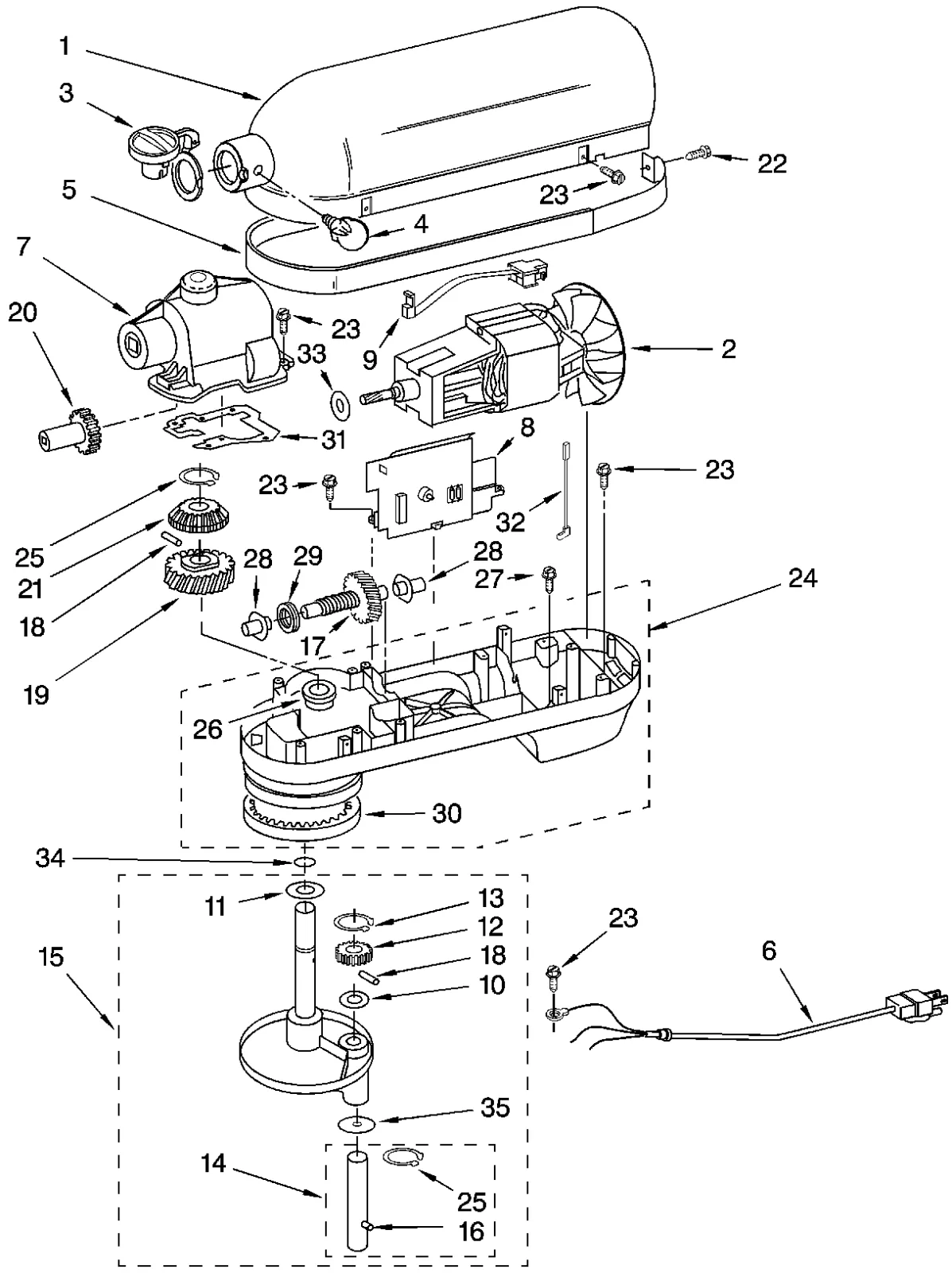
Image source: Bing (Web (fair-use with source credit))
Dealing with Grinding or Debris
A persistent grinding sound, often accompanied by rougher operation, suggests something is obstructing the gears or that the gears themselves are worn.
- Check for Obstructions: Small bits of food ingredients can sometimes get lodged in the gear housing. Running the mixer on a low speed without any attachments or ingredients in the bowl for about 30 seconds might dislodge minor debris.
- Internal Gear Wear: Over time, especially with frequent use or if the mixer has been consistently overloaded, the internal gears can wear down. This often results in a more constant grinding sound and can lead to the attachment not spinning at all or spinning erratically. This is typically a more involved repair that may require professional attention or replacement of internal parts.
The Beater's Not Turning: What's Wrong?
If your stand mixer powers on and runs, but the attachment (like the beater, whisk, or dough hook) refuses to spin, or spins weakly, the issue usually lies between the motor and the attachment itself.
Simple Fixes: Attachments and Coupling
Often, the problem is much simpler than an internal breakdown.
- Attachment Seating: Ensure the attachment is fully inserted into the mixer head and locked into place according to your manual's instructions. Sometimes, it just needs a firm push or a slight adjustment to seat correctly.
- Coupling Inspection: The "coupling" is the part at the top of the mixer head where the attachment connects. Check this area for any visible damage or if it appears stripped. If the coupling is damaged, it won't engage properly with the attachment's drive mechanism.
When It's an Internal Drive Issue
If the attachments are seated correctly and the coupling looks fine, the problem might be with the internal drive shaft or the gear mechanism that transfers power to the attachment.
- Drive Shaft Engagement: The drive shaft extends from the mixer to engage with the attachment. If this shaft is bent, broken, or not engaging properly with the attachment, it won't spin. This is less common but can happen from impact or excessive force.
- Gearbox Problems: The internal gearbox is responsible for transmitting power from the motor to the drive shaft. Issues here, such as stripped gears or a faulty transmission, will prevent the attachment from turning. Diagnosing and repairing gearbox problems often requires specialized tools and knowledge.
Overheating Mixer? Give It a Breather
It's not uncommon for any electric motor to generate heat during operation, but if your stand mixer feels excessively hot to the touch, or if it shuts off unexpectedly and feels hot, overheating is likely the culprit.
Checking for Blocked Ventilation
Stand mixers, like most appliances, have ventilation slots designed to allow air to circulate and cool the motor.
- Clean the Vents: Over time, these slots can become clogged with flour dust, sugar, and other kitchen debris. This blockage prevents proper airflow, causing the motor to overheat. Use a soft brush or compressed air to gently clean out any accumulated dust from the ventilation openings.
- Avoid Covering: Ensure that the mixer isn't placed in a confined space where air cannot circulate freely around it. Avoid placing it directly against a wall or in a cabinet that restricts airflow.
When to Call a Pro (or Think About a New One)
While many minor stand mixer issues can be tackled at home, some problems are best left to qualified repair technicians. Knowing when to draw the line can save you time, frustration, and potential further damage.
If you've gone through the basic troubleshooting steps and your mixer still isn't working correctly, or if you encounter any signs of electrical danger like sparks or burning smells, it's time to consider professional help. A qualified appliance repair service can diagnose complex internal issues, such as motor failure or extensive gearbox damage.
However, it's also crucial to weigh the cost of repair against the age and value of your mixer. For older models, especially those where parts might be scarce or expensive, professional repair costs can sometimes approach or even exceed the price of a new, comparable appliance. Always check your manufacturer's warranty first, as many repairs might be covered.
- Consider the Cost: Get a quote for the repair. If it's more than half the price of a new, comparable model, lean towards replacement.
- Age of the Mixer: Older mixers might have parts that are harder to find. If it's over 10 years old and needs a major repair, replacement is often wiser.
- Severity of the Problem: Minor issues like cleaning clogged vents are easy DIY fixes. Major electrical or mechanical failures are more likely to require professional intervention and higher costs.
Stand Mixer Troubleshooting FAQs
What's the first thing I should do if my stand mixer isn't working?
The very first step is always to unplug the mixer from the wall outlet. This ensures your safety before you begin any inspection or troubleshooting.
Can I fix a stand mixer myself?
Many common stand mixer problems, such as a dead unit due to an outlet issue or minor mechanical noises from debris, can often be fixed at home with basic tools and by following your user manual. However, complex electrical or internal gear issues might require professional help.
How do I know if my stand mixer is overheating?
If the mixer housing feels excessively hot to the touch, or if the motor emits a strong burning smell, it's likely overheating. This can also cause the mixer to shut off automatically. Always give it time to cool down completely before attempting to use it again.
Is it normal for my stand mixer to make some noise?
Yes, stand mixers will make some operational noise, particularly when mixing at higher speeds or with thick doughs. However, unusual sounds like loud grinding, clunking, or screeching indicate a potential problem that needs investigation.
What should I do if my stand mixer attachment isn't spinning?
First, ensure the attachment is properly seated and locked into the mixer head. Then, check the coupling area for any visible damage. If these simple checks don't resolve the issue, there may be an internal problem with the drive shaft or gearbox.