Thinkware Q1000 Vs BlackVue DR770X: Which Wins?
Thinkware Q1000 offers sharper video, while BlackVue DR770X delivers a simpler and stronger cloud experience.
Choosing between the Thinkware Q1000 vs BlackVue DR770X is not just a camera comparison. It is a choice between higher image detail, smart safety tools, parking protection, app features, and long-term ease of use. After reviewing their core hardware, recording modes, storage systems, night footage, and real-world ownership needs, this guide will help you choose the right dash cam for your car.

Thinkware Q1000 vs BlackVue DR770X: Quick Comparison
The Thinkware Q1000 and BlackVue DR770X sit in different parts of the dash cam market. The Q1000 focuses on high-resolution video and advanced driver assistance features. The DR770X focuses on reliable Full HD recording, a compact design, and BlackVue’s strong connected camera platform.
Here is the basic difference:
| Feature | Thinkware Q1000 | BlackVue DR770X |
|---|---|---|
| Front video | 2K QHD | Full HD 1080p |
| Rear video | Usually 2K QHD on two-channel kits | Full HD 1080p |
| Viewing angle | Wide-angle lens | Wide-angle lens |
| Night recording | Super Night Vision technology | STARVIS night vision |
| GPS | Built in on most versions | Built in |
| Wi-Fi | Built in | Built in |
| Cloud access | Available with compatible connection options | One of its main strengths |
| Parking mode | Strong, with several recording options | Strong, with hardwire installation |
| Driver alerts | More advanced safety alerts | More limited |
| Best for | Detail, safety tools, and parking security | Cloud viewing, simple use, and reliable evidence |
The exact package can vary by country and retailer. Some Q1000 bundles include a rear camera, memory card, or radar module. BlackVue also sells DR770X versions with different camera layouts, such as two-channel and three-channel systems.
For a fair Thinkware Q1000 vs BlackVue DR770X comparison, always check the exact model number. A front-only Q1000 is not equal to a DR770X-2CH, and a DR770X-3CH adds an interior camera that changes the comparison.
Video Quality and Resolution
Video quality is the biggest advantage of the Thinkware Q1000. Its front camera records in 2K QHD, which gives it more pixels than the 1080p front camera used by the DR770X. This extra detail can help when reading road signs, identifying car parts, or reviewing a license plate at a moderate distance.
The difference is easy to understand. A 1080p image is like a small window. A 2K image is a larger window that shows more detail through the same scene. It does not make every license plate readable, but it gives you more information to work with.
The Q1000 is especially useful for:
• Reading signs and lane markings
• Identifying vehicles at intersections
• Capturing details in a side-impact event
• Cropping video without losing as much clarity
• Reviewing footage on a large monitor
The BlackVue DR770X records in Full HD. That resolution is still useful for everyday driving and insurance evidence. It can capture a clear view of traffic, road position, and major events, but it has less room for digital zoom than the Q1000.
The DR770X has one practical benefit. Its 1080p recording creates smaller files than the Q1000’s 2K video. That can make storage easier and reduce the time needed to transfer clips to a phone.
In the Thinkware Q1000 vs BlackVue DR770X battle, the Q1000 wins for raw image detail. The DR770X remains capable, but it is not the better choice if maximum resolution is your top priority.
Front and Rear Camera Performance
A two-channel dash cam protects more than the road ahead. It also records what happens behind your car. This matters in rear-end crashes, parking lot incidents, and disputes over lane changes.
The Thinkware Q1000 is commonly sold as a front and rear 2K system. Both cameras can provide a detailed view, although the final result depends on the exact kit, lens position, light, and memory card settings.
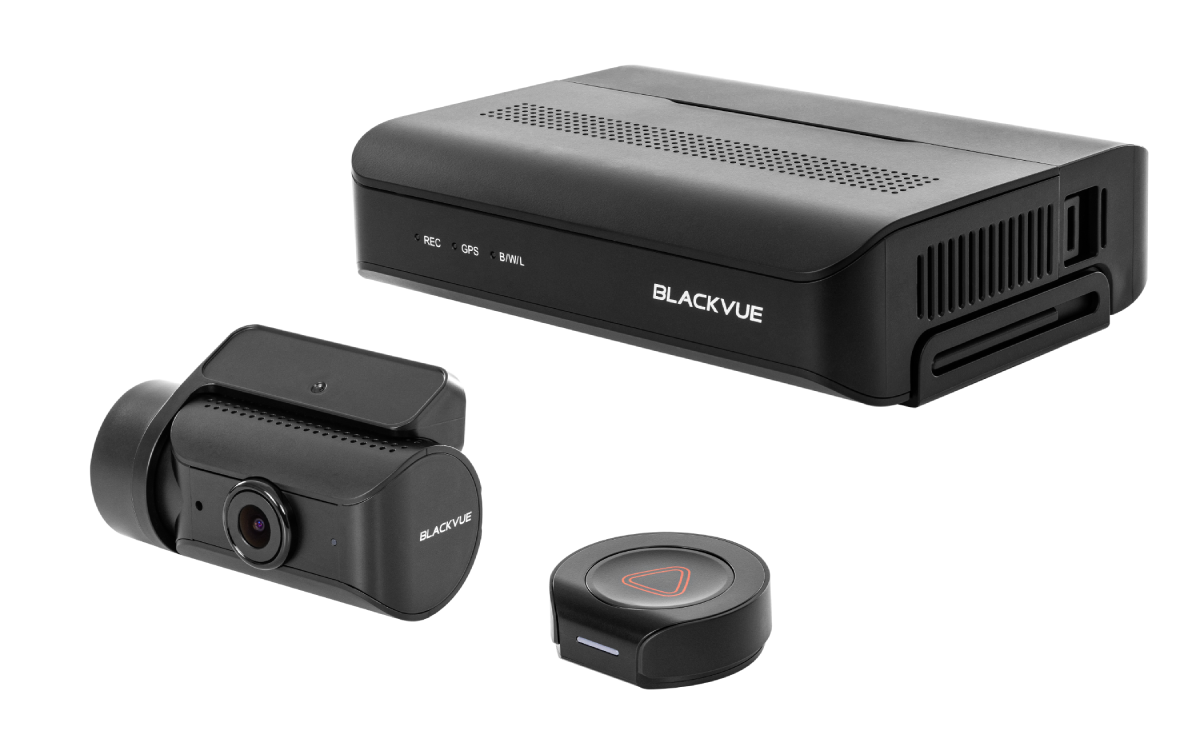
The BlackVue DR770X-2CH uses a Full HD front camera and a Full HD rear camera. The video is clear enough for most daily driving. It also has a familiar camera shape that fits neatly behind the windshield and rear glass.
A wider lens is not always better. A very wide view captures more lanes, but objects may look smaller. A narrower view can make distant objects easier to identify, but it may miss activity at the edge of the frame.
When installing either system:
-
Place the front camera near the center of the windshield.
-
Keep the lens inside the windshield’s clean viewing area.
-
Aim the camera slightly below the horizon.
-
Center the rear camera and keep the rear defroster lines in mind.
-
Check the image at night before hiding the cable.
In my comparison work, one common mistake is judging a dash cam only by its front camera. A perfectly sharp front view cannot help much if the rear camera is blocked, tilted too high, or covered by dirt.
For rear video detail, the Thinkware Q1000 usually has the advantage. For a clean and compact two-camera setup, the DR770X remains a strong option.
Night Vision Comparison
Night recording is harder than daytime recording. Headlights create glare, street lights create bright spots, and dark roads can hide important details. Sensor quality, exposure control, lens position, and windshield condition all matter.
The Thinkware Q1000 uses advanced low-light processing designed to improve night footage. Its higher resolution can preserve more detail, but more pixels alone do not guarantee a better night image. A poorly exposed 2K clip may look worse than a well-tuned 1080p clip.
The BlackVue DR770X uses Sony STARVIS image sensor technology. STARVIS sensors are known for strong low-light performance, especially when paired with good image processing. The DR770X can produce balanced night footage in city streets and on lit highways.
The Q1000 may show more detail in a well-lit scene. The DR770X can look very natural at night and may handle common city driving conditions well. Neither camera can defeat bright high beams, heavy rain, a dirty windshield, or a badly placed polarizing filter.
You can improve night results with simple steps:
• Clean the inside and outside of the windshield.
• Remove stickers near the camera lens.
• Keep the lens away from tinted areas when possible.
• Use a quality microSD card.
• Check exposure after installation.
• Avoid placing the camera behind a dark windshield tint strip.
The Thinkware Q1000 vs BlackVue DR770X night comparison is close in real driving. The Q1000 has the stronger resolution advantage, while the DR770X has a proven low-light sensor platform. Your windshield and installation may matter as much as the brand.

Smart Features and Driver Assistance
The Thinkware Q1000 offers more built-in driver assistance features than the DR770X. Depending on the market and firmware, these may include forward collision warnings, lane departure alerts, front vehicle start alerts, and other safety notifications.
These alerts can be helpful, but they are not a replacement for careful driving. They may also become annoying if the camera is not mounted correctly or if road markings are poor.
A driver alert system works best when:
• The camera is mounted straight.
• The road has clear lane markings.
• The windshield is clean.
• The vehicle speed is steady.
• The system is calibrated after installation.
The BlackVue DR770X is more focused on recording than on producing frequent driver alerts. That simpler approach can appeal to drivers who do not want beeps during normal traffic.
Thinkware also includes useful safety functions such as impact detection and recording controls. BlackVue offers event recording, speed display, GPS data, and connected features through its app and cloud services.
This is an important difference in the Thinkware Q1000 vs BlackVue DR770X decision. The Q1000 feels more like a camera with extra safety software. The DR770X feels more like a connected security camera for your vehicle.
Parking Mode and Security
Parking mode can protect your car while you are away. It is useful in apartment lots, office garages, shopping centers, and busy streets. Both cameras can record parking events, but they need a constant power source for full-time parking protection.
The Thinkware Q1000 supports several parking recording methods, depending on the installation and settings. These may include:
• Motion detection recording
• Impact event recording
• Time-lapse recording
• Energy-saving parking mode
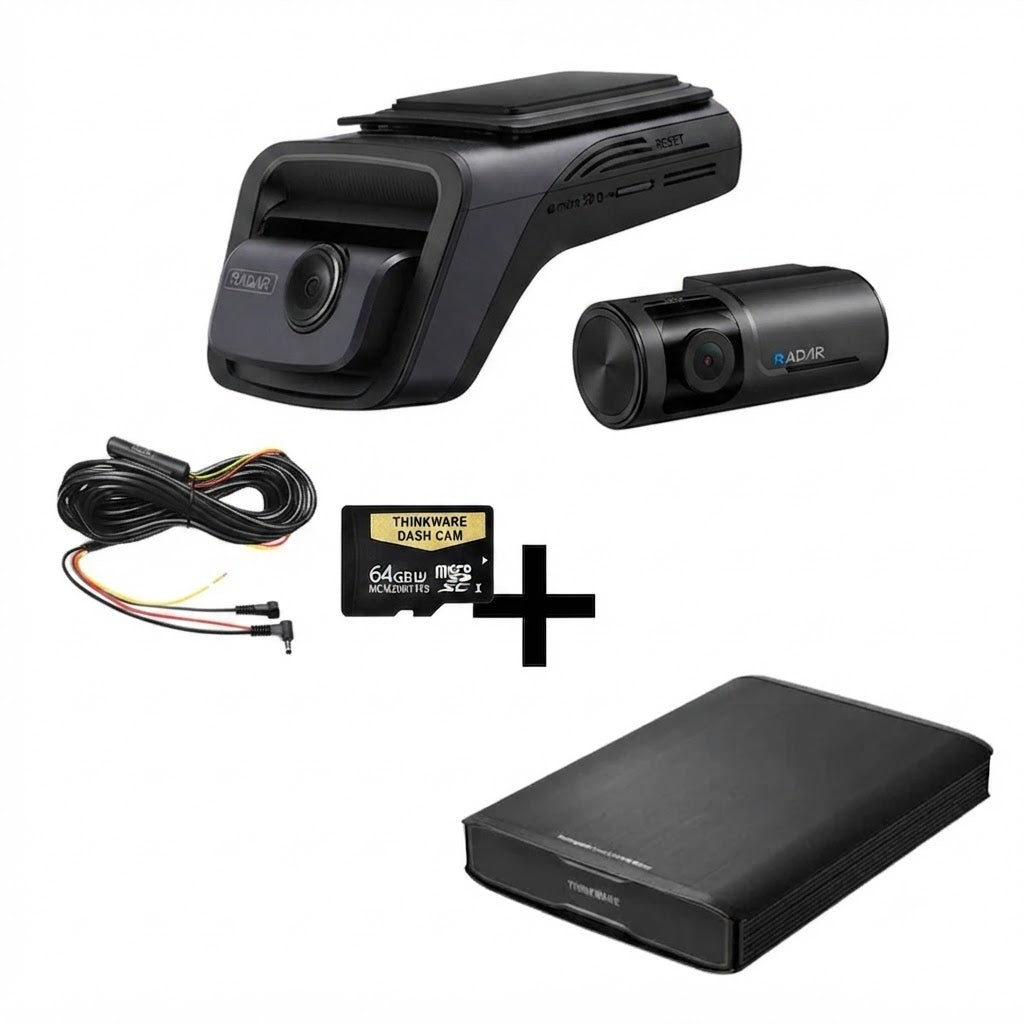
• Optional radar-assisted parking detection
A compatible radar module can help the Q1000 wake or record when motion is detected near the vehicle. This may reduce unnecessary video clips and help manage battery use.
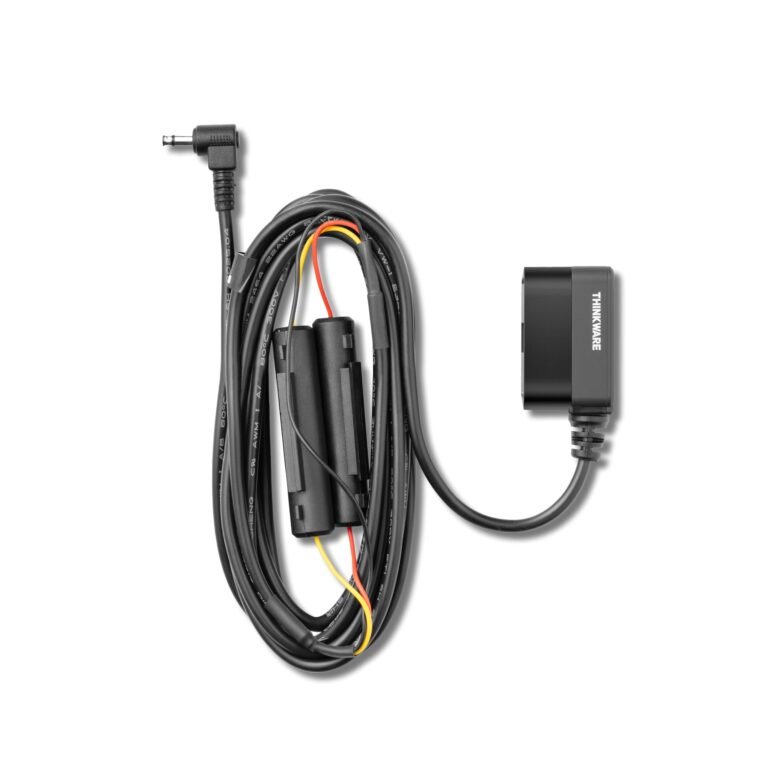
The BlackVue DR770X also supports parking mode when connected through a suitable hardwire kit or external battery. It can record motion and impact events. BlackVue’s parking system is familiar to many installers and is easy to expand with compatible accessories.
Hardwiring has one major risk: battery drain. A proper installation should use voltage monitoring. This feature cuts power when the car battery reaches a set level. Without it, a dash cam can leave you with a car that will not start.
Never hide a power cable before testing parking mode. In practical installations, the most frustrating mistakes come from skipping this test. The camera may record while driving but fail to enter parking mode after the ignition turns off.
The Q1000 may offer more parking tools, especially with radar support. The DR770X offers dependable parking recording and a strong connected ecosystem. In either case, a professional hardwire job is worth considering.
App, Wi-Fi, and Cloud Features
The Thinkware Q1000 and BlackVue DR770X both include wireless tools for viewing clips and changing settings. They can connect to a smartphone without removing the memory card every time.
Thinkware’s app can help you:
• Review recorded clips
• Download videos
• Change camera settings
• View GPS information
• Check impact events
• Manage firmware updates
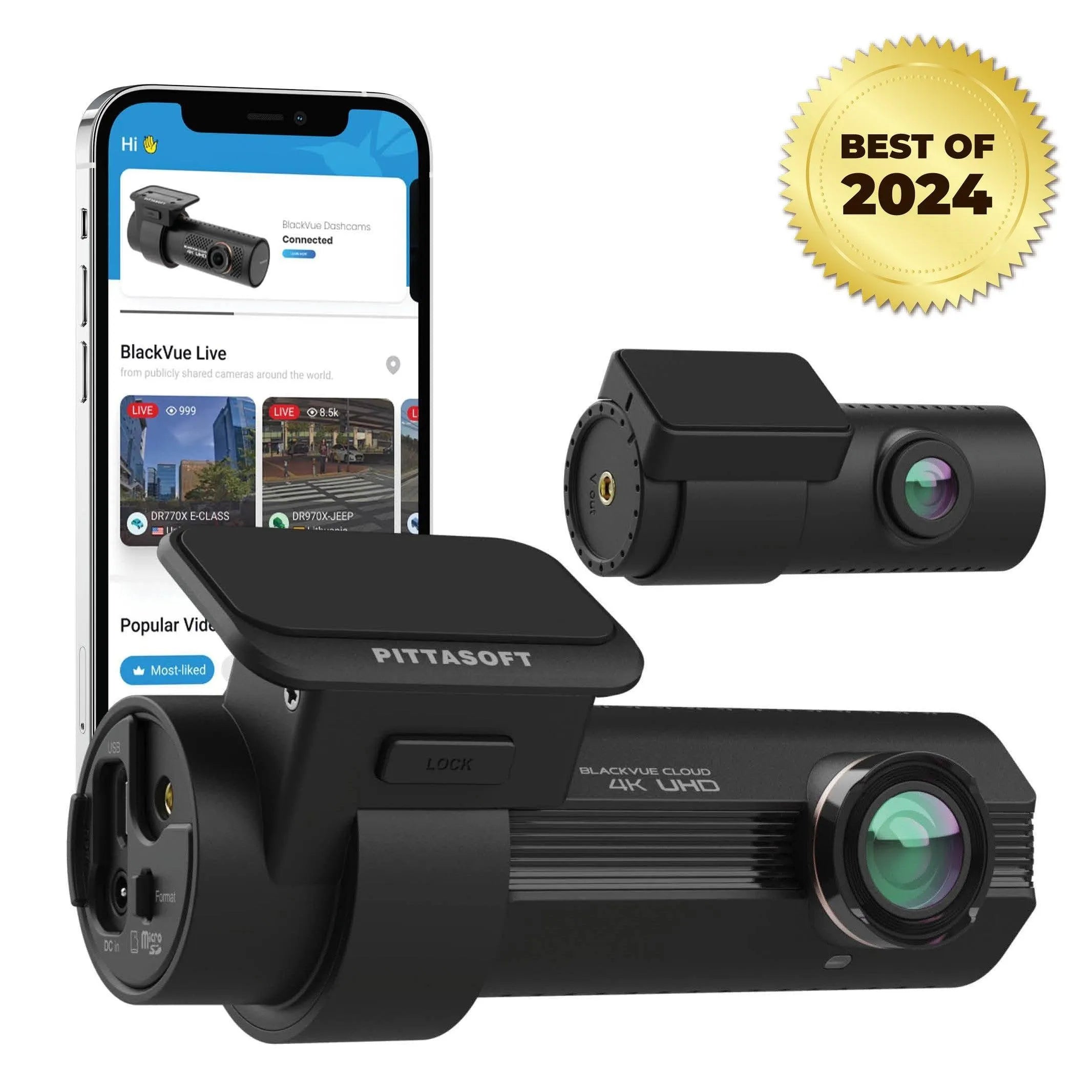
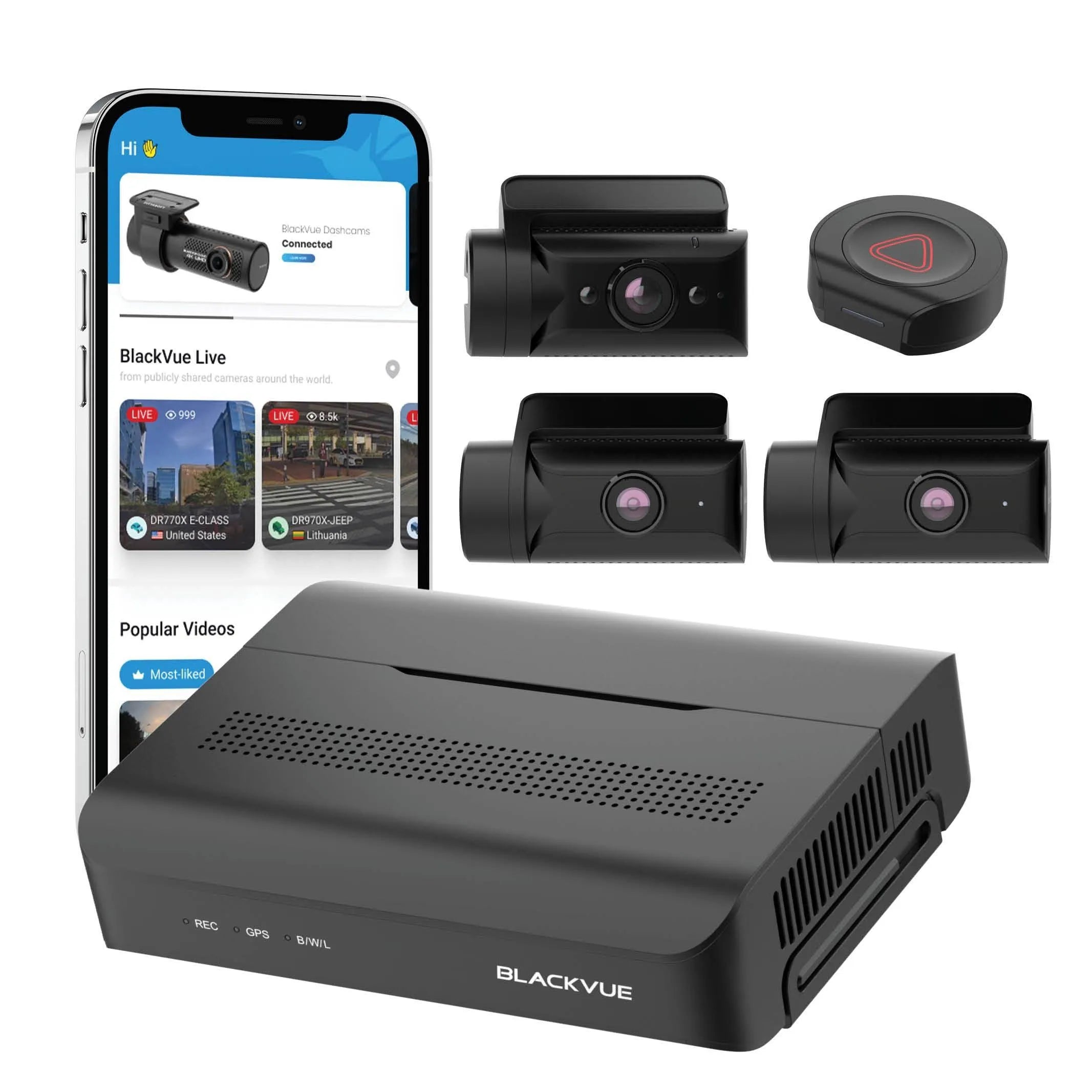
BlackVue’s app provides similar local functions. The DR770X becomes more distinctive when paired with BlackVue cloud services and a compatible internet connection. Depending on the setup, you may be able to receive impact notifications, check the car remotely, view live video, or access stored clips.
Cloud features are useful, but they depend on more than the camera. You may need:
• A compatible LTE or Wi-Fi connection
• A separate connectivity device or hotspot
• A phone plan with data
• A stable signal
• Correct account setup
This is where the BlackVue DR770X often wins. Its cloud platform is one of the main reasons people choose it. The Q1000 is better suited to drivers who mainly want local recording, phone downloads, and parking protection without paying for extra connected services.
The Thinkware Q1000 vs BlackVue DR770X app choice depends on your habits. If you rarely check video, local Wi-Fi is enough. If you want remote alerts while traveling, BlackVue deserves serious attention.
Storage, Reliability, and Daily Use
Both cameras use microSD cards, and both need a card designed for continuous video recording. A cheap card made for occasional photos may fail sooner under constant dash cam use.
Use a high-quality, high-endurance microSD card that matches the camera’s recommended capacity. Format the card in the camera at regular intervals. Replace it when you see missing clips, recording errors, freezing, or repeated format warnings.
Loop recording means the camera overwrites older files when the card is full. Event files may be protected from automatic deletion. However, you should still copy important evidence to your phone or computer as soon as possible.
The Thinkware Q1000 may create larger files because of its 2K recording. This can reduce the amount of footage stored on the same card. The DR770X creates smaller Full HD files, which may be easier to manage.
Both cameras can become warm during summer use. Heat is a major challenge for dash cams because they sit behind glass in direct sunlight. A good installation, reliable card, updated firmware, and proper ventilation around the unit can improve long-term reliability.
One lesson I often share with dash cam owners is simple: the camera is only half the system. The memory card, power cable, fuse connection, and mounting position decide whether the camera works when you need it.

Installation and Ease of Use
The BlackVue DR770X has a compact tube-style design. It can look clean behind the mirror and usually attracts little attention from outside the vehicle. Its front and rear cables can be tucked into the headliner and door seals.
The Thinkware Q1000 has a more traditional dash cam design. It may include a display or controls that make setup easier, depending on the version. Some drivers like seeing the camera angle on the unit, while others prefer a screen-free design.
A neat installation should not block your view or interfere with airbags. Avoid running cables across airbag deployment paths. In many vehicles, the safest cable route requires care around the A-pillar trim.
A basic installation process looks like this:
-
Test the camera and both lenses before mounting.
-
Select a position behind the rearview mirror.
-
Clean the glass with an alcohol wipe.
-
Attach the mount and allow adhesive time to set.
-
Route the rear cable carefully.
-
Connect power and test recording.
-
Test GPS, Wi-Fi, audio, and parking mode.
-
Format the memory card in the camera.
The DR770X may be easier for drivers who want a small, simple camera. The Q1000 may be better for those who want more on-camera control and safety settings.
Thinkware Q1000 vs BlackVue DR770X: Pros and Cons
Thinkware Q1000 advantages
• Higher 2K video resolution
• Strong front and rear detail on compatible two-channel kits
• Advanced driver assistance features
• Useful parking recording options
• Optional radar support on compatible systems
• Built-in GPS and wireless connectivity
Thinkware Q1000 limitations
• Larger video files
• Some advanced features may need careful setup
• Driver alerts can become distracting
• Cloud access may require extra equipment or services
• Package contents vary by region
BlackVue DR770X advantages
• Strong Full HD video quality
• Compact and discreet design
• Reliable Sony STARVIS low-light performance
• Excellent cloud and remote access options
• Simple daily operation
• Wide range of compatible accessories
BlackVue DR770X limitations
• Lower resolution than the Q1000
• Less detail when cropping distant footage
• Cloud features may add subscription or data costs
• Full parking protection requires suitable wiring
• Features vary between DR770X versions
The Thinkware Q1000 vs BlackVue DR770X choice becomes clearer when you match the strengths to your needs. Do not pay for cloud service if you only want local evidence. Do not choose Full HD if you often need to inspect small details from a distance.
Which Dash Cam Is Better for You?
Choose the Thinkware Q1000 if you want:
• Higher-resolution video
• Better digital detail for signs and plates
• More driver assistance features
• Strong parking protection options
• A camera built around local recording and safety tools
Choose the BlackVue DR770X if you want:
• A compact camera with a clean installation
• Reliable Full HD recording
• Strong low-light performance
• Remote alerts and cloud access
• A mature connected camera ecosystem
For a new driver, the Q1000 can provide more feedback and detail. For a rideshare driver or someone who wants to check a parked car from far away, the DR770X cloud system may be more useful.
For highway driving, the Q1000’s 2K resolution is attractive. For city use, the DR770X still captures the key facts of most incidents. For an older vehicle, consider the cost and complexity of hardwiring before buying either system.
There is no universal winner in the Thinkware Q1000 vs BlackVue DR770X contest. The best model is the one you will install correctly, maintain, and use without frustration.
Price and Long-Term Value
Prices change often because bundles, memory cards, installation, and seasonal sales affect the final cost. Compare the complete package rather than the camera alone.
The real cost may include:
• Front and rear camera kit
• High-endurance memory card
• Hardwire kit
• Professional installation
• Radar module
• LTE or cloud accessories
• Replacement adhesive mounts
The Thinkware Q1000 may offer more hardware value if you want high resolution and parking features in one system. The BlackVue DR770X may offer better value if cloud access is central to your daily use.
Think about the cost of missing evidence. A dash cam can help explain what happened after a crash, but it cannot guarantee a legal or insurance result. Keep original files, avoid editing evidence, and check local recording laws, especially for audio.
Both brands have strong reputations, but any electronic product can fail. Keep your receipt, register the camera when possible, update firmware carefully, and test it every few months.
Important Buying and Setup Tips
Before ordering the Thinkware Q1000 vs BlackVue DR770X, check the following details:
• Confirm whether the package includes a rear camera.
• Confirm the exact video resolution of every camera.
• Check whether the memory card is included.
• Verify the hardwire kit for your vehicle.
• Check whether cloud use requires a subscription or LTE device.
• Confirm warranty coverage in your country.
• Read local rules about windshield placement and audio recording.
After installation, make a short test drive. Review the front and rear clips on a computer. Check whether the license plates are visible in normal daylight, whether the time and date are correct, and whether GPS data is working.
Do not place the camera too low. Do not aim it at the sky. Do not leave the lens covered by a tinted windshield area. These small errors can reduce useful footage more than a modest difference in camera specifications.
Frequently Asked Questions About Thinkware Q1000 vs BlackVue DR770X
Is the Thinkware Q1000 better than the BlackVue DR770X?
The Thinkware Q1000 is better for higher-resolution video and advanced driver assistance features. The BlackVue DR770X is better for drivers who value a compact design and strong cloud connectivity.
Which camera has better video quality?
The Thinkware Q1000 usually has better video detail because it records in 2K QHD. The BlackVue DR770X records in Full HD, but its footage can still be clear and useful for daily driving and insurance evidence.
Does the BlackVue DR770X have better cloud features?
Yes, the BlackVue DR770X is generally the stronger choice for cloud access, remote viewing, and impact notifications. These functions may require a compatible internet connection, accessory, data plan, or service plan.
Which dash cam is better for parking mode?
Both cameras offer parking mode when installed with a suitable power connection. The Thinkware Q1000 may provide more parking options, while the BlackVue DR770X offers dependable recording and convenient remote alerts through its connected platform.
Do both cameras record the rear view?
Most two-channel versions record both the front and rear views. Check the exact package before buying because front-only and multi-camera versions may have different names and contents.
Does either camera include a microSD card?
Some retail bundles include a memory card, while others do not. Always check the product listing and choose a high-endurance card that meets the manufacturer’s capacity and speed requirements.
Which dash cam is easier to install?
The BlackVue DR770X’s compact tube design can make it easy to hide behind the mirror. The Thinkware Q1000 is also suitable for professional installation, but its extra features may require more setup and testing.
Conclusion
The Thinkware Q1000 vs BlackVue DR770X comparison comes down to priorities. The Q1000 is the better fit for drivers who want 2K detail, advanced safety alerts, and strong parking tools. The DR770X is the better fit for drivers who want reliable Full HD video, a discreet design, and one of the stronger cloud experiences in the dash cam market.
Before buying, compare the complete bundle, plan the power installation, and choose a high-endurance memory card. Pick the camera that fits your daily routine, then test every feature before trusting it on the road. Explore the latest model bundles and share your experience if you have used either the Thinkware Q1000 or BlackVue DR770X.