How to Tare a Kitchen Scale
You've probably stood in your kitchen, recipe in hand, ready to whip up something delicious, only to be baffled by how to measure ingredients precisely. Learning how to tare a kitchen scale is one of those simple skills that makes all the difference in getting your culinary creations just right. It ensures you're measuring the weight of what you actually want, not everything on the scale.
It’s all about telling your scale to ignore what’s already there. For example, the U.S. Department of Agriculture’s food data often relies on precise weights, and taring is fundamental to achieving that accuracy.
Without it, you're essentially guessing, which can throw off your entire dish.
Quick Answer: What "Tare" Really Means
Taring a kitchen scale means zeroing out its display after a container is already on it. This lets you measure the net weight of an ingredient added to that container. You press the "Tare" or "Zero" button, and the scale resets to 0.0, ready to show only the weight of the new item.
How Your Kitchen Scale's Tare Button Works
Think of the "tare" button as your scale's reset switch. When you place an empty bowl or container on the scale and press "Tare" (or sometimes "Zero"), the scale internally records the weight of that container. It then subtracts that recorded weight from any subsequent measurements, displaying zero until you add something new.
This way, the weight shown on the digital display is always just the weight of the ingredient you're adding, not the combined weight of the container and the ingredient. This function is crucial for accurate recipe following, especially in baking where precise measurements are key.
Step-by-Step: Taring Your Kitchen Scale
Using the tare function is straightforward, but following these steps ensures you do it correctly every time for reliable measurements.
Step 1: Prepare Your Scale and Surface
First, make sure your kitchen scale is on a flat, stable, and level surface. A slightly tilted surface can lead to inaccurate readings, even with the tare function. Vibration can also affect precision, so try to place it away from areas with a lot of movement, like near a running appliance if possible.
Step 2: Place Your Container
Once the scale is stable, carefully place the empty container you'll be using for your ingredient onto the scale's platform. This could be a mixing bowl, a measuring cup, a plate, or even the packaging your ingredient came in. Ensure it sits centered on the platform.
Step 3: Press the Tare/Zero Button
Locate the "Tare" or "Zero" button on your scale. It's usually clearly labeled. Press this button firmly.
You should see the display change from whatever weight it showed (the container's weight) to "0" or "0.00." This confirms the scale has registered the container's weight and is now ready to measure your ingredient.
Step 4: Add Your Ingredient
Now, add the ingredient you want to measure into the container already on the scale. As you add it, the scale’s display will show the weight of just that ingredient. For example, if you need 100 grams of flour, you'll watch the display climb to 100 grams.
This is the net weight, exactly what the recipe requires.
Troubleshooting: When Your Scale Won't Tare
Sometimes, your scale might not behave as expected, and the tare function might not work correctly. Don't worry; most issues are easily fixable.
Common Issues and How to Fix Them
- Scale displays "Err" or unusual numbers when taring: This usually means the surface isn't stable, or there’s too much weight on the scale for it to zero out properly.
- Action: Remove everything from the scale, ensure the surface is flat, and try again. If it persists, check the batteries; low power can cause erratic behavior.
- Display doesn't return to zero after removing the container: This can happen if the scale was bumped or if there’s residual static electricity.
- Action: Turn the scale off and then on again. Give the platform a quick wipe with a dry cloth to remove any dust or static.
- Tare function seems to be inaccurate: If you tare a bowl, add an ingredient, and then remove the ingredient, the scale should return to the original weight of the bowl. If it doesn’t, there might be an issue.
- Action: Ensure you're not accidentally touching the scale or the bowl while taring or weighing. Some scales have a maximum tare weight; check your manufacturer's specifications. Per ISO 9000 standards for quality management, consistent calibration is key for accurate measurement tools, and this applies to your kitchen scale as well.
Different Scale Types and Taring
While the concept of taring is the same, the physical execution can differ slightly depending on the type of scale you're using. Most modern kitchen weighing tools are digital, but understanding older mechanical types can be helpful.
Digital vs. Mechanical Scale Taring
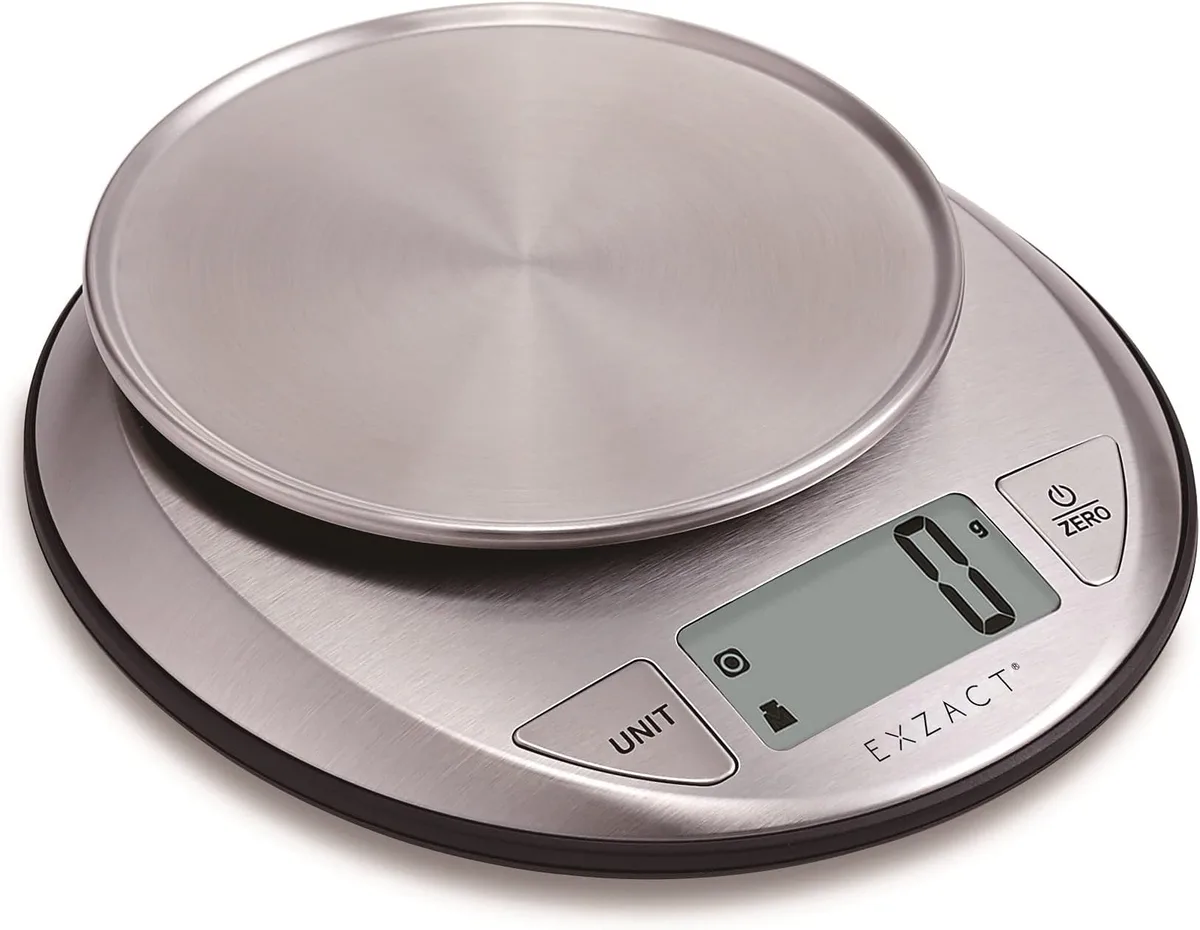
Digital Scales: These are the most common type today and feature an electronic display.
- How taring works: You place your container, press the dedicated "Tare" or "Zero" button. The scale’s internal sensors measure the container’s weight, and the software instructs the display to show zero.
- Features: Often include units conversion (grams, ounces, pounds, milliliters), memory functions, and auto-shutoff. Per manufacturer data, many digital scales offer precision down to 0.1 grams.
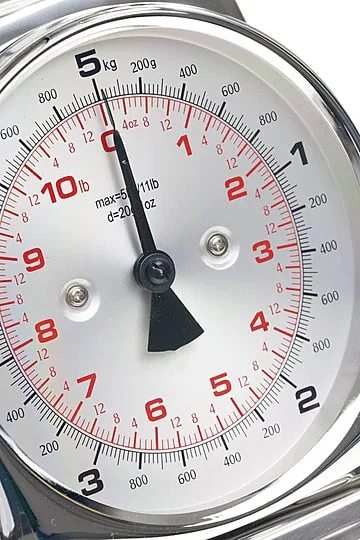
Mechanical Scales: These are the older, spring-loaded scales, often with a dial.
- How taring works: You place your container on the platform. Then, you manually adjust a small dial or a counterweight until the indicator needle or pointer reads exactly zero.
- Features: Simple design, no batteries required, but generally less precise than digital scales and can be harder to read accurately.
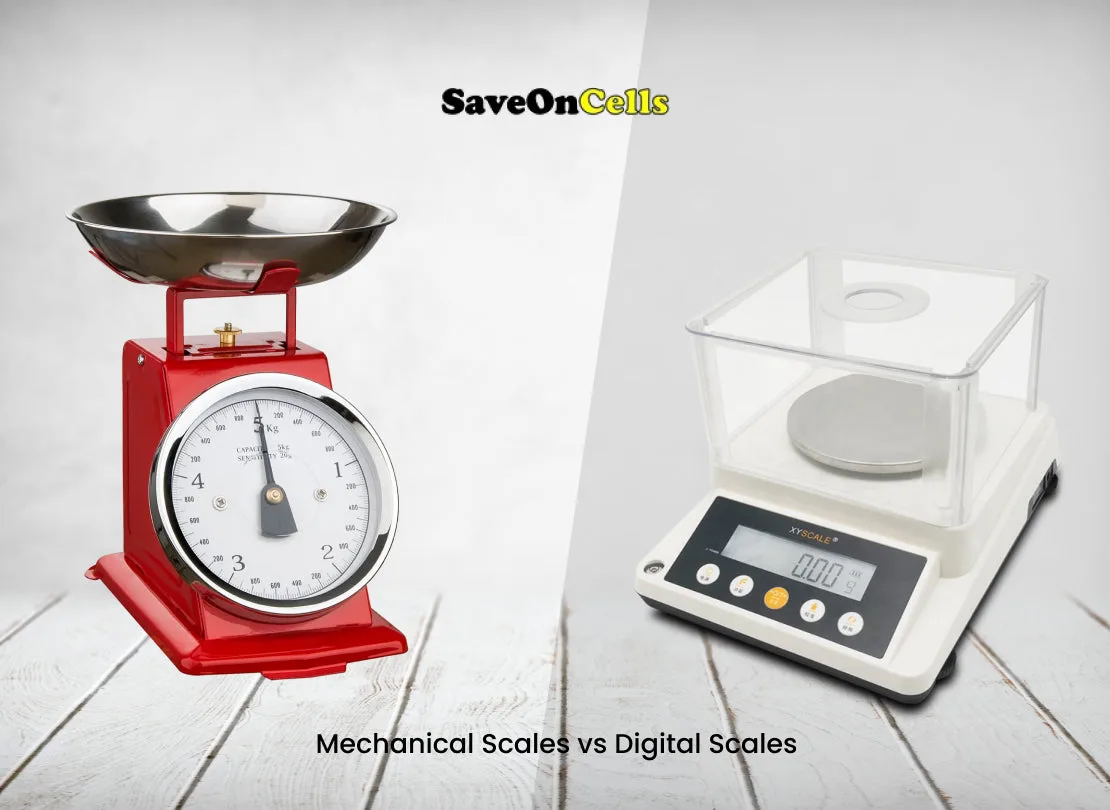
Choosing the right scale depends on your needs, but both types rely on a taring mechanism for accurate ingredient measurement. For instance, a recipe calling for 5 grams of baking powder requires the precision a digital scale offers, which a mechanical one might struggle to provide consistently.
When to Tare and When Not To
Knowing when to use the tare function is as important as knowing how to use it. It's your go-to for many common kitchen tasks, but there are exceptions.
Everyday Baking and Cooking Scenarios
You’ll want to tare your scale almost every time you’re measuring ingredients for recipes where precision matters.
- Sequential Ingredient Measurement: When adding multiple ingredients to the same bowl, you absolutely need to tare between each addition. This ensures you're measuring the exact amount of each item required by the recipe, rather than a cumulative total. This is standard practice in professional kitchens, as confirmed by culinary training guidelines.
- Weighing Portion Sizes: If you're portioning out dough, meat, or other ingredients into equal servings, tare the container (or a piece of parchment paper) first, then weigh each portion to ensure consistency.
- Adding Liquids to Solids: When adding liquids like oil or milk to dry ingredients already in a bowl, tare after adding the dry ingredients so you can accurately measure the liquid.
When NOT to Tare:
- Weighing a Single Item: If you're simply weighing one item to find its total weight, and you're not using a separate container, you don't need to tare. For example, weighing a whole chicken before cooking.
- Measuring Total Weight: In some specific cooking methods (rarely for baking), you might want the total weight of everything. In such cases, you wouldn't tare.
- Using a Pre-weighed Container: If you are using a container that already has its weight listed or known, you can sometimes input that weight directly into more advanced scales, but taring is the universal method.
Mistakes to Avoid When Taring
Even though taring is simple, a few common mistakes can lead to inaccurate measurements and frustrated cooks. Being aware of these pitfalls can save you from recipe disasters.
What NOT to Do for Accurate Measurements
- Not using a stable surface: Placing the scale on a soft towel, a slightly uneven countertop, or a wobbly table is a recipe for error. Always use a hard, flat, and level surface.
- Forgetting to tare after placing the container: This is the most common slip-up. If you add your flour before pressing tare, the scale will measure the flour plus the container's weight, leaving you with the wrong amount of flour.
- Moving the scale or container after taring: Once you've tared, avoid bumping the scale or shifting the container. This can un-zero the scale or introduce inaccuracies.
- Taring with ingredients already on the scale: If you’ve already added some ingredients and realize you forgot to tare, don't just try to tare now. Remove everything, and start the process from the beginning.
- Overloading the scale: Every scale has a maximum weight capacity. Exceeding it can not only give you inaccurate readings but can also damage the scale. Manufacturer specifications often list capacities from 5 kg (11 lbs) to 15 kg (33 lbs) or more.
- Not checking batteries: Low batteries can cause the scale to behave erratically, leading to incorrect tare readings or completely wrong weights. Replace them if you suspect they're low.
Frequently Asked Questions
How long does it take to tare a kitchen scale?
Taring a kitchen scale usually takes just a few seconds. You simply place your container on the scale and press the tare button. The display will reset to zero almost instantly.
Can I use any container to tare?
Yes, you can use most containers with your kitchen scale. Bowls, plates, cups, or even parchment paper work well. The important thing is that the container is clean and stable on the scale's platform.
What's the difference between "Tare" and "Zero"?
Often, there's no difference. Many scales use "Tare" and "Zero" interchangeably for the same function: resetting the display to zero after a container is in place. Some scales might have a separate "Zero" for initial power-on calibration, but the button used after placing a container is typically considered the tare function.
Why does my scale show a negative number after taring?
This usually happens if you accidentally remove some weight from the scale after taring, or if the scale was bumped. If the display shows a negative number, simply remove the container, turn the scale off and on again, and re-tare.