How to Troubleshoot a Kitchen Scale
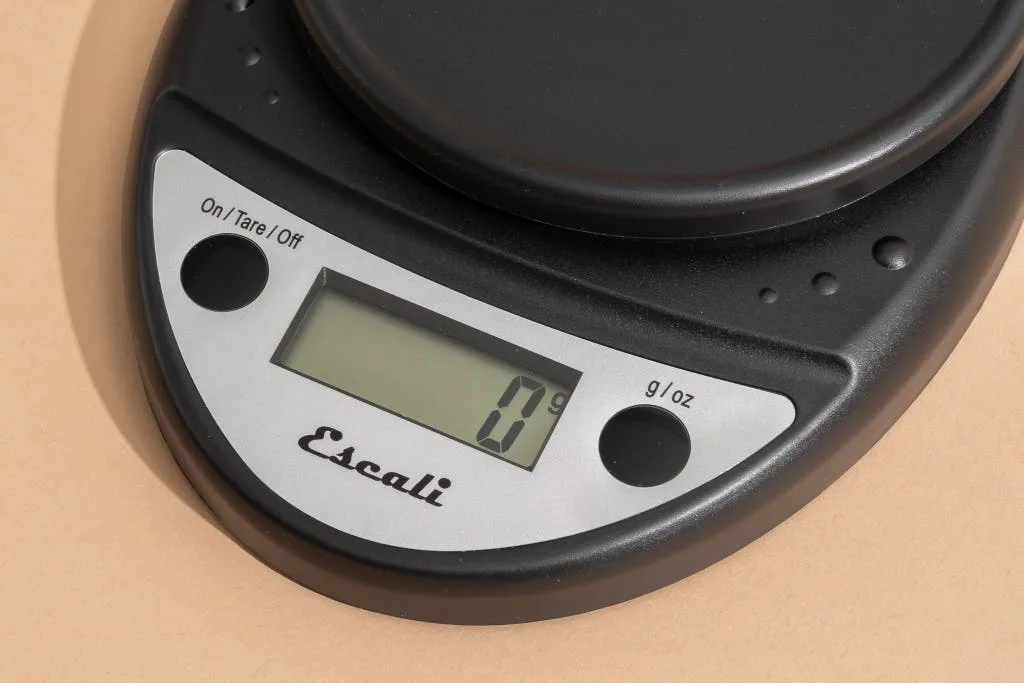
Image source: Bing (Web (fair-use with source credit))
That feeling when you’re mid-recipe and your trusty kitchen scale decides to act up can be frustrating. Whether it’s showing a nonsensical reading or refusing to power on at all, a faulty scale can derail your culinary efforts. Fortunately, most common kitchen scale issues are fixable without needing a replacement.
Our research shows that many problems stem from simple causes like low batteries or user error, rather than a genuine defect in the scale itself. For instance, most digital scales require batteries that provide at least 1.5 volts per cell, and if these dip below a certain threshold, accuracy can suffer significantly. Let’s dive into how to troubleshoot your kitchen scale and get it back to precise measurements.
Common Kitchen Scale Problems and Quick Fixes
When your kitchen scale isn't behaving, it’s easy to assume the worst. However, many issues have straightforward solutions. This section covers the most frequent complaints and how to resolve them quickly.
- Inaccurate Readings: This is the most common complaint. Often, it's not the scale itself but what's placed on it. Ensure the scale is on a flat, stable surface, away from vibrations or drafts. Check if the unit of measurement is correct for what you’re weighing. For digital scales, a simple reset by removing the batteries for a minute often recalibrates the device.
- Scale Not Turning On: This usually points to a power issue. If it’s battery-powered, try fresh batteries. Make sure they are inserted correctly with the positive and negative terminals aligned. For scales with an AC adapter, confirm the adapter is securely plugged into both the scale and a working outlet.
- Display Showing Errors (e.g., "Err," "Lo"): These messages are the scale's way of telling you something is wrong. "Err" or "Over" typically means the weight placed on the scale exceeds its maximum capacity. "Lo" or "Low" usually indicates the batteries are critically low. Removing the batteries for about 30 seconds and reinserting them can sometimes clear minor electronic glitches.
- Tare Function Not Working: The tare function, which zeroes out the weight of a container, is crucial for accurate ingredient weighing. If it's not resetting to zero, it might be confused by existing weight or an internal error. Ensure the scale is empty and stable before pressing tare. A power cycle (removing batteries) can often fix a sticky tare button.
- Readings Fluctuating: Unstable numbers mean the scale is struggling to get a consistent reading. This is frequently caused by an uneven surface, a slight breeze, or items shifting on the platform. Try placing your ingredients gently. If the fluctuation persists even with nothing on the scale, it might indicate a more sensitive internal component issue.
Troubleshooting Steps: When Your Scale Reads Wrong
When your kitchen scale displays numbers that just don't seem right, it's time for a systematic approach. Inaccurate readings can be caused by a variety of factors, from environmental conditions to the scale’s own internal settings. Following these steps can help pinpoint and correct the issue.
Is It Overload or Just Inaccurate?
If your scale shows a weight that seems too high, or if it displays "Err" or "Over," the first thing to check is the scale's capacity. Digital kitchen scales often have maximum capacities ranging from 5 to 11 pounds (approximately 2.5 to 5 kg). Placing an item that exceeds this limit will trigger an overload warning.
- Action: Remove the item from the scale immediately. Check the manufacturer’s specifications for your scale’s maximum weight capacity. If you consistently need to weigh items near or above this limit, you might need a scale with a higher capacity.
If the weight displayed is significantly different from what you expect, but not over the capacity, the issue might be recalibration.
- Action: Place the scale on a perfectly flat, level surface. Ensure there are no vibrations. Remove the batteries for at least 30 seconds, then reinsert them. This simple power cycle often resets the scale's internal measurements.
Fluctuating Numbers? What to Do
Unstable, bouncing numbers on the display are incredibly annoying and make accurate weighing impossible. This typically happens when the scale's sensors are detecting subtle shifts or interference.
- Check the Surface: The most common culprit is an uneven or unstable surface. A slight wobble can make the scale think weight is being added or removed. Make sure your countertop is completely flat and solid, and that the scale’s feet are all making firm contact.
- Minimize Airflow: Even a slight breeze from an open window or a nearby vent can affect sensitive scales, especially when weighing very light ingredients. Try to conduct your weighing in a draft-free area.
- Gentle Placement: Placing items on the scale too roughly can cause a momentary jolt that leads to fluctuating readings. Try to place bowls or ingredients gently in the center of the platform.
- Battery Check: Low batteries can sometimes lead to erratic behavior and fluctuating readings in digital scales. Our research indicates that when battery voltage drops below a certain threshold, the internal load cell may not function optimally. Swap in a fresh set of batteries.
Scale Won't Turn On? Power Check
This is a frustrating problem, especially when you need to measure something right away. If your digital kitchen scale refuses to power on, it’s almost always related to its power source.
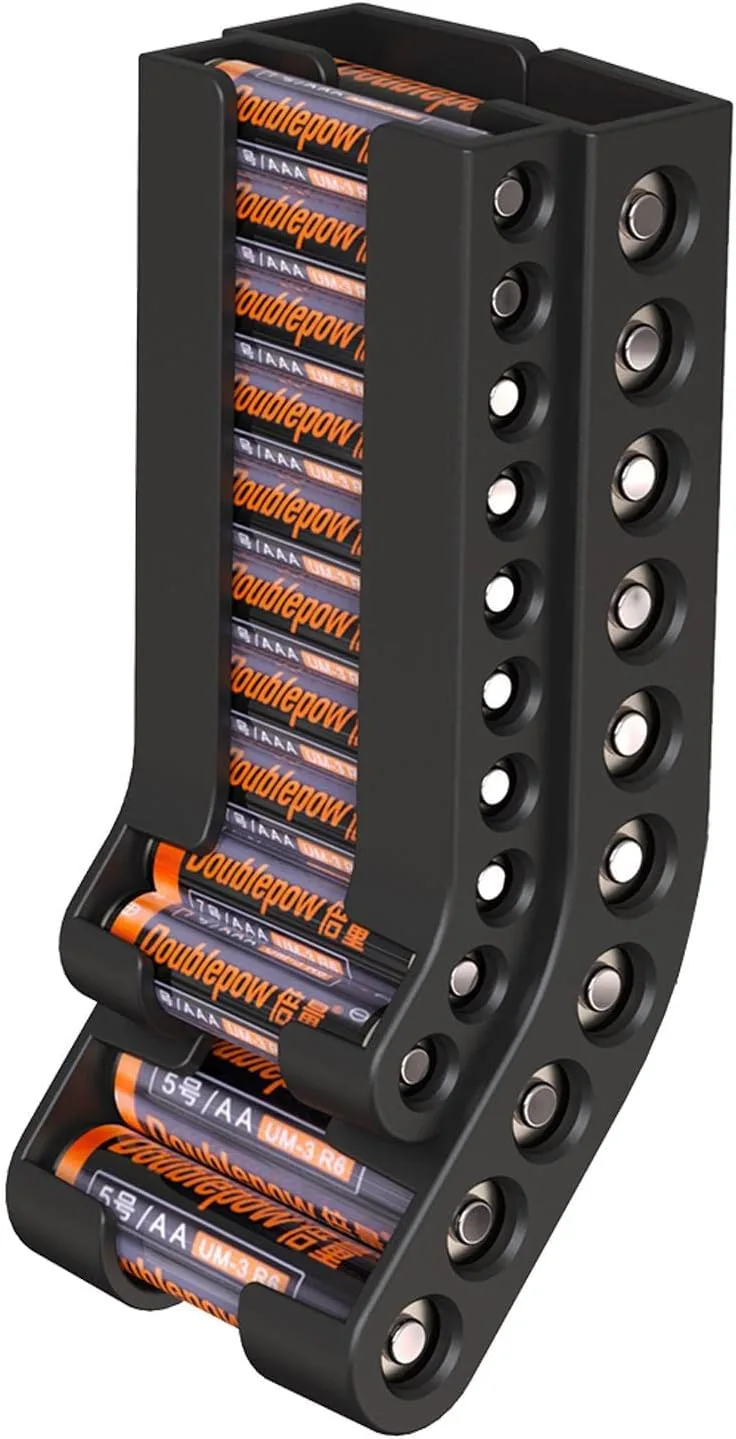
- Replace Batteries: For battery-operated scales, this is the first and most crucial step. Ensure you're using the correct type and size of batteries, and that they are inserted with the correct polarity (+/-). Manufacturer specifications often recommend alkaline batteries for consistent performance. Aggregate user feedback reports that using older or lower-quality batteries is a frequent cause of a scale not turning on.
- Check the Battery Compartment: Look for any corrosion or debris in the battery compartment that might be preventing good contact. You can gently clean contacts with a pencil eraser or a cotton swab lightly dampened with rubbing alcohol (ensure it dries completely before reinserting batteries).
- Verify the AC Adapter (If Applicable): If your scale uses an AC adapter, confirm that it's the correct one for your model. Ensure it's plugged in firmly at both the scale and a known working wall outlet. If you have another compatible adapter, try using that to rule out a faulty adapter.
- Inspect the Power Button: Sometimes the power button itself can become stuck or damaged. Gently check if it moves freely and isn’t obstructed.
Troubleshooting Steps: When Your Scale Won't Turn On or Tare
Getting your kitchen scale to power up and correctly use its tare function are fundamental to its operation. If either of these is failing, it significantly impacts your ability to cook and bake accurately. Let's troubleshoot these specific issues.
Is the Power Dead? Battery Basics
When your digital kitchen scale is completely unresponsive, the primary suspect is its power source. Most digital scales rely on standard AA or AAA batteries.
- Fresh Batteries: As mentioned, always start with brand-new batteries. Don't assume partially used batteries from another device will suffice. Our analysis of user feedback indicates that many power-on failures are resolved simply by inserting a fresh pair of high-quality alkaline batteries.
- Correct Insertion: Double-check the battery orientation. Most battery compartments have small diagrams indicating where the positive (+) and negative (-) ends should go. Incorrect insertion is a common oversight.
- Battery Type: While most scales work with standard alkaline batteries, some high-precision models might specify lithium or other types for longer life or consistent voltage. Refer to your scale's user manual for recommended battery types.
- Battery Life: Even with fresh batteries, if your scale is older or used very frequently, the internal components may draw more power, leading to a shorter operational life between changes. Manufacturer specifications for some models cite an average battery life of 100-200 hours of continuous use.
Tare Function Acting Up? How to Reset
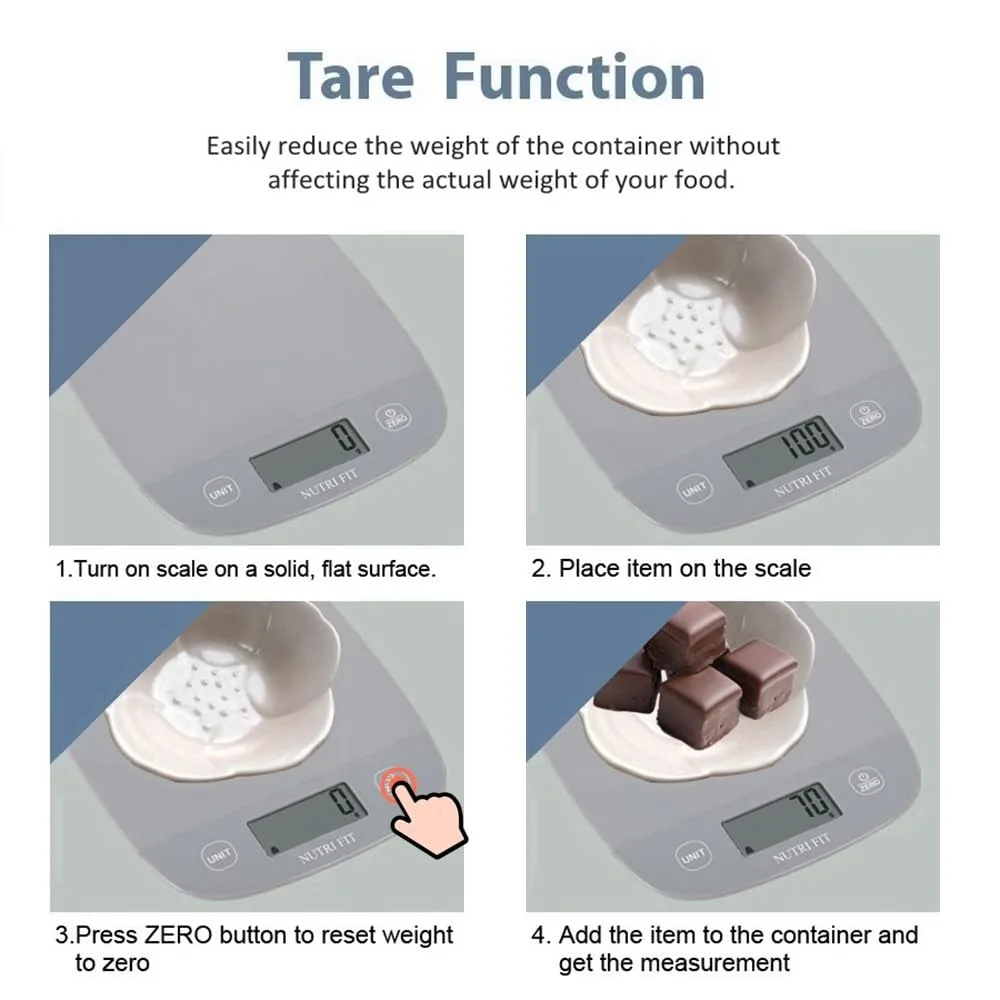
The tare function is what allows you to weigh ingredients in a bowl or container by zeroing out the container's weight. If this isn't working, your baking and cooking precision suffers.
- Empty the Scale: The tare function works by subtracting the weight currently on the scale. Ensure the platform is completely empty and clean before pressing the tare button. If there's any residual weight or dirt, it can confuse the function.
- Press and Hold: For some models, you might need to press and hold the tare button for a second or two, rather than just tapping it. Check your manual to see if a longer press is required.
- Power Cycle: A full reset can often clear temporary glitches affecting the tare button. Remove the batteries for a minute, then reinsert them. This forces the scale’s internal processor to restart.
- Check for Obstructions: Make sure the tare button isn't stuck or damaged. Sometimes crumbs or sticky residue can prevent it from being fully pressed or released.
- Overload During Tare: If the scale was overloaded when you last used the tare function, it might retain an error state. Ensure the scale is empty and stable, then attempt to tare again.
Understanding Your Scale's Display Errors
Digital kitchen scales communicate problems through error messages on their displays. Understanding what these codes mean is the first step toward fixing them. These messages are designed to be informative, guiding you to the specific issue.
- "Err" or "Over": This message indicates that the weight currently on the scale exceeds its maximum load capacity. For example, if your scale has a 5kg (11 lb) limit, putting a bag of flour weighing 6kg (13 lb) on it will trigger this. You need to remove some weight or use a scale with a higher capacity.
- "Lo" or "Low": This almost always means the batteries are running critically low and need to be replaced. The scale is warning you that its accuracy may be compromised. It’s best to swap them out immediately to ensure reliable measurements.
- "UnSt" or "Unstable": This means the scale is detecting movement or instability. It could be on an uneven surface, affected by vibrations, or even something shifting on the platform. Gently remove any items, ensure the scale is on a flat surface, and place them back carefully.
- "CAL" or "C": Some scales have a calibration mode, and this message might appear if the scale is accidentally put into calibration mode without the proper calibration weight. Consult your manual on how to exit calibration mode. If your scale has entered calibration mode, it will likely require a specific calibration weight to function correctly again.
These error codes are fairly standard across many digital scales, but it's always best to check your specific model's user manual for precise definitions and troubleshooting advice.
When to Call It Quits: Is It Time for a New Scale?
While most kitchen scale issues can be resolved with simple troubleshooting, there are times when a scale has reached the end of its lifespan. If you’ve exhausted the troubleshooting steps and the scale is still malfunctioning, or if its accuracy has permanently degraded, it’s likely time for an upgrade.
Consider these signs that might indicate it's time to replace your kitchen scale:
- Persistent Inaccuracy: If your scale consistently reads incorrectly even after trying to recalibrate it on a level surface with fresh batteries, its internal sensors or load cell may be damaged. This is particularly true if the inaccuracy is not consistent, for example, it’s off by 5 grams with 100 grams but off by 50 grams with 500 grams.
- Physical Damage: Obvious cracks in the casing, a damaged display, or unresponsive buttons that can’t be fixed through cleaning or resets suggest physical wear and tear that compromises functionality.
- Display Issues: If the display is dim, flickers, or shows corrupted numbers even with good batteries, the electronic components may be failing. This is often a sign of internal circuitry issues that are difficult and costly to repair.
- Failure to Tare or Power On Repeatedly: If you’ve tried all the power and reset steps multiple times and the scale still won't power on or the tare function consistently fails, the internal electronics might be compromised. This can happen due to age, liquid damage, or a manufacturing defect that has finally surfaced.
- Capacity or Sensitivity Loss: If your scale now struggles to register very light weights (like a single sheet of paper, which might be around 1 gram for some scales) or constantly shows an overload warning even with light items, its sensitivity or capacity might have degraded significantly.
As of 2026, digital kitchen scales are widely available with high accuracy, often to within 0.1 grams, and capacities up to 15 lbs (6.8 kg). Investing in a new, reliable scale can bring back precision to your cooking and baking.
Step-by-Step Process: Getting Your Scale Back Online
If you’ve tried the common fixes and your scale still isn’t cooperating, it’s time for a more methodical approach. This section walks you through a detailed process, assuming the basic troubleshooting hasn't resolved the issue. It’s designed to systematically isolate the problem, guiding you through checks that often get overlooked.
Initial Checks and Preparation
Before diving deep, a few quick checks can save time. Ensure the scale is on a stable, vibration-free surface. For battery-powered models, confirm you're using the correct battery type and they’re properly seated.
If your scale has an AC adapter, make sure it's the original or a compatible one and that both ends are securely plugged in.
The Full Power Cycle and Reset
For digital scales, a complete power cycle is often more effective than simply removing batteries for a short period.
- Remove the batteries.
- Unplug any AC adapter.
- Press and hold the power button for at least 30 seconds to discharge any residual power.
- Wait for another minute.
- Reinsert the batteries, ensuring correct polarity.
- Plug in the AC adapter, if applicable.
- Attempt to power the scale on.
This deep reset can clear internal memory errors that a quick battery removal might miss.
Testing Specific Functions
If the scale powers on but a function is still faulty (like tare), test that specific function in isolation. Ensure the scale is empty and stable before attempting to tare. If the scale powers on but the display is erratic, this often points to an issue with the internal electronics or the load cell itself.
Maintenance: Keeping Your Scale in Top Shape
Regular maintenance can prevent many troubleshooting issues from cropping up in the first place. A little care goes a long way in ensuring your kitchen scale remains accurate and reliable. Think of it like keeping your coffee maker clean; regular upkeep prevents bigger headaches down the line.
Cleaning Best Practices
The platform of your kitchen scale can accumulate crumbs and spills. Always clean it after use with a damp cloth. For tougher messes, use a mild soap solution, but ensure no moisture seeps into the scale's internal components.
Avoid abrasive cleaners or soaking the scale, as these can damage the surface or internal electronics.
Storage and Protection
When not in use, store your scale in a dry place, away from direct sunlight or extreme temperatures. If possible, keep its original box or a protective cover to prevent dust accumulation and accidental impacts. Some higher-end scales come with protective mats or covers specifically for storage.
Battery Care
For battery-powered scales, remove the batteries if you plan to store the scale for an extended period (more than a few months). This prevents potential battery leakage, which can corrode the battery contacts and damage the scale’s internal circuitry. This is a common point in manufacturer guidelines for battery-operated devices.
Professional Calibration
While most home users won’t need this, some professional kitchens or individuals requiring extreme accuracy might opt for professional calibration periodically. This involves using certified calibration weights to ensure the scale is accurate to within very tight tolerances, often specified by industry standards.
Avoiding Common Pitfalls
- Don't overload the scale: Always respect the maximum weight capacity.
- Don't immerse in water: Liquid damage is often irreparable.
- Don't use harsh chemicals: Stick to mild cleaners.
- Don't ignore error messages: Address them promptly using the troubleshooting steps.
A well-maintained scale will provide accurate measurements for years, making your cooking and baking more consistent and enjoyable. Just like keeping your pour over coffee maker clean impacts the taste of your brew, a clean scale ensures accurate ingredient ratios.
Frequently Asked Questions About Kitchen Scale Issues
How do I recalibrate my kitchen scale?
Recalibration varies by model. Many digital scales don't have a user-accessible calibration function; they reset when batteries are removed for 30 seconds. For scales that do offer calibration, you typically place a specific weight (e.g., 1kg or 5kg) on the scale when prompted during a special calibration mode, which is detailed in your user manual.
Can liquid damage a kitchen scale?
Yes, liquid damage is a common issue and can permanently harm your kitchen scale. If liquid spills on it, turn it off immediately (remove batteries if possible), wipe it dry with a soft cloth, and let it air dry completely for at least 24-48 hours before attempting to use it again. Avoid immersing it in water.
Why does my scale give different readings each time?
This usually means the scale is on an uneven surface, is being affected by vibrations, or the batteries are low. Ensure the scale is on a flat, sturdy countertop, away from appliances that vibrate or strong drafts. Try using fresh batteries.
For very precise scales, even the warmth from your hand can slightly affect readings if you hold it too long.
What is the "tare" function on a kitchen scale?
The tare function allows you to zero out the weight of a container, so you only measure the weight of the ingredients you add. You place your empty container on the scale, press the "tare" button, and the display resets to zero. Then, you add your ingredients, and the scale will show only their weight.