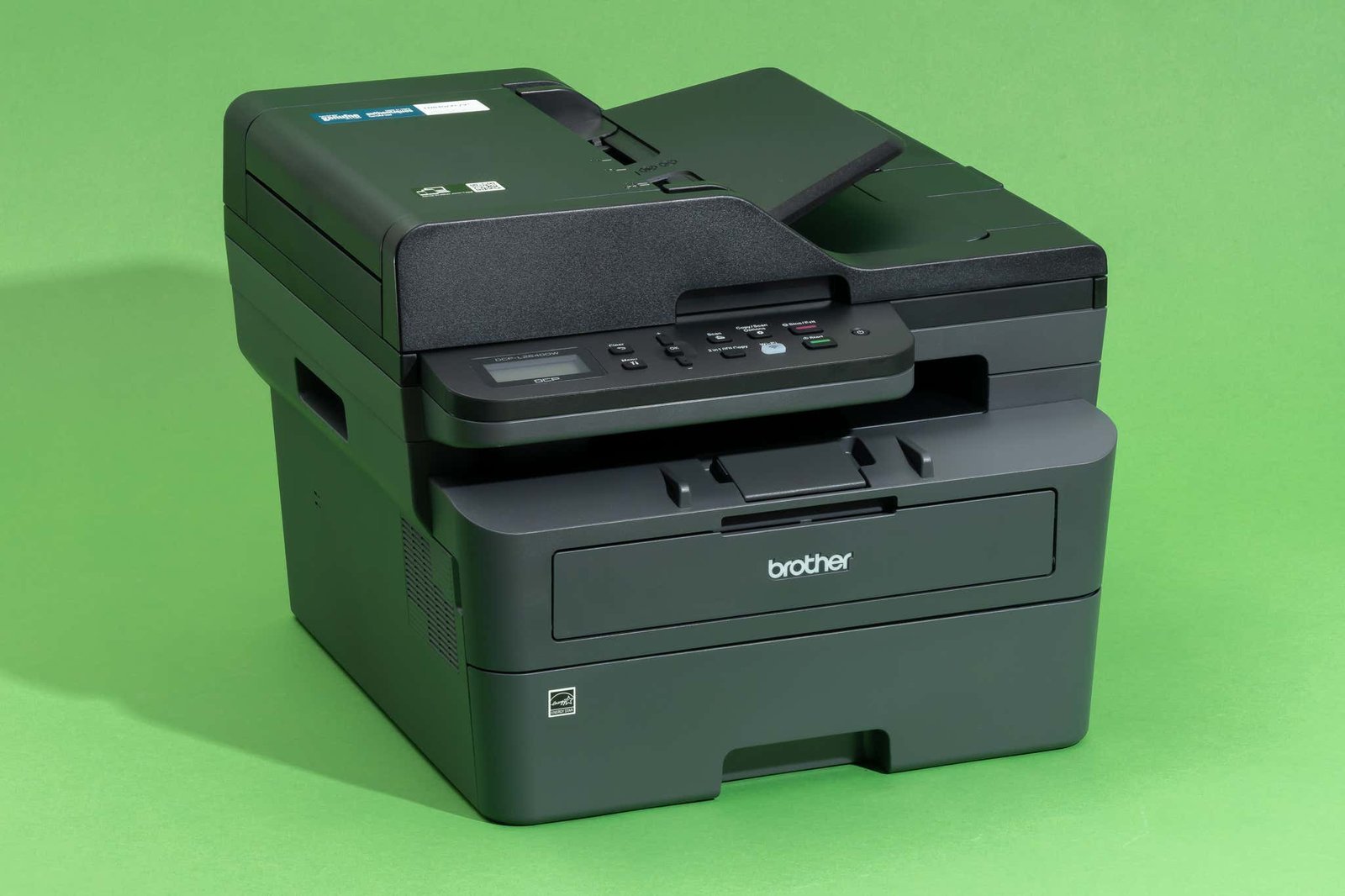
Best Laser Printers: 6 Picks for Home and Small Office in 2027
Most laser printers do the same basic job, but the models split on a few things that matter day to day. Some are built for a single desk, others for a small team. Those differences decide which one you should buy, so start there.
Best overall: Brother HL-L2460DW, because its listing covers wireless, Ethernet, USB, duplex printing and a 250-sheet tray in one compact black-and-white machine.
Best for scanning and faxing: Brother MFC-L2820DW, because its listing adds copy, scan, fax and a 50-page automatic document feeder to the same compact footprint.
Best for color printing: HP Color LaserJet Pro MFP 3301sdw, because its listing names color print, scan, copy and auto two-sided printing for small teams.
The rest of this guide is for buyers who want a clear pick and a short reason for it.
How We Picked
We compared the Amazon listings for these printers before choosing the picks. A listing had to state the facts that matter for buying a laser printer, such as print speed, connectivity, paper capacity, duplex printing and what comes in the box. Products that left those facts out were dropped. We judged each pick on what its own listing says.
That rule cuts out some products that may be perfectly good. Several listings, including the Brother DCP-L2640DW, the Canon imageCLASS MF462dw II and the HP 3105sdw, gave only a title and no feature details. We couldn’t confirm their speed, paper capacity or connectivity from the listing, so we didn’t rank them.
Read each pick the same way. A spec that appears in a listing is a claim the seller makes, and you should check it against your own needs. A spec that’s missing from a listing isn’t proof that the printer lacks it. It means only that we couldn’t verify it, so if a feature matters to you, look for it on the product page before you buy.
Comparison Table
All 6 products side by side — scroll sideways to see every column.
| Top Pick | Best for Small Teams | Best for Faxing | Best for Color Printing | |||
| Preview |  |  |  |  |  |  |
|---|---|---|---|---|---|---|
| Product | Brother HL-L2460DW | HP LaserJet M234sdw | Brother MFC-L2820DW | Canon imageCLASS MF753Cdw II | Canon imageCLASS LBP646Cdw | HP Color LaserJet Pro MFP |
| Brand | Brother | HP | Brother | Canon | Canon | HP |
| Best for | Best Overall | Best for Small Teams | Best for Faxing | — | Best for Color Printing | — |
| The listing says | Built for home offices and small teams Dual-band Wi-Fi, Ethernet, or USB connection | Prints, scans, copies, and offers mobile printing Up to 30 pages per minute single-sided | Compact print, copy, scan, and fax unit Print speeds up to 36ppm | Color, wireless, duplex printer Prints, scans, copies, and faxes | Single-function color wireless duplex printer Prints up to 26ppm in color and mono | Print, scan, and copy for small teams Prints up to 26ppm black and color |
| More information | Check Latest Price on Amazon | Check Latest Price on Amazon | Check Latest Price on Amazon | Check Latest Price on Amazon | Check Latest Price on Amazon | Check Latest Price on Amazon |
1. Brother HL-L2460DW Wireless Compact Monochrome Laser Printer with Duplex
Best for: Home offices and small teams that print mostly black and white.
The listing says this printer offers dual-band wireless, Ethernet, USB, automatic duplex printing and print speeds up to 36 pages per minute. It also states a 250-sheet paper tray and a manual feed slot for envelopes. Those facts point to a machine that handles steady text printing without fuss. If you need to print from a phone, the listing’s Brother Mobile Connect app is the feature that matters most.
The HP Color LaserJet Pro MFP 3301sdw covers that need, though it’s a different kind of machine.
Pros
- Dual-band wireless plus Ethernet and USB connections
- Automatic duplex printing saves paper
- 250-sheet tray suits steady office work
Cons
- Black-and-white output only
2. HP LaserJet M234sdw Monochrome Laser Printer
Best for: Small teams of one to five people who want the simplest setup.
The listing describes this as an all-in-one with print, scan and copy, along with wireless printing from mobile devices, PCs and tablets. It names Ethernet, Microsoft, Mac, AirPrint, Android and Chromebook support, and it states up to 30 black-and-white pages per minute single-sided.
The HP Smart app is the main way to scan to the cloud or print from a phone. If you want a scanner with fax and a larger touchscreen, the Brother MFC-L2820DW is the closer match.
Pros
- Print, scan and copy in one machine
- Works with most phones, tablets and computers
- Self-reset Wi-Fi handles connection issues automatically
Cons
- Listed for 1-5 people, so a larger office team outgrows the stated capacity.
3. Brother MFC-L2820DW Wireless Compact Monochrome All-in-One Laser Printer with Copy
Best for: Small offices that need scanning and faxing along with printing.
This is the Brother model to pick if your work includes faxing or scanning many pages. The listing states print speeds up to 36 pages per minute, scan speeds up to 23.6 images per minute in black and white, and a 50-page automatic document feeder. It also names a 2.7-inch touchscreen that can scan to cloud apps such as Google Drive and Dropbox.
It earns its place if you need all four functions in one compact unit.
Pros
- Copy, scan, fax and print in one unit
- 50-page document feeder for multi-page jobs
- 2.7-inch touchscreen with cloud scan options
Cons
- More functions than a buyer who only prints will use
4. Canon Color imageCLASS MF753Cdw II
Best for: Offices that need color printing, scanning, copying and faxing in one machine.
Its main job is color multifunction work. Because the listing gives little detail on speed or paper capacity, check those figures on the product page before you buy.
Having all four functions in one box means one purchase, one footprint on your desk and one set of supplies to track. That matters most in a shared office, where a single device handles the day’s scans, copies and faxes instead of several separate machines competing for space.
Duplex support means the printer prints on both sides of a sheet automatically. That cuts paper use on longer documents, which is useful if your office prints multi-page reports or contracts regularly.
If you only need color printing and not scanning or faxing, the Canon imageCLASS LBP646Cdw is the simpler machine.
Pros
- Color print, scan, copy and fax in one unit
- Wireless and duplex printing included
Cons
- The listing gives little detail on speed or paper capacity
5. Canon Color imageCLASS LBP646Cdw Wireless Laser Printer
Best for: Users who want fast color printing and don’t need scanning or faxing.
This is a print-only color printer. The listing says it prints up to 26 pages per minute in both color and monochrome, with a first page in about 10.3 seconds. It adds a 250-sheet standard cassette, a one-sheet multipurpose tray, automatic two-sided printing and Apple AirPrint and Mopria support.
The quick first-page time matters most when you print one or two pages at a time, since you spend less time waiting for the first sheet to come out.
Two-sided printing and a standard paper cassette cover most everyday volume without refilling. The one-sheet multipurpose tray is meant for occasional single sheets, envelopes or special media, not for a stack of regular paper.
Mobile printing works through the free Canon PRINT app, AirPrint on Apple devices and the Mopria Print Service on Android. If you print mainly from a phone or tablet, check that your device is one of these options before you buy.
It has no scanner or copier, so it isn’t the right pick for a home office that scans documents. The Canon MF753Cdw II is the choice when scanning and faxing matter.
Pros
- Prints up to 26 pages per minute in color or black and white
- Quick first-page time of about 10.3 seconds
- Automatic two-sided printing
Cons
- No scanning, copying or faxing
6. HP Color LaserJet Pro MFP 3301sdw
Best for: Small teams that need professional-looking color documents with scanning and copying.
The listing names print speeds up to 26 pages per minute in black and color, plus scan, copy, auto two-sided printing and an auto document feeder. It states a 250-sheet input tray and says the printer uses HP 218A and 218X toner cartridges. The listing also notes that the printer blocks cartridges that don’t carry HP chips, which means you’ll need to buy HP toner to keep it working.
That chip rule matters if you prefer third-party toner. The listing says periodic firmware updates keep these measures effective, so the blocking isn’t a one-time setup issue. Ask yourself whether your team will reliably buy HP cartridges before you commit to this model.
For a color machine with a scanner, this is a solid option within the HP line. Its strengths are the all-in-one design, but its toner policy is the trade-off you should weigh before buying.
Pros
- Color print, scan and copy in one unit
- Auto document feeder and two-sided printing
- 250-sheet input tray
Cons
- Blocks cartridges without HP chips, so you must use HP toner
Also Worth Considering
The Brother DCP-L2640DW is a monochrome multifunction printer with copy, scan, duplex and mobile printing. Choose it if you need to copy and scan but never fax. The listing names no fax hardware, so if you occasionally send faxes, a model from the MFC line is the safer pick.
The Canon imageCLASS MF462dw II is a wireless, monochrome duplex laser printer with a multifunction design. Consider it if you want black-and-white output with a scanner at a desk-sized footprint. Check the paper capacity and connectivity options on the product page before you buy.
The HP 3105sdw is a monochrome all-in-one from the HP LaserJet Pro line. It’s worth a look if you already use HP toner and want a compact machine for scanning and printing. If you print in color, skip this model, since it handles only black and white.
How to Choose in Sixty Seconds
Decide between black and white and color
Black-and-white printers are simpler to set up and suit documents that are mostly text. Choose color only if you print charts, marketing material or photos. The HP Color LaserJet Pro MFP 3301sdw and the Canon imageCLASS LBP646Cdw are the color options here, and the Brother HL-L2460DW covers black-and-white printing well.
Check whether you need fax and scanning
If you never send faxes, the Brother DCP-L2640DW covers copy and scan without that extra function. If you do need fax and scanning, the Brother MFC-L2820DW and the Canon imageCLASS MF753Cdw II are the two all-in-one choices.
Confirm toner and paper before you order
Check which toner the printer uses and whether you can buy it easily. Also confirm the paper capacity that matches your workload. The paper trays on several models are enough for most small offices.
Frequently Asked Questions
Do I need a laser printer or an inkjet?
A laser printer suits text-heavy documents, and the models here all print black-and-white or color pages on laser engines. An inkjet can be better for occasional photo printing. If most of your work is black-and-white documents, a laser printer like the Brother HL-L2460DW is the right fit.
Does a laser printer need a scanner?
Only if you scan documents. If you only print, a print-only model like the Canon imageCLASS LBP646Cdw works well. If you scan, copy or send faxes, choose one of the all-in-one models such as the HP LaserJet M234sdw or the Brother MFC-L2820DW.
Can I use third-party toner in these printers?
It depends on the printer. The HP Color LaserJet Pro MFP 3301sdw states that it blocks cartridges that don’t have HP chips, so you need HP toner. The Brother listings name Brother Genuine TN830 or TN830XL toner. Check the listing for each model before you buy toner.
Do these printers work from a phone?
Most of them do. The Brother HL-L2460DW and Brother MFC-L2820DW both list the Brother Mobile Connect app. The Canon imageCLASS LBP646Cdw names the free Canon PRINT app and Apple AirPrint.
Closing
If you want one pick, the Brother HL-L2460DW is the best overall choice for black-and-white printing at home or in a small office. It’s compact, connects wirelessly, and offers duplex printing and a paper tray large enough for most everyday work, without extra features you won’t use.
If scanning and faxing matter, choose the Brother MFC-L2820DW. It adds copy, scan, and fax with a 50-page auto document feeder, so it suits a desk where paperwork gets copied or sent often. Its 2.7-inch touchscreen also lets you scan to popular cloud apps such as Google Drive and Dropbox.
For color work, the HP Color LaserJet Pro MFP 3301sdw is a strong option in this list. It prints, scans, and copies in color with automatic two-sided printing and a full-size input tray, and it’s built for small teams producing professional documents.
Start by deciding which of those three jobs matters most to you. If you only print text, the Brother HL-L2460DW covers it. If you regularly need to scan or fax, step up to the MFC-L2820DW. If your documents include color charts, graphics, or branded materials, the HP 3301sdw is the one to consider.