Best Photo Printers: 6 Picks for Every Print Size and Budget in 2027
Photo printers look alike on the box, but they split on a few things: print size, how the ink or dye works, whether they connect to your phone, and how portable they are. Pick the one that matches how you’ll print, not the one with the most features. Here’s how to decide.
Best overall: Epson PictureMate PM-400. It prints borderless 4″x6″ and 5″x7″ photos from your phone or tablet, and the listing says a 4″x6″ print can come out in as fast as 36 seconds.
Best for portable printing: Canon Selphy CP1500. Its listing stresses a small footprint and an optional battery pack, so you can print away from a desk.
Best for wide prints: Canon PIXMA PRO-200S. If you want prints up to 13″ x 19″, this is the one that handles that size.
This guide is for people who want to print photos at home and don’t need a lab-style workstation.
How We Picked
We compared 16 Amazon listings and kept the ones that clearly state what they include, what size they print, and how they connect. A product dropped out if its listing left out the basics a buyer needs to judge it. Several listings we looked at gave only a product title and no feature details, so we couldn’t compare them fairly. We didn’t test any of these printers ourselves. Everything here comes from what each seller says in its listing, so treat the claims as the manufacturer’s own words rather than verified results.
That matters most for speed and daily use. Figures such as print times and the number of prints per ink set are measured under conditions the seller chooses, and they will vary with your computer, your software and the image you print. When two listings give figures under different conditions, the numbers aren’t a direct contest, so compare the wording as well as the numbers before drawing a conclusion.
Comparison Table
All 6 products side by side — scroll sideways to see every column.
| Top Pick | Runner-Up | Best for First-Time Buyers | Best for Large Prints | Best for Grab-and-Print | ||
| Preview |  |  |  |  |  |  |
|---|---|---|---|---|---|---|
| Product | Epson PictureMate PM-400 | Canon Selphy CP1500 | KODAK Dock Plus | Epson EcoTank Photo ET-8550 | Canon PIXMA PRO-200S | Liene M100 |
| Brand | Epson | Canon | KODAK | Epson | Canon | Liene |
| Best for | Best Overall | Runner-Up | Best for First-Time Buyers | — | Best for Large Prints | Best for Grab-and-Print |
| The listing says | Designed for use with Epson Genuine Cartridges only Borderless 4"x6" and 5"x7" photo printing | Sleek, easy-to-use design with Wi-Fi Compact enough to carry, optional battery pack | Prints 4×6" photos directly from compatible smartphones Three-layer dye sublimation with protective lamination | Cartridge-free printing with Claria ET Premium 6-color inks About 4 cents per 4"x6" photo | 8-color dye-based ink system Borderless printing from 3.5"x3.5" up to 13"x19" | Portable 4×6 photo printer for iPhone, Android and PC Thermal dye sublimation, laminated, water and scratch resistant |
| More information | Check Price on Amazon | Check Price on Amazon | Check Price on Amazon | Check Price on Amazon | Check Price on Amazon | Check Price on Amazon |
1. Epson PictureMate PM-400 Wireless Compact Photo Printer
Best for: Someone who prints 4″x6″ and 5″x7″ photos from a phone.
The listing says this printer produces borderless photos in those two sizes, so it fits the most common family prints. Borderless means the photo runs edge to edge with no white margin, which is what most people expect from a snapshot. The wireless setup works from an iPad, iPhone, tablet, or smartphone, which means you don’t need a computer in the loop. You print straight from the device in your hand.
The compact, lightweight body is listed as saving space on a shelf or desk. That matters if the printer will live in a kitchen, a bedroom, or a small apartment rather than a dedicated office. Because it’s light, it can also move with you if you take it to a family gathering.
The listing is clear that this printer should be used only with Epson Genuine Cartridges. Non-genuine ink could cause damage that the printer’s limited warranty doesn’t cover. Before you buy, decide whether you’re comfortable buying cartridges only from Epson’s line.
Pros
- Borderless 4″x6″ and 5″x7″ prints
- Wireless printing from phones and tablets
- Ultra compact and lightweight design
Cons
- Must use Epson Genuine Cartridges to stay covered by warranty
2. Canon Selphy CP1500 Wireless Compact Photo Printer (Black)
Best for: Someone who wants to print on the go.
This printer’s listing puts portability front and center. The footprint is small, and an optional battery pack lets you print away from an outlet. It connects over Wi-Fi, USB, and memory cards, so you can print from a phone, a camera, or a USB drive. The built-in 3.5″ display lets you crop, edit, and add filters such as sepia or black-and-white before you print.
The listing says prints are dry and water resistant right away and should keep their look for up to 100 years. That claim is the seller’s, so treat it as their promise, not a tested result. The Epson PictureMate PM-400 is the better pick if you mostly print from a phone and don’t need a built-in screen.
Pros
- Small footprint, with an optional battery pack
- Wi-Fi, USB, and memory card connections
- Built-in 3.5″ display for editing and filters
Cons
- Battery pack is an optional extra, not included in the listing
3. KODAK Dock Plus 4×6 Photo Printer
Best for: A first-time buyer who wants the simplest setup.
The Dock Plus has an integrated docking station. You set your phone on the printer, which keeps it connected and charges it while printing. It produces 4×6″ prints using dye sublimation with a clear protective layer. The listing says each print takes about 55 seconds and is designed to resist fingerprints, water, and fading. Connection is through Bluetooth and the KODAK Photo Printer app, which lets you crop and adjust photos before printing.
Because it needs a power outlet for steady performance, it’s less suited to someone who wants to print from a bag. The Liene M100 is the choice if you need a printer that runs without a dock or a wall plug.
Pros
- Docking station connects and charges your phone while printing
- Clear protective layer on each print
- Bluetooth setup with an editing app
Cons
- Needs a power outlet for steady performance
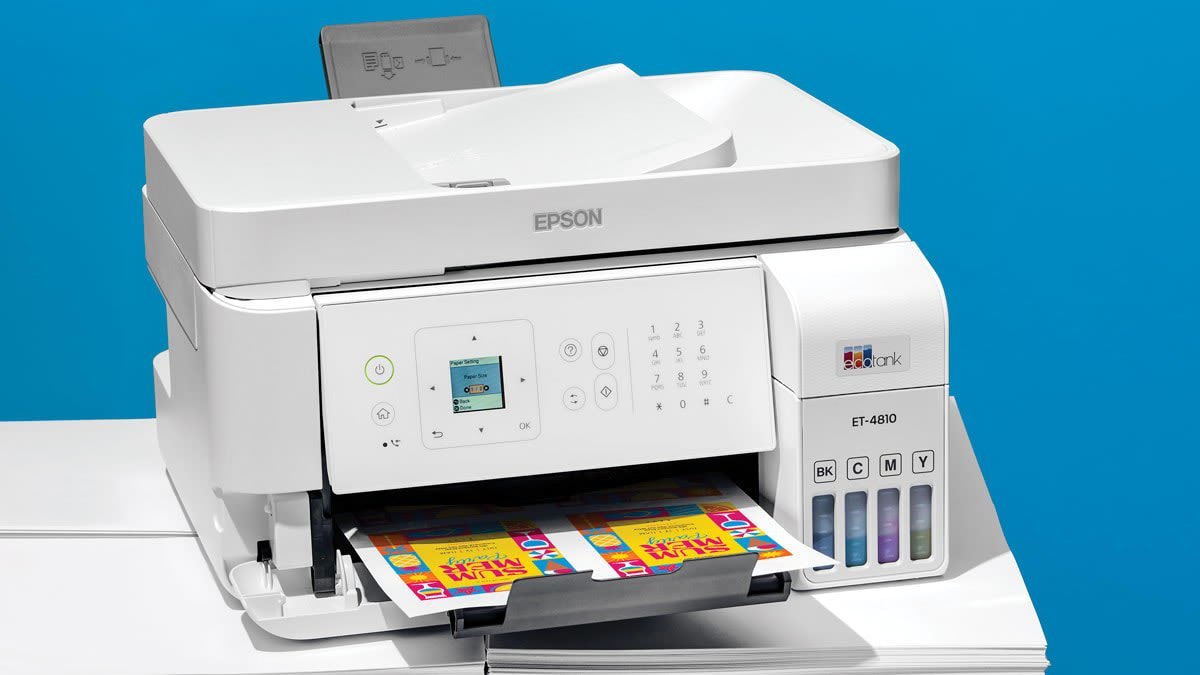
4. Epson EcoTank Photo ET-8550 Wireless Wide-Format All-in-One Tank Printer
Best for: Someone who prints a lot of pages and photos at home and wants to avoid frequent ink swaps.
This is a different kind of machine. It’s a wide-format, all-in-one tank printer, so it prints photos, documents, and copies, and it scans. The listing describes refillable ink bottles rather than cartridges, and says one set of bottles lasts up to 2 years in the box. It also says a 4″x6″ photo can be printed with ink from its bottles at a lower per-photo ink figure than traditional cartridges. That’s a claim from the seller, based on their own counting, so check it against your own printing habits. The listing also says it can print up to 6,200 color pages.
The listing describes it as a wide-format all-in-one, so it’s larger than the compact photo printers above. The listing for the Canon G620 gives only a title, so its features can’t be compared here.
Pros
- Refillable ink bottles instead of cartridges
- Prints, copies, and scans in one machine
- Listed to print up to 6,200 color pages
Cons
- Larger body than the compact photo printers
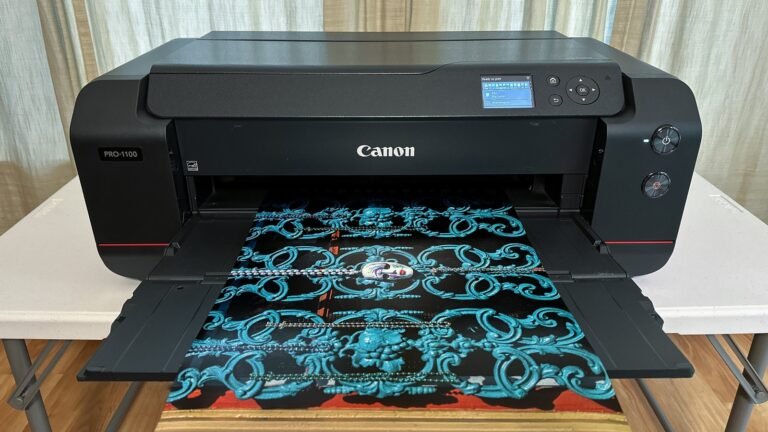
5. Canon PIXMA PRO-200S Professional 13″ Wireless Inkjet Photo Printer
Best for: Someone who wants large, bordered or borderless prints.
This printer’s listing centers on size and color. It has an 8-color dye ink system and prints borderless from 3.5″ x 3.5″ up to 13″ x 19″. The listing says a bordered A3+ print takes about 90 seconds, and a bordered 8″ x 10″ print takes about 53 seconds. A 3.0″ color screen lets you check ink levels and printer status without a computer.
The 13″ x 19″ ceiling is the detail that matters most. Most home printers stop well short of that, so if your work is headed for a large frame or a portfolio, this is the size range you’re paying for.
Speed is worth a look too. The listing’s times apply to bordered prints, so if you plan to print borderless at the largest sizes, don’t assume the same timing carries over. Check the times against the size you plan to print most often.
For small everyday prints, the Epson PictureMate PM-400 is simpler. This printer makes more sense when you want to frame bigger work or print at larger sizes than most home printers handle.
Pros
- Borderless prints from 3.5″ x 3.5″ up to 13″ x 19″
- Eight-color dye ink system
- 3.0″ color LCD for checking ink and settings
Cons
- Built for large prints, more than most people need for snapshots
6. Liene M100 4×6” Photo Printer
Best for: Someone who wants a grab-and-print option for phones.
The Liene M100 is a portable thermal dye sublimation printer for 4×6″ photos. The listing says the package includes 100 sheets of photo paper and 3 color cartridges, which covers a good number of prints out of the box. A built-in hotspot lets you connect your phone directly without a home network, and the listing says it supports up to 5 simultaneous connections. The Liene app adds square borders, filters, and contrast and brightness controls. The listing also mentions printing ID and visa photos from home.
The listing also notes that you should clean the print head promptly if smudges appear during printing. The KODAK Dock Plus is the better pick if you want a docking station and a more established app.
Pros
- 100 sheets of paper and 3 color cartridges included
- Built-in hotspot, no home network needed
- Up to 5 simultaneous device connections
Cons
- Listing advises cleaning the print head if smudges appear
How to Choose in Sixty Seconds
Decide by print size first
If you print mostly 4″x6″ snapshots, most of these machines will do. Only look at the larger-format options if you need prints bigger than that. Check the listed maximum size before you buy, because it differs a lot between models. The Canon PIXMA PRO-200S, for example, is listed for borderless prints from 3.5″ x 3.5″ up to 13″ x 19″, while the compact printers are built around 4″x6″ and 5″x7″ output. If you already know the sizes you want, that single check will rule out most of the list.
Decide on portability or a desk
Pick a compact unit like the Canon Selphy CP1500 or Liene M100 if you want to carry it. The Selphy’s optional battery pack is what lets you print away from a wall outlet, so if you plan to take it places, that option matters. Choose a bigger machine like the Epson EcoTank Photo ET-8550 if you want one device to print, copy, and scan at a desk. Think about where it will sit before you choose, because the compact printers are designed to fit a small space while the larger ones need room on a desk.
Check what’s in the box and what you’ll buy later
Many listings include paper or cartridges, while others don’t. The Liene M100 listing, for instance, describes a starter package with cartridges and paper included. Before you order, confirm what comes in the box and what you’ll need to buy again. Look at the ink or cartridge system, since that’s where the ongoing supply needs sit. Epson’s listing for the ET-8550 says its ink bottles can print 4″ x 6″ photos at a lower per-photo ink figure than traditional cartridges, so for frequent printing the ink system can matter more than the purchase price.
Frequently Asked Questions
Do I need a computer to use a photo printer?
Not for most of these models. The Epson PictureMate PM-400 and KODAK Dock Plus print from phones over wireless or Bluetooth. The Liene M100 connects through its own built-in hotspot. The Canon PIXMA PRO-200S has a color screen so you can check settings on the printer itself. Check each listing for the connections it supports before you buy, since they differ.
Can I use cheaper third-party ink in these printers?
It depends on the model. The Epson PictureMate PM-400 listing says it should be used only with Epson Genuine Cartridges, and non-genuine ink could cause damage the warranty won’t cover. Read the ink section of each listing before you order, since the rules aren’t the same across these printers.
Which printer is best for a first-time buyer?
The KODAK Dock Plus is built for simple use. You place your phone on the dock, it charges while printing, and the listing says you can print within seconds of powering on. It needs a wall outlet, which you should plan for.
Are the printers in this guide good for prints that will last?
The listings make durability claims, such as water and fingerprint resistance on the KODAK Dock Plus and the Liene M100, and a 100-year look on the Canon Selphy CP1500. Those are the sellers’ listed claims, which we compared on their own stated specs rather than tested. Treat them as what the manufacturer promises and store your prints out of direct sun to be safe.
Closing
Start with the Epson PictureMate PM-400 if you want a simple, wireless machine for everyday photos, and keep the Canon Selphy CP1500 in mind if you travel. Once you know your print size and whether you’ll carry it, the choice gets much easier.
Before you order, read each listing’s ink and cartridge details. The Epson PictureMate PM-400 listing says the printer is designed to be used exclusively with Epson Genuine Cartridges, and that non-genuine ink could cause damage not covered under the printer’s limited warranty. That’s a condition you should know about before you buy, not after.
If you plan to print away from an outlet, check whether you’ll need that battery pack, since the listing describes it as optional.
The KODAK Dock Plus takes a different approach. It docks your phone on the printer, which keeps the phone connected and charging during printing. Its listing describes prints that resist fingerprints, water, and fading, and says a print takes about 55 seconds. The KODAK listing says about 55 seconds, while the Epson lists as fast as 36 seconds under its own test conditions, so the figures aren’t a direct comparison.