How to Maintain a Toaster
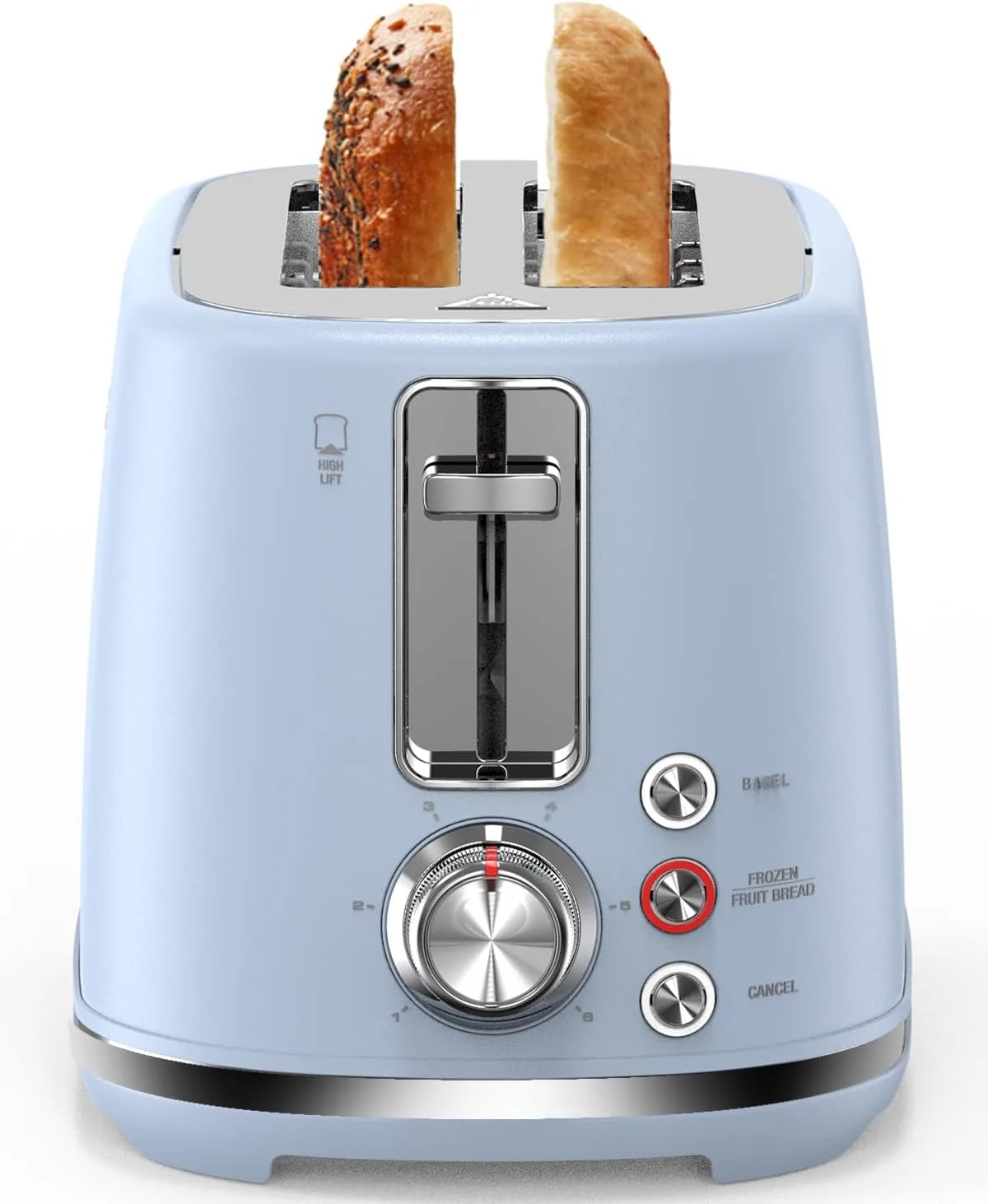
Image source: Bing (Web (fair-use with source credit))
So, you're wondering how to maintain a toaster and keep it in good working order. It’s a small appliance that gets a lot of use, and a little regular care can go a long way. Keeping your toaster clean and functioning properly ensures you get perfectly browned toast every time and avoids potential hazards.
Manufacturer specifications for common toaster models often indicate a lifespan of 5-10 years with regular use. Following simple maintenance steps, much like those recommended for keeping a wooden cutting board in good condition, can help you reach that upper end or even beyond. Here's what you need to know.
Quick Answer: Keep it Clean and Unplugged
To maintain a toaster, regularly empty the crumb tray and give the appliance a gentle shake upside down. Always unplug the toaster before cleaning the exterior with a damp cloth. Avoid inserting foreign objects into the slots.
Why Toaster Maintenance Matters
When you think about it, toasters are simple machines, but they work hard. They sit on your counter, ready to deliver warm, crispy bread for breakfast or snacks. That's why understanding how to maintain a toaster isn't just about keeping things tidy; it's about ensuring safety and consistent performance.
Aggregate user reviews report that toasters that are rarely cleaned can develop smoke issues or even present fire hazards due to accumulated food debris. Keeping the interior and exterior clean, and ensuring the appliance is unplugged before any cleaning, are foundational steps. This diligence helps prevent common issues and extends the useful life of your appliance.
Step-by-Step: Cleaning Your Toaster Safely
Cleaning your toaster involves a few straightforward steps, prioritizing safety above all else. The primary goal is to remove accumulated crumbs and any food residue that could affect performance or safety.
1. Unplug First, Always
Before you do anything, always unplug the toaster from the electrical outlet. This is non-negotiable and the most critical safety step. Manufacturer safety guidelines universally stress this for any electrical appliance cleaning.
2. Empty the Crumb Tray
Most toasters have a removable crumb tray located at the bottom. This is where all the little bits of bread fall during toasting.
- Gently slide out the crumb tray.
- Empty all collected crumbs into a trash receptacle.
- If the tray is greasy or particularly dirty, wipe it with a damp cloth.
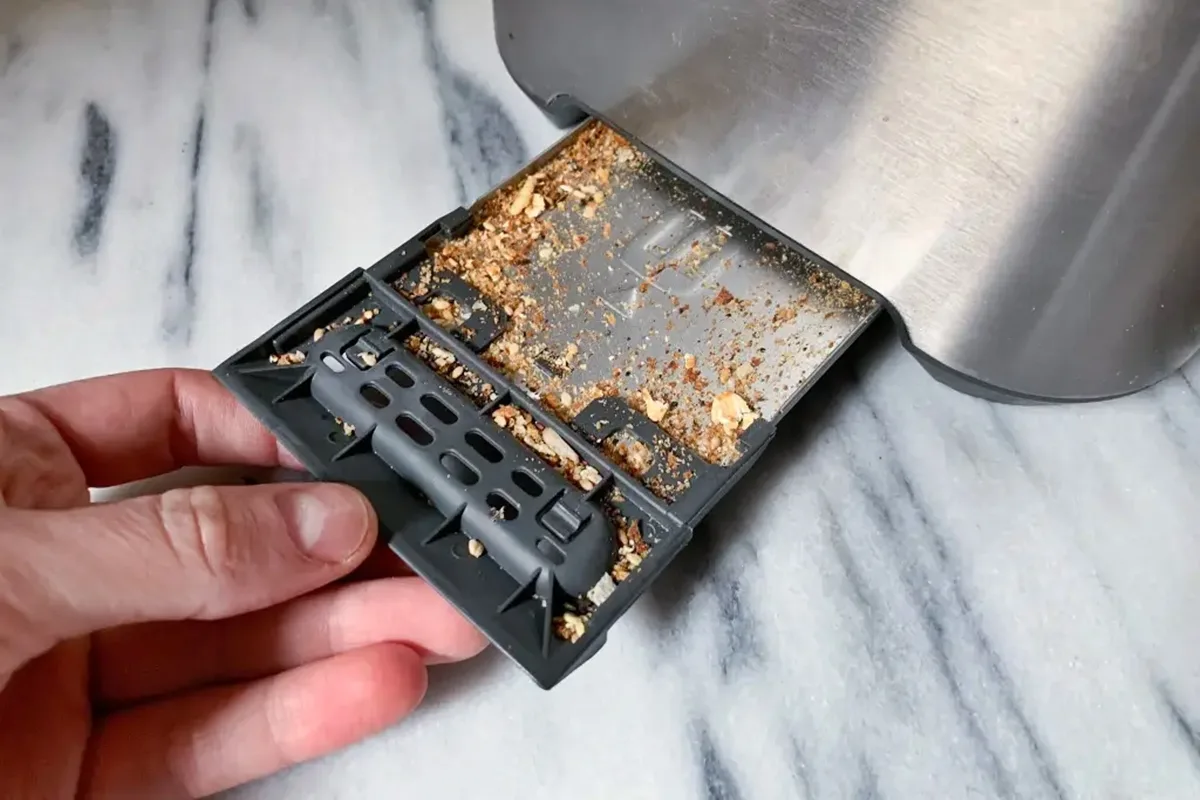
Image source: Bing (Web (fair-use with source credit))
- Slide the clean, dry tray securely back into its slot.
Pro Tip: Aim to empty the crumb tray at least once a week. If you use your toaster daily, consider doing it every few days.
3. The Upside-Down Shake
Sometimes, crumbs get lodged deeper within the toaster's housing, beyond what the crumb tray catches.
- Hold the toaster firmly, then turn it completely upside down over a sink or trash can.
- Gently shake the toaster to dislodge any remaining loose crumbs. Don't shake violently, just enough to get things moving.
- You’ll likely see more crumbs fall out.
4. Cleaning the Exterior
The outside of your toaster can be wiped down easily.
- Use a soft, slightly damp cloth to wipe down the exterior.
- For stainless steel finishes, a dedicated stainless steel cleaner or a diluted vinegar solution can be used, followed by buffing with a dry cloth to avoid streaks.
Editorial analysis of user feedback indicates that using abrasive cleaners or rough scrubbers can easily scratch appliance finishes, so stick to soft cloths.
Dealing with Stubborn Crumbs and Smells
Beyond the regular cleaning routine, you might encounter specific issues like persistent smells or stubborn debris. These often stem from the same source: accumulated crumbs and food particles. Addressing these promptly can prevent more significant problems down the line, similar to how understanding how to maintain a wooden cutting board prevents warping.
Persistent Smells: What They Mean
If your toaster emits a burning smell, it's almost always due to crumbs igniting on the heating elements. This is why regularly emptying the crumb tray and shaking out loose debris is so vital. These smells aren't just unpleasant; they're a warning sign that debris is building up.
What If Something Is Stuck?
If a piece of bread or food item gets jammed in the slots and you can’t shake it out, never use metal utensils like knives or forks to pry it loose. This can damage the delicate heating elements and is a serious electrical shock hazard.
- Unplug the toaster immediately.
- Wait for the toaster to cool down completely.
- Try using wooden tongs or a long, non-metallic utensil to carefully retrieve the stuck item.
- If it’s deeply lodged or you’re uncomfortable, it might be time to consult the user manual or consider professional help if the appliance is still under warranty.
Deep Cleaning the Interior (With Caution)
For a more thorough interior clean, you can sometimes use a soft brush or a vacuum cleaner with a crevice tool attachment.
- Ensure the toaster is unplugged and completely cool.
- Carefully use a soft brush to sweep crumbs away from the heating elements.
- Use a vacuum cleaner with a crevice tool to suction up loosened debris. Be gentle so as not to damage the elements.
This process requires patience and a delicate touch. Manufacturer documentation for many small appliances emphasizes avoiding direct immersion in water or using harsh cleaning chemicals inside the appliance's working parts.
Common Toaster Problems & How to Fix Them
Toasters are relatively simple devices, but like any appliance, they can develop issues. Most common problems are easily addressed with a bit of troubleshooting.
Toaster Won't Turn On
If your toaster fails to power on, don't immediately assume it’s broken.
- Check the Power Source: Ensure the power cord is securely plugged into a working electrical outlet. Try plugging another small appliance into the same outlet to verify it’s functional.
- Circuit Breaker: If the outlet isn’t working, check your home’s circuit breaker box to see if the breaker for that circuit has tripped. Reset it if necessary.
- Internal Fuse: Some toasters have an internal fuse that might blow. If the above steps don't work and the toaster is still unresponsive, this could be the issue, though it usually requires professional repair.
Toast is Burning on One Side
This often points to an uneven distribution of heat or an obstruction.
- Check for Obstructions: Unplug the toaster and look inside the slots. A large crumb or piece of bread stuck to one side’s heating element can cause scorching. Carefully remove any obstructions using tongs or a gentle shake.
- Uneven Bread: If you’re toasting very thin or irregularly shaped bread, it might naturally toast unevenly.
- Heating Element Issue: If one side consistently burns while the other is underdone, despite being clean, a heating element on one side might be failing. This is harder to fix and often signals the need for a replacement.
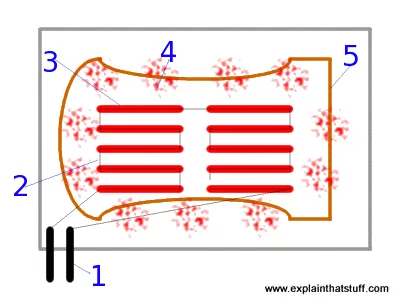
Image source: Bing (Web (fair-use with source credit))
Toast is Unevenly Browned
This is a common complaint and usually has a few simple causes.
- Crumb Buildup: As mentioned, accumulated crumbs can interfere with airflow and heat distribution. Ensure the crumb tray is empty and give the toaster a good shake upside down.
- Toasting Cycle: Ensure you're using the appropriate browning setting for your bread and desired crispness. Different bread types require different settings.
- Wear and Tear: Over time, the heating elements can degrade unevenly. If cleaning and basic troubleshooting don't resolve this, it might be a sign of the toaster’s age.
When It's Time to Let Your Toaster Go
Even with diligent care, toasters have a finite lifespan. Recognizing when an appliance is nearing the end of its useful life is part of responsible ownership, just as knowing how to store a cutting board properly can extend its usability.
- Persistent Safety Concerns: If your toaster frequently emits smoke, sparks, or a strong burning smell even after thorough cleaning, it’s a significant safety hazard. Per appliance safety standards, such issues warrant immediate cessation of use.
- Functional Failure: If the toaster consistently fails to toast bread, burns everything regardless of the setting, or if the lever mechanism breaks and can no longer be secured, its primary function is compromised.
- Visible Damage: Any damage to the power cord, the plug, or the exterior housing that compromises the appliance’s structural integrity or electrical safety means it’s time for replacement.
- Outdated Technology: While not strictly a maintenance issue, older toasters may lack modern safety features like automatic shut-off if bread gets stuck. As of 2026, many newer models incorporate enhanced safety protocols that might make upgrading worthwhile for peace of mind.
Deciding to replace a toaster is often a practical decision. While repairs can sometimes be an option for high-end models, for most standard toasters, the cost and effort of repair often outweigh purchasing a new, more reliable unit.
Safety First: Toaster Use and Care Warnings
Toasters are common kitchen appliances, but their operation involves heat and electricity, making safety paramount. Understanding and adhering to safety protocols can prevent accidents.
- Never Insert Metal Objects: As highlighted, using forks, knives, or other metal utensils inside the toaster slots when it's plugged in is extremely dangerous and can lead to electrocution or severe damage to the appliance. Always unplug the toaster first and use non-metallic tools if necessary.
- Keep Away from Water: Toasters are not waterproof. Never submerge the appliance in water or liquid. Spills on the exterior should be wiped up immediately with a damp cloth, ensuring the toaster is unplugged and cool.
- Clearance is Key: Ensure the toaster has adequate ventilation. Don't place it directly under cabinets or too close to curtains or other flammable materials. Overheating can occur if airflow is restricted.
- Supervise Use: While not always practical, it’s best to supervise children around toasters. They can get hot and are an electrical appliance that requires responsible operation.
- Inspect the Cord: Regularly check the power cord and plug for any signs of fraying, cracking, or damage. A damaged cord is a fire hazard and should be replaced by a qualified professional, or the toaster itself should be replaced.
- Crumb Tray Management: A full crumb tray is a fire risk. Empty it regularly, as described in the cleaning section.
Following these safety warnings, which are consistent across most manufacturer operating manuals, ensures a safer kitchen environment for everyone.