How to Fix a Toaster That Won’t Turn On
It's a frustrating morning when your toaster decides to take a day off, leaving you with un-toasted bread. If your toaster won't turn on, you're likely looking for a straightforward way to diagnose the problem and get it working again without a trip to the store. Most toasters are fairly simple machines, so often the issue is something you can fix yourself with a little guidance.
Our research shows that many common toaster problems stem from simple issues like power connections or internal debris, rather than complex mechanical failures. For instance, manufacturer specifications for a standard 2-slice toaster typically indicate a power draw between 800 and 1500 watts, operating on a 120-volt circuit in North America. Understanding these basics is key to troubleshooting.
Quick Answer
If your toaster won't turn on, first ensure it's plugged in. Check your home's circuit breaker and the outlet's power. Inspect the power cord for damage and clear any debris from the crumb tray.
If these simple checks don't work, internal issues like a faulty thermostat or loose wiring may be the cause, often requiring professional attention or replacement.
Is It Plugged In? The Super Simple First Step
This might sound obvious, but honestly, it’s the most common culprit. Before you do anything else, take a good look at the power cord. Is it firmly seated in the wall outlet?
Sometimes, a slight nudge or vibration can dislodge it just enough that it loses contact. If it looks plugged in, try pulling it out and pushing it back in firmly. This quick check takes seconds and can save you a lot of hassle.
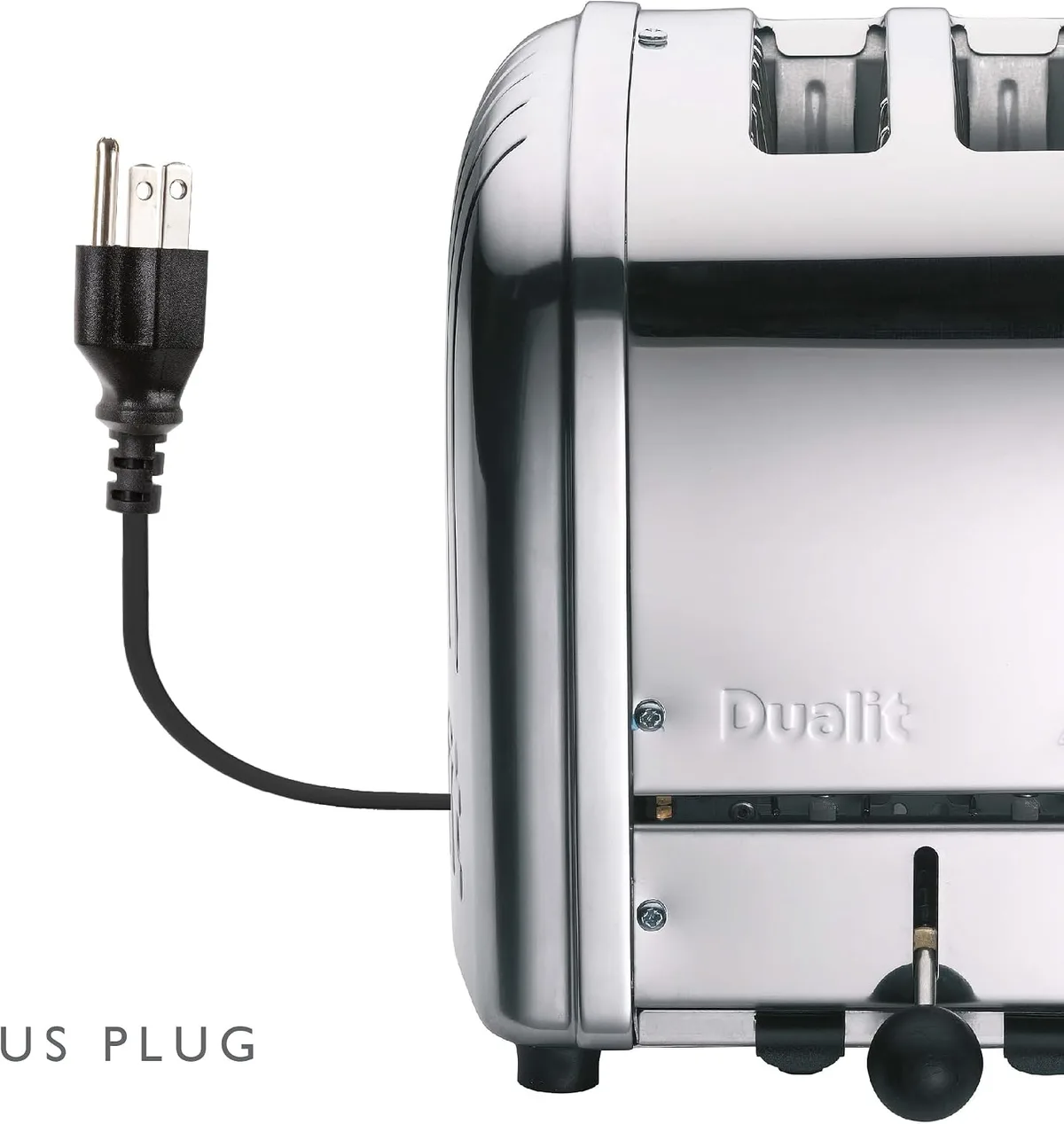
Image source: Bing (Web (fair-use with source credit))
This is especially true if you've recently rearranged your kitchen counter or if pets or children might have tampered with it. Always ensure the plug is making solid contact with the outlet's prongs.
Checking Your Home's Power Supply
If your toaster is definitely plugged in and still unresponsive, the next step is to look at the power source itself: your home's electrical system. A tripped circuit breaker is a frequent reason why appliances suddenly stop working. Head over to your home's electrical panel and look for a switch that’s in a different position than the others, usually mid-way or in the "off" position.
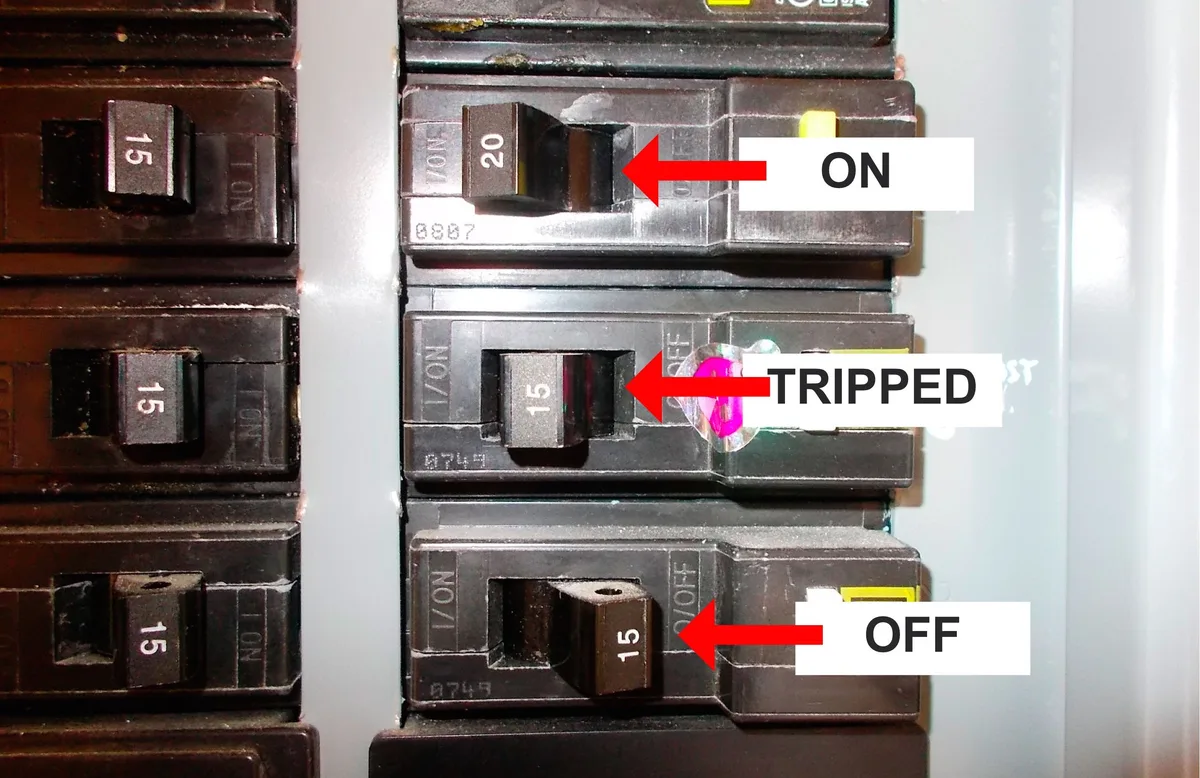
Image source: Bing (Web (fair-use with source credit))
To reset a breaker, firmly push it to the "off" position, then back to the "on" position. If a breaker repeatedly trips when you plug in the toaster, it suggests a more serious electrical issue or a fault within the toaster itself. In that case, it's best to consult a qualified electrician.
You can also test the outlet with another small appliance, like a lamp or a phone charger, to confirm the outlet is actually providing power.
What's Actually Happening Inside Your Toaster
Toasters are relatively straightforward appliances designed to heat bread. They work by passing electricity through thin wires, typically made of a nickel-chromium alloy (nichrome), which heat up and glow red, toasting the bread in the slots above. A thermostat or browning control adjusts the amount of time the heating elements stay on, determining how dark your toast gets.
Common Toaster Faults That Stop Power
When a toaster won't turn on, it often means the electrical circuit powering those heating elements is interrupted. This could be due to a faulty power switch, a break in the internal wiring, or a problem with the thermostat mechanism itself. Sometimes, accumulated debris can even interfere with the lever's ability to engage properly, preventing the toaster from powering up.
Identifying the Problem Area
Figuring out where the fault lies is key to a successful fix. Is the entire unit dead, or does it show signs of life like a faint hum or a smell of burning? These subtle clues can point you toward the specific component that's failed.
Step-by-Step Toaster Troubleshooting Flow
This section walks you through the process of diagnosing why your toaster isn't turning on. Remember to prioritize safety at every step.
Safety First: Always Unplug!
Before you poke, prod, or try to disassemble anything, always unplug the toaster from the wall outlet. This is the single most important safety precaution. Electrical components can hold a residual charge, and touching live wires can cause a shock or injury. Ensure the appliance is completely cool before proceeding.
Visual Inspection for Obvious Issues
Start by looking at the toaster from the outside. Check the entire length of the power cord for any nicks, cuts, fraying, or signs of melting. The plug itself should be intact, with no bent or broken prongs.
If you see any damage to the cord or plug, this is likely your problem, and the toaster should be replaced for safety reasons.
Next, examine the toaster's slots. Are there any large crumbs or pieces of food lodged inside that might be preventing the lever from fully engaging? Sometimes, a stray bit of bagel or toast can get stuck, creating a blockage.
Testing the Outlet and Breaker
As mentioned earlier, make sure the outlet you're using is working. Plug in a different, known-working appliance like a lamp or phone charger. If that appliance also doesn’t power on, the issue is with the outlet or the circuit breaker.
Check your home's electrical panel and reset any tripped breakers. If a breaker repeatedly trips when you plug in the toaster, it suggests a more serious electrical issue or a fault within the toaster itself. In that case, it's best to consult a qualified electrician.
If the outlet works fine with other devices, then the issue is almost certainly with the toaster itself.
Digging Deeper: Internal Checks (Use Caution)
If the external checks haven't revealed the problem, you might need to look inside. This is where things get a bit more involved and require extra caution.
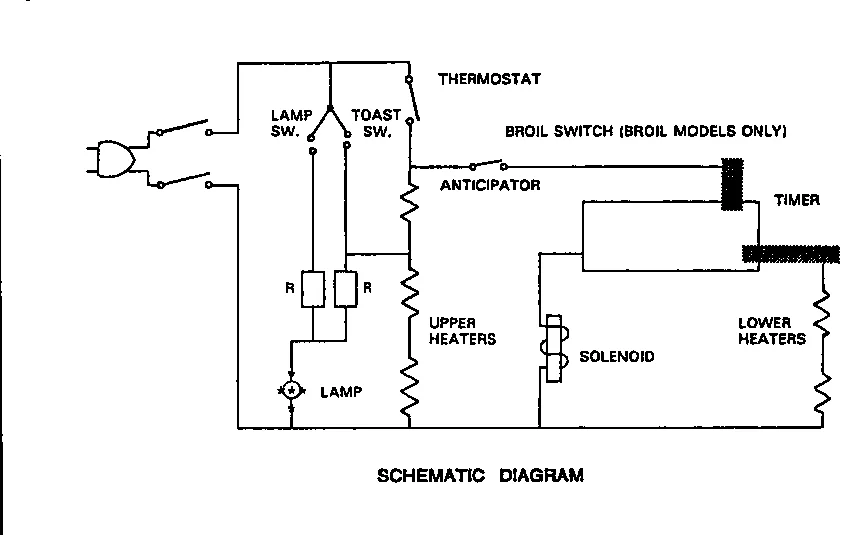
Image source: Bing (Web (fair-use with source credit))
- Accessing Internal Components: For many toasters, you'll need to remove the outer casing. This usually involves unscrewing small screws located on the bottom or sides of the appliance. Be prepared for these screws to be tiny and sometimes hidden under rubber feet.
- Checking Connections: Once the casing is off, visually inspect the internal wiring. Look for any wires that have come loose, are disconnected, or appear burnt. Pay close attention to the connections leading to the power switch, the heating elements, and the lever mechanism.
- The Lever Mechanism: The lever on the side is what engages the heating elements. If this mechanism is damaged or jammed, the toaster won't turn on. Gently try to operate the lever (while still unplugged!) to see if it moves freely or feels stuck.
- Heating Elements: The nichrome wires that glow red are your heating elements. While unlikely to cause a "no power" issue directly (they'd usually just not heat up), significant damage or disconnection here could affect the overall circuit.
If you find a loose wire, and you feel comfortable, you might be able to reconnect it using a small wire nut or by crimping it back onto its terminal. However, if any components look burnt or melted, or if you're unsure about what you're seeing, it's safer to stop here.
When to Call It Quits or Get Help
Sometimes, the cost and effort of repairing an old toaster just aren't worth it. If your toaster is quite old, has visible damage to its casing, or if the internal inspection reveals melted plastic or significant burning, it's probably time for a replacement. Safety should always be your top priority.
If the troubleshooting steps above don't solve the problem, or if you're uncomfortable opening up the appliance, professional repair might be an option for some models. However, for most basic toasters, replacement is often more economical than paying for a repair service. For a toaster purchased as part of a bundle or from a retailer with a specific warranty, check the manufacturer's documentation for repair or replacement options.
Frequently Asked Questions About Toaster Power Issues
My toaster lights up but the lever won't stay down. What's wrong?
This often points to an issue with the electromagnet or the lever mechanism. Some toasters have an electromagnet that holds the lever down once it's engaged, and if this fails or if the lever itself is bent or obstructed, it won't stay latched.
I smell burning plastic, but the toaster still won't turn on. Should I try to fix it?
A burning smell indicates a serious electrical problem, potentially melted internal components or wiring. It's highly advisable not to attempt to fix it yourself. This presents a significant fire hazard, and it's safer to replace the appliance immediately.
Can I just replace the power cord myself?
For some models, yes, if you can find an exact replacement part and are comfortable with basic wiring. However, many modern toasters have cords integrated into the casing, making replacement difficult. If the cord is damaged, it's often easier and safer to purchase a new toaster.
My toaster works sometimes, but not always. Is it worth fixing?
Intermittent power issues can be tricky. They often stem from loose connections inside the toaster or a failing thermostat. While it might be fixable by tightening connections, intermittent problems can be a sign of a more significant impending failure, and it might be more reliable in the long run to consider a replacement.