How To Use A Dash Cam: Easy Setup Guide
A dash cam works best when mounted right, powered safely, and set to record automatically.
If you want real protection on the road, learning how to use a dash cam the right way matters more than just buying one. A good setup can capture accidents, parking lot hits, and close calls with clear evidence, but only if it is installed, configured, and maintained correctly. I have seen plenty of people miss important footage because the camera was angled wrong, the memory card was full, or the settings were left on default. This guide walks you through how to use a dash cam in a simple, practical way so you can get reliable video when it counts.
What a dash cam does and why it matters
A dash cam is a small camera that records what happens on the road in front of your car. Some models also record the back, the cabin, or all three. Think of it like a silent witness that never gets tired, distracted, or emotional.
People use a dash cam for many reasons. It can help with accident claims, hit and runs, insurance disputes, unsafe driving, and even parking damage. In my experience, the biggest benefit is peace of mind. Once the camera is set up, you do not have to think about it every day.
A dash cam is not magic, though. It only helps if you know how to use a dash cam properly. That means choosing the right location, setting up the power source, checking the video quality, and making sure the camera keeps recording when you need it most.
How to use a dash cam step by step
Using a dash cam is easier than most people think. The trick is to treat it like part of your car, not just another gadget in the glove box.
1. Choose the right dash cam for your needs
Before you install anything, think about what you want the dash cam to do. A basic front-facing model works well for simple road coverage. A dual-channel or three-channel dash cam is better if you want rear or interior video too.
Here are a few things to look for:
- Video quality: 1080p is the minimum most people should consider. 2K or 4K can help capture plates and signs more clearly.
- Field of view: A wider view covers more of the road, but too wide can distort the image.
- Night vision: Useful if you drive early, late, or in low-light areas.
- Parking mode: Helps record while your car is parked.
- GPS: Adds speed and location data to your footage.
- Wi-Fi or app support: Makes it easier to view and download clips.
When I helped a friend pick one for a long commute, we focused less on flashy features and more on clear video, reliable loop recording, and strong heat resistance. That saved them from buying a camera that looked good on paper but was weak in real life.
2. Install the dash cam in the right spot
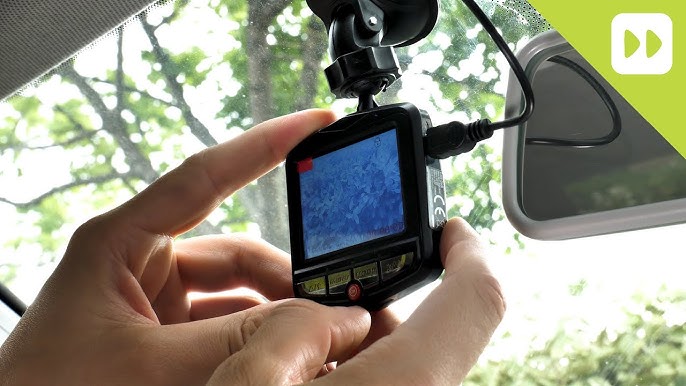
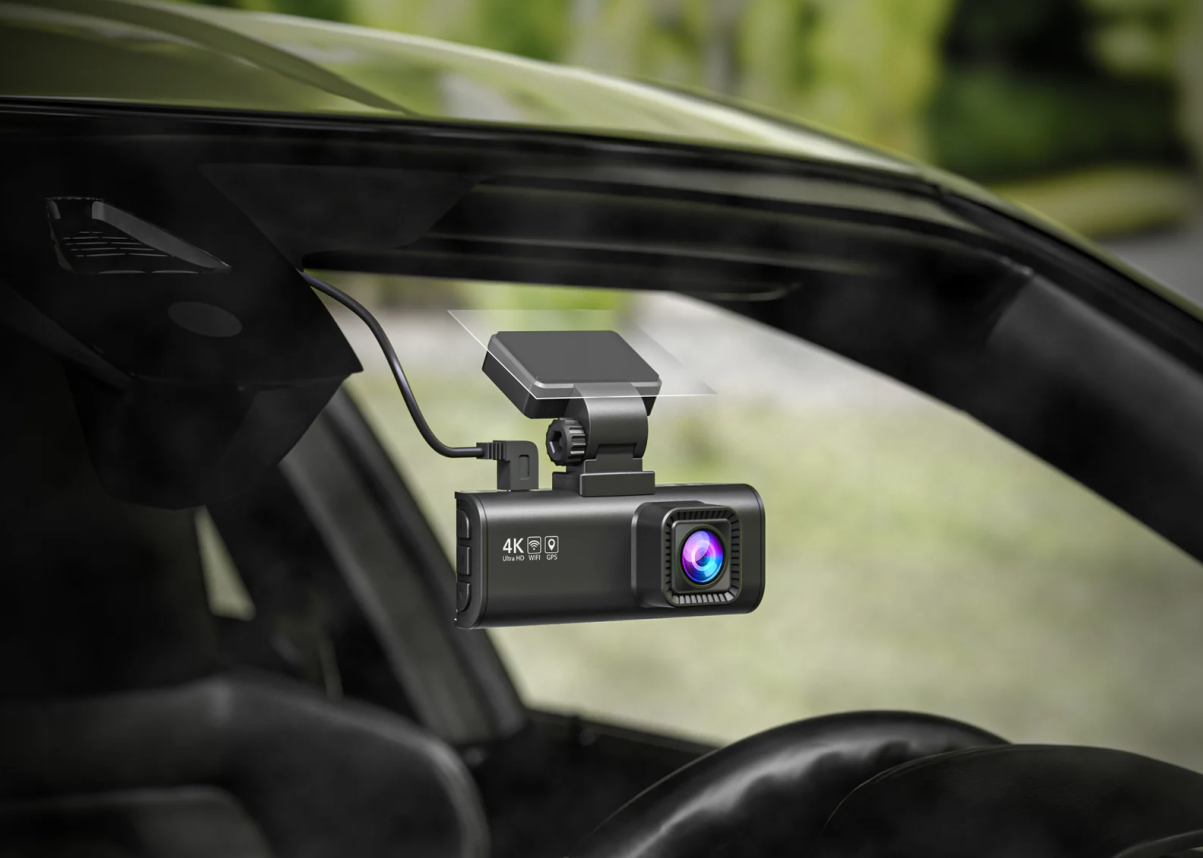
Mount the dash cam near the center of the windshield, usually behind the rearview mirror. This keeps it out of your direct view while still giving a wide, clear angle of the road.
A few installation tips help a lot:
- Clean the windshield before mounting.
- Place the camera high enough to avoid blocking your view.
- Make sure the lens is level with the road.
- Avoid placing it where the wipers do not clear the glass.
- Check local laws about windshield obstruction and camera placement.
I once made the mistake of installing a dash cam too low. It recorded too much hood and not enough road. After moving it up a few inches, the footage improved immediately. Small changes like that make a big difference when you need evidence.

3. Connect the power source
Most dash cams use one of three power options:
- 12V car outlet: The easiest setup, good for beginners.
- Hardwiring kit: Taps into the car fuse box for parking mode and a cleaner look.
- USB power: Common in newer cars with built-in USB ports, but not always reliable for parking mode.
If you only want recording while driving, the 12V outlet is usually enough. If you want parking surveillance, hardwiring is often the better choice. Just be careful if you are not comfortable working with car electronics.
From experience, a loose power cable is one of the most common problems. It can stop recording without you noticing. Secure the cable along the trim and test the camera before you trust it.

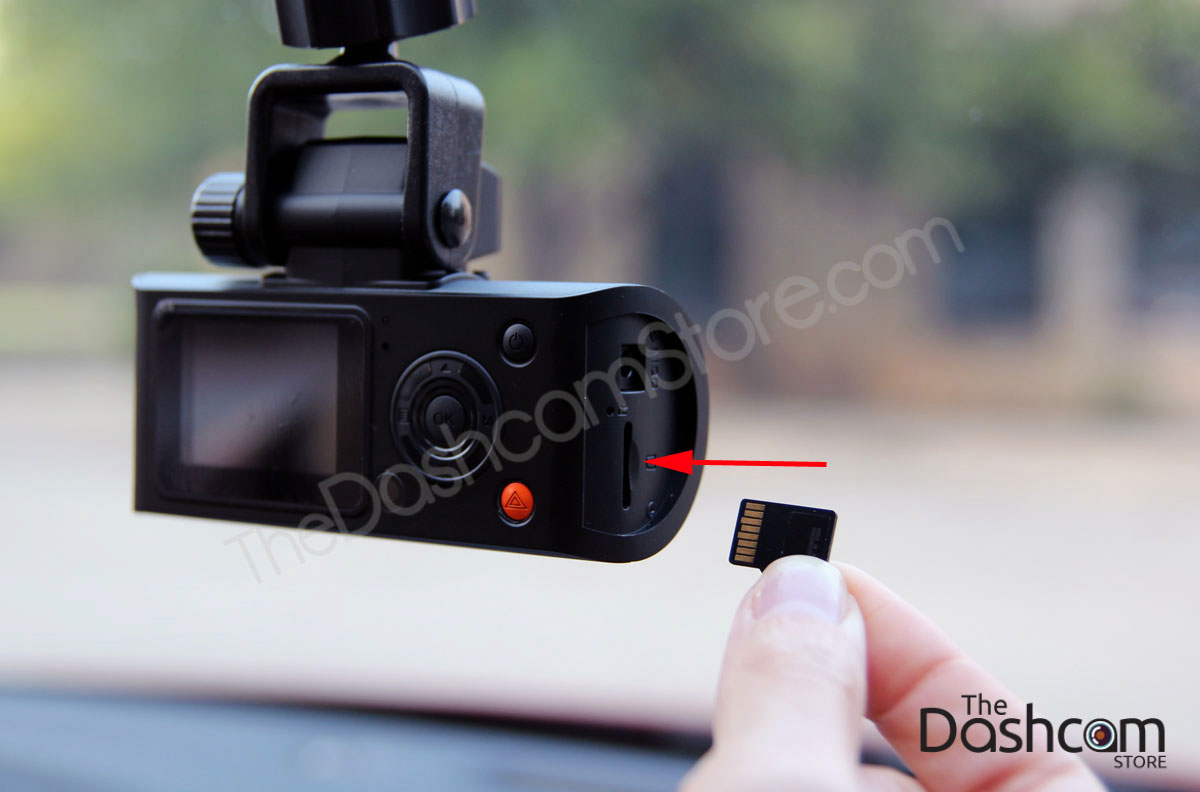
4. Insert and format the memory card
A dash cam needs a microSD card to store video. Not every card is made for constant writing, so using the right one is important. A high-endurance card is usually the safest choice because dash cams record, erase, and overwrite files all day.
Follow these steps:
- Insert the microSD card in the correct direction.
- Format the card in the dash cam, not just on your computer.
- Check the card size supported by your camera.
- Replace the card when it starts to fail or corrupt files.
A lot of people skip formatting and then wonder why their camera behaves strangely. I have seen corrupted cards cause frozen screens, missing clips, and loop recording failures. Formatting takes a minute and can prevent a lot of frustration.

5. Set the camera settings
Once the camera is powered on, go through the settings. This is where you make the dash cam fit your driving habits.
Important settings include:
- Date and time: Set this correctly so footage is useful as evidence.
- Resolution: Choose the best balance between quality and storage.
- Loop recording: Keeps the camera recording by overwriting old files.
- G-sensor sensitivity: Saves impact clips automatically.
- Audio recording: Turn this on or off based on your comfort and local laws.
- Parking mode: Adjust if your camera supports it.
If you are learning how to use a dash cam, do not leave the settings on default without checking them. Default settings are not always ideal. A little setup now can save you from unusable footage later.
6. Test the video angle
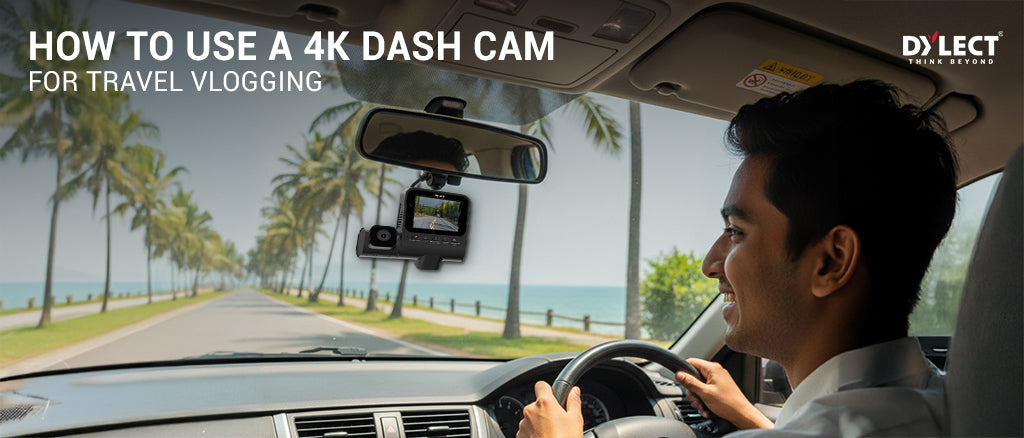
Before you drive away, record a short clip and watch it back. This helps you confirm that the camera sees the road, the lanes, and enough of the front area to be useful.
Look for these things:
- The horizon should be straight.
- The camera should not show too much dashboard.
- License plates in front should be as clear as possible.
- The image should not be blocked by tint dots, mirrors, or stickers.
I always suggest testing in daylight and again at night. A camera that looks great in sunlight can struggle after dark. That check takes only a few minutes and can prevent a bad surprise later.
How to use a dash cam every day
Once your dash cam is set up, daily use is simple. Most models start recording automatically when the car starts. That is the beauty of it. You do not need to press buttons every time unless you want to save a special clip.
Here are a few habits that make the system work better:
- Check the camera light before driving.
- Make sure the memory card is not full or damaged.
- Review clips after a long trip if something unusual happened.
- Save important files right away if you had an incident.
- Clean the lens now and then for better image quality.
If something happens on the road, do not panic. Most dash cams have a lock or emergency record function. Press it if your model has one so the footage is protected from being overwritten.
Best practices for recording and file management
Good footage is only useful if you can find it later. That is why file management matters just as much as recording.
A few smart practices:
- Use loop recording so the camera always has space.
- Keep your important clips in a separate folder or backed up on a phone or computer.
- Periodically format the card after backing up videos.
- Check storage health every few weeks.
One lesson I learned early: do not let months of footage sit on the card if you think you might need it. A single file can get overwritten before you remember to save it. If something important happens, back it up that day.
Using dash cam footage after an accident
If you are in a crash or witness one, the footage can be a major help. But you need to handle it carefully.
Follow these steps:
- Stay safe and check on everyone first.
- Save the clip using the camera button or app.
- Do not keep driving without checking whether the camera is still recording.
- Back up the video to your phone, cloud, or computer.
- Share it only with the proper parties, such as insurance or law enforcement if needed.
Dash cam footage is strongest when it is clear, time-stamped, and unedited. Keep the original file if possible. If your camera includes GPS data, that can add another layer of context, such as speed and location.
Parking mode and why it is useful
Parking mode lets the dash cam watch your car while it is parked. Some cameras record when they detect motion or impact. Others use low-power recording to save battery.
This feature is helpful if you park on the street, in a busy lot, or at work. It can capture hit and runs, vandalism, and suspicious activity. Still, parking mode depends on correct wiring and the right voltage settings.
A few things to know:
- Hardwiring is often needed for true parking mode.
- Some cars may need a battery cutoff feature to avoid draining the battery.
- Heat can affect long-term performance if the car sits in the sun.
Parking mode is one of those features that sounds small until you need it. Then it feels like a very smart investment.
Common mistakes to avoid
A lot of dash cam problems come from simple setup errors. The good news is that most of them are easy to fix.
Avoid these mistakes:
- Mounting the camera too low or too high
- Using a cheap memory card that wears out fast
- Forgetting to format the card
- Leaving the date and time wrong
- Ignoring firmware updates
- Blocking the lens with tint, stickers, or a dirty windshield
- Assuming parking mode works without proper wiring
In real use, these small mistakes are what cause big headaches. I have seen people assume their camera was working fine for months, only to find out the memory card had failed quietly. A five-minute check every now and then can save hours of frustration.
How to maintain a dash cam
A dash cam does not need much care, but a little maintenance goes a long way.
Do this regularly:
- Wipe the lens with a soft cloth.
- Check the mount so it stays secure.
- Review the footage quality.
- Replace the memory card when needed.
- Update firmware when the manufacturer releases it.
- Inspect the cable for wear or loose fittings.
Heat, cold, and vibration are hard on electronics. That is why a dash cam that works great in spring may act up in summer if it is not maintained. Simple checks keep it dependable.
Benefits and limitations of using a dash cam
A dash cam can be a strong tool, but it is not a perfect one.
Benefits:
- Gives visual evidence after an accident
- Helps with insurance claims
- Can discourage dishonest claims
- Records road trips and scenic drives
- Supports safer driving habits
Limitations:
- It may not capture every angle
- Poor lighting can reduce clarity
- Memory cards can fail
- Footage may not always be accepted the same way in every situation
- Privacy and recording laws can vary by location
I like to think of a dash cam as a backup memory, not a full legal shield. It is helpful, but it works best when combined with good driving habits and proper setup.
Frequently Asked Questions of How to use a dash cam
How do I start using a dash cam?
Mount the camera, connect the power, insert a formatted microSD card, and set the date, time, and recording options. Most dash cams begin recording automatically once the car starts.
Do I need to turn a dash cam on every time I drive?
Usually, no. Most dash cams power on and start recording when the vehicle starts, as long as they are connected correctly.
How much footage can a dash cam store?
That depends on the card size, resolution, and whether you use one or two cameras. Higher quality video uses more space, so loop recording is important for continuous use.
Can a dash cam record while my car is parked?
Yes, if it has parking mode and is installed properly. Some models need a hardwire kit or battery protection feature to work safely while the car is off.
How often should I format the memory card?
A good habit is to format it every few weeks or at least once a month, after backing up important clips. This helps prevent file errors and keeps recording stable.
Is dash cam footage useful for insurance claims?
Yes, clear footage can help show what happened and may support your claim. It is best to save the original clip quickly and keep a backup copy.
Conclusion
Knowing how to use a dash cam the right way can turn a small device into a powerful safety tool. When you mount it well, power it correctly, set the right recording options, and check it now and then, you give yourself a much better chance of capturing useful footage when life on the road gets messy.
The best dash cam setup is the one that works quietly in the background and is ready when you need it. Start with the basics, test your camera, and build a simple routine around it. If this guide helped you, take a few minutes today to check your own dash cam settings or explore more road safety tips.