ANCEL AD310 Troubleshooting: Quick Fixes That Work
Most ANCEL AD310 problems come from poor power, a loose connection, or vehicle compatibility limits.
ANCEL AD310 Troubleshooting is usually simple when you check the scanner, vehicle port, ignition, and fault-code process in the right order. The AD310 is a basic OBD2 code reader, not a full diagnostic computer, so knowing what it can and cannot do saves time and prevents wrong repairs. This guide explains common errors, practical fixes, code-reading limits, and safe testing steps based on standard OBD2 practices.
ANCEL AD310 Troubleshooting: Start With the Basics
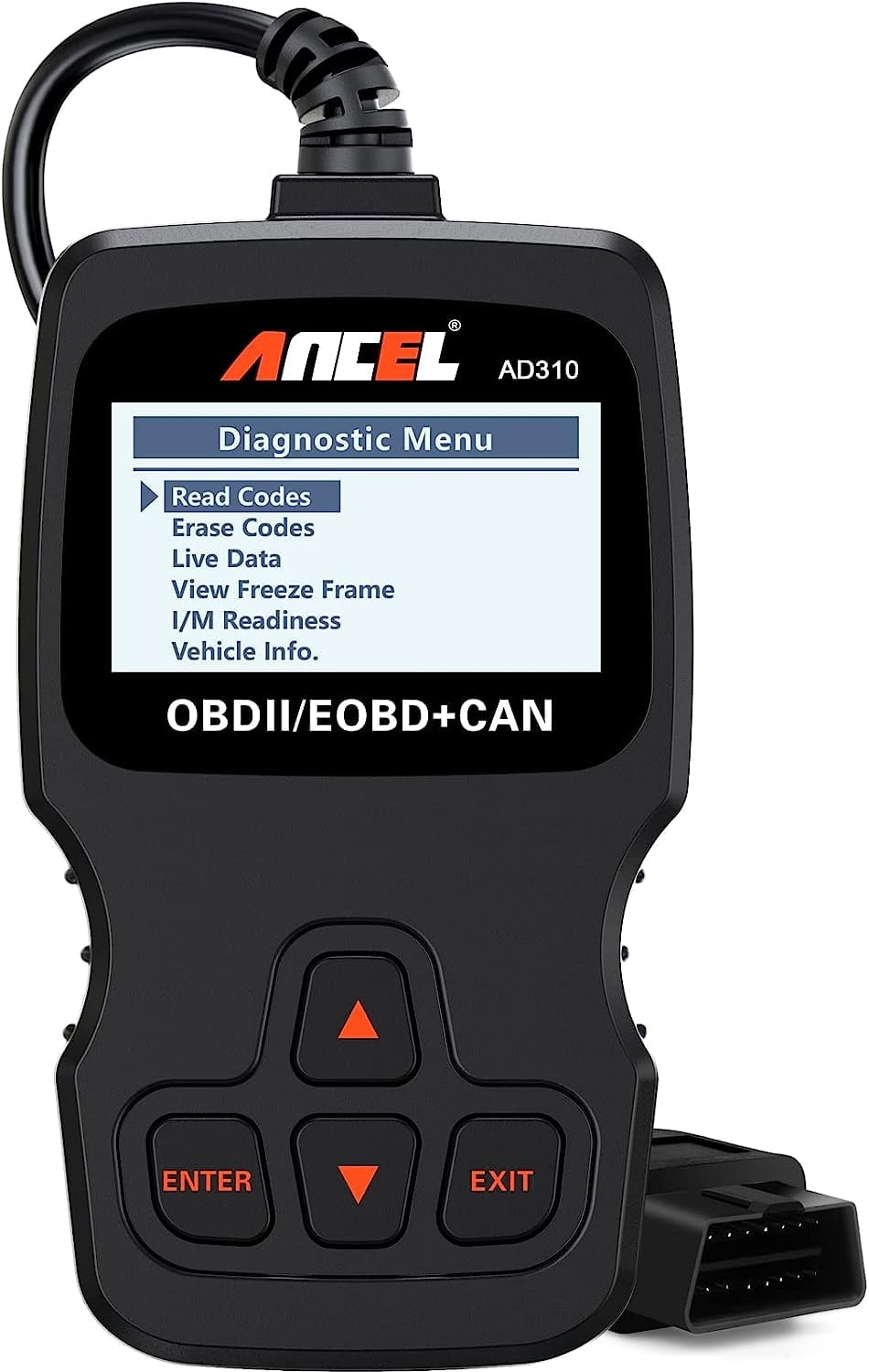
Before testing, park the vehicle safely and switch off all accessories. The ANCEL AD310 gets power from the vehicle’s OBD2 port, so it does not need a separate battery for normal use.
Use this quick checklist:
- Confirm that the vehicle supports standard OBD2.
- Find the 16-pin diagnostic port under the dashboard.
- Push the AD310 plug firmly into the port.
- Turn the ignition to the “ON” position.
- Wait for the scanner to power up.
- Start a scan only after the vehicle and scanner communicate.
The engine may need to stay off while reading codes. For live data or some tests, the engine must run. Always follow the instructions shown on the screen.
A common mistake is plugging in the scanner with the key fully off and assuming the unit is defective. In many vehicles, the diagnostic port receives power only when the ignition is on.
What the ANCEL AD310 Can and Cannot Do
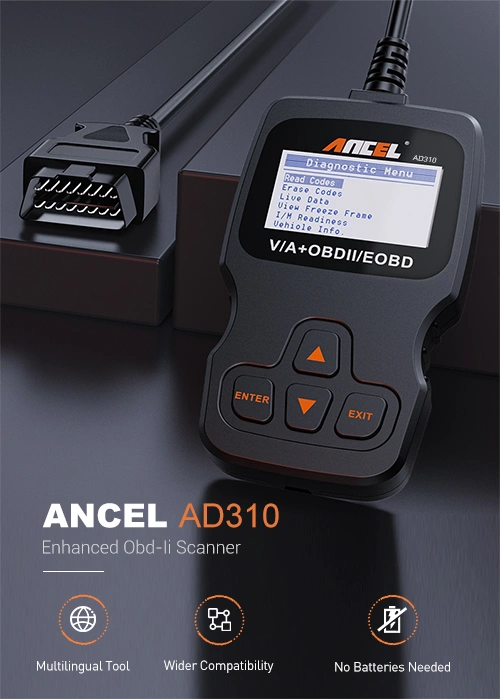
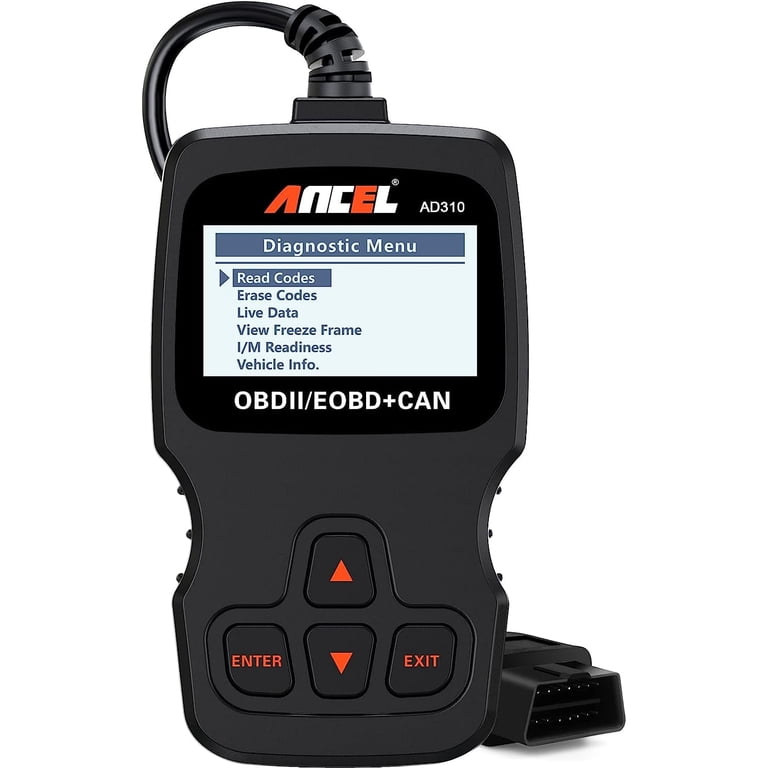
The ANCEL AD310 is designed for basic OBD2 functions. It can read and erase many emissions-related diagnostic trouble codes from the engine control system.
Typical functions include:
• Reading stored trouble codes
• Clearing trouble codes
• Viewing code definitions
• Checking the emissions readiness monitors
• Displaying some vehicle information
• Reviewing basic diagnostic data
The scanner does not replace a professional scan tool. It may not access airbag, ABS, transmission, body, or manufacturer-specific modules. It also may not display advanced live data on every vehicle.
This limitation matters. If an airbag warning light is on, the AD310 may show no fault even though the car has a real problem. That does not mean the vehicle is safe. It means the scanner may not support that control module.
ANCEL AD310 Not Turning On
If the ANCEL AD310 screen stays dark, begin with the vehicle rather than the scanner. The unit normally receives power through pin 16 of the OBD2 connector and uses ground connections through the other required pins.
Try these steps:
- Turn the ignition to “ON,” but do not start the engine.
- Remove the scanner and inspect the plug.
- Check for bent, pushed-back, dirty, or damaged port pins.
- Plug the scanner in again with firm pressure.
- Test the port with another compatible OBD2 scanner if possible.
- Check the vehicle’s diagnostic port fuse.
Some vehicles use a shared fuse for the cigarette lighter, accessory socket, or interior electronics. If that fuse blows, the OBD2 port may lose power too.
Do not force the plug into the socket. A damaged terminal can make contact with the wrong pin and cause more trouble. If the port looks loose or burned, stop testing and have it inspected.
One lesson I often stress during ANCEL AD310 Troubleshooting is that a dead scanner does not always mean a dead scanner unit. A missing fuse or poor port connection is often the real cause.

ANCEL AD310 Shows “Linking Error”
A linking error means the scanner has power but cannot communicate with the vehicle’s control module. This can happen for several reasons.
Check the following:
• The ignition is not fully on
• The vehicle does not support the required OBD2 standard
• The OBD2 port has a wiring fault
• The vehicle battery voltage is too low
• The scanner plug is not fully seated
• Another device is interfering with communication
• The vehicle uses a system outside the scanner’s coverage
Turn the ignition off, wait about 30 seconds, and try again. Then disconnect other devices from the diagnostic port. Some vehicles have aftermarket trackers, insurance monitors, alarms, or remote-start equipment connected there.
Battery voltage also matters. A weak battery can power the scanner but still prevent reliable communication. If the vehicle battery is below normal voltage, charge or test it before repeating the scan.
For older vehicles, check the model year and market. Most gasoline vehicles sold in the United States from 1996 onward use OBD2, but some special-purpose, imported, diesel, or early transitional models may differ.
ANCEL AD310 Cannot Read Codes
If the scanner connects but reports no codes, do not assume the vehicle has no problem. “No codes” may mean there are no stored emissions codes at that moment, or it may mean the fault has not met the conditions needed to set a code.
Use this process:
- Check whether the warning light is currently on.
- Scan with the engine off and ignition on.
- Scan again with the engine running if the scanner allows it.
- Review pending codes.
- Check the readiness monitor status.
- Look for recent battery disconnection or code clearing.
A recently cleared code may return only after the vehicle completes a drive cycle. A fault that occurs for a short time may remain pending before it becomes confirmed.
The AD310 also cannot diagnose every warning light. A tire pressure, ABS, or airbag light may require a specialized scan tool. ANCEL AD310 Troubleshooting works best when you first match the warning light to the system the scanner supports.

ANCEL AD310 Will Not Erase a Code
The scanner may refuse to clear codes when the ignition is off, the vehicle is not connected, or the fault is still active. Some modules also restore a code as soon as the system runs its next check.
Before clearing codes:
• Record every code and its description
• Note freeze-frame data if available
• Repair the likely cause
• Confirm that the battery is stable
• Turn the ignition on without starting the engine
• Make sure the scanner remains connected
Clearing a code does not repair the vehicle. It also resets emissions readiness monitors. If you erase codes before an inspection, the vehicle may fail because the monitors are not ready.
If the check engine light returns quickly, treat that as useful information. The computer has detected that the original condition still exists. Continue testing instead of repeatedly clearing the light.
ANCEL AD310 Displays an Unknown Code
A diagnostic trouble code is a starting point, not a complete diagnosis. For example, a mass airflow code may result from a dirty sensor, an air leak, wiring damage, or an engine problem that changes airflow readings.
When the ANCEL AD310 displays a code:
- Write down the full code.
- Check whether it is generic or manufacturer-specific.
- Read the code description carefully.
- Review freeze-frame information when available.
- Inspect related wiring, connectors, fuses, and hoses.
- Test the suspected system before buying parts.
Do not replace a sensor simply because its name appears in the code. The code often identifies the circuit or system where the computer noticed an abnormal reading. It does not always identify the failed part.
Reliable diagnostic work follows evidence. A wiring test, voltage check, vacuum inspection, or visual check can be more useful than guessing from the code alone.

ANCEL AD310 Screen Freezes or Acts Slowly
A frozen display can result from a poor connection, low vehicle voltage, software communication trouble, or a temporary control-module issue.
Try these safe steps:
• Disconnect the scanner
• Turn the ignition off
• Wait at least 30 seconds
• Restart the vehicle if appropriate
• Reconnect the scanner firmly
• Avoid moving the cable during the scan
• Try the scan with accessories switched off
Keep the scanner away from water, heat, oil, and direct sunlight. Do not pull the cable by the wire. Hold the plug when removing it.
If the unit repeatedly freezes on several known-compatible vehicles, the scanner may need support or replacement. Test it on another vehicle before reaching that conclusion. This simple comparison helps separate a vehicle problem from an AD310 problem.
ANCEL AD310 and Vehicle Compatibility
Compatibility is one of the most important parts of ANCEL AD310 Troubleshooting. The scanner is intended for standard OBD2 vehicles, mainly those sold in the United States from model year 1996 onward.
Compatibility may still vary because of:
• Vehicle market and country
• Engine type
• Model year
• Diesel or heavy-duty design
• Manufacturer-specific communication systems
• Modified wiring or aftermarket electronics
A 16-pin connector does not guarantee full compatibility. Some vehicles use a connector that looks like OBD2 but does not follow the complete standard.
Check the vehicle manual, the scanner documentation, and the manufacturer’s compatibility information before testing. When in doubt, confirm the vehicle protocol with a trusted repair shop or a scan-tool database.
How to Check the OBD2 Port
A visual inspection often solves problems faster than repeated scans. The port is usually below the dashboard, near the steering column, or close to the fuse panel.
Look for:
• Bent metal terminals
• Dirt or corrosion
• Loose housing
• Missing terminals
• Signs of water damage
• Aftermarket wires or adapters
• A plug that does not stay in place
Use a flashlight for a better view. Do not insert metal tools into the port. If cleaning is needed, use a suitable electrical-contact cleaner and allow the connector to dry fully before testing.
Never connect power directly to random terminals. The OBD2 connector has specific power, ground, and communication circuits. A short circuit can damage a fuse or control module.
Common OBD2 Codes and Sensible First Checks
The following examples can help you understand the first step after a scan. They are not complete repair instructions.
• P0300: Random or multiple-cylinder misfire. Check ignition parts, fuel delivery, vacuum leaks, and engine condition.
• P0171: System too lean. Inspect for intake leaks, low fuel pressure, dirty sensors, and exhaust leaks near the oxygen sensor.
• P0420: Catalyst efficiency below threshold. Check for misfires, exhaust leaks, sensor faults, and catalyst condition before replacing the converter.
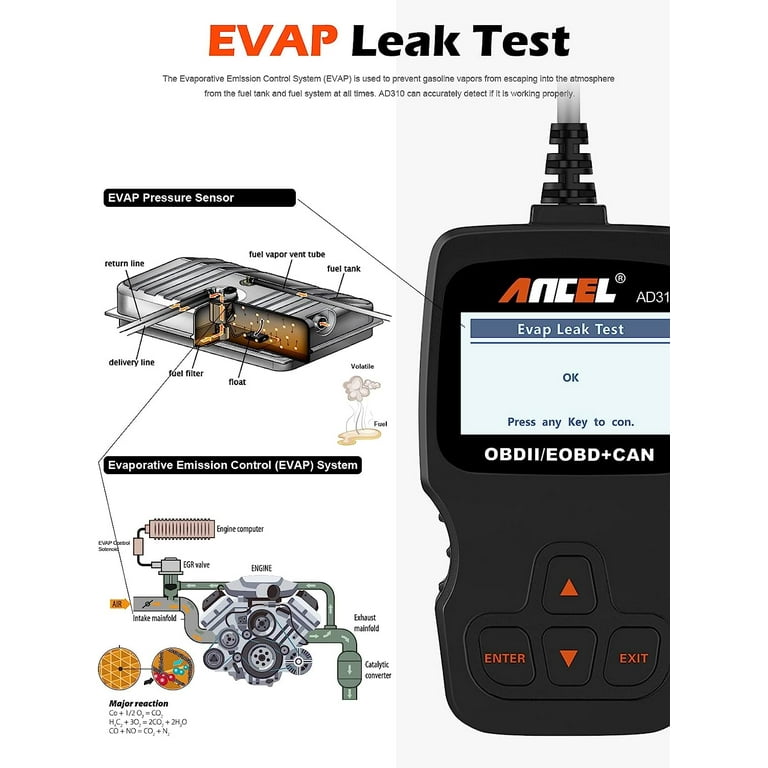
• P0455: Large evaporative-emissions leak. Inspect the fuel cap, vapor hoses, purge valve, and canister system.
• P0128: Coolant temperature below regulating temperature. Check coolant level, the thermostat, temperature sensor, and wiring.
These codes point toward systems. They do not prove that one part has failed. Good ANCEL AD310 Troubleshooting combines the code with symptoms, inspection, and test results.
Checking Readiness Monitors After Clearing Codes
Readiness monitors show whether the vehicle has completed required self-checks. Clearing codes, disconnecting the battery, or losing power can reset these monitors to “not ready.”
To help them complete:
- Confirm that the check engine light stays off.
- Make sure the fuel level is within the range recommended by the vehicle maker.
- Drive with both city and highway conditions.
- Include cold starts, steady speeds, and normal acceleration.
- Avoid aggressive driving while the monitors run.
- Check the scanner again after several trips.
The exact drive cycle differs by vehicle. Some monitors may require specific temperatures, speeds, or fuel levels. A vehicle can run normally and still have monitors that are not ready.
This is especially important before emissions testing. Ask your local inspection agency about its monitor rules because requirements can vary by state.
Safety Tips for Using the ANCEL AD310
Diagnostic work is low risk when done carefully, but the vehicle can still move or become hot. Follow these precautions:
• Keep the parking brake on
• Place the transmission in Park or Neutral
• Keep children away from the driver’s seat
• Avoid loose clothing near belts and fans
• Do not touch hot engine parts
• Keep the scanner cable away from pedals
• Do not erase codes before recording them
• Never ignore a flashing check engine light
A flashing check engine light often indicates an active misfire that may damage the catalytic converter. Reduce driving and arrange proper diagnosis as soon as possible.
If you smell fuel, see smoke, or notice severe engine shaking, stop the test. A scanner can provide clues, but it cannot make an unsafe vehicle safe.
Mistakes to Avoid During ANCEL AD310 Troubleshooting
Many repair costs begin with a small diagnostic mistake. Avoid these common habits:
• Replacing the first part named by a code
• Clearing the light without recording the code
• Testing with a weak battery
• Using the scanner with the ignition off
• Assuming every warning light is an engine code
• Ignoring loose OBD2 terminals
• Repeating the same scan without checking the cause
• Treating a generic code description as a final diagnosis
One practical lesson from ANCEL AD310 Troubleshooting is to slow down. A five-minute visual check can prevent an expensive and unnecessary sensor purchase.
Take photos of the screen if needed. Write down the code, mileage, symptoms, and recent repairs. These details help a technician find the fault much faster.
When to Use a Professional Diagnostic Tool
The AD310 is useful for check engine light problems, basic code reading, and emissions readiness checks. A professional tool becomes more useful when the problem involves several systems or needs advanced data.
Seek professional help when:
• The scanner cannot communicate with the vehicle
• The vehicle has an airbag or ABS warning
• The engine will not start
• The check engine light flashes
• Several control modules show faults
• Wiring damage is visible
• The vehicle loses power or overheats
• The same code returns after a repair
A professional technician may use a bidirectional scan tool, wiring diagrams, a multimeter, a test light, an oscilloscope, or a smoke machine. These tools test causes that a basic code reader cannot confirm.
The AD310 remains valuable as a first check. It can help you explain the symptoms and codes clearly before visiting a repair facility.
Frequently Asked Questions About ANCEL AD310 Troubleshooting
Why does my ANCEL AD310 have a blank screen?
The scanner may not be receiving power from the OBD2 port. Turn the ignition on, inspect the plug, and check the vehicle’s diagnostic-port fuse.
Why does the ANCEL AD310 say “linking error”?
A linking error means the scanner cannot communicate with the vehicle computer. Check ignition position, battery voltage, port condition, vehicle compatibility, and aftermarket devices connected to the port.
Can the ANCEL AD310 read ABS or airbag codes?
Usually, the AD310 focuses on standard engine and emissions-related OBD2 codes. ABS, airbag, transmission, and body-module faults often require a brand-specific or advanced scanner.
Will clearing a code fix the vehicle?
No. Clearing a code only removes stored information and turns off the warning light temporarily in many cases. If the fault remains, the code and light will return.
Why does my car have no code but still run poorly?
Some faults do not set a code immediately, and some vehicle systems are outside the scanner’s coverage. Mechanical problems, vacuum leaks, fuel issues, and intermittent faults may need additional testing.
Can a weak car battery cause scan problems?
Yes. Low voltage can power the scanner but prevent stable communication with the vehicle computer. Charge or test the battery before making a final diagnosis.
Is the ANCEL AD310 compatible with every vehicle?
No. It works with many standard OBD2 vehicles, but compatibility depends on model year, market, engine type, protocol, and vehicle system. Always check the vehicle and scanner documentation.
Conclusion
Effective ANCEL AD310 Troubleshooting starts with simple checks: confirm compatibility, turn the ignition on, inspect the OBD2 port, verify battery power, and record codes before clearing them. Remember that a trouble code identifies a system or circuit, not always a failed part.
Use the AD310 as a helpful first step, not as a complete replacement for testing or professional diagnosis. Work slowly, follow safety rules, and compare scanner results with real symptoms. If this guide helped, explore your vehicle manual and share your code or experience in the comments.