Thinkware Vs Garmin: Which Dash Cam Wins?
Thinkware leads in smart parking and video clarity, while Garmin wins for simple setup, GPS, and compact design.
Choosing between Thinkware vs Garmin is not just a brand decision. It is about how you drive, where you park, and which features you will use every day. Thinkware focuses on advanced vehicle protection, cloud tools, and multi-camera systems. Garmin focuses on ease, clean design, GPS features, and a simple user experience. This guide compares Thinkware vs Garmin across video quality, night recording, parking mode, apps, pricing, reliability, and real-world use.
Thinkware vs Garmin: Quick Comparison
Thinkware and Garmin make reliable dash cameras, but they serve different drivers. Thinkware often feels like a complete security system for your car. Garmin feels more like a small, polished travel camera that is easy to install and use.
| Feature | Thinkware | Garmin |
|---|---|---|
| Main strength | Parking protection and advanced recording | Simple use, GPS, and compact design |
| Video quality | Strong detail, especially on higher-end models | Good image quality with easy controls |
| Parking mode | Usually more advanced | Available on some models, often simpler |
| Cloud features | Strong on selected models | Available on selected connected models |
| Camera systems | Many front, rear, and interior options | Strong single-camera and dual-camera choices |
| Installation | Often benefits from professional wiring | Usually easier for beginners |
| Best for | Security-focused drivers and fleets | Daily drivers who want simplicity |
| App experience | Feature-rich but can feel complex | Usually straightforward |
| Price range | Budget to premium | Budget to premium |
| GPS | Common on mid-range and premium models | A major part of the Garmin experience |
The best choice depends on the full system, not just the brand name. A premium Garmin can outperform an entry-level Thinkware model, while a high-end Thinkware can offer more protection than a basic Garmin.

Thinkware vs Garmin Video Quality
Video quality is the heart of any dash cam. A camera may have many features, but it must capture readable plates, clear road signs, and useful details after a crash.
Thinkware offers several cameras with 2K and 4K recording. Models such as the Q1000 and U3000 are built for drivers who want high detail. Their higher resolution can help when a vehicle is close to your car or when a road sign appears in the distance.
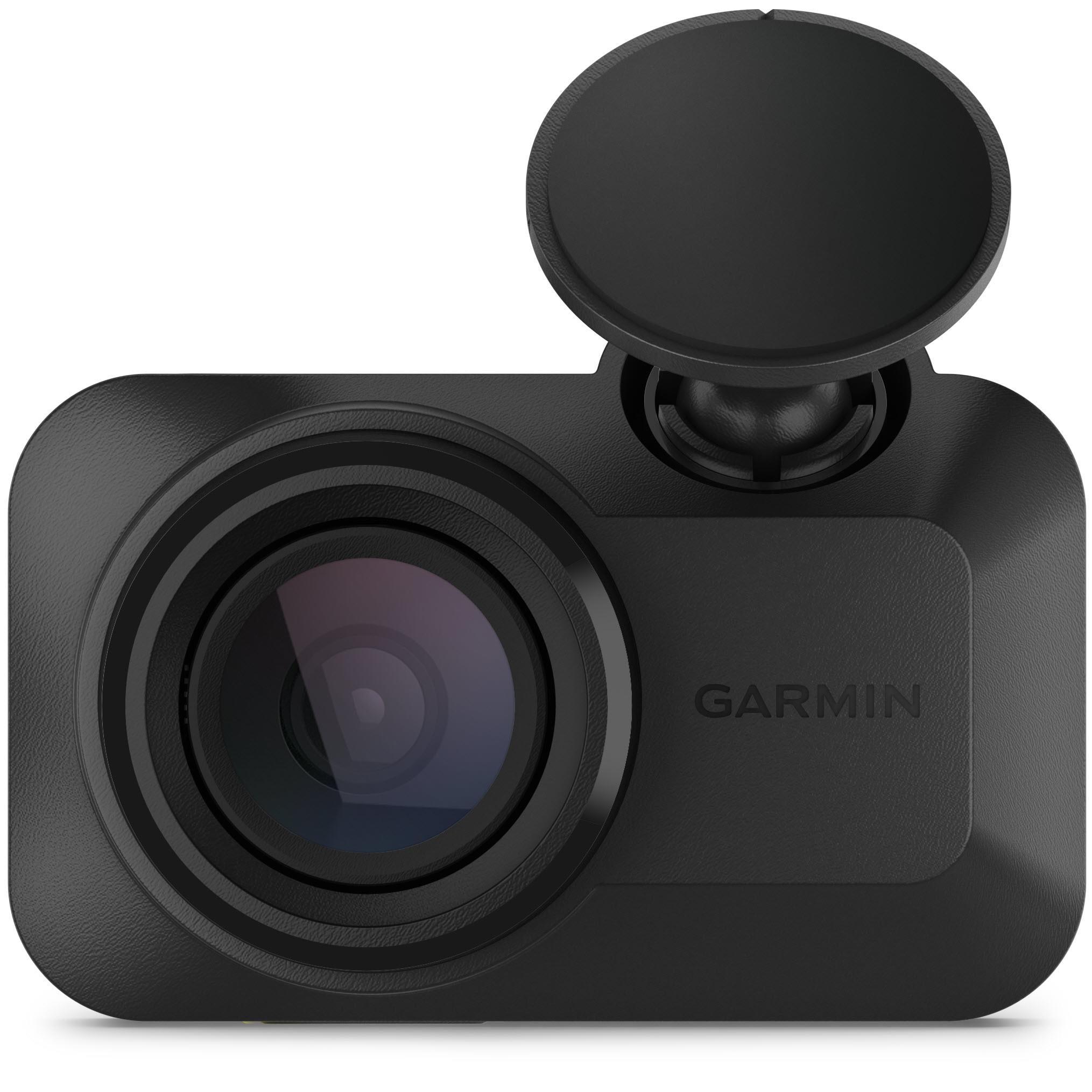
Garmin also offers strong video quality. The Dash Cam X310 records in 4K, while models such as the Dash Cam 67W provide wide video with a compact body. Garmin often keeps the controls simple, so you can start recording without learning a complex menu.
Resolution is only one part of image quality. Lens design, image processing, light control, and bitrate also matter. A 4K camera with poor night exposure may show less useful detail than a well-tuned 2K camera.
Daytime recording
In daylight, both brands can produce sharp and useful footage. Thinkware’s premium models often create a more detailed image, especially when you use a high-quality memory card and the correct settings.
Garmin footage usually looks natural and clear. Its wide-angle lenses can capture more of the road, which helps at intersections and during side impacts. The trade-off is that very wide video can make distant plates look smaller.
Night recording
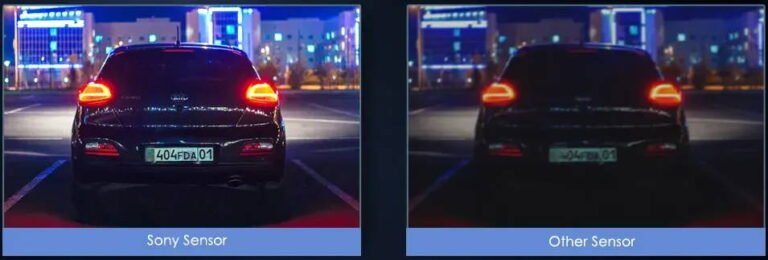
Night recording is where the Thinkware vs Garmin choice becomes more important. Thinkware’s stronger models use advanced image processing and, on some models, Sony STARVIS sensors. These tools can improve detail in dark streets and poorly lit parking lots.
Garmin also performs well at night, especially with newer premium cameras. Still, results depend on street lights, windshield cleanliness, glare, and the camera’s exposure settings. No dash cam can make a dark road look bright without adding noise or losing detail.
What users should check
Look for these points when comparing sample footage:
• Plate readability at close and medium distances
• Detail under bright headlights
• Shadow detail on unlit roads
• Motion blur at higher speeds
• Reflection from the windshield
• Image quality at the left and right edges
A practical lesson is simple: never judge a dash cam from a single daytime clip. Watch daytime, night, rain, and low-light footage from the exact model you plan to buy.
Thinkware vs Garmin Parking Mode
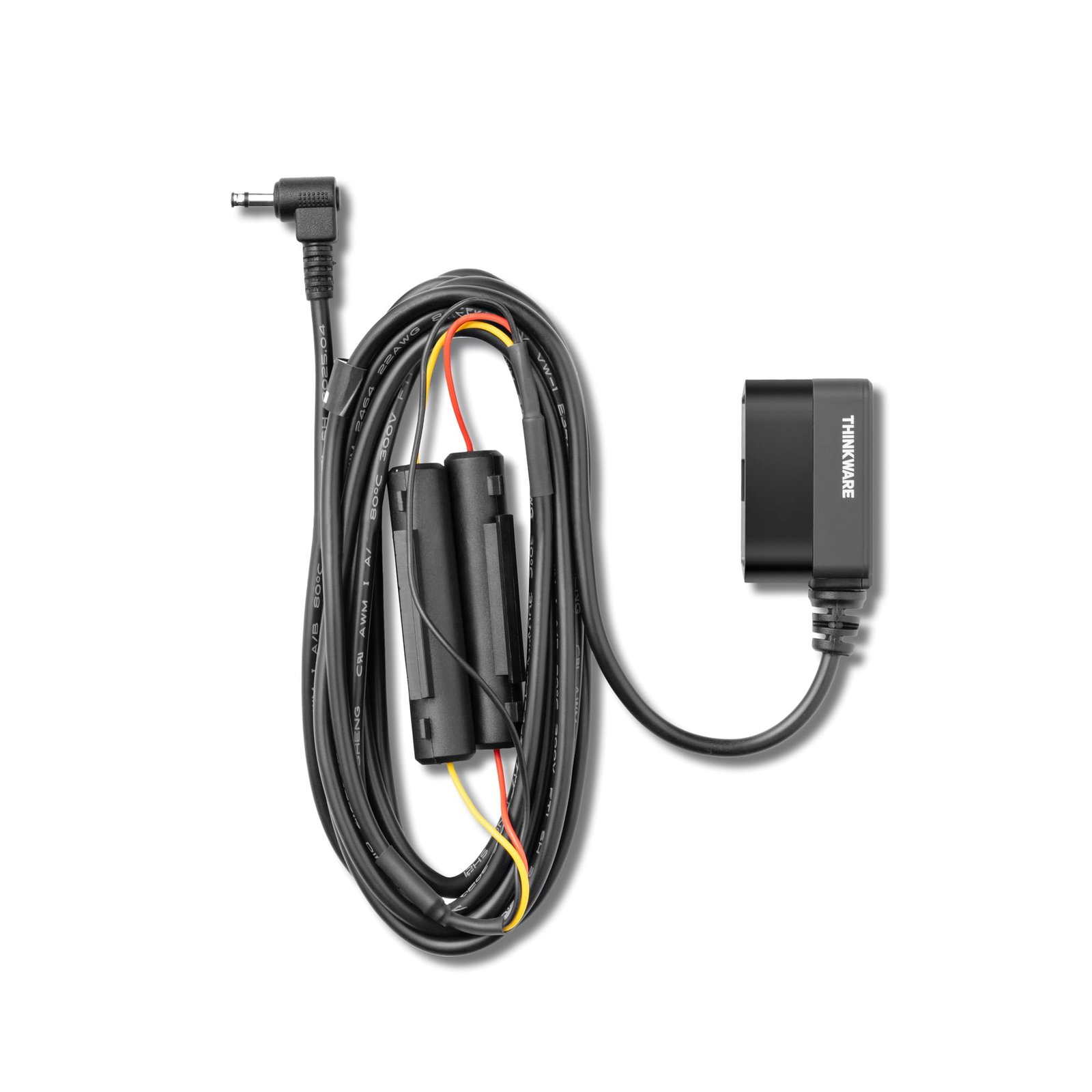
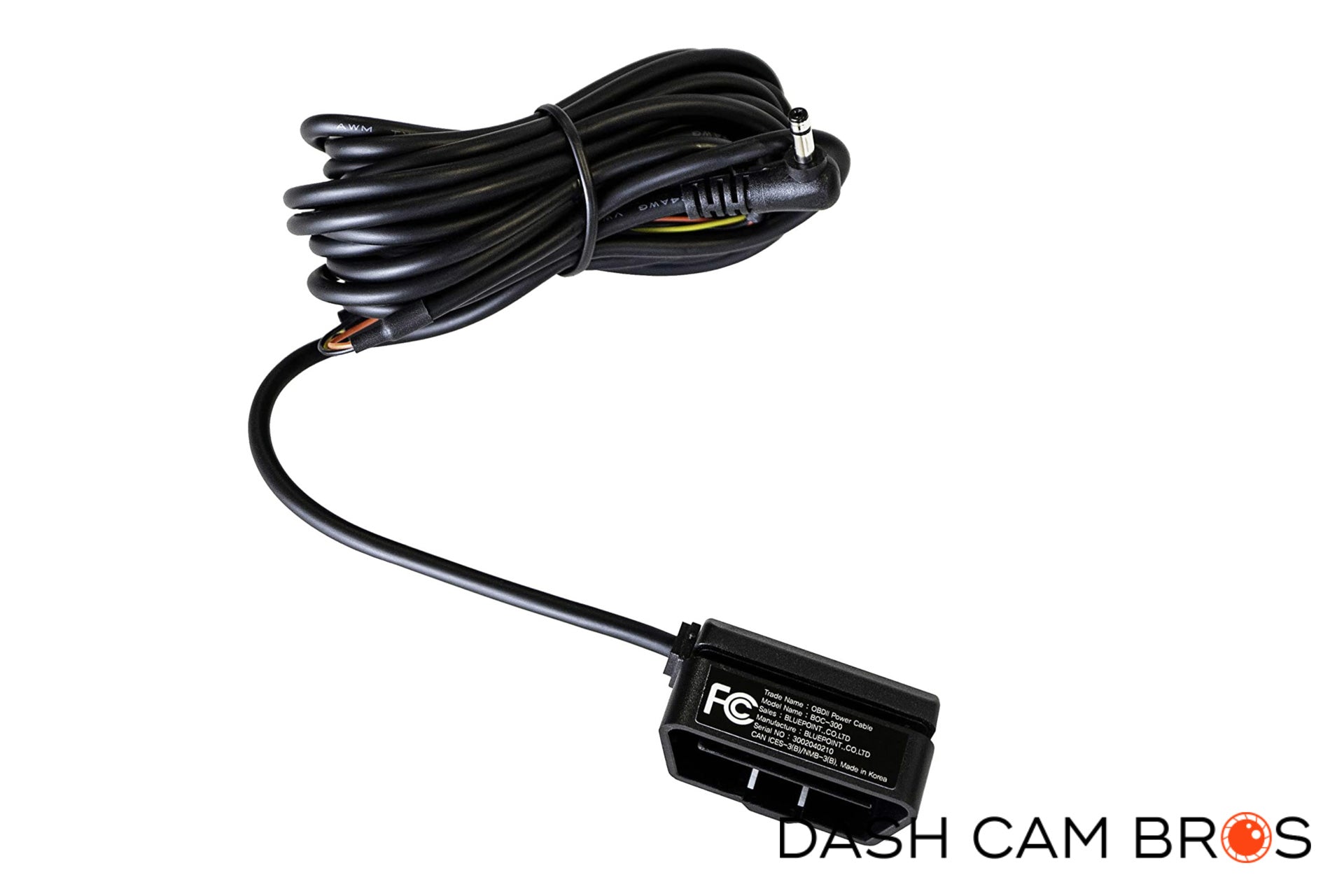
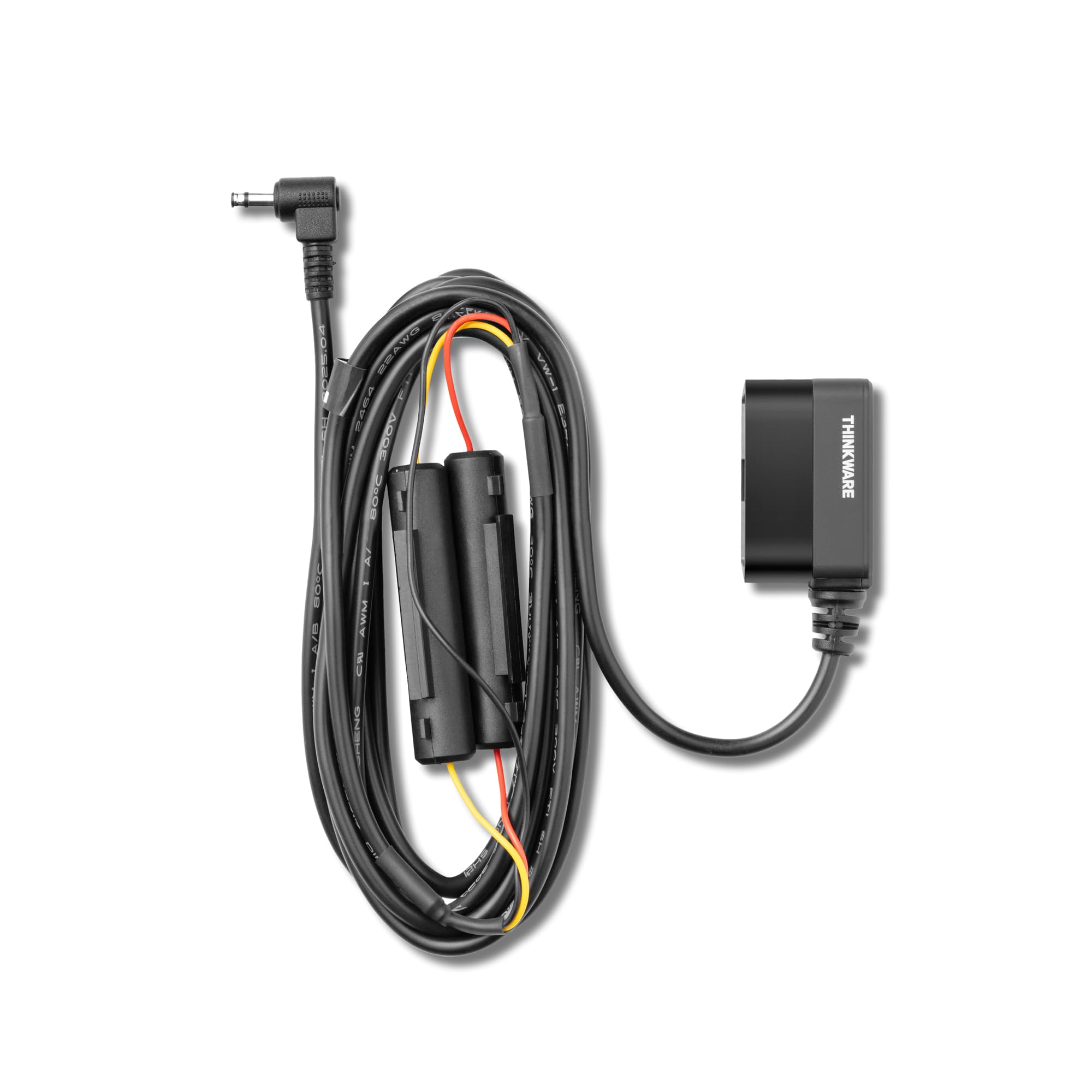
Parking mode is one of Thinkware’s biggest advantages. It lets the camera monitor your vehicle while the engine is off, if the camera has a suitable hardwire kit or an external battery pack.
Thinkware offers several parking modes, depending on the model. These can include motion detection, impact recording, time-lapse recording, and energy-saving modes. Some models can also send alerts through cloud services when the system detects an impact or unusual event.
Garmin offers parking protection on selected cameras and accessories. Its parking mode can record activity around the vehicle, but the exact functions depend on the camera, cable, and power setup. Garmin’s system may be better for drivers who want a simple parking feature without a large number of settings.
Thinkware parking features
Thinkware parking systems may include:
• Motion detection near the vehicle
• Impact detection from the G-sensor
• Time-lapse recording
• Low-power recording
• Battery protection settings
• Cloud notifications on compatible models
These features can help in a parking lot, driveway, or street-side space. However, parking mode can drain a car battery if installed incorrectly. A low-voltage cutoff is important because it stops the camera before the battery becomes too weak to start the engine.
Garmin parking features
Garmin parking mode can be useful for drivers who want basic vehicle monitoring. Some models need an additional cable or power solution for continuous operation after the ignition is off.
Garmin’s parking system may be easier to understand. This is helpful for people who do not want to adjust many motion, voltage, or recording settings. The limitation is that advanced parking tools may not be as broad as those found in Thinkware’s higher-end range.
Which parking system is better?
Thinkware is usually the better choice for parking protection. Garmin is a good fit if you park in safer areas and mainly want evidence while driving.
If parking security is your top goal, consider these details:
-
Confirm that the camera supports parking mode.
-
Buy the correct hardwire kit.
-
Check that the kit has low-voltage protection.
-
Use a high-endurance microSD card.
-
Test the system after installation.
-
Review clips to confirm that the camera records while parked.

Thinkware vs Garmin Features
The feature list can make a dash cam look exciting, but useful features matter more than a long list. Thinkware and Garmin take different approaches.
Thinkware often includes advanced safety tools, Wi-Fi, GPS, parking options, cloud functions, and support for rear or interior cameras. Garmin emphasizes a clean interface, voice control on selected models, GPS, driver alerts, and connected features.
GPS and speed data
GPS can record your location and speed. This information may help show where an event happened. It can also support route tracking and travel logs.
Garmin has a strong reputation for GPS technology, so location features are a natural part of many Garmin dash cams. Thinkware also includes GPS in many mid-range and premium models. Before purchase, check whether GPS is built into the camera or requires an external module.
Speed data can be useful, but it can also create confusion. Make sure the time, date, and speed settings are correct. A wrong timestamp may weaken the value of a clip when you share it with an insurer or law enforcement agency.
Wi-Fi and phone apps
Both brands offer Wi-Fi on many models. Wi-Fi lets you view or download clips without removing the memory card.
Thinkware’s app may provide more settings and cloud controls. That is useful for users who want detailed control. It can feel less friendly at first because there are more menus to learn.
Garmin’s app experience is often more direct. It suits drivers who want to check a clip, save it, and move on. App features can change with firmware updates, so check current compatibility before buying.
Cloud services
Cloud recording can send alerts or clips to your phone through an internet connection. Thinkware’s cloud system is a major reason some buyers choose the brand. It can support remote viewing and impact notifications on compatible models.
Garmin also offers connected services on selected cameras. These may support remote access and event notifications. Cloud features often require a constant data connection, a compatible phone, and sometimes a subscription or extra hardware.
Voice control
Selected Garmin cameras support voice commands. This can help you save a video without touching the camera while driving.
Thinkware focuses more on physical controls, app settings, and automated functions. Voice control is convenient, but it should not be the main reason to buy a dash cam. Safe driving always comes first.
Driver assistance alerts
Some models from both brands can warn about lane departure, forward collisions, or nearby traffic. These alerts can help in certain situations, but they are not a replacement for active driving.
False alerts may occur on narrow roads, in heavy rain, or when lane markings are poor. Treat these functions as reminders, not as an automatic safety system.
Thinkware vs Garmin Camera Options
The camera layout affects how much of an incident you can capture. Thinkware often provides more choices for multi-camera coverage.
Single front camera
A front camera is the simplest setup. It costs less and is easy to install. It can capture a crash ahead of you, but it will not show what happens behind your car.
Garmin has many compact front-camera options. Thinkware also offers front-only models for drivers who want a clean installation.
Front and rear camera
A two-channel system records the road ahead and behind you. This is a strong choice for highway driving, rear-end crashes, and parking incidents.
Thinkware has several front and rear packages. Garmin also sells dual-camera systems, including setups that can record the cabin or rear view depending on the model.
Front, rear, and interior camera
A three-channel system can record the front road, rear road, and cabin. It is useful for rideshare drivers, families, and people who carry valuable items.
Thinkware offers systems designed for multi-camera recording. Garmin’s lineup includes options for interior recording, but the exact camera layout varies. Always confirm whether the rear camera faces through the back window or records inside the cabin.
Lens angle
A wide lens captures more of the road. It can help at side intersections and during lane changes. Too much width, however, may make distant objects look smaller.
A camera with a 140-degree lens may provide a useful balance. Wider is not always better. The best angle depends on how the camera processes the image and where it is mounted.

Thinkware vs Garmin Installation
Installation is often overlooked. A camera that sits at the wrong angle may produce poor footage, even if the hardware is excellent.
Garmin is usually easier for beginners. Many models use a simple power cable and suction or adhesive mount. You can move the camera between vehicles with less effort.
Thinkware often benefits from a more permanent installation. A hardwire kit can hide the cable and enable parking mode. A professional installer may be helpful when adding rear and interior cameras.
Basic installation tips
Use these steps for either brand:
-
Mount the camera near the top center of the windshield.
-
Keep it inside the windshield wiper’s cleaning area.
-
Avoid blocking the driver’s view.
-
Clean the glass before attaching the mount.
-
Route the cable along the headliner and door trim.
-
Check that airbags are not blocked.
-
Format the memory card in the camera.
-
Test the view before final cable placement.
A common mistake is mounting the camera too low. This can block your view and capture too much dashboard. Another mistake is leaving the lens cap or protective film in place, which can create haze and glare.
Professional installation
Professional installation makes sense when you want:
• Hidden wiring
• Front and rear cameras
• Parking mode
• A battery pack
• A clean look in a leased or luxury vehicle
A good installer should explain the low-voltage cutoff and show you how to remove the memory card. Ask for a test of parking mode before leaving the shop.
Thinkware vs Garmin Reliability and Storage
A dash cam works only when it records correctly. Reliability depends on the camera, power supply, firmware, temperature, memory card, and installation.
Both Thinkware and Garmin cameras can encounter common dash cam problems. These include corrupted files, overheating, frozen screens, app connection issues, and memory card failure. Many problems come from using a low-quality card rather than from the camera itself.
Memory cards
Use a high-endurance microSD card made for continuous video recording. Standard cards may wear out faster because a dash cam writes data for many hours each day.
Check the maximum supported capacity in the manual. A card that is too large or too slow may not work correctly. Format the card in the camera at regular intervals, and replace it when you notice missing clips or recording errors.
Heat and cold
A windshield can become extremely hot in direct summer sun. It can also become very cold during winter. Heat is especially hard on batteries and memory cards.
Avoid leaving loose batteries or power banks in a hot vehicle. Keep the camera firmware updated, but do not interrupt an update. If the camera repeatedly shuts down, check the power cable, fuse connection, memory card, and temperature.
Firmware
Firmware updates can improve stability and add features. They can also change menus or app behavior.
Before updating:
• Save important videos
• Read the update instructions
• Use a fully charged phone or stable computer
• Do not remove power during the update
• Confirm that the camera restarts normally
Thinkware and Garmin both provide product support, but the experience can vary by country and model. Check the support page for your exact model rather than relying on advice for a similar camera.
Thinkware vs Garmin Price and Value
The price of a dash cam includes more than the camera. You may also need a memory card, hardwire kit, rear camera, CPL filter, installation, or cloud service.
Garmin often provides strong value for drivers who want a small front camera with GPS and easy controls. Its premium cameras cost more but can offer excellent video and a refined user experience.
Thinkware can cost more when you add a rear camera, hardwire kit, and professional installation. However, the extra cost may be worthwhile if you need parking mode, cloud alerts, or multi-camera coverage.
Thinkware may offer better value when:
• You want advanced parking protection
• You need front, rear, and interior coverage
• You drive for rideshare work
• You want cloud alerts
• You plan to keep the camera for several years
Garmin may offer better value when:
• You want a simple setup
• You prefer a compact camera
• GPS and voice control matter to you
• You move the camera between cars
• You do not need complex parking features
Do not compare only the retail price. Compare the complete installed system. A cheaper camera may become more expensive after adding accessories and installation.
Thinkware vs Garmin for Different Drivers
The best Thinkware vs Garmin choice changes with your daily routine.
For daily commuters
Garmin is a strong choice for a driver who wants basic protection during the commute. It starts quickly, takes up little space, and is easy to check after an incident.
Thinkware is better if your car stays parked outdoors for long periods. Its parking tools can add another layer of protection.
For rideshare drivers
Thinkware often has the advantage for rideshare use because of its multi-channel options. A cabin camera can record what happens inside the vehicle, while a rear camera covers the road behind you.
Check local privacy laws before recording passengers. Place a visible notice in the vehicle if required, and learn the rules for audio recording in your state.
For fleet owners
A fleet manager may value cloud access, GPS logs, and remote alerts. Thinkware’s connected systems may fit this use better on compatible models.
Garmin can still work well for small fleets that want simple evidence cameras. The right choice depends on whether you need centralized management or only local video storage.
For luxury and leased vehicles
Garmin’s compact design may be attractive when you want a low-profile camera. Thinkware can also look clean, especially with professional wiring.
Before installing a hardwire kit in a leased vehicle, review the lease terms. Use an installer who understands modern vehicle electronics and avoids unsafe wiring.
For occasional drivers
A simple Garmin may be enough if you drive only a few times each week. Thinkware may be unnecessary unless the vehicle faces a higher parking risk or you want advanced monitoring.

Thinkware vs Garmin: Pros and Limitations
No dash cam brand is perfect. Knowing the limits helps you make a better choice.
Thinkware advantages
• Strong parking mode options
• Many front, rear, and interior camera systems
• High-resolution choices
• Cloud tools on compatible models
• Good fit for permanent installation
Thinkware limitations
• Some models need professional installation
• The app may take time to learn
• Accessories can increase the total cost
• Advanced features vary by model
• Parking mode depends on proper power setup
Garmin advantages
• Simple installation
• Compact camera designs
• Strong GPS features
• Easy controls on many models
• Good selection of front and dual-camera systems
Garmin limitations
• Parking features may be less advanced on some models
• Premium accessories can raise the price
• Not every model includes the same connected tools
• Very wide lenses may reduce distant detail
• Some functions require extra cables or services
These limits do not make either brand a poor choice. They show why model-to-model comparisons are more useful than brand slogans.
How to Choose Between Thinkware and Garmin
Use this simple process before you buy.
-
Decide whether parking mode is essential. If yes, lean toward a Thinkware system with a proper hardwire kit.
-
Choose the camera view. Pick front-only for low cost, front and rear for broad road coverage, or three-channel for cabin recording.
-
Set a full budget. Include the memory card, power cable, installation, and possible cloud costs.
-
Watch real sample footage. Review night, rain, and highway clips.
-
Check the app. Make sure your phone supports it and that downloads are easy.
-
Confirm warranty and support in your country.
-
Buy a high-endurance memory card.
-
Install and test the camera before you need it.
If you are still unsure, ask yourself one question: Do you want a simple witness camera or a broader vehicle security system? Garmin usually answers the first need. Thinkware often answers the second.
Frequently Asked Questions About Thinkware vs Garmin
Is Thinkware better than Garmin?
Thinkware is often better for parking mode, cloud alerts, and multi-camera coverage. Garmin may be better for drivers who want simple controls, compact hardware, and strong GPS features.
Is Garmin a good brand for dash cams?
Yes, Garmin makes reliable dash cams with clear video, useful GPS features, and easy setup. The best model depends on whether you need rear recording, cabin recording, or parking protection.
Which is better for parking mode, Thinkware or Garmin?
Thinkware usually offers the more advanced parking system. Garmin can provide useful parking recording on compatible models, but you must check the required cable and power setup.
Do Thinkware and Garmin dash cams record inside the car?
Some models from both brands can record the cabin. Check the camera layout carefully because a rear-facing camera may record through the back window instead of inside the vehicle.
Do Thinkware and Garmin include a memory card?
Some packages include a memory card, while others do not. Even when one is included, confirm that it is a high-endurance card and replace it when recording errors appear.
Can I install a Thinkware or Garmin dash cam myself?
Many Garmin front cameras are easy to install yourself. Thinkware systems with rear cameras, hardwiring, and parking mode may be easier and safer to install with professional help.
Do dash cams reduce car insurance rates?
Some insurers offer discounts for safety equipment, but dash cam discounts are not guaranteed. Ask your insurer directly because rules vary by company and state.
Conclusion
Thinkware vs Garmin is a close match, but the better brand depends on your priorities. Thinkware stands out for parking protection, cloud tools, and flexible multi-camera systems. Garmin is a strong choice for easy setup, compact designs, GPS, and simple daily use.
Choose Thinkware if your car spends time parked in public areas or you want a complete security setup. Choose Garmin if you want clear footage with less setup and fewer controls to manage. Compare the exact model, not only the logo, then add the right memory card and power kit for dependable recording. Explore the models that fit your driving needs, and share your dash cam experience or questions in the comments.