What Features Should An Obd2 Scanner Have: Best Guide
An OBD2 scanner should read codes, show live data, and support your car’s specific needs.
If you’ve ever seen a check engine light and felt stuck, you already know why the right OBD2 scanner matters. I’ve tested enough scanners over the years to say this with confidence: the best one is not just the one that reads codes. It is the one that helps you understand what the car is telling you, save time, and avoid guesswork. What features should an OBD2 scanner have? Let’s break it down in a simple, practical way so you can choose one that actually fits how you drive, diagnose, and repair.

What an OBD2 scanner actually does
An OBD2 scanner connects to your car’s diagnostic port and talks to the vehicle’s onboard computer. It pulls trouble codes, shows sensor data, and can sometimes reset warning lights after repairs.
At a basic level, it helps you answer three questions fast:
- What is wrong
- How serious is it
- What should I check next
That is why the best OBD2 scanner features go beyond just code reading. A good scanner should save time, reduce confusion, and help you make smarter repair decisions. From my own experience, a cheap scanner is fine for one-off checks, but a better one pays for itself the first time it shows live data that points you toward the real problem.
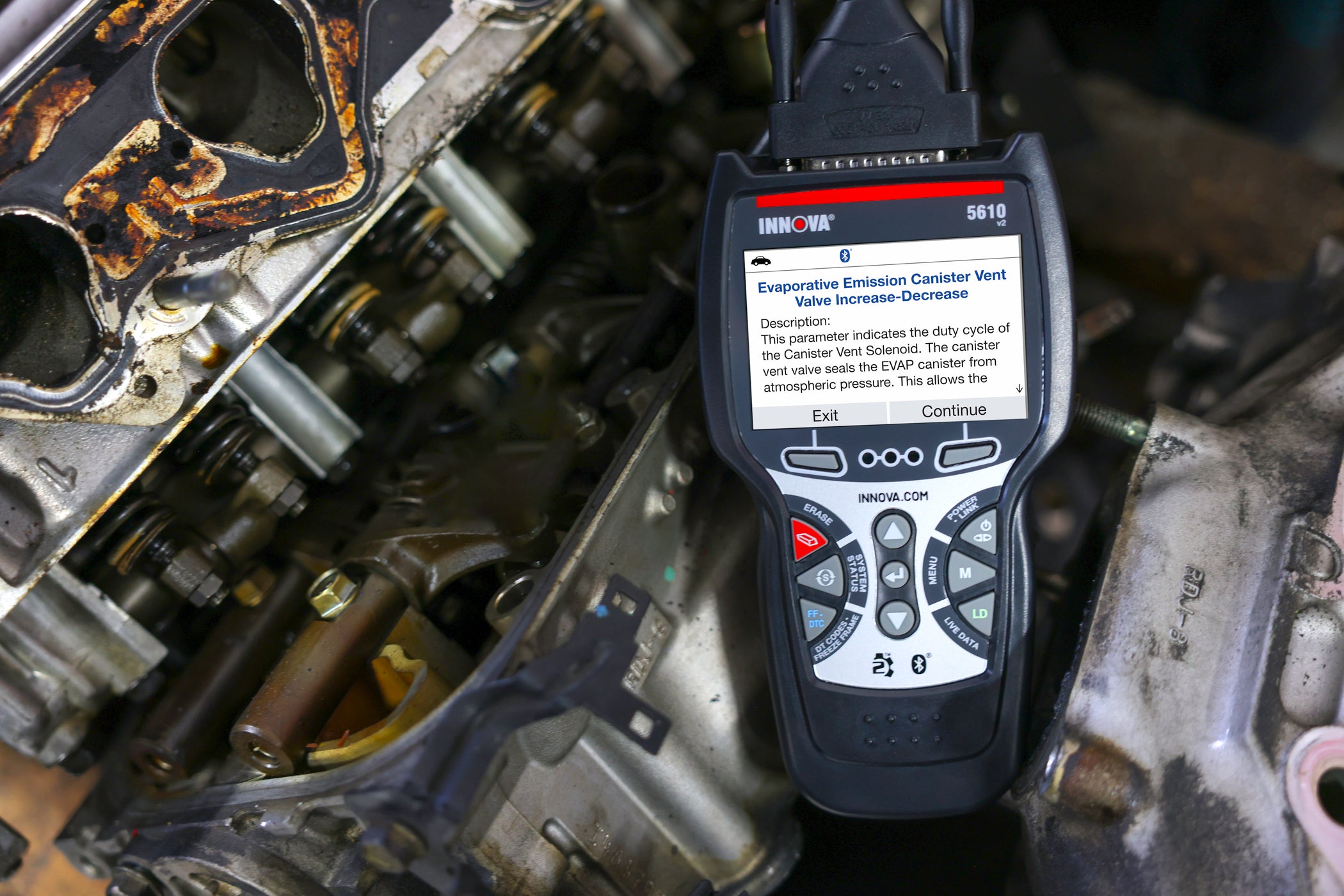
The most important features an OBD2 scanner should have
1. Code reading and code clearing
This is the core job. Any decent OBD2 scanner should read generic diagnostic trouble codes, often called DTCs, and let you clear them after the issue is fixed.
Look for support for:
- Powertrain codes
- Emissions-related codes
- Pending codes
- Freeze frame data
Freeze frame data is especially useful. It shows what the engine was doing when the fault was detected, like speed, RPM, coolant temp, and fuel trims. That snapshot can make diagnosis much easier.
2. Live data streaming
Live data is one of the most valuable features in an OBD2 scanner. It lets you watch sensor readings in real time instead of guessing.
Useful live data includes:
- Engine RPM
- Coolant temperature
- Oxygen sensor readings
- Fuel trims
- Intake air temperature
- Vehicle speed
- Throttle position
In my own use, live data has saved me from replacing parts too soon. For example, a car may show a lean code, but live fuel trim data can reveal whether the issue is a vacuum leak, a bad sensor, or a fuel delivery problem. That kind of detail turns a scanner from a simple code reader into a real diagnostic tool.
3. Vehicle compatibility
Not every OBD2 scanner works the same way on every car. A scanner should support your vehicle’s make, model, and year as fully as possible.
Check for:
- OBD2 protocol support
- U.S. vehicles from 1996 and newer
- European vehicles with full compatibility
- Asian vehicles with broad coverage
If you work on multiple cars, compatibility matters even more. I once bought a scanner that worked fine on one brand but had limited data on another. That was a good reminder: always match the scanner to the cars you plan to service.
4. ABS, SRS, and transmission support
A basic scanner only handles engine codes. A better one should also support other systems like:
- ABS for brake issues
- SRS for airbag warnings
- Transmission codes
- Body and chassis modules on higher-end tools
This feature matters because many warning lights are not engine-related. If you want a scanner for more than simple check engine light use, system coverage becomes a big deal. For DIY users, ABS and SRS support are often the first upgrade worth paying for.
5. Live freeze frame and data graphing
Seeing live data is helpful. Seeing it in a graph is even better.
Graphing helps you spot patterns that are hard to catch in a list of numbers. For example, a fluctuating oxygen sensor or a slow coolant warmup is much easier to notice on a graph.
A strong OBD2 scanner should let you:
- View multiple data streams
- Compare sensors side by side
- Graph trends over time
- Spot spikes, drops, and delays
This is one of those features that seems optional at first, then becomes essential once you start diagnosing real problems.
6. Readiness monitors and emissions test support
If you need to pass a smog or emissions test, readiness monitor support is a must. It shows whether the vehicle’s self-checks have completed.
Common readiness monitors include:
- Catalytic converter
- Oxygen sensor
- Evaporative system
- EGR system
- Misfire monitor
This feature helps you avoid failing an inspection because one monitor has not reset yet. I’ve seen people clear a code right before a test and then wonder why the car still fails. A good scanner helps you see that problem before you head to the station.
7. Ease of use and clear screen design
A scanner can have great features and still be frustrating if the menu is clumsy. The best OBD2 scanner should be easy to navigate, even if you are not a mechanic.
Look for:
- Clear display
- Simple menus
- Large text
- Fast startup
- Easy-to-read fault descriptions
A clean interface saves time and reduces mistakes. In real life, a simple scanner that is pleasant to use often gets picked up more than a powerful one with confusing menus.
8. Battery and power options
Some OBD2 scanners draw power from the vehicle’s diagnostic port. Others have a built-in battery or rechargeable pack. Both can be useful depending on how you work.
Helpful power features include:
- Powered through the OBD2 port
- Rechargeable battery
- Auto shutoff
- Data save before disconnect
If you use the scanner in a garage or driveway, a built-in battery can make it easier to move around. If you mostly want a quick plug-and-read device, port power is usually enough.
9. Graphical and report-saving features
A scanner that can store and print reports is more useful than one that only shows data once and forgets it.
Good reporting features include:
- Code history
- Freeze frame storage
- Data export
- PDF or app-based reports
- Scan summaries
This is helpful if you are tracking a recurring issue or sharing results with a shop. It also makes it easier to compare readings over time.
10. Bi-directional control
This is a big step up from basic scanning. Bi-directional control lets the scanner send commands to the vehicle.
Examples include:
- Turning the fuel pump on
- Activating cooling fans
- Cycling the ABS pump
- Testing solenoids
- Running certain service functions
Not every driver needs this, but if you like deeper diagnostics, it is a powerful feature. For advanced DIY work, bi-directional control can save a lot of time by confirming whether a part works before replacement.
11. Special reset and service functions
Many modern scanners offer service resets that go beyond code reading.
Useful functions may include:
- Oil light reset
- Brake pad reset
- Battery registration
- Steering angle reset
- Throttle adaptation
- EPB reset
These features are especially helpful if you do your own maintenance. Just be careful: service functions can vary by vehicle, and some require exact procedures. I always recommend checking compatibility before buying, because not every scanner supports every reset on every car.
12. Software updates
Cars change fast. A scanner with update support stays useful longer.
Updates may add:
- New vehicle coverage
- Bug fixes
- Better fault code libraries
- Improved performance
- New reset features
This is one of the most overlooked features when people shop for an OBD2 scanner. A scanner without updates can age quickly, especially if you plan to keep it for years.
13. Bluetooth or wireless app support
Wireless scanners are very popular now, and for good reason. They connect to a phone or tablet through Bluetooth or Wi-Fi.
Benefits include:
- Easy portability
- Larger screen through your phone
- Better report sharing
- App-based updates
- More flexible use
I like wireless scanners for quick checks, especially when I do not want another screen on the dash. The tradeoff is that app quality matters a lot. A weak app can ruin an otherwise good device.
14. Build quality and cable length
This sounds simple, but it matters. A scanner should feel sturdy enough for garage use and have a cable long enough to reach comfortably.
Good signs of quality include:
- Solid connector fit
- Durable cable
- Strong buttons
- Protective casing
- Reliable port connection
A loose connector or flimsy cable gets annoying fast. I’ve had scanners that worked fine electrically but felt cheap in the hand, and those are the ones that usually end up in a drawer.
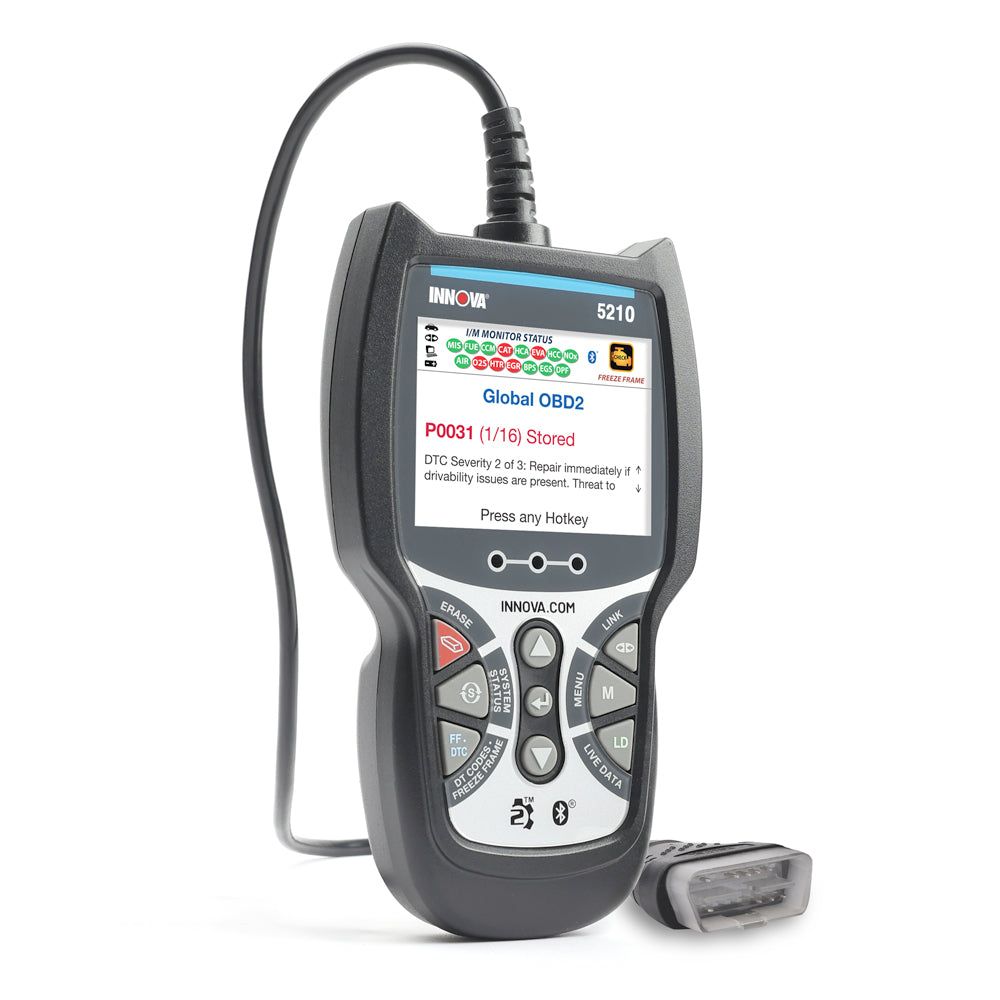
Basic, mid-range, and advanced OBD2 scanner features
Not every buyer needs the same thing. The right scanner depends on your needs, skill level, and budget.
Basic scanner features
A basic OBD2 scanner is best for simple home use.
It usually includes:
- Read and clear engine codes
- Freeze frame data
- Vehicle info
- Readiness monitor status
- Simple live data
This is enough for many drivers who just want to know why the check engine light is on.
Mid-range scanner features
A mid-range scanner is a good fit for DIY mechanics.
It often adds:
- ABS and SRS support
- More live data
- Graphing
- Service resets
- Better vehicle coverage
This is the sweet spot for many people. It gives you more power without becoming too expensive or hard to use.
Advanced scanner features
An advanced scanner is made for serious users.
It may include:
- Bi-directional control
- Full-system diagnostics
- Special functions
- Advanced graphing
- Coding and adaptations
- Wider vehicle coverage
If you work on cars often, the extra features can save real time. But if you only scan a car once every few months, you may not need that level.
How to choose the right OBD2 scanner for your needs
The best OBD2 scanner is not always the one with the most features. It is the one that fits your real-world use.
Ask yourself these questions:
- Do I only need to check engine lights
- Do I want ABS and airbag support
- Do I work on one car brand or many
- Do I need service resets
- Do I want wired or wireless use
- Will I use a phone app or a standalone screen
Here is a simple way to think about it:
- Casual driver: basic code reading and clearing
- DIY owner: live data, readiness monitors, and service resets
- Serious hobbyist: full-system support and graphing
- Advanced user: bi-directional control and deeper diagnostics
A mistake I see a lot is people buying a scanner based only on the price. Cheap can work, but too cheap often means weak coverage, poor updates, and confusing menus. It is better to buy once than to keep replacing tools.
Features that are nice to have, but not always necessary
Some features sound impressive, but you may not need them right away.
These include:
- Key programming
- ECU coding
- Advanced adaptations
- Air-fuel ratio testing
- Mode 6 data interpretation
- OEM-level functions
If you are a beginner, do not get distracted by flashy feature lists. Focus on the core tools first. A scanner that reads codes, shows live data, and supports your vehicle well is already very useful.
Common mistakes to avoid when buying an OBD2 scanner
Buying the wrong scanner is easy. I’ve made that mistake myself, and it usually happens when the product page looks better than the actual tool.
Avoid these errors:
- Buying a scanner that only reads engine codes when you need more
- Ignoring vehicle compatibility
- Overpaying for features you will never use
- Skipping software update support
- Choosing poor app-based tools with bad reviews
- Forgetting to check reset and service function coverage
A scanner should solve problems, not create new ones. If a feature is hard to use or does not work on your vehicle, it is not really a feature at all.
What the experts and industry standards show
OBD2 became the standard in the U.S. for light-duty vehicles starting in 1996, and that is why most scanners are built around this baseline. Industry guidance from automotive and emissions systems standards makes one thing clear: proper diagnosis depends on both fault codes and data interpretation, not just code clearing.
That is why professional repair work often relies on live data, freeze frame records, and system-specific testing. A good OBD2 scanner should reflect that reality. The more it helps you compare symptoms with sensor behavior, the more useful it becomes.
Frequently Asked Questions of What features should an OBD2 scanner have?
What is the most important feature in an OBD2 scanner?
Code reading and live data are the most important features for most users. Code reading tells you what the vehicle detected, while live data helps you confirm the cause.
Do I need an expensive OBD2 scanner?
Not always. If you only want to read and clear check engine codes, a basic model may be enough, but if you want ABS, SRS, or service resets, a mid-range scanner is usually a smarter choice.
Can an OBD2 scanner reset the check engine light?
Yes, most OBD2 scanners can clear engine codes and turn off the check engine light after the problem is fixed. If the issue is still present, the light will likely return.
Should I get a wireless OBD2 scanner or a handheld one?
Wireless scanners are convenient and work well with phones, but handheld scanners often feel more direct and reliable for quick use. The better choice depends on whether you prefer a built-in screen or app-based control.
Do all OBD2 scanners work on all cars?
No, not all scanners offer the same level of compatibility. Most work on 1996 and newer OBD2-compliant vehicles, but deeper features like ABS, SRS, and service resets can vary by make and model.
Is live data useful for beginners?
Yes, live data is useful even for beginners because it helps show what the car is doing in real time. You do not need to be an expert to notice a sensor reading that looks strange.
Conclusion
The best OBD2 scanner should do more than read a code and leave you guessing. It should give you live data, support your vehicle, offer useful reset functions, and be easy enough to use when you are standing in your driveway with a blinking dashboard light.
If you are shopping for one now, focus on what you will actually use most. A scanner with the right mix of compatibility, live data, and clear results will help you diagnose problems faster and avoid costly mistakes. Take a little time to compare features, and you will end up with a tool that feels less like a gadget and more like a trusted helper.
If this guide helped, explore more vehicle diagnostic tips and share your own scanner experience in the comments.