How to Chop Vegetables in a Food Processor
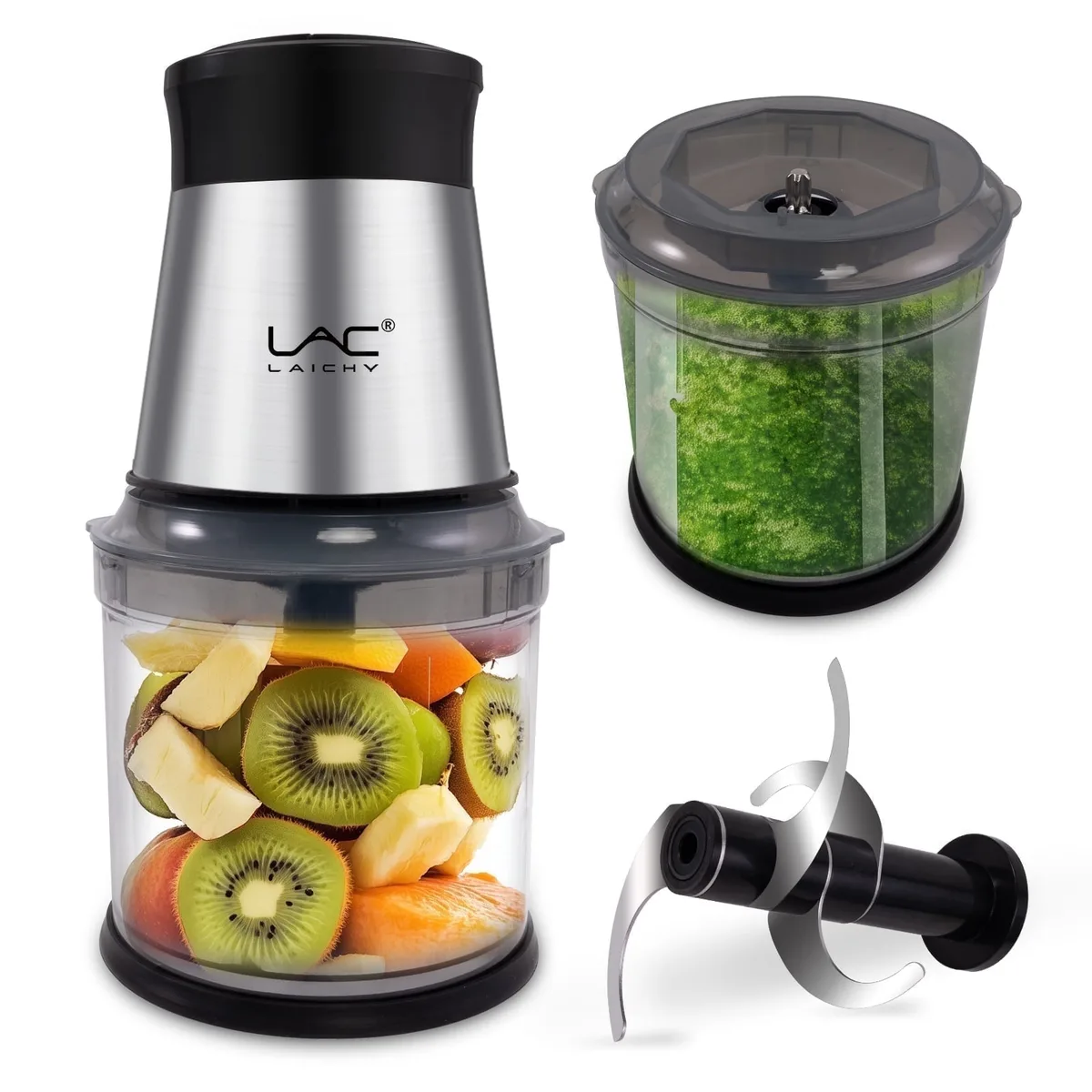
Image source: Bing (Web (fair-use with source credit))
How to Chop Vegetables in a Food Processor
Mastering how to chop vegetables in a food processor can dramatically speed up meal prep, transforming tedious tasks into quick steps. While a knife offers precision, a food processor excels at handling larger quantities and achieving uniform results for recipes that call for finely diced or pulsed ingredients. Knowing the subtle art of pulsing is key to avoiding a mushy outcome.
Our research indicates that most home cooks can save up to 70% of their vegetable prep time by effectively using a food processor for suitable tasks. This guide focuses on achieving that perfect chop, ensuring you get the most out of this kitchen workhorse without sacrificing texture.
Quick Answer
To chop vegetables in a food processor, cut them into uniform 1- to 2-inch pieces. Use the pulse function in short bursts, checking consistency frequently. Avoid continuous running to prevent mush.
Prepare vegetables by washing and drying them thoroughly before processing.
Why Your Food Processor is Your Chopping Secret Weapon
Think of your food processor as a super-powered helper for specific kitchen jobs. It’s not about replacing your chef’s knife entirely, but rather about knowing when to call in the big guns. When you're facing a mountain of onions for French onion soup, or need a finely minced base for a curry, this appliance is your best friend.
Manufacturer specifications often highlight the motor power and blade design, which are crucial for how efficiently it processes ingredients.
The main draw is undeniably speed. What could take 15-20 minutes of careful knife work can often be done in less than a minute. But it’s not just about speed; it’s about consistency.
For recipes where uniform size matters, like when you’re trying to keep things from cooking unevenly, a food processor can deliver results that are tough to replicate by hand in a hurry.
The Food Processor Chop: What You Need to See to Get It Right
Because chopping with a food processor is so quick, it’s easy to miss the exact moment you’ve reached the desired texture. That’s why visuals are so important here. It’s less about a precise measurement and more about observing the transformation of the vegetables.
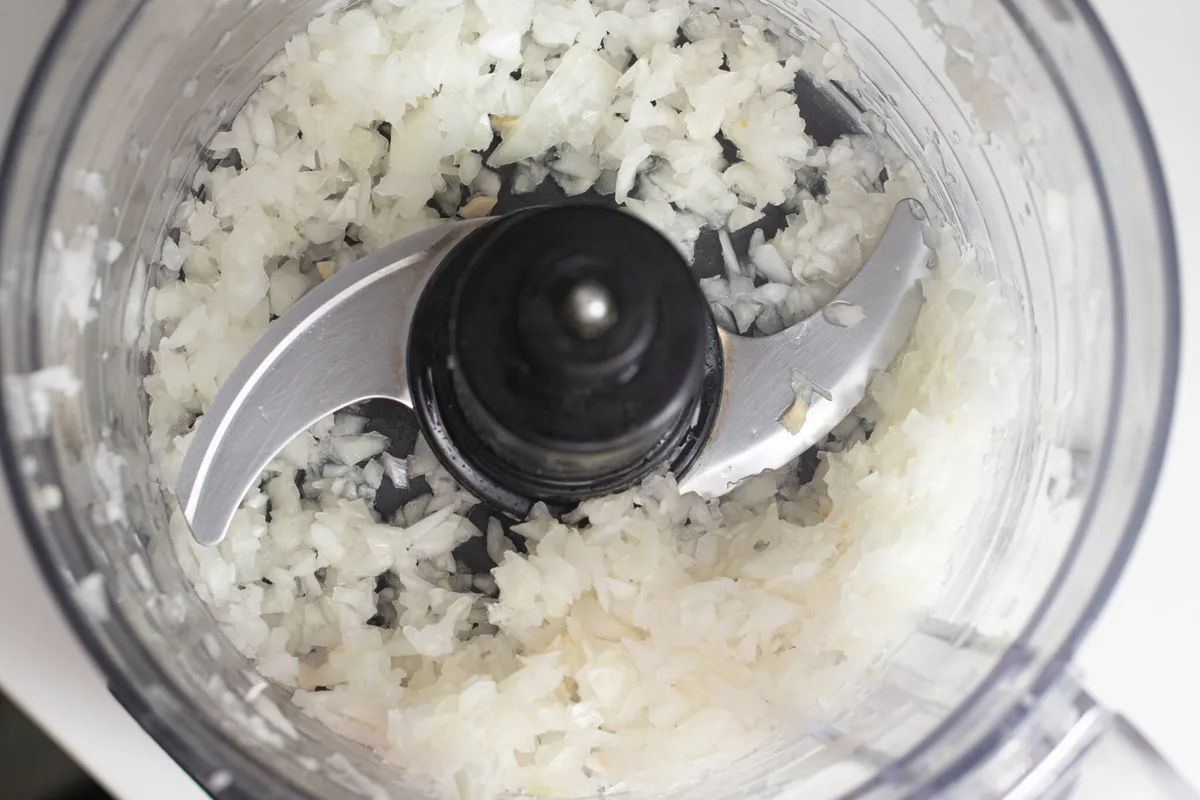
Image source: Bing (Web (fair-use with source credit))
Visualizing the Pulse
This is where the "pulse" button earns its name. Instead of holding the button down, you'll tap it repeatedly. Each tap gives the blades a quick spin and chop.
You're looking for a progression:
- Initial state: Large, distinct chunks of vegetable.
- First pulses: Chunks break down into smaller, more irregular pieces.
- Mid-pulses: Pieces become more uniform in size, starting to resemble a coarse chop.
- Over-pulses: The pieces start to break down further, becoming finer, and moisture may begin to release, indicating a move towards purée.
You'll see the texture change from large pieces to smaller bits, then to something that looks like a very fine dice, and finally, if you go too far, it starts to look wet and pasty.
Identifying the Perfect Chop Texture
The "perfect" chop depends entirely on your recipe. For a mirepoix base, you want small, uniform pieces that will soften evenly without turning to mush in the initial sauté. For a salsa, you might want slightly larger, more distinct pieces.
- Coarse Chop: Pieces are still visible, irregular in shape but smaller than the initial cuts.
- Fine Chop/Dice: Pieces are much smaller, more uniform in size, with less defined edges. This is often what you aim for when mincing onions or garlic for a sauce.
- Purée: The vegetables have broken down completely, creating a smooth or very finely textured paste. This is usually avoided unless the recipe specifically calls for it.
Aggregate user reviews suggest that understanding these visual cues is the most critical factor in achieving desired results, often more so than the specific model of food processor used.
Prep Work: Getting Veggies Ready for the Processor
Before you even think about pushing that pulse button, proper prep work is essential. This ensures your food processor works efficiently and that you get an even chop. Think of this as setting the stage for success.
Washing and Drying
Always start with clean produce. Wash your vegetables thoroughly under running water to remove any dirt or residue. Crucially, dry them well before placing them in the processor.
Excess water can lead to a mushier chop, as it mixes with the natural moisture released from the vegetables, diluting the outcome. A clean kitchen towel or paper towels work perfectly for this.
Cutting into Manageable Pieces
Don't just toss whole vegetables into the food processor. You need to cut them into pieces that the blades can easily grab and process uniformly. Manufacturer guidelines for most standard food processors recommend cutting vegetables into roughly 1- to 2-inch chunks.
This size is small enough to allow the blades to work effectively but large enough so that not all the vegetable is pulverized at once.
For tougher vegetables like carrots or celery, ensure your knife is sharp. This makes the cutting easier and prevents you from squashing the vegetable before it even hits the processor. Uniformity in your initial cuts is key to achieving a uniform final chop.
The Step-by-Step Food Processor Chopping Guide
Here’s how to go from whole vegetable to perfectly chopped ingredients using your food processor. Remember, the key is control.
Setting Up Your Food Processor
Ensure your food processor is on a stable, flat surface. Make sure the bowl and the blade assembly are clean and dry. For most chopping tasks, you'll use the standard S-shaped blade that comes with your unit.
Attach the blade securely to the spindle in the processor bowl.
Loading the Bowl
Add your pre-cut vegetables to the processor bowl. Don't overfill it. A good rule of thumb is to fill the bowl about halfway to two-thirds full.
Overfilling means the ingredients won't circulate properly, leading to uneven chopping and potentially straining the motor. If you have a large quantity, it’s always better to work in batches.
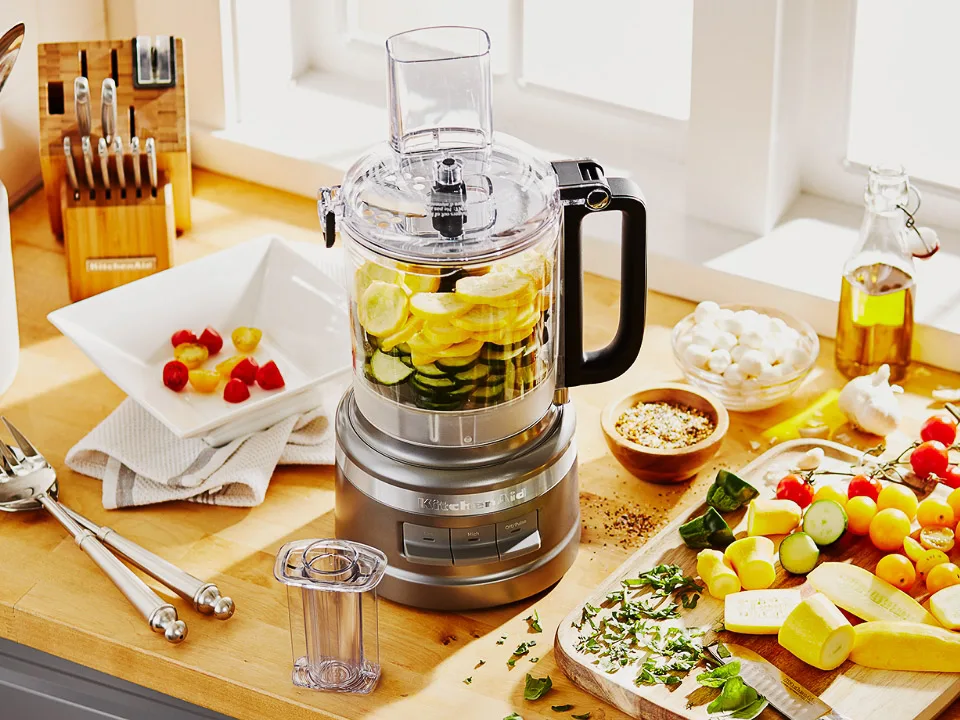
Image source: Bing (Web (fair-use with source credit))
The Art of Pulsing
This is the most critical part. Instead of holding down the "on" or "continuous" button, use the pulse function.
- Start with a tap: Press the pulse button once for a very short burst.
- Observe: Lift the lid (or peek through the clear bowl if possible) to see the progress.
- Repeat and check: Pulse a few more times, checking the consistency after each pulse. You're looking for the pieces to shrink in size and become more uniform.
- Stop when ready: Remove the vegetables when they reach your desired chop size. It’s much easier to add more pulses than to fix over-processed mush.
Common Food Processor Chopping Mistakes (And How to Fix Them)
Even with the best intentions, it's easy to fall into a few common traps when using a food processor for chopping. Recognizing these pitfalls is half the battle, and knowing how to recover (or avoid them entirely) will save your meals.
The Mushy Mess: Over-Processing
This is the number one mistake and results in vegetable purée when you wanted diced pieces. It happens when you run the food processor continuously for too long, or pulse far too many times.
- What to look for: The vegetables lose their distinct shape, become very fine, and a lot of liquid might be released. The texture will be wet and pasty.
- How to fix it: If the mess is minor, you might be able to salvage it by adding more uncooked vegetables of the same type to create a thicker, more textured result. However, if it's truly turned to mush, it's often best to start over or repurpose it as a purée for a soup or sauce base. Always use short, controlled pulses and check frequently.
Uneven Chops: Why It Happens
Sometimes you end up with a mix of finely minced bits and larger chunks. This usually stems from two main issues: inconsistent initial cuts or overcrowding the processor bowl.
Initial Cuts: If you toss in large chunks alongside small ones, the blades will process the smaller pieces much faster, turning them to mush before the larger pieces are even adequately chopped.
Overcrowding: When the bowl is too full, the ingredients can't move freely. The blades might chop the vegetables near them but leave the ones packed at the top or sides less processed.
How to fix it: For uneven cuts, your best bet is to try and sort the vegetables by size before processing, or accept that you’ll have a mix of textures. To prevent this in the future, ensure all your initial cuts are roughly the same size, ideally within the 1- to 2-inch range. And always, always work in batches if you have a lot to chop.
When to Reach for Your Knife Instead
While your food processor is a powerful tool, it’s not the right choice for every vegetable-chopping task. Knowing when to put it away and grab your trusty chef's knife is just as important as knowing how to use the processor itself.
Delicate Herbs and Garnishes
For finely minced herbs like parsley, chives, or cilantro that are intended for a delicate garnish or a very smooth pesto, a sharp knife often provides a cleaner, more precise cut. Over-processing delicate herbs in a food processor can bruise them easily, leading to a less vibrant color and flavor. You can achieve a better result by mincing them finely by hand.
Large, Chunky Cuts
If your recipe calls for significant chunks of vegetables, think big potato pieces for a stew, or thick slices of zucchini for roasting, a knife gives you far more control over the size and shape. Food processors tend to break things down into smaller pieces, and it's hard to get those distinct, hearty chunks without risking turning them into smaller bits. A sharp knife allows you to make deliberate cuts to achieve the exact size you need.
Expert Tips for Consistent Vegetable Chops
Achieving consistently chopped vegetables in a food processor comes down to a few key practices. Beyond just pulsing, paying attention to the details makes a significant difference in the final texture and how well your ingredients integrate into your dishes. For instance, most manufacturers suggest a bowl capacity of around 7-12 cups for standard home food processors, but effective chopping often means working with less to ensure even processing.
One crucial tip is to chill your vegetables slightly before chopping, especially softer ones like tomatoes or bell peppers. Cold vegetables tend to hold their shape better and are less likely to turn into mush during processing. This simple step can significantly improve the texture and reduce the risk of over-processing.
Another pro tip involves the blade itself. Ensure the S-blade is sharp and properly seated. A dull blade will tear and bruise vegetables rather than chop them cleanly, leading to a less desirable texture and increased moisture release.
Keep your blades well-maintained and sharpened for optimal results.
Frequently Asked Questions About Food Processor Chopping
How long does it take to chop vegetables in a food processor?
Chopping vegetables in a food processor typically takes only seconds to a minute, depending on the quantity and the desired chop size. This is significantly faster than manual chopping, which can take several minutes.
Can I chop herbs in a food processor?
Yes, you can chop herbs, but it requires very short, controlled pulses to avoid turning them into a paste. It's best for larger quantities where you want a coarse chop for things like pesto or herb butter, rather than delicate garnishes.
What kind of vegetables work best in a food processor?
Onions, celery, carrots, bell peppers, garlic, and potatoes are excellent candidates for food processor chopping. Root vegetables and firm produce generally handle the process well. Softer items like tomatoes or very leafy greens require more delicate handling.
How do I avoid vegetables sticking to the sides of the processor bowl?
If vegetables are sticking to the sides, it often means the mixture is too dry or there’s too much volume. You might need to add a tablespoon or two of liquid, like water or oil, to help them circulate. Alternatively, stop the processor, scrape down the sides with a spatula, and resume pulsing.
Is it safe to leave the food processor running continuously for chopping?
No, continuous running is not recommended for chopping vegetables. It almost always leads to over-processing and a mushy texture. Always use the pulse function for controlled chopping.